

5 Common Architecture Portfolio Mistakes to Avoid
A reviewer often spends under a minute on a portfolio, so small errors carry a heavy cost. This guide breaks down the five most common architecture portfolio mistakes, why each one hurts, and the fix for every issue.
 Muhammad Abdullatef - Tifa Studio19 July 20215 Mins read551
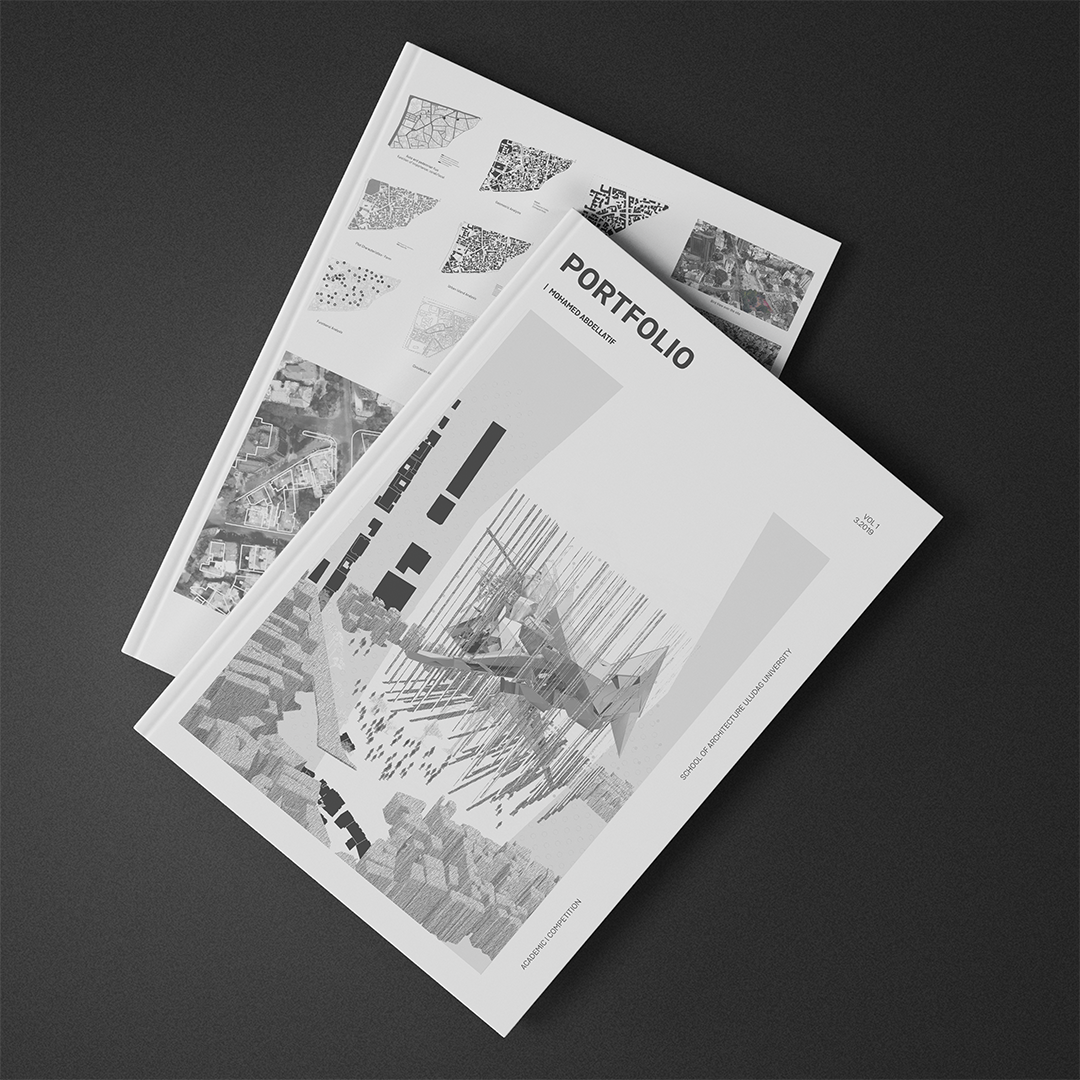
Table of Contents Show
The most damaging architecture portfolio mistakes are cramming in too much text, showing outdated work, running too many pages, using inconsistent layouts, and including irrelevant personal content. Fixing these five issues makes your portfolio easier to scan and far more likely to earn an interview or a place in a graduate program.
Your portfolio is a reflection of your character and your skills, so how you design it matters as much as the projects it holds. Reviewers often spend less than a minute on a first pass, and a single weak choice can push strong work to the bottom of the pile. Below are the five mistakes to avoid when you build your portfolio, why each one hurts, and what to do instead.
Why Architecture Portfolio Mistakes Cost You Interviews
In architecture, a portfolio is often the single most important document you submit when applying for a job, an internship, or a graduate program. Unlike a resume, which lists facts, a portfolio shows how you think, how you solve spatial problems, and how you communicate ideas visually. Reviewers use it to judge your technical ability, your design sensibility, and your attention to detail. Because so much rides on it, every layout and image choice sends a signal about the kind of designer you are, which is exactly why small errors carry an outsized cost.
The 5 Most Common Architecture Portfolio Mistakes
These five architecture portfolio mistakes show up again and again in student and early-career work. Each one is easy to fix once you know what a reviewer actually looks for.

1. Too Much Text
Reviewers usually have about 30 seconds for a first look, and dense blocks of writing rarely survive that glance. Long paragraphs also compete with your drawings for attention, which weakens the visuals you worked hardest on. A portfolio is a visual argument, not an essay.
What to do instead: Keep text short and purposeful. A concise project title, a one or two sentence brief, and a few labelled diagrams let the reader grasp your concept quickly. Let the images carry the story and use words only to fill the gaps they cannot.
💡 Pro Tip
Read each project spread out loud in under fifteen seconds. If you cannot summarise the idea in that time, the reader will not either. Cut any sentence that repeats what a drawing already shows, and move detailed descriptions into a short caption rather than a running paragraph.
2. Showing Outdated Work
Including older projects can make an employer assume your skills have stalled. Hiring teams want to see where your ability is right now, and a first-year model sitting beside recent professional work often drags down the whole set. Old software renders and dated graphic styles date a portfolio fast.
What to do instead: Keep the portfolio current and lead with work from the last two to three years. If an early project still shows a skill you cannot demonstrate elsewhere, rework its graphics so it matches your current standard rather than leaving it untouched.
3. Too Many Pages
A hundred-page portfolio is rarely a strength. Offices receive dozens or hundreds of applications, and the person reviewing them will not study every spread in detail. Padding the document with filler projects dilutes your best work and tests the reader’s patience.
What to do instead: Unless a firm or university asks for something specific, aim for roughly 25 to 35 pages. Treat page count as a design constraint. Curation matters more than volume, so choose a small number of projects that show range across different scales, from an interior to a building to an urban or conceptual study.
📌 Did You Know?
Many architecture firms and admissions committees set a strict page or file-size limit precisely because they cannot review long documents at scale. A tightly edited set of eight to ten strong projects almost always reads better than twenty average ones, since reviewers remember your best spread, not your longest.
4. Inconsistent Layout
When the visual language shifts from project to project, the portfolio feels disorganised and harder to read. Different fonts, margins, and grid systems on every page force the reader to reorient constantly, which distracts from the work itself. Consistency is what makes a document feel professional.
What to do instead: Build a single grid and reuse it across every spread so images, captions, and white space line up. Stick to one or two typefaces, keep heading and body sizes fixed, and give drawings room to breathe. A calm, repeated system lets each project speak while the layout stays quietly in the background.
🏗️ Real-World Example
Bjarke Ingels Group project sheets: BIG is known for a repeatable visual system where a bold diagram, a clear title, and a consistent grid carry each project. That discipline is why their storytelling reads clearly whether you see one page or fifty, and it is a model worth studying when you set up your own template.
If building a grid from scratch feels daunting, a ready-made template can give you a consistent starting point:
Reach Our Portfolio Templates!
5. Irrelevant Personal Content
Hobbies like surfing or travel may say something about you, but they crowd out the work a reviewer actually needs to see. A portfolio has limited space, and every page spent on unrelated personal content is a page not spent proving your design ability.
What to do instead: Include personal interests only when they connect to the role, such as photography that supports your visualisation skills or hand sketching that shows drawing fluency. Otherwise, keep the focus on projects and save the personal details for the interview.
⚠️ Common Mistake to Avoid
The biggest error sits underneath all five points: sending one generic portfolio to every opportunity. A file built for a visualisation studio rarely suits a firm known for housing. Reorder and trim your projects for each application so the most relevant work appears first, and the reviewer sees that you understand their practice.
Architecture Portfolio Mistakes at a Glance
The table below summarises each mistake, why it hurts your chances, and the fix to apply before you export.
| Mistake | Why It Hurts | The Fix |
|---|---|---|
| Too much text | Reviewers skim in seconds and skip dense writing | Short titles, brief captions, visuals lead |
| Outdated work | Suggests your skills have not progressed | Lead with work from the last 2 to 3 years |
| Too many pages | Best work gets diluted and reviewers lose patience | Keep it to roughly 25 to 35 pages |
| Inconsistent layout | Feels unprofessional and distracts from projects | Reuse one grid, one or two typefaces |
| Irrelevant content | Wastes limited space on unrelated material | Include interests only when they fit the role |
How to Curate Your Best Projects
Curation is more valuable than volume. Rather than including everything you have ever produced, select a small number of projects that demonstrate range and depth. For each one, show the full story: the problem, your concept, key diagrams, and the resolved design. Lead with your strongest piece, since first impressions shape how the rest of the work is read. For a deeper look at building a standout set, see our guide to crafting an impressive architectural portfolio.


Final Checks Before You Send
Before sharing your portfolio, proofread every caption and project description, since spelling and grammar errors undermine an otherwise polished document. Export to PDF, check that the file size is reasonable for email or upload, and confirm images stay sharp at screen resolution. Open the file on a different device to make sure fonts and colours display correctly. Publishing a web version on a platform such as Behance can also give recruiters an easy way to find your work. For broader guidance on presenting design work professionally, the American Institute of Architects is a useful reference, and browsing student and firm portfolios on ArchDaily or Dezeen shows how professionals frame their projects.
What This Means for Your Next Project
Your Next Step: Open your current portfolio and check it against the five points above, one page at a time. Cut the filler, refresh any outdated spread, and lock in a single grid before you tailor the order to the specific role you are applying for.







Interior Design for Commercial Spaces: Enhancing Functionality and Brand Identity
Commercial interior design has to serve brand, function and regulation at once....
 Begum Gumusel4 Mins read

Futuro House Production Revived in Finland After Decades-Long Hiatus
A Facebook listing for abandoned moulds led to the first new Futuro...
 illustrarch Editoral Team3 Mins read
Building Your Dream Home in NSW: What You Should Know About Montgomery Homes
Montgomery Homes has been building across Sydney, Newcastle, the Hunter, Wollongong and...
illustrarch Editoral Team4 Mins read

Designing a Home Theater: Where Drapery Fits Into the Plan
In a media room the curtains are a performance layer, not decoration....
illustrarch Editoral Team3 Mins read


Leave a comment