

Best Photoshop Brushes for Architects
Photoshop offers a variety of essential brush sets for architects, including watercolor, pencil, marker, and landscape brushes, to enhance project presentations.
 Elif Ayse Sen10 April 20223 Mins read607

Table of Contents Show
Architects spend a long time in Photoshop to present their projects in the best way and develop architectural representation techniques. Photoshop has many advantages for developing architectural drawings. Would you like to use Photoshop, which has been popular in architectural presentation for years, more effectively? In this article, we have explained the Photoshop brushes for architects that you need to have in order to make editing and better quality sketches in Photoshop.
The Best Photoshop Brushes for Architects
Watercolor Brushes
There are various brush collection with watercolor effect that you can download online. We can not say that there are big differences between these sets. The watercolor brush set we recommend was designed by Snezhana Switzer. You can download this set for free to own and view it on Photoshop.
Pencil Photoshop Brush

For a pencil sketch look, the 10 Free Pencil PS Brushes set by Jane Roda is a good starting point. It contains 10 stamp brushes in ABR format that recreate pencil scribbles and hatching textures, and it is free to download with a license that allows commercial use. Use it to add hand-drawn shading to plans, sections and perspective sketches in Photoshop.
Real Markers

Markers are indispensable for sketching in real life. We recommend one of the most comprehensive collections of markers for working with markers in Photoshop. Designed by artist Eilert Janßen, this collection of Real Markers for Photoshop can be used in many presentations from fashion design to architecture. Note that this is a paid set: Real Markers 2018 sells for $4.99 on Gumroad (as of October 2026), while the HEJBRUSH freebies page offers a few free samples.
Wavenwater
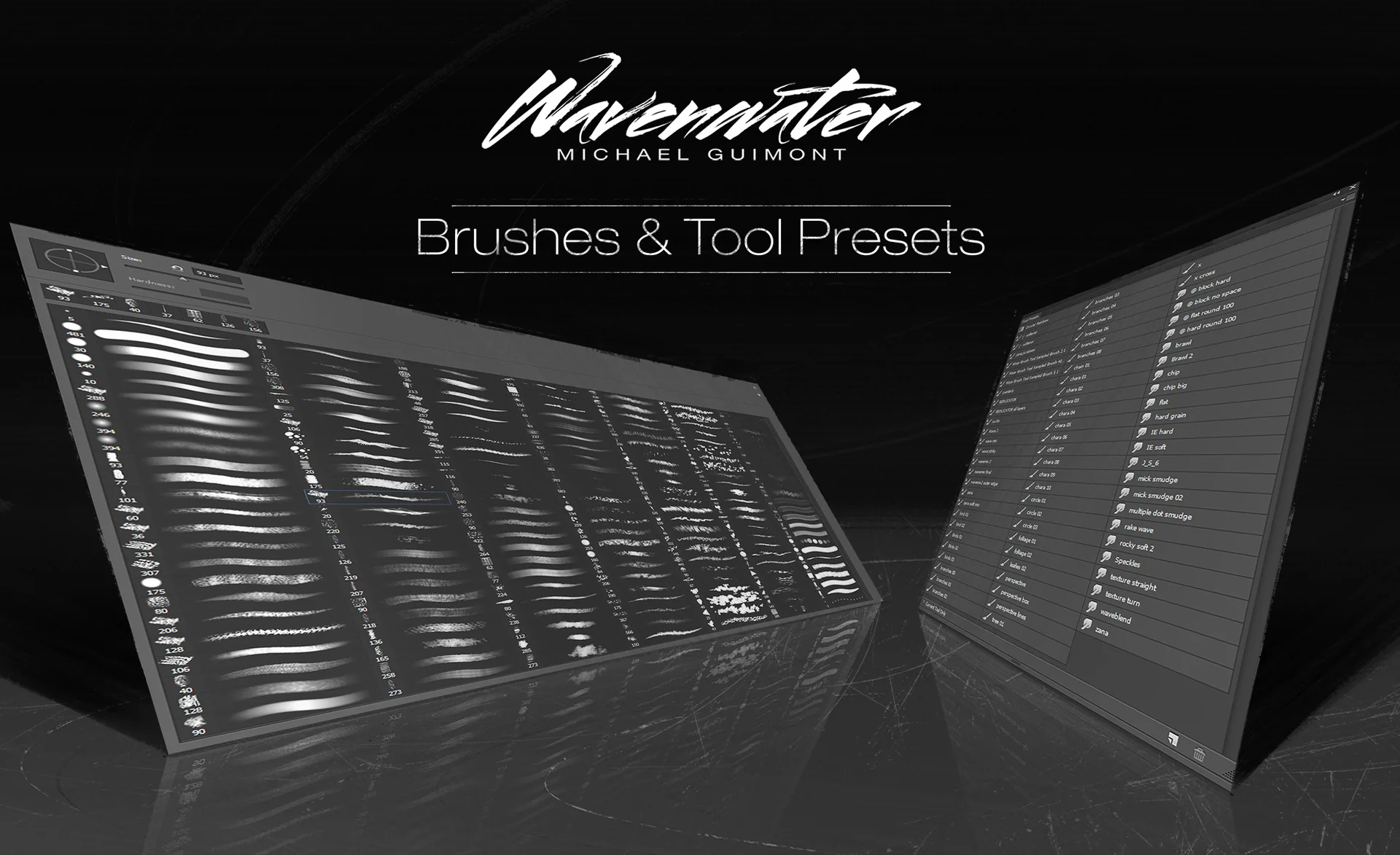
The Wavenwater Photoshop Brush set, designed by illustrator Michael Guimont, includes numerous brush options. The brushes in the collection allow you to create countless textures. We can say that it is a set of brushes that every graphic designer and architect should have. If you like to have this brush collection, you can click to download.
Sunlight Brush

How do you add sunlight effect on your drawings? Architects always use the light as a design element as all of us know. With Sunlight Brushes, you may add the natural sunlight effect into your renders and other drawings in Photoshop easily. Artismeft was designed Sunshine brush set, you can download the set free.
Landscape Brush

It is a brush set that should be in every architect’s Photoshop brush collection. The Landscape brush set was developed by Lynn Chen and includes the brush of landscape elements that architects will often use, such as trees and plants.
How to Install and Use These Brushes
Most of the sets above come as ABR files. To load one, double-click the downloaded ABR file while Photoshop is open, or open the Brushes panel (Window > Brushes), click the panel menu and choose Import Brushes. The new set appears as a folder at the bottom of the panel. For more detail, see our guide on how to install brushes in Photoshop.
A few habits help these brushes work in architectural drawings:
- Paint textures and pencil shading on separate layers so you can lower their opacity or mask them without touching the linework.
- Keep watercolor and marker strokes inside the outline of the building or landscape area they describe, and let some white paper show through.
- Use light brushes such as the sunlight set sparingly, and match their direction to the light in your render or shadow study.
- Save the brushes you use most as a custom brush group so every board in a project gets the same hand.
Other Brush Types Worth Adding
To further enhance the collection of Photoshop brushes for architects, considering brushes that mimic architectural drafting tools can be valuable. For instance, brushes that replicate the effect of drafting pens, technical drawing lines, and stippling techniques could offer more precision and a traditional feel to digital drawings. Additionally, incorporating urban texture brushes for creating detailed cityscapes or façades, and adding environmental elements like people, vehicles, and street furniture in silhouettes can bring architectural scenes to life, offering a comprehensive toolkit for architects to express their visions effectively.
Download Isometric Photoshop Brushes for Architecture Diagrams
Architecture Students Hub
This guide is part of Software, Rendering and Gear, stage 4 of our student roadmap from the first diagram to the first internship. Next stage: Portfolio, CV and Internships, or browse every free tool and guide in the Architecture Students Hub.



Interior Design for Commercial Spaces: Enhancing Functionality and Brand Identity
Commercial interior design has to serve brand, function and regulation at once....
 Begum Gumusel4 Mins read
Futuro House Production Revived in Finland After Decades-Long Hiatus
A Facebook listing for abandoned moulds led to the first new Futuro...
 illustrarch Editoral Team3 Mins read
Building Your Dream Home in NSW: What You Should Know About Montgomery Homes
Montgomery Homes has been building across Sydney, Newcastle, the Hunter, Wollongong and...
illustrarch Editoral Team4 Mins read
Designing a Home Theater: Where Drapery Fits Into the Plan
In a media room the curtains are a performance layer, not decoration....
illustrarch Editoral Team3 Mins read


Leave a comment