

Presentation Board Checklist: What to Include In Your Posters?
An effective architecture presentation board should include diagrams, site plans, floor plans, sections, renderings, and construction details to clearly convey design intent.
 Muhammad Abdullatef - Tifa Studio31 August 20216 Mins read732
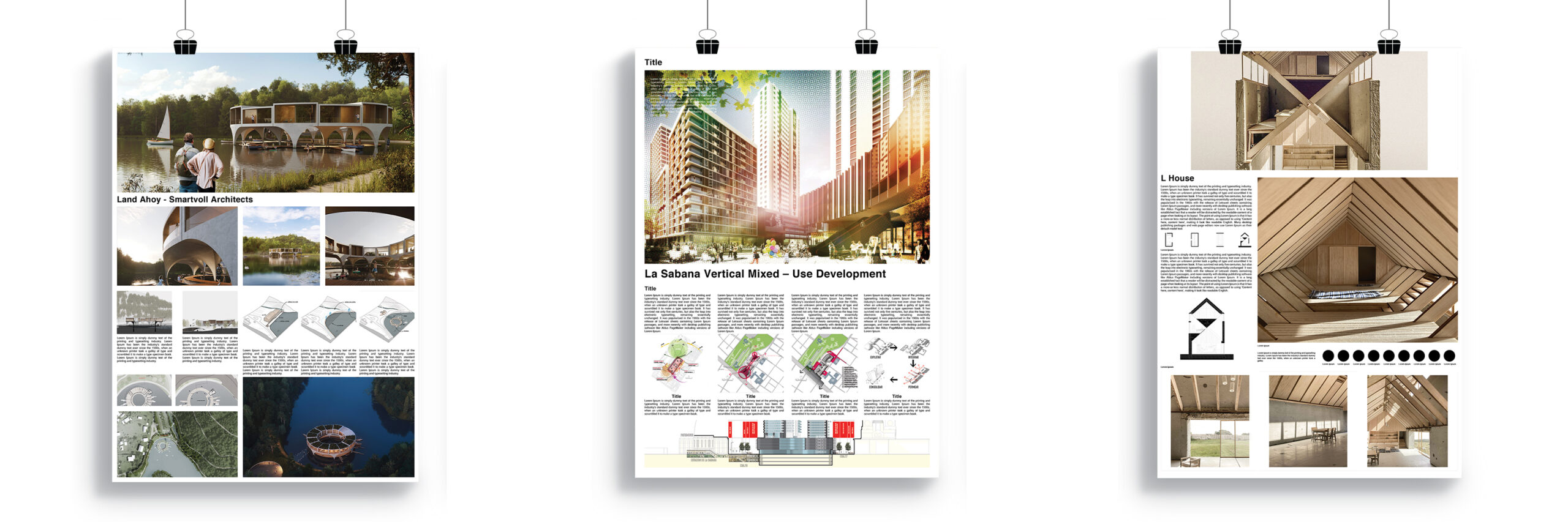
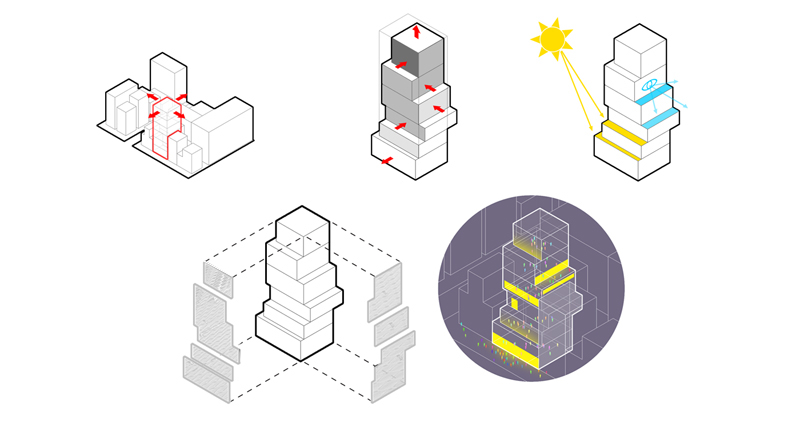
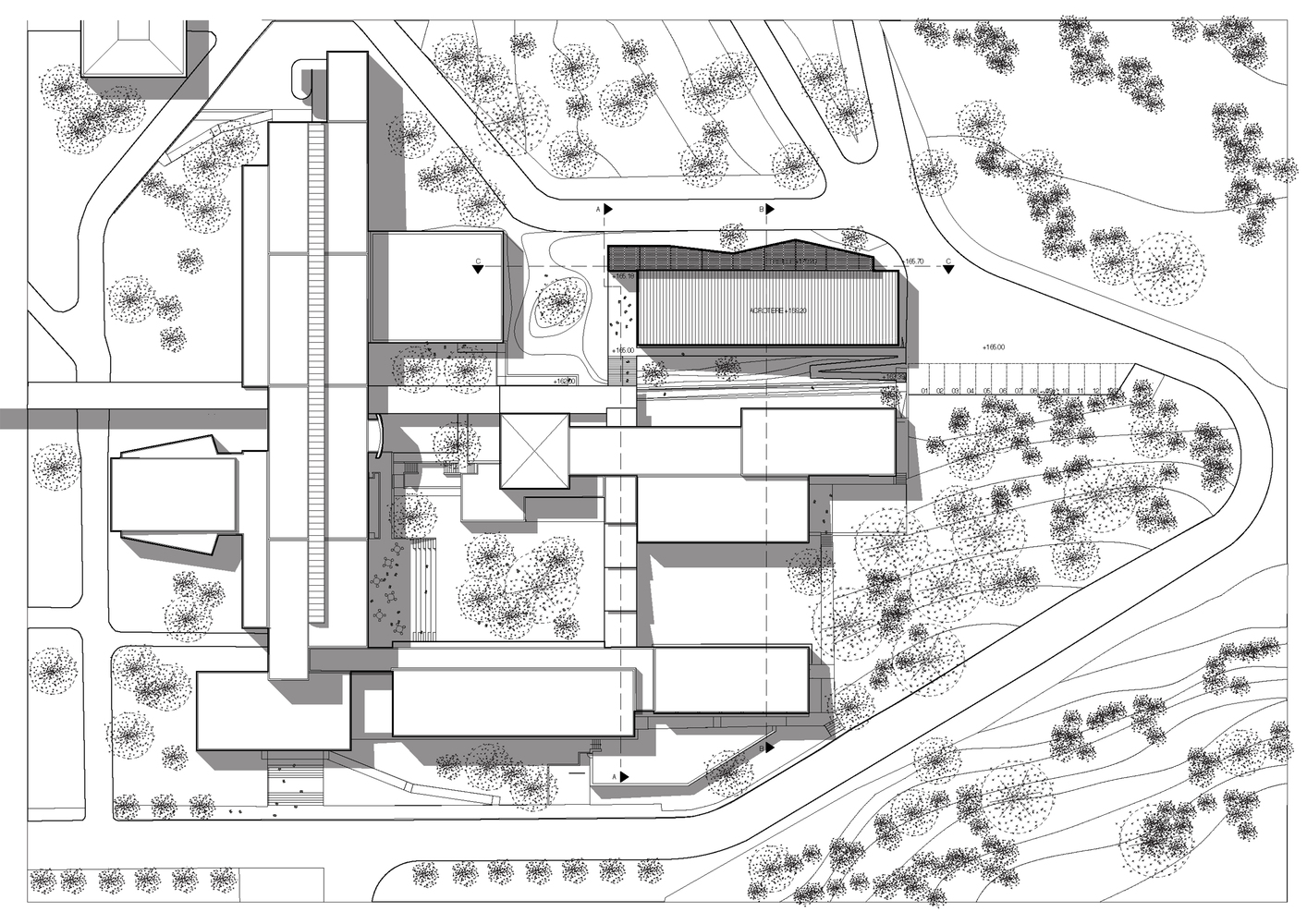
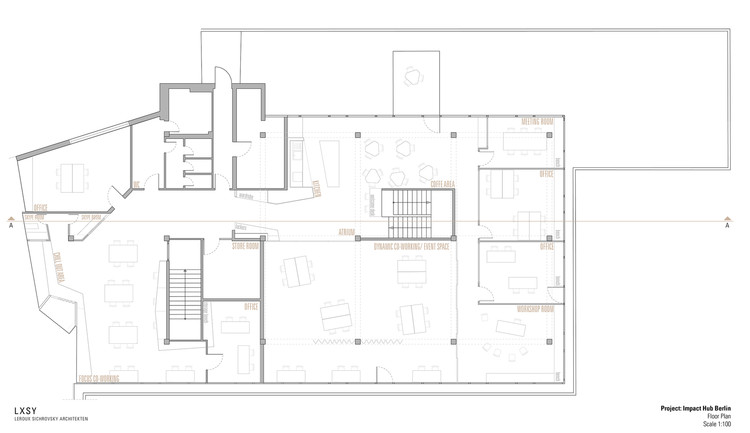
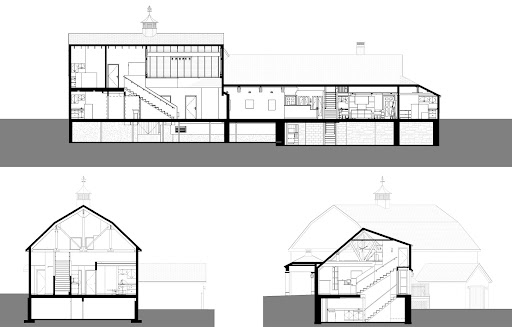
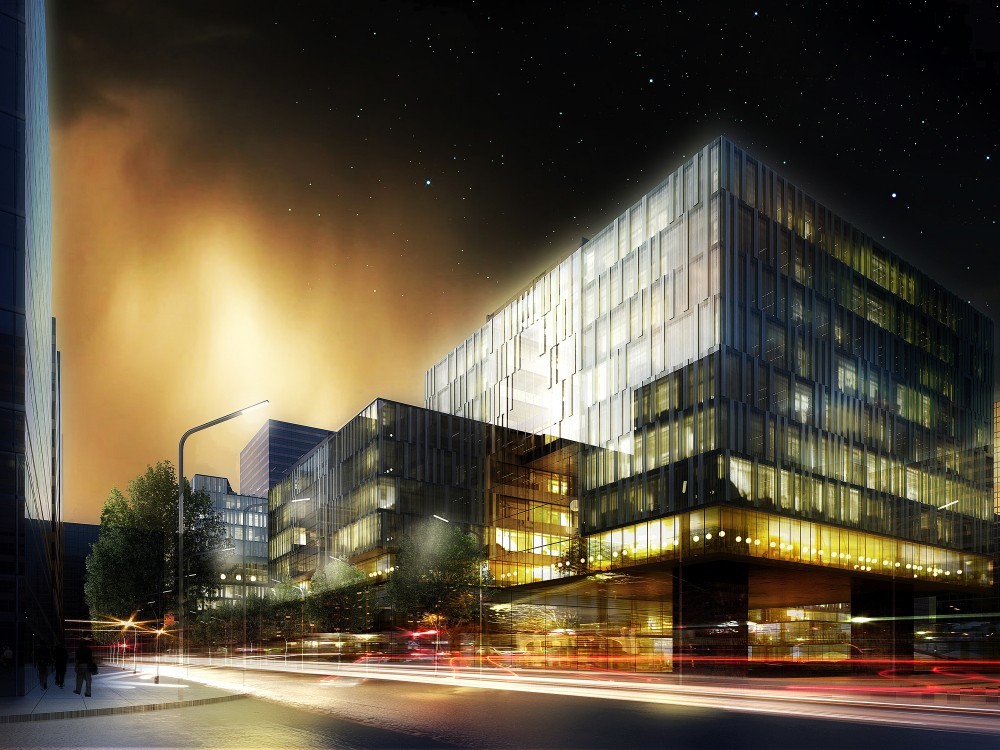

Table of Contents Show
Architecture Presentation Board: What to Include
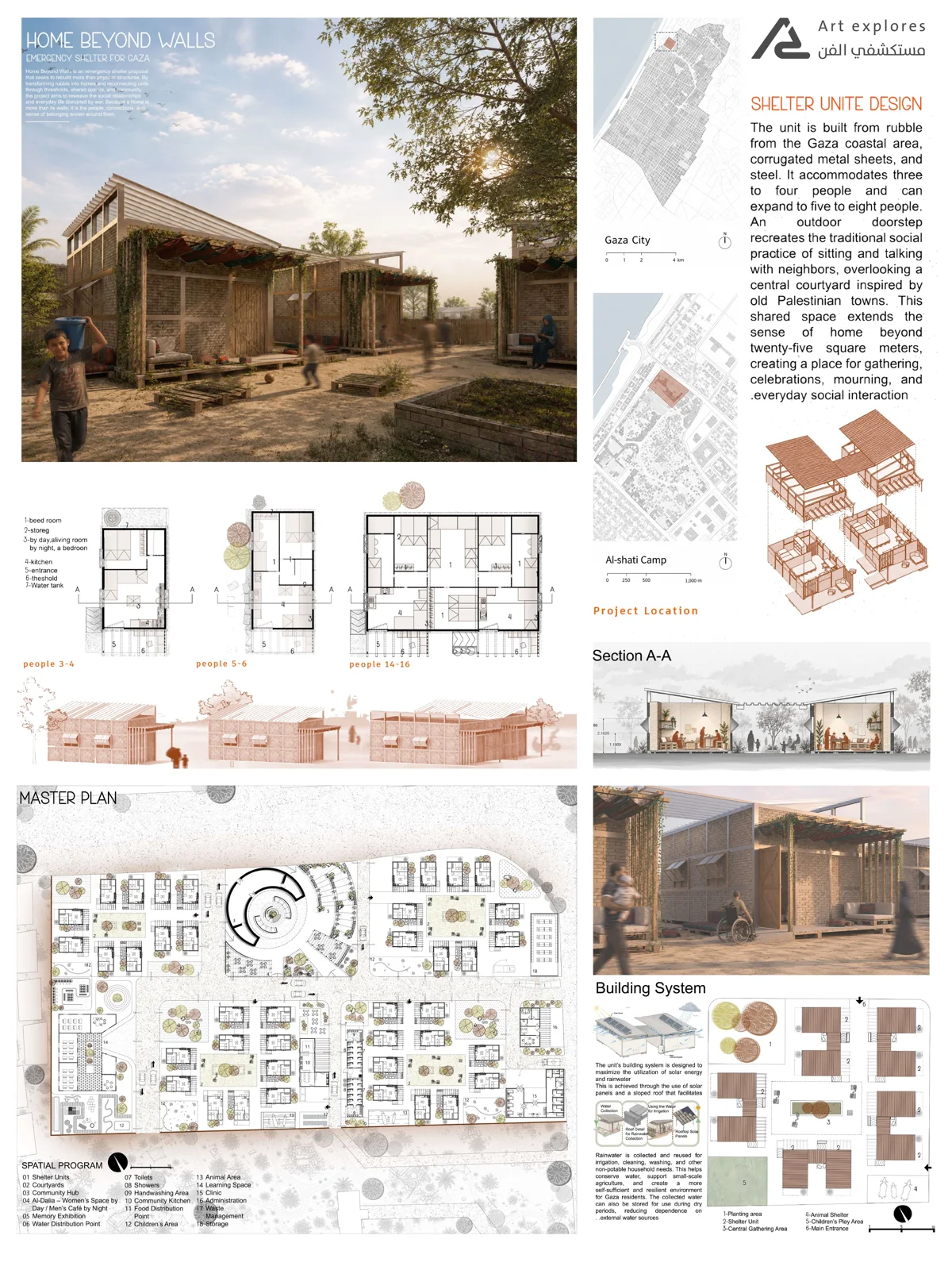
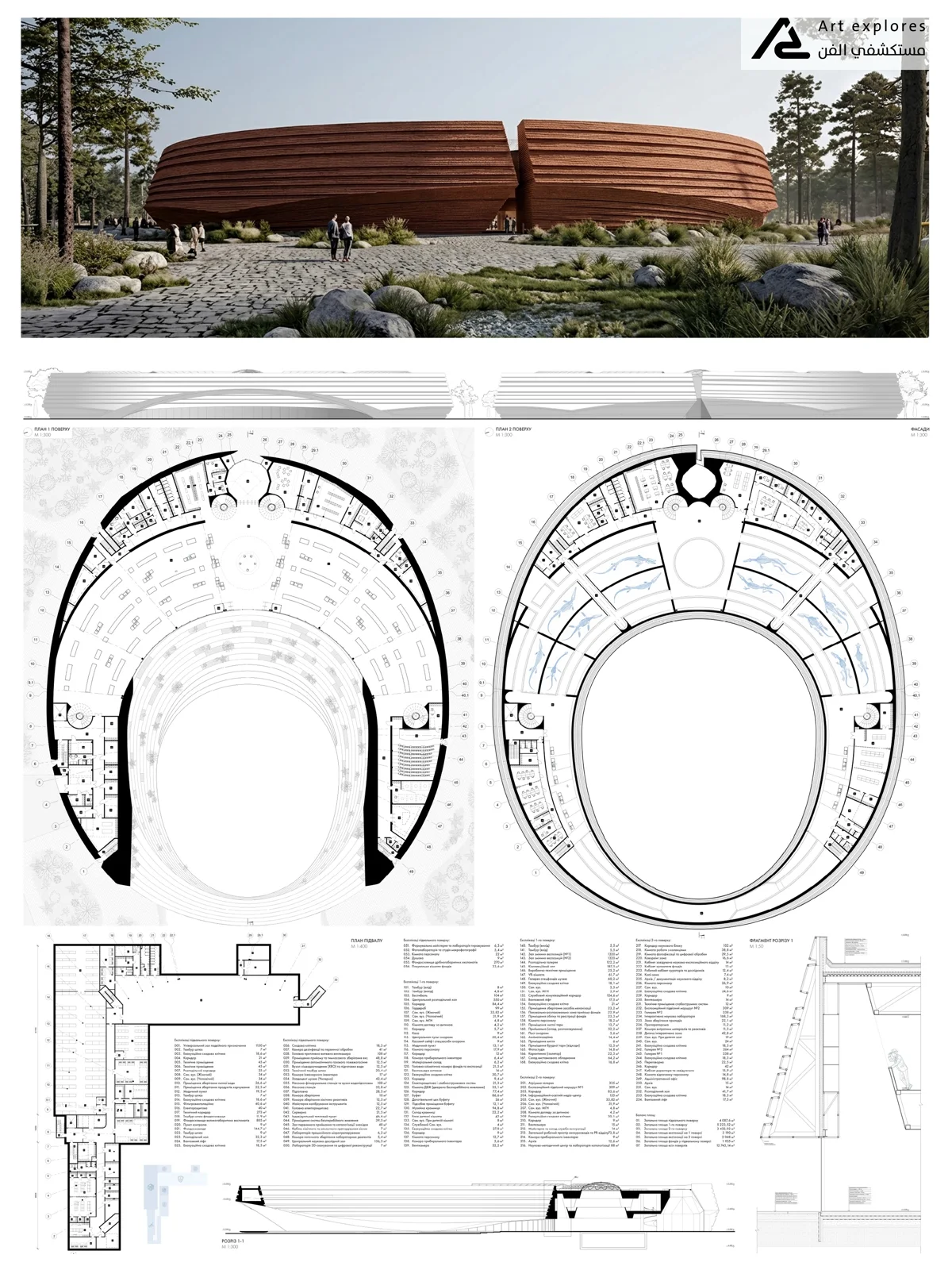
An architecture presentation board is a visual communication tool that conveys your design intent to clients, juries, and reviewers. A well-structured board combines diagrams, site plans, floor plans, sections, renderings, and construction details, each serving a specific purpose in telling the full story of your project.
What Should Be on an Architecture Presentation Board?
Every element you place on a presentation board should earn its place. The goal is not to fill space but to guide the viewer through your design logic in a clear, sequential way. Boards that present too many drawings without hierarchy lose the audience quickly. Start with context, move into concept, then demonstrate how the concept shaped the final design. The six core elements below form the backbone of most successful architecture presentation boards.
💡 Pro Tip
Before placing any drawings on your board, sketch a rough thumbnail layout first. Experienced architects working on competition submissions use this to test visual hierarchy before committing hours to final graphics. If a viewer cannot understand the core idea from 2 meters away, the layout needs rethinking.


Diagrams
Architectural diagrams aid in the understanding of a building, the links between its elements, or a process that is related to a structure. They simplify complex, difficult-to-understand concepts into discrete, easily understood visuals. A good diagram does what a floor plan cannot: it explains the why behind a design decision, not just the what.
Common diagram types used on presentation boards include circulation diagrams, program diagrams, concept diagrams, and environmental analysis diagrams. Each type targets a specific communication goal. If you want to go deeper on diagram types and how to create them, see our guide to architectural diagram types.
Site Plan
A site plan functions as a map of a building site. It provides all the details about how the structure will be oriented on the lot, the relationship with its environment, and other important notes. For competition and professional boards, the site plan also carries critical contextual data: north arrow, scale bar, surrounding street network, and landscape elements.
According to the American Institute of Architects (AIA), clear site documentation is a core deliverable at every stage of professional architectural practice, from schematic design through construction documents.
Plans
In the field of architecture, an architectural plan is a design and planning document for a building. It can contain architectural drawings, specifications of the design, calculations, time planning of the building process, and other documentation. On a presentation board, floor plans should be aligned at the same scale wherever possible. If two floors are shown side by side, mismatched scales confuse the reader and undermine the professionalism of the board.
Sections
A vertical plane slicing through a building is used to create a section. If you were to cut vertically across a space and stand immediately in front of it, this would be the effect. Sections are a popular form of architectural design drawing and a technical architectural or engineering norm. They reveal spatial qualities that plans cannot show: ceiling heights, split levels, the relationship between floors, and the way light enters a space from above.
📌 Did You Know?
Competition juries at events like the Architectural Review Awards or Dezeen Awards typically spend fewer than 60 seconds reviewing each board during initial rounds. A well-placed section drawing that reveals spatial drama can be the single element that stops a juror and earns a closer look.
Renderings
Architectural rendering is the process of creating two-dimensional and three-dimensional images of a proposed architectural design. The goal is to illustrate a lifelike experience of how a space or building will look before it is built, accurately representing design intent. For professional client boards, photorealistic renders are typically the dominant visual element. For student and competition boards, a mix of hand-drawn perspectives and digital renders often reads more authentically and shows design process.
For a detailed breakdown of rendering techniques and tools, see our article on how to create the best architectural rendering. For up-to-date examples of how leading firms present their work, ArchDaily publishes full project boards regularly.
Details
Details are used to explain specific parts of your projects in a more detailed way. On a presentation board, construction details are most relevant for technical reviews, student submissions, and competition entries where structural resolution is part of the brief. A well-drawn detail shows that the design has been thought through beyond the visual, down to how materials meet, how water is managed, and how structure is expressed.
What Makes a Good Architecture Presentation Board?
Beyond including the right drawings, a strong presentation board follows clear visual hierarchy. The most important element should be the largest. Text should be minimal. Consistent fonts, a restrained color palette, and deliberate use of white space all work together to make the board readable at a glance.
According to Archisoup’s studio guide to architecture presentation boards, boards that include scale bars, north points, and section lines consistently perform better in jury reviews because they demonstrate technical discipline alongside design ambition. These symbols are easy to forget under deadline pressure, but their absence signals inexperience to a trained eye.
For a full breakdown of layout principles, board types, and 2026 best practices, see our detailed guide on successful architectural presentation boards.
Reach Our Presentation Sheet Templates!
Frequently Asked Questions
What should be included in an architecture presentation board?
A complete architecture presentation board typically includes diagrams, a site plan, floor plans, sections, renderings, and construction details. Not every project requires all six, but together they cover the full range of information a client, jury, or reviewer needs to understand the design.
How many drawings should be on a presentation board?
There is no fixed number, but most effective boards prioritize quality over quantity. A common approach is one dominant image (usually a rendering or key diagram), supported by three to five technical drawings at smaller scales. Overcrowded boards are harder to read than focused ones.
What is the difference between a site plan and a floor plan on a presentation board?
A site plan shows the building’s position on its lot in relation to the surrounding environment. A floor plan shows the internal layout of spaces within the building. Both are essential, but they answer different questions: the site plan addresses context, the floor plan addresses spatial organization.
Do architecture students need renderings on their presentation boards?
Yes, renderings help juries and professors visualize the spatial qualities of a design. For student boards, a mix of hand sketches and digital renders is often more effective than photorealistic imagery alone, as it demonstrates design process and intent rather than just final output.
What software is used to create architecture presentation boards?
The most common tools are Adobe InDesign for layout, Adobe Photoshop and Illustrator for image editing and diagrams, AutoCAD or Revit for technical drawings, and Lumion, V-Ray, or Enscape for renderings. Many students also use Canva or Figma for faster layout work.






Futuro House Production Revived in Finland After Decades-Long Hiatus
A Facebook listing for abandoned moulds led to the first new Futuro...
 illustrarch Editoral Team3 Mins read

Building Your Dream Home in NSW: What You Should Know About Montgomery Homes
Montgomery Homes has been building across Sydney, Newcastle, the Hunter, Wollongong and...
illustrarch Editoral Team4 Mins read

Designing a Home Theater: Where Drapery Fits Into the Plan
In a media room the curtains are a performance layer, not decoration....
illustrarch Editoral Team3 Mins read

Oscar Niemeyer’s Cathedral of Brasília: The Hyperboloid Concrete Hymn
The Cathedral of Brasília reads as a single gesture, yet it stood...
 Furkan Sen7 Mins read


Leave a comment