

Architectural Diagram Design Process: 5 Key Steps to Get It Right
The architectural diagram design process involves five key steps that guide architects in creating effective visual tools for communicating design intent and project concepts.
 Elif Ayse Sen7 November 20216 Mins read912

Table of Contents Show
The architectural diagram design process is a structured approach to creating visual tools that communicate design intent, spatial relationships, and project concepts at every stage of a project. Diagrams help architects simplify complex ideas, align clients and collaborators around shared goals, and build a visual language that supports the entire design process from sketch to construction.

What Is the Purpose of Architectural Diagrams?
Architectural diagrams serve different functions depending on when and how they are used. In the first stages of the design process, they are used for thinking easily and helping designers solve problems.
For later steps of the design progress, they can be used to clarify what is required and as a source of reference for different parties. Architectural diagrams are used to communicate ideas as the project develops, making it easy for the architect to simplify and stratify problems at first. Throughout and after the design process, architectural diagrams are used to explain ideas to colleagues, clients, and members of the public.
According to the American Institute of Architects (AIA), diagramming is a standard part of the earliest design phases, before any detailed drawings are produced. This reflects a broad consensus that diagrams are not supplementary tools but foundational ones.

📌 Did You Know?
The word “diagram” comes from the Greek “diagramma,” meaning “that which is marked out by lines.” Architects have been using diagrammatic thinking since antiquity. Renaissance master Filippo Brunelleschi famously used simplified sectional sketches to communicate the dome of Florence Cathedral to skeptical clients and builders who had never seen anything like it.
How to Choose the Right Diagram Type
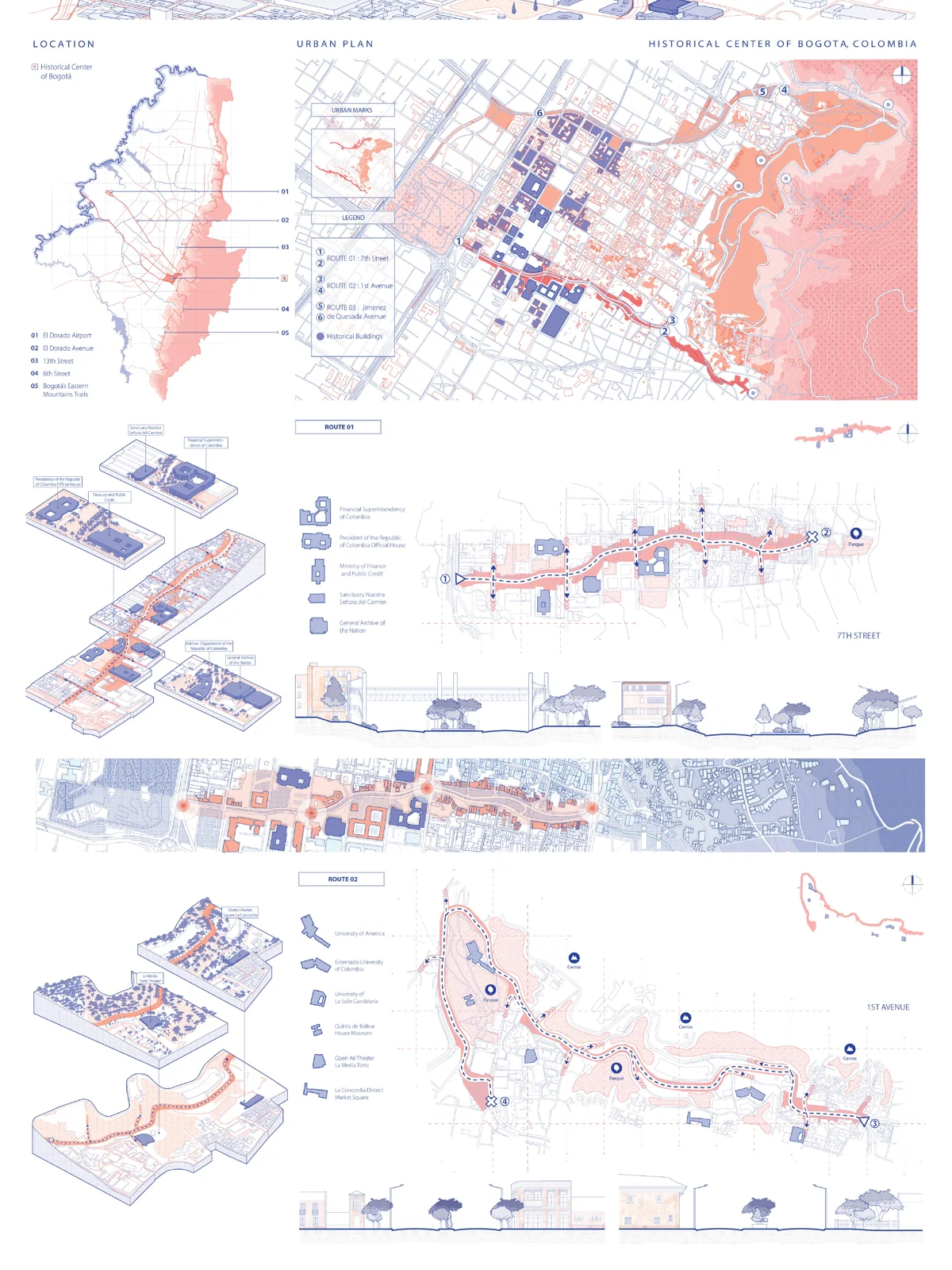
There are many types of architectural diagrams that serve different purposes. You can create structural, contextual, circulation, or programmatic diagrams depending on why you want to create a diagram and to whom you will present it. At the beginning of the architectural diagram design process, you can create complex diagrams with more than one technique to solve the context and concept. However, you should organize the layers and systems in a clear and professional way for diagrams to support your design as part of your presentation.
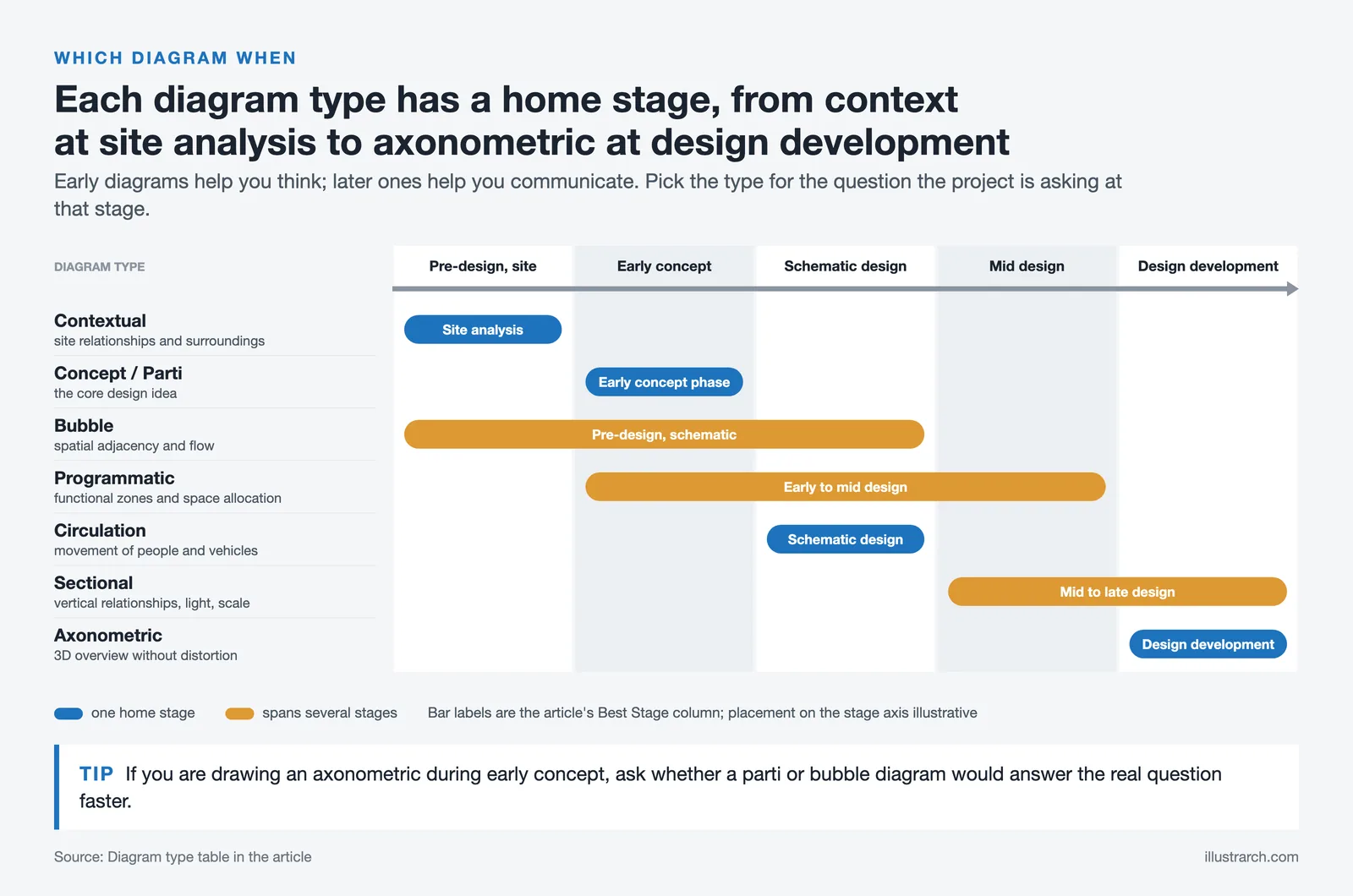
Here is a quick overview of the most common types and their primary uses:
| Diagram Type | Primary Use | Best Stage |
|---|---|---|
| Concept / Parti | Communicates the core design idea | Early concept phase |
| Bubble Diagram | Spatial adjacency and flow planning | Pre-design, schematic |
| Circulation | Movement of people and vehicles | Schematic design |
| Programmatic | Functional zones and space allocation | Early to mid design |
| Contextual | Site relationships and surroundings | Site analysis |
| Sectional | Vertical relationships, light, scale | Mid to late design |
| Axonometric | 3D spatial overview without distortion | Design development |
For a deeper look at each diagram type with examples, see our guide to diagram types in architecture.
Content: What to Include and What to Leave Out
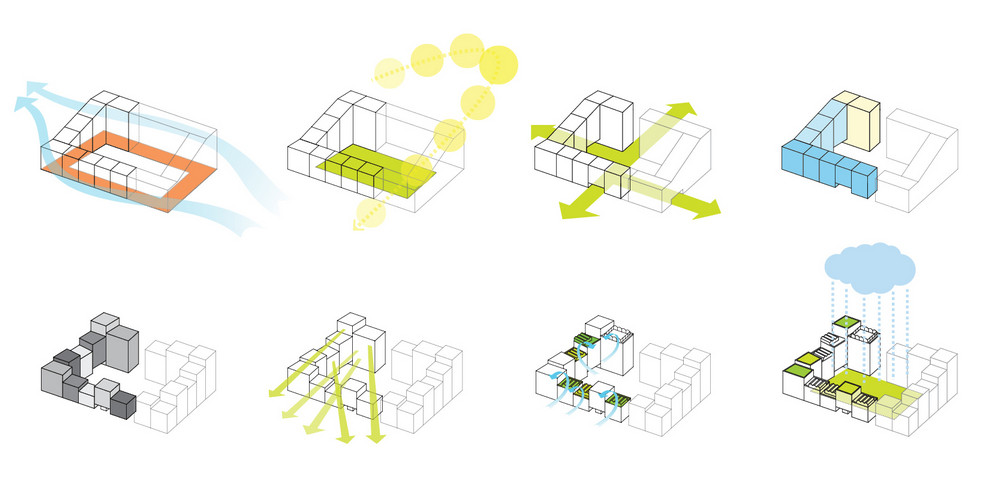
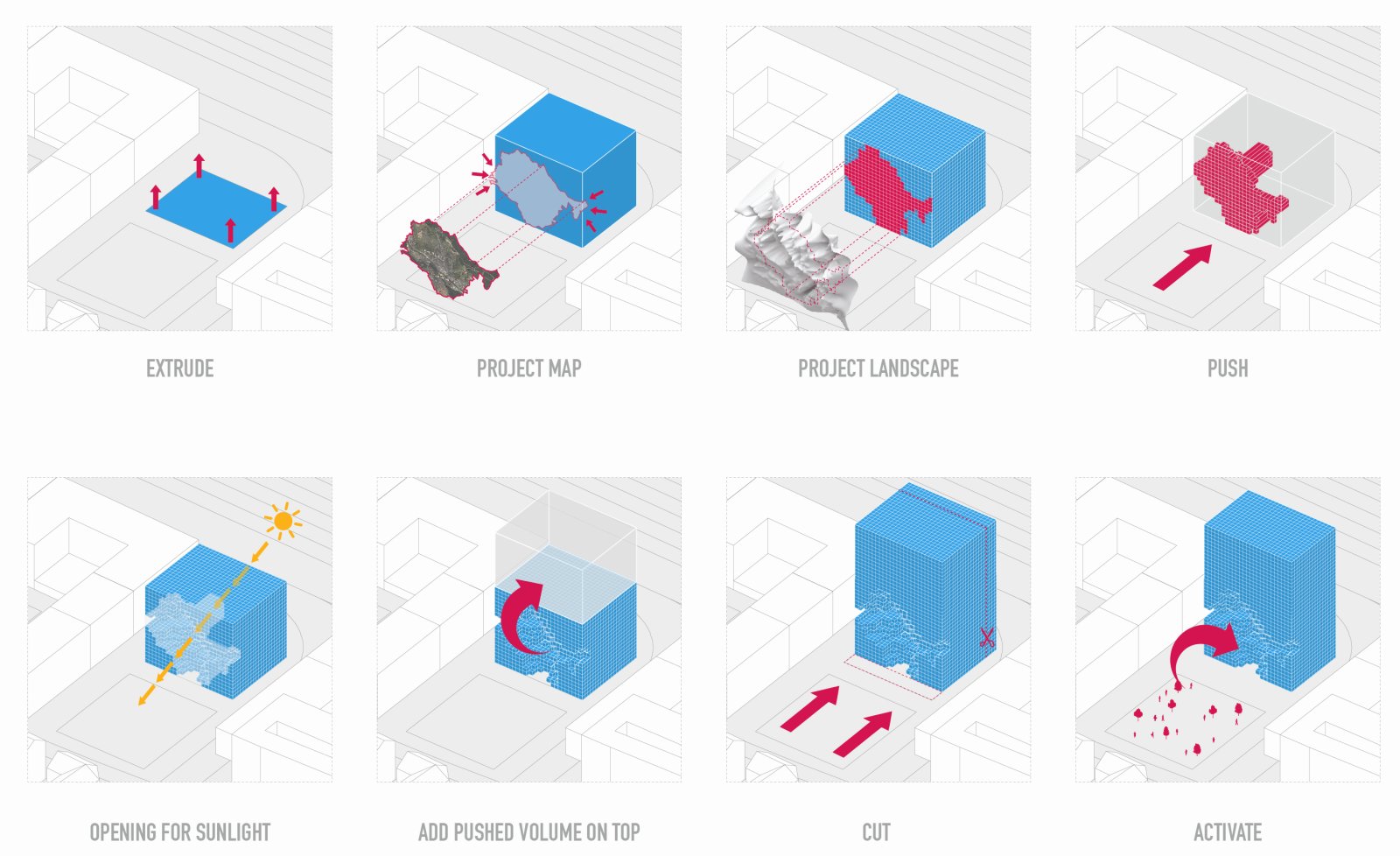
The content of your diagram is one of the most important issues after deciding which type of diagram to use. Presenting this content as a combination of visuals and text is a critical step in the design process. Depending on the diagram type, you can display the content in a simple and understandable architectural language. There is no need to keep the texts long or overlap all elements of the diagram. Specify keywords related to the data you want to convey, and complete them with some shapes, lines, or drawings.
Think of your diagram as a legend, not a story. Every element on the page should answer one specific question. If it answers two questions at once, split it into two diagrams.

💡 Pro Tip
Before adding text to a diagram, ask yourself whether the information can be communicated through shape, color, or line weight alone. If it can, remove the text. The strongest diagrams from firms like BIG and MVRDV often carry no labels at all. The visual logic speaks without words. When text is necessary, keep it to two to four words per annotation, and position it outside the diagram’s main visual area so it doesn’t compete with the drawing.
Design Decisions: Color, Line, and Visual Consistency
When working through the architectural diagram design process, make sure your diagram is not independent of the project it represents and the entire presentation. Colors, textures, lines, and all the visual elements you use, even fonts, should be compatible with your project. Diagrams should be designed in your style, as they most simply describe context, program, movement, or physical elements. Use the colors that dominate your project or presentation language. If it is related to your concept, working with a single color is a strong choice, not a limitation.

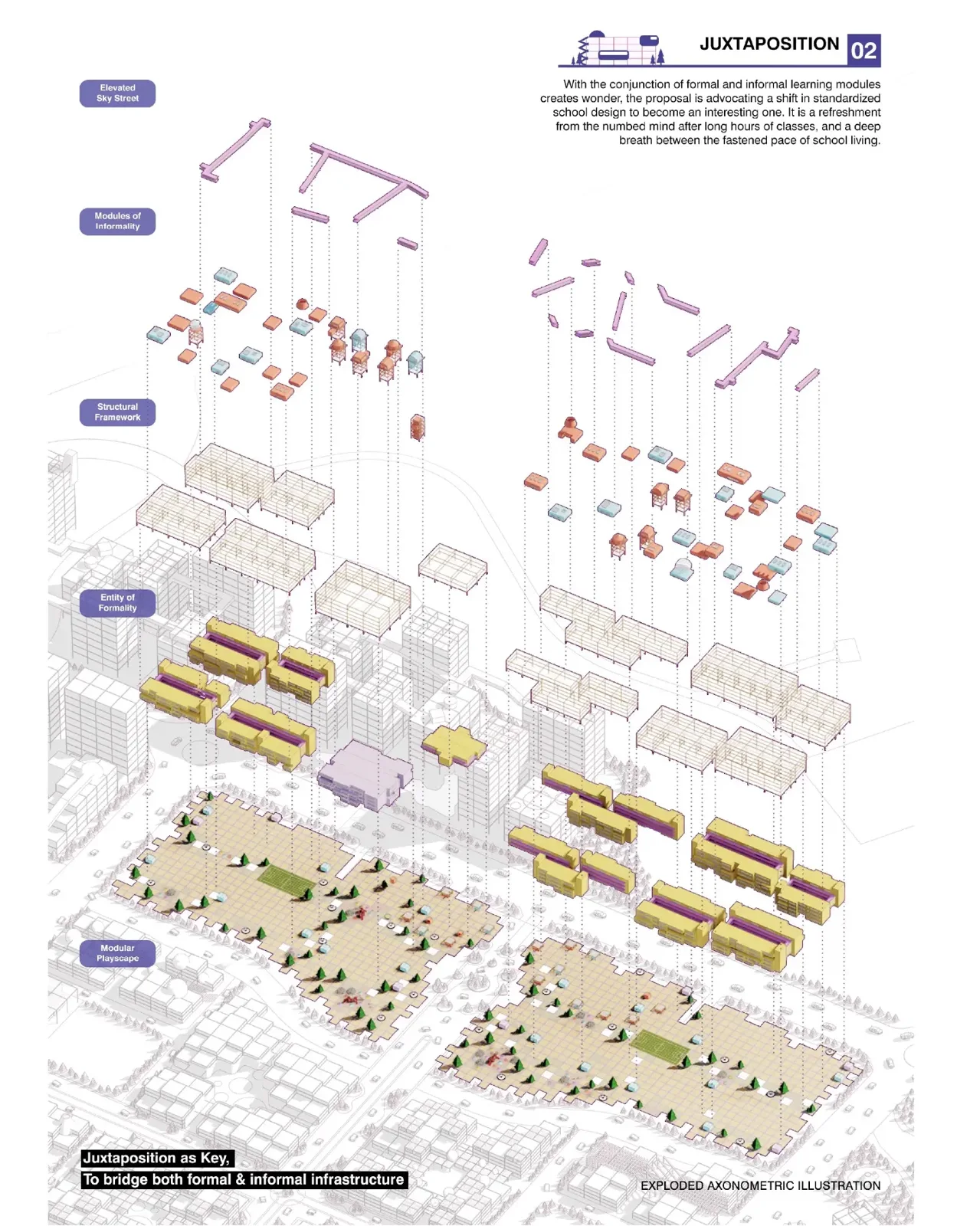

Diagram design does not follow fixed rules. It changes according to the approach of the architect or designer. Keeping diagrams simple and expressing ideas simply does not mean avoiding multiple diagrams. If you have more than one diagram that shows the same part of the building, or a similar process, it is also fine to merge them into one. The key is to be consistent in design.
For students looking to develop a stronger visual language for their diagrams, our complete guide to architectural diagrams for students walks through each type with step-by-step guidance.

What Mistakes Should You Avoid in Diagram Design?
The mistakes you should avoid in the architectural diagram design process are usually related to choosing wrong methods that cannot effectively show your ideas to others. At the top of this list is the absence of any keyword or text describing the content in the diagram. For a diagram to be readable, you need to create a legend that explains what colors and shapes represent. If you are not consistent when applying shapes and lines, it will create a bad impression. You should also avoid complex designs that combine all types of diagrams and layers in a single drawing.
⚠️ Common Mistake to Avoid
One of the most common mistakes in student diagram work is using too many diagram types on a single page to show everything at once. A circulation diagram overlaid with program data and color-coded structural elements becomes unreadable. Each diagram should answer one question clearly. If your reader needs more than ten seconds to understand what a diagram is saying, it needs to be split or simplified. Readability is always more valuable than comprehensiveness in a single drawing.
When we look at the diagrams produced by well-known architecture offices, we see how extraordinarily large-scale projects keep their massing or program diagrams remarkably simple. As noted in multiple large-scale projects featured on ArchDaily, this clarity reflects a powerful design language and a professional command of visual communication. The ability to say more with less is a skill that separates experienced practitioners from beginners.
For additional guidance on diagram types and what makes them effective, Archisoup’s detailed breakdown of 18 architectural diagram types is a useful reference for both students and professionals.

BIG Architects
MVRDV

Zaha Hadid Architects
How to Create Simple and Effective Architectural Diagrams
Regardless of the type, effective diagrams share a common set of qualities. They are focused, consistent, and visually clear. Here are the core principles that guide the best architectural diagram design process in practice:
Start with a clear question. Every diagram should begin with a single question you want it to answer: How do people move through this building? How do the programmatic zones relate to each other? How does the building respond to solar orientation? Once you know the question, every visual decision becomes easier.

Use line weight deliberately. Thick lines communicate primary elements. Thin lines communicate secondary relationships. No line should appear in a diagram without a reason. If you can remove it without losing information, remove it.
Limit your color palette. One or two colors used consistently are more powerful than five colors used loosely. Color should encode information, not just decorate the drawing. If two colors look similar when printed in grayscale, they are doing the same visual job.
Build a legend. Even if your diagram feels self-explanatory, a small legend in the corner ensures that every reader, including clients with no architectural background, understands what they are looking at. For detailed examples of how professional firms structure their diagram legends, the Novatr architectural diagrams guide includes annotated examples across multiple diagram types.
For more in-depth examples from professional practice, our article on 10 successful architectural diagrams by architects covers real projects from concept to sectional diagram with analysis of what makes each one work.
Download Our Free Diagram eBook

✅ Key Takeaways
- Architectural diagrams serve different purposes at different stages: early diagrams are for thinking; later diagrams are for communicating.
- Choose your diagram type based on the question you are trying to answer, not based on what looks most impressive.
- Content should be stripped to keywords, shapes, and lines. Avoid overlapping information layers in a single drawing.
- Visual decisions including color, line weight, and typography must be consistent with the project’s overall design language.
- Every diagram needs a legend. Readability is always more valuable than visual complexity.
- Study diagrams from firms like BIG, MVRDV, and Zaha Hadid Architects to see how restraint and consistency build a powerful visual language.








Interior Design for Commercial Spaces: Enhancing Functionality and Brand Identity
Commercial interior design has to serve brand, function and regulation at once....
 Begum Gumusel4 Mins read

Futuro House Production Revived in Finland After Decades-Long Hiatus
A Facebook listing for abandoned moulds led to the first new Futuro...
 illustrarch Editoral Team3 Mins read

Building Your Dream Home in NSW: What You Should Know About Montgomery Homes
Montgomery Homes has been building across Sydney, Newcastle, the Hunter, Wollongong and...
illustrarch Editoral Team4 Mins read

Designing a Home Theater: Where Drapery Fits Into the Plan
In a media room the curtains are a performance layer, not decoration....
illustrarch Editoral Team3 Mins read


Leave a comment