

Digital vs Physical Architecture Portfolio: 2026 Guide
A practical look at the digital vs physical architecture portfolio choice, comparing reach, cost, presentation, and impression so you can match each format to the right audience and meeting.
 Furkan Sen8 September 20246 Mins read735

Table of Contents Show
A digital vs physical architecture portfolio comparison comes down to reach versus presence. Digital portfolios share instantly, carry video and 3D work, and update at no cost, while physical portfolios bring tactile quality and controlled in-person presentation. Most architects now keep both and match the format to each audience and meeting.
Choosing between the two formats shapes how clients and hiring managers first read your work. A printed book feels considered and personal across a meeting table, yet it is heavy to carry and slow to revise. A web or PDF portfolio travels anywhere in seconds and holds animation that paper cannot, but it depends on screens, connections, and the viewer’s attention. The right answer usually depends on who is looking and where.
This breakdown weighs both formats on access, cost, presentation, and impression. If you are still assembling the work itself, start with our guide on building an architectural portfolio that stands out before settling on a format.
Why the Format Still Shapes the First Impression
An architecture portfolio is the clearest signal of how you think, not just what you have built. Recruiters and clients read sequencing, restraint, and detail long before they reach the project descriptions. The format you pick changes that read. Digital lets you reorder projects for each application in minutes; print fixes a sequence and a pace that you control completely in the room.
Format also signals fluency. A clean web portfolio shows you can handle layout and current tools, while a well-bound book shows care for material and craft. Strong candidates often prove both, which is why the digital vs physical architecture portfolio question rarely ends with a single winner.
🔢 Quick Numbers
- Recruiters spend an average of about 7.4 seconds on an initial resume scan, according to Ladders’ 2018 Eye-Tracking Study.
- The U.S. Bureau of Labor Statistics projects architect employment to grow about 4% from 2025 to 2035, about as fast as the average for all occupations, so portfolio competition stays high.
- Behance, Adobe’s portfolio network, hosts tens of millions of creative members worldwide, making it one of the largest places architects post digital work.
Digital Architecture Portfolios: Strengths and Limits
A digital portfolio, whether a personal website, a PDF, or a profile on a platform like Behance, can be viewed anywhere at any time. Sharing is a single link, which removes the delay and shipping cost of print and widens your reach past your city. You can also embed video walkthroughs, rotating 3D models, and interactive details that a printed page simply cannot hold.
Updates are the other clear advantage. New project finished this week? Swap it in and resend the same link, no reprinting. That flexibility suits anyone adding work often or applying to several firms with different focuses. For the build side of this, see our overview of setting up a portfolio website for architects.
The limits are technical. Your work now depends on a stable connection, a compatible device, and a screen you do not control. High-resolution images and embedded media inflate file sizes, so a 300 DPI PDF can grow large enough to be awkward to email. Security matters too, since hosted files and shared links can leak if you skip password protection on private projects.
Physical Architecture Portfolios: Strengths and Limits
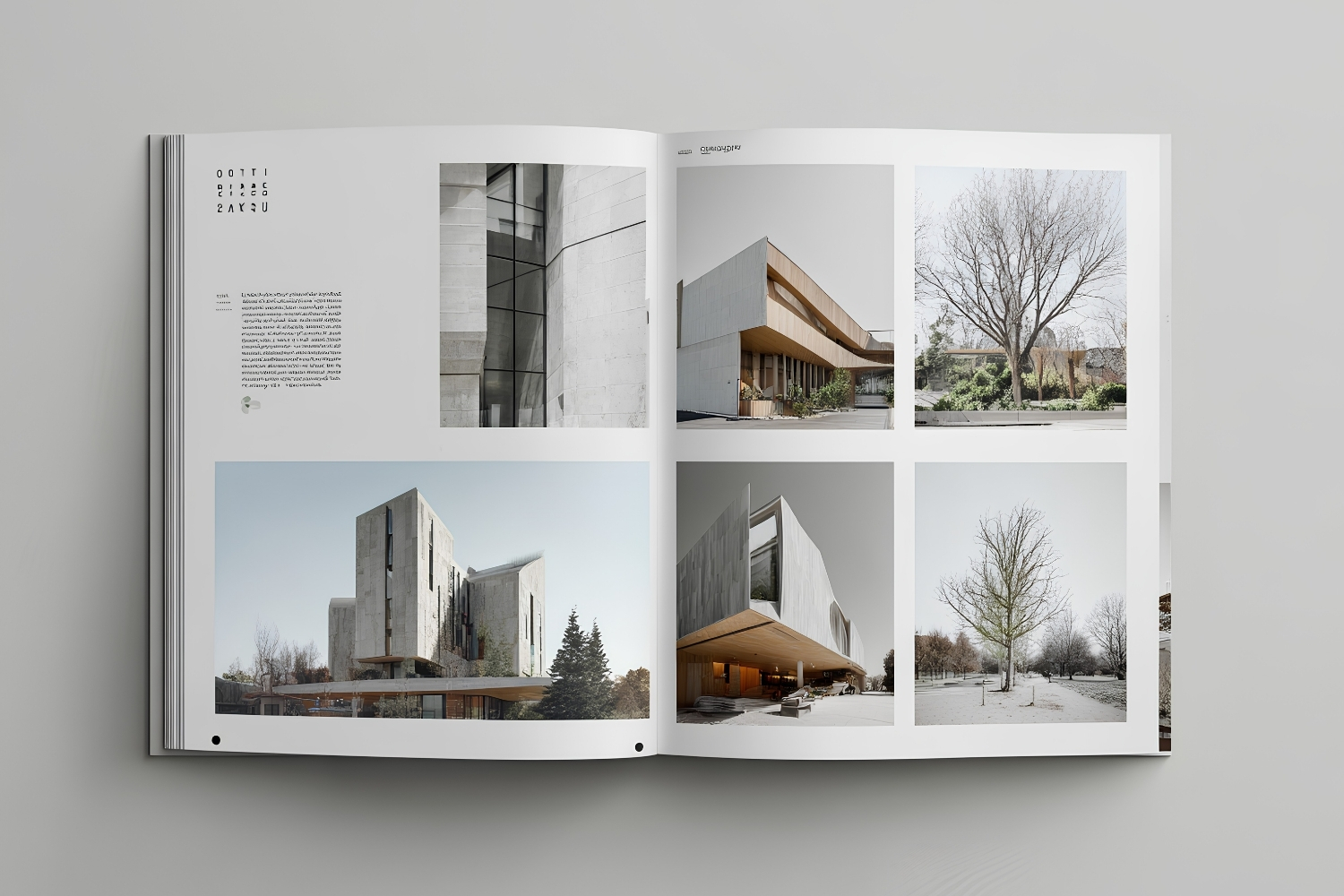
A printed portfolio creates a sensory moment that screens cannot copy. Paper weight, binding, and print quality register the instant someone opens the book, and that tactile signal reads as care and professionalism. In an interview, you set the pace, turn the pages, and steer the conversation toward your strongest projects without a loading bar or a flat battery in the way.
Print also sidesteps every device problem. There is nothing to install, no Wi-Fi to find, and no compatibility surprise, so the attention stays on the architecture. That reliability is why many architects still carry a book to high-stakes, face-to-face meetings.
The trade-offs are cost and rigidity. Quality printing, binding, and heavy stock add up fast, and any edit means reprinting whole sections. Large-format books are also heavy and fragile to transport, which makes them awkward for travel, conferences, or back-to-back interviews across a city.
⚖️ Pros & Cons at a Glance
✔️ Digital wins on: instant sharing, video and 3D media, free updates, global reach, low cost.
✖️ Physical wins on: tactile quality, controlled pacing, no tech dependency, lasting in-person impression.
Digital vs Physical Architecture Portfolio: Feature Comparison
The table below sets the two formats side by side on the points that decide most architects’ choices.
| Feature | Digital Portfolio | Physical Portfolio |
|---|---|---|
| Accessibility | Viewable anywhere, anytime via a link | Needs physical presence to view |
| Media support | Video, 3D models, animation, interactive elements | Static printed images and text only |
| Tactile experience | None | Weight, texture, and finish make a strong impression |
| Updates | Edited and resent instantly | Requires reprinting and rebinding |
| Presentation control | Depends on screen, device, and software | Full control over sequence and pace |
| Portability | Carried on any device | Can be bulky and heavy |
| Tech dependency | Needs device, software, and a connection | None |
| Main risk | Data breach or broken link | Physical damage, loss, or theft |

What Each Format Actually Costs
Budget often settles the debate for early-career architects. Digital portfolios carry a low entry cost and small recurring fees, while print front-loads spending and adds a charge every time you revise. The estimates below show the typical spread.

| Cost category | Digital portfolio | Physical portfolio |
|---|---|---|
| Initial setup | $0 to $300 (domain, hosting, template) | $150 to $500+ (printing, binding, stock) |
| Software and tools | $0 to $60/month (design and layout apps) | $0 to $60/month (layout software) |
| Hosting or storage | $5 to $30/month | Not applicable |
| Updates | Little to no cost | $50 to $200+ per reprint |
| Distribution | Free (link or email) | $10 to $50+ per copy (shipping, extra prints) |
| Annual upkeep | $100 to $500 | $200 to $800+ |
Cost figures are approximate and vary by region, print supplier, and project scope.
How to Choose Between Digital and Physical
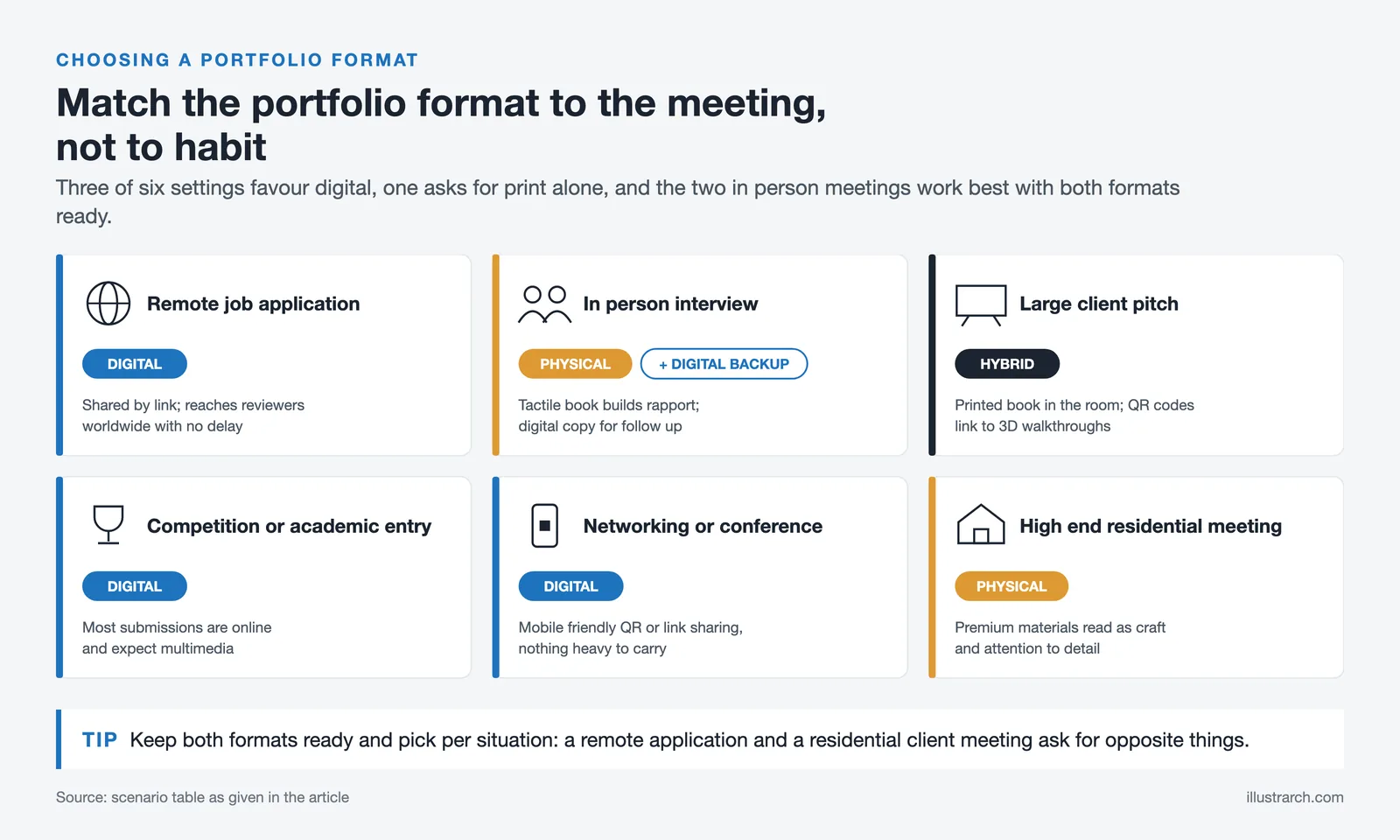
Match the format to the audience and the setting rather than to a personal preference. A remote application and a residential client meeting ask for opposite things, so the smart move is to keep both ready and pick per situation. The scenario table makes the call quick.
| Scenario | Better format | Why |
|---|---|---|
| Remote job application | Digital | Shared by link; reaches reviewers worldwide with no delay |
| In-person interview | Physical plus digital backup | Tactile book builds rapport; digital copy for follow-up |
| Large client pitch | Hybrid | Printed book in the room; QR codes link to 3D walkthroughs |
| Competition or academic entry | Digital | Most submissions are online and expect multimedia |
| Networking or conference | Digital (mobile-friendly) | Quick QR or link sharing with nothing heavy to carry |
| High-end residential meeting | Physical | Premium materials read as craft and attention to detail |
💡 Pro Tip
Build your master layout once at print resolution, then export a screen-optimized version from the same file. Keeping a single source means your digital and printed books always tell the same story, and a last-minute edit never leaves one format out of date.
The Hybrid Route Most Architects Take
The practical answer for many architects is to stop choosing. A hybrid setup pairs a printed book for the meeting table with a web or PDF version for everything else, so you get tactile impact and instant reach. QR codes printed beside a project can link straight to a video walkthrough or a rotating model, which adds motion to a static page.
Tools keep widening that bridge. Virtual and augmented reality let a viewer step inside a design, while interactive PDFs add clickable navigation to a file you can also print. Professional bodies such as the Royal Institute of British Architects and the American Institute of Architects publish guidance worth reading as expectations shift, and design press like ArchDaily’s portfolio coverage shows how working architects present built work.
🏗️ Real-World Example
Bjarke Ingels Group built its public reputation partly through dense visual storytelling, from the printed manifesto-style book Yes Is More (2009) to a heavily illustrated website. The same projects appear in print and online, each format tuned to how the audience encounters the work.
If your projects rely on sequence and narrative, our guide to presenting architectural projects pairs well with whichever format you settle on.
Frequently Asked Questions
Is a digital or physical architecture portfolio better for job applications?
For most applications a digital portfolio is better because firms request files or links and review them remotely. Keep a printed book ready for the in-person interview, where a physical portfolio in a digital vs physical architecture portfolio decision adds a stronger personal impression.
Do architects still use printed portfolios?
Yes. Many architects bring a printed book to face-to-face interviews and high-end client meetings because the tactile quality signals craft and lets them control the pace. Print is now a complement to a digital portfolio rather than the only format.
What file format works best for a digital architecture portfolio?
A well-compressed PDF is the safest universal format for sharing and email, since it preserves layout across devices. Pair it with a personal website or a profile on a platform like Behance for video, 3D models, and interactive content a PDF cannot hold.
How long should an architecture portfolio be?
Aim for roughly 15 to 30 pages or a focused set of your strongest projects. Quality and clear sequencing matter more than volume, and a digital version lets you trim or reorder projects for each specific application.
Your Next Step: List the next three places your portfolio needs to appear, an application, an interview, a pitch, then mark each one digital, physical, or hybrid. Build the printed book to match your highest-stakes meeting first, and export the digital version from that same file.





Concept Diagram Architecture: Hand-Rendered vs Digital Diagrams in a Portfolio
Hand-rendered and digital diagrams send different signals to portfolio reviewers. This piece...
Furkan Sen5 Mins read
Hand-Rendered vs Digital Diagrams: What Works Better in a Portfolio?
A practical breakdown of hand-rendered and digital diagrams in architecture portfolios, covering...
 Sinan Ozen6 Mins read
Architecture Portfolio Layout: Designing Pages with Grid and Typography
A focused look at architecture portfolio layout, from setting up a column...
 Elif Ayse Sen8 Mins read
How to Present Your Work in an Architecture Portfolio Interview
Reaching the interview means your work earned a closer look, but presenting...
Furkan Sen7 Mins read


Leave a comment