

The List of Free 3D Model Websites
A comprehensive list of free 3D model websites is provided, detailing their offerings, licensing types, and best practices for usage in design and architecture projects.
 Aysegul Tozak22 January 20195 Mins read687

Table of Contents Show
Free 3D model websites give designers, architects, and 3D artists access to ready-made assets without spending a cent. Platforms such as Sketchfab, Poly Haven, CGTrader, and Thingiverse host everything from furniture and characters to printable parts, each under its own license. The right pick depends on file format, model quality, and how you plan to use the asset.
A good free model can save hours of work, whether you are dressing an interior render, blocking out a game level, or testing a print before you commit to materials. The catch is that quality and licensing vary widely from one library to the next. Below is a working list of free 3D model websites worth bookmarking, grouped by what each one does best, with notes on licensing so you stay on the right side of usage rules.

How Free 3D Model Licenses Work
Before you download anything, check the license attached to the file. Free does not always mean free for commercial work. Most libraries fall into a few patterns. Royalty-free licenses let you use a model in personal and commercial projects but block resale or redistribution of the raw file. Creative Commons licenses range from CC BY, which only asks for credit, to CC0, which places the asset in the public domain with no strings attached. A handful of marketplaces also offer editorial-only models that cannot appear in products you sell.
Reading the license page on each model takes a minute and prevents takedown notices later. Pay attention to attribution requirements, because some Creative Commons files need a visible credit line in your final piece. If a client project is involved, save a copy of the license terms alongside the model file for your records.
💡 Pro Tip
When you pull a free model into a paid client render, screenshot the license terms and drop them in the project folder. Marketplaces update their terms over time, and having the version you agreed to protects you if a usage question comes up months after delivery.
The Best Free 3D Model Websites
These platforms cover the main needs an architect or 3D artist runs into, from photoreal interior props to game-ready and print-ready files. For more options, see our wider roundup of the best websites for downloading 3D models.
Sketchfab
Sketchfab is one of the largest libraries of downloadable models on the web, with a deep set of free assets released under Creative Commons licenses. You can preview every model in an interactive viewer before downloading, which removes the guesswork around topology and texturing. Categories run from architecture and furniture to characters, vehicles, and real-world 3D scans. Filters for downloadable, PBR, and license type help you find files you can actually use.
📌 Did You Know?
Poly Haven releases every asset it publishes, including its 3D models, HDRIs, and textures, under the CC0 public-domain license. That means you can use the files in commercial work, modify them, and even redistribute them with no attribution required.
Poly Haven
Poly Haven is a community-funded library where every model, texture, and HDRI is CC0. For architects, the value is in the clean asset library and matched textures and lighting you can drop straight into a scene. The model catalog is smaller than the big marketplaces, but the public-domain license makes it a safe default for client work where attribution tracking is a headache. It pairs well with Blender, 3ds Max, and any renderer that reads standard formats.
CGTrader
CGTrader runs a large marketplace with a strong free 3D models section covering furniture, plants, characters, vehicles, and architectural exteriors. Models can be filtered by format, polygon count, and whether they are rigged or animated, and many carry the platform’s quality check across geometry, UVs, and naming. Files export cleanly to Blender, Maya, Unreal Engine, and Unity, which makes it a practical stop for both visualization and real-time work.
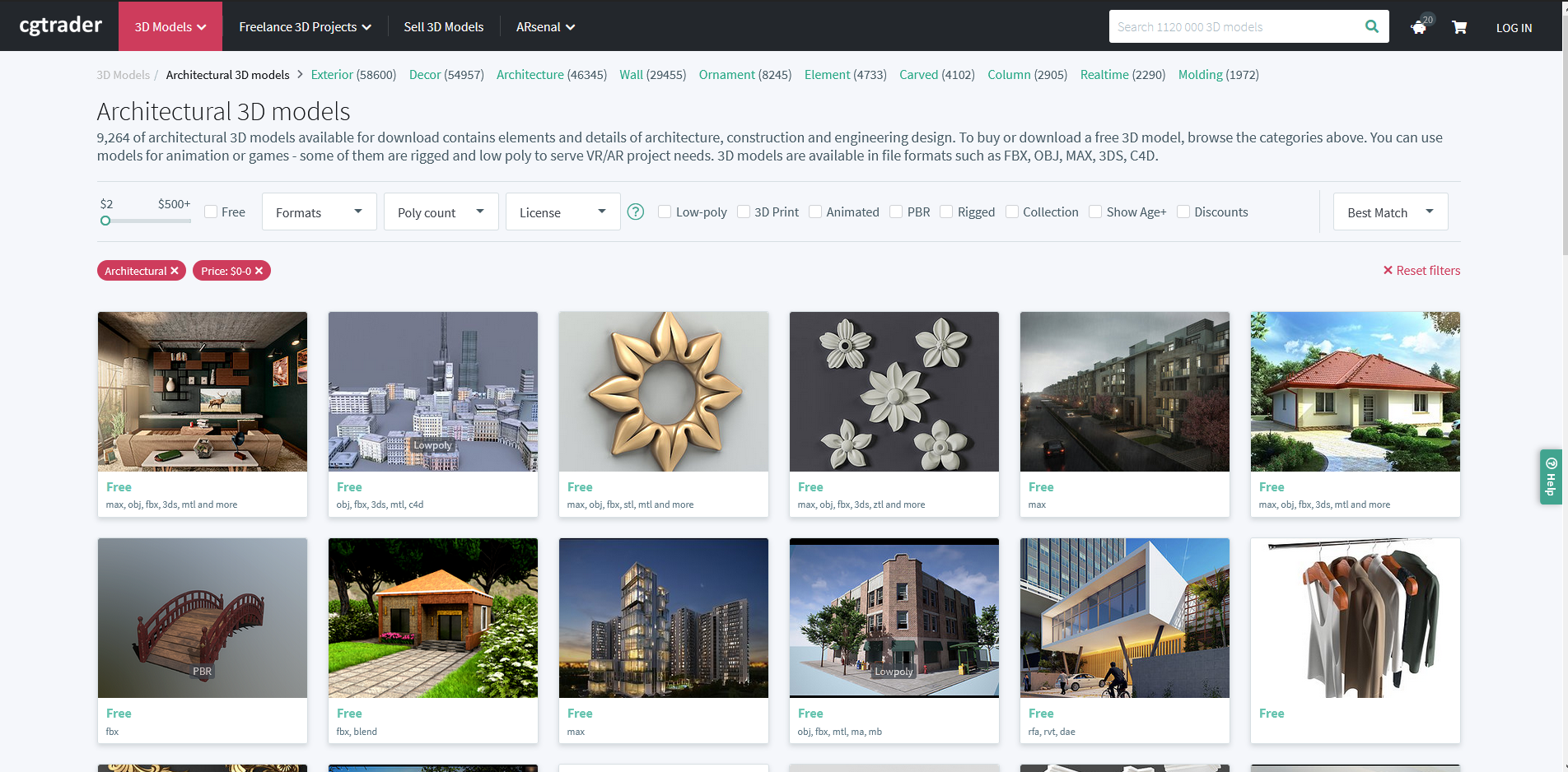
3DExport
3DExport keeps a rotating set of free 3D models alongside its paid catalog. The free section is smaller but useful for interior props, decor, and small architectural elements. Formats cover the common ones, so importing into 3ds Max or SketchUp is straightforward. It works best as a supplement when a larger library does not have the specific object you need.
Thingiverse
If your end goal is a physical object, Thingiverse is the reference library for 3D-printable files. Maintained by the maker community, it holds millions of designs shared mostly under Creative Commons licenses. Architects use it for scale-model details, site furniture, and presentation pieces. Each upload lists print settings other users found reliable, which shortens the trial-and-error stage before you run a print.
Quaternius
Quaternius is a one-artist library of stylized, low-poly model packs released under CC0. The asset packs cover nature, buildings, characters, and props, all designed to work together visually. For quick massing studies, diagrams, or game prototypes where you want a consistent low-poly look, it is hard to beat the price and the no-attribution license.
TurboSquid and Free3D
TurboSquid, online since 2000, holds well over a million models and offers a sizable free tier once you register. Its CheckMate certification flags files that meet technical standards, which is handy when you need a model that will not break on import. Free3D is a long-running general library with a mix of free and paid downloads across most categories. Both reward careful license reading, since free models usually carry a standard royalty-free license that allows commercial use but blocks resale.
ShareCG, RenderPeople, and Dimensiva
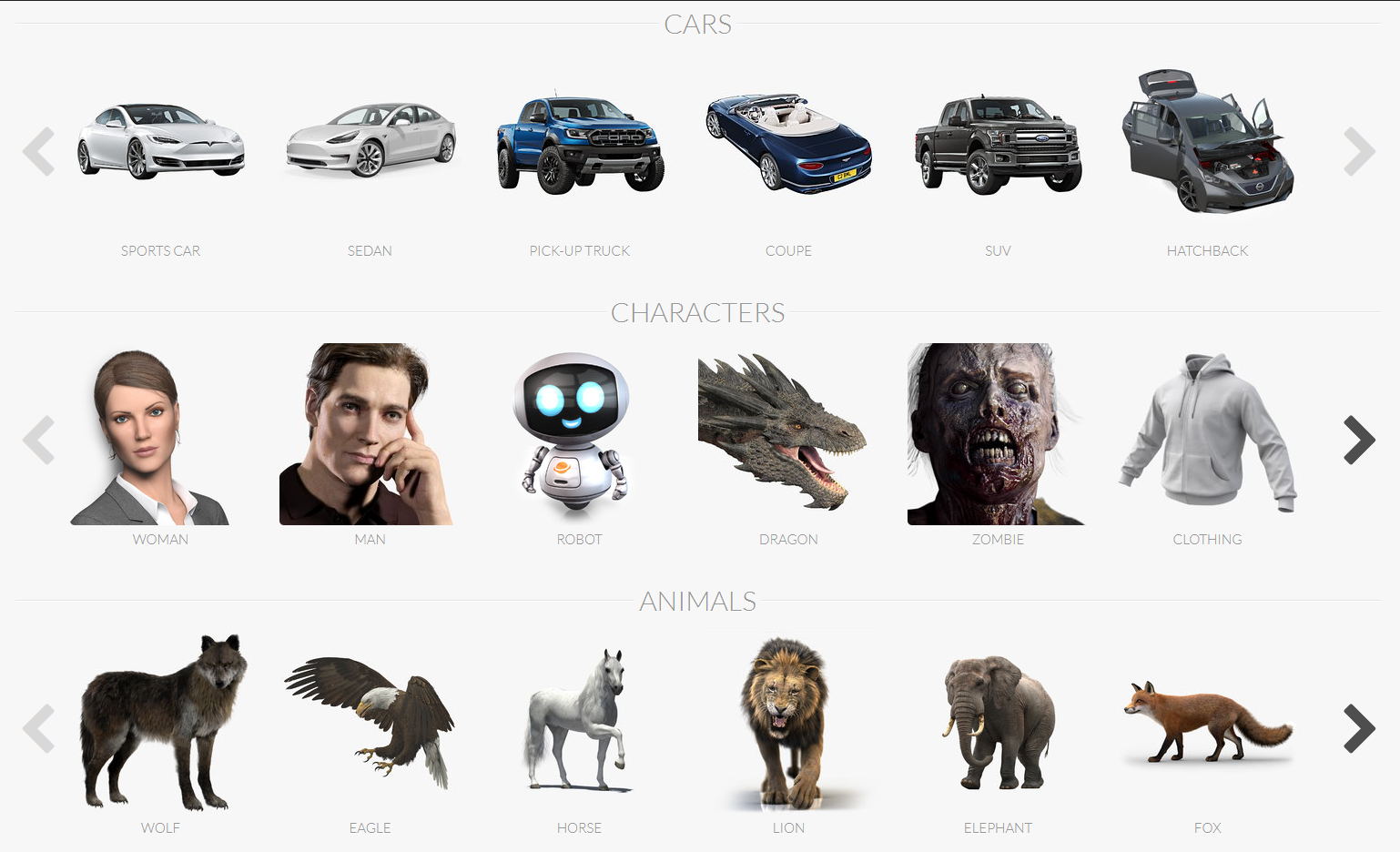
ShareCG is an older community hub with free models, textures, and tutorials shared by artists. RenderPeople offers a set of free scanned 3D people, which solves a common gap in architectural renders where populated scenes read as more believable. Dimensiva focuses on high-quality furniture and lighting models aimed squarely at interior visualization, with free downloads available after registration.
Threedio by Icons8
Threedio is a 3D illustration library from Icons8 that lets you customize and export 3D graphics for websites, apps, and presentations. It sits a little apart from the architecture-focused libraries, but it is a fast option when you need clean, editable 3D elements for diagrams, slides, or interface mockups rather than render-ready geometry.

🔢 Quick Numbers
- TurboSquid, founded in 2000, hosts more than one million 3D models (TurboSquid).
- Sketchfab offers hundreds of thousands of downloadable models under Creative Commons licenses (Sketchfab).
- Poly Haven publishes every asset under the CC0 public-domain license (Poly Haven).
Free 3D Model Websites Compared at a Glance
The table below sums up where each platform fits, so you can match a site to the project in front of you. For software-specific picks, our list of 3D modeling websites goes deeper on tools and formats.
| Website | Best For | Typical License |
|---|---|---|
| Sketchfab | Broad library, previewable models | Creative Commons |
| Poly Haven | Render assets, textures, HDRIs | CC0 public domain |
| CGTrader | Furniture, exteriors, game assets | Royalty-free |
| Thingiverse | 3D-printable files | Creative Commons |
| Quaternius | Low-poly packs, prototypes | CC0 public domain |
| RenderPeople | Scanned people for renders | Royalty-free |
| Dimensiva | Interior furniture and lighting | Free with registration |
For a wider view of where these libraries sit in a 3D workflow, our roundup of the top 3D design websites is a useful companion read. If you model your own assets first, see how the latest mobile tools compare in our look at SketchUp for iPad, then bring the results into a renderer using one of the best rendering tools for architects.
Where to Go From Here
Your Next Step: Pick two libraries from the table above that match your current project, one for geometry and one for textures or lighting, then download a single test model and run it through your render or print pipeline before you build a full asset list. Confirming the format and license up front saves you from reworking a scene later.






ARki Review: AR Room Planner and 3D Visualization on Mobile
ARki has been a fixture in architectural augmented reality since before AI...
 Sinan Ozen5 Mins read
Architectural Visualization with Blender: Free Assets and PBR Materials Guide
This guide breaks down how free asset packs, PBR material libraries, and...
 Elif Ayse Sen13 Mins read
26 Best AI Architectural Rendering Tools in 2026
AI is revolutionizing architectural visualization in 2026, enabling faster iterations, richer creativity,...
 Bahattin Duran14 Mins read
Top 3D Visualization Outsourcing Picks for 2025
Looking to scale your 3D production without expanding headcount or software spend?...
 Begum Gumusel4 Mins read


Leave a comment