

Top 5 Sketch to Render AI for Architects Compared on Speed and Quality
 Begum Gumusel10 May 20266 Mins read68

Table of Contents Show
Imagine sketching a rough façade, clicking Upload, and seeing a polished, photoreal image before your coffee cools. What once demanded hours of 3D setup now finishes in seconds and costs a fraction of a traditional render. One industry roundup even notes that turnaround times have plunged “from hours or even days to barely seconds.”
That speed is more than a neat trick—it reshapes design culture. You can test five façade materials before lunch, gather feedback in the afternoon, and refine massing by dinner. Clients stay engaged, teams align faster, and momentum never stalls while renders churn.
In this guide, we pit five leading sketch-to-render platforms against each other. We measure raw speed, judge image fidelity, and see how smoothly each one fits into everyday architectural workflows. By the end, you’ll know which tool to open for lightning-fast brainstorms, which preserves linework with surgical precision, and which delivers one-click magic inside SketchUp.
How we tested and ranked each tool
We applied one consistent test to every platform: a hand-drawn façade, a simple massing view, and a concise prompt. We timed the run to a 1,080-pixel image and checked realism, geometry, and resolution headroom.
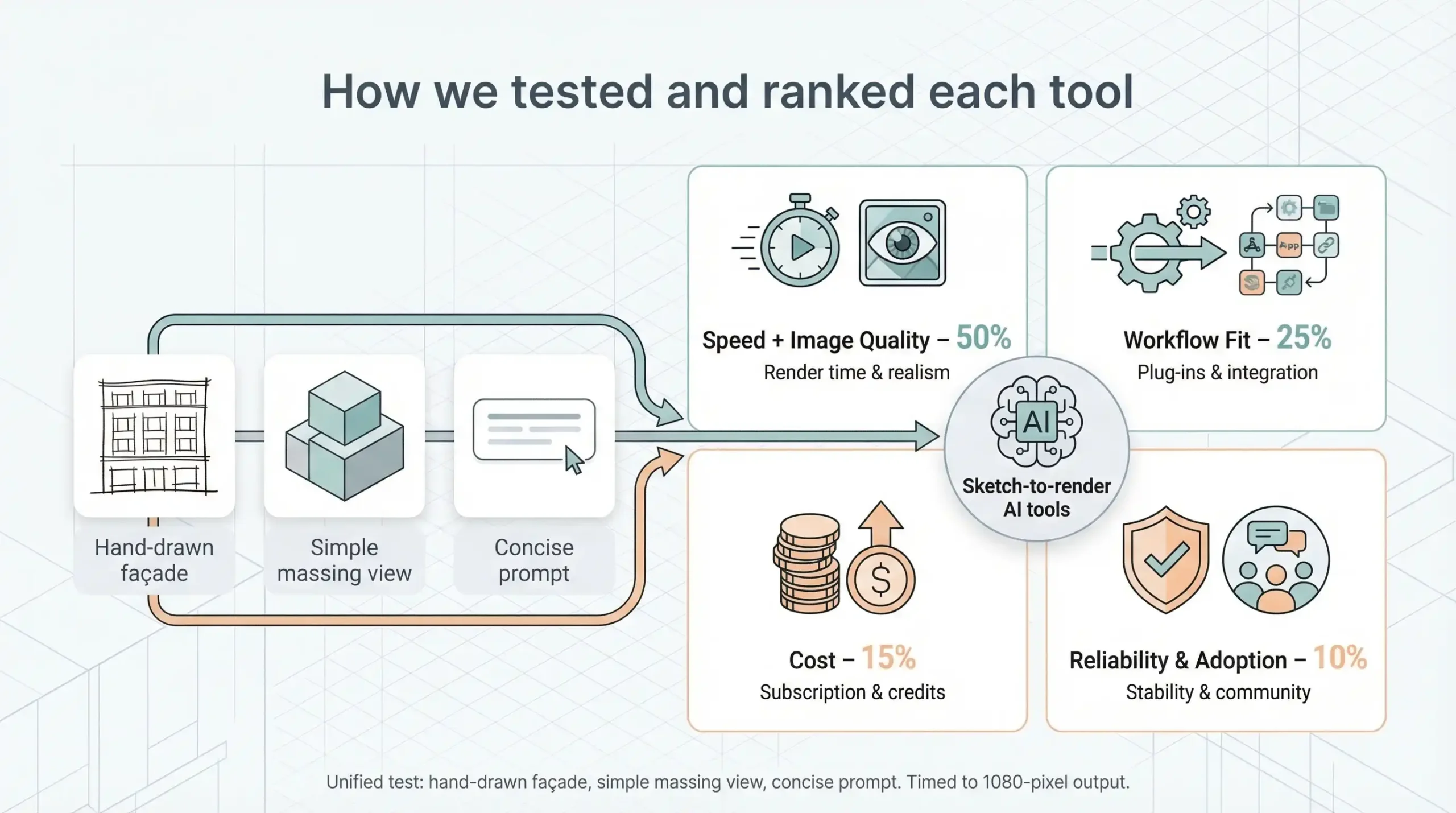
Speed plus image quality formed 50 percent of the final score. That mirrors client reality, where the first question is always “How soon can we see it?”
Quality shared top billing. We zoomed in for wavy mullions, muddy textures, or stray fantasy balconies. Engines that preserved linework and delivered crisp materials climbed the leaderboard.
Workflow fit counted for 25 percent. Does the app sit inside SketchUp or Revit, or at least expose an API? Can you nudge creativity with a slider or import a style reference? Those perks matter.
Cost covered 15 percent. Across the field, plans run $10–$49 a month, and most images arrive in 10–20 seconds or faster. Value adds up when a firm fires off dozens of renders daily, according to a roundup by MyArchitectAI.
Reliability and community adoption filled the final 10 percent. A busy forum and frequent feature drops hint that the tool will still be around when your project reaches construction documents.
With scoring locked in, meet the contenders.
Leonardo AI: live canvas in real time
Leonardo feels less like software and more like a design jam. You sketch a loose elevation, and the platform paints lighting, texture, and atmosphere while the cursor is still moving. The interface looks like a digital whiteboard, but each stroke ties into a tuned diffusion model that understands walls, windows, and shadow falloff.
Speed is the headline feature, paired with the consistency and creative control underscored on https://leonardo.ai/ai-image-generator/. Interactive color and material feedback appears instantly, and a finished 2 K image lands about 10 seconds after pens-down. Because all number-crunching runs on cloud GPUs, your laptop fan stays silent even on café Wi-Fi.
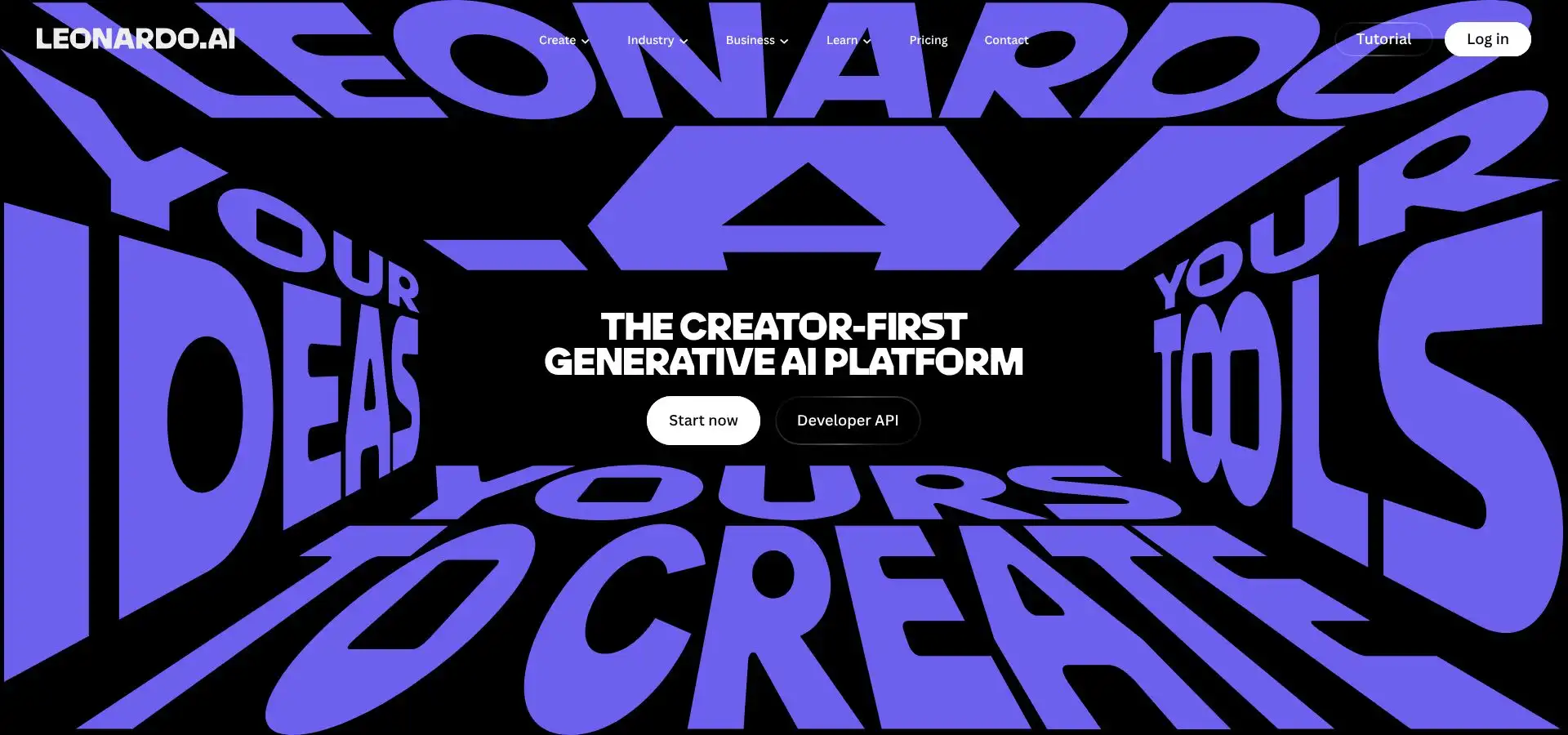
Leonardo AI live canvas sketch-to-render interface screenshot
Quality stays sharp under close inspection. Edges remain straight, glass reflections feel plausible, and a built-in upscaler pushes files to 4 K without muddy artifacts. Slide the creativity control toward “strict” to hug your linework or toward “loose” to invite design flourishes for early ideation.
Workflow favors breadth over deep plug-ins. Everything runs in a browser or iPad app. Export images, then drop them into SketchUp, Revit, or Photoshop. Advanced users can hit the API to pipe results into custom dashboards, but there is no one-click CAD extension yet.
Pricing starts at free. The base tier grants about 15–30 images a day, suitable for hobby exploration. A 12-dollar monthly plan unlocks thousands of tokens, private galleries, and full commercial rights, so you keep ownership of every pixel.
If you need instant visual feedback inside a playful paint-style interface, Leonardo delivers it while the meeting is still in progress.
Vizcom: blink-fast sketch rendering
Vizcom does one thing better than anyone else: sheer speed. Drop a napkin sketch of a courtyard house into the web app, press Render, and a polished image appears in about 4 seconds. The company’s CEO told Forbes the jump is “three hours down to three to five seconds,” and our tests match that claim (Forbes, March 27, 2024).

Vizcom ultra-fast sketch-to-render web app interface screenshot
That pace reshapes your creative rhythm. Instead of polishing one idea, you spin up ten, compare them side by side, and advance the strongest while enthusiasm stays high. The engine respects linework; walls stay plumb, roof angles remain crisp, and materials snap neatly to the geometry.
Outputs arrive at screen resolution, perfect for meetings and mood boards. Need billboard size? An external upscaler handles it. Vizcom also offers an experimental 2D-to-3D toggle that produces a lightweight OBJ for VR or 3D-printed studies.
Everything runs in your browser. No plug-ins, downloads, or GPU drivers. Teams can share projects, leave comments, and remix prompts, making it ideal for charrettes or design-build workshops.
Pricing is simple. A free trial lets you try it out, and the 49-dollar monthly plan grants unlimited renders, private storage, and full commercial rights. For a studio billing hundreds per hour, that fee barely registers yet supplies a constant concept engine.
If pace tops your priority list and a client wants options yesterday, Vizcom is the button to press.
mnml.ai: style savvy and geometry safe
Some generators deliver eye-catching images yet twist floor plates along the way. mnml.ai fixes that flaw. Its ArchDiffusion engine trains on thousands of construction-grade drawings, so straight lines stay straight and proportions remain true from sketch to render.
Upload a pencil outline or a Revit viewport, choose one of 40 style presets, and press Go. About 15 seconds later, you receive a clean 1,024-pixel render that matches your section cut. Need mood variations? Slide the geometry-preservation bar toward creative, and the model eases just enough for fresh material studies.
mnml.ai geometry-faithful sketch-to-render interface screenshot
Consistency is the main draw. Generate front, side, and night views in one batch, and each image shares lighting logic and camera discipline. That coherence saves hours when you build client boards or competition panels.
mnml fits real-world workflows. Exporters for SketchUp, Revit, and Blender send views straight to the cloud without juggling PNGs. Results drop back into the model folder, ready for mark-ups.
Pricing lands in the middle tier, about 30 dollars a month for unlimited use or a few cents per image with credit packs. For solo architects who present weekly, the subscription pays for itself after a single client session.
Choose mnml.ai when accuracy ranks first but style flexibility still matters; it behaves like a reliable drafting assistant that dresses every drawing without smudging your linework.
ArchiVinci: precision, angles, and pay-as-you-go freedom
ArchiVinci suits architects who treat linework as gospel. Its two engines let you choose raw speed or surgical fidelity, and both guard geometry better than many offline renderers. Upload a sketch, select Multi-Angle, and the system returns coordinated front, side, and bird’s-eye views in about 20 seconds each. You gain a mini presentation set without orbiting a 3D model.
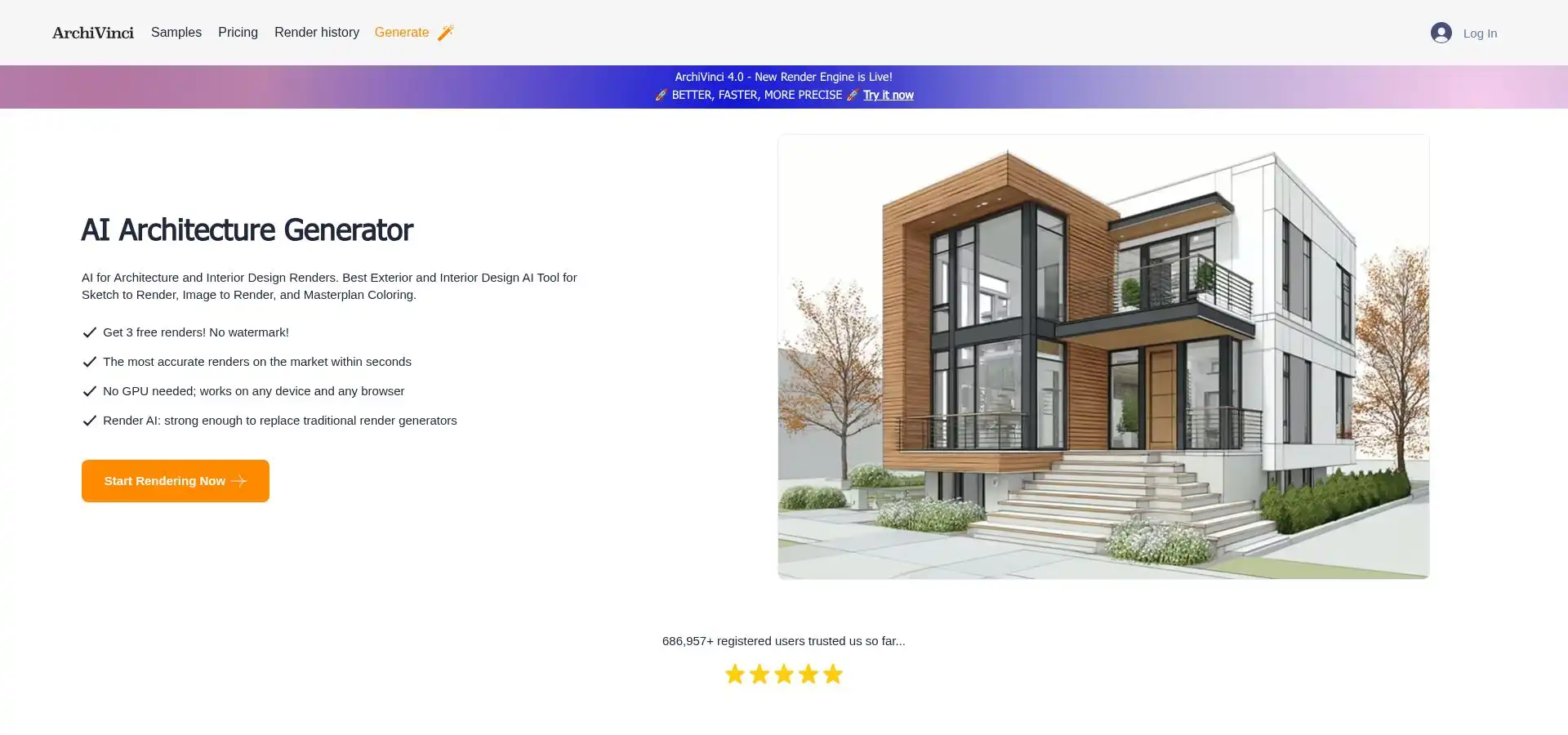
ArchiVinci multi-angle AI architectural rendering interface screenshot
The platform also doubles as a storyboard tool. Opt into the video module and it stitches those angles into a gentle pan or zoom, ideal for social teasers or investor decks.
Control is the standout. You pick the engine, the strictness setting, and whether to spend extra credits for an upscaled print file. Nothing runs until you approve the cost, so budgets stay clear. The one-time credit plan fits studios that render in bursts rather than daily.
Privacy adds confidence. Projects remain locked in your account unless you opt in to a gallery. Teams can pool credits while ring-fencing client folders to keep NDAs intact.
There is no SketchUp plug-in, yet the web uploader accepts clean CAD captures, and an API waits for custom pipelines. When images return, you drag them into InDesign or a BIM sheet and know that windows align and edges stay sharp.
For meticulous alignment, multi-view consistency, and predictable billing, ArchiVinci behaves like an on-demand visualization bureau: ready when you need it, quiet when you do not.
ReRender AI: the SketchUp power-up
ReRender AI feels designed for architects who spend the day inside SketchUp. Install the plug-in, orbit to a view, and a new Render button appears next to the tape measure. Click it and a 1,024-pixel visual arrives about 12 seconds later, styled to match your prompt or reference photo. No exports, vendor emails, or lost momentum.
ReRender AI SketchUp plug-in one-click render interface screenshot
Versatility stands out. One project may need a crisp photoreal exterior, another a moody watercolor interior. ReRender covers both through style-reference uploads and a built-in upscaler that lifts files to 4 K for print.
Need multiple angles? Launch a batch render, then toggle Render Enhance to sharpen edges and boost contrast. The cloud handles the heavy work, and paid tiers use a priority queue, so wait times stay predictable even on deadline days.
Pricing follows typical SaaS. A free trial lets you try the workflow. The 45-dollar monthly plan removes watermarks, provides unlimited images, and even includes video credits for a quick fly-through. Teams gain shared mood boards and central billing on higher tiers.
If your studio revolves around SketchUp, these features shrink four steps into one. What used to be export, upload, wait, and re-import now becomes click, sip, and drag the finished frame onto your layout.
Quick-glance scorecard
You have met each contender up close. Now step back and scan the field in one view. The grid below shows what matters most: how fast an image lands, how clean it looks, how easily it plugs into your workflow, and the minimum fee for commercial rights.
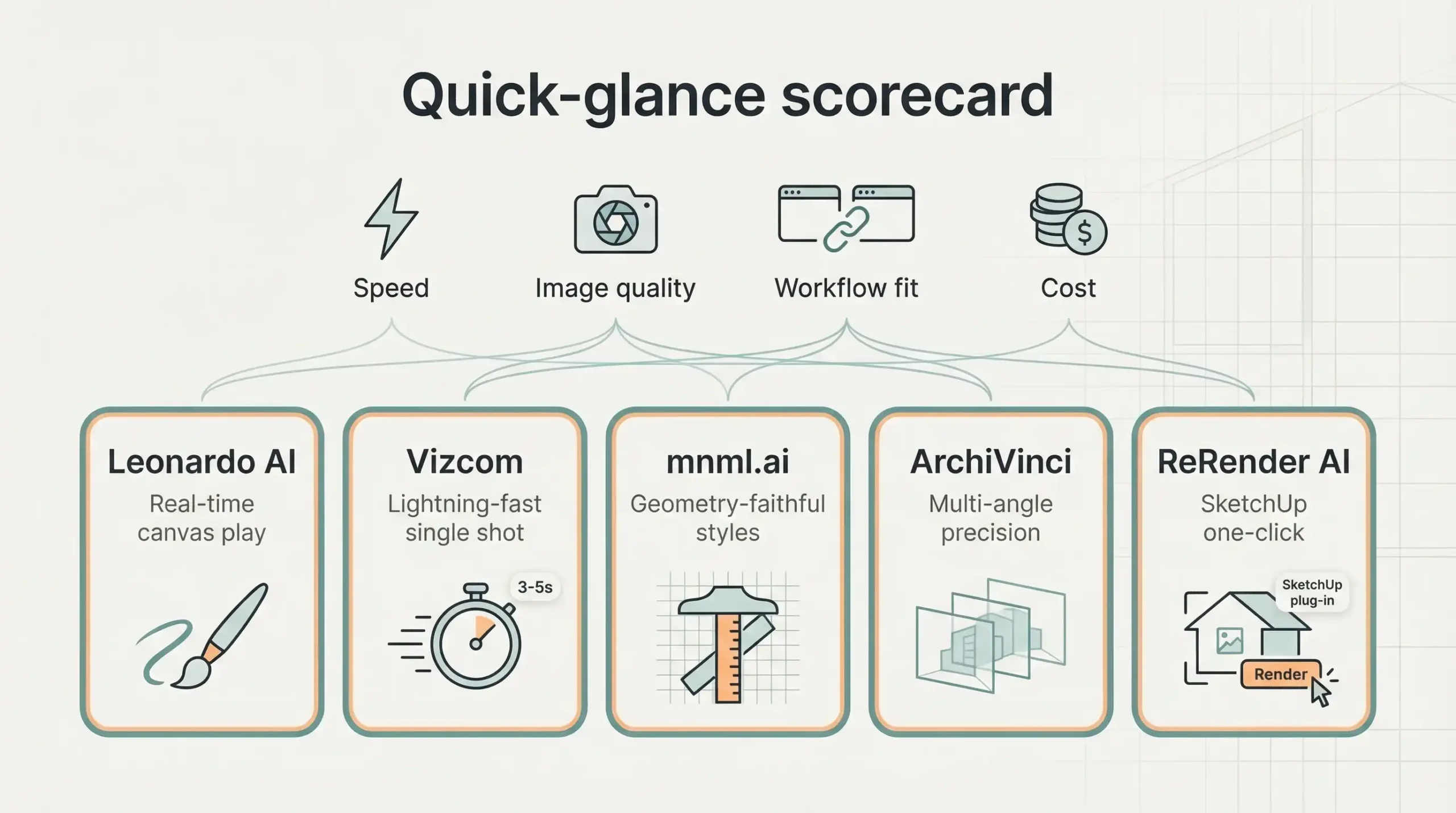
| Tool | Stand-out strength | Typical render time | Quality note | Workflow hook | Starting cost |
| Leonardo AI | Real-time canvas play | about 10 s | Photoreal 2 K, 4 K upscale | Web and API | Free / $12 mo |
| Vizcom | Lightning-fast single shot | 3–5 s | HD concept polish | Browser collab | $49 mo |
| mnml.ai | Geometry-faithful styles | 10–20 s | 40 presets, 4 K upscale | SketchUp / Revit plug-ins | $30 mo est. |
| ArchiVinci | Multi-angle precision | 20 s | 1080 p, video add-on | Pay-per-credit web | $40 one-time pack |
| ReRender AI | SketchUp one-click | 12 s | 4 K upscale, style refs | Native SketchUp plug-in | $45 mo |







Sydney’s Buildings Are Ageing Faster Than Most Owners Realise
There is a wave of building deterioration moving through Sydney's property stock...
 illustrarch Editoral Team10 Mins read

Famous Buildings in Asia: 6 Imperial Palaces That Shaped a Continent
A focused look at six iconic buildings in Asia, each an imperial...
 Furkan Sen6 Mins read

10 Signs It’s Time to Upgrade Your Property Fence
Table of Contents Show Repairs Keep Piling UpPosts Are LeaningBoards Are Cracked...
illustrarch Editoral Team3 Mins read
Walt Disney Concert Hall: Frank Gehry’s Stainless Steel Symphony in Los Angeles
Frank Gehry's Walt Disney Concert Hall took 16 years from initial design...
Furkan Sen6 Mins read


Leave a comment