

How Virtual Architecture Is Redefining Design From Real Time Worlds to Built Impact
Discover how virtual architecture is redefining design from static sketches to immersive, navigable spaces. Learn how real-time engines, parametric tools, BIM, and digital twins drive iteration, collaboration, comfort, and sustainability, with game design principles and the hurdles of interoperability and skills.
 Sinan Ozen2 November 202520 Mins read294

Table of Contents Show
We’re living through a quiet revolution. The question isn’t whether virtual architecture is changing practice: it’s how virtual architecture is redefining design, day to day, decision by decision. When we shift from static files to living, navigable worlds, we test ideas at the speed of thought, bring stakeholders into the room (or headset), and connect pixels to performance. What used to be a rendering milestone is now an interactive, measurable experience that guides better buildings, and better outcomes.
Defining Virtual Architecture Today
We’ve moved beyond drawing and rendering. Virtual architecture creates spaces we can inhabit before they exist, where light, sound, circulation, and even crowd behavior can be felt, then tuned, live. Instead of asking clients to imagine, we let them walk. We layer analytics into these worlds so design intent, user comfort, and sustainability targets are visible and testable. The model stops being a picture of a building and becomes a place with cause-and-effect.

Under the hood, real-time engines (Unreal, Unity), parametric tools (Rhino/Grasshopper), and BIM platforms (Revit, Archicad) connect through open formats like IFC, USD, and glTF. VR/AR/MR headsets and WebXR put experiences on devices people actually use. LiDAR and photogrammetry capture reality; physics and agent simulations approximate it. Cloud streaming removes hardware barriers. Increasingly, AI assists with procedural generation and optimization, while version control and a common data environment keep everything coherent.
Core Technology Stack for Virtual Architecture
| Category | Technology / Tool | Primary Role in Virtual Architecture | Key Strength |
|---|---|---|---|
| Real-Time Engine | Unreal Engine 5 | Photorealistic walkthroughs, VR experiences | Nanite & Lumen for cinematic-quality lighting and geometry |
| Real-Time Engine | Unity | Interactive prototypes, AR/MR, WebXR delivery | Cross-platform reach, fast iteration, lightweight builds |
| Parametric Design | Rhino / Grasshopper | Generative form-finding, algorithmic optimization | Visual scripting for complex geometry and data-driven design |
| BIM Platform | Autodesk Revit | Building documentation, coordination, 4D/5D scheduling | Industry-standard BIM with broad ecosystem integration |
| BIM Platform | Archicad | Architectural modeling, collaborative BIM | Open BIM support, native IFC workflow |
| Capture / Survey | LiDAR & Photogrammetry | Reality capture for as-built documentation and digital twins | Millimeter-accurate 3D point clouds from real-world sites |
| Immersive Hardware | VR/AR/MR Headsets (Meta Quest, Apple Vision Pro) | Stakeholder walkthroughs, design review, training | Embodied spatial experience without physical construction |
| Web Delivery | WebXR / Cloud Streaming | Browser-based 3D access, device-agnostic experiences | Removes high-end hardware requirement for end users |
| AI / Automation | Generative AI & ML tools | Procedural generation, layout optimization, energy analysis | Accelerates early-stage exploration and performance checks |
💡 Expert Insight: When building your virtual architecture technology stack, avoid the common mistake of choosing tools in isolation. The real power comes from interoperability: your BIM platform (Revit or Archicad) should export cleanly through IFC to your real-time engine (Unreal or Unity), which should in turn deliver to web via glTF or cloud streaming. Map the full data pipeline before committing to any single tool. A broken link in the chain will cost more than the most expensive software license.
Reinventing The Design Workflow
Virtual architecture turns iteration into a loop measured in minutes. We prototype spatial options, run daylight or comfort checks, and watch the impacts update, immediately. Crowd flows, acoustic responses, and even energy proxies can inform choices before documentation hardens. This simulation-first approach reframes design as hypothesis > test > refine, replacing late-stage surprises with early evidence.
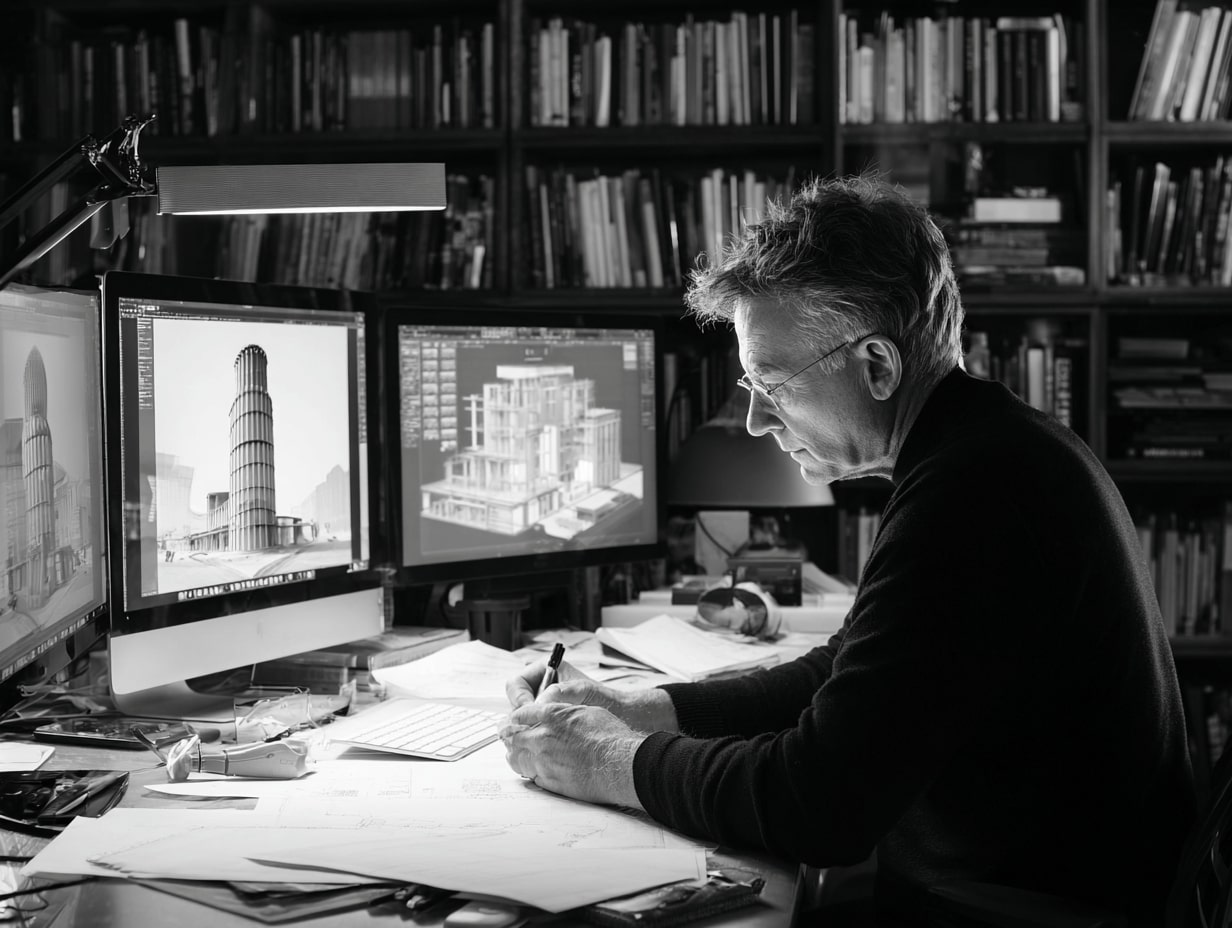
Traditional vs. Virtual Architecture Workflow
| Aspect | Traditional Workflow | Virtual Architecture Workflow |
|---|---|---|
| Design Iteration Speed | Days to weeks per major revision | Minutes to hours with real-time feedback |
| Client Communication | 2D drawings, static renders, physical models | Immersive VR walkthroughs, interactive 3D models |
| Performance Testing | Late-stage specialist analysis (energy, daylight, acoustics) | Integrated simulation during early design phases |
| Collaboration Model | Sequential handoffs between disciplines | Co-creation in a shared digital environment |
| Clash Detection | Discovered during construction or late coordination | Identified in VR/BIM before documentation is finalized |
| Stakeholder Buy-In | Requires imagination from flat drawings | Walk the space, annotate in context, decide faster |
| Change Management | Expensive late-stage revisions | Low-cost early-stage adjustments with instant impact preview |
| Documentation | Static document sets with manual coordination | Live model as single source of truth, auto-updated outputs |
🟢 Pro Tip: Start Your First VR Design Review in Under a Week: You don’t need a dedicated VR lab to begin. Export your Revit model to Enscape or Twinmotion (both offer one-click VR from BIM), load it on a Meta Quest headset, and invite stakeholders to walk the space. Many firms report catching visibility conflicts and accessibility gaps in their very first VR session. The key is: don’t wait for perfection. A rough VR walkthrough at 70% model completion is more valuable than a polished rendering at 100%.
When the model is a shared world, architects, engineers, fabricators, and operators can co-create. We tag elements with structured data so decisions are traceable. Design ops practices, branching, reviews, automated checks, reduce coordination drag. Stakeholders step into the scene together, annotate in context, and align faster. It’s not handoff, it’s a continuous conversation anchored by a single source of spatial truth.
📊 Key Data: VR Adoption in Architecture:
- 9 out of 20 of the world’s largest architectural firms actively use VR in their design workflows.
- 40% of architecture professionals in Europe rely on VR for design and visualization tasks.
- In a CGarchitect industry survey, nearly 70% of respondents reported using or planning to use VR/AR/MR in production.
- Firms integrating BIM-to-VR workflows report faster project approvals, fewer late-stage revisions, and higher client satisfaction scores.
Expanding Form, Space, And Use
Level design has decades of hard-won wisdom about readability, pacing, and wayfinding. We’re borrowing it. Sightlines guide movement, lighting cues signal function, and environmental storytelling replaces signage clutter. Game engines also teach us to balance fidelity with performance, so virtual walkthroughs run smoothly on the devices our clients actually have.

Real-Time Engines Compared for Architectural Visualization
| Feature | Unreal Engine 5 | Unity (HDRP) |
|---|---|---|
| Visual Fidelity | Photorealistic out-of-the-box (Nanite, Lumen) | High quality with manual HDRP setup; excels in stylized visuals |
| Learning Curve | Steeper; C++ core with Blueprint visual scripting | Gentler; C# scripting, simpler editor interface |
| Best For (ArchViz) | Cinematic presentations, high-end PC/VR walkthroughs | Interactive prototypes, mobile/web delivery, AR experiences |
| Lighting System | Lumen (real-time global illumination, dynamic) | Baked + real-time hybrid; requires more manual optimization |
| Platform Reach | PC, consoles, high-end VR | PC, mobile, web (WebGL), VR/AR, standalone headsets |
| VR/AR Support | Superior for PC-tethered VR; improving standalone | Leading for Meta Quest / standalone VR; strong AR Foundation |
| Hardware Demand | High-end GPU recommended | Runs on lower-spec machines; smaller build sizes |
| Pricing Model | Free to use; 5% royalty after $1M revenue per product | Free under $100K revenue; paid Pro tiers above |
| Community & Assets | Robust marketplace; strong AAA & ArchViz community | Extensive Asset Store; 2.5M+ monthly active developers |
💡 Expert Insight: Choosing Between Unreal and Unity for ArchViz: The decision is not about which engine is “better” but about where your output lives. If your primary deliverable is a cinematic client presentation on a high-end PC or VR headset, Unreal Engine’s Lumen and Nanite will give you photorealism with less manual effort. If you need to distribute walkthroughs to dozens of stakeholders via web browsers or standalone Meta Quest headsets, Unity’s lightweight builds and superior cross-platform reach make it the pragmatic choice. Many advanced firms maintain both: Unreal for hero presentations, Unity for scalable distribution.
As experiences blur physical and digital, we see mixed-reality venues, virtual-first retail, and campuses that exist online and on-site. In the model, facades can adapt to sun and occupancy; interiors reconfigure for different events; services respond to live data. We prototype these behaviors virtually, then specify sensors, controls, and materials that make them real. Space becomes software, maintained, updated, and improved over time.
🟢 Pro Tip: Borrow Level Design Principles from Games: When building virtual architecture walkthroughs, apply three principles from game level design: (1) use sight lines to naturally pull users through the space without signage, (2) use lighting contrast to signal transitions between public and private zones, and (3) always provide a “landmark” visible from multiple positions so users never feel lost. These techniques reduce client confusion during VR reviews and produce design insights that translate directly to better-built wayfinding.
Bridging Virtual And Physical
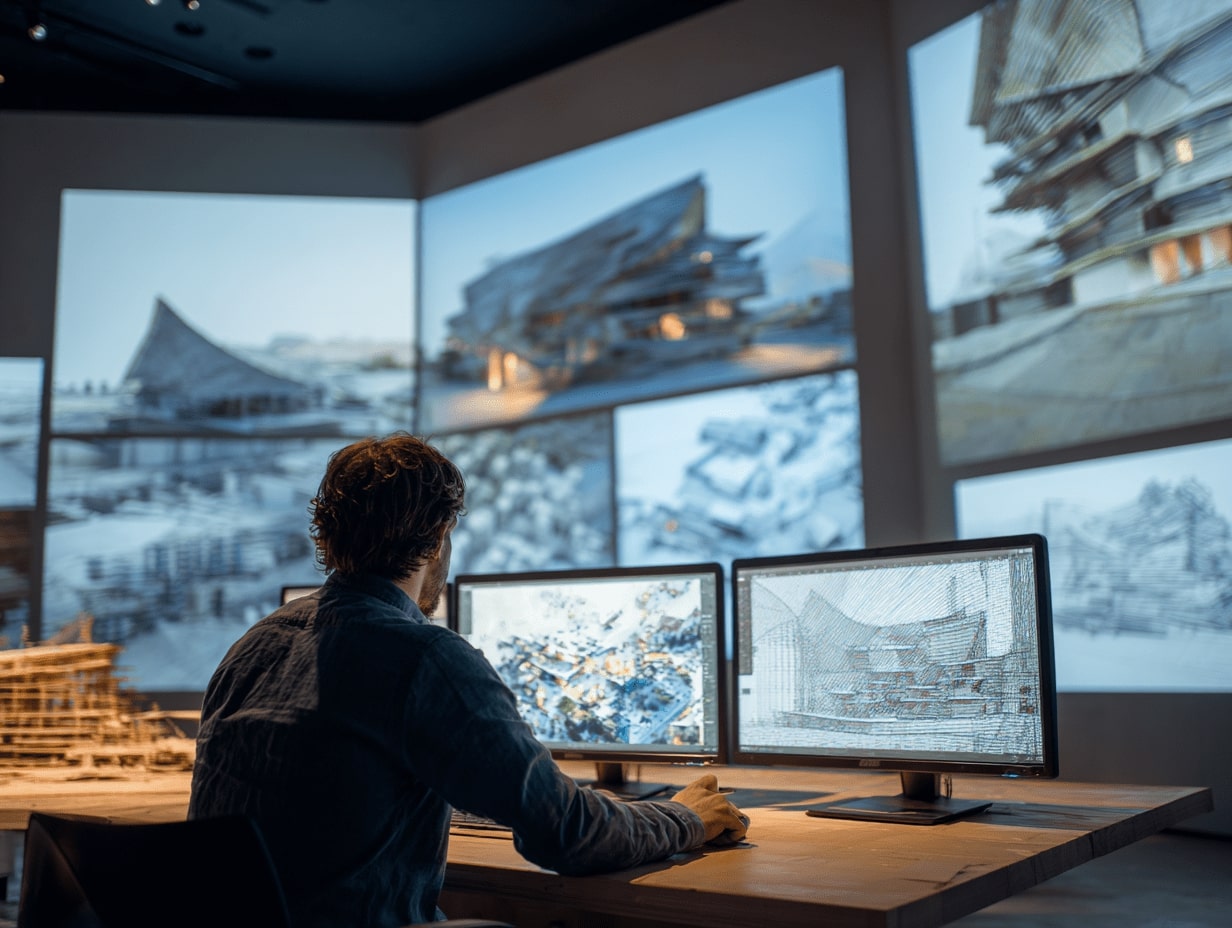
A digital twin links a design model with operational data. We map assets, systems, and performance targets into a living graph, then sync sensor streams from BMS/IoT. That closes the loop: assumptions validated (or not), settings tuned, maintenance predicted, and carbon tracked across the life cycle. Periodic scans keep geometry current so the twin stays trustworthy.
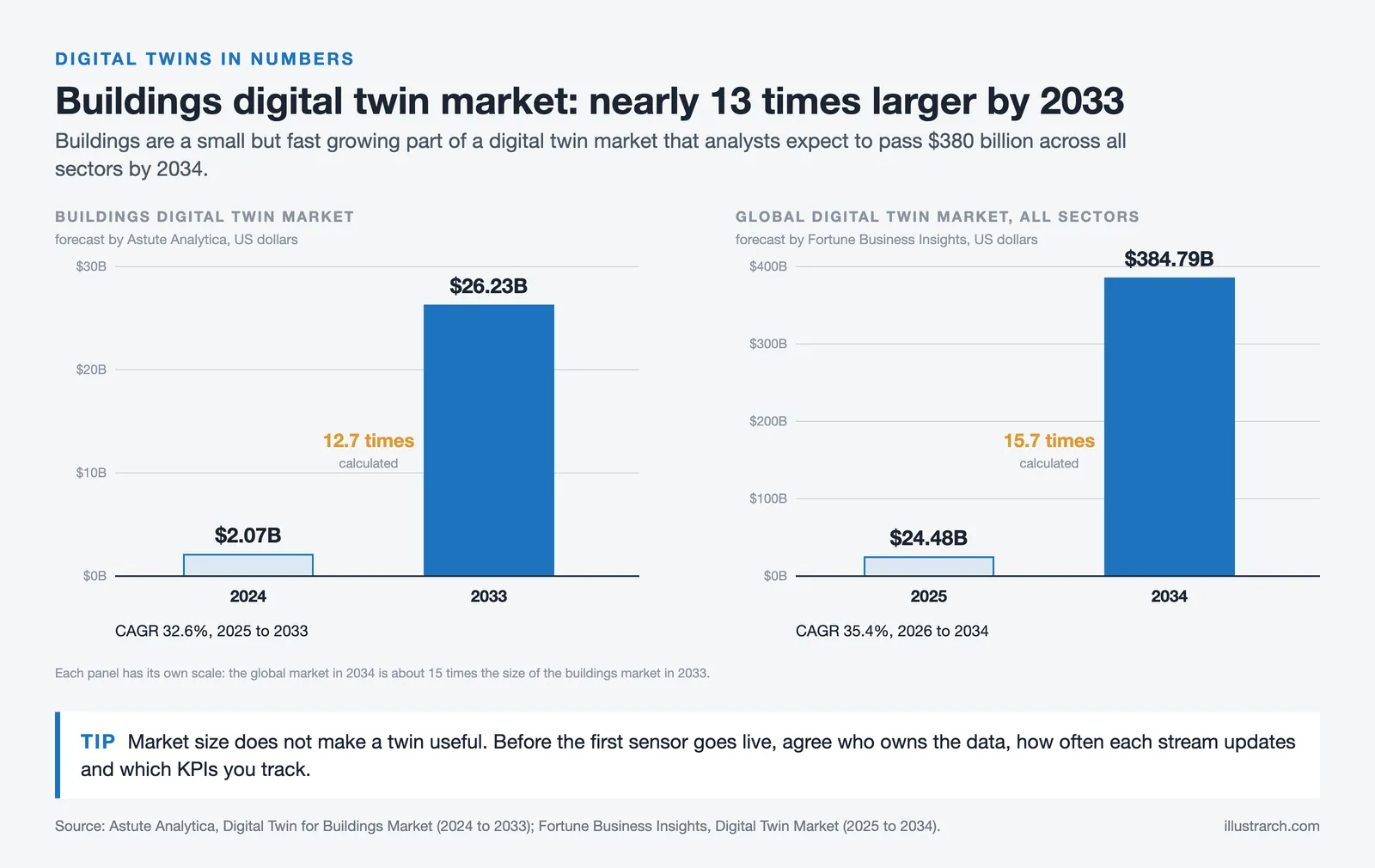
Digital Twin Impact on Building Performance
| Metric | Impact | Source |
|---|---|---|
| Carbon Emission Reduction | Up to 50% decrease in building carbon emissions | EY |
| Operational & Maintenance Efficiency | 35% improvement in O&M processes | EY |
| Construction Error Reduction | 60% fewer construction errors (3DEXPERIENCE platform case study) | Dassault Systèmes / CSADI |
| Construction Speed | 30% faster project completion | Dassault Systèmes / CSADI |
| Buildings Sector DT Market (2024) | $2.07 billion | Astute Analytica |
| Buildings Sector DT Market (2033 forecast) | $26.23 billion (CAGR 32.6%, 2025 to 2033) | Astute Analytica |
| Global DT Market (2025) | $24.48 billion | Fortune Business Insights |
| Global DT Market (2034 forecast) | $384.79 billion (CAGR 35.4%) | Fortune Business Insights |
| IoT Adoption in Construction | 32% of firms implementing IoT for resource tracking & safety | PwC Construction Industry Vision 2025 |
💡 Expert Insight: Making Digital Twins Actually Work: Most digital twin projects fail not because of technology, but because of data governance. Before connecting a single sensor, define three things: (1) who owns the data and who can change it, (2) what is the update frequency for each data stream (real-time BMS feeds vs. quarterly LiDAR scans), and (3) what are the measurable KPIs you will track, such as energy per square meter, indoor comfort index, or predictive maintenance alerts. A digital twin without defined outcomes is just an expensive dashboard.
Immersive reviews shorten the distance from intent to buy-in. Teams often catch visibility conflicts, accessibility gaps, and sequencing issues in VR long before site work. Training scenarios, evacuation drills, equipment operation, become safer and cheaper in a headset. Link 4D/5D BIM to these experiences and we stress-test logistics and budgets with far fewer late-stage changes.
🟢 Pro Tip: Run VR Safety Drills Before Construction Begins: Use your BIM model to simulate evacuation routes, crane swing radii, and scaffolding sequences in VR before breaking ground. Construction teams that rehearse complex tasks virtually report significantly fewer on-site incidents and schedule overruns. Link your 4D BIM schedule to the VR model so workers can step through each construction phase chronologically and flag sequencing conflicts that are invisible in Gantt charts.
Challenges, Ethics, And What Comes Next
Lock-in is the enemy of longevity. We prioritize open standards, IFC and BCF for building data and issues, USD for scene assembly, glTF for lightweight visualization, so models can move and endure. Governance matters too: who owns the data, who can change it, how we audit provenance, and how we protect sensitive operational streams.
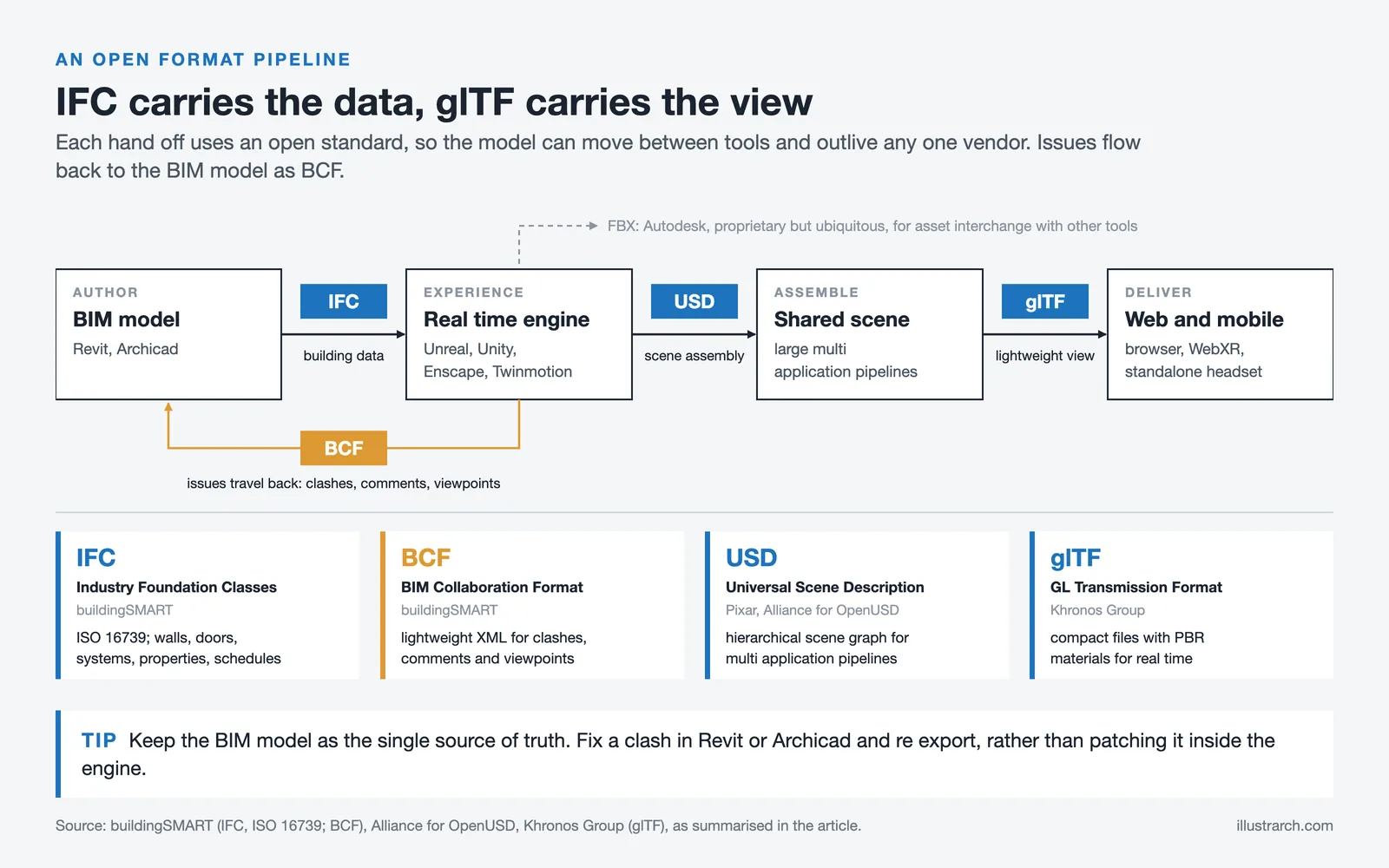
Open File Formats for Virtual Architecture
| Format | Full Name | Developed By | Primary Use in Architecture | Key Characteristics |
|---|---|---|---|---|
| IFC | Industry Foundation Classes | buildingSMART | BIM data exchange between AEC software | ISO-certified (ISO 16739); rich building semantics; stores geometry, materials, properties, schedules |
| BCF | BIM Collaboration Format | buildingSMART | Issue tracking and coordination between BIM tools | Lightweight XML-based format for reporting clashes, comments, and viewpoints |
| USD | Universal Scene Description | Pixar (Alliance for OpenUSD) | Complex scene assembly, collaborative pipelines, VFX | Hierarchical scene graph; modular architecture; best for large multi-application workflows |
| glTF | GL Transmission Format | Khronos Group | Lightweight web/mobile 3D visualization | Compact file size (“JPEG of 3D”); PBR materials; ideal for real-time and browser delivery |
| FBX | Filmbox | Autodesk | 3D asset interchange between DCC tools | Widely supported; carries meshes, animations, materials; proprietary but ubiquitous |
📊 Data Point: Why Open Standards Matter: IFC files contain rich building semantics (walls, doors, HVAC systems, schedules) while glTF files are typically much smaller than equivalent proprietary formats, loading faster on web and mobile. The trade-off is clear: use IFC for full BIM data exchange between disciplines, and glTF for lightweight downstream delivery to clients and the public. USD sits in between, excelling at complex scene assembly for multi-application pipelines. Choosing the right format at each pipeline stage avoids both data loss and unnecessary bloat.
Access, Equity, And Business Models
If virtual architecture is only great on a $5,000 rig, it isn’t great. We design for broad access: web delivery when possible, scalable fidelity, and clear fallbacks. On the business side, we’re rethinking IP for procedural content, subscriptions for ongoing “spatial software,” and the energy costs of rendering, choosing efficient pipelines and greener clouds.
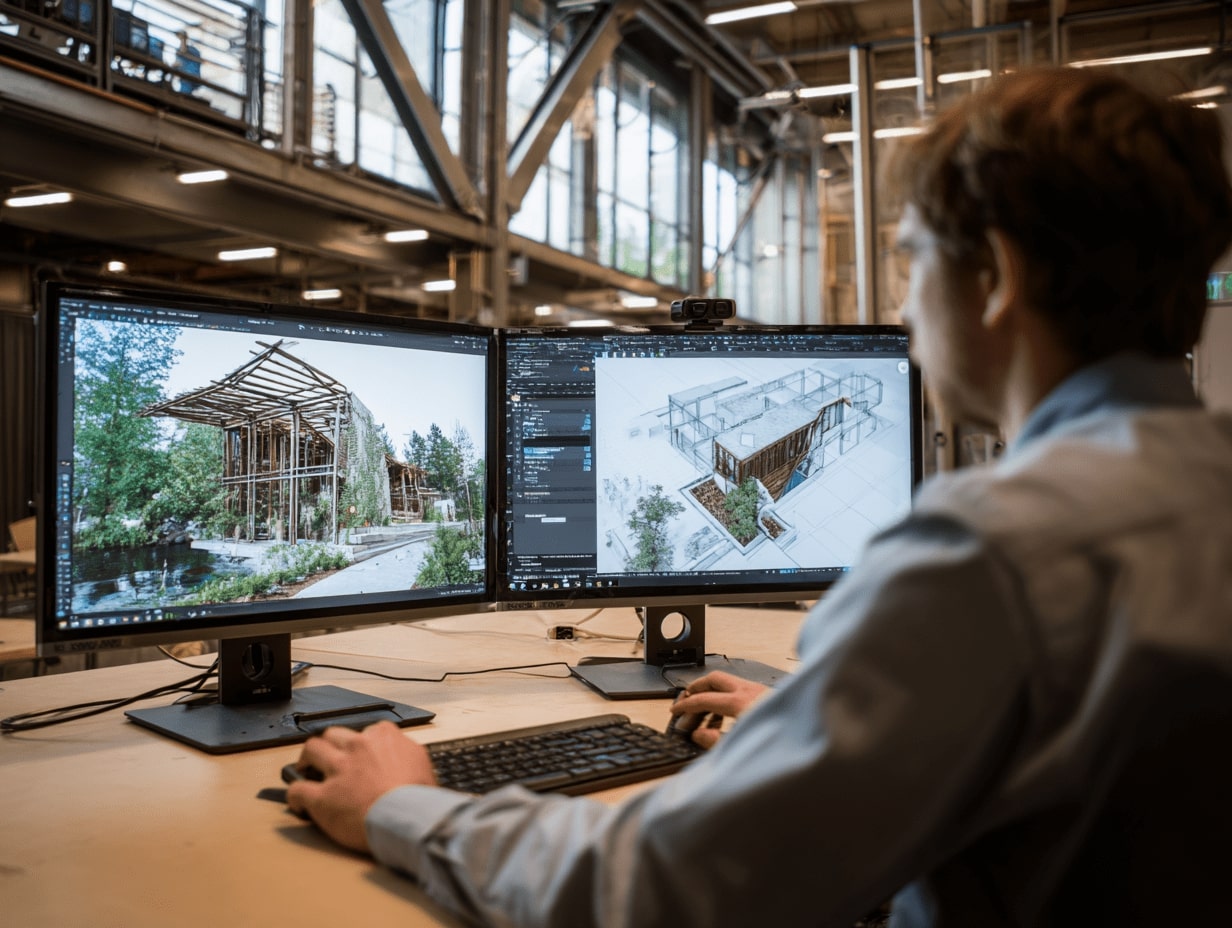
🟢 Pro Tip: Deliver Virtual Architecture on Any Budget: Not every client has a VR headset, and not every firm can afford cloud streaming licenses. Build a three-tier delivery strategy: (1) High-end: full VR walkthrough on a tethered headset for key design reviews; (2) Mid-range: standalone headset experience (Meta Quest) for broader stakeholder access; (3) Low-cost: WebXR or interactive 360° panoramas viewable in any web browser. This approach ensures no stakeholder is excluded, and you always have a fallback when hardware fails.
Skills And Tools Designers Should Build
We don’t all need to be engine programmers, but fluency helps. Useful skills: parametric thinking, scripting (Python/C#), game-engine literacy, UX research, data visualization, and ethical reasoning. Equally important: storycraft. The best virtual experiences communicate purpose, not just pixels. Pair that with a culture of testing, and the work compounds.
Essential Skills for Virtual Architecture Practitioners
| Skill Area | What It Covers | Why It Matters |
|---|---|---|
| Parametric Thinking | Algorithmic design with Grasshopper, Dynamo, or similar tools | Enables data-driven form generation and rapid design exploration |
| Scripting (Python / C#) | Automation, custom tool creation, pipeline scripting | Bridges BIM, game engines, and analysis tools into seamless workflows |
| Game-Engine Literacy | Navigating Unreal/Unity: materials, lighting, optimization, blueprints | Turns static models into interactive, real-time spatial experiences |
| UX Research | User testing, wayfinding studies, occupant behavior analysis | Ensures virtual spaces serve real human needs and behaviors |
| Data Visualization | Dashboards, performance overlays, spatial analytics | Makes invisible data (energy, comfort, flow) visible and actionable |
| Ethical Reasoning | Data privacy, equitable access, AI bias awareness | Guides responsible decisions in surveillance-capable digital environments |
| Storycraft & Narrative Design | Spatial storytelling, experience sequencing, environmental cues | Communicates design intent beyond technical accuracy |
| Open Standards & Interoperability | IFC, USD, glTF, BCF workflows and governance | Prevents vendor lock-in; ensures long-term model portability |
💡 Expert Insight: The Skill That Separates Good from Great: Technical fluency in engines and scripts is necessary but not sufficient. The architects who create the most impactful virtual experiences are the ones who understand narrative design, the art of sequencing a spatial journey so it tells a story. Think of it like directing a film: where the eye lands first, what is revealed around the corner, how light shifts to signal a mood change. Clients remember stories. They forget polygon counts.
How To Start a Virtual Architecture Pilot Project
The biggest barrier to virtual architecture adoption is not technology or cost; it is inertia. Firms that wait for the perfect moment to implement VR, digital twins, or real-time engines into their workflows find themselves perpetually waiting. The most effective approach is to start small, prove value on a single project, and scale from there. Here is a practical, step-by-step framework for launching your first virtual architecture pilot.
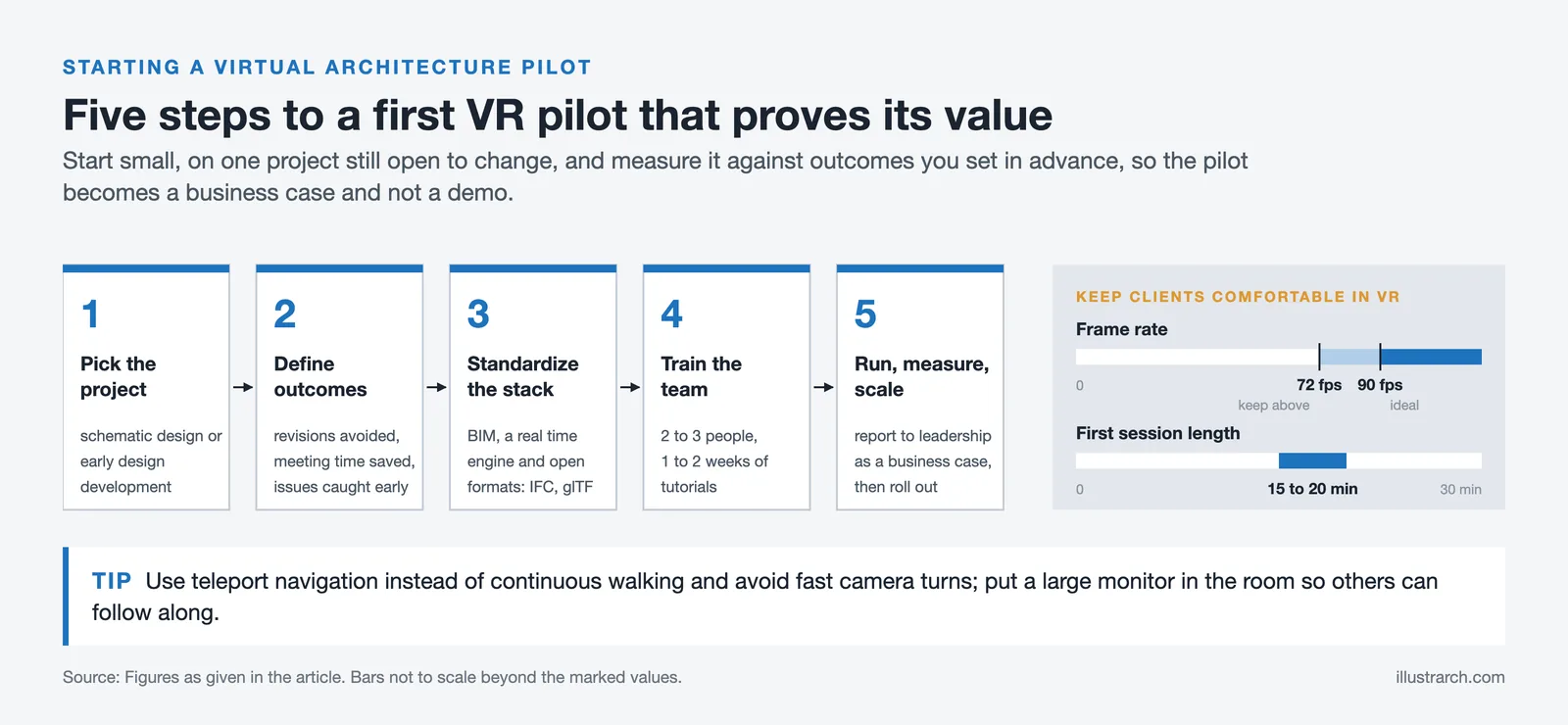
Step 1: Pick the Right Pilot Project
Choose a project that is currently in schematic design or early design development, where immersive visualization can still influence decisions. Avoid projects that are already deep into construction documentation: the value of VR diminishes when the design is already locked. Ideally, the pilot should involve a client who is open to new presentation methods and a team willing to experiment.
Step 2: Define Measurable Outcomes
Before building anything in VR, establish what “success” looks like. Useful metrics include: number of design revisions avoided after VR review, percentage reduction in client revision requests, time saved in stakeholder alignment meetings, and number of coordination issues caught before documentation. Without predefined metrics, a pilot becomes a demo rather than a business case.
Step 3: Standardize a Portable Stack
Use BIM as your single source of truth (Revit, Archicad, or equivalent), connect it to a real-time engine or visualization bridge (Enscape, Twinmotion, or a direct Unreal/Unity pipeline), and export to open formats (IFC for data exchange, glTF for lightweight delivery). This BIM + Real-Time + Open Formats stack ensures your pilot workflow is repeatable and not dependent on any single proprietary tool.
Step 4: Invest in Team Skills Early
Dedicate two to three team members to learn the VR pipeline end-to-end. They don’t need to become game developers, but they should be comfortable exporting from BIM, adjusting materials and lighting in the engine, and guiding clients through a VR session. Most real-time visualization tools now offer built-in tutorials and certification paths that can be completed in one to two weeks.
Step 5: Run, Measure, and Scale
Execute the pilot, collect data against your predefined metrics, and document lessons learned. Present the results to firm leadership as a business case, not a technology showcase. If the pilot demonstrates measurable value (and it almost always does), use it to secure investment for broader rollout across additional project types and teams.
🟢 Pro Tip: Reduce VR Motion Sickness in Client Sessions: One of the biggest risks in VR client presentations is motion sickness, which can turn a positive experience negative in minutes. To prevent this: use teleportation-based navigation instead of continuous walking, keep frame rates above 72 fps (ideally 90 fps), avoid rapid camera rotations, and limit sessions to 15-20 minutes for first-time VR users. Having a large external monitor in the room so non-VR participants can follow along also reduces pressure on anyone who feels uncomfortable wearing the headset.
Common Mistakes to Avoid in Virtual Architecture
Virtual architecture is powerful, but it comes with pitfalls that can waste budgets, frustrate clients, and undermine adoption within a firm. Here are the most common mistakes practitioners make, and how to avoid them.
Prioritizing Visual Fidelity Over Spatial Accuracy
It is tempting to spend weeks perfecting photorealistic materials, furniture assets, and atmospheric lighting. But if the room proportions are wrong, ceiling heights are inaccurate, or circulation paths are too narrow, the beautiful render is misleading. Always verify spatial accuracy first: correct dimensions, proper clearances, and true-to-spec structural elements. Fidelity should enhance accuracy, not replace it.
Treating VR as a Presentation Tool Only
Too many firms use VR only at the end of the design process to “wow” clients. This misses 80% of the value. The real return on investment comes from using immersive environments during early design phases, where VR can reveal spatial problems, inform material choices, test daylighting, and validate accessibility before documentation begins. Use VR to design, not just to sell.
Ignoring the BIM-to-Engine Data Pipeline
A Revit model and an Unreal Engine scene are two very different things. Without a well-defined export-import pipeline, critical data (room names, material specs, structural grades) is lost in translation. Establish a standardized data flow early: define which BIM parameters carry through, which materials need remapping, and how geometry should be optimized for real-time performance. Document this pipeline so every team member follows the same process.
Skipping User Testing
Architects often build VR experiences based on how they think users will navigate a space, rather than testing with actual users. Run at least one user testing session with non-designers (facility managers, end-users, or maintenance staff) before finalizing any virtual walkthrough. You will discover wayfinding issues, accessibility blind spots, and interaction problems that are invisible from the designer’s perspective.
Vendor Lock-In Through Proprietary Formats
Relying entirely on one software ecosystem (for example, a proprietary cloud viewer with no export option) means your models are trapped if the vendor changes pricing, discontinues the product, or goes out of business. Always maintain a copy of your design data in open formats: IFC for BIM data, glTF or USD for scene data. This is especially critical for digital twins, where operational data may need to outlive the original design software by decades.
💡 Expert Insight: The Hidden Cost of “Free” Tools: Many real-time visualization tools offer free tiers that are perfectly functional for small projects. However, as your practice scales, pay attention to export restrictions, resolution caps, branding watermarks, and royalty clauses. Unreal Engine, for example, is free to use but charges a 5% royalty after $1 million in gross revenue per product. Unity’s free tier is limited to firms under $100K annual revenue. Factor these thresholds into your business model from day one, especially if you plan to offer virtual architecture as a commercial service to clients.
The Future of Virtual Architecture
Virtual architecture is not a static discipline. It is being reshaped year by year as new hardware, new AI capabilities, and new delivery platforms emerge. Understanding where the field is heading helps firms invest in the right skills and tools today.
AI-Generated Design Exploration
Generative AI is already assisting with layout optimization, material selection, and energy simulation. The next wave will enable architects to describe spatial intent in natural language and receive navigable 3D environments in return. This does not replace the designer; it accelerates the hypothesis-generation phase so more options can be explored and evaluated before human judgment selects the best path forward.
Persistent Mixed-Reality Environments
As headsets like Apple Vision Pro mature and become more affordable, expect design reviews to shift from scheduled VR sessions to always-on mixed-reality overlays. Architects will walk a construction site and see the BIM model superimposed on the real-world structure in real time, comparing as-designed to as-built at a glance. This collapses the feedback loop from weeks to seconds.
Autonomous Digital Twins
Current digital twins require significant human effort to maintain. Future digital twins will be increasingly autonomous: AI models trained on BMS and IoT sensor data will predict equipment failures, recommend energy-saving adjustments, and flag deviations from design intent without manual intervention. The digital twin market for buildings is forecast to grow from $2.07 billion in 2024 to $26.23 billion by 2033 (Astute Analytica), driven largely by this shift toward autonomous operation.
WebXR and Browser-Native Architecture
The most transformative delivery shift may be the simplest: running immersive 3D architectural experiences directly in a web browser, with no app install, no headset required, no special hardware. WebXR standards are maturing rapidly, and cloud streaming services are reducing the hardware barrier further. When any stakeholder with a smartphone can walk through a design, virtual architecture becomes truly democratic.
📊 Market Outlook: Virtual Architecture by the Numbers:
- The global digital twin market is projected to grow from $24.48 billion in 2025 to $384.79 billion by 2034, at a CAGR of 35.4% (Fortune Business Insights, as of October 2026).
- The digital twin in construction market alone is expected to reach $155.01 billion by 2030, growing at a CAGR of about 19% (Knowledge Sourcing Intelligence).
- 32% of construction businesses are implementing IoT solutions for resource tracking and safety monitoring (PwC).
- Buildings account for over 30% of global greenhouse gas emissions, making digital twin-driven energy optimization a critical sustainability tool (World Economic Forum).
- Digital twins can reduce a building’s carbon emissions by up to 50% and improve operational and maintenance efficiency by 35% (EY).
Conclusion
Virtual architecture isn’t a detour, it’s the road. When we design as if people can walk our ideas before they’re built, quality rises and risk falls. Start small: pick a pilot, define measurable outcomes, standardize a portable stack (BIM + real-time + open formats), and invest in team skills. That’s how virtual architecture is redefining design today, and how we turn vivid prototypes into better places tomorrow.
Frequently Asked Questions About Virtual Architecture
What is virtual architecture?
Virtual architecture is the practice of designing, testing, and experiencing buildings and spaces within immersive digital environments before they are physically constructed. It goes beyond traditional 3D rendering by incorporating real-time interactivity, VR/AR/MR experiences, performance simulation (daylight, energy, acoustics, crowd flow), and data-rich BIM models that serve as a single source of truth across the entire project lifecycle. In virtual architecture, the model is not a static picture; it is a navigable, measurable, and continuously updated place.
How is virtual architecture different from architectural visualization?
Architectural visualization (ArchViz) typically refers to creating photorealistic still images or pre-rendered animations of a design, primarily for marketing and client presentation. Virtual architecture encompasses a much broader scope: it includes interactive real-time walkthroughs, immersive VR design reviews, performance-based simulations, digital twins connected to operational data, and collaborative co-design in shared virtual environments. In short, ArchViz shows you a building; virtual architecture lets you inhabit, test, and improve it.
What software do I need for virtual architecture?
A typical virtual architecture workflow combines three layers: a BIM platform for design data (Autodesk Revit, Archicad), a real-time engine for immersive visualization (Unreal Engine, Unity, or bridge tools like Enscape and Twinmotion), and open formats for data exchange (IFC, glTF, USD). Additional tools may include parametric design platforms (Rhino/Grasshopper), reality-capture hardware (LiDAR scanners), and cloud streaming services for web-based delivery.
How much does it cost to implement virtual architecture in a firm?
Entry costs have dropped significantly. A Meta Quest headset costs a few hundred dollars, and tools like Enscape and Twinmotion start at modest annual subscriptions with some offering free tiers for students and small firms. Unreal Engine is free to use with a 5% royalty above $1M revenue, and Unity is free for firms under $100K revenue. The largest cost is typically team training time (one to two weeks for core skills) rather than software or hardware. Cloud streaming services add ongoing costs but eliminate the need for high-end client hardware.
What is a digital twin in architecture?
A digital twin is a dynamic, data-connected replica of a physical building that stays synchronized with real-world conditions through IoT sensors, building management systems, and periodic reality-capture scans. Unlike a static BIM model, a digital twin continuously updates to reflect actual energy usage, occupancy patterns, equipment health, and environmental conditions. This enables predictive maintenance, carbon tracking, and post-occupancy performance validation across the full building lifecycle.
Can small architecture firms benefit from virtual architecture?
Absolutely. Small firms often benefit more than large ones because virtual architecture can replace expensive physical models and multiple rendering iterations. A single VR walkthrough session can achieve what used to require several rounds of presentation boards and revision meetings. Free and low-cost tools like Twinmotion, Enscape, and WebXR-based viewers make adoption feasible for firms of any size. The key is to start with a pilot project, measure results, and scale gradually.
What is the difference between VR, AR, and MR in architecture?
VR (Virtual Reality) fully immerses the user in a computer-generated environment, blocking the physical world entirely. It is ideal for design reviews and client presentations where you want full spatial immersion. AR (Augmented Reality) overlays digital information onto the real world, typically through a phone or tablet. It is useful for on-site construction verification. MR (Mixed Reality) blends virtual and real objects so they can interact in real time. An architect wearing an MR headset on a construction site can see the BIM model superimposed on the actual structure, checking alignment and progress simultaneously.
How does virtual architecture improve sustainability?
Virtual architecture enables sustainability improvements at every project phase. During design, real-time energy and daylight simulations allow architects to optimize orientation, glazing ratios, and shading before committing to materials. During construction, VR-based sequencing reduces waste from rework and miscommunication. During operation, digital twins track actual energy consumption against design targets, enabling continuous performance tuning. Studies indicate digital twins can reduce building carbon emissions by up to 50%, making virtual architecture one of the most impactful tools in the sustainability toolkit.







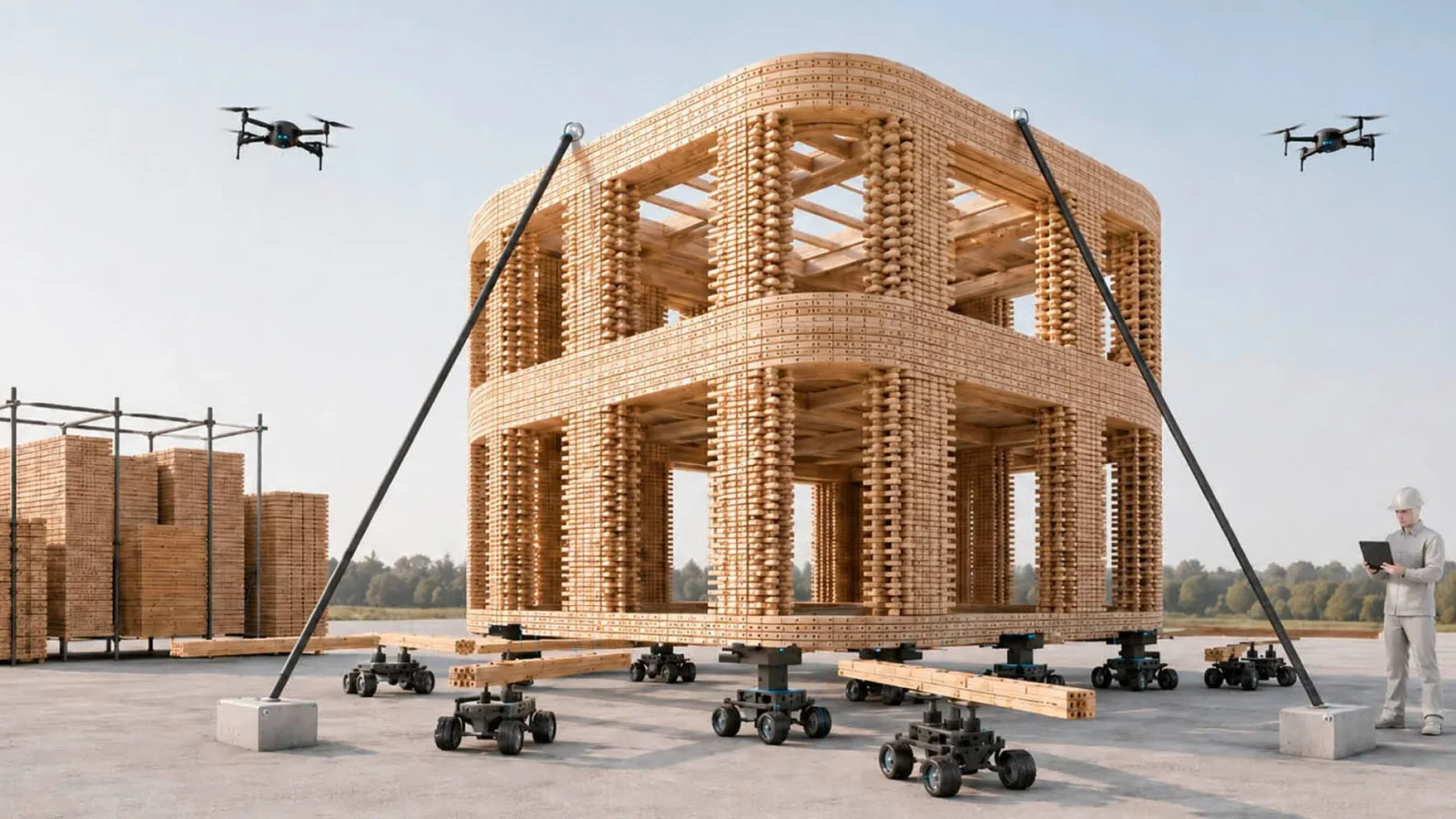
Foster + Partners to Test Robot Swarms Building Timber from the Top Down
Foster + Partners wins €4m EU grant to build robot and drone...
 illustrarch Editoral Team2 Mins read
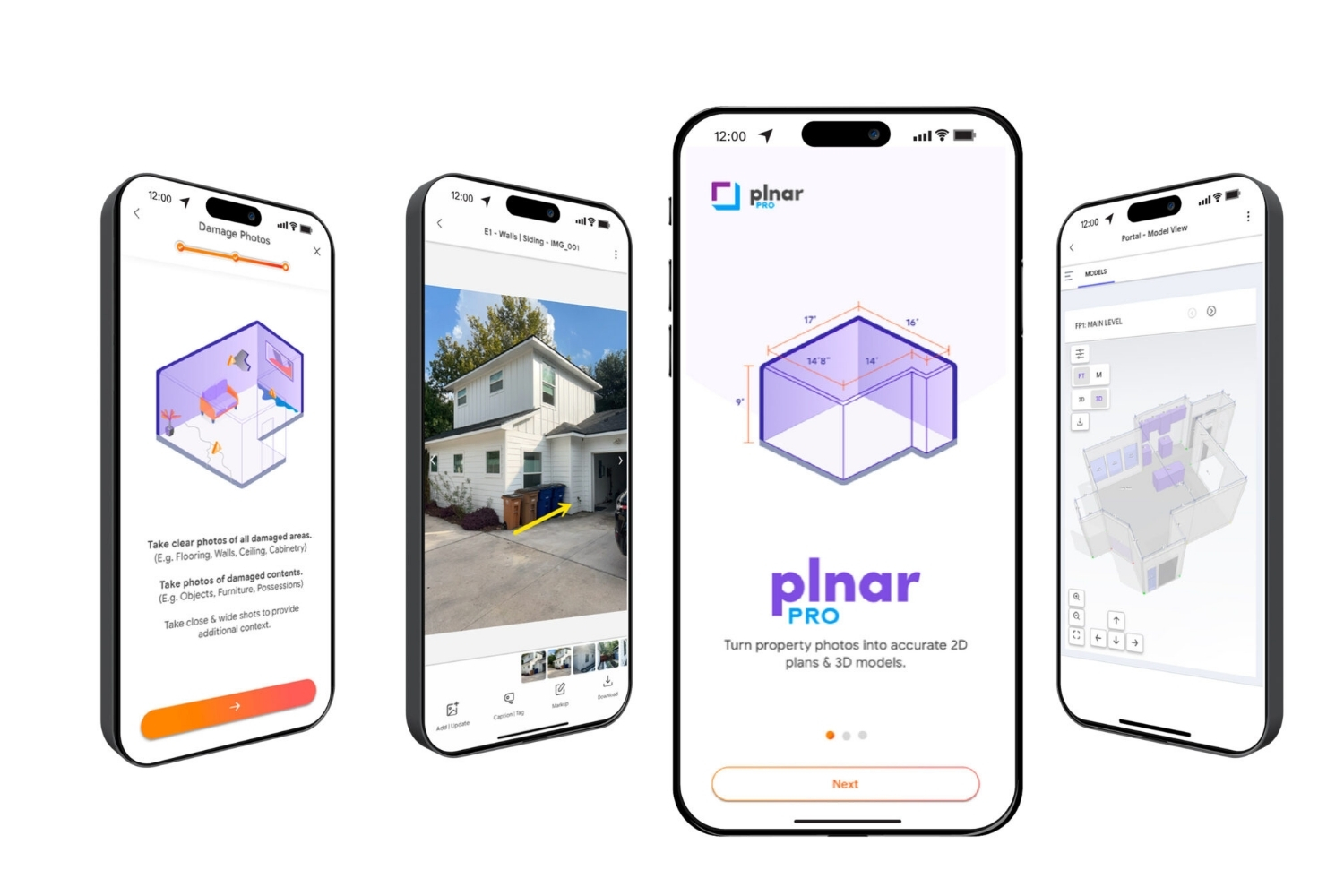
PLNAR Review: Does AR Measurement Hold Up on a Real Site Visit?
PLNAR began as a consumer AR tape measure and now runs as...
Sinan Ozen5 Mins read
ArchiSnapper Review: Is This Field Report App Worth It for Architects?
A hands-on look at Deltek ArchiSnapper, the mobile app built for field...
Sinan Ozen5 Mins read

Gross Internal Area and Net Internal Area: What’s the Difference?
The difference between Gross Internal Area and Net Internal Area shapes how...
Sinan Ozen5 Mins read


Leave a comment