Home Interior Design Floor Plans How To Organize an Architectural Plan – Expert Guide
Floor Plans

How To Organize an Architectural Plan – Expert Guide

Master the art of architectural planning organization with this comprehensive guide. Learn how to sort and group plan elements, set up efficient filing systems, use software tools like AutoCAD and Revit, and discover best practices for storing architectural plans — both physical and digital. Whether you're a student or a seasoned professional, these proven strategies will streamline your workflow and protect your work.

Share
Effective Ways to Organize Your Architectural Plans: A Comprehensive Guide
Share

When it comes to constructing a solid architectural plan, organization is key. Effective architectural planning goes beyond aesthetic design — it’s about how well the elements of the plan are arranged and coordinated. Whether you’re a student, a practicing architect, or a project manager, we’re here to help you master this crucial aspect of architecture and learn the best practices for storing architectural plans.

Creating a well-organized architectural plan can seem daunting. But don’t worry, we’ve got your back. With our years of experience and expertise, we’ll guide you through the process, simplifying it into manageable steps. From understanding individual plan components to implementing digital filing systems, this guide covers everything you need for effective architectural planning.

Remember, a well-organized architectural plan is the foundation of a successful project. It’s the roadmap that guides the construction crew, ensuring that the final product matches the vision. So, let’s dive in and learn how to organize an architectural plan effectively.

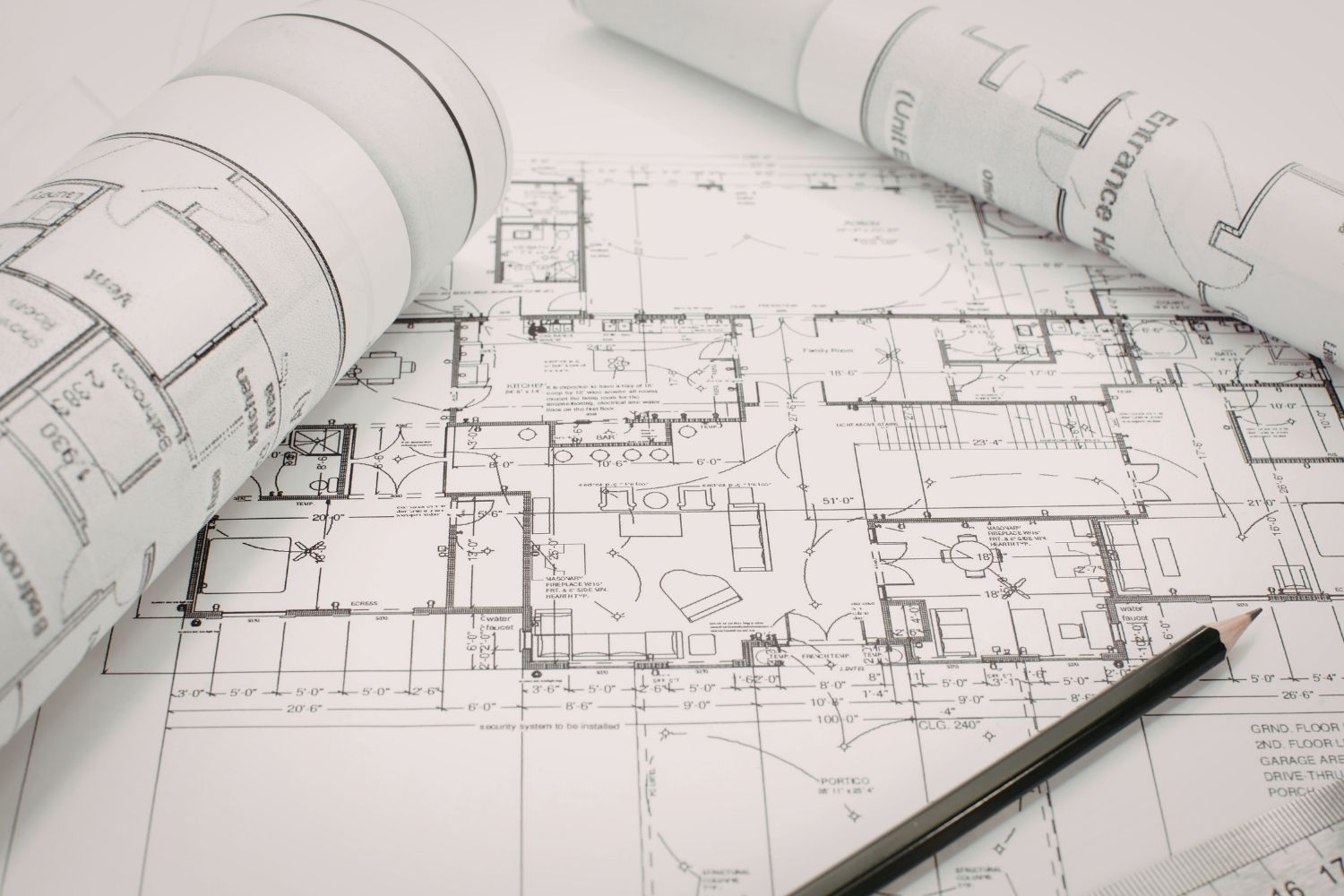
Organized architectural plan drawing showing layout elements and design coordination

Understanding the Architectural Plan

With a firm grasp on the importance of organization in architectural planning, we’re ready to dive deeper. This deeper understanding lets us play to our plan’s strengths and rectify its weaknesses. But what exactly does an architectural plan consist of? Time to demystify the anatomy of an architectural plan.

Elements of Architectural Plans

Let’s break the architectural plan down into its fundamental elements:

  • Lines: Not just simple strokes on paper. Lines define the shapes and forms of the plan. It can be the boundary walls or pillars.
  • Shapes: Formed by lines, shapes are the core components. They could represent the rooms, doors or windows in a plan.
  • Colors and textures: Used to differentiate between various components like walls, floorings or roofs.
  • Scale and measurement: Critical elements. Without proper scale, the plan could lead to misinterpretations and errors in construction. For a deeper understanding of how scales work in practice, check out our comprehensive guide on understanding architectural scale.
  • Symbols: Standardized representations. They represent the fixtures and fittings, electrical connections etcetera in a plan.

An understanding of these elements helps in scaling the challenge down to manageable sizes. It’s less of drawing a blueprint of a building and more of arranging these elements effectively. The American Institute of Architects (AIA) provides standardized guidelines on how these elements should be represented across different plan types.

Fundamental elements of architectural plans including lines, shapes, colors, and symbols

Components of an Architectural Plan

As essential as the bricks to a building and tunes to a song are the components to a structural plan. We’re talking about the floor plans, elevations, building sections, site plans and details. Here’s a basic breakdown:

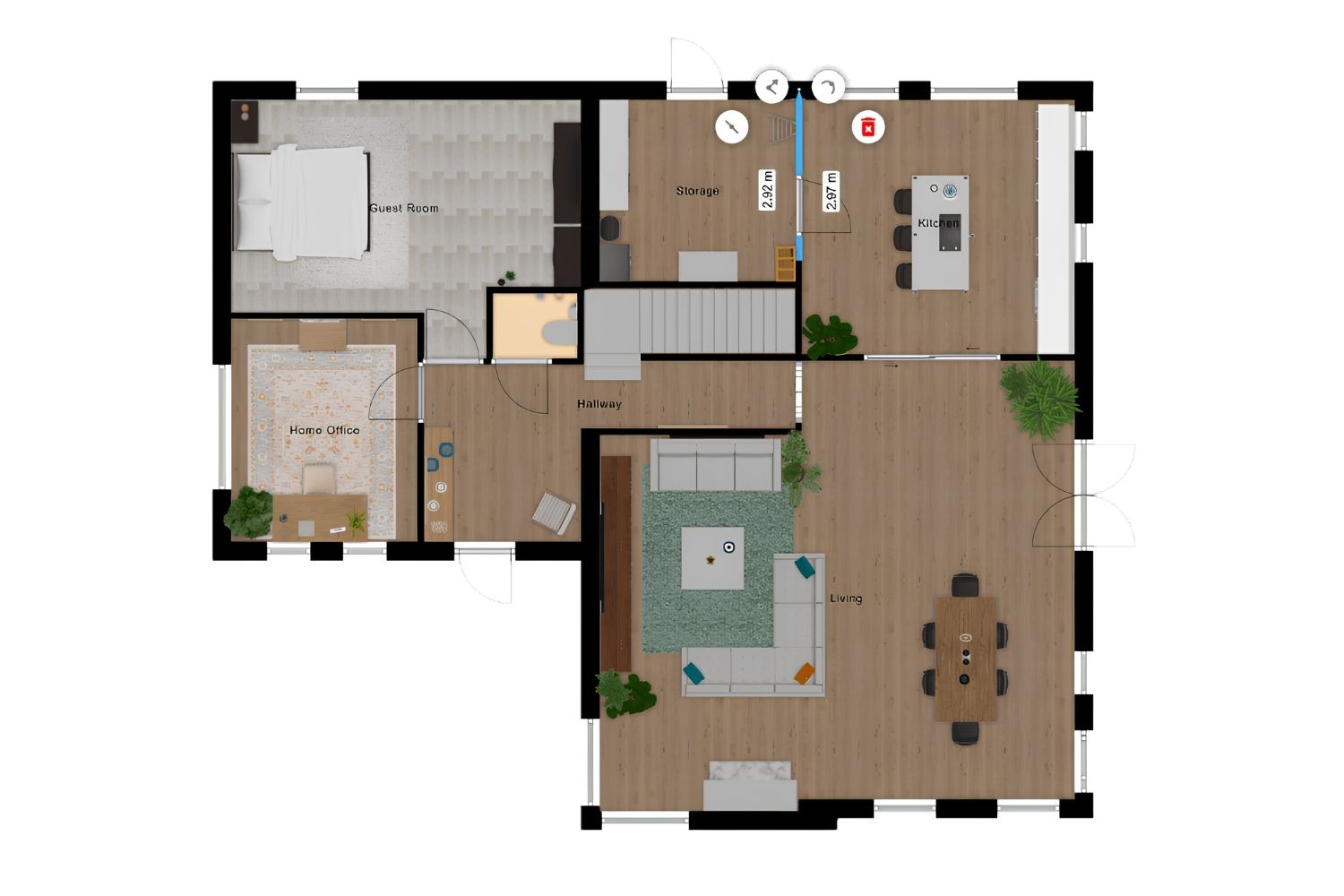
  • Floor plans: These are what most people associate with architectural plans. They show a view from above and reveal the layout of each floor of the building. If you’re looking to improve how you design floor plans, our article on essential things to consider when designing a floor plan is a great resource.
  • Elevations: These are straight-on views of the exterior of the building. They give us depth and details about the height of the building.
  • Building sections: These are vertical cuts through the building. It’s like peeling away the exterior to see the interior. Learn more about how these work in our guide to understanding section drawings in architecture.
  • Site plans: They provide a bird’s eye view of the entire site. Not just the building but its relation with the surrounding environment. For more detail on this topic, explore our article on understanding plot plans for architects.
  • Details: These are specific close-ups on certain aspects for a better understanding. Details could focus on a unique architectural feature or a complex portion of the plan.

With a grip on these components, you have a more productive lens to view and refine your architectural plan. Remember, each component has its role to play in the bigger picture. For a visual exploration of how these components interrelate, see our article on how elevations, floor plans, and sections work together in building design.

Throughout the process of understanding the architectural plan, we’ll never lose sight of our main idea: organization is not just about the aesthetic design but about arranging and coordinating each part effectively. As we venture further, we’ll explore how each of these elements and components play into creating a well-organized architectural plan.

Components of an architectural plan showing floor plans, elevations, sections, and site plans

Preparing for Organization

Now that we’ve unpacked the intricate details of an architectural plan, let’s move ahead and focus on getting our ducks in a row before we dive into the process of organizing these plans.

Gathering Necessary Materials

Before stepping into the realm of organization, gathering all the materials is our topmost priority. Blueprints and plans, scaled tools for measurement, colored pens and pencils for distinguishing different sections – everything should be within reach before we begin. It’s also essential to have a handy list of symbols, crucial for understanding and organizing architectural plan.

Maintaining a digital copy of your plan is another essential step, don’t underestimate the importance of a good scanner. Digital copies not only serve as backup but can also be impeccably useful for on-the-go modifications. High-resolution scanning at 300 DPI or above ensures that even the finest line weights and annotations remain legible in your digital archive.

Setting Up a Work Space

Next up – a clutter-free environment. Now that we have all our materials, we need a suitable space. A good workspace is integral to organizing and reading an architectural plan. With an ample surface area to spread out the plans or blueprints, a well-lit room makes a great deal of difference. Natural light is ideal, but if that’s not available, a good desk lamp can do the job just fine. Remember, every bit of detail counts, so ample lighting is crucial.

A well-organized space is not just about convenience but also about efficiency. It allows quicker access to the necessary elements and therefore, boosts productivity.

Now that we’re set with the materials and workspace, let’s move further into the specifics of organizing each element in an architectural plan. Understandably, it may seem a bit daunting at first, but trust us when we say – it truly gets easier with practice. Hold on to your architect’s hats, because we’re about to deep dive into the heart of architectural plan organization.

Architect workspace setup for organizing architectural plans with proper lighting and materials

Organizing the Architectural Plan

We’ll dive into the core details of organizing an architectural plan. By focusing on two primary aspects – sorting and grouping elements and using software tools for organization, we’ll explore how to render the process simpler and more efficient.

Sorting and Grouping Elements

Recognizing and sorting components is a crucial aspect of organizing architectural plans. It equates to identifying different rooms, establishing individual areas, and annotating specific features within the building edifice. This approach lets us visualize the relationship between various spaces, which aids in making more informed design decisions.

Start by separating each element such as walls, doors, and windows. Then, group similar ones together. For instance, all doors go together, as do all windows, and so on.

Next, label and color-code these for easy identification. By comprehensibly sorting and grouping elements, we eliminate confusion and ensure that the design objective is consistently translatable across the plans. If you’re working through the broader design process, our guide to the architecture design process can provide helpful context for where plan organization fits in.

Using Software Tools for Organization

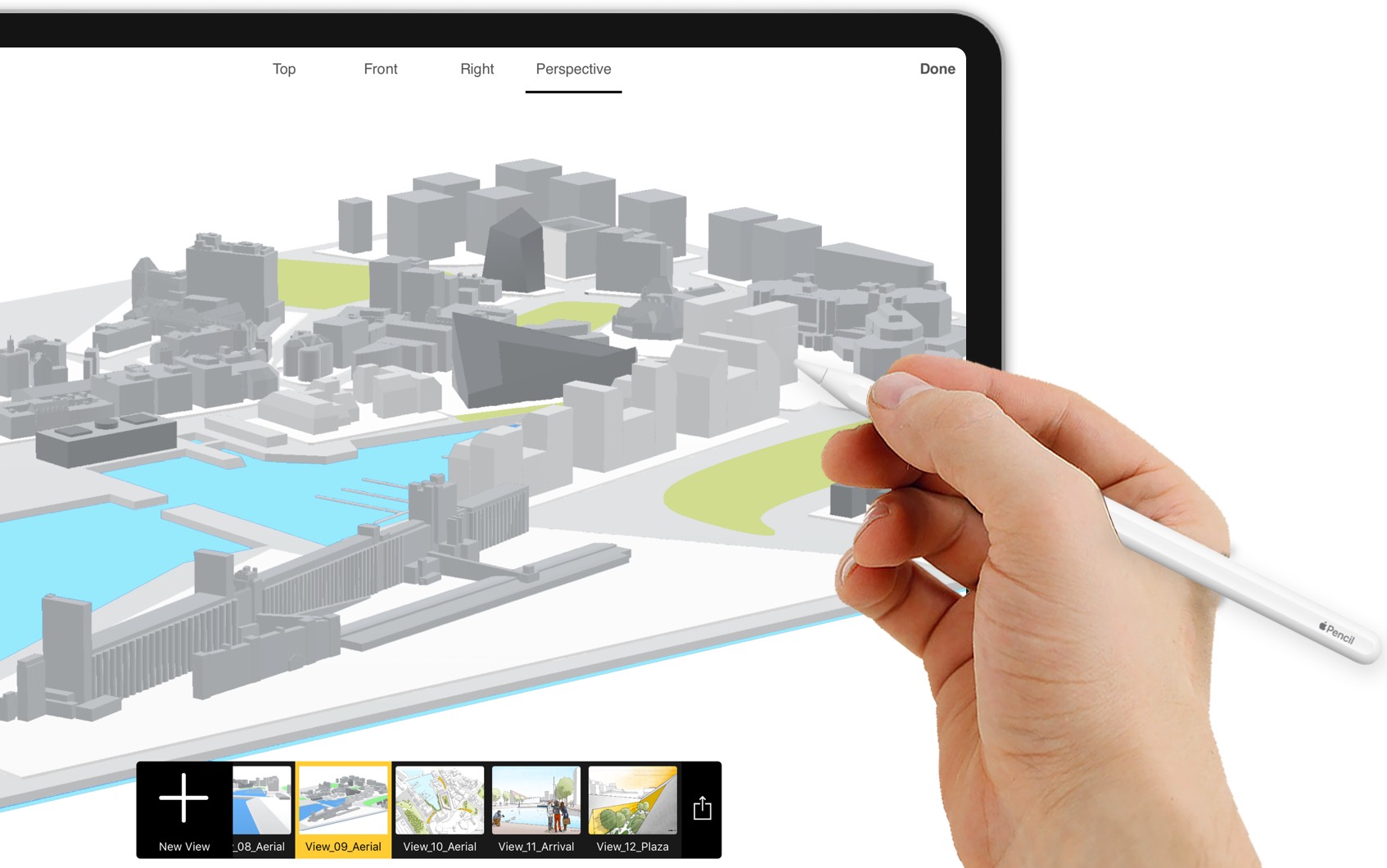
In today’s digital age, numerous software tools aid in organizing architectural blueprints. These digital tools aid in creating, modifying, and preserving designs with ease and efficiency.

Using software tools like AutoCAD, ArchiCAD, and SketchUp, we can digitize the process, keep our plans clutter-free, and streamline our organization methodology. These software tools are known to enhance efficiency by reducing manual tasks and minimizing the risk of errors. For a closer look at how digital tools can transform your workflow, explore our article on essential tools for every designer.

Not only can we access the plan anytime, anywhere due to the benefits of cloud-based saving options, but modifications also become significantly less cumbersome. With various tools, we can easily organize, auto-correct, and aesthetically enhance our designs, making blueprint organization a much smoother journey.

Embracing the digital realm of architectural planning and harnessing the power of these versatile tools can significantly boost the effectiveness and efficiency of our architectural plan organization process. Digital organization platforms are future-oriented solutions waiting to be optimized.

To sum up, a methodological approach conferring importance on both physical and digital organization will significantly enhance our architectural planning process. Remember to be patient; becoming adept at this skill won’t happen overnight but will rather be an enriching journey to undertake. Keep practicing, and over time, we’ll notice the improvements.

Software tools for organizing architectural plans including AutoCAD and SketchUp workflow

Implementing an Organization System

After understanding the elements of architectural plans and introducing digital tools to our workflow, the next step is a solid organization system.

Creating a Filing System

In establishing an effective filing system, consistency is key. We must make a habit of categorizing our plans in a detailed and consistent manner. It’s not enough to just dump files under generic headings like “Architectural Plans”. Each plan should have its own designated folder labeled with the project name, date, and other relevant details to make retrieval easier and faster.

Remember to create sub-folders within these main folders as necessary. For instance, within a project folder, we might have sub-folders for ‘Floor Plans’, ‘Elevations’, ‘Sections’, and so on. Consider using physical folders for printed plans; invest in proper storage solutions that protect plans from damage and organize them neatly.

Storing Architectural Plans: Backing Up and Preserving Your Work

Considering the crucial role of these plans, it’s imperative that we protect our work through reliable backups and efficient storage solutions. When it comes to storing architectural plans, both digital and physical approaches are important to consider. For digital plans, cloud storage platforms come in handy. Services like Google Drive, Dropbox, and Amazon S3 offer secured cloud space for storage and easy access across devices.

Backing up architectural plans should be part of our routine. We don’t want to risk losing all our hard work due to a computer crash or data corruption. We can opt for automatic backup solutions that upload the changes regularly to our cloud storage.

For physical plans and large-format prints, proper storage is equally vital. Flat file cabinets, plan racks, and high-density shelving systems are designed specifically for storing architectural plans of various sizes. Rolled storage tubes are a good option for long-term archival, while hanging clamp systems allow for easy browsing and retrieval. The key is to protect plans from moisture, direct sunlight, and physical wear — especially for original hand-drafted blueprints that cannot be easily reproduced.

But, remember, all these steps only become effective if we’re diligent in our practices. An effective organization system isn’t just about tools and strategies. It’s about our commitment to maintain and optimize it for longevity and easy retrieval. Make these strategies a part of your daily routine for organizing architectural plans and reap the benefits over time.

Filing system and backup solutions for storing architectural plans safely

Best Practices for Naming and Versioning Architectural Plans

One of the most overlooked yet impactful aspects of architectural planning organization is adopting a clear naming convention and version control system. Without consistent naming, even the most well-structured folder hierarchy quickly becomes chaotic, especially on collaborative projects with multiple stakeholders.

A recommended approach is to include the project code, drawing type, floor level, and revision number in every file name — for example, PRJ101_FloorPlan_L2_Rev03.dwg. This system makes it immediately clear what each file contains and which version is current. The Royal Institute of British Architects (RIBA) recommends standardized naming protocols as part of its Plan of Work framework, which many firms worldwide have adopted.

Version control is particularly important during the design development and construction documentation phases, when changes are frequent. Using a dedicated document management system (DMS) such as Procore, BIM 360, or Aconex ensures that everyone on the team is referencing the latest approved version. These platforms also provide an audit trail, so you can trace the history of every modification — an invaluable feature for storing architectural plans across the lifecycle of a project.

Conclusion

With so much emphasis on structure and orderliness in managing architectural plans, we can’t underestimate the role technology can play in achieving this. The advancements in digital tools and tech-driven storage solutions have literally revolutionized architectural plan organization. Software programs designed specifically for this purpose help streamline the seemingly overwhelming task to a manageable level.

Take for instance architectural design software like AutoCAD, SketchUp, and Revit. They don’t just improve workflow efficiency, but also offer features for plan organization. Users can easily create, categorize, and control digital versions of architectural plans in these software applications. The convenience of editing, duplicating, and even sharing digitally stored plans is a remarkable time-saver. For practical tips on using these tools for presentation, see our guide on how to present better architectural plans.

Moreover, integrating these tools with cloud services such as Google Drive, Dropbox, OneDrive significantly broadens their utility. It allows us to backup and access these important documents from anywhere, anytime. Let’s not forget the collaboration opportunities that these tools open up. Multiple stakeholders can access, edit and approve designs, perfecting them in real-time.

Additionally, we’re seeing modern solutions that cater specifically to the physical aspect of architectural plan organization. They range from professional filing cabinets, racks to high-density shelving systems. These are designed to preserve the architectural plans and make their retrieval quick and efficient.

With the myriad of digital and physical tools available today, it’s up to us to search for those that best suit our individual needs and workflows. Whether you’re creating simple architectural plans or managing complex multi-phase projects, having a solid organizational system in place makes all the difference.

Monitoring and upgrading our organizational systems according to technology trends can massively boost productivity. We should continue to explore and invest in advanced tools that can help simplify architectural plan organization. The mantra is to balance traditional methods with modern solutions. By integrating them seamlessly into our daily routines, we can leverage technology to ensure optimal architectural plan management.

Frequently Asked Questions

What are the 5 phases of architectural planning?

The five phases of architectural planning are: schematic design, design development, construction documents, bidding and negotiation, and construction administration. Each phase builds on the previous one, moving from initial concepts and space planning through to detailed technical drawings and on-site oversight. Proper organization throughout each phase ensures that plans remain accurate, up to date, and accessible to all project stakeholders.

What is the best way to store large architectural plans?

The best way for storing architectural plans depends on whether they are physical or digital. Physical plans should be kept in flat file cabinets, hanging clamp racks, or rolled in acid-free tubes to prevent damage from moisture and sunlight. Digital plans should be saved on cloud platforms like Google Drive or specialized systems such as BIM 360, with regular automated backups. A combination of both approaches provides the most reliable long-term preservation.

How do you organize architectural drawings in a set?

Architectural drawing sets are typically organized from general to specific: starting with cover sheets and site plans, followed by floor plans, elevations, building sections, and finally construction details and schedules. Each sheet is assigned a standardized code (such as A1.01 for architectural sheets) and should follow a consistent naming convention. This hierarchical approach ensures that anyone reviewing the set — from clients to contractors — can find the information they need quickly.

What software is best for organizing architectural plans?

Popular software options for organizing architectural plans include AutoCAD for 2D drafting and file management, Revit for BIM-based plan organization with built-in version control, and SketchUp for quick 3D modeling. For project-wide document management, tools like Procore, BIM 360, and Newforma offer robust features for storing, versioning, and sharing architectural plans across teams. The right choice depends on your project scale, team size, and collaboration requirements.

Share
Written by
Elif Ayse Sen

Architect, Author, Content Marketing Specialist.

1 Comment

Subscribe
Notify of
guest

1 Comment
Oldest
Newest Most Voted
Inline Feedbacks
View all comments
Lassiter
Lassiter

The breakdown of architectural plans into their elements really struck a chord with me. It’s like a symphony where lines, shapes, and colors harmonize to create beauty. I especially loved how you emphasized the importance of scale and measurement; without them, it feels like trying to paint a masterpiece blindfolded. This article has inspired me to dive deeper into organizing my own plans!

Related Articles
Tips for Creating Architectural Plans
Architectural TipsFloor Plans

Architecture Plan: Tips for Creating & Presenting Plans

Learn how to create and present professional architectural plans with this comprehensive...

Federico Babina Analyzes the Floor Plans of Well-Known Architects: ARCHIPLAN
Floor Plans

Federico Babina Archiplan: Floor Plans of Famous Architects

Federico Babina's ARCHIPLAN series transforms the floor plans of 25 master architects...

10 Essential Things to Consider When Designing a Floor Plan for Your Space
Floor Plans

10 Essential Things to Consider When Designing a Floor Plan for Your Space

Discover the art of crafting the perfect floor plan in our latest...

How Elevations, Floor Plans, and Sections Work Together in Building Design
Floor Plans

How Elevations, Floor Plans, and Sections Work Together in Building Design

Table of Contents Show 1. Visualising the Project from Multiple Perspectives2. Linking...

Subscribe to Our Updates

Enjoy a daily dose of architectural projects, tips, hacks, free downloadble contents and more.
Copyright © illustrarch. All rights reserved.
Made with ❤️ by illustrarch.com

iA Media's Family of Brands