

ArkDesign AI Review: From Brief to Building Code-Compliant Schematic Design in One Click
A practical ArkDesign AI review based on real platform features, pricing tiers, and how it fits into multifamily and mixed-use schematic design workflows. Covers code compliance, Revit export, alternatives, and where the tool earns its place in 2026.
 Furkan Sen7 May 20269 Mins read201
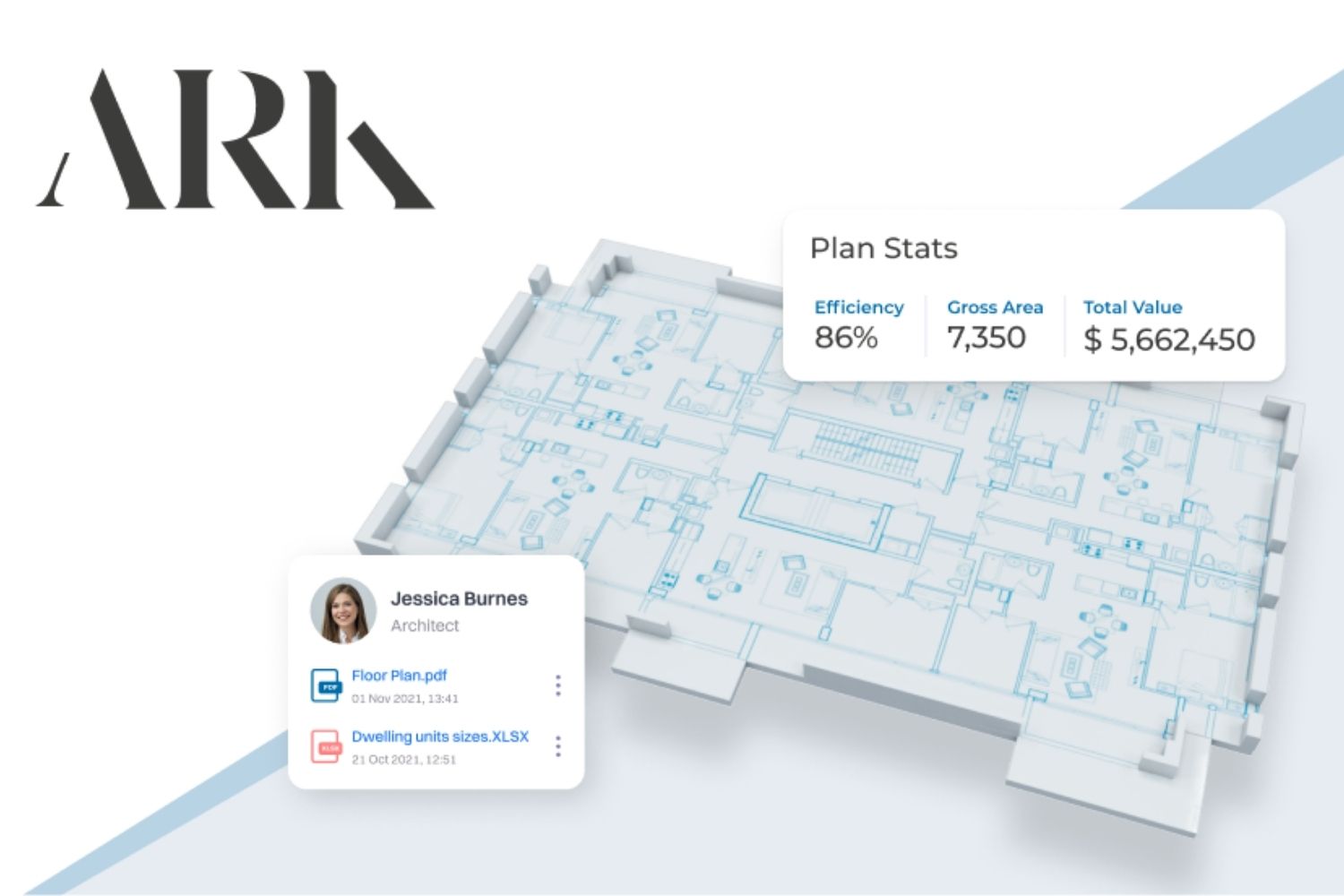
Table of Contents Show
ArkDesign AI is a cloud-based platform that turns a project brief and a lot boundary into a code-compliant schematic design for multifamily and mixed-use buildings in minutes. It generates floor plans, runs feasibility metrics, and exports to Revit, with US zoning rules built into the engine. This review covers what it does well, where it falls short, and who it actually fits.
What Is ArkDesign AI and Who Is It Built For?
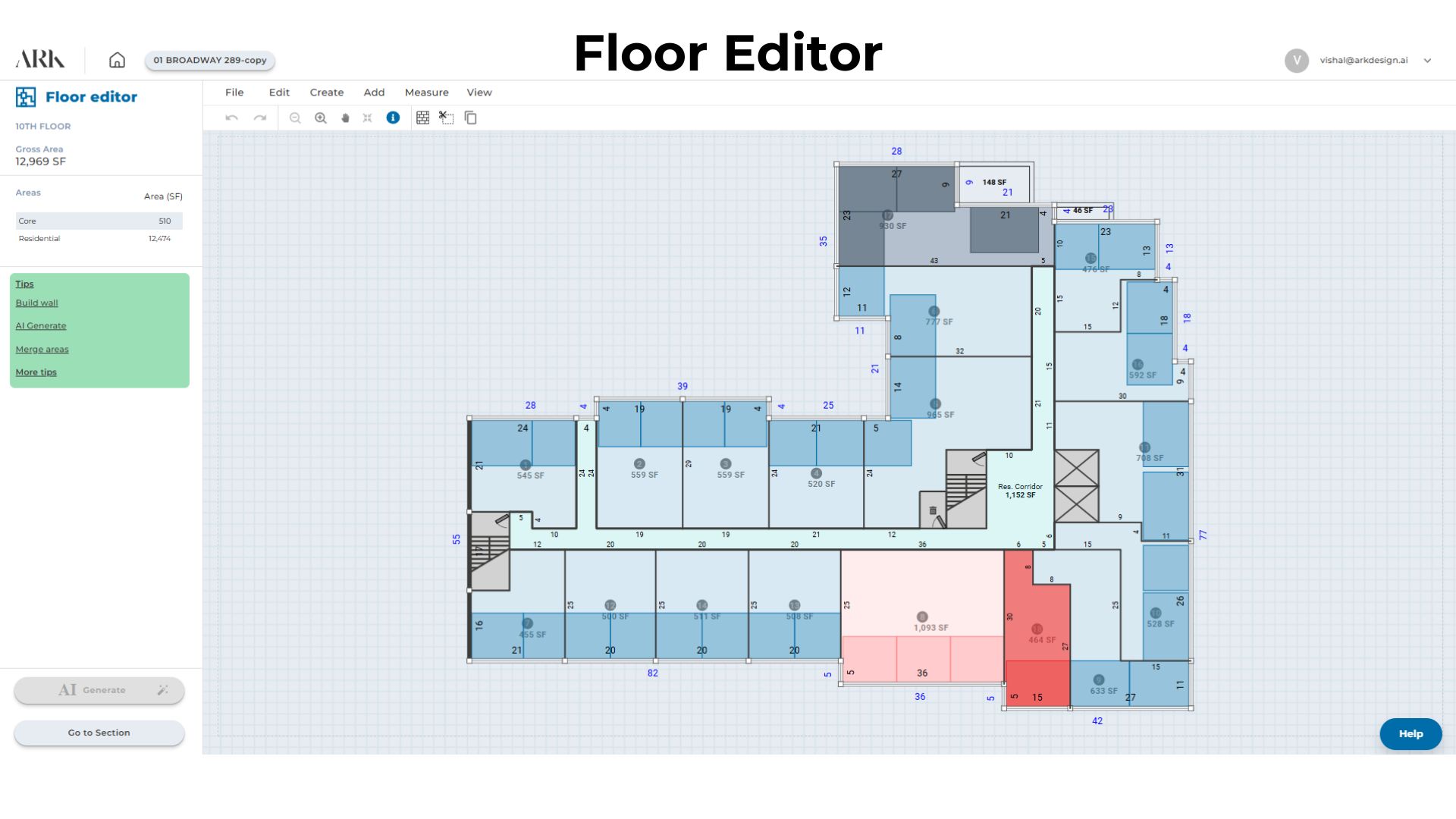
The team behind arkdesign.ai built the platform around one specific bottleneck in early-phase architecture: the schematic design study for multifamily and mixed-use buildings. Anyone who has spent a week sketching massing, checking setbacks, calculating unit yields, and producing a feasibility deck for a client recognizes the problem. ArkDesign AI compresses that work into a guided cloud workflow that produces a code-aware floor plan and a feasibility report from a lot input.
The platform is positioned as the first AI tool focused specifically on architectural schematic design. It is built on patented AI technology (U.S. Patent No. 11,972,174) and serves over 19,000 users across more than 120 countries on roughly 29,000 projects. The user base splits into three groups: licensed architects working on residential and mixed-use buildings, real estate developers running early feasibility on potential acquisitions, and urban planners testing density scenarios.
What makes the tool distinctive is the depth of code awareness in the generation engine. ArkDesign AI was built around US zoning, ordinances, ADA accessibility, and building code logic from day one. That focus is also its main limit. If you work on single-family homes, museums, or projects in countries with non-US codes, the platform leaves a lot of value on the table.
💡 Pro Tip
Explore more in our complete guide: read the full guide.
Before committing to a paid tier, run two real lots through the free Lite plan. One should be a typical infill lot in your usual zoning context, and the other something irregular with a setback condition you have already solved manually. The first shows you how fast the tool is on its sweet spot. The second shows you where its assumptions stop matching real practice, which is the data point that actually matters for procurement.
How Does ArkDesign AI Work? The Step-by-Step Workflow
The workflow is broken into staged screens that mirror how a schematic study actually progresses. Each stage gates the next, which keeps users from skipping essential inputs. Once project setup is complete, generation itself takes seconds.
Stage 1, lot setup and site constraints: You begin by defining the lot. ArkDesign provides a Lot Editor that handles boundary conditions, setbacks, lot lines, and site constraints. For US projects in supported zones, zoning data is preloaded. For sites outside default zones, you adjust parameters manually to match local codes.
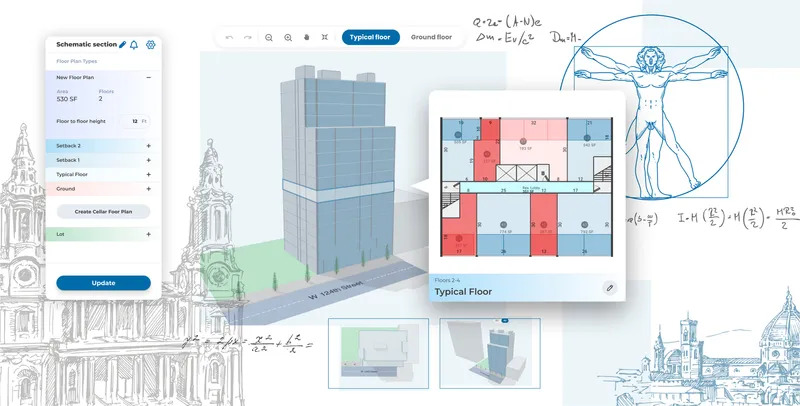
Stage 2, building envelope and floor configuration: You then control the number of floors and assign a type to each one (cellar, ground, mixed-use, typical, or setback). The system uses these to drive the unit layout logic on every floor. Because mixed-use projects often have very different ground floor and tower programs, this granularity matters more than it appears on first read.
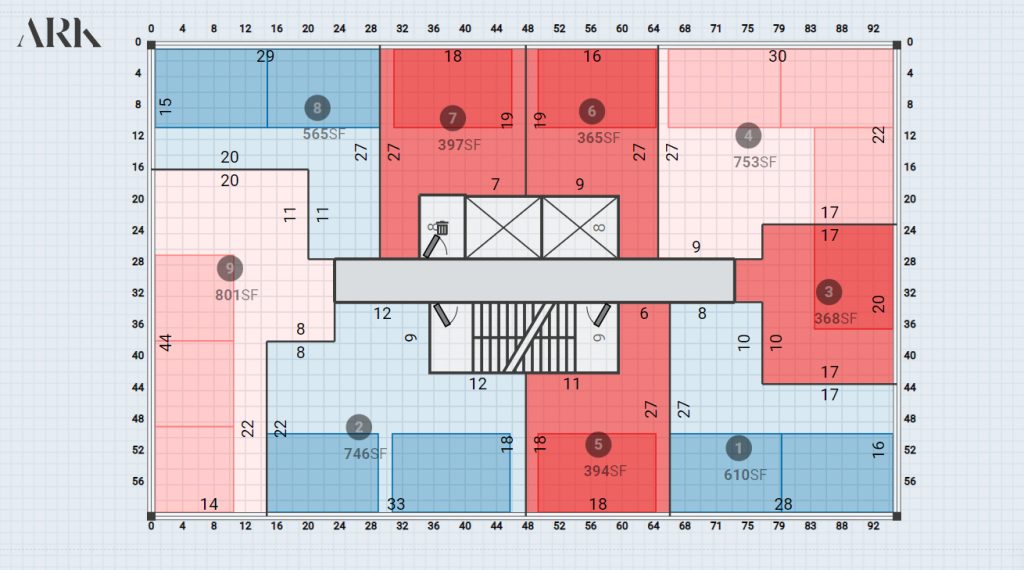
Stage 3, AI floor plan generation: With the lot and envelope set, the algorithm generates floor plan options that meet US building code requirements, optimize for saleable area, and respect the unit mix specified. Each variation reports unit count, gross floor area, density, and a profitability estimate.
Stage 4, unit mix and floor plan editing: Once a baseline is generated, you edit it directly. You set the share of studios, one-bedrooms, two-bedrooms, and three-bedrooms, with parameters like minimum unit area and price per square foot. The system continues to enforce code compliance as you edit, which prevents the most common AI floor plan failure mode: layouts that look reasonable but quietly violate egress or accessibility rules. For a deeper look at this failure mode across the category, see the illustrarch comparison of AI floor plan generators.
Stage 5, feasibility report and export: You finish by generating a PDF feasibility report and, on paid tiers, exporting the model to Revit (.rvt). From Revit, the recommended workflow is to export to DWG or IFC if your downstream pipeline requires it. Direct DWG and IFC export is not currently a native feature, which is one of the more notable workflow gaps for firms that prefer ArchiCAD or Vectorworks.
🏗️ Real-World Example
NYC Mixed-Use Tower (ArkDesign Project Gallery): One gallery project covers approximately 119,153 square feet across 18 floors and 171 apartments. According to the company, an entire complex mixed-use NYC project of this scale can be planned on the platform in around 30 minutes. The gallery reports comparable results across projects ranging from 67,000 sf (11 floors, 104 units) to 146,000 sf (28 floors, 231 units).
What Are the Key Features of ArkDesign AI?
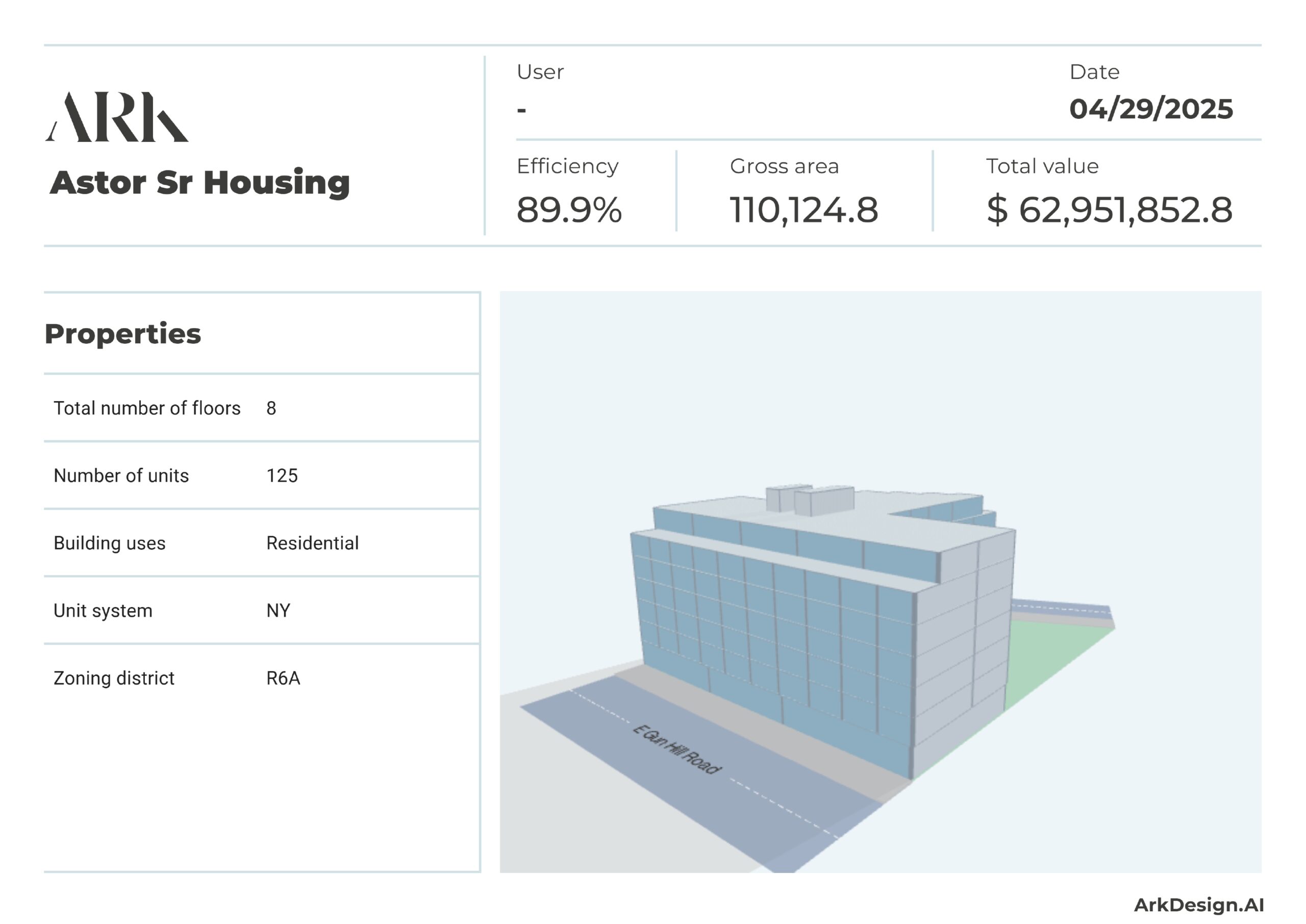
The feature set sits on four pillars: code compliance, feasibility analytics, design iteration, and BIM-friendly export. None of these are unique to ArkDesign on their own, but the way they are integrated for the multifamily use case is.
Built-in US code and zoning logic applies setbacks, lot coverage, height limits, and parking ratios during generation rather than after the fact. This is the single biggest functional difference between ArkDesign and a general AI floor plan tool. Layouts come out filtered for regulatory viability rather than handed to the architect for a manual compliance pass.
Real-time feasibility metrics report gross floor area, unit count, net-to-gross ratio, parking yield, and a profitability estimate based on price-per-square-foot inputs. For developers running underwriting on multiple sites, this turns the platform into a deal evaluation tool rather than just a design tool.
The Lot Editor handles boundary irregularities, recesses, courts, and setback adjustments. You can model conditions that would otherwise force you out of an automated tool and back into manual drafting.
The unit mix can be customized per project, with minimum area and price-per-square-foot parameters. Room distribution along window walls is optimized automatically.
The platform is cloud-based and hardware-light: All heavy computation runs on ArkDesign’s servers, so a high-end GPU workstation is not required. Any modern laptop running Chrome or Edge will do, which is a meaningful contrast with Revit, Lumion, or Twinmotion. The trade-off is dependency on internet connectivity and ArkDesign’s uptime.
Revit and PDF export: Pro and Premium tiers include Revit (.rvt) export and PDF feasibility reports. CAD files are produced through Revit as a second step.
📐 Technical Note
ArkDesign AI is built around US zoning and building code logic, with reference to International Building Code (IBC) derived parameters for egress and minimum unit areas. The system supports multifamily residential, mixed-use, and hospitality typologies but is not validated for industrial, healthcare, or specialty institutional buildings. Output models export as Revit (.rvt) and PDF; DWG production runs through Revit as a secondary step.
How Much Does ArkDesign AI Cost? Pricing Plans Explained
ArkDesign AI uses a tiered subscription model with a free entry point. Pricing is published on the official ArkDesign pricing page and is set per user per month.
Pricing Tiers Compared
| Plan | Price | Projects | Key Features |
|---|---|---|---|
| Lite | Free | 3 projects | 3 PDF reports, knowledge center, free online courses |
| Pro | $180/mo (intro from $399) | 12 projects | 60 PDF reports, unlimited AI generations, unlimited downloads |
| Premium / Enterprise | Custom | Unlimited | Revit export, ArkDesign consulting support by licensed US architects |
Lite is genuinely useful for evaluation, students, and educators. Three projects is enough to test the workflow on real lots before paying anything. Pro is the working tier for individual architects and small developers. The published pricing on the official site shows an introductory rate of $180 per month against a $399 list price. Premium and Enterprise plans add Revit export, consulting support from licensed US architects who are ArkDesign certified, and custom feature access.
Pricing is subject to change. Verify current rates directly on the ArkDesign website before making a purchasing decision.
ArkDesign AI vs Alternatives: How Does It Compare?
The AI floor plan generator category has matured considerably in 2026. Three platforms come up most often as alternatives to ArkDesign, and each has a different center of gravity.
ArkDesign vs TestFit: TestFit is the most direct competitor for multifamily feasibility. Both bake zoning into the generation logic. The practical difference is interface style: TestFit emphasizes live parametric feedback as you adjust setbacks and unit mix, with the building yield updating in real time. ArkDesign emphasizes a staged workflow that walks you through inputs in a defined order before generation. For developers running rapid what-if studies on dozens of sites, TestFit’s live parameter approach is faster. For architects who need a more deliberate setup process, ArkDesign reads as more controlled. TestFit also has no public free tier, while ArkDesign’s Lite plan lets you start without a sales conversation.
ArkDesign vs Maket.ai: Maket targets a wider audience including homeowners and small builders, with a stronger emphasis on residential floor plans and natural-language input. Its starting price is lower and its free tier more permissive. What it lacks is the depth of US-specific code compliance for multifamily and the developer-grade feasibility metrics. If your typical project is a single-family home, Maket is usually the better starting point. If your work is multi-unit residential at scale, ArkDesign is built for it.
ArkDesign vs Finch3D: Finch3D, built by Wallgren Arkitekter in Sweden, takes a different technical approach. It uses a graph-based system to map spatial relationships between rooms and corridors, with strong sustainability metrics and deep two-way Revit integration. Its primary strength is European multifamily projects where environmental certification matters. ArkDesign’s primary strength is US multifamily where zoning compliance is the binding constraint. The two tools rarely compete head-to-head. For more on the Finch3D side, see the illustrarch Finch3D review.
⚖️ Pros & Cons at a Glance
✔️ Pros: US code compliance baked in, real-time feasibility metrics, Revit export, free Lite tier, hardware-light cloud workflow
✖️ Cons: US-only code logic, no native DWG/IFC export, narrow project type scope, Pro tier expensive after intro rate, web-only with no offline mode
What ArkDesign AI Does Not Do
ArkDesign is not a construction documentation tool. It produces schematic designs, not permit-ready drawings. Detailed wall sections, door schedules, MEP coordination, and structural integration all happen downstream in Revit or whatever BIM environment your firm uses.
It also does not handle every project typology. Single-family residential, museums, sports facilities, and industrial buildings are outside the platform’s intended scope. The generation engine is tuned for the spatial logic of multifamily and mixed-use, and outputs degrade quickly when pushed onto typologies it was not built for.
Geographic coverage is the other significant boundary. The system was built around US zoning and ordinances. International users can still benefit from the generative engine and the speed of iteration, but should not expect the same automatic regulatory filtering.
⚠️ Common Mistake to Avoid
Treating an ArkDesign output as a finished schematic ready for client presentation. The generated plan is a strong starting point with feasibility math attached, but it still needs an architect’s review for circulation logic, accessibility nuance, structural rationality, and program fit. Firms that present generated outputs without this review tend to lose credibility with sophisticated developer clients who can spot the missing judgment.
Where Does ArkDesign AI Fit in a Real Practice Workflow?
The clearest fit is the underwriting and feasibility phase for multifamily and mixed-use developers, and the early schematic phase for the architects supporting them. According to ArkDesign’s own reporting, one firm working with the platform now analyzes 30 or more potential acquisitions per month, where previously they might have commissioned feasibility studies for one or two.
For licensed architects, the tool fits before Revit, not in place of it. It generates the option set, you pick the direction, and you bring the chosen layout into Revit for design development and documentation. For an overview of how AI tools are being layered across the architectural workflow, the illustrarch piece on AI architecture design in 2026 covers this layering across rendering, BIM automation, and feasibility tools. Industry adoption data backs this trend: a 2024 survey by the American Institute of Architects (AIA) found that 53% of individual practitioners are experimenting with AI tools, with feasibility and concept work being the most common entry points.
Video: ArkDesign AI Project Walkthrough
The official ArkDesign tutorial below shows the full project workflow from lot setup to floor plan generation. It is the fastest way to get a sense of the interface before signing up for the Lite plan.
Is ArkDesign AI Worth It? Final Verdict
If you work on US multifamily or mixed-use buildings and your bottleneck is the schematic and feasibility phase, ArkDesign AI is a serious tool that will pay for itself quickly. The combination of code-aware generation, feasibility metrics, and Revit export is genuinely difficult to replicate by chaining together generic AI tools and manual work. The free Lite tier removes the risk of evaluating it on real lots before committing.
If you work on single-family residential, projects outside the US, or building types outside multifamily and mixed-use, the platform is harder to justify. Maket.ai is more flexible for residential, Finch3D is stronger for European projects with sustainability targets, and TestFit is more developer-friendly for live yield analysis. For architects building broader AI fluency, the illustrarch overview of AI tools transforming architectural design covers complementary platforms across rendering, documentation, and site analysis.
✅ Key Takeaways
- ArkDesign AI is purpose-built for US multifamily and mixed-use schematic design, with US zoning and building code logic embedded in the generation engine.
- The platform is built on patented technology (U.S. Patent No. 11,972,174) and serves over 19,000 users across 120-plus countries on roughly 29,000 projects.
- Pricing starts free on the Lite plan (3 projects), with Pro at an introductory $180 per month against a $399 list price; Premium tiers add Revit export.
- The closest alternatives are TestFit (developer-focused multifamily), Maket.ai (broader residential, lower entry price), and Finch3D (European multifamily with sustainability metrics).
- The tool is a strong fit for feasibility and early schematic work; it does not replace Revit for construction documentation, and it is not built for non-US codes.
Disclaimer: Pricing, feature availability, and platform capabilities can change. Always verify current details on the ArkDesign AI website before making purchasing or workflow decisions. Building codes referenced in this article are general; consult local authorities for jurisdiction-specific requirements.







What Technology Does a Modern Workplace Need?
A modern workplace needs more than fast computers. A framework covering network,...
 illustrarch Editoral Team8 Mins read

How Do You Choose Durable Shutters That Suit Your Budget?
Shutters can look identical in a showroom and perform very differently after...
illustrarch Editoral Team8 Mins read
How Can Window Coverings Improve Indoor and Outdoor Comfort?
Window coverings work as a home’s adjustable climate layer. A practical guide...
illustrarch Editoral Team9 Mins read
Peter Zumthor Therme Vals: Inside the Stone and Water Sanctuary
Peter Zumthor's thermal baths in Vals are usually described through atmosphere alone....
Furkan Sen8 Mins read



Leave a comment