

Best Tablets for Architects and Students in 2026: Performance, Drawing & CAD
In 2026, tablets have become essential tools for architects and architecture students, supporting workflows that range from hand sketching and digital drawing to advanced CAD and BIM tasks. This guide reviews the best tablets for architectural use, comparing performance, stylus quality, software compatibility, portability, and price to help professionals and students choose the right device for their design needs.
 Elif Ayse Sen27 December 202514 Mins read191
Table of Contents Show
The best tablets for architects and students in 2026 combine a precise stylus, a color-accurate display, strong CAD and BIM software compatibility, and enough processing power for sketching, rendering, and on-site review. Top picks include the Apple iPad Pro 13″ (M4) for sketching, the Microsoft Surface Pro 11 for full desktop CAD, and the Wacom MobileStudio Pro 16 for professional-grade pen precision.
In 2026, tablets have become essential tools for architects and architecture students, bridging the gap between hand sketching, digital drawing, and professional CAD workflows. No longer limited to note-taking or casual use, today’s tablets can handle complex design tasks, large drawings, and even full desktop software, making them valuable companions in studios, classrooms, and on site. Choosing the right tablet now depends on more than brand loyalty; performance, stylus quality, software compatibility, portability, and price all play a critical role in how effectively a device supports architectural work.

This guide explores the best tablets for architects and students in 2026, focusing on real-world needs such as sketching accuracy, multitasking, CAD compatibility, and long-term usability. From powerful flagship devices to budget-friendly student options and professional pen-centric workstations, the following tablets represent the strongest choices for different design workflows and experience levels.
💡 Pro Tip
When testing a tablet for architectural use, always sketch a long, slow diagonal line at low pressure on the demo unit. Cheap or poorly tuned styluses produce wavy or stepped lines under these conditions, even when fast strokes look smooth. This single test reveals more about real drawing quality than any spec sheet, and it takes about ten seconds in any store.
What Is the Best Tablet for Architects in 2026?
The best tablet for architects in 2026 depends on workflow rather than brand. For pure sketching, presentations, and PDF markup on site, the Apple iPad Pro 13″ (M4) leads on display quality and app ecosystem. For architects who need to run full desktop AutoCAD, Revit, or Rhino, only the Microsoft Surface Pro 11 and the Wacom MobileStudio Pro 16 can do that natively. Students looking for the strongest balance of price and performance are best served by the Apple iPad Air (M2) or the Samsung Galaxy Tab S10 FE.
Quick Comparison Table
| Tablet | Display | Processor | RAM | Storage | Stylus | OS | Weight | Starting Price (USD) |
|---|---|---|---|---|---|---|---|---|
| Apple iPad Pro 13″ (M4) | 13″ Ultra Retina XDR OLED, 2752×2064, 120Hz | Apple M4 | 8 GB / 16 GB | 256 GB – 2 TB | Apple Pencil Pro (sold separately) | iPadOS | 579 g (1.28 lbs) | ~$1,099 |
| Samsung Galaxy Tab S10 Ultra | 14.6″ Dynamic AMOLED 2X, 2960×1848, 120Hz | MediaTek Dimensity 9300+ | 12 GB / 16 GB | 256 GB – 1 TB (+ microSD) | S Pen (included) | Android 14 | 718 g (1.58 lbs) | ~$1,199 |
| Microsoft Surface Pro 11 | 13″ LCD or OLED, 2880×1920, 120Hz | Snapdragon X Plus / X Elite | 16 GB / 32 GB | 256 GB – 1 TB | Surface Slim Pen (sold separately) | Windows 11 | 895 g (1.97 lbs) | ~$999 |
| Apple iPad Air 6th Gen (M2) | 11″ or 13″ Liquid Retina, up to 2732×2048, 60Hz | Apple M2 | 8 GB | 128 GB – 1 TB | Apple Pencil Pro (sold separately) | iPadOS | 462 g – 617 g | ~$599 (11″) / ~$799 (13″) |
| Samsung Galaxy Tab S10 FE | 10.9″ LCD, 90Hz | Samsung Exynos 1580 | 8 GB / 12 GB | 128 GB – 256 GB (+ microSD) | S Pen (included) | Android 15 | 497 g (1.09 lbs) | ~$499 |
| Wacom MobileStudio Pro 16 | 15.6″ IPS 4K UHD, 3840×2160 | Intel Core i7-8559U | 16 GB | 512 GB SSD | Wacom Pro Pen 2 (included, 8192 levels) | Windows 10 | 2.1 kg (4.6 lbs) | ~$3,499 |
🔢 Quick Numbers
- One-third of architecture firms reported using AI in day-to-day work, with 61% adoption among large firms (AIA Firm Survey Report, 2024).
- About 80% of architecture firms use at least one type of design software, and around 70% of architectural visualization is done using 3D rendering tools (industry data, 2023–2024).
- Approximately 75% of U.S. architecture firms have fewer than 10 employees, where a single tablet often replaces multiple legacy drawing tools (AIA, 2024).
Apple iPad Pro 12.9
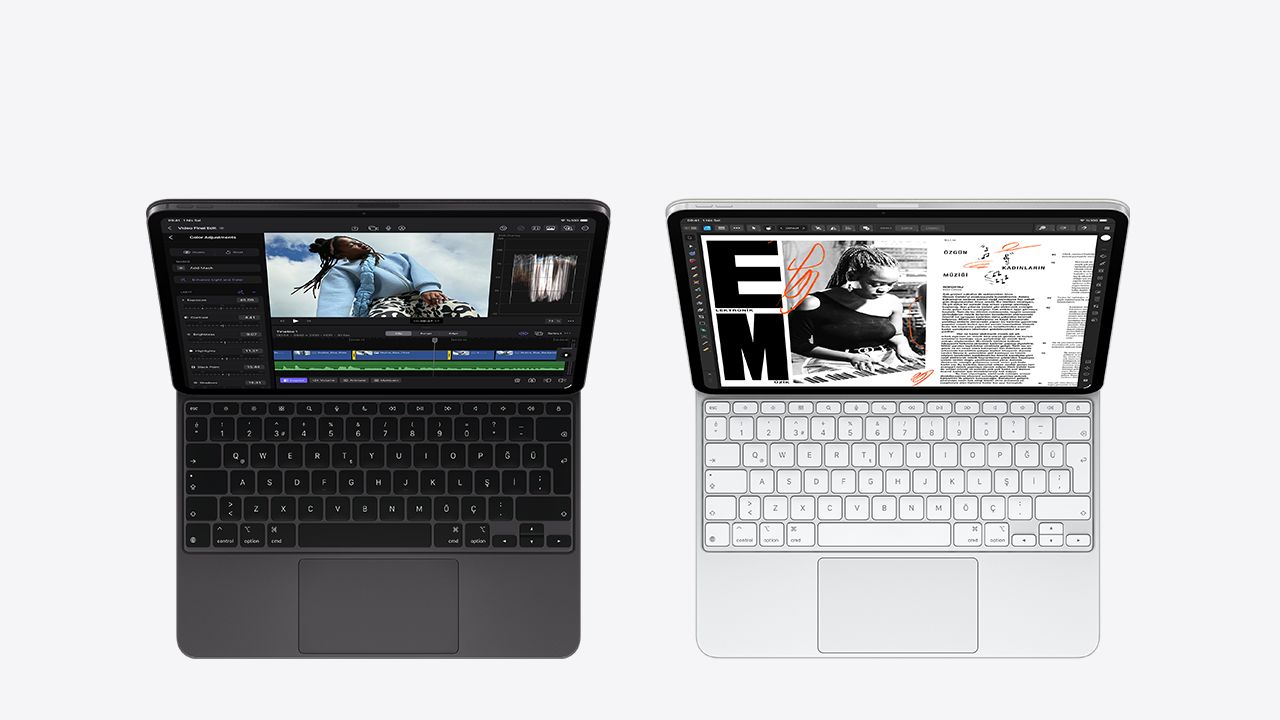
The Apple 12.9-inch iPad Pro is one of the most powerful tablets available in 2026, offering an excellent balance of performance, display quality, and creative capability for architects and advanced students. Its Ultra Retina XDR display with ProMotion provides smooth visuals, accurate color reproduction, and high brightness, making it well suited for detailed sketching, plan review, and presentations. Powered by Apple’s latest M-series processors and compatible with the Apple Pencil Pro, it delivers responsive, desktop-class performance for demanding design workflows.
This level of performance comes at a premium cost, particularly when accessories such as the Apple Pencil Pro and Magic Keyboard are included. While iPadOS supports a strong range of design and CAD applications, it may not fully replace desktop software for all professional needs. As a result, the 12.9-inch iPad Pro is best suited for architects and serious design students seeking a top-tier tablet for high-quality drawing, visualization, and multitasking.
📌 Did You Know?
The Apple Pencil Pro can detect when it is hovering up to 12 mm above the iPad Pro display, letting architects preview a brush stroke or measurement before committing to a line. Combined with the squeeze gesture and barrel roll, it brings interaction patterns much closer to traditional pen-on-paper drafting than earlier stylus generations.
Samsung Galaxy Tab S10 Ultra
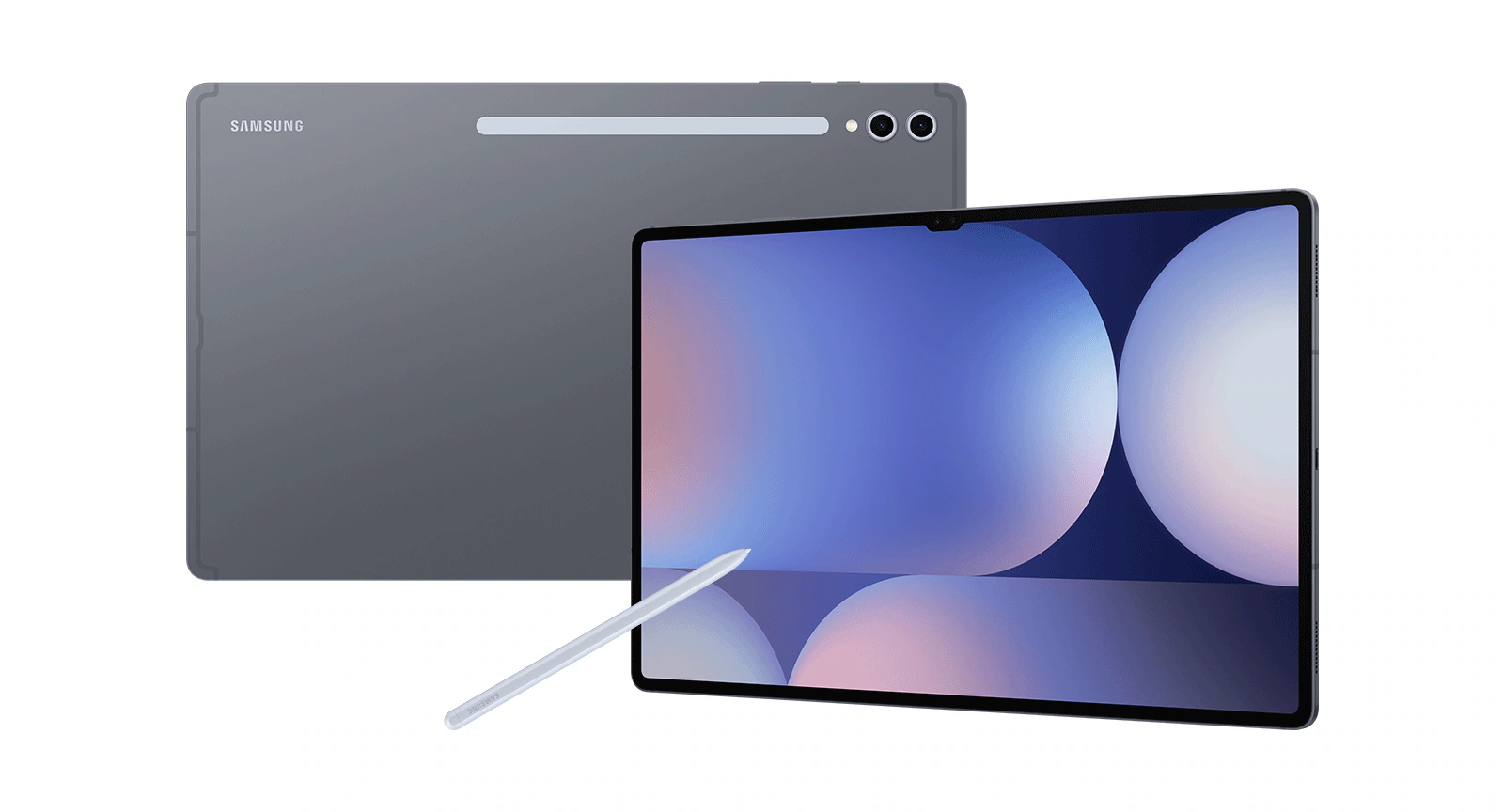
The Samsung Galaxy Tab S10 Ultra is one of the most powerful Android tablets available in 2026, featuring a massive 14.6″ Dynamic AMOLED 2X display with vibrant colors and smooth 120 Hz refresh rate, perfect for sketching, reviewing drawings, and multitasking with architecture apps. It packs high-end hardware like up to 16 GB RAM, 1 TB storage (expandable via microSD), and a fast processor, making it excellent for handling large design files, multitasking, and creative work with the included S Pen stylus. The S Pen enhances precision and responsiveness for drawing, concepting, and annotating plans, while the long software support ensures it stays relevant for years.
Its large size and premium price might not suit everyone, since it’s heavier and less portable than smaller tablets, and battery life may lag during intense work sessions. While the Android ecosystem supports many creative apps, it still trails iPadOS in terms of optimized professional design software. This tablet is ideal for architects, designers, and students who want a feature-rich Android alternative with a huge canvas for drawing, presentation, and productivity tasks, especially those who value screen real estate and stylus precision.
Microsoft Surface Pro 11
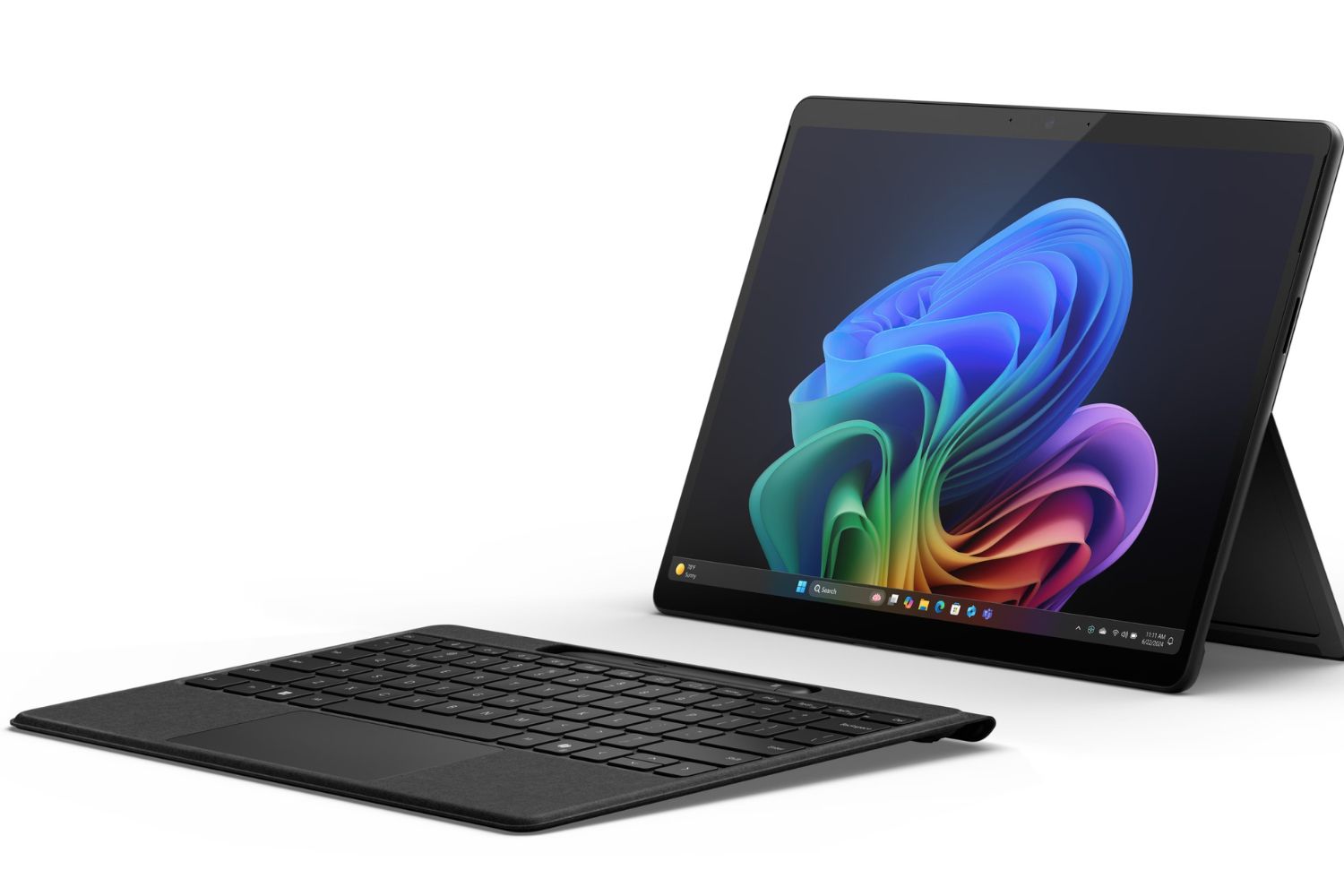
The Microsoft Surface Pro 11 is a versatile Windows-based 2-in-1 tablet/laptop that excels for architects and advanced students who need full desktop software on the go. It features a high-resolution 13″ OLED or LCD touchscreen with a 3:2 aspect ratio, excellent color accuracy, and smooth responsiveness, making it ideal for sketching, design review, and detailed plan work. Powered by Qualcomm’s Snapdragon X Plus or Snapdragon X Elite chip, it offers strong performance for multitasking, office workflows, and creative tools, while Windows 11 provides the flexibility to run industry-standard programs such as full CAD software or BIM tools that iPadOS and Android can’t.
However, this versatility comes with trade-offs: the base price doesn’t include the keyboard or stylus, which are sold separately and can significantly increase the total cost, and app compatibility issues may still arise with some legacy x86 software when running on ARM-based configurations. The Surface Pro 11 also typically costs more than traditional tablets, which might be overkill for students who mainly need casual sketching or note-taking apps. This makes it ideal for architecture students and professionals who want the power of a laptop and the portability of a tablet in one device, especially those running full desktop design software regularly. For students starting out with Revit and other BIM tools, the Surface Pro 11 is one of the few tablets that supports the full desktop versions natively.
⚠️ Common Mistake to Avoid
Many architecture students choose a tablet based on raw processor benchmarks alone and end up with a device that struggles with their actual workflow. The bottleneck for most architects is not CPU speed; it is stylus latency, palm rejection, color accuracy on the display, and software compatibility. A mid-range tablet with excellent pen calibration will outperform a flagship device with a sub-par stylus for daily sketching and PDF markup.
Apple iPad Air 6th Generation
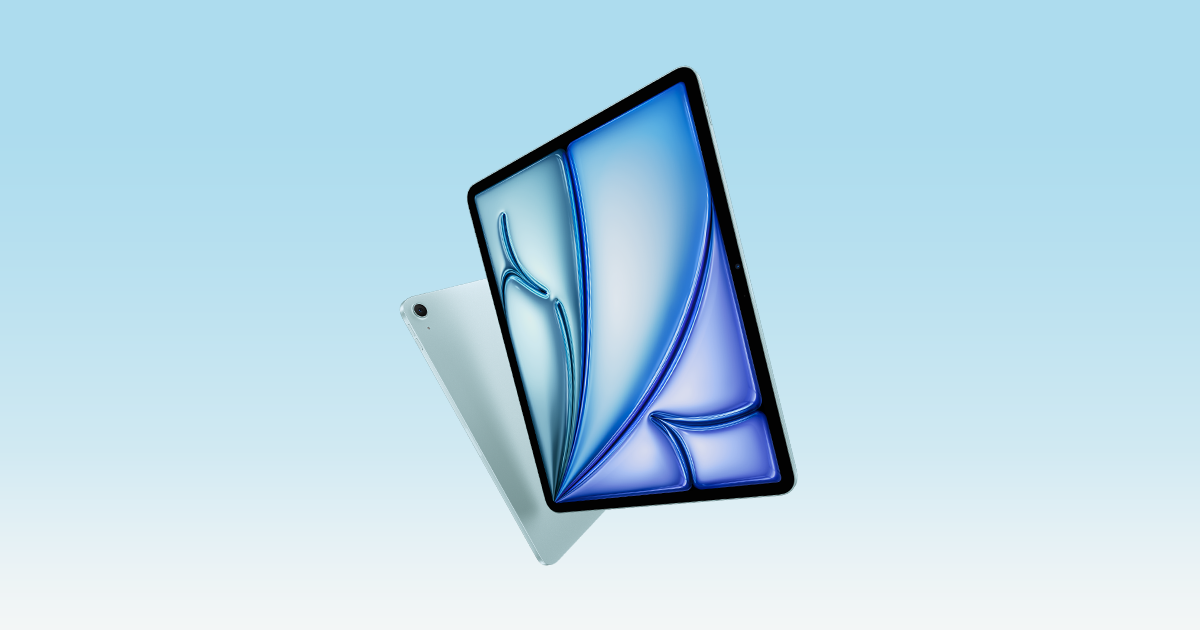
The Apple iPad Air 6th Generation hits the sweet spot between performance and price, offering powerful processing, a bright Liquid Retina display, and compatibility with the Apple Pencil 2. It’s a perfect choice for architecture students who want smooth sketching, note-taking, and multitasking without paying flagship prices. The long-term iPadOS support and sleek design also give it strong future-proofing. However, it doesn’t reach the sheer power or XDR display brightness of the top-tier iPad Pro models, which might matter for heavy 3D modeling or complex multitasking. This makes the iPad Air ideal for students or budget-conscious creatives who want a balanced, high-performing tablet that handles most creative apps with ease.
On the downside, the iPad Air lacks some of the advanced display features found on higher-end iPad Pro models and can be pricier once you add accessories like the Pencil and Magic Keyboard. It also doesn’t offer as much raw horsepower as an iPad Pro for very heavy 3D modeling or multitasking with multiple pro-grade apps. This makes it ideal for students and mid-level creatives who want a powerful, versatile tablet for design tasks, digital sketching, and productivity without the highest flagship cost.
Samsung Galaxy Tab S10 FE
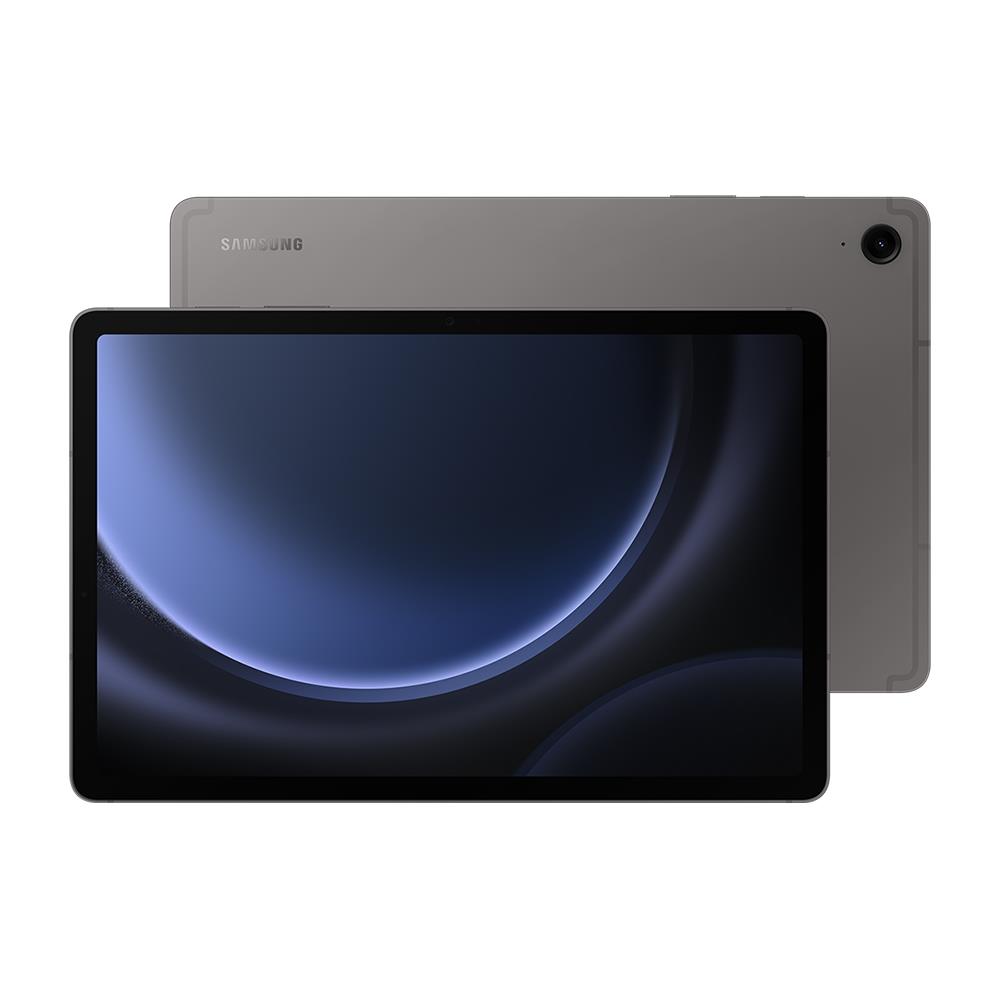
The Samsung Galaxy Tab S10 FE is a solid budget-friendly Android tablet that punches above its price point with a 10.9″ high-resolution display, expandable storage, and an S Pen included in the box, great for sketching, note-taking, and basic design tasks straight out of the gate. Its large 8,000 mAh battery and responsive performance make it ideal for long class sessions, multimedia use, and everyday productivity, while the vibrant screen and stylus support help with conceptual sketches and annotation.
Despite being less powerful than flagship tablets, the S10 FE holds its own for students and casual creative users who don’t need top-tier processing for heavy 3D work. Its use of a midrange chipset means it’s best suited for light CAD/notes and ideation, rather than professional-grade architectural modeling. If you’re seeking a value-packed tablet with stylus support for study, presentations, and sketch workflows without spending a premium, this tablet fits perfectly. Pairing it with free CAD tools for architecture students can keep total costs down while still covering most coursework needs.
Wacom MobileStudio
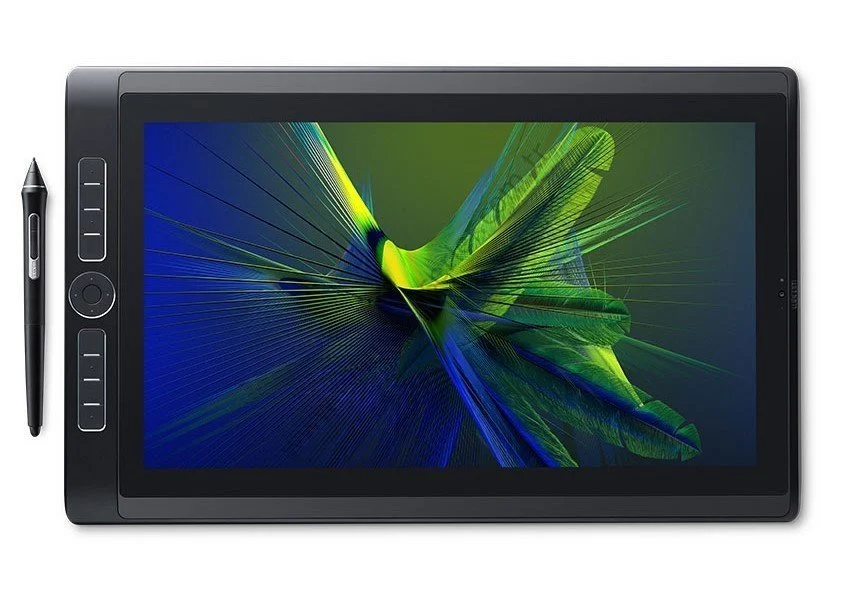
The Wacom MobileStudio Pro series is one of the most powerful pen-centric creative workstations available, combining a full Windows computer with industry-leading stylus performance and dedicated creative tools. Available in models like the 13″ and 16″ versions, these tablets feature high-resolution screens (QHD to 4K), powerful Intel processors, plenty of RAM, and spacious storage options, making them capable of running full desktop programs such as Photoshop, Illustrator, and CAD tools without needing a separate PC. The included Wacom Pro Pen 2 delivers exceptional pen precision with thousands of pressure sensitivity levels and tilt support, offering a natural and lag-free drawing experience that’s particularly valuable for architectural sketching, rendering, and concept work.
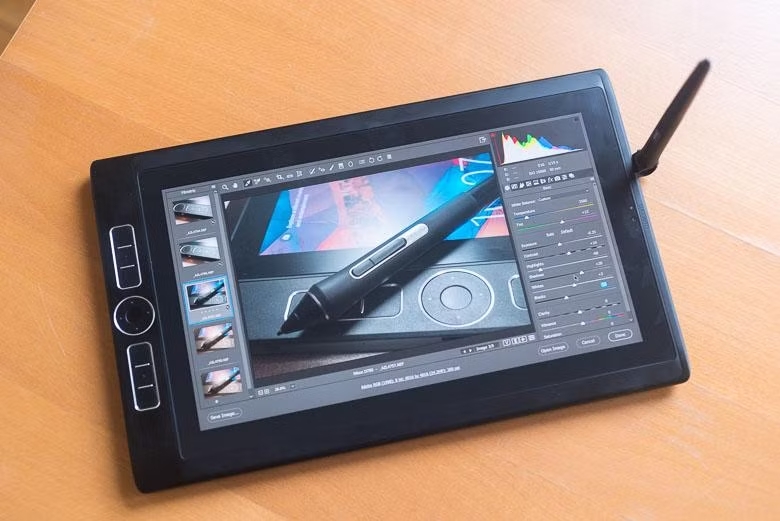
At the same time, this level of performance and toolset comes at a premium price, and compared with lighter tablets it’s heavier and less portable, with battery life that’s shorter than many consumer tablets. These devices are optimized for creative professionals and power users rather than casual note-taking or basic student tasks, and they’re best suited for those who need a desktop-class drawing and design platform on the go. If you require maximum stylus precision and full desktop software compatibility for architectural design, 3D modeling, or professional digital art, the MobileStudio Pro is a top choice, though it may be overkill for lighter workloads or budget-focused users.

💡 Pro Tip
For any tablet you plan to use as a primary architectural sketching device, choose at least 256 GB of internal storage. Project files, reference photos, scanned drawings, and offline copies of large PDFs add up faster than students expect, and tablets without expandable storage become a real bottleneck by second year if you start with 128 GB.
Stylus & Pen Comparison
| Tablet | Stylus | Included in Box? | Pressure Levels | Tilt Support | Key Features |
|---|---|---|---|---|---|
| iPad Pro 13″ (M4) | Apple Pencil Pro | No (~$129) | N/A (Apple proprietary) | Yes | Squeeze gesture, barrel roll, haptic feedback, hover detection, Find My |
| Galaxy Tab S10 Ultra | S Pen | Yes | 4,096 | Yes | Bluetooth, Air Actions, low latency, magnetic attachment |
| Surface Pro 11 | Surface Slim Pen 2 | No (~$130) | 4,096 | Yes | Zero Force Inking, haptic feedback, ultra-precise shading, Flex Keyboard storage |
| iPad Air 6th Gen (M2) | Apple Pencil Pro | No (~$129) | N/A (Apple proprietary) | Yes | Squeeze gesture, barrel roll, haptic feedback, hover detection, Find My |
| Galaxy Tab S10 FE | S Pen | Yes | 4,096 | Yes | Magnetic attachment, no Bluetooth (unlike flagship S Pen) |
| Wacom MobileStudio Pro 16 | Wacom Pro Pen 2 | Yes | 8,192 | Yes (60°) | Battery-free, virtually lag-free, eraser end, industry-leading precision |
Architecture Software Compatibility
| Software / Feature | iPad Pro 13″ | Galaxy Tab S10 Ultra | Surface Pro 11 | iPad Air 6th Gen | Galaxy Tab S10 FE | Wacom MobileStudio Pro |
|---|---|---|---|---|---|---|
| Full Desktop AutoCAD | ✗ | ✗ | ✔ | ✗ | ✗ | ✔ |
| AutoCAD Mobile / Web | ✔ | ✔ | ✔ | ✔ | ✔ | ✔ |
| Revit (BIM) | ✗ | ✗ | ✔* | ✗ | ✗ | ✔ |
| SketchUp | ✔ (iPad app) | ✔ (Web) | ✔ (Desktop) | ✔ (iPad app) | ✔ (Web) | ✔ (Desktop) |
| Adobe Photoshop (Full) | ✔ (iPad) | ✗ | ✔ | ✔ (iPad) | ✗ | ✔ |
| Procreate | ✔ | ✗ | ✗ | ✔ | ✗ | ✗ |
| Rhino / Grasshopper | ✗ | ✗ | ✔* | ✗ | ✗ | ✔ |
| Morpholio Trace | ✔ | ✗ | ✗ | ✔ | ✗ | ✗ |
| Concepts App | ✔ | ✔ | ✔ | ✔ | ✔ | ✔ |
| Bluebeam Revu | ✔ (iPad) | ✗ | ✔ (Desktop) | ✔ (iPad) | ✗ | ✔ (Desktop) |
*ARM compatibility via emulation (Prism), some x86 apps may have performance or compatibility limitations on the Surface Pro 11.
Pros & Cons at a Glance
| Tablet | Pros | Cons | Best For |
|---|---|---|---|
| iPad Pro 13″ (M4) | Stunning OLED display; M4 performance; excellent app ecosystem (Procreate, SketchUp, Morpholio); thin & light | Expensive (especially with accessories); no full desktop CAD; iPadOS limitations | Architects & advanced students seeking top-tier drawing, visualization & multitasking |
| Galaxy Tab S10 Ultra | Largest display (14.6″); S Pen included; expandable storage; strong multitasking; IP68 | Heavy; fewer optimized pro design apps than iPadOS; premium price | Android-preferring designers who value screen real estate & stylus precision |
| Surface Pro 11 | Full Windows 11, runs desktop CAD/BIM software; OLED option; great battery life; 2-in-1 versatility | Keyboard & pen sold separately; ARM app compatibility issues; heavier than pure tablets | Professionals & students who need full desktop software in a portable form factor |
| iPad Air 6th Gen (M2) | Great price-to-performance; M2 chip; Apple Pencil Pro support; two size options; long software support | 60Hz display (no ProMotion); no XDR brightness; accessories add to cost | Students & mid-level creatives wanting a capable tablet without flagship pricing |
| Galaxy Tab S10 FE | Most affordable option; S Pen included; IP68; large battery (8,000 mAh); expandable storage | LCD display; midrange chipset; not suited for heavy 3D / CAD work | Budget-conscious students for note-taking, sketching & light design tasks |
| Wacom MobileStudio Pro 16 | Best-in-class pen precision (8,192 levels); 4K display; full Windows; runs all desktop creative & CAD software | Very expensive; heavy (2.1 kg); short battery life (~5 hrs); aging hardware | Professional architects & digital artists who demand maximum pen accuracy & desktop-class power |
Best Pick by Use Case
| Use Case | Recommended Tablet | Why? |
|---|---|---|
| Architectural Sketching & Concept Design | Apple iPad Pro 13″ (M4) | Best display quality, Apple Pencil Pro precision, and rich creative app ecosystem (Procreate, Morpholio Trace) |
| Running Full Desktop CAD & BIM Software | Microsoft Surface Pro 11 | Only mainstream tablet running full Windows 11, supports AutoCAD, Revit, Rhino, and other x86 applications |
| Maximum Pen Precision & Professional Digital Art | Wacom MobileStudio Pro 16 | Industry-leading 8,192 pressure levels, 4K display, full Windows for desktop software, built for creative professionals |
| Best Value for Architecture Students | Apple iPad Air 6th Gen (M2) | Strong M2 performance at a lower price, Apple Pencil Pro support, excellent app availability, long-term iPadOS updates |
| Budget Student Tablet with Stylus | Samsung Galaxy Tab S10 FE | S Pen included, IP68 durability, expandable storage, large battery, all under $500 |
| Largest Drawing Canvas & Multitasking | Samsung Galaxy Tab S10 Ultra | Massive 14.6″ AMOLED screen with 120Hz, S Pen included, up to 16 GB RAM for heavy multitasking |
| On-Site Plan Review & Annotations | Apple iPad Pro 13″ (M4) or Surface Pro 11 | Bright outdoor-visible displays, responsive stylus input, and support for PDF markup / Bluebeam |
| Presentations & Client Meetings | Apple iPad Pro 13″ (M4) | Stunning OLED visuals, lightweight for carrying, AirPlay mirroring, polished presentation apps |
How to Choose the Right Tablet for Architecture Work
Picking the best tablet for architects starts with how you actually work, not with a spec sheet. If your daily tasks revolve around sketching, presentations, and PDF markup on site, an iPad-class device with a precise stylus is usually the right choice. If you regularly run full desktop AutoCAD, Revit, or Rhino, only a Windows tablet such as the Surface Pro 11 or a Wacom MobileStudio Pro will fit. For students whose budget is the main constraint, mid-range Android tablets with an included S Pen offer the best entry point.
Display size and quality matter more than they appear in marketing materials. An 11-inch screen is the practical minimum for reviewing plans and elevations comfortably, and 13 inches is closer to ideal. OLED, Tandem OLED, or AMOLED panels improve color accuracy for materials studies and renderings, while peak brightness above 600 nits keeps the screen readable on outdoor site visits. Storage of 256 GB should be considered the floor for any architecture-focused tablet, with 512 GB recommended if you frequently handle large CAD files.
Stylus quality often separates a tablet that “feels right” from one that frustrates daily use. The Apple Pencil Pro and Samsung S Pen offer the strongest balance of low latency, tilt support, and palm rejection on their respective platforms, while the Wacom Pro Pen 2 remains the precision benchmark for professional digital art and detailed rendering. Software compatibility is the other decisive factor: confirm that the apps you rely on (whether AutoCAD, Revit, Morpholio Trace, Shapr3D, or a specific BIM platform) actually run well on the operating system you choose.
Finally, treat the tablet as part of a wider toolkit rather than a laptop replacement. An iPad will not run desktop Revit, and a Surface Pro will not match the iPad app ecosystem for sketching. If you are still building your software skill set, our guide on how to learn architecture software faster can help you decide which tools to prioritize before you commit to a platform.
Frequently Asked Questions
What is the best tablet for architecture students in 2026?
For most architecture students in 2026, the Apple iPad Air (M2) offers the strongest balance of performance, display quality, and price. It supports the Apple Pencil Pro, runs all the major sketching and CAD apps available on iPadOS, and benefits from long software support. Students who need full desktop Revit or AutoCAD should look at the Microsoft Surface Pro 11 instead, while those on a tight budget will find the Samsung Galaxy Tab S10 FE includes an S Pen at a much lower price.
Can you use an iPad Pro for AutoCAD and Revit?
The iPad Pro runs the AutoCAD mobile and web apps very well, supports Bluebeam Revu for PDF markup, and handles SketchUp’s iPad version. However, it cannot run full desktop AutoCAD or Revit because Autodesk does not release native iPadOS versions. For full BIM modeling on a tablet, the Microsoft Surface Pro 11 or Wacom MobileStudio Pro 16 are the only mainstream options.
Is the Surface Pro 11 better than the iPad Pro for architects?
It depends on workflow. The Surface Pro 11 is better if you need to run full desktop CAD and BIM software on a portable device. The iPad Pro is better if your work centers on sketching, presentations, on-site PDF markup, and apps like Procreate, Morpholio Trace, and Shapr3D. Many architects end up using both: a Surface or laptop for production work and an iPad for ideation and client meetings.
How much should architects spend on a tablet?
Realistic budgets in 2026 range from around $500 for the Samsung Galaxy Tab S10 FE to over $3,500 for a fully equipped Wacom MobileStudio Pro 16. A capable mid-range tablet for an architecture student typically costs $700 to $1,000 once a stylus and case are included, while a flagship sketching and presentation device with accessories sits in the $1,300 to $1,800 range.
Do architects really need a stylus tablet?
For sketching, on-site annotation, and design review, a stylus-capable tablet has become close to essential. According to industry surveys, architecture firms have steadily expanded their use of tablets for client presentations and on-site reviews over the past decade, particularly in smaller practices where a single tablet can replace several traditional drawing tools. A pressure-sensitive stylus also speeds up tasks such as PDF markup, redlining drawings, and overlaying sketches on existing plans.
Final Thoughts
There is no single tablet that can be considered universally optimal for all architects or architecture students; each device offers distinct strengths depending on the nature of its intended use and working context. High-end tablets such as the iPad Pro and the Galaxy Tab S10 Ultra provide exceptional display quality and processing performance, making them well suited for intensive creative tasks and advanced visual work. Hybrid devices like the Surface Pro 11 stand out for their versatility, particularly for users who depend on full desktop CAD and BIM software. Meanwhile, more balanced options such as the iPad Air and the Galaxy Tab S9 FE offer capable design performance at a more accessible price point, making them attractive choices for students. Specialized solutions like the Wacom MobileStudio Pro remain unrivaled for professionals who prioritize advanced pen accuracy and desktop-class creative control.
✅ Key Takeaways
- The best tablet for architects in 2026 is workflow-dependent: iPad Pro for sketching and presentations, Surface Pro 11 for full desktop CAD, Wacom MobileStudio Pro for maximum pen precision.
- For most architecture students, the iPad Air (M2) offers the strongest price-to-performance balance, with the Galaxy Tab S10 FE as the leading budget option.
- Stylus quality, display brightness, and software compatibility matter more than raw processor benchmarks for typical architectural use.
- Aim for at least 256 GB of storage and an 11-inch or larger display to keep up with project files and detailed drawings.
- Treat the tablet as a complement to a primary laptop, not a full replacement, especially if your degree relies on Revit, Rhino, or 3ds Max.
- android tablet for architects
- architecture student tablet
- architecture tablet 2026
- best student tablet for architecture
- Best Tablets for Architects
- best tablets for architects 2026
- best tablets for architecture students
- digital drawing tablet architecture
- drawing tablets 2026
- ipad for architects
- surface pro for architecture
- tablet for CAD drawing
- tablet for sketching architecture
- tablets for architectural design
- wacom tablet for architects








Samsung Galaxy Tab S10+ for Architecture: A Field Use Assessment
A field-tested assessment of the Samsung Galaxy Tab S10+ for architectural workflows,...
 Furkan Sen9 Mins read

Architectural Technology and Design: How Modern Tools Are Reshaping Buildings
Architectural technology and design are reshaping how buildings are imagined and built....
Furkan Sen9 Mins read

10 Tech Gadgets For Architects That Make Architecture School Easier
Architecture school is intense, but the right tools can lighten the load....
Elif Ayse Sen11 Mins read

Magicplan Review: Can Your Phone Really Replace a Tape Measure?
Magicplan lets contractors, realtors, and architects create dimensioned floor plans by scanning...
 Sinan Ozen7 Mins read


Leave a comment