

Twinmotion Architectural Rendering: 7 Best Alternatives for Architects
Twinmotion is a strong free option for real-time architectural visualization, but not the only one. This guide compares seven alternatives, from Lumion and Enscape to Blender and Unreal Engine, with pricing and workflow notes for each.
 Furkan Sen30 June 20268 Mins read30
Table of Contents Show
Twinmotion architectural rendering is free for most users and quick to learn, but architects often need alternatives with stronger photorealism, tighter BIM integration, or production grade output. The best options in 2026 include Lumion, Enscape, D5 Render, V-Ray, Blender, and Unreal Engine, each built for a different workflow, budget, and type of project.
Twinmotion changed how many architects approach visualization. Since Epic Games made it free for individuals and small firms, it has become a default starting point for fast renders straight from Revit, SketchUp, or Rhino. That accessibility is exactly why so many architects eventually reach its limits and start looking elsewhere. Maybe you need cleaner interior lighting, a deeper asset library, or output that holds up on a competition board. Whatever the reason, the seven alternatives below cover the full range, from polished commercial engines to free open source tools.
Why Look Beyond Twinmotion?
Twinmotion has real strengths. Recent versions added Lumen for true real-time global illumination, a Path Tracer mode for noise-free final frames, and Adobe Substance material support. It syncs directly with Revit, SketchUp, Rhino, ArchiCAD, and several other modeling tools, runs on both Windows and Mac, and ships with the Quixel Megascans texture library used in film production. For design phase work, it is one of the fastest ways to turn a model into something a client can react to. You can see how it stacks up against other engines in this overview of 3D rendering software for architects.
The limits show up at the high end. Interior lighting in offline renderers like V-Ray still reads as more believable under close inspection. Twinmotion’s asset library, while solid, is smaller than Lumion’s. The Path Tracer mode is not available on Mac, and heavy site models can strain mid-range hardware. None of this makes Twinmotion a bad tool. It just means that as your output standards rise, a second renderer often earns its place in the workflow.
📌 Did You Know?
Twinmotion is built on Unreal Engine, the same real-time technology behind many major video games. Epic Games acquired Twinmotion in 2019 and now offers it free to students, educators, hobbyists, and companies earning under $1 million USD in annual gross revenue (Epic Games, 2024 licensing update). That free tier is a large part of why it spread so quickly through architecture studios.
What Makes a Good Twinmotion Alternative?
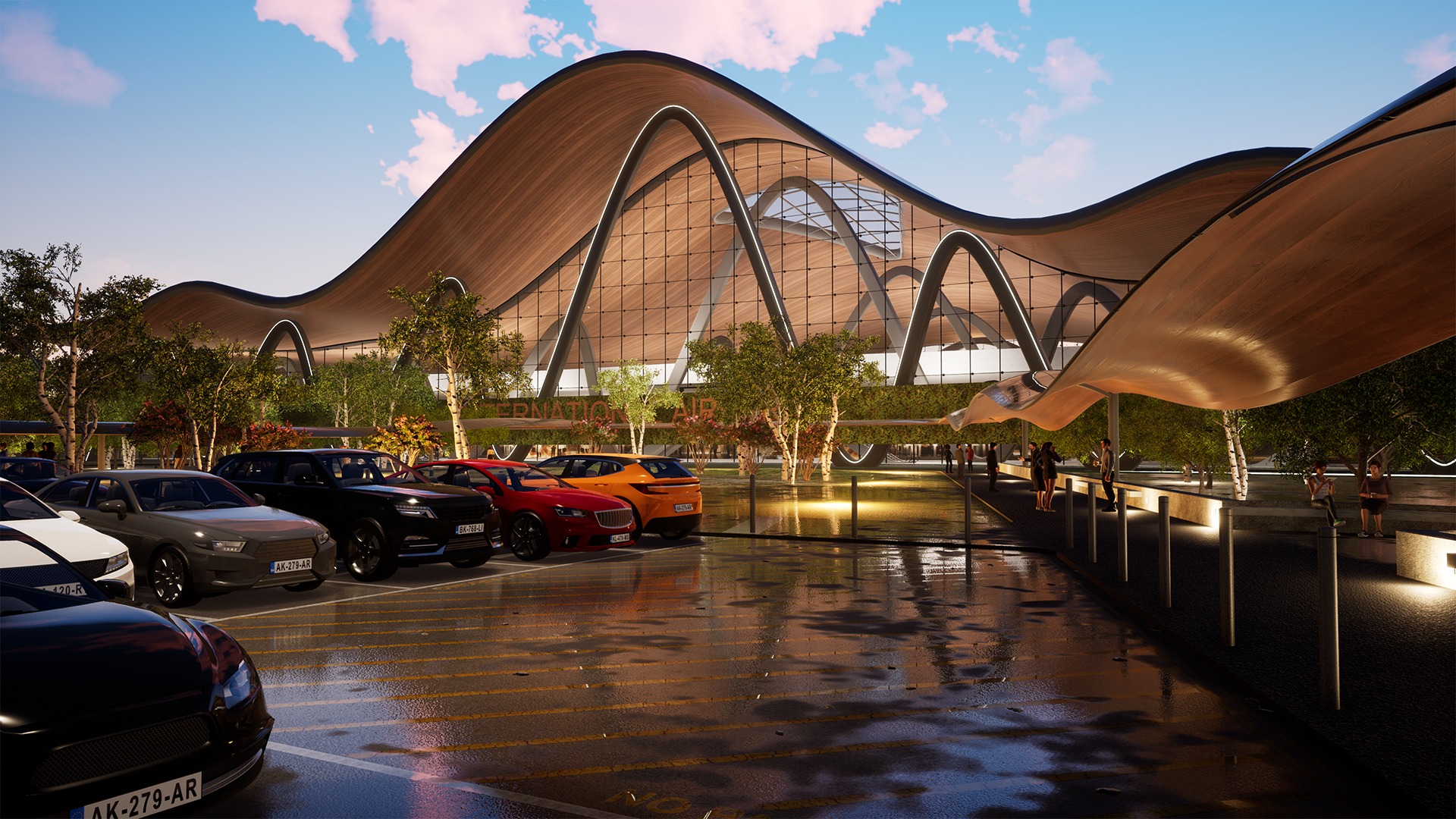
A good Twinmotion alternative matches three things: how you model, how fast you need to iterate, and the kind of output you deliver. Get those right and the field narrows quickly.
The first factor is integration. A renderer that lacks a stable plugin for Revit, SketchUp, Rhino, ArchiCAD, or Vectorworks creates friction every time you update a model, no matter how good its final image looks. The second is iteration speed. Architectural visualization is rarely one shot, so a tool that takes ten minutes per preview breaks the feedback loop that design depends on. The third is the split between real-time and offline. Real-time engines render in seconds on the GPU and own the design phase, while offline renderers calculate light physically over minutes and own the high-end final image. Price and hardware sit on top of all three, since a cheap license that needs a four thousand dollar workstation is not actually cheap.
💡 Pro Tip
Before committing to a paid renderer, test it on your own project files, not the vendor’s demo scenes. A tool that handles a polished sample interior can slow to a crawl on a large site model with imported Revit geometry, duplicate families, and mislinked materials. Run a real massing model through a trial license and watch how it behaves with your typical file sizes before paying for an annual seat.
The 7 Best Twinmotion Alternatives for Architects
Each tool below has a clear strength. The right choice depends on what part of the design process you are trying to speed up and what your final deliverable needs to look like.
Lumion: Polished Real-Time Rendering

Lumion is the standalone real-time renderer most associated with polished presentation output. Developed by the Dutch company Act-3D, it ships with roughly 10,000 assets including high quality vegetation, people, vehicles, and entourage, which makes it especially strong for landscape architecture and urban design where populating a scene quickly matters. Its LiveSync plugins connect to SketchUp, Revit, ArchiCAD, Rhino, AutoCAD, and others, and Lumion Pro 2026 renders still images at up to 16K. The current line runs from Lumion View for early design work up to Lumion Pro and Studio for full production. It is Windows only and needs a strong GPU. For more on where it fits, see these alternatives to Lumion, or visit lumion.com for the official feature list.
Enscape: Real-Time Rendering Inside Your Design Tool
Enscape takes a different approach. Instead of exporting your model to a separate application, it runs as a plugin directly inside Revit, SketchUp, Rhino, ArchiCAD, or Vectorworks. Change a wall material or move a window, and the render updates instantly. Enscape became part of Chaos (the maker of V-Ray) in 2022, which strengthened its asset library and means a scene staged in Enscape can move into V-Ray for a final pass without rebuilding it. According to Enscape’s own data, 85 of the top 100 architecture firms use the tool. It also handles VR walkthroughs well, and the Premium tier adds the Veras AI rendering feature. A head to head breakdown is available in this comparison of Lumion vs Enscape vs Twinmotion, with technical detail at chaos.com/enscape.
D5 Render: Real-Time Ray Tracing on a Budget
D5 Render has gained serious ground by combining real-time ray tracing with a generous free tier that produces watermark-free output. It sits between Enscape and Lumion, delivering quality close to Lumion with a workflow speed closer to Enscape. Its AI tools, including AI Enhancer, AI Atmosphere Match, and AI Ultra HD Texture, cut manual setup time, and its weather and atmosphere effects are a standout for moody exterior scenes. Two-way LiveSync plugins cover SketchUp, Revit, 3ds Max, ArchiCAD, Rhino, C4D, and Blender. The catch is hardware: D5 is Windows only and wants a dedicated RTX-class GPU. The Pro tier runs around $38 per month, with annual billing lowering the effective rate. More on the value case is covered in this look at why architects choose D5 Render, and details live at d5render.com.
V-Ray: The Photorealism Standard
When the goal is maximum photorealism, V-Ray remains the reference. It is an offline renderer from Chaos that runs as a plugin inside 3ds Max, SketchUp, Rhino, Revit, Maya, Cinema 4D, and Blender, broader native support than anything else on this list. Its global illumination, physical camera, and material system produce results that hold up under close inspection in a way real-time engines still chase. V-Ray 7 added support for 3D Gaussian Splats and virtual tours, and the Chaos Cosmos library handles staging assets. The trade-offs are render time and a steeper learning curve, which is why studios that need brilliance on only a few hero images often pair it with a faster engine for daily work. Zaha Hadid Architects is among its long-time users. See more on its rendering features, or the official specs at chaos.com/vray.
Blender: The Free Open-Source Powerhouse
Blender is completely free and open source, and it covers the full pipeline: modeling, sculpting, animation, and rendering in one package. Its Cycles engine is a physically accurate path tracer that rivals V-Ray on still images, while Eevee Next handles fast real-time previews. Geometry Nodes even brings parametric control similar to Grasshopper. The honest drawback is the learning curve and a thinner set of architecture-specific plugins. There are no native Revit or ArchiCAD links, so you usually import through FBX or OBJ, which means BIM data does not survive the trip cleanly. For SketchUp and Rhino users, and for any student or small studio resistant to subscriptions, the price of zero is hard to argue with. Full documentation is at blender.org.
Unreal Engine: Interactive Architecture and Beyond
Unreal Engine is the most powerful tool here and the steepest to learn. It is the engine Twinmotion itself runs on, so moving up to it is a natural progression rather than a fresh start. For studios producing interactive walkthroughs, VR experiences, or cinematic animations on flagship projects, Unreal produces output no other tool matches. The Datasmith workflow imports directly from more than 20 CAD packages, and features like Lumen and Nanite handle lighting and geometry at scale. Expect to invest real time learning the interface and material system before client-ready work appears, but the ceiling is the highest in the industry. It is free for nearly all architectural use, with details at unrealengine.com.
AI-Based Rendering Tools: A Different Approach
A newer category sidesteps the modeling-to-render pipeline entirely. AI rendering platforms turn a sketch, a CAD export, or a basic massing model into a finished image in seconds, usually in the browser and without a high-end GPU. Industry surveys, including CGarchitect’s annual architectural visualization rendering engine survey, show a majority of visualization professionals now folding AI tools into their workflow. These tools are not a replacement for interactive walkthroughs, and they trade precise control for speed, but for early concept exploration and quick client visuals they are genuinely useful. This roundup of sketch-to-render AI tools for architects compares the leading options on speed and quality.
Twinmotion Alternatives Compared
The table below summarizes how the main options differ across type, price, platform, and the workflow each one suits best. Pricing is approximate and changes often.
| Software | Type | Approx. Price (per year) | Platform | Best For |
|---|---|---|---|---|
| Twinmotion | Real-time | Free, or $445 above $1M revenue | Windows, Mac | Fast BIM-to-render, beginners, small firms |
| Lumion | Real-time, standalone | About $299 to $1,499 | Windows | Landscape, urban design, polished presentations |
| Enscape | Real-time, plugin | About $575 to $635 | Windows, Mac | In-model iteration, BIM workflows, VR |
| D5 Render | Real-time ray tracing | Free, or about $360 for Pro | Windows | Budget photorealism, atmospheric scenes |
| V-Ray | Offline, plus real-time | From $540 | Windows, Mac | Maximum photorealism, final marketing images |
| Blender | Offline and real-time, open source | Free | Windows, Mac, Linux | Students, freelancers, zero-budget studios |
| Unreal Engine | Real-time, game engine | Free for most architectural use | Windows, Mac | Interactive walkthroughs, VR, cinematic work |
How Much Do Twinmotion Alternatives Cost?
Prices span from free to roughly $1,500 per year. Blender, Unreal Engine, and the D5 Render Community tier cost nothing to start, which makes them the obvious entry points for students and tight budgets. Enscape lands in the middle at around $575 to $635 per year, D5 Pro near $360, and V-Ray Solo from $540. Lumion sits at the top, reaching about $1,499 for its Studio tier. Most of these tools moved to subscriptions and dropped perpetual options years ago, so there are no perpetual licenses for the major commercial engines in 2026.
The hidden cost is hardware. A free or cheap renderer that needs an expensive workstation to run smoothly is not really free. Lumion and D5 demand strong GPUs, while V-Ray benefits from many CPU cores. Enscape runs on more modest machines because much of the load stays inside the host modeling software. Budget for the license and the hardware together before comparing tools on sticker price alone. For studios watching every subscription, this guide to the best architecture software for small firms puts rendering costs in context.
🔢 Quick Numbers
- Twinmotion is free for companies earning under $1 million USD per year; seats cost $445 per year above that threshold (Epic Games, 2024 pricing update).
- Enscape is used by 85 of the top 100 architecture firms worldwide (Enscape).
- V-Ray Solo subscriptions start at $540 per year, with no perpetual license offered since 2019 (Chaos).
- Lumion Pro 2026 renders still images at up to 16K resolution (Lumion).
Cost figures are approximate and vary by region, reseller, education status, and subscription terms. Always confirm current pricing on the vendor’s official site before purchasing.
What This Means for Your Next Project
Bottom Line: If you already use Twinmotion and want better output without a steep learning curve, D5 Render and Enscape are the easiest steps up. For maximum photorealism, V-Ray is still the standard, while Blender and Unreal Engine give professional results at zero cost if you can invest the time to learn them. Match the tool to your modeling software, project type, and hardware rather than to its reputation, and most studios end up running two engines in parallel, a fast one for design and a polished one for client images.






SketchUp for iPad Free: How the App Compares to Desktop
A hands on review of SketchUp for iPad that explains the free...
Furkan Sen6 Mins read
FormIt Alternatives for Architects: 6 Tools for Conceptual Design in 2026
Autodesk FormIt entered maintenance mode in 2024 and is merging into Forma....
 Sinan Ozen5 Mins read
Houdini Alternatives for Architects: 7 Practical Options Compared
A practical comparison of seven Houdini alternatives suited for architectural workflows. Each...
Sinan Ozen5 Mins read
Illustrator Alternatives for Architects: 7 Tools That Actually Work
Adobe Illustrator dominates architectural diagramming, but its subscription is hard to justify...
Sinan Ozen5 Mins read


Leave a comment