

3D Rendering Software for Architects: Best Tools for 2026
A practical breakdown of the best 3D rendering software for architects in 2026, covering real-time engines like Enscape, Lumion, Twinmotion, and D5 Render alongside offline powerhouses like V-Ray and Corona. Includes a feature comparison table, pricing tiers, hardware requirements, and guidance on matching each tool to specific architectural workflows and project types.
 Furkan Sen11 May 202611 Mins read488
Table of Contents Show
3D rendering software for architects refers to specialized programs that convert 3D models into photorealistic images, animations, or interactive walkthroughs. The best options in 2026 include real-time engines like Enscape, Lumion, Twinmotion, and D5 Render, alongside offline renderers such as V-Ray and Corona for studios that need maximum photorealism.
Choosing the right rendering software shapes how you present every project from massing study to final client image. The decision is not about which tool is objectively best, because each one is built around different assumptions about your workflow, your hardware, and the type of output your clients expect. This guide breaks down the strongest options in 2026 across pricing, integration, output quality, and the specific architectural workflows each tool fits.
What Makes Good 3D Rendering Software for Architects?
Good architecture rendering software is judged on a few criteria that are different from what a film studio or product designer would care about. The first is integration with the modeling tools architects actually use, which means Revit, SketchUp, Rhino, ArchiCAD, and Vectorworks. A renderer that lacks a stable plugin for these is a non-starter for most firms regardless of how beautiful its final output is.
The second is iteration speed. Architectural visualization is rarely a one-shot task. You will adjust massing, swap materials, change camera angles, and rerun the render dozens of times before a presentation. Tools that take ten minutes per preview kill the feedback loop that good design depends on.
The third is asset coverage relevant to the built environment. A library of vegetation, people, vehicles, and contextual entourage saves hours per project compared to sourcing each model separately.
💡 Pro Tip
Before committing to a yearly license, run a real project through the trial version, not the demo file the vendor provides. Most renderers look impressive on a clean curated scene; the actual question is how they handle your typical Revit export with messy geometry, mislinked materials, and the duplicate families nobody cleaned up.
Real-Time vs Offline Rendering Software
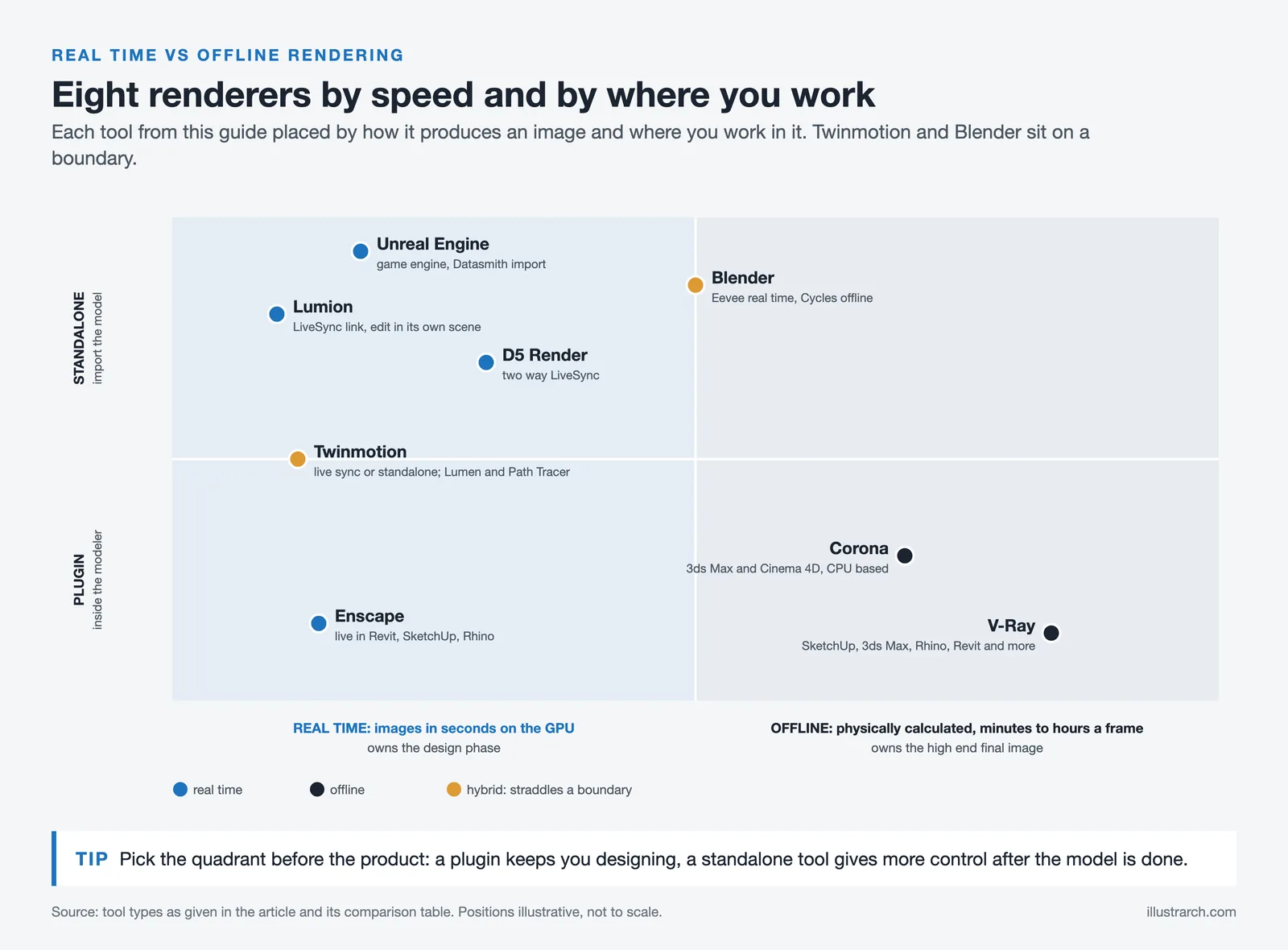
Architectural rendering software splits cleanly into two families, and the choice between them shapes every other decision. Real-time engines like Enscape, Lumion, Twinmotion, and D5 Render produce images in seconds by leveraging GPU power, which is why they have taken over the design phase of most firms. Offline renderers like V-Ray and Corona calculate light physically and produce frames over minutes or hours, which is why they still own the high-end final-image market.
The real-time category itself splits further. Plugin-based tools like Enscape live inside your modeling software and update as you draw. Standalone tools like Lumion and D5 Render require importing your model into a separate environment but give you more control over post-processing. Twinmotion sits between the two, offering both live sync and standalone editing depending on how you set it up.
📌 Did You Know?
According to the 2024-25 CGarchitect Architectural Visualization Rendering Engine Survey, 56% of architectural visualization respondents are now integrating AI tools into their rendering workflow, and real-time engines like Unreal Engine, Lumion, and Chaos Vantage continue to gain market share against traditional offline tools.
Best 3D Rendering Software for Architects in 2026
The following section covers the most relevant tools across both real-time and offline categories. Each one has a clear strength, and the right choice depends entirely on what part of the design process you are optimizing for. The full feature matrix is summarized in the comparison table further down.
1. Enscape

Enscape is the dominant real-time renderer for architects who work primarily inside Revit, SketchUp, Rhino, ArchiCAD, or Vectorworks. It is a plugin rather than a standalone application, which is its single biggest advantage: you never leave your modeling environment, and every change in the model appears in the Enscape window instantly. For design-heavy practices where the model is constantly evolving, this workflow is hard to beat.
Enscape’s output quality is competitive but not class-leading on photorealism. Where it wins is iteration speed and the elimination of file handoffs. Since version 4.11, it includes Chaos Cosmos assets, which broadened its previously thin asset library considerably. Enscape is now part of the Chaos Group ecosystem alongside V-Ray and Corona, which means assets staged in Enscape can be opened in V-Ray for a final pass without rebuilding the scene.
For a deeper comparison covering pricing, BIM integration, and ease of use across the three most popular real-time engines, see Lumion vs Enscape vs Twinmotion.
2. Lumion
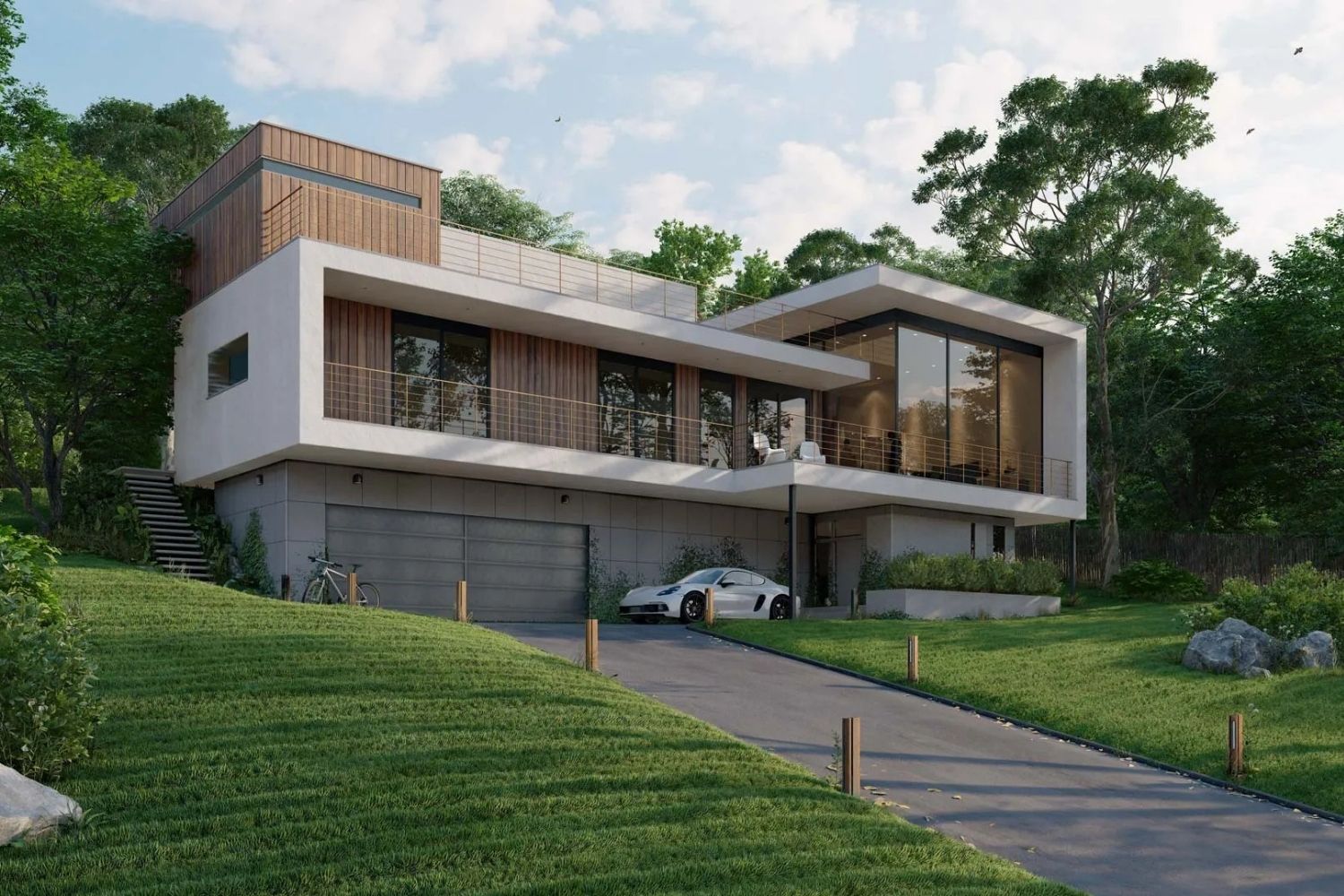
Lumion is the standalone real-time renderer most often associated with polished final output for residential, commercial, and landscape projects. It is developed by Dutch company Act-3D and was first released in December 2010, with the most recent versions adding ray-traced effects, AI-based image upscaling, and a cloud collaboration tier called Lumion Cloud.
Lumion’s strength is its asset library and atmospheric control. It ships with over 10,000 assets including high-quality vegetation, people, vehicles, and entourage, which makes it especially strong for landscape architecture and urban design where populating a scene quickly matters more than fine-tuning a single hero shot. Its LiveSync plugin connects to SketchUp, Revit, ArchiCAD, Rhino, AutoCAD, BricsCAD, Vectorworks, and several others.
The current product line includes Lumion View (a lightweight real-time plugin for SketchUp, Revit, and ArchiCAD), Lumion Pro (the full standalone tool), and Lumion Studio (a floating-license version of Pro for teams). For more detail on the software’s interface and features, see the existing illustrarch overview at 3D Rendering Softwares: Lumion, or visit lumion.com for the official feature breakdown.
3. Twinmotion
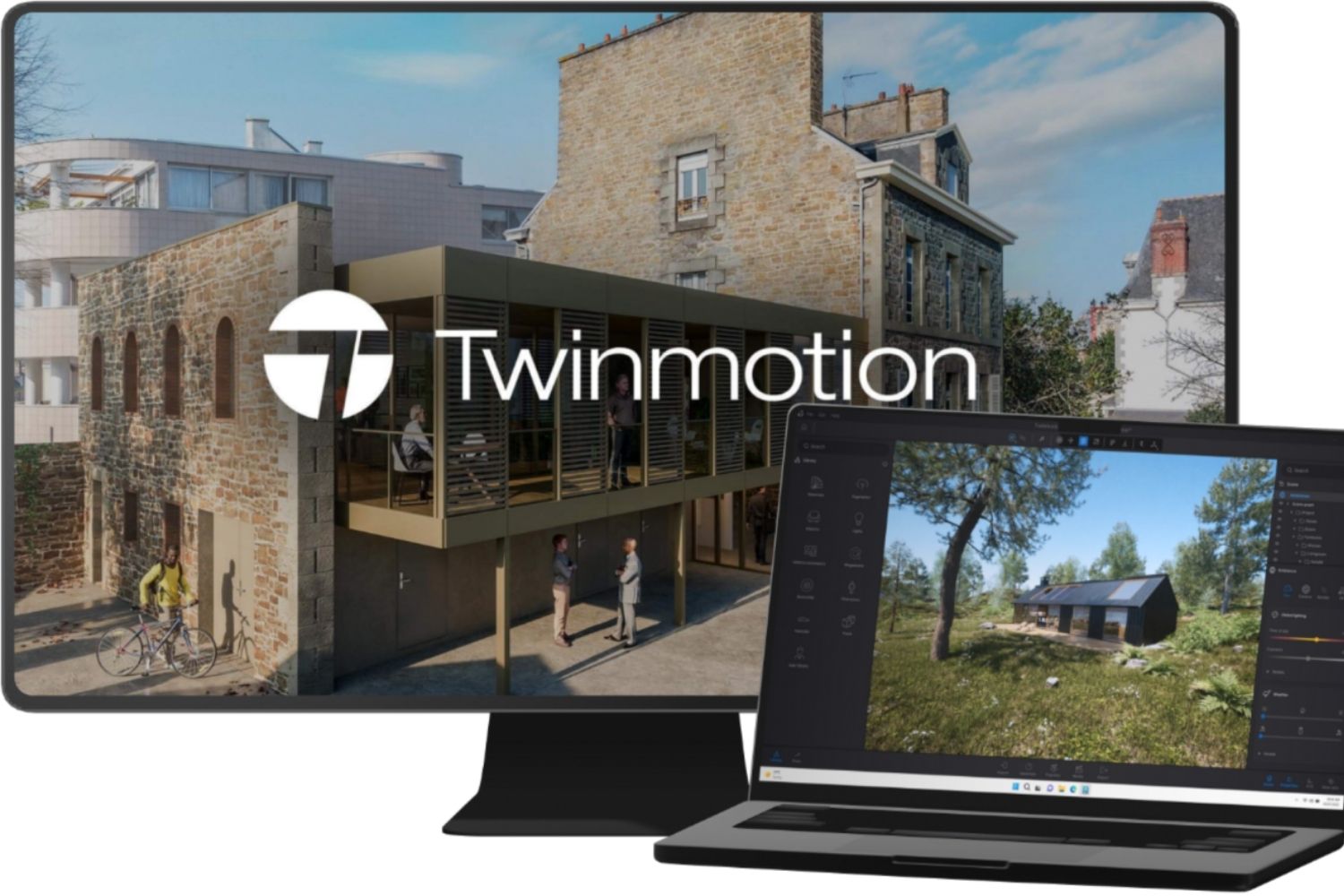
Twinmotion is built on Unreal Engine and developed by Epic Games, which gives it an edge in animation and interactive walkthroughs that the other real-time tools cannot match easily. It runs on both Windows and Mac, supports live sync with Revit, SketchUp, Rhino, and ArchiCAD, and ships with Quixel Megascans, the same texture library used in film production.
Two rendering modes shape how you use it. Lumen produces believable real-time lighting suitable for design-phase work. Path Tracer produces noise-free, physically correct images for final output, though Path Tracer is not available on Mac. The free license for firms doing under $1M in annual revenue makes Twinmotion an unusually accessible entry point for freelancers, students, and small studios.
Twinmotion’s path toward more advanced interactive experiences via Unreal Engine is also a long-term advantage if your practice expects to move into VR walkthroughs or real-time client presentations.
4. D5 Render
D5 Render is a GPU-based real-time renderer developed in China that has gained significant market share since 2021. It uses real-time ray tracing and path tracing, ships with a substantial asset library, and offers a free Community plan for non-commercial use, which is unusual among premium renderers; commercial work needs the Pro plan at $360 per year as of October 2026.
D5’s positioning is between Enscape and Lumion. It produces output closer to Lumion’s quality with a workflow speed closer to Enscape’s, and the AI-assisted material and lighting tools introduced in recent versions reduce the manual setup time that traditional offline renderers require. It supports two-way LiveSync plugins for SketchUp, Rhino, Revit, 3ds Max, ArchiCAD, and Blender.
The trade-off is hardware. D5 needs a strong GPU (RTX 3060 or better recommended) and is Windows-only, which rules it out for Mac users. For more on why architects are adopting it, see Why You Should Choose D5 Render for Cost-Effectiveness.
5. V-Ray
V-Ray, developed by Chaos Group, has been the industry standard for photorealistic architectural visualization for decades. It runs as a plugin inside SketchUp, 3ds Max, Rhino, Revit, ArchiCAD, Maya, and Cinema 4D, which is broader native support than any other renderer in this list. The 2026 version line includes V-Ray Premium, which bundles 20 Chaos Cloud rendering credits per month for offloading heavy jobs.
V-Ray’s strength is physical accuracy. Its global illumination, physical camera, and material system produce results that hold up under close inspection in a way that real-time engines still struggle to match. The trade-off is the learning curve and render time. A V-Ray production render can take minutes to hours per frame depending on complexity, and the settings panel rewards experience.
For studios that already use V-Ray, the deep integration with Chaos Cosmos assets and the cross-compatibility with Enscape and Corona makes it a sensible anchor in a multi-tool workflow. More on V-Ray feature specifics is available at Best Features of Vray Rendering, and the official documentation at chaos.com/vray covers technical specifications in depth.
6. Corona Renderer
Corona Renderer, also part of the Chaos Group portfolio, is the photorealistic alternative to V-Ray for users who want simpler controls. It runs as a plugin inside 3ds Max and Cinema 4D and is CPU-based rather than GPU-based, which sounds like a disadvantage but actually gives it a stable rendering profile on workstations without high-end graphics cards.
Corona’s appeal is its simplicity inside 3ds Max. The default settings produce convincing interior renders with minimal tweaking, which is why it has become especially popular in interior visualization studios. It will not match V-Ray’s flexibility on every edge case, but for the 80% of jobs where the goal is a clean photoreal interior or exterior, Corona gets you there faster.
7. Unreal Engine
Unreal Engine is the most powerful tool in this list and also the steepest learning curve. It is not designed specifically for architects, and for most practices it is overkill. But for studios producing high-end interactive walkthroughs, VR experiences, or cinematic-quality animations for major projects, Unreal Engine produces output that no other tool can match.
The Datasmith workflow tools allow direct import from over 20 CAD packages including 3ds Max, which has lowered the barrier to entry considerably since Unreal Studio launched. Even so, expect to invest significant time learning the interface, the materials system, and the Blueprints visual scripting language before producing client-ready work.
8. Blender (Cycles and Eevee)
Blender is the only fully free, open-source renderer in this list. Its Cycles engine produces high-quality photoreal output, and its newer Eevee engine handles real-time previews. Blender is not built specifically for architecture, so the workflow requires more setup than Lumion or Enscape, but the price tag of zero combined with active community development makes it a serious option for students, small practices, and anyone resistant to subscription pricing.
The main drawback is the lack of native plugins for Revit and ArchiCAD. You will typically import via FBX or OBJ, which means materials and BIM data do not survive the trip cleanly. For SketchUp and Rhino users, the workflow is smoother.
Comparison of Architectural 3D Rendering Software
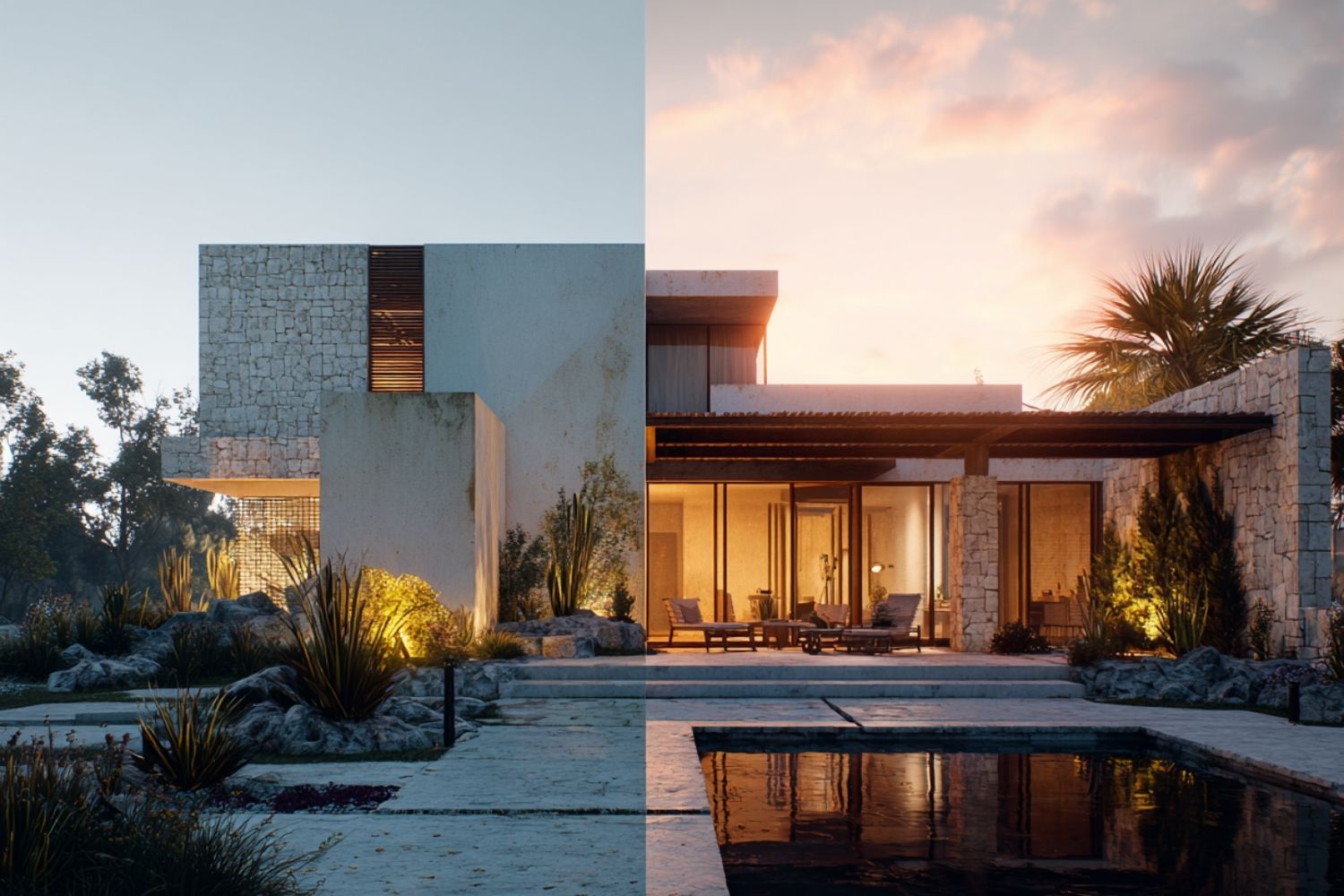
The following table summarizes the core differences across the most relevant tools for architectural workflows in 2026. Pricing is approximate and subject to change.
| Software | Type | Platform | Best For | Pricing |
|---|---|---|---|---|
| Enscape | Real-time plugin | Windows, Mac | In-workflow design iteration in Revit and SketchUp | Subscription, fixed seat |
| Lumion | Real-time standalone | Windows | Final exterior renders, landscape, urban design | Subscription, View/Pro/Studio tiers |
| Twinmotion | Real-time hybrid | Windows, Mac | Animation, walkthroughs, Mac users, small firms | Free under $1M revenue, $445/yr otherwise |
| D5 Render | Real-time standalone | Windows | Photoreal output on mid-range hardware, free tier | Free version (non-commercial), premium from $38/mo |
| V-Ray | Offline plugin | Windows, Mac (Revit and 3ds Max versions Windows only) | High-end photoreal final output, multi-host | Subscription, Solo/Premium tiers |
| Corona | Offline plugin | Windows (Mac via Cinema 4D) | Interior visualization in 3ds Max, simpler than V-Ray | Subscription, Solo/Premium tiers |
| Unreal Engine | Real-time, game engine | Windows, Mac, Linux | Cinematic walkthroughs, VR, advanced interactivity | Free for most architectural use |
| Blender | Hybrid, open-source | Windows, Mac, Linux | Students, freelancers, no-budget workflows | Free |
⚠️ Common Mistake to Avoid
Picking a renderer based on the marketing reel instead of your actual project type is one of the most common and expensive mistakes in architectural visualization. A tool optimized for cinematic exterior shots will fight you on a tight interior. A renderer that excels at quick design previews may produce flat final images. Match the tool to the dominant project type in your studio, not to the most impressive demo.
How to Choose the Right Architecture Rendering Software
The decision comes down to three questions, and answering them honestly cuts the field down quickly. The first is whether you primarily need real-time previews during design or polished final output for client delivery. Real-time engines (Enscape, Lumion, Twinmotion, D5) win on the first; offline renderers (V-Ray, Corona) win on the second.
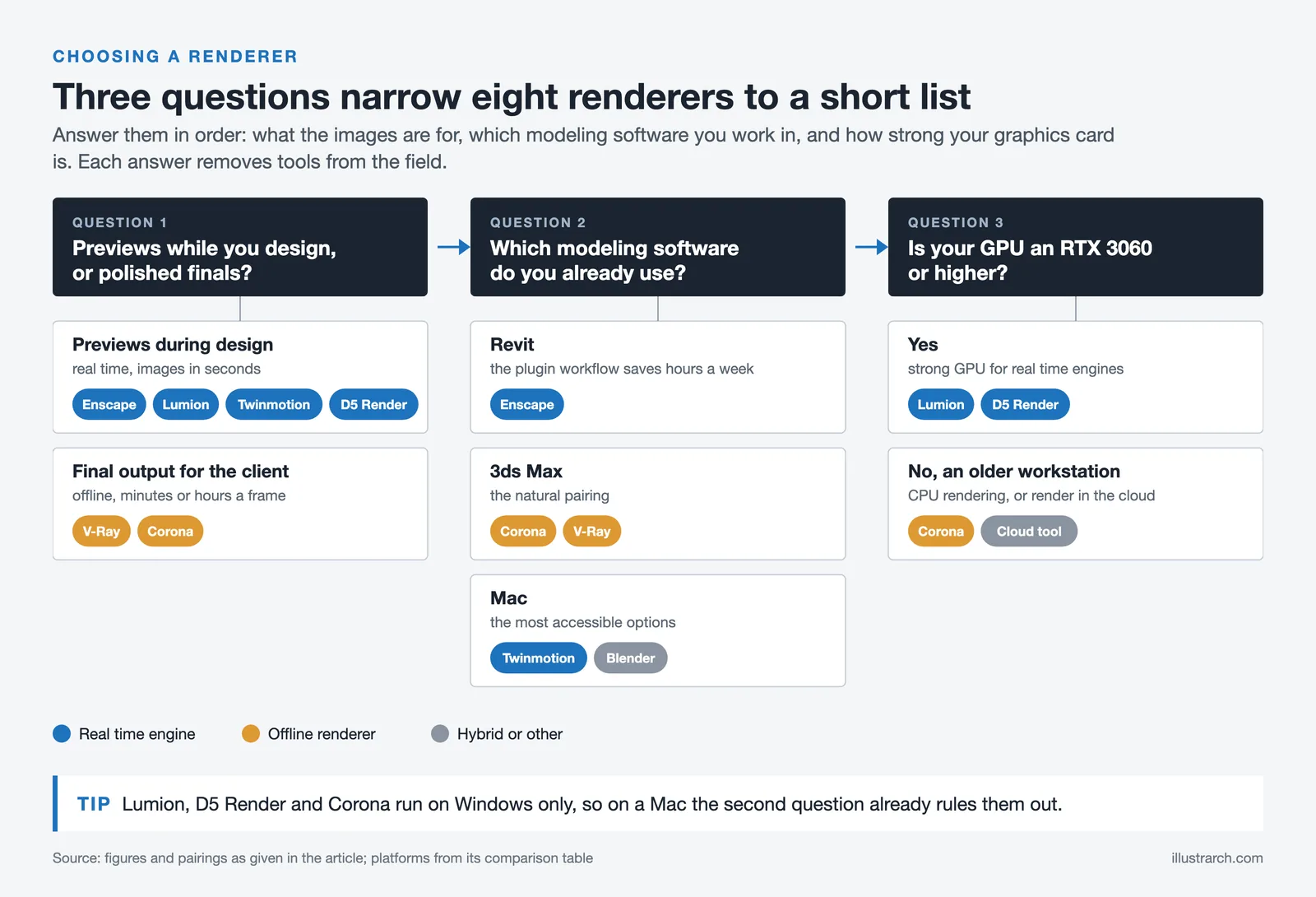
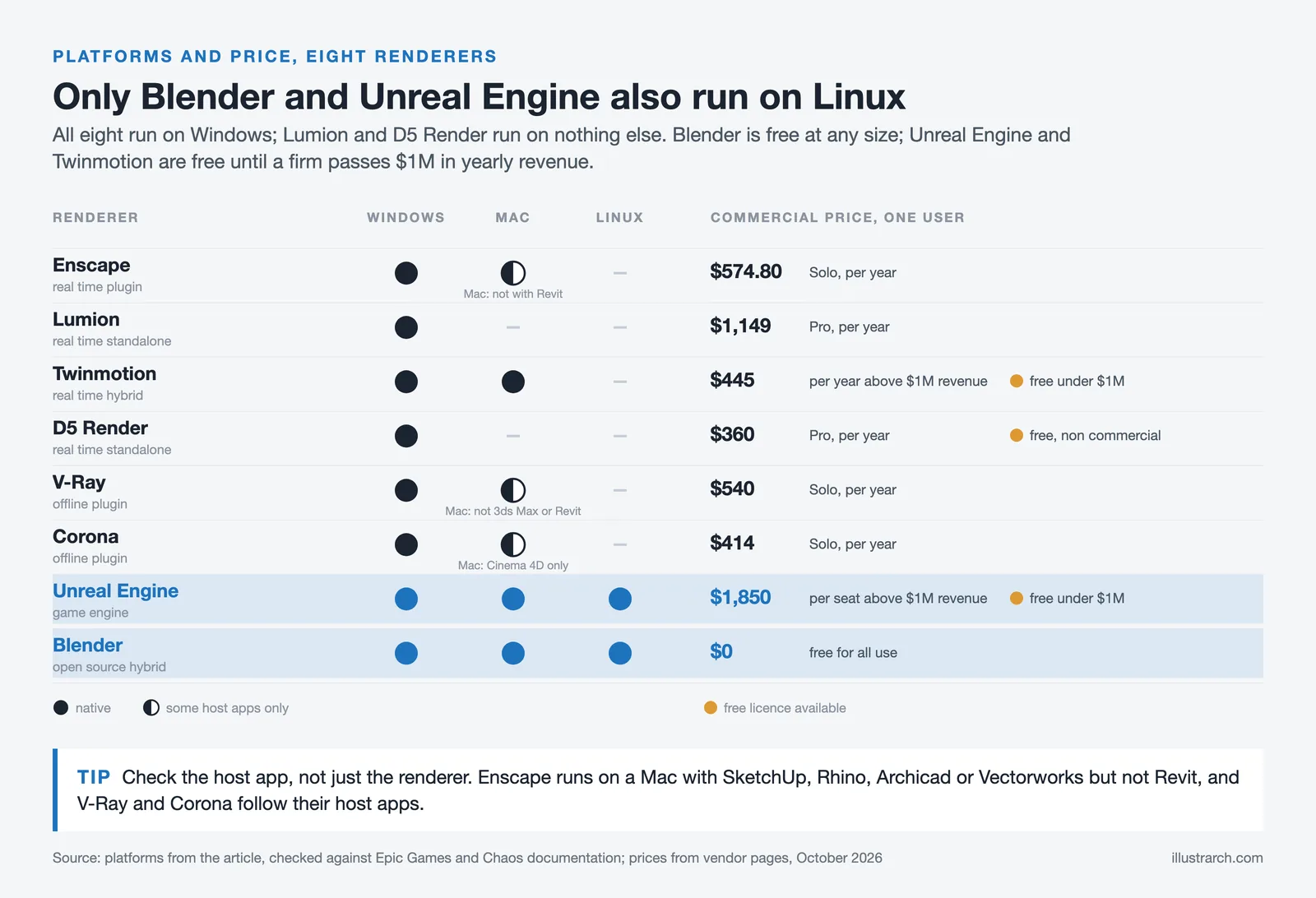
The second question is what modeling software you already use. If your studio is committed to Revit, Enscape’s plugin workflow saves hours per week. If you work in 3ds Max, Corona or V-Ray is the natural pairing. If you are on Mac, Twinmotion and Blender are the most accessible options, while Enscape (with SketchUp, Rhino, Archicad or Vectorworks), V-Ray and Unreal Engine also run natively.
The third question is hardware. Real-time renderers like Lumion and D5 demand strong GPUs, typically RTX 3060 or higher. If you are working on a MacBook Air or an older workstation, a CPU-based renderer like Corona or a cloud-based tool may be more practical than buying both new hardware and a new license.
Video: Render Engine Comparison for Architects
The Upstairs YouTube channel produced a detailed visual comparison of the major rendering engines, with side-by-side images of the same scene rendered in V-Ray, Lumion, Twinmotion, Enscape, D5, Unreal Engine, Corona, and Blender Cycles. It is worth watching before committing to any of them.
How Much Does 3D Rendering Software Cost?
Rendering software pricing in 2026 spans from free to several thousand dollars per year, and the headline number rarely tells the full story. Subscription models dominate the category, with most premium tools charging annually per seat. Free tiers exist (Twinmotion under $1M revenue, D5 Render’s free tier, Blender entirely) but typically come with restrictions on commercial use, output resolution, or asset library access.
The hidden cost is hardware. A “free” or “cheap” renderer that requires a $4,000 workstation to run smoothly is not actually free. Lumion and D5 Render require strong GPUs. V-Ray and Corona benefit from many CPU cores. Enscape runs on more modest hardware because much of the rendering load stays in the host modeling software. Factor the full cost of license plus hardware before comparing tools on price alone.
Pricing figures and license tiers vary by region, vendor, and renewal terms. Always check the official vendor website for current pricing before purchasing.
Specific Workflows and Recommended Tools
Beyond the general comparison, certain project types map cleanly onto specific tools. Residential and small-scale commercial work benefits most from Enscape’s in-workflow speed. Landscape architecture and urban design get the most out of Lumion’s vegetation library and atmospheric controls. Interior visualization studios most often standardize on V-Ray or Corona inside 3ds Max for the final image quality, with Enscape or D5 Render handling design-phase previews.
For animation and walkthroughs, Twinmotion is the practical choice because it inherits Unreal Engine’s animation system without requiring you to learn the full engine. For VR and interactive client experiences, Unreal Engine itself is still the ceiling, with Twinmotion as the more accessible step.
Students and academic users have a strong free tier across most tools. Twinmotion offers a free educational license, Lumion has a student tier, and Blender is permanently free. Starting on free educational versions while in school avoids locking into a paid subscription before you know which tool actually fits your future workflow.
✅ Key Takeaways
- Real-time engines (Enscape, Lumion, Twinmotion, D5 Render) dominate the design phase, while offline renderers (V-Ray, Corona) own the high-end final-image market.
- Enscape is the strongest choice for in-workflow Revit and SketchUp rendering thanks to its plugin architecture and live sync with the modeling software.
- Lumion offers the largest asset library and the most polished atmospheric controls, making it ideal for landscape, urban, and presentation-focused work.
- Twinmotion is the most accessible option for Mac users, freelancers, and small firms, with a free license under $1M annual revenue.
- D5 Render delivers near-Lumion quality at a lower entry price and includes a free tier for non-commercial use on mid-range Windows hardware.
- V-Ray remains the industry standard for photorealistic final output, with Corona as the simpler alternative for interior-focused 3ds Max users.
Final Thoughts
The best 3D rendering software for architects in 2026 is not a single product but the right pairing for your modeling tool, project type, and hardware. Most studios end up running two or three renderers in parallel: a real-time tool for design iteration, a polished standalone for client previews, and a high-end offline renderer for final marketing images. Starting with one and adding others as the workflow demands is more practical than trying to pick a single all-purpose tool from day one.
The category has matured to the point that all the tools listed here produce client-ready output in capable hands. The differentiator is no longer raw image quality. It is how the tool fits the rest of your day, how quickly your team can become productive in it, and whether the iteration loop is fast enough to actually inform design decisions rather than only document them after the fact.






Interior Design for Commercial Spaces: Enhancing Functionality and Brand Identity
Commercial interior design has to serve brand, function and regulation at once....
 Begum Gumusel4 Mins read

From SketchUp View to Client-Ready Render: A Hands-On Look at Vizbase
Vizbase co-founder Mikus Zarāns shows how the browser-based AI renderer turns SketchUp...
 illustrarch Editoral Team4 Mins read

Futuro House Production Revived in Finland After Decades-Long Hiatus
A Facebook listing for abandoned moulds led to the first new Futuro...
illustrarch Editoral Team3 Mins read

Building Your Dream Home in NSW: What You Should Know About Montgomery Homes
Montgomery Homes has been building across Sydney, Newcastle, the Hunter, Wollongong and...
illustrarch Editoral Team4 Mins read


Leave a comment