

The Architect SaaS Stack: How Firms Are Cutting Design Time by 40%
A practical look at how architecture firms are building a layered architect SaaS stack across BIM, rendering, project management, and client tools to reclaim hours per week and deliver projects faster without adding headcount or hardware costs.
 Sinan Ozen11 May 20268 Mins read194

Table of Contents Show
An architect SaaS stack is the layered set of cloud-based subscription tools a firm uses across BIM modeling, rendering, project management, and client communication. Firms running a well-tuned stack report design-time savings of around 30 to 40 percent on routine project phases, mostly by removing manual file handoffs, version conflicts, and rendering bottlenecks.

What Is SaaS, and Why Does It Matter for Architecture Firms?
The SaaS meaning is straightforward in business terms but worth defining clearly for the AEC context. To define SaaS: it is software delivered over the internet on a subscription basis, where the vendor hosts the application and you access it through a browser or thin client rather than installing it locally. A SaaS platform handles updates, storage, and infrastructure on the vendor’s side, so what is SaaS really doing for an architect is removing the friction of local installs, license servers, and version mismatches between team members.
For an architecture or design SaaS business, that delivery model has reshaped expectations. Files live in shared cloud workspaces, multiple users edit the same model, and clients receive live links instead of static PDFs. According to McKinsey research on construction productivity, between 2020 and 2022 venture capital and private equity firms invested $50 billion in AEC technologies globally, an 85 percent increase over the prior three years, with the median deal size doubling since 2017. That capital has produced a much wider catalogue of architect SaaS options than firms had even five years ago.
💡 Pro Tip
When evaluating any new SaaS for architecture workflow, look at the file format compatibility before pricing. A tool that does not handle IFC, DWG, and RVT cleanly will create export tax that wipes out the time savings the vendor advertises. Run a real project file through the trial version, not the demo file the sales team provides.

How Firms Build an Architect SaaS Stack That Saves 40% of Design Time
The 40 percent figure is not a single tool’s claim. It is a compound effect that comes from stacking the right SaaS for architecture across the project lifecycle, with each layer removing a specific category of waste. Cloud-based design platforms grew from 8 percent of new practice deployments in 2021 to 30 percent in 2024, according to Industry Research Biz figures, which mirrors the speed at which firms have been replacing single-seat installs with browser-based equivalents.
The savings concentrate in five categories, and most firms hitting that 40 percent number are running at least one strong tool per category rather than relying on one all-in-one suite.
Cloud BIM and Real-Time Model Coordination
The first and largest layer is cloud-hosted Building Information Modeling. Autodesk’s Revit with BIM Collaborate Pro and Graphisoft’s BIMcloud allow distributed team members to work on the same model with change tracking and clash detection running continuously. The time saving is not in the modeling itself, it is in the elimination of the upload, sync, redline, re-upload cycle that consumed entire afternoons in file-server workflows. Cloud-based BIM platforms let architects, engineers, and contractors review changes simultaneously, which removes most of the latency between a coordination question and an answer.

AI Rendering and Visualization
The second layer is rendering. Traditional path-traced renders pulled an architect’s machine offline for hours and required dedicated hardware for anything client-ready. AI-powered cloud rendering platforms like ArchFine accept SketchUp exports and CAD files and return exterior or interior visuals in minutes through style presets and camera intelligence. The architect keeps working on the model while the render runs on the vendor’s infrastructure. For small studios that previously could not justify a dedicated visualization workstation, this single shift recovers significant weekly time.
Project Management Built for AEC
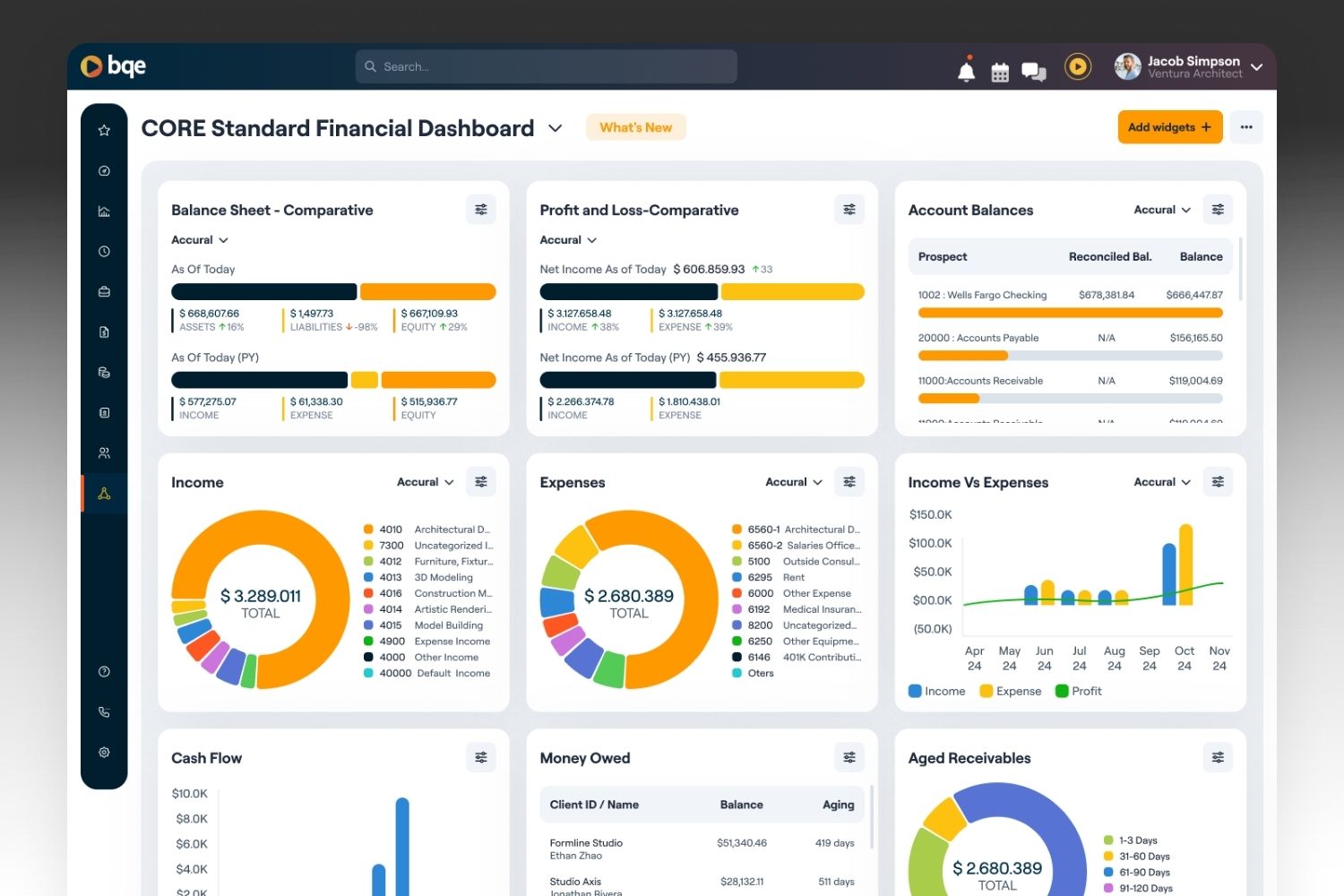
Generic project tools like Asana or Trello cover task lists, but they do not understand fee phases, consultant coordination, or hourly write-offs. Monograph and BQE Core are built around the way architects actually bill and schedule, with phase-based budgets and time tracking that ties directly into invoices. Choosing AEC-native software here matters because the alternative is rebuilding fee logic in a spreadsheet every month.
Client Communication and Approval Tools
The fourth layer is client-facing. Markup tools like Bluebeam Cloud, presentation platforms, and shared review links replace the email-based approval cycle. When a client can drop comments directly on a drawing or 3D view, the back-and-forth that used to take a week compresses to two days.
Storage, Authentication, and Workflow Glue
Underneath the visible tools is the layer most firms underestimate: cloud storage, single sign-on, and integration platforms. Autodesk Construction Cloud, Dropbox, and Google Drive serve as the file backbone. Tools like Zapier and direct integrations connect the project management tool to the BIM tool to the invoice system, which is where compounding time savings appear. A change in one place updates everywhere else.
🎓 Expert Insight
“Investments in technology should shift from the ‘shiny objects’ like drones or monitoring software to technology that streamlines and accelerates engineering, procurement, and construction.” — McKinsey Operations Practice, 2024
This applies directly to how firms select their SaaS stack. The biggest design-time gains come from tools that compress the design and documentation process itself, not from peripheral monitoring or analytics layers added on top.
What the Best SaaS Tools for Architects Have in Common
Not every product marketed to the AEC sector earns a place in a serious workflow. The architect SaaS tools that survive long-term in a firm’s stack tend to share a few practical qualities, regardless of category.
They handle the file formats architects actually use, including IFC for open BIM exchange, DWG for legacy CAD work, and native RVT for Autodesk shops. They offer reliable uptime with a published service level agreement, because a render farm that goes down at 5 PM Friday before a Monday presentation costs more than the subscription saves. They integrate with the rest of the stack through documented APIs or first-party connectors, not just through manual export and import.
And they have a pricing model that scales with how a firm actually grows. Per-seat pricing tied to active users tends to be more predictable than per-project or per-render-credit models that punish firms for using the tool more.
Comparing the Main Architect SaaS Categories
The table below summarizes the practical trade-offs across the five categories most firms now run in parallel.
| Category | Example Platforms | Primary Time Saving | Best For |
|---|---|---|---|
| Cloud BIM | Revit + BIM Collaborate Pro, BIMcloud, Qonic | Removes file sync delays | Multi-disciplinary teams |
| AI Rendering | ArchFine, D5, Lumion Cloud | Frees the local machine | Small to mid-size studios |
| Project Management | Monograph, BQE Core, Newforma | Phase tracking and billing | Fee-based practices |
| Client Review | Bluebeam Cloud, Miro, Figma | Faster approval cycles | Client-heavy workflows |
| Storage and Glue | Autodesk Construction Cloud, Dropbox, Zapier | Cross-tool automation | Any growing firm |
🔢 Quick Numbers
- $50 billion invested in AEC technologies globally between 2020 and 2022, up 85 percent over the prior three years (McKinsey, 2024)
- Cloud-based architectural design platforms rose to 30 percent of new practice deployments in 2024, up from 8 percent in 2021 (Industry Research Biz, 2026)
- BIM adoption among architects reached 77 percent in key global markets in 2023 (Industry Research Biz, 2026)
Common Mistakes Firms Make When Building an Architect SaaS Stack
Most firms that fail to hit the productivity gains they expected from a SaaS platform rollout make one of a handful of recurring mistakes. The mistakes are predictable enough that they can be addressed before signing the first contract.
The first is buying the all-in-one suite that promises to replace four separate tools. These suites tend to be average at everything and excellent at nothing, and the integrations they advertise between modules often turn out to be shallower than a third-party Zapier connection between two best-in-class tools.
The second is ignoring onboarding cost. New software means a productivity drop while the team learns it. Firms that skip the structured rollout end up with two or three power users carrying the rest of the studio, which defeats the purpose of standardizing on a tool.
The third is letting subscription sprawl run unchecked. Without a quarterly audit of what is actually being used, the SaaS bill can quietly double over two years while half the seats sit idle.
⚠️ Common Mistake to Avoid
Many firms confuse a SaaS business model with a hosted version of their old desktop software. They are not the same. A real architect SaaS stack is built around continuous data exchange between tools through shared cloud storage and APIs. Just hosting Revit on a remote desktop, for instance, gives the firm the subscription cost of SaaS without the collaboration benefit.

How to Roll Out a New Architect SaaS Stack Without Stalling Projects
The transition is where most of the failure happens. A 40 percent design-time saving on paper turns into a 10 percent loss in the first quarter if the rollout is mishandled. The pattern that works is sequenced rather than simultaneous.
Start with one project, ideally a small one with a forgiving timeline, and use it as the test case for the new tool stack. Run the old tools in parallel for that project so the team has a fallback. Document what actually works and what creates friction, then adjust before rolling the stack out to the second project. Only after two or three successful projects does it make sense to mandate the new stack across the whole firm.
For firms making the shift to remote or hybrid work specifically, the tools and the workflow need to be designed together. Architecture firms working remotely have reported productivity gains of 20 to 30 percent on cloud-coordinated projects, but only when the tooling and the meeting cadence are set up to match.
🏗️ Real-World Example
Cultural Center Project, Multi-Continent Team: A global architecture firm designed a cultural center entirely through remote collaboration, with teams across the US, Europe, and Asia coordinating through Revit and real-time communication tools. The cloud-based workflow reduced project timelines by 20 percent and removed travel costs for design coordination, which the firm reinvested into additional design iterations.
How Much Does a Full Architect SaaS Stack Cost?
Pricing varies enough that any single number is misleading, but the order of magnitude is useful for planning. A small studio of three to five people running a complete stack typically falls between $400 and $900 per user per month across all tools combined, with BIM software representing the largest line item. The AEC Collection from Autodesk, which includes Revit, AutoCAD, and Navisworks, runs at $3,115 annually per seat for example, while a project management tool like Monograph adds roughly $50 to $100 per user per month.
The math that matters is not the absolute cost. It is the cost per billable hour saved. If the stack reclaims four hours per architect per week, on a $90 billable rate, that is $1,440 per month per person, well above the per-seat subscription cost. Firms that track the saving rather than the spend tend to keep adding tools, while firms that track only the spend tend to cut tools that were actually paying for themselves.
⚖️ Pros & Cons at a Glance
✔️ Pros: Real-time collaboration across locations, lower hardware requirements, automatic updates, predictable per-seat costs
✖️ Cons: Recurring costs scale with team size, internet dependency, training overhead during rollout, integration gaps between vendors
✅ Key Takeaways
- An architect SaaS stack is a layered set of cloud tools across BIM, rendering, project management, client review, and storage, not a single platform.
- The 40 percent design-time saving is a compound effect across the layers, mostly from removing manual file handoffs and rendering bottlenecks.
- Best-in-class tools per category beat all-in-one suites for most firms, because integration through APIs is now reliable enough to compete with native module pairing.
- Rollout sequence matters more than tool choice. One pilot project, parallel old tools, and documented friction points reduce the risk of a productivity dip.
- Track cost per billable hour saved, not absolute subscription cost, when deciding whether a SaaS for architecture pays back its monthly fee.
Cost figures and software pricing are approximate and vary by region, vendor licensing terms, and team size. Always verify current pricing directly with the vendor before budgeting.








Futuro House Production Revived in Finland After Decades-Long Hiatus
A Facebook listing for abandoned moulds led to the first new Futuro...
 illustrarch Editoral Team3 Mins read

Building Your Dream Home in NSW: What You Should Know About Montgomery Homes
Montgomery Homes has been building across Sydney, Newcastle, the Hunter, Wollongong and...
illustrarch Editoral Team4 Mins read

Designing a Home Theater: Where Drapery Fits Into the Plan
In a media room the curtains are a performance layer, not decoration....
illustrarch Editoral Team3 Mins read

Oscar Niemeyer’s Cathedral of Brasília: The Hyperboloid Concrete Hymn
The Cathedral of Brasília reads as a single gesture, yet it stood...
 Furkan Sen7 Mins read


Leave a comment