

Best Diagram Tools for Architects: 8 Options for 2026
Finding the right diagram tools for architects can make the difference between a clear design presentation and a confusing one. This guide compares 8 leading options for bubble diagrams, circulation maps, system diagrams, and AI-assisted diagramming in architectural practice.
 Elif Ayse Sen17 March 202613 Mins read339

Table of Contents Show
Diagram tools for architects are software platforms that help design professionals create bubble diagrams, circulation maps, program diagrams, and system visualizations at every stage of a project. Whether you need a quick spatial sketch in the concept phase or a polished presentation diagram, choosing the right tool saves time and sharpens communication with clients and collaborators.
Why Architects Need Dedicated Diagram Tools
Architectural diagrams are not the same as technical construction drawings. While CAD or BIM software handles precise measurements and construction documentation, diagram tools focus on relationships, flow, and spatial logic. According to the American Institute of Architects (AIA), visual communication through diagrams is one of the core competencies expected in professional architectural practice.
The gap between concept and construction document is where diagrams do their heaviest work. Bubble diagrams establish adjacency logic before a single wall is drawn. Circulation diagrams reveal how people will move through a building. Program diagrams align client expectations with spatial reality. Without the right architecture diagram tool, these crucial early-phase conversations rely on hand sketches or repurposed software that was never designed for the job.
💡 Pro Tip
For early-stage concept work, keep your diagramming tool separate from your BIM environment. Tools like Illustrarch’s Bubble Diagram Maker or Miro let you explore spatial relationships without being pushed toward constructability too early. Once the program logic is clear, bring it into Revit or ArchiCAD with far fewer revisions.
What to Look for in an Architecture Diagram Tool

Not every architecture diagram tool online suits every workflow. Before committing to one, consider a few key factors. First, think about the diagram types you actually need: bubble diagrams and program diagrams for early-phase work differ significantly from circulation diagrams or structural diagrams needed later in the process. Second, assess collaboration requirements — solo practitioners have different needs than studio teams working across time zones. Third, consider how the tool fits your existing stack. A platform that integrates with your CAD or BIM workflow creates less friction than one that exists entirely in isolation.
Price is another practical filter. Several strong tools are free or offer generous free tiers, while professional-grade options with AI features or enterprise collaboration can run from $5 to $30 per user per month as of October 2026. The best online tool for architecture diagrams is ultimately the one that matches your phase, your team size, and the complexity of your documentation needs.
🔢 Quick Numbers
- The global collaborative applications market — which includes diagramming platforms — is projected to reach $78 billion by 2028 (IDC Forecast, 2024)
8 Best Diagram Tools for Architects
The following tools cover the range of needs in architectural practice, from free bubble diagram makers purpose-built for spatial planning to AI-powered platforms that generate architecture diagrams from text prompts. Each serves a different stage of work or team context.
1. Illustrarch Bubble Diagram Maker — Best for Architectural Bubble Diagrams

The Illustrarch Bubble Diagram Maker is a free, architecture-focused web tool designed specifically for the early-stage spatial planning that most general diagramming platforms overlook. Unlike software built for software engineers or business analysts, this tool is oriented around the conceptual needs of architects and interior designers: mapping adjacencies, testing circulation logic, and organizing program requirements before formal design begins.
Using circles to represent programmatic elements — living areas, circulation cores, mechanical zones — and connecting lines to show spatial relationships, the tool allows architects to iterate quickly without being constrained by walls, grids, or structural systems. It is the digital equivalent of a trace-over sketch, but with the ability to iterate in minutes rather than redrawing by hand.
Illustrarch also publishes a comprehensive library of bubble diagram guides and examples alongside the tool, making it a practical starting point for students and emerging professionals learning how to structure their early-phase process. Related tools include a curated archive of bubble diagram samples showing how working architects have used this technique across residential and institutional projects.
Best for: Architects and students who need a purpose-built, free architecture diagram tool online for spatial planning and bubble diagramming.
🏗️ Real-World Example
MVRDV — Sochi Waterfront Masterplan: The MVRDV team used bubble diagram logic during early massing and program distribution studies to map how residential, commercial, and public zones would relate before committing to formal geometry. This kind of relational planning — testing adjacencies first — is precisely what purpose-built bubble diagram tools accelerate, reducing costly revisions once BIM modeling begins.
2. Draw.io (Diagrams.net) — Best Free General-Purpose Option

Draw.io, now officially diagrams.net, is a fully free, open-source diagramming tool with a drag-and-drop interface and an extensive shape library. Architects use it to create everything from schematic circulation diagrams and program organization charts to site analysis overlays. Its key advantage is flexibility: diagrams can be saved to Google Drive, Microsoft OneDrive, or locally on a desktop app, and it integrates natively with Atlassian Confluence and JIRA for teams working in those environments.
Draw.io supports import from Visio, Lucidchart, and other common formats, making it a practical migration target if your studio is transitioning away from proprietary software. The shape library includes ArchiMate enterprise architecture shapes, electrical circuits, and floor plan elements, which gives it more architectural coverage than most free tools in the same category.
Best for: Studios that need a free, versatile online architecture diagram tool with no document limits and flexible storage options.
3. Lucidchart — Best for Technical Documentation

Lucidchart is one of the most polished diagramming platforms available, with a free tier that covers basic needs and paid plans starting at $9 per user per month. Its strength is in structured, technical diagrams — flowcharts, org charts, process maps — with real-time collaboration, an extensive shape library, and deep integrations with Google Workspace, Microsoft Office, Atlassian products, and Slack. For architects working in firms that have already standardized on these productivity suites, Lucidchart slots in cleanly without friction.
The free plan allows up to three editable documents with 100+ templates and basic collaboration. Teams producing polished client-facing documentation or internal process diagrams will find the paid tiers worth the cost, particularly for the version history and live data linking features.
Best for: Firms that need clean, professionally formatted architecture diagram documentation with strong integration into existing productivity tools.
4. Miro — Best for Collaborative Diagramming and AI Generation

Miro started as a collaborative whiteboard and has evolved into one of the most capable architecture diagram tools available for team environments. Its AI diagram generator — Miro Assist — allows users to generate flowcharts, UML sequence diagrams, mind maps, and ER diagrams from simple text prompts, making it a strong contender as an AI tool to generate architecture diagrams quickly during workshops or design reviews.
For architects, the most relevant Miro features are its infinite canvas, real-time multi-user editing, and the ability to import diagrams from Visio, Lucidchart, and Draw.io without starting from scratch. The platform also supports shape packs for UML, AWS, Cisco, Kubernetes, and BPMN, giving technical architects access to standardized notation without building libraries manually. Paid plans start at $8 per user per month and unlock advanced AI capabilities, unlimited boards, and enterprise security.
More than 180,000 organizations — including Nike, Ikea, and Deloitte — use Miro for diagramming and collaborative design work. For architecture studios running distributed teams or needing to run client workshops remotely, it is difficult to match.
Best for: Teams that need real-time collaboration, AI-assisted diagramming, and a flexible canvas that works across disciplines.
🎓 Expert Insight
“I can confidently describe Miro as being the go-to collaboration tool that engineering teams use across every project stage.” — Alan Fairhurst, Enterprise Agile Coach, Centrica
Fairhurst’s experience reflects a broader shift in design practices. Architecture teams that centralize their diagramming and communication in a single collaborative workspace — rather than bouncing between email attachments and disconnected files — report faster design cycles and fewer coordination errors between consultants.
5. Eraser (DiagramGPT) — Best AI Tool for Architecture Diagrams

Eraser.io and its DiagramGPT engine represent the most specialized AI tool for architecture diagram generation currently available. Unlike Miro’s AI features, which cover a broad range of use cases, Eraser is built specifically for engineering and technical documentation workflows. Its AI converts natural language prompts, code snippets, and even uploaded images into editable diagrams — covering flowcharts, entity relationship diagrams, cloud architecture diagrams, sequence diagrams, and BPMN formats.
For architects working on technically complex projects — particularly those with BIM, data, or systems integration requirements — Eraser’s diagram-as-code syntax offers a level of precision that drag-and-drop tools cannot match. Changes to the underlying code propagate through the visual output automatically, keeping documentation synchronized with project evolution. GitHub integration allows diagrams to be versioned alongside the project’s technical documentation.
Paid plans start at $15 per member per month billed annually, or $20 monthly (as of October 2026). A free tier is available with core features.
Best for: The best AI tool for architecture diagram work involving systems, data flows, technical specifications, or cloud infrastructure documentation.
6. Microsoft Visio — Best for Enterprise Architecture Teams

Microsoft Visio remains the incumbent choice in large enterprise architecture environments where standardization and Microsoft 365 integration are non-negotiable. It offers the broadest library of standardized notation — UML, BPMN, network diagrams, floor plans — and connects directly with SharePoint, Teams, and other Microsoft tools. For firms already operating within the Microsoft ecosystem, Visio provides a familiar workflow without requiring software adoption overhead.
Standalone cloud pricing starts at $5 per user per month, and Visio is also included in certain Microsoft 365 plans. The main limitations are that it is less intuitive than cloud-native tools like Lucidchart or Miro, and its collaboration features — while improving — remain behind purpose-built alternatives.
Best for: Enterprise architecture teams in organizations standardized on Microsoft 365.
7. Canva — Best for Design-First Diagrams and Presentations

Canva is not a traditional architecture diagram tool, but architects increasingly use it for concept diagrams, program presentation layouts, and client-facing visual summaries where design quality matters as much as technical accuracy. Its library of pre-designed templates, drag-and-drop shapes, and export options make it fast to produce polished visuals without a graphic design background. Real-time collaboration tools allow team members to work on a bubble diagram or spatial concept simultaneously during review meetings.
The free version covers most basic diagramming needs. Canva Pro, which unlocks premium templates and additional export options, starts at approximately $15 per month for individuals.
Best for: Architects who need visually polished diagrams for client presentations rather than technical documentation.
💡 Pro Tip
Canva and Miro are often used in combination within architecture studios. Canva handles client presentation graphics and diagram overlays, while Miro carries the internal collaboration and workshop diagramming. Keeping these roles distinct prevents design quality from being sacrificed in working sessions, and prevents technical clarity from being lost in client presentations.
8. Excalidraw — Best for Quick Freehand Sketches

Excalidraw is a lightweight, browser-based whiteboarding tool that gives digital diagrams the visual quality of hand-drawn sketches. This intentionally informal aesthetic makes it valuable during the very earliest design conversations, when architects want to explore ideas without the visual weight of polished software implying more finality than exists. It supports offline use, autosaves to the browser, and allows secure multi-user editing through end-to-end encryption.
Excalidraw is entirely free and open-source. It is not the best online tool for architecture diagrams that require precision or formal documentation, but as a rapid concept sketching tool it has few equals in the free category.
Best for: Early ideation sessions where the goal is free exploration rather than formal documentation.
We also build one ourselves: a free adjacency matrix maker with four relationship levels, PNG and CSV export, and a one-click bridge to a bubble diagram.
Comparison Table: Best Diagram Tools for Architects
The following table compares the eight tools across the criteria most relevant to architectural practice:

| Tool | Best For | Free Option | AI Features | Collaboration | Paid From |
|---|---|---|---|---|---|
| Illustrarch Bubble Diagram Maker | Bubble diagrams, spatial planning | Yes (fully free) | No | Basic | Free |
| Draw.io (Diagrams.net) | General diagramming, free option | Yes (fully free) | Limited | Yes | Free |
| Lucidchart | Technical documentation | Yes (3 docs) | Yes | Strong | $9/user/mo |
| Miro | Team collaboration, AI generation | Yes | Strong (Miro AI) | Best-in-class | $8/user/mo |
| Eraser (DiagramGPT) | AI diagram generation, technical docs | Yes | Best AI tool | Yes | $15/user/mo |
| Microsoft Visio | Enterprise, Microsoft 365 environments | No | Limited | Yes | $5/user/mo |
| Canva | Client presentations, visual quality | Yes | Yes (Canva AI) | Yes | ~$15/mo |
| Excalidraw | Quick sketches, early ideation | Yes (fully free) | No | Yes | Free |
How AI Tools for Architecture Diagrams Are Changing the Workflow

The emergence of AI tools for architecture diagrams has shifted diagramming from a time-consuming manual task into an accelerated ideation process. Platforms like Miro and Eraser now allow architects to type a description of a spatial program or system and receive an editable diagram within seconds, rather than spending hours building it manually. According to Miro, AI-assisted diagramming allows teams to move from rough ideas to structured visuals in seconds, freeing up design time for actual problem-solving rather than diagram formatting.
For architectural practice specifically, the most useful AI diagram capabilities include natural language to diagram conversion, automatic layout suggestions, and the ability to generate documentation from existing diagrams. These features are most valuable during schematic design, when architects need to rapidly test multiple program configurations with clients, and during technical coordination, when consultants need to align on system diagrams across disciplines.
The best AI tool for architecture diagram creation depends on your output type. For spatial planning and concept diagrams, the Illustrarch Bubble Diagram Maker covers early-stage needs without unnecessary complexity. For technically sophisticated system diagrams that need to be kept in sync with project documentation, Eraser’s DiagramGPT offers the most accurate AI generation and diagram-as-code workflow. For team-based exploration across all diagram types, Miro’s AI features provide the most comprehensive option.
⚠️ Common Mistake to Avoid
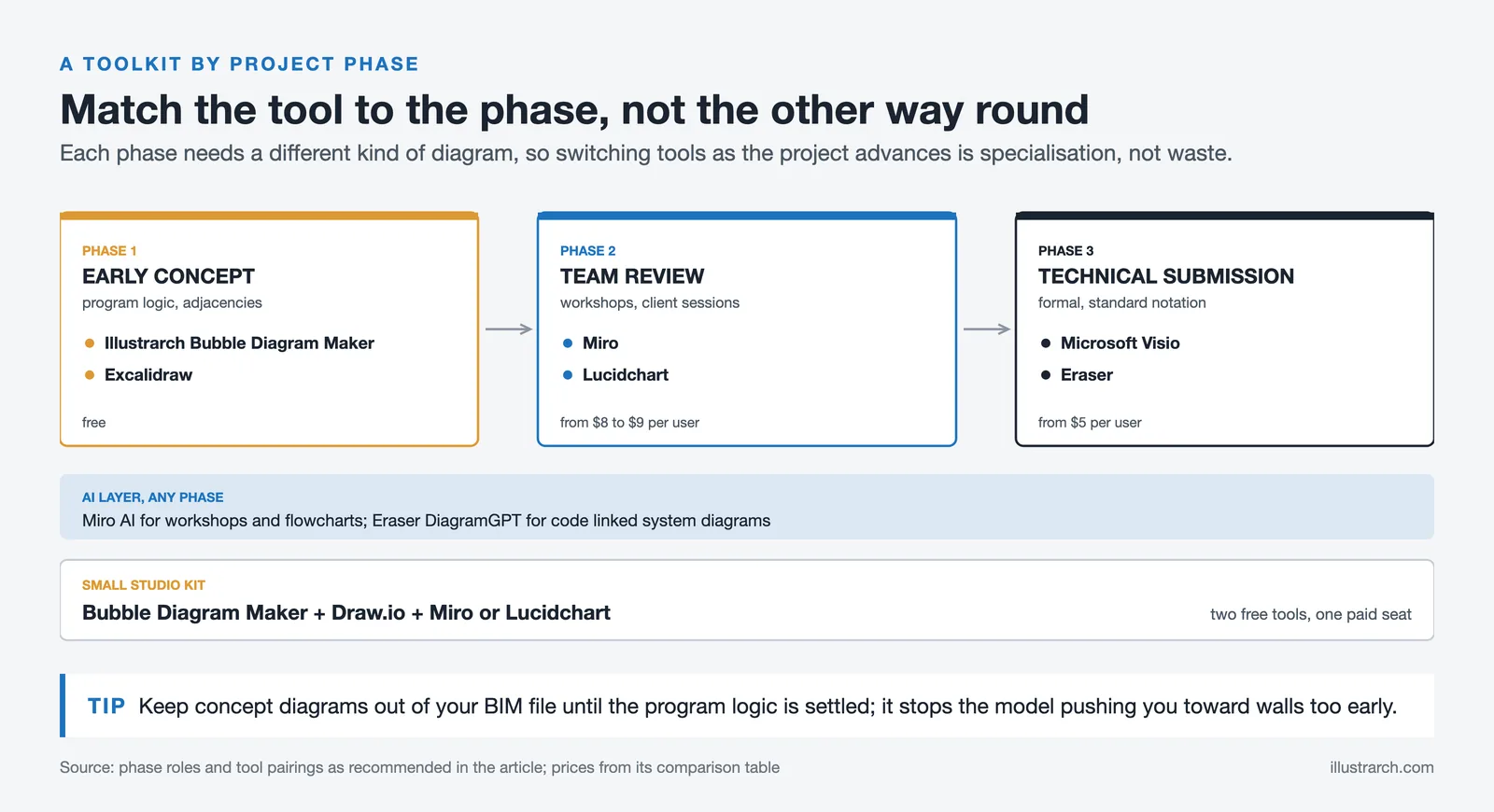
Many architects use a single diagram tool for every phase of work, forcing an early-stage concept tool to handle technical documentation it was never designed for — or expecting BIM software to carry spatial brainstorming it handles poorly. The most productive studios match the tool to the phase: a bubble diagram maker for early program logic, a collaborative platform for team reviews, and a technical documentation tool for formal submissions. Switching tools as the project advances is not inefficiency — it is appropriate specialization.
What Types of Architecture Diagrams Do These Tools Support?
Understanding which diagram types each tool handles well helps narrow the choice significantly. Architectural diagram types cover a broad range of purposes: bubble diagrams and program diagrams for early-phase planning, circulation diagrams for movement analysis, axonometric and sectional diagrams for three-dimensional clarity, and structural diagrams for engineering coordination.
Most general-purpose tools — Draw.io, Lucidchart, Miro — cover all of these adequately. Specialized tools like the Illustrarch Bubble Diagram Maker cover a narrower but more architecturally relevant range with purpose-built features. Eraser, by contrast, focuses on technical system diagrams and is less useful for conceptual spatial work.
For architects who also work with parti diagrams or axonometric diagrams, Miro and Excalidraw’s freehand tools offer the most flexibility for communicating abstract conceptual moves that resist predefined shape libraries.
Choosing the Right Architecture Diagram Tool for Your Practice

There is no single best tool to create architecture diagrams that serves every firm and every project phase equally well. The most practical approach is to build a lightweight toolkit aligned with your actual workflow. A free bubble diagram tool handles conceptual planning. A collaborative online platform carries team reviews and workshops. A documentation-grade tool manages technical submissions. And an AI-powered option accelerates wherever repetitive manual diagramming slows you down.
For most individual architects and small studios, the combination of the Illustrarch Bubble Diagram Maker for early-phase work, Draw.io for free general diagramming, and either Miro or Lucidchart for collaboration covers every common scenario without significant cost. Larger teams or technically complex projects may find Eraser’s AI generation or Microsoft Visio’s enterprise integration worth the additional investment.
✅ Key Takeaways
- The Illustrarch Bubble Diagram Maker is the best free architecture-specific tool for spatial planning and bubble diagram work, designed for architects rather than software teams.
- Draw.io is the strongest fully free general-purpose architecture diagram tool online, with no document limits and flexible storage options.
- Miro leads for collaborative team diagramming and AI-assisted generation, with enterprise-grade security and integrations with 250+ tools.
- Eraser (DiagramGPT) is the best AI tool for architecture diagram generation in technically complex, code-adjacent workflows.
- Matching the tool to the project phase — not forcing one tool to do everything — produces better diagrams and faster workflows.
Frequently Asked Questions
What is the best free diagram tool for architects?
For architecture-specific work, the Illustrarch Bubble Diagram Maker is the best free option, as it is designed around spatial planning rather than software documentation. For general-purpose diagramming without any cost, Draw.io (diagrams.net) offers the most complete feature set with no document limits and flexible cloud or local storage.
What is the best online tool for architecture diagrams created with AI?
For AI-assisted generation, the answer depends on your use case. Miro AI is the best choice for team collaboration environments, offering flowchart, UML, and mind map generation from text prompts. Eraser (DiagramGPT) is the best AI tool for architecture diagram creation in technical contexts — particularly for system diagrams, cloud architecture, and code-connected documentation workflows.
How is an architecture diagram tool different from CAD or BIM software?
CAD and BIM tools like AutoCAD and Revit are designed for precise technical drawings with measurements, material specifications, and construction documentation. Architecture diagram tools, by contrast, focus on communicating relationships, spatial logic, and conceptual intent — usually without scale or structural constraints. They are most valuable in early design phases and client communication, while CAD and BIM take over in technical documentation and construction.
Can architects use Miro for bubble diagrams?
Yes. Miro’s freehand drawing tools and shape libraries support bubble diagram creation, and its real-time collaboration makes it useful for spatial planning workshops. However, the Illustrarch Bubble Diagram Maker is purpose-built for architectural bubble diagramming and provides an interface specifically designed around programmatic adjacency and spatial relationship logic, making it more intuitive for that specific task.
Do I need a paid plan to use architecture diagram tools effectively?
Not necessarily. The Illustrarch Bubble Diagram Maker, Draw.io, and Excalidraw are fully free with no functional limits for most architectural use cases. Lucidchart and Miro offer generous free tiers that cover basic diagramming and limited collaboration. Paid plans become worthwhile when you need unlimited documents, advanced AI features, enterprise security, or deep integration with project management tools.






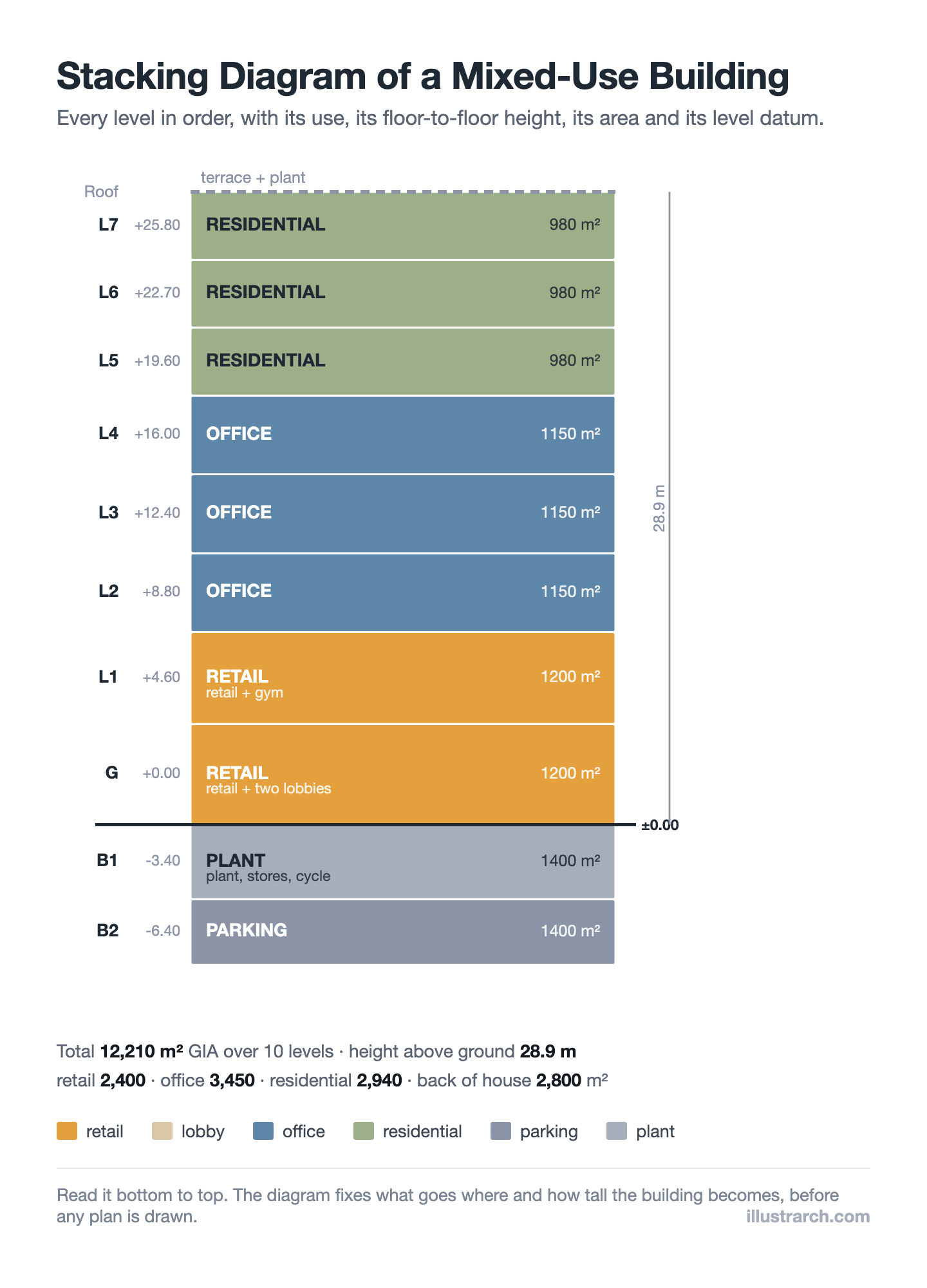
Stacking Diagram: How to Allocate Uses Floor by Floor
A stacking diagram assigns each use in a brief to a level,...
 Sinan Ozen6 Mins read
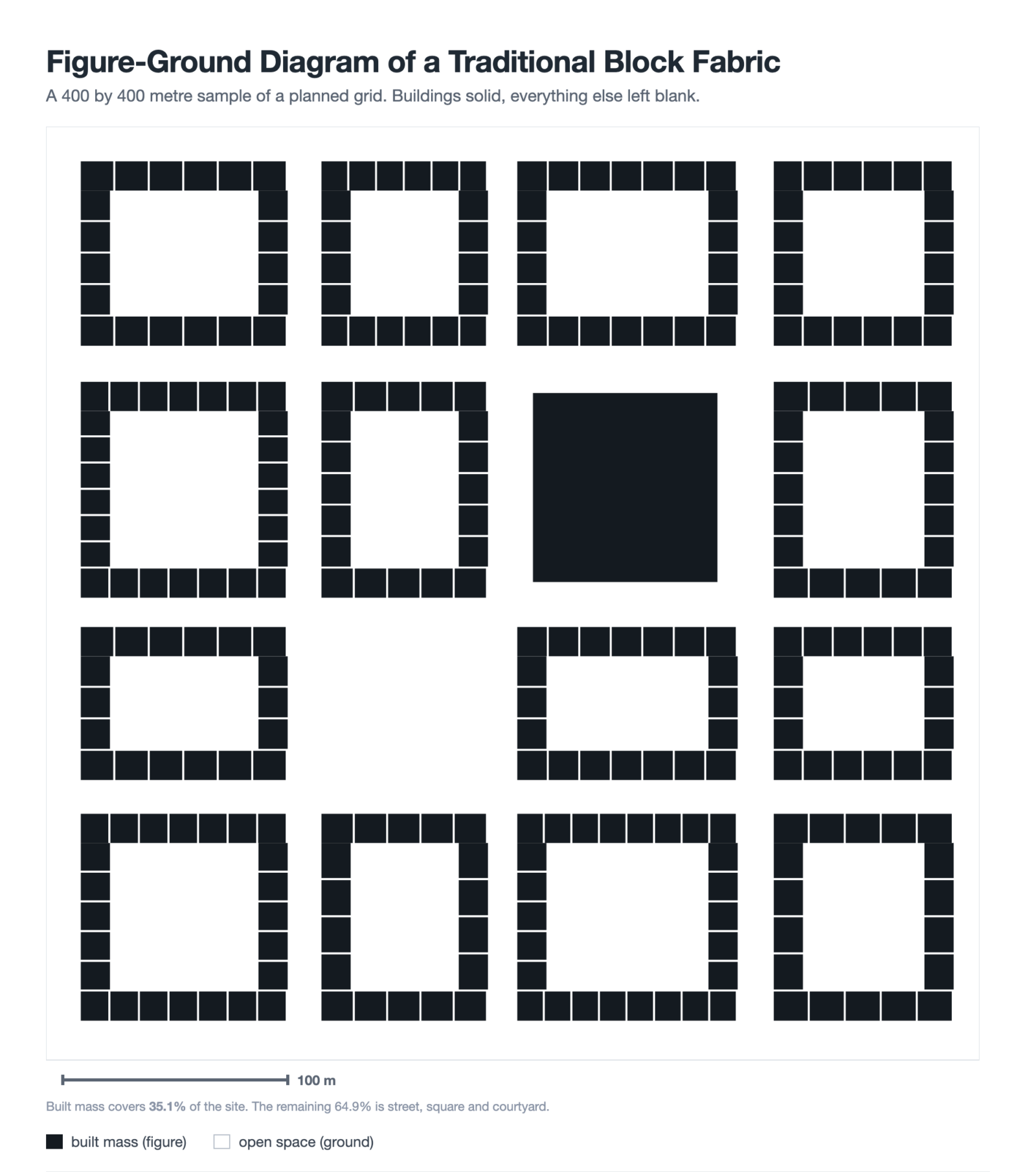
Figure-Ground Diagram: How to Draw and Read Urban Fabric
A figure-ground diagram reduces a city to built mass against open space....
Sinan Ozen7 Mins read
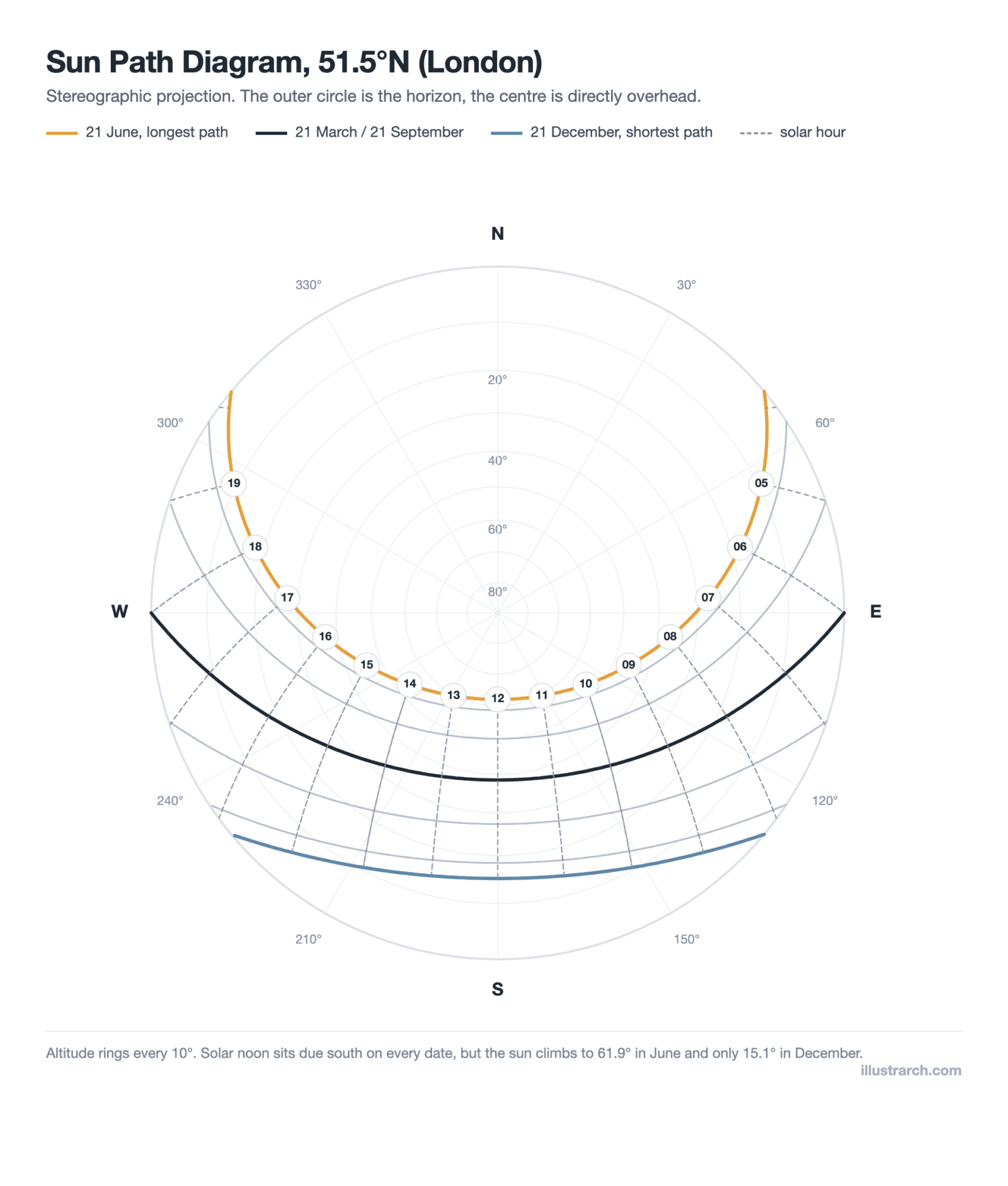
Sun Path Diagram: How to Read One and Use It in Design
A sun path diagram shows where the sun sits all year for...
Sinan Ozen8 Mins read
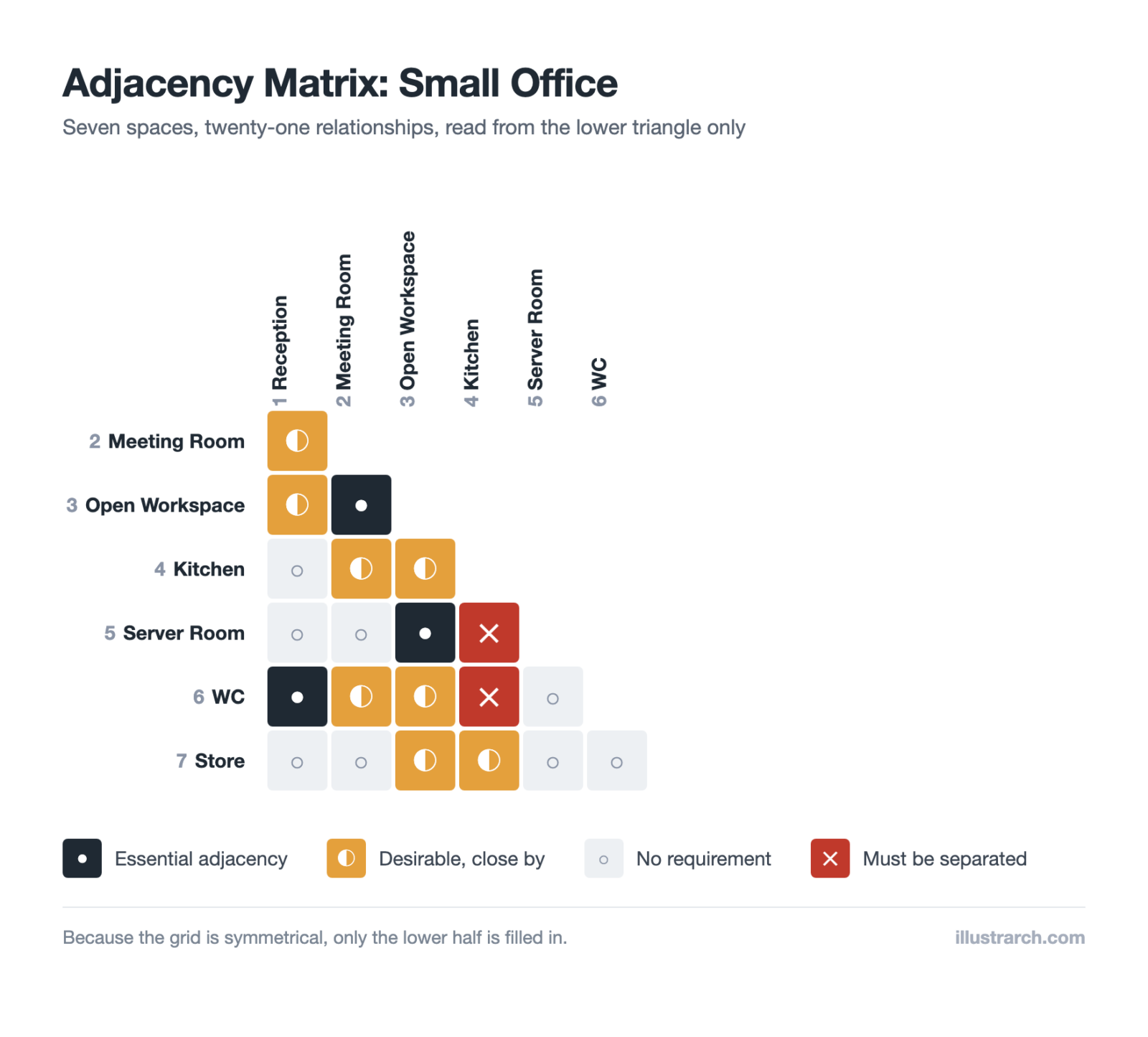
Matrix Diagram in Architecture: How to Map Space Adjacencies
A matrix diagram, or adjacency matrix, maps how every space in a...
Sinan Ozen8 Mins read


Leave a comment