

Bubble Diagram In Architecture
Bubble diagrams are essential tools in the early stages of architectural design, helping architects and designers explore spatial relationships before precise dimensions are defined. By visualizing how spaces connect, interact, and circulate, these diagrams support clearer decision-making, better functionality, and stronger communication with clients and stakeholders.
 Sinan Ozen28 January 202621 Mins read5.3k
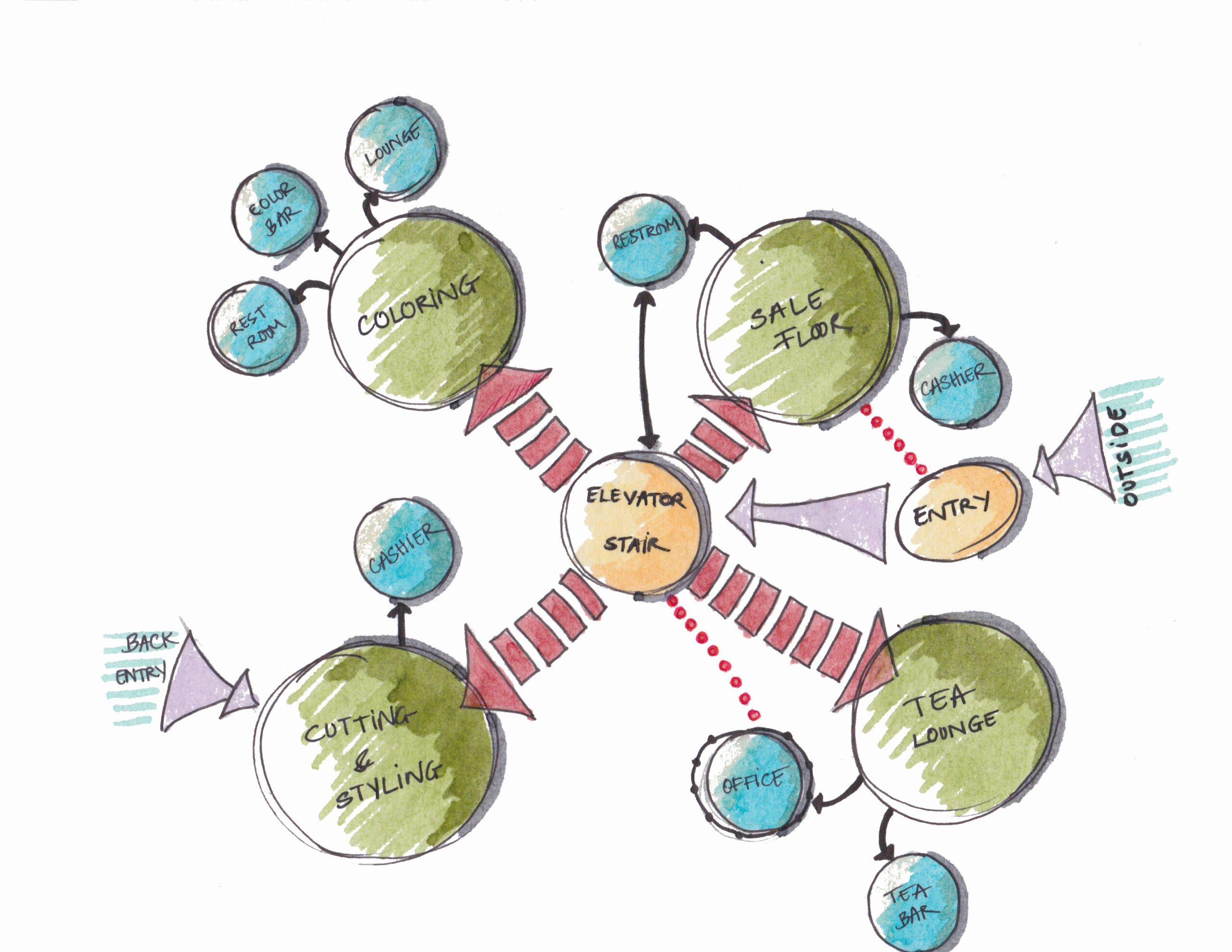


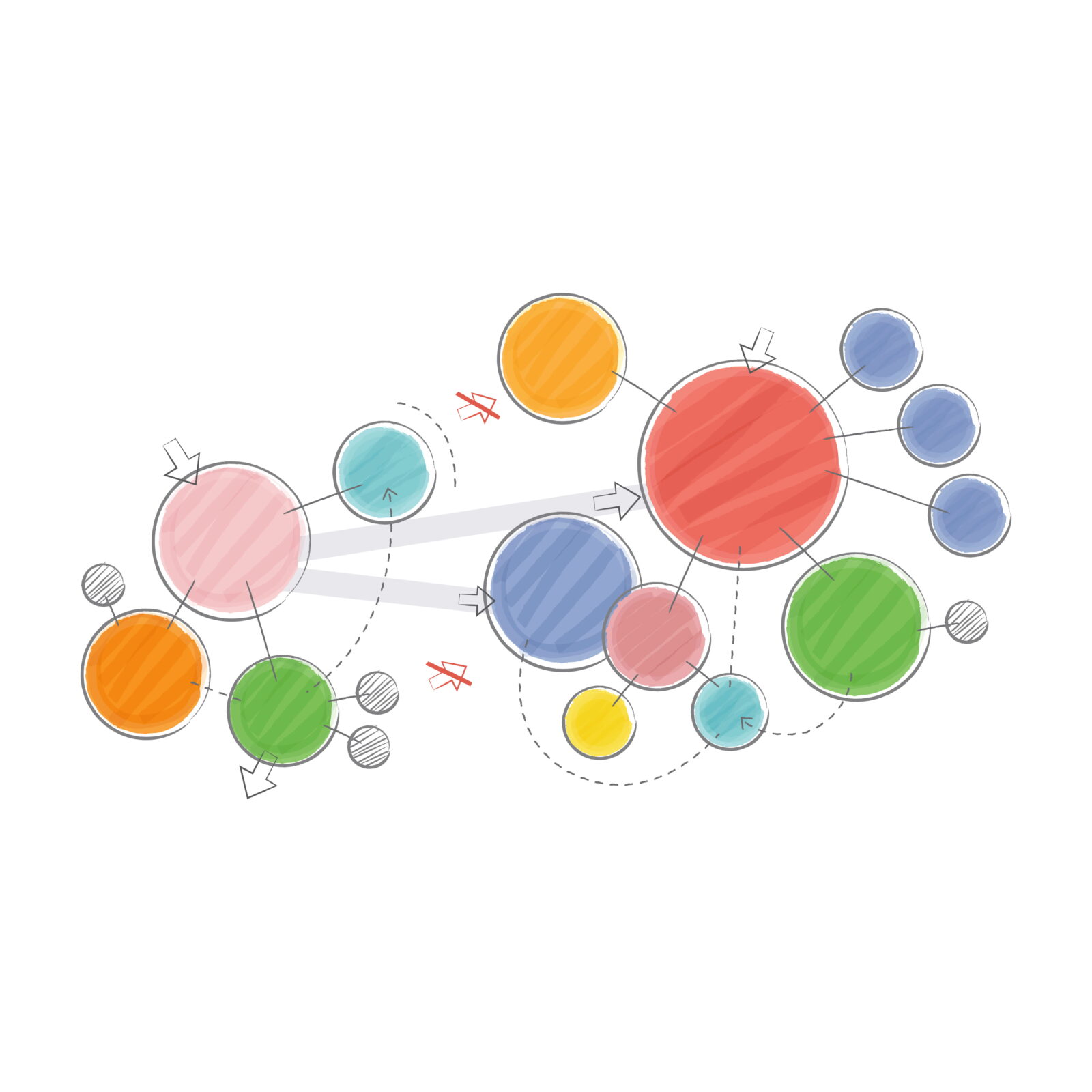
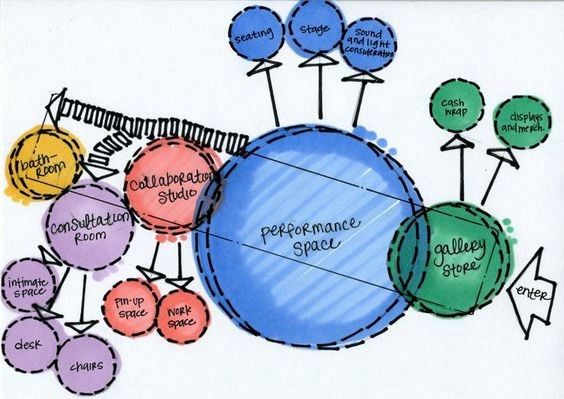

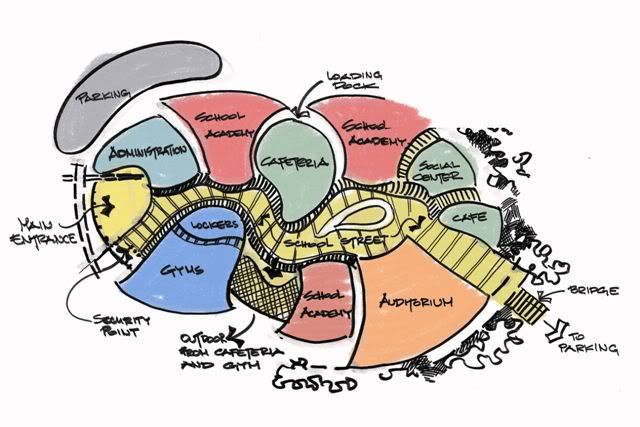
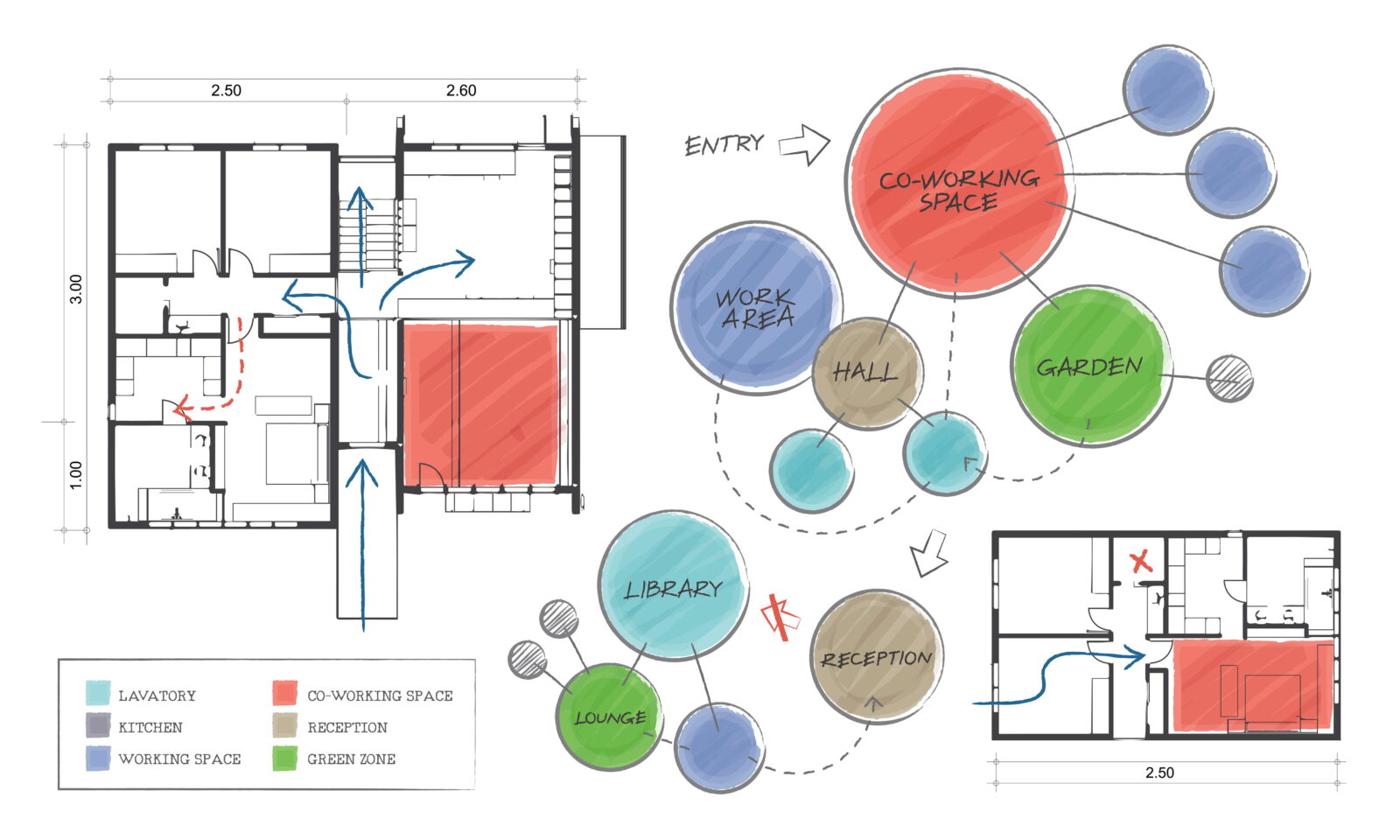

Table of Contents Show
Quick Answer: A bubble diagram is a simple, freehand sketch that uses circles (“bubbles”) to represent the spaces in a building and lines to show how they connect. Architects use bubble diagrams early in design to plan adjacencies, circulation and zoning before drawing detailed floor plans.
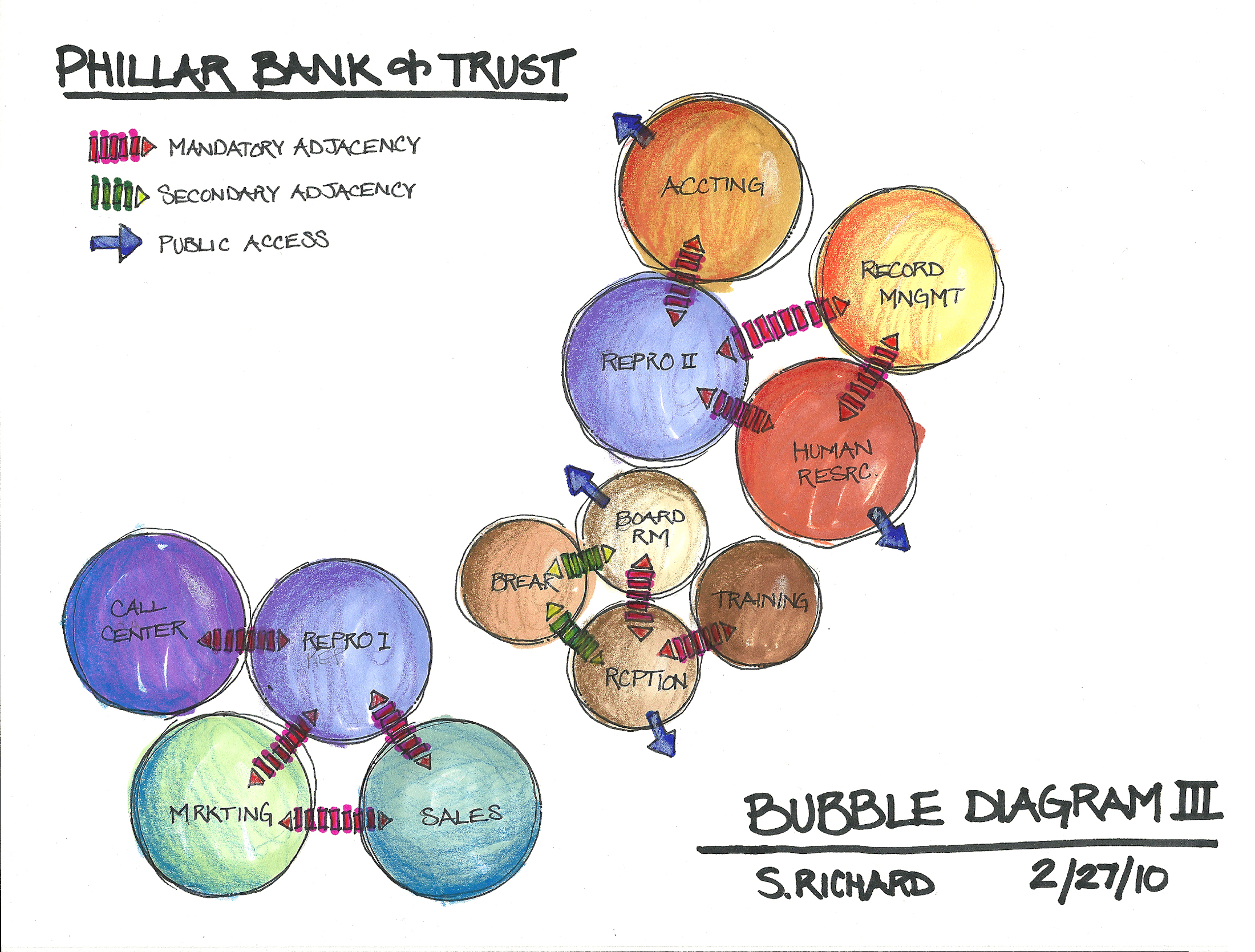
In architectural design, you can create a list categorizing all of the spaces and then sort the list into a table placement diagram. It is possible to organize your space based on the types of relationships that exist in the list. The bubble diagram is a freehand diagrammatic drawing created by architects and interior designers to be used throughout the design process’ earliest stages for these kind of organizations. Whether you’re working on an architecture bubble diagram for a large commercial project or a bubble diagram for interior design of a residential space, this tool remains essential.
What Is a Bubble Diagram in Architecture?
A bubble diagram in architecture is a conceptual planning tool used in the earliest stages of architectural design to explore spatial relationships, functional adjacencies, and circulation logic. Instead of focusing on exact dimensions or forms, it uses abstract shapes to represent spaces and their interactions.
Bubble diagrams help architects think strategically about how users move through a building, which spaces should be connected or separated, and how different functions relate to one another. By removing scale and structural constraints, they allow designers to focus purely on programmatic clarity and design intent before moving into schematic plans. This same principle applies when creating a bubble diagram in interior design, where understanding room relationships is equally critical.
In essence, a bubble diagram definition can be summarized as: a freeform schematic drawing that represents spatial relationships through circles (bubbles) of varying sizes connected by lines, used during the preliminary design phase to organize spaces based on function, importance, and connectivity. This spatial diagram approach forms the foundation for all subsequent design decisions.
How Are Bubble Diagrams Used in 2026 Design Workflows?
In 2026, bubble diagrams are no longer limited to hand sketches or static diagrams. Architects increasingly use digital bubble diagram maker tools integrated with BIM, AI-assisted planning software, and real-time collaboration platforms. This shift allows faster iteration and clearer communication between design teams and clients. The architecture bubble diagram has evolved from simple pencil sketches to sophisticated digital representations.
Another emerging trend is the use of bubble diagrams during early sustainability analysis. By mapping spatial relationships early, designers can better optimize daylight access, natural ventilation paths, and circulation efficiency before committing to detailed layouts, saving both time and design revisions later in the process. Interior designers particularly benefit from this approach, as the interior design bubble diagram helps establish optimal furniture placement and traffic flow patterns.
Free Online Bubble Diagram Maker
The bubble diagram is crucial because it guides the later stages of the design process. A bubble diagram gives information basically like other architectural diagrams. This information describes the building’s spaces and their purposes, patterns, and circulation. As a spatial diagram, it communicates complex relationships in an easily understandable visual format.
Try Our Free Bubble Diagram Maker ToolBubble diagrams play a crucial role in the conceptual phase of architectural design, allowing designers to experiment with spatial arrangements without being constrained by precise dimensions or architectural details. This flexible approach enables architects to focus on the functional relationships between spaces, ensuring that the layout promotes efficiency and meets the needs of its users. By visualizing how spaces interact, designers can identify potential issues early on and explore various configurations to optimize the overall design. The bubble diagram in architecture serves as this vital exploratory tool.
Moreover, bubble diagrams facilitate better communication between architects, clients, and stakeholders. These diagrams provide a clear and straightforward representation of the design intent, making it easier for all parties to understand and contribute to the planning process. Clients can visualize the spatial organization and provide feedback before the design becomes more detailed and harder to modify. This collaborative approach helps ensure that the final design aligns with the client’s vision and functional requirements.
How to Make a Bubble Diagram in Architecture: Step-by-Step Guide
Creating an effective architecture bubble diagram requires a systematic approach. Whether you’re a student learning the basics or a professional refining your workflow, following these steps will help you create clear, functional diagrams. The same principles apply when developing a bubble diagram for interior design projects:
Step 1: List Your Programmatic Elements
Before drawing anything, create a comprehensive list of all spaces required in your project. This includes primary spaces (living room, bedrooms, kitchen), secondary spaces (hallways, storage), and service areas (bathrooms, utility rooms). For each space, note its approximate size requirement (small, medium, large) and any special considerations like natural light needs or privacy requirements. This foundational step is essential for both bubble diagram in architecture and bubble diagram in interior design applications.
Step 2: Analyze Spatial Relationships
Determine which spaces need to be adjacent, which should be separated, and which require visual or acoustic privacy. Consider questions like: Should the kitchen be near the dining area? Does the master bedroom need direct bathroom access? Which spaces benefit from natural light? Create a simple adjacency matrix if needed to clarify these relationships. Your spatial diagram will be more effective when these relationships are clearly defined.

rawpixel.com on Freepik
Step 3: Draw Your Bubbles
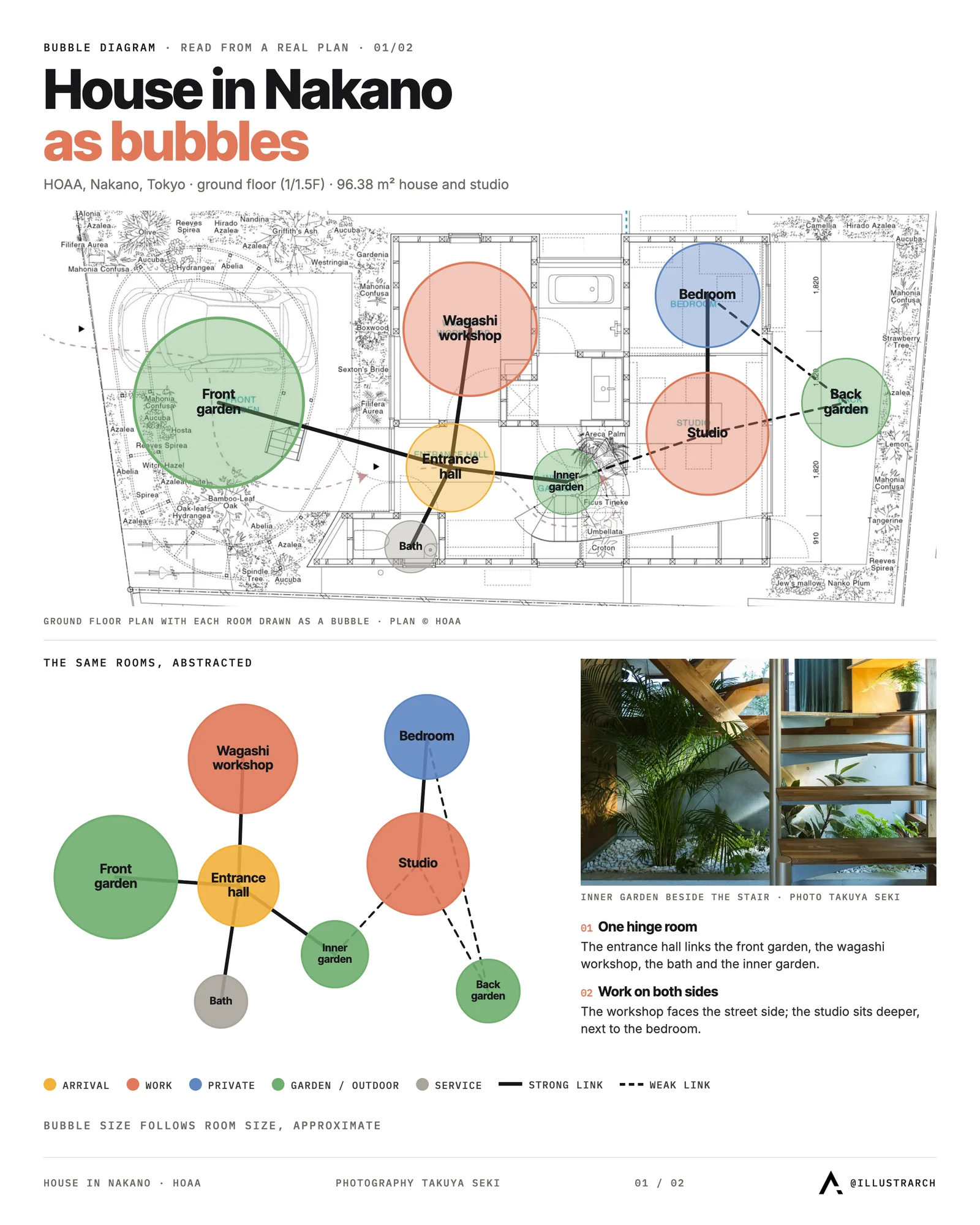
Begin with your main or central space, often the entry, living area, or lobby depending on the building type. Draw a circle or oval representing this space, with the size roughly proportional to its importance or square footage. Continue adding bubbles for each remaining space, positioning them based on the relationships you identified in Step 2. This process is identical whether you’re creating an architecture bubble diagram or an interior design bubble diagram.
Step 4: Connect the Spaces
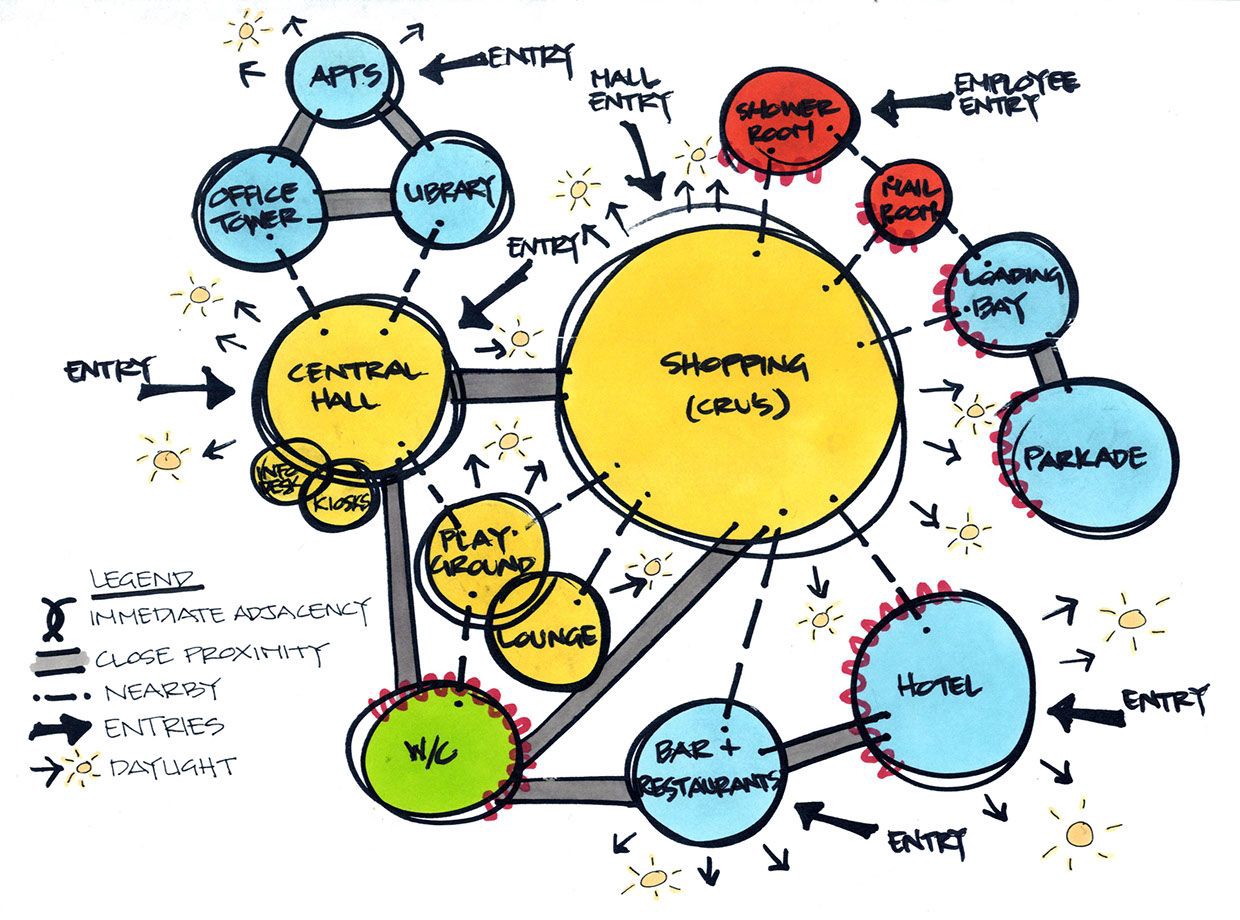
Use lines to show connections and circulation paths between spaces. Different line types convey different relationships:
- Solid lines: Strong, direct connections (e.g., kitchen to dining)
- Dashed lines: Visual connections or indirect relationships
- Double lines: Primary circulation paths
- Arrows: Direction of movement or access
Step 5: Add Labels and Colors
Label each bubble clearly with the space name. Use colors to group related functions, for example, warm colors (red, orange) for social spaces, cool colors (blue, green) for private areas, and neutral colors for service spaces. This color coding makes the bubble diagram easier to read at a glance and transforms it into an effective spatial diagram.
Step 6: Refine and Iterate
Review your diagram against your original program requirements. Does the layout make sense functionally? Are circulation paths efficient? Create multiple versions exploring different arrangements before settling on a final concept. Remember, the beauty of bubble diagrams is their flexibility, don’t be afraid to start over if needed.
What Are Bubble Diagram Symbols and Legends?
While bubble diagrams are freeform by nature, using consistent symbols helps communicate your design intent clearly. Here’s a guide to common bubble diagram architecture symbols:

Bubble Sizes
- Large bubbles: Primary spaces (living room, main hall, lobby)
- Medium bubbles: Secondary spaces (bedrooms, offices, dining)
- Small bubbles: Service areas (bathrooms, storage, utilities)
Line Types
- Solid line (, , ): Direct physical connection, required adjacency
- Dashed line (- – -): Visual connection, optional adjacency
- Double line (═══): Main circulation route
- Wavy line (∿∿∿): Flexible or indirect relationship
- Arrow (→): Direction of movement, entry/exit point
Color Coding
- Red/Orange: Social/public spaces
- Blue/Green: Private/quiet spaces
- Yellow: Transitional spaces
- Gray: Service/utility spaces
- Brown: Outdoor spaces
Additional Symbols
- ☐ (Square): Furniture placement
- ★ (Star): Key feature or focal point
- ↑ (Arrow): North direction
- ⊙ (Circle with dot): Entry point
- ☀ (Sun symbol): Natural light requirement
Always include a legend in your bubble diagram to explain your specific symbols and color choices. This is especially important when sharing diagrams with clients or collaborators who may not be familiar with your personal notation system.
Starting spatial organization with bubble diagrams causes you to think more simply to design the space you are working on, and to make effective decisions for the use of the space. You can work on bubble diagrams for both floor plans and sections. Those spatial diagrams show the abstract form of spaces in terms of proximity, distance and access to each other.
Also, bubble diagrams help in decisions such as how the rooms will be placed and how the floor plans will be designed in interior design. For example, after determining the main entrance in a residential plan, you can decide with a bubble diagram what the spaces will be opposite and on both sides of the entrance. In practice, professionals often utilize these diagrams to optimize spatial flow and functionality, as seen in various home staging projects that prioritize both aesthetics and practicality.
How Do You Use a Bubble Diagram for Interior Design?
While the bubble diagram in architecture focuses on building-scale spatial planning, the bubble diagram for interior design addresses room-level organization with greater attention to furniture placement, traffic patterns, and user experience within individual spaces.
Key Differences in Interior Design Applications
The interior design bubble diagram typically operates at a smaller scale and considers factors such as:
- Furniture zones: Seating areas, dining spaces, work stations
- Activity clusters: Reading nooks, entertainment centers, conversation areas
- Traffic flow: How people move through and around furniture
- Sight lines: Views to focal points like fireplaces, windows, or art
- Lighting zones: Areas requiring different lighting types
Creating a Bubble Diagram in Interior Design
When developing a bubble diagram in interior design, interior designers focus on human comfort and daily activities. Each bubble might represent a functional zone rather than an entire room, for example, within a living room, you might have separate bubbles for “conversation area,” “media viewing,” and “reading corner.” This spatial diagram approach ensures that every square foot serves a purpose.
The bubble diagram for interior design also considers the psychological aspects of space, creating intimacy in certain areas while maintaining openness in others. Professional interior designers use these diagrams to communicate their vision to clients before committing to specific furniture selections or layouts. For more guidance on space planning principles, understanding the relationship between function and aesthetics is essential.
What Are Bubble Diagram Examples by Building Type?
Different building types require unique approaches to bubble diagramming. Here are examples and considerations for various project types:
Bubble Diagram Architecture House (Residential)
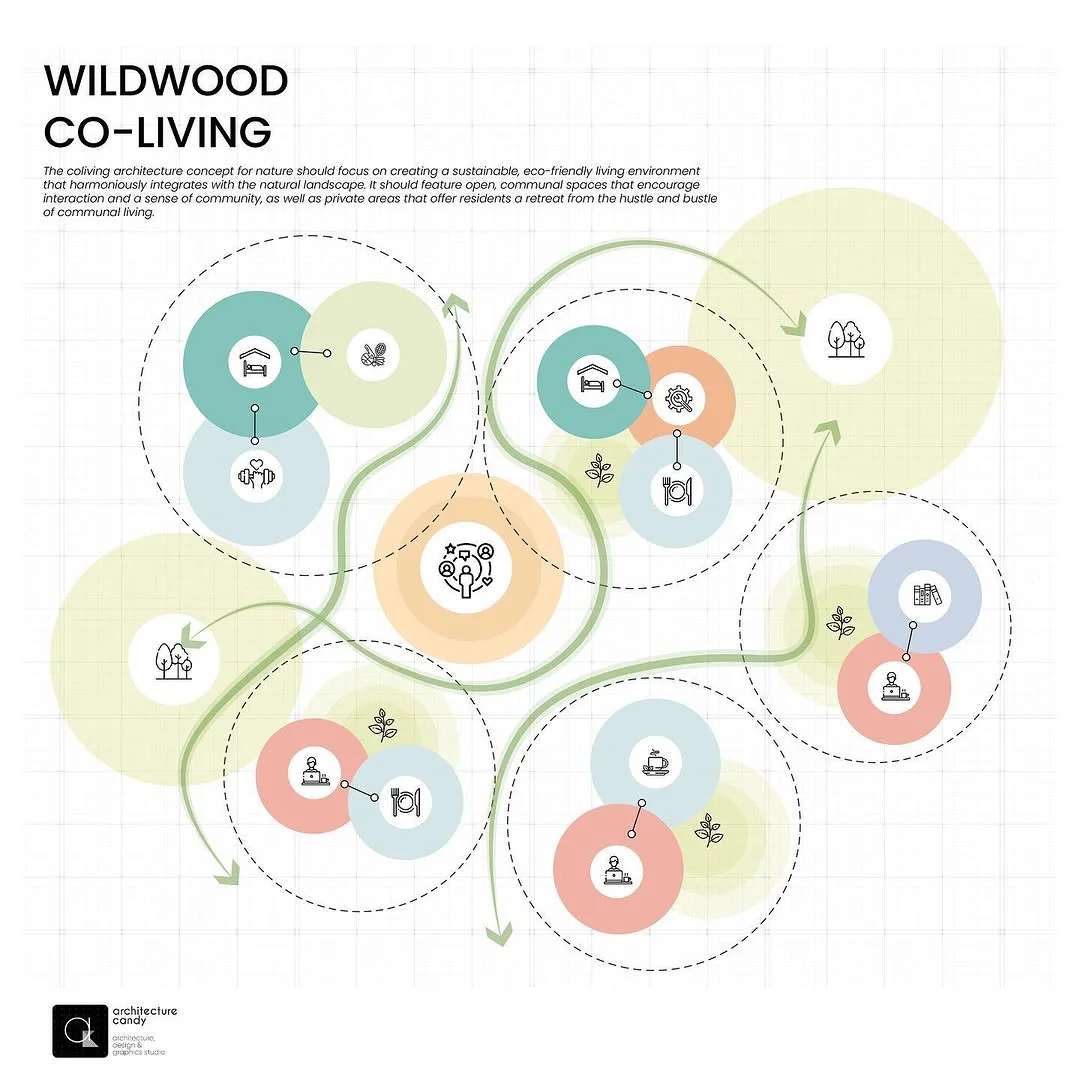
For residential bubble diagrams, focus on the relationship between public and private zones. The entry typically connects to social spaces (living, dining) while maintaining separation from private areas (bedrooms). The architecture bubble diagram for houses should consider:
- Kitchen proximity to dining and outdoor areas
- Master suite separation from children’s rooms
- Bathroom access from bedrooms
- Natural light for living spaces
- Service areas (laundry, storage) accessibility

rawpixel.com on Freepik
Office Building Bubble Diagram
Office layouts prioritize workflow efficiency and collaboration. The bubble diagram in architecture for commercial spaces should consider:

- Reception as the central hub
- Meeting rooms accessible from main circulation
- Private offices separated from open workspaces
- Break rooms near but not within work areas
- Support spaces (copy room, server room) strategically placed
Healthcare Facility Bubble Diagram
Medical facilities require careful attention to patient flow, staff efficiency, and hygiene zones:
- Clear separation of public and clinical areas
- Emergency access separate from main entry
- Staff-only circulation routes
- Clean and dirty utility separation
- Waiting areas with sight lines to reception

Educational Building Bubble Diagram
Schools balance learning spaces with support functions:
- Classrooms clustered by age or subject
- Administration near main entry for security
- Library/media center centrally located
- Cafeteria with kitchen access and outdoor connection
- Gymnasium with separate exterior access for events
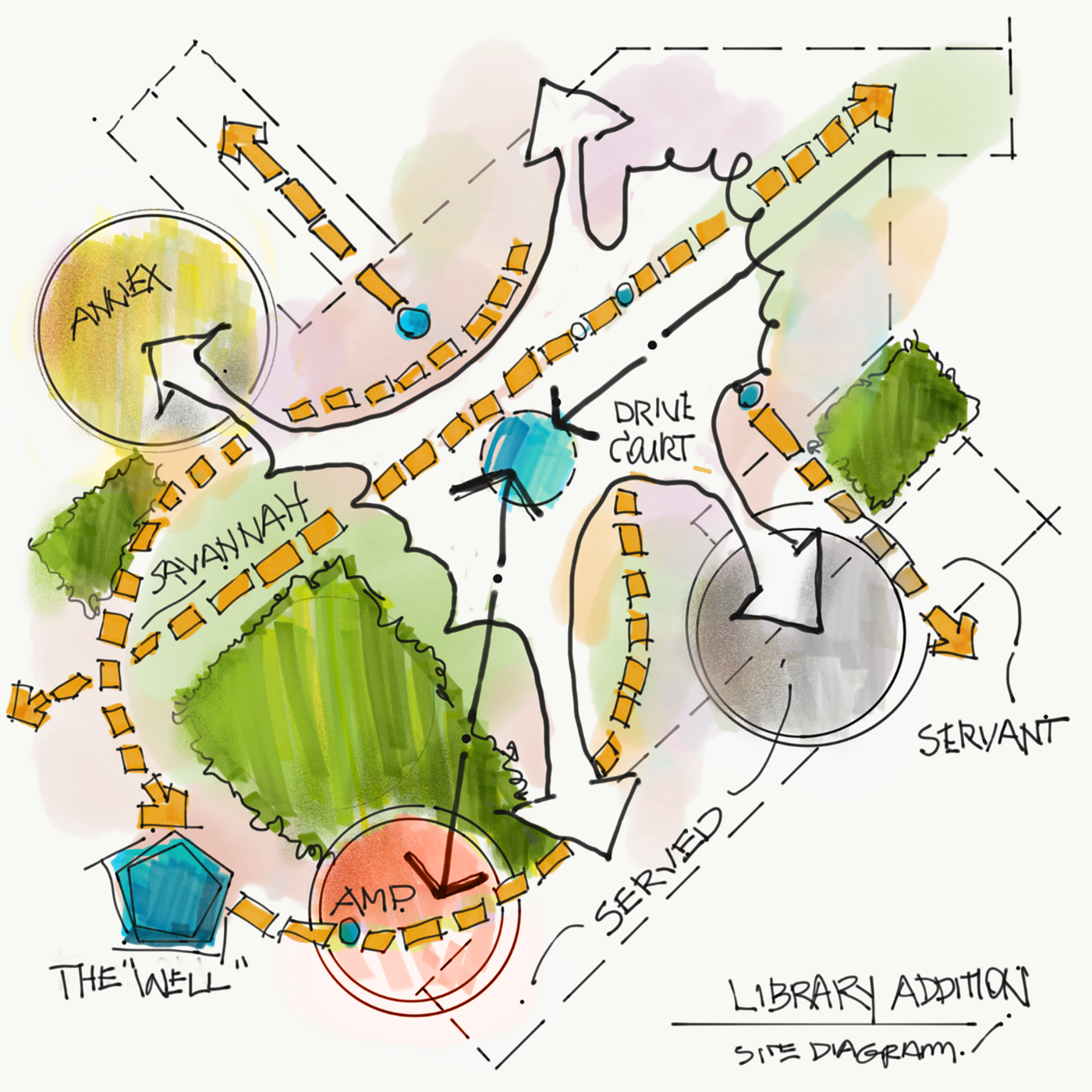
The program is depicted in the form of circles and ovals in a floor plan format in bubble diagrams. Each circle, or bubble, represents the amount of space required for a specific activity, such as eating, sleeping, or studying. The circles in bubble diagram engage you in design functions such as seclusion, circulation, noise, and daylight.
How Does a Bubble Diagram Differ From Other Architectural Diagrams?
Understanding how bubble diagrams relate to other diagram types helps clarify when and how to use each tool effectively:
Bubble Diagram vs Floor Plan
A bubble diagram is an abstract, conceptual representation created early in design without precise dimensions. A floor plan is a detailed, scaled drawing showing exact room sizes, wall positions, doors, and windows. Bubble diagrams explore “what goes where,” while floor plans define “exactly how big and where.”
Bubble Diagram vs Zoning Diagram
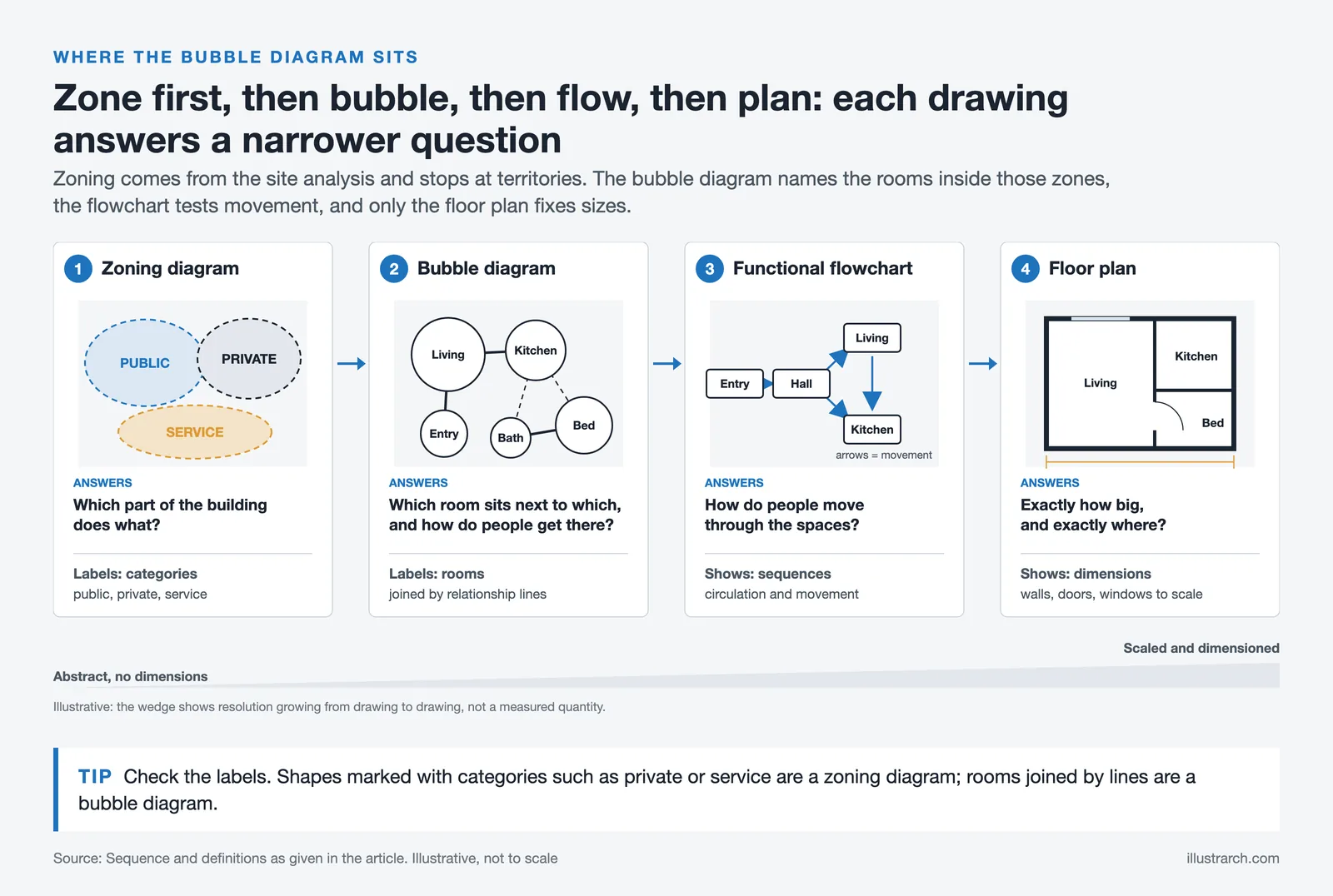
The difference between a zoning diagram and a bubble diagram is resolution. A zoning diagram divides a project into broad functional territories, such as public, private, and service, and stops there. It answers “which part of the building does what.” A bubble diagram takes each of those territories and breaks it into named spaces, then draws the connections between them. It answers “which room sits next to which, and how do people get there.”
The two also sit at different moments. Zoning usually comes first, often directly from the site analysis, because it responds to orientation, access, noise, and views. Bubble diagramming follows, working inside the zones that zoning established. A designer who skips zoning tends to produce bubble diagrams that ignore the site; a designer who stops at zoning never tests whether the program actually fits.
A quick way to tell them apart in a drawing: if the shapes are labelled with categories (“private”, “service”) it is a zoning diagram. If they are labelled with rooms (“kitchen”, “reception”) and joined by lines, it is a bubble diagram.

Bubble Diagram vs Functional Flowchart
A functional flowchart emphasizes circulation and movement sequences: how people move through spaces. Bubble diagrams focus more on spatial relationships and adjacencies. The ideal workflow is: zoning → bubble diagram → functional flowchart → floor plan.
Bubble Diagram vs Parti Diagram
A parti diagram captures the essential conceptual idea or organizing principle of a design. Bubble diagrams are more pragmatic, focusing on program accommodation rather than design concept. Both are valuable at different stages of conceptual development.

Bubble Diagram vs Spatial Diagram
The terms bubble diagram and spatial diagram are often used interchangeably, though spatial diagrams can encompass a broader range of diagrammatic representations. A spatial diagram might include bubble diagrams, circulation diagrams, and other visual tools that represent three-dimensional relationships in two-dimensional form. The bubble diagram in architecture is essentially a specific type of spatial diagram focused on programmatic relationships.
Bubble Diagram vs Adjacency Matrix
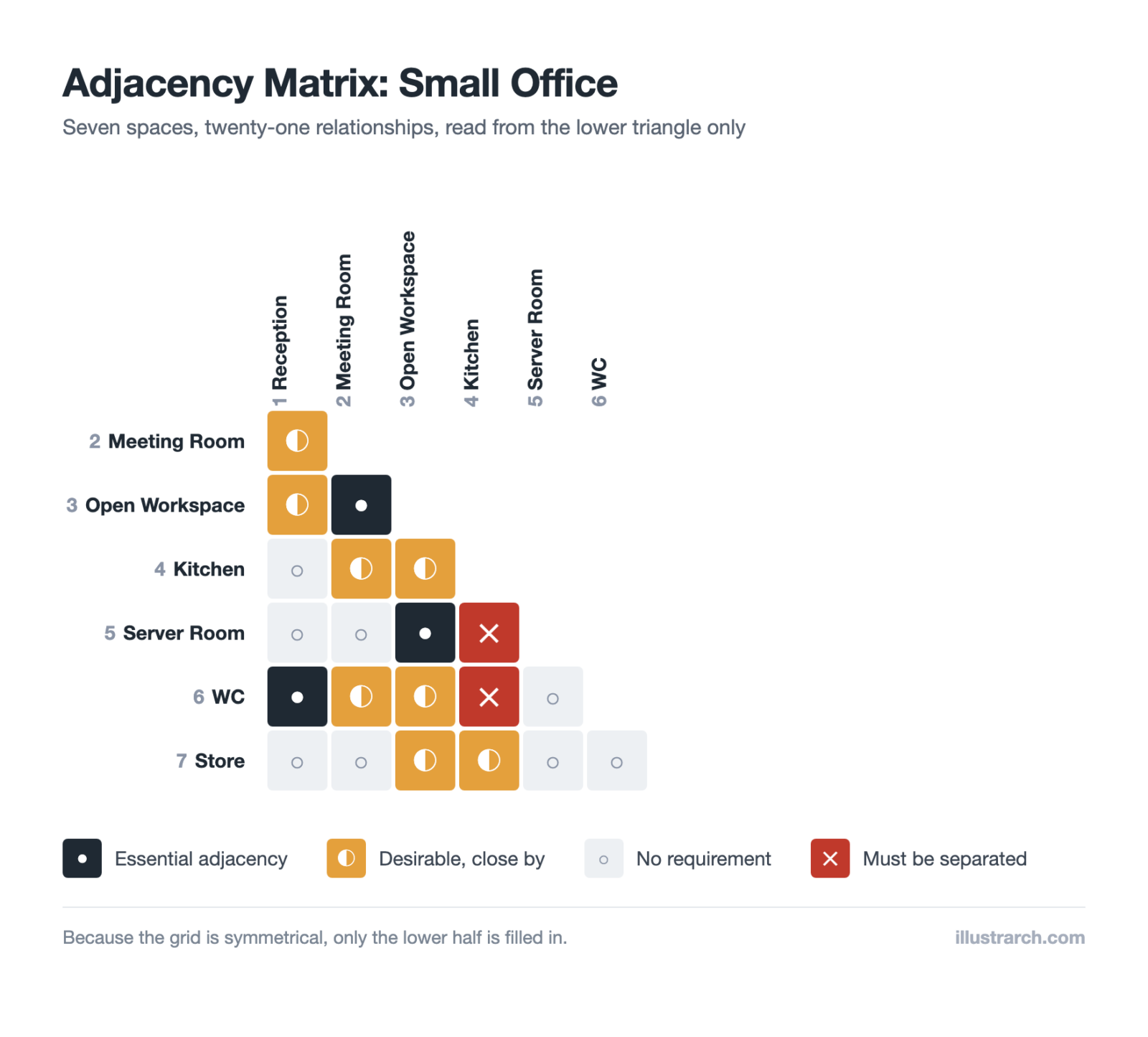
An adjacency matrix is a table showing which spaces should be adjacent, using symbols or numbers to indicate relationship strength. Bubble diagrams visualize these same relationships spatially. Many architects create an adjacency matrix first, then translate it into a bubble diagram.
In educational settings, bubble diagrams are also valuable tools for teaching architectural design principles. They encourage students to think critically about space planning and the relationships between different areas within a building. By practicing with bubble diagrams, students can develop a strong foundation in spatial reasoning and design thinking, which are essential skills for their future careers in architecture and interior design.
Once the relationships are settled and the question becomes how much floor each kind of use takes, the next drawing is a zoning diagram. Our free zoning diagram maker reads a room list straight out of the bubble tool above and reports the area and share of every zone.
How Are Bubble Diagrams Used in Landscape Architecture?
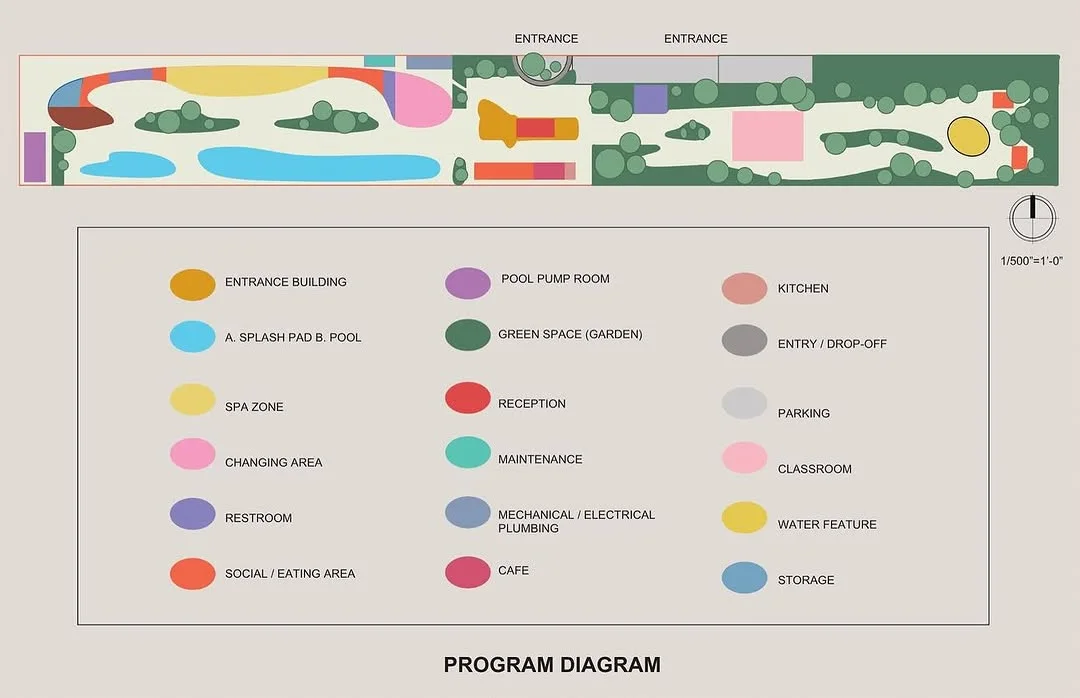
Bubble diagrams are equally valuable in landscape architecture, helping designers organize outdoor spaces and site planning. Key applications include:
Site Organization
Landscape bubble diagrams help establish zones for different outdoor activities: entertainment areas, gardens, play spaces, utility zones, and circulation paths. They show how outdoor spaces relate to the building and to each other. This spatial diagram approach is essential for comprehensive site planning.
Garden Design
For residential landscapes, bubble diagrams can map:
- Patio and deck locations
- Lawn areas and their sizes
- Vegetable gardens and cutting gardens
- Fire pit or water feature placement
- Storage and compost areas
- Planting beds and borders

Public Space Planning
Parks and public landscapes use bubble diagrams to organize:
- Active recreation areas (sports fields, playgrounds)
- Passive recreation (picnic areas, walking paths)
- Water features and natural areas
- Pavilions and gathering spaces
- Service and maintenance access
In landscape architecture, bubble diagrams assist in organizing outdoor spaces and ensuring that various elements, such as gardens, pathways, and recreational areas, are well-integrated. For interior designers, these diagrams help in arranging furniture and defining the flow within a space, contributing to a harmonious and functional interior environment. The bubble diagram in interior design follows similar principles but at a more intimate scale.

What Software and Tools Help You Make Bubble Diagrams?
Modern architects have numerous options for creating bubble diagrams digitally. Here are the most popular bubble diagram maker tools:
Free Online Tools
- illustrarch Bubble Diagram Maker: Purpose-built for architects with architecture-specific templates
- Canva: User-friendly with drag-and-drop interface
- draw.io (diagrams.net): Free, powerful diagramming tool
- Google Drawings: Simple, collaborative option
Professional Software
- Microsoft Visio: Industry-standard for professional diagrams
- Adobe Illustrator: Maximum design flexibility
- SketchUp: Can create 3D bubble diagrams
- Revit/AutoCAD: Integration with BIM workflows
- EdrawMax: Extensive architecture templates
Choosing the Right Tool
For quick conceptual work, hand sketching or simple online tools work best. For client presentations, professional software produces polished results. For BIM integration, use tools that export to formats compatible with your main design software. Whether you’re creating an architecture bubble diagram or an interior design bubble diagram, choose tools that match your workflow.
How Do You Turn Adjacency Requirements Into a Bubble Diagram?
Our free adjacency matrix maker builds that grid for you, then exports it straight into this bubble diagram maker.
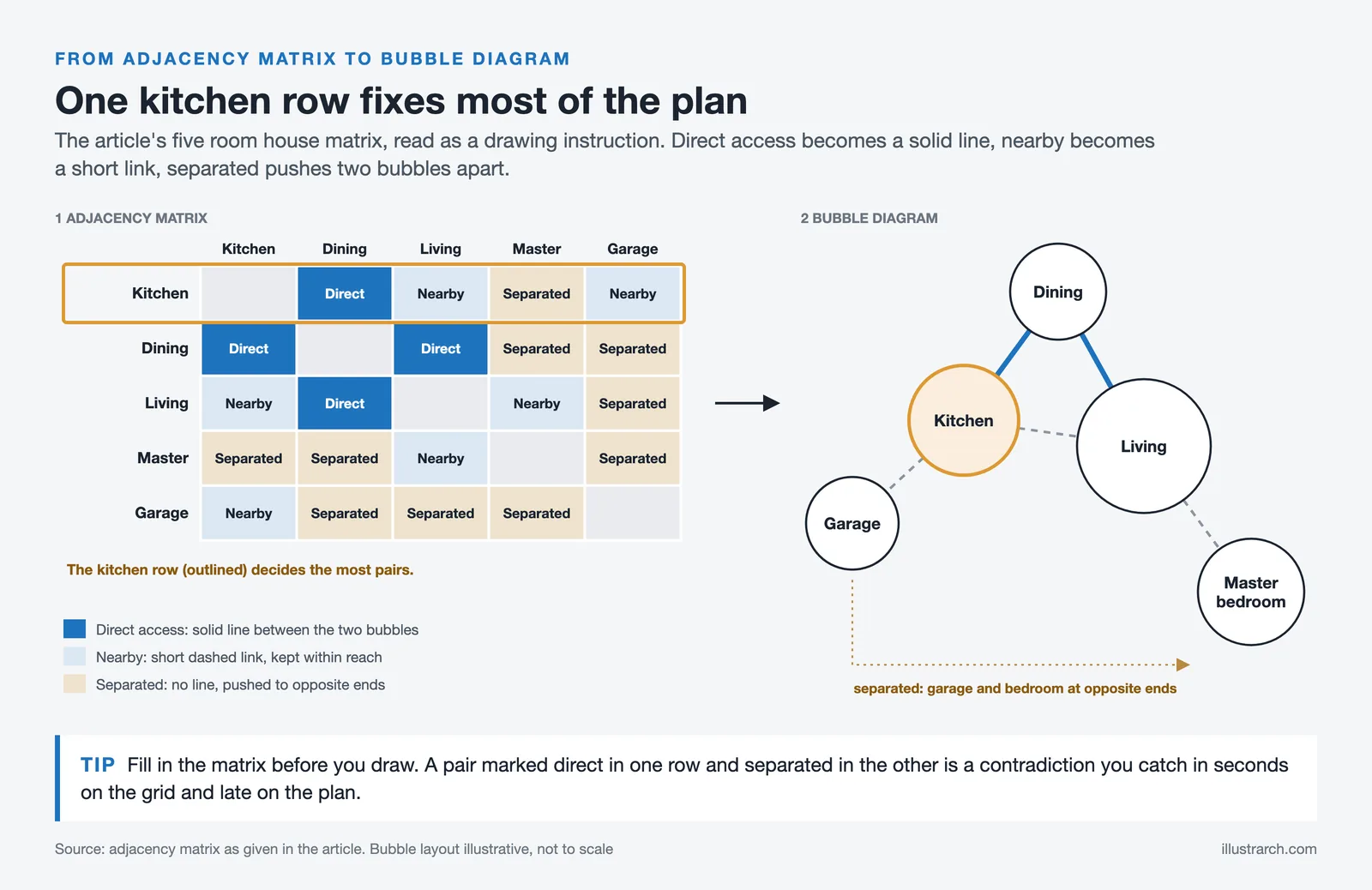

Before drawing bubbles, many architects write the relationships down in a grid. An adjacency matrix (you can build one in our free adjacency matrix maker) lists every programmatic space along both axes, and each cell records whether the two spaces need direct access, should simply be nearby, or are better kept apart. Working this way catches contradictions that are easy to miss when you sketch straight onto paper.
The matrix below shows the method applied to a small house.
| Space | Kitchen | Dining | Living | Master bedroom | Garage |
|---|---|---|---|---|---|
| Kitchen | Direct access | Nearby | Separated | Nearby | |
| Dining | Direct access | Direct access | Separated | Separated | |
| Living | Nearby | Direct access | Nearby | Separated | |
| Master bedroom | Separated | Separated | Nearby | Separated | |
| Garage | Nearby | Separated | Separated | Separated |
Read the grid as a drawing instruction. Every “direct access” cell becomes a solid line, every “nearby” cell becomes a short gap, and every “separated” cell tells you to push those two bubbles to opposite ends. The kitchen row alone fixes most of the plan: it pulls dining in tight, keeps living within reach, and pushes the bedrooms away.
What Makes a Good Bubble Diagram?
Knowing what to avoid is useful, but it helps to know what you are aiming for. A bubble diagram that works in a real project usually shows all eight of the following:
- Clear spatial hierarchy. Size, placement, and spacing say which areas are primary, which are secondary, and which are supporting. A reader should find the heart of the project without being told.
- Logical adjacencies. Related functions stay connected and conflicting ones stay apart, so the diagram reflects how people will actually move and interact.
- Defined circulation paths. Lines, arrows, or the placement of the bubbles themselves imply routes. Movement is the backbone of the plan, and leaving it out hides congestion until much later.
- Appropriate scale and proportion. Bubbles do not need dimensions, but their relative sizes should match the real spatial demands, so nothing feels forced when the plan is drawn.
- Functional zoning. Related activities are grouped and incompatible ones separated, which sets privacy levels, acoustic expectations, and the character of each part of the building.
- Flexibility. The diagram leaves room to be rearranged without losing its logic. Early design changes constantly, and a diagram too rigid to edit stops being useful.
- Visual simplicity. Clean shapes, consistent marks, and minimal annotation, so a client or consultant can read the intent at a glance.
- Direct expression of the program. Every bubble maps to a real requirement, and every requirement appears somewhere. The diagram turns the written brief into something you can look at.
What Is a 3D Bubble Diagram?
A 3D bubble diagram extends the same logic into vertical space, which matters as soon as a project has more than one floor. Spheres replace circles, and vertical connectors show how levels relate, making stairs, lifts, and atria read as the connective tissue they are.
The method is worth the extra effort when the vertical relationships are the difficult part of the brief: a hospital where clean and soiled routes must never cross, a mixed-use block stacking retail under housing, or a school where noisy and quiet floors sit above one another. Rhino and SketchUp are the usual tools, though a stack of tracing paper works for a first pass.
Should You Use a Bubble Diagram Template?

A template gives you a starting arrangement for a common building type: a house, a small office, a classroom block. It saves the tedious part, which is remembering every service space, and it encodes adjacencies that have already been tested on real projects.
The risk is that a template answers a brief you were not given. Use one to make sure nothing is missing from the list, then rearrange it against your own site and program. A template that survives contact with the project unchanged usually means the project was not examined closely enough.
Where Did Bubble Diagrams Come From?
Bubble diagrams emerged in the early twentieth century, as architecture turned toward function and efficiency. Designers needed a way to reason about how a building would be used before committing to how it would look, and a loose circle standing for a room turned out to be exactly the right amount of information.
Le Corbusier and Frank Lloyd Wright both worked in this register, testing spatial organisation against human activity rather than starting from form. The technique survived the arrival of CAD in the late twentieth century unchanged in substance, moving from pencil to screen while keeping its purpose, and it remains one of the first things taught in architectural education for the same reason it was invented: it separates the question of what a building does from the question of what it looks like.
What Are the Limitations of Bubble Diagrams?
The technique has real boundaries, and knowing them prevents leaning on it too long.
It oversimplifies by design. A circle cannot express a structural grid, a service riser, or an accessible route width, so relationships that depend on those details stay invisible until a later drawing exposes them.
The translation into a plan is not automatic. Abstract bubbles can imply arrangements that a real footprint will not accept, and closing that gap costs time that projects rarely budget for. The gap is widest on tight or irregular sites.
It says nothing about construction. Materials, spans, and structural depth are outside its vocabulary, so a diagram can look resolved while hiding a problem that only appears once the building has to stand up.
Finally, it assumes a trained reader. Clients who have not seen the convention before often read the circles literally, as round rooms or as final sizes. A short legend and a sentence of explanation prevents a surprising amount of confusion.
What Common Mistakes Should You Avoid in Bubble Diagrams?
Even experienced designers can fall into these common traps when creating bubble diagrams:
1. Adding Too Much Detail Too Soon
Bubble diagrams should remain abstract. Don’t add furniture, exact dimensions, or detailed room shapes at this stage. The goal is spatial relationships, not final design. This applies equally to the bubble diagram in architecture and bubble diagram in interior design.
2. Forgetting Circulation
Every space needs access. Ensure your spatial diagram accounts for hallways, corridors, and logical paths between spaces. A beautiful arrangement that can’t be accessed is useless.
3. Ignoring Site Constraints
Consider your site’s orientation, views, access points, and boundaries from the start. A bubble diagram that ignores site realities will need significant revision later.

4. Making Only One Version
The power of bubble diagrams lies in quick iteration. Create multiple versions exploring different arrangements before committing to a direction.
5. Inconsistent Bubble Sizes
Maintain consistent proportions. If your living room bubble is twice the size of a bedroom, that relationship should reflect reality, not just random drawing.
6. Neglecting Vertical Relationships
For multi-story buildings, consider how spaces stack. Create bubble diagrams for each floor and check that vertical circulation (stairs, elevators) aligns logically.
7. Overcomplicating the Legend
A bubble diagram with 15 different line types and 20 colors becomes unreadable. Keep your system simple and consistent.

Frequently Asked Questions About Bubble Diagrams
What is a bubble diagram in architecture?
A bubble diagram in architecture is a freehand conceptual drawing that uses circles (bubbles) to represent spaces and lines to show relationships between them. It’s used in the early design stages to explore spatial organization before creating detailed floor plans. This spatial diagram technique is fundamental to architectural planning.
What is a bubble diagram for interior design?
A bubble diagram for interior design applies the same principles as architectural bubble diagrams but focuses on room-level organization. The interior design bubble diagram helps designers plan furniture zones, traffic patterns, and activity areas within individual spaces. It’s an essential tool for creating functional and aesthetically pleasing interiors.
How do you make a bubble diagram for architecture?
To make an architecture bubble diagram: 1) List all required spaces, 2) Determine spatial relationships and adjacencies, 3) Draw circles representing each space with size indicating relative importance, 4) Connect related spaces with lines, 5) Add labels and color coding, 6) Iterate and refine until the layout works functionally. Learn more about how to use bubble diagrams for architectural planning.
What is the difference between a bubble diagram and a floor plan?
A bubble diagram is an abstract, conceptual representation without precise dimensions, used for exploring spatial relationships. A floor plan is a detailed, scaled drawing showing exact room sizes, wall positions, doors, and windows. Bubble diagrams come before floor plans in the design process.

What is a spatial diagram?
A spatial diagram is a visual representation that shows the relationships between spaces in a building or site. The bubble diagram is the most common type of spatial diagram, using circles and connecting lines to represent rooms and their relationships. Other types of spatial diagrams include circulation diagrams, zoning diagrams, and adjacency matrices.
What software can I use to create a bubble diagram?
Popular options include free tools like illustrarch’s Bubble Diagram Maker, draw.io, and Canva, as well as professional software like Microsoft Visio, Adobe Illustrator, and EdrawMax. Many architects also create bubble diagrams by hand for quick conceptual work.
Why are bubble diagrams important in architecture?
Bubble diagrams are important because they help architects organize spatial relationships before investing time in detailed drawings. They facilitate communication with clients, allow quick iteration of ideas, and ensure the final design meets functional requirements. The bubble diagram in architecture serves as a critical bridge between program requirements and design solutions.
Can bubble diagrams be used for interior design?
Yes, the bubble diagram in interior design is widely used to organize furniture layouts, define activity zones, and plan traffic flow within rooms. Interior designers use these spatial diagrams to communicate design concepts to clients and ensure functional space planning before selecting specific furnishings. For more details, see our guide on diagram types for interior designers.
Can bubble diagrams be used for landscape architecture?
Yes, bubble diagrams are widely used in landscape architecture to organize outdoor spaces, establish zones for different activities, and show relationships between landscape elements and buildings. They’re particularly useful for site planning and garden design. Our landscape architecture guide covers this topic in more detail.
What symbols are used in architectural bubble diagrams?
Common symbols include circles/ovals of varying sizes for spaces, solid lines for direct connections, dashed lines for visual connections, arrows for circulation direction, and color coding to distinguish different functional zones. Always include a legend explaining your specific symbols.

Final Thoughts: Why Bubble Diagrams Still Matter in Architecture and Interior Design
Bubble diagrams continue to play a critical role in architectural and interior design because they encourage clear thinking before complexity enters the process. In a discipline where it is easy to jump too quickly into form-making or software-driven solutions, bubble diagrams slow the process down in a productive way, forcing architects and interior designers to resolve spatial logic first.
They are especially valuable for communicating ideas. Whether explaining a concept to a client, collaborating with consultants, or guiding students through early design phases, the bubble diagram in architecture and interior design bubble diagram provide a universal visual language that is easy to understand and discuss. This makes them an effective bridge between abstract ideas and concrete architectural decisions.
In today’s digital-first workflows, bubble diagrams have evolved rather than disappeared. They now exist alongside AI-assisted planning tools, BIM platforms, and real-time collaboration software. Yet their core purpose remains unchanged: to clarify intent, reduce design errors early, and create stronger architectural concepts from the very beginning. Whether you’re working on an architecture bubble diagram for a skyscraper or a bubble diagram for interior design of a studio apartment, these spatial diagrams remain indispensable tools in the designer’s toolkit.
Download Architectural Diagrams eBook
Related Resources
Wider reading carried over from our earlier bubble diagram guides: the American Institute of Architects on programme and brief, ArchDaily and Dezeen for built examples to reverse-engineer, BibLus for a technical overview, and Wikipedia on architectural diagrams for the general definition.
This page covers the technique in general. These guides go deeper on one question each:
- Free bubble diagram maker: draw one in the browser, no sign-up
- Bubble diagrams for interior design: working inside walls you did not choose
- From bubble diagram to floor plan: the four passes that turn a concept into a layout
- Bubble diagram examples: annotated samples, including competition and museum diagrams
- Bubble diagram software compared: online makers, AI tools, and what each is good for
- Residential bubble diagrams: from brief to house layout
- School bubble diagrams: zoning classrooms, circulation and shared facilities
- Hospital bubble diagrams: clinical adjacency and separated routes
- Shopping mall bubble diagrams: anchors, the mall street and the service layer
- Kindergarten bubble diagrams: garden access, supervision and sleep rooms
Related diagram types: parti diagram, circulation diagram, zoning diagram, and space planning.
Frequently Asked Questions
A bubble diagram is a freehand sketch that uses circles to represent spaces and lines to show how they connect, used early in design to plan adjacencies.
List the spaces, draw each as a circle sized by importance, then connect related spaces with lines to show desired adjacencies and circulation.
The bubble diagram is developed into a floor plan by assigning real dimensions, walls and shapes while keeping the planned relationships.
Last updated:



9 Comments





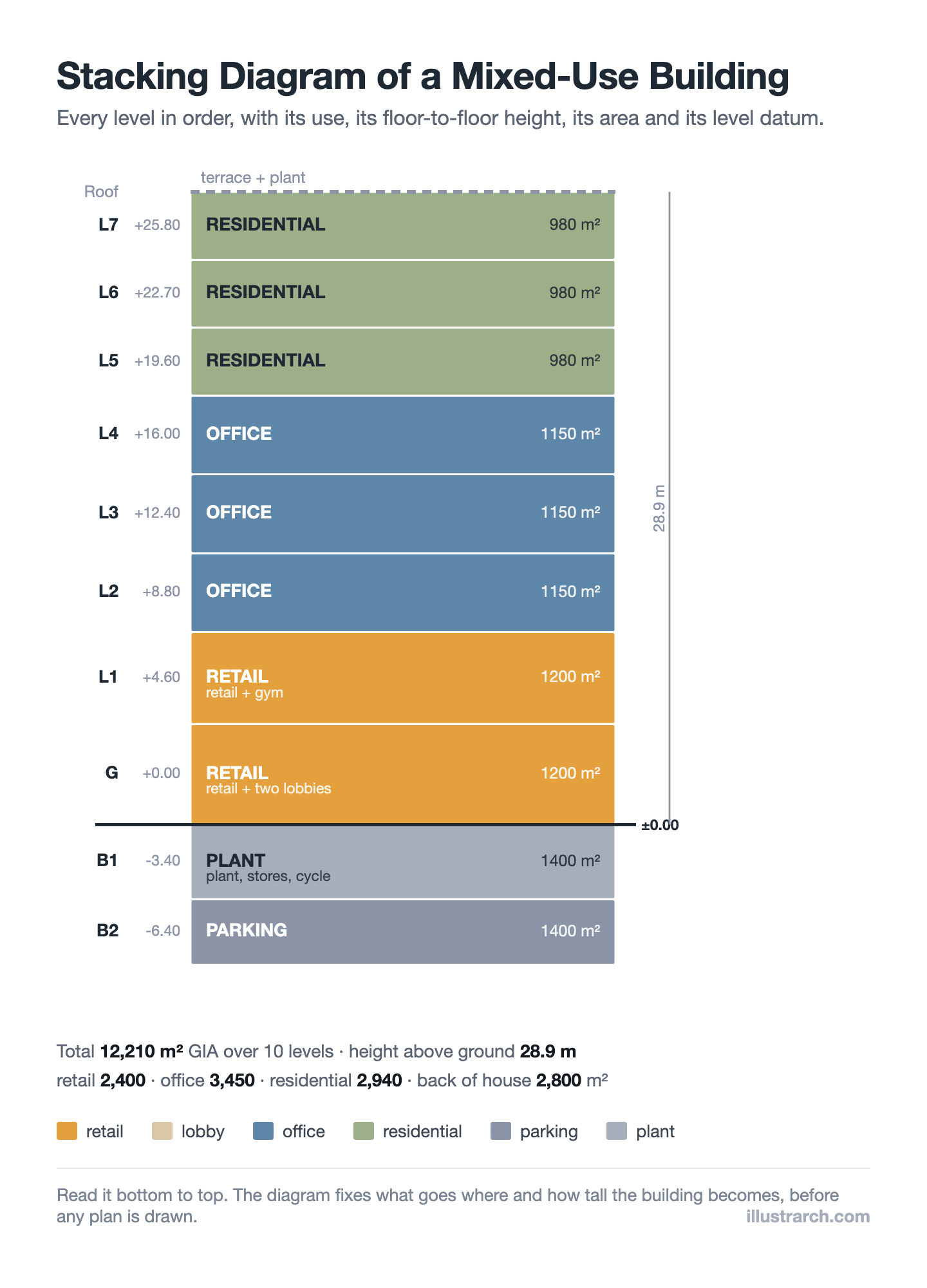
Stacking Diagram: How to Allocate Uses Floor by Floor
A stacking diagram assigns each use in a brief to a level,...
Sinan Ozen7 Mins read
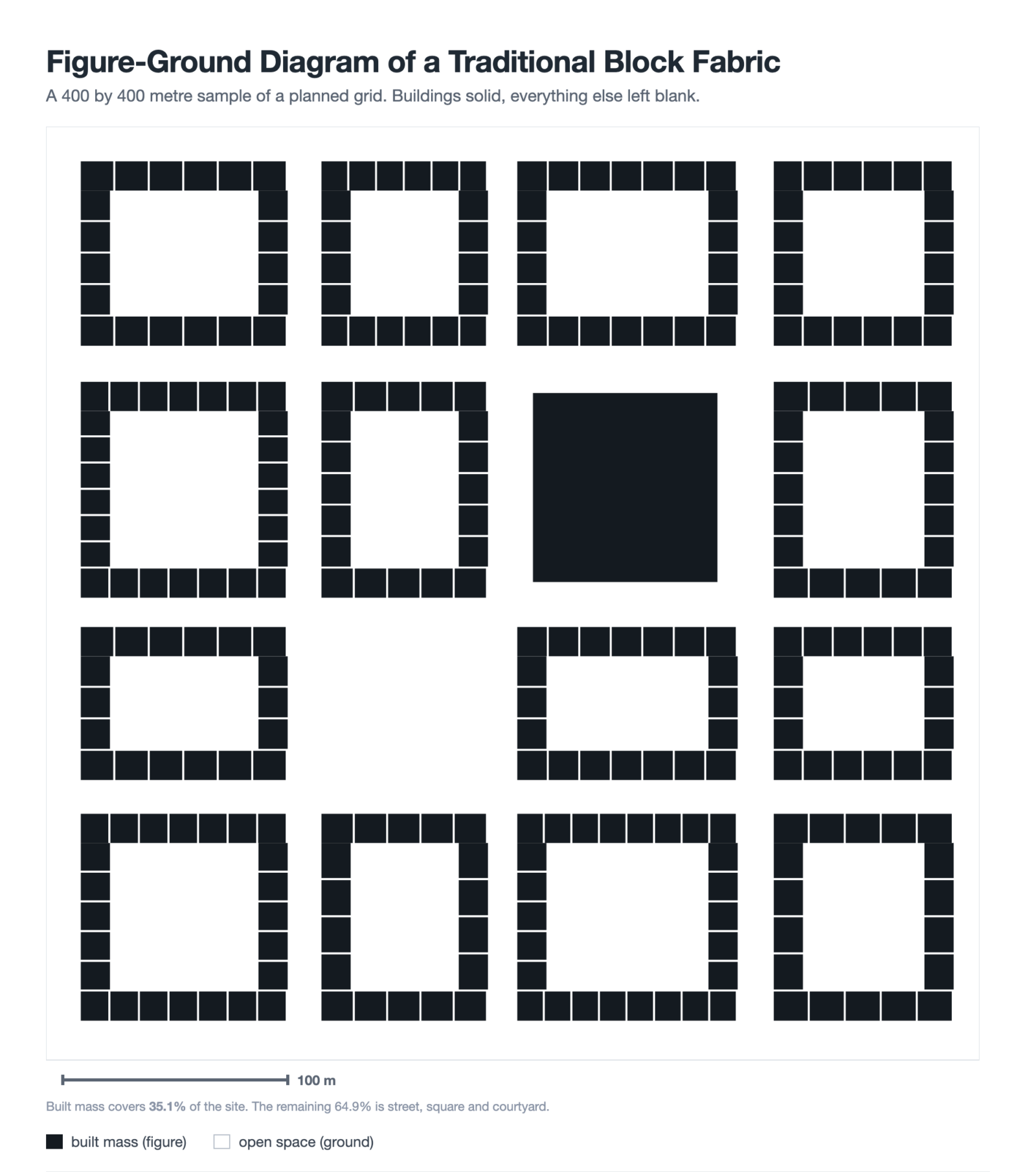
Figure-Ground Diagram: How to Draw and Read Urban Fabric
A figure-ground diagram reduces a city to built mass against open space....
Sinan Ozen7 Mins read
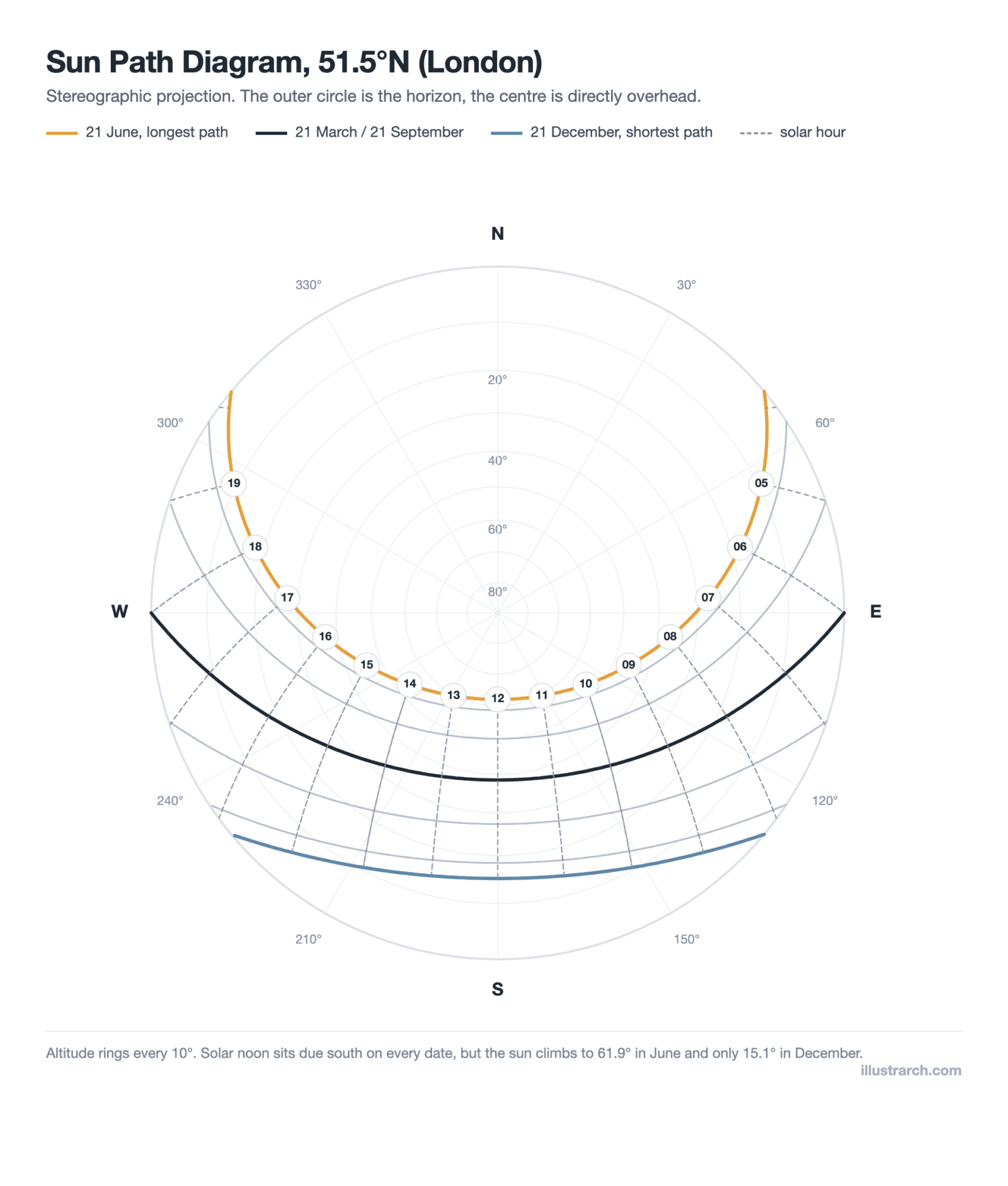
Sun Path Diagram: How to Read One and Use It in Design
A sun path diagram shows where the sun sits all year for...
Sinan Ozen8 Mins read
Matrix Diagram in Architecture: How to Map Space Adjacencies
A matrix diagram, or adjacency matrix, maps how every space in a...
Sinan Ozen8 Mins read


I’m curious about the digital tools mentioned for creating bubble diagrams. Are there specific features that make one tool better than another for beginners?
The idea of using bubble diagrams for early sustainability analysis is fascinating! I can see how that could save time later in the design process. It seems like a smart way to approach space planning.
It seems like there are a lot of steps to create a bubble diagram, but I think they could be worth it to avoid mistakes down the line. Just wondering, why is it important to keep them abstract and not add too much detail?
I appreciate how you highlighted the differences between bubble diagrams and floor plans. It’s clear that each serves its purpose at different stages, but I find it tricky to visualize without getting into details too soon.
I have some doubts about using color coding in bubble diagrams. Isn’t it possible that too many colors might confuse clients rather than help them understand? Keeping things simple seems more effective.
I really liked the step-by-step guide on how to create a bubble diagram! It’s great to see that listing the programmatic elements is the first step. That makes it easier to visualize everything before getting into the details.
I don’t get why bubble diagrams are so crucial. It seems like a lot of effort for just a sketch. Plus, the article mentions it’s easy to ignore circulation paths, which could lead to a pretty chaotic design later on. What happens if you draw everything wrong at this stage?
I found the step-by-step guide to creating a bubble diagram really helpful! Listing programmatic elements first seems like a smart way to start. I’m just curious, how do you decide which spaces need to be adjacent? Is there a specific method for that?
I never knew bubble diagrams were so important in the early stages of design. It’s interesting that they help define spatial relationships without worrying about dimensions. This makes sense, especially for someone like me who gets overwhelmed by exact measurements. How do you decide which spaces to connect in a diagram?