

Best Productivity Apps for Architects in 2026
A focused breakdown of the best productivity apps for architects, comparing Notion, Todoist, Trello, and Miro by what each does best, plus a time blocking method to protect your design hours across a busy project week.
 Elif Ayse Sen12 July 20266 Mins read208

Table of Contents Show
The best productivity apps for architects bring scattered tasks, drawings, deadlines, and team notes into one organized system. Tools like Notion, Todoist, Trello, Miro, and Morgen help you track project stages, block focused design time, and keep client communication clear without drowning in email threads or sticky notes.
Architects juggle more moving parts than almost any other design profession. A single project moves through concept sketches, client meetings, consultant coordination, permit deadlines, and site visits, often in the same week. The right apps will not design a building for you, but they keep the surrounding chaos in check so your hours go toward drawing instead of chasing updates.
This guide ranks the productivity tools that earn their place in an architect’s day, grouped by the job they do best. Each pick works across desktop and mobile, syncs in real time, and offers a free tier you can test before paying. If you also want hardware and software recommendations alongside these apps, our roundup of the best architecture tools of 2026 pairs well with the list below.
Why Architects Need More Than a Sketchbook and a Calendar
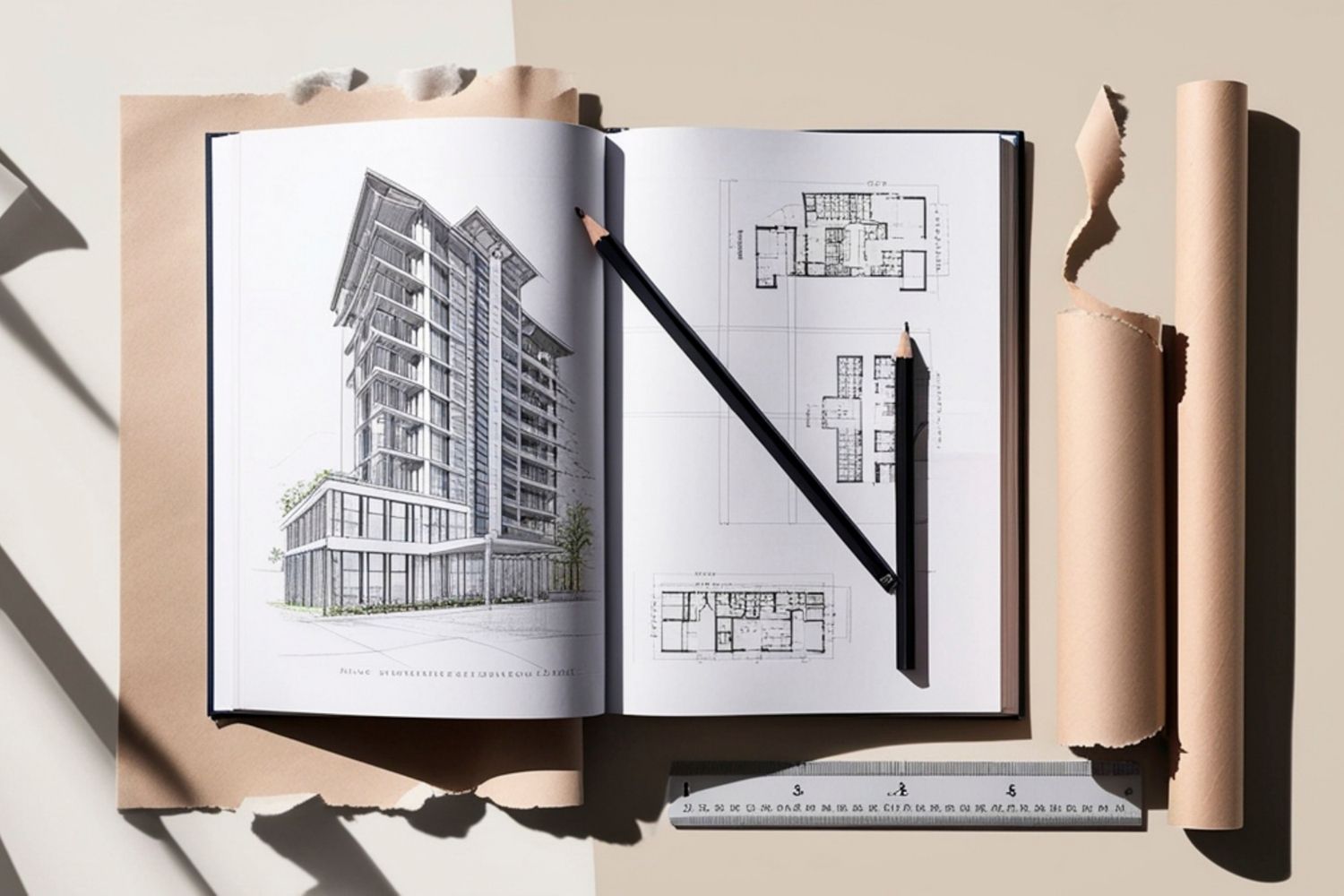
Design work is creative, but the work around it is logistics. You track redline comments from three consultants, a planning submission due Friday, a client who wants a finish schedule by Monday, and a contractor asking which detail is current. Hold all of that in your head and something slips. A good productivity app gives each of those threads a fixed home, so nothing depends on memory.
The payoff is focus. When your task list, references, and meeting notes live in searchable apps rather than scattered notebooks and inboxes, you spend less time hunting and more time on the parts of practice that need an architect. That is the real measure of any tool here: does it return hours to design? Our earlier look at productivity apps for architects covered the basics, and the picks below build on that with current options and clearer use cases.
The Best Productivity Apps for Architects at a Glance
Before the detailed breakdowns, here is a quick comparison of the four core apps this guide recommends, sorted by the primary job each one handles best, with a scheduling method to tie them together.
| App | Best For | Platform | Free Tier |
|---|---|---|---|
| Notion | All-in-one notes, docs, and project wikis | Web, iOS, Android, Mac, Windows | Yes |
| Todoist | Personal task and deadline tracking | Web, iOS, Android, Mac, Windows | Yes |
| Trello | Visual board project management for teams | Web, iOS, Android, desktop | Yes |
| Miro | Mood boards and visual collaboration | Web, iOS, Android, desktop | Yes |
All-in-One Workspaces for Notes and Documents
Most architects lose time to fragmentation. Concept notes sit in one app, the room schedule in a spreadsheet, and meeting minutes in email. A workspace app pulls those into a single searchable home, which is where Notion stands out.
Notion: A Flexible Project Brain
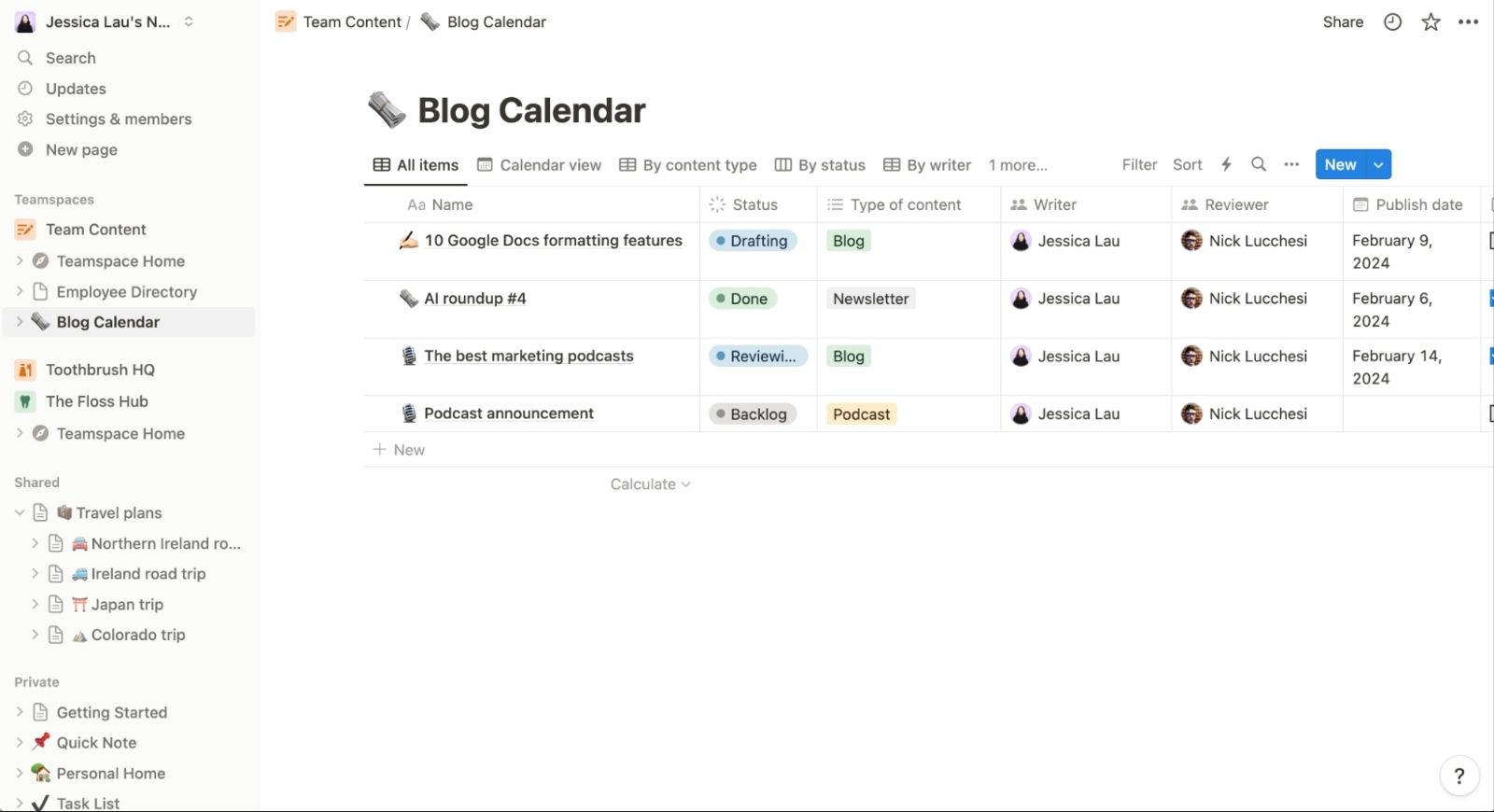
Notion blends notes, databases, and documents into one editable canvas. You can build a project page that holds the brief, a linked task table, a gallery of precedent images, and live meeting notes, all on the same screen. For a practice, a shared workspace means every team member opens the same source of truth instead of asking which file is current. The official site at Notion offers a free personal plan that handles a small studio comfortably.
Where it earns its place is structure. You can turn a simple list into a filtered database, tag tasks by project phase, and switch the same data between a table, a board, and a calendar view. That flexibility suits the way architectural work shifts between concept, design development, and documentation. If handwritten sketches are central to your process, pair it with a dedicated tool from our guide to digital notepads for architects.
💡 Pro Tip
Build one project template before you start, then duplicate it for every new commission. A reusable page with set sections for the brief, drawings register, consultant contacts, and a phase-tagged task table saves an hour of setup per project and keeps your whole studio working to the same layout.
Task and Project Management Apps
Notes hold your thinking, but deadlines need a system that pushes back. Two apps cover this well: Todoist for personal task discipline and Trello for team-visible project stages.
Todoist: Personal Deadline Control
Todoist is built for the running list every architect carries. You capture a task in a few words, give it a due date, assign a priority, and file it under a project. Natural language entry means typing “issue tender drawings Friday 4pm” sets the deadline automatically. Recurring tasks handle the repeating rhythm of practice, such as weekly site reports or monthly invoicing. The free plan on the official Todoist site covers personal use without limits that get in the way.
Its strength is speed and quiet. The interface stays out of the way, and the app sorts your day into Today and Upcoming so you open it and immediately know what matters. For a sole practitioner or a project lead tracking personal deliverables, that clarity beats a heavier project tool.
Trello: Boards That Show Project Flow
Trello turns a project into a board of cards moving across columns such as To Do, In Progress, and Issued. Each card can hold a checklist, a due date, attachments, and comments, so a single card might carry an entire drawing package with its review history. For coordinating a small team, the board view makes status obvious at a glance, with no status meeting required. The free tier at Trello supports unlimited cards on up to ten boards per workspace.
📌 Did You Know?
Trello launched in 2011 and was acquired by Atlassian in 2017 for around 425 million dollars. Its card-and-column layout is based on the kanban method, a visual scheduling system first developed by Toyota for manufacturing, which is why it maps so naturally onto staged design and construction work.
The board metaphor also reads well to clients and contractors who never touch architectural software. Sharing a simplified board gives non-designers a clear view of where a project stands, which cuts down on the update emails that fill an architect’s inbox.
Visual Collaboration and Concept Boards
Architecture is a visual discipline, and some thinking needs space rather than a list. This is the gap a digital whiteboard fills.
Miro: Mood Boards and Group Thinking
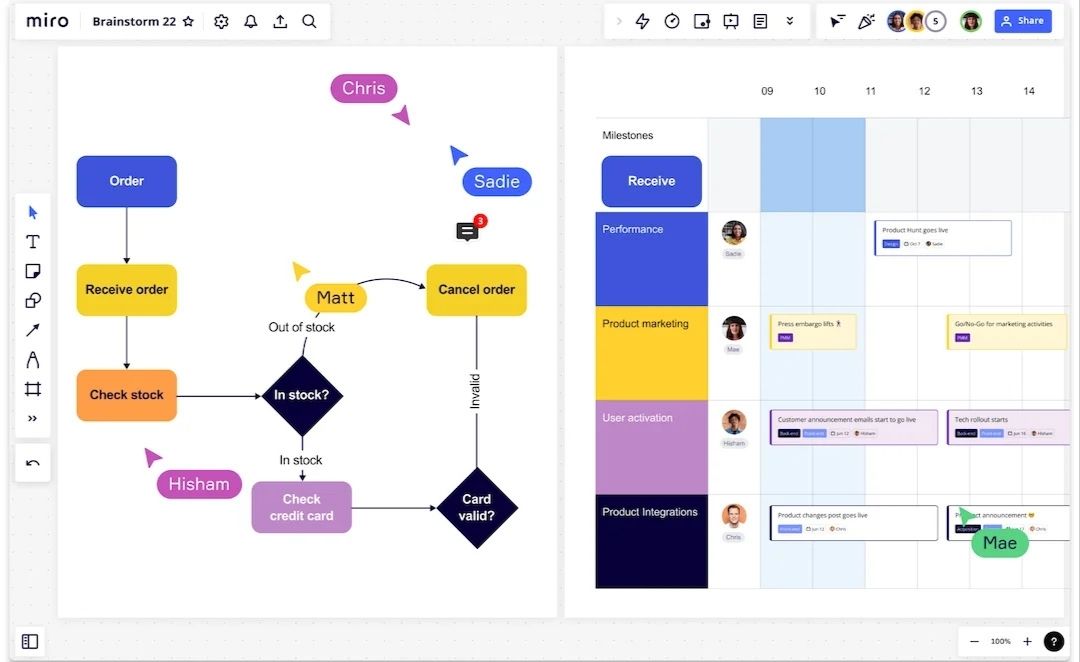
Miro gives you an infinite canvas for precedent images, diagrams, sticky notes, and sketches. During early design, you can drop reference photos onto a board, group them by theme, and invite the team or client to comment in real time. It works well for charrettes, concept reviews, and remote coordination where everyone needs to see and mark up the same visual field. The free plan on the official Miro site includes three editable boards, enough for a single active project.
For studios that run feedback sessions across locations, Miro replaces the physical pin-up wall without losing the spatial way architects organize ideas. You can also link it to mobile reference apps from our list of the best mobile apps for architects to feed site photos straight into a working board.
Time Blocking and Scheduling
Tasks and boards tell you what to do. They do not protect the hours to actually do it. Scheduling apps close that gap by turning intentions into calendar commitments.
Time Blocking With a Scheduling App Like Morgen
The most reliable way to protect design hours is to put them on the calendar. Scheduling apps such as Morgen join your calendars and task lists in one view, then let you drag tasks directly onto open slots in your day. For an architect whose week fills with meetings and site visits, that drag-to-schedule habit defends the deep work blocks that drawing and detailing demand.
The method behind it is time blocking, assigning specific hours to specific work so the day is planned rather than reactive. Architects who treat design time as a fixed appointment, the same way they treat a client meeting, tend to protect it far better than those who hope to fit it in around everything else.
How to Choose the Right Productivity App for Your Workflow

The best productivity apps for architects are the ones you actually keep open, so fit matters more than feature counts. A sole practitioner might run everything from Todoist and a calendar. A growing studio needs the shared boards and workspaces that Trello and Notion provide. Start with the single biggest source of friction in your week, whether that is missed deadlines, lost notes, or scattered references, and adopt one app to fix it before adding another.
⚖️ Pros & Cons at a Glance
✔️ Pros: Centralized tasks and notes, real-time team sync, free tiers for testing, mobile access on site, clearer client communication
✖️ Cons: A learning curve for feature-rich apps, subscription costs at team scale, the risk of over-organizing instead of designing
Avoid the trap of running five apps that overlap. Two or three tools covering notes, tasks, and scheduling will serve most architects better than a stack that becomes its own admin burden. If your interest is using technology to claw back hours, our piece on AI tools that save time in architecture shows where automation now fits into practice, and the architecture design process guide explains where each stage benefits most from better tools.
Where to Go From Here
Your Next Step: Pick the one app that targets your worst weekly bottleneck, set it up with a single live project this week, and run it for a full project phase before judging it. One tool used consistently beats a shelf of apps you opened once and abandoned.






Notion Alternatives for Architects: 7 Tools That Fit Studio Work
Notion works until a studio needs fee tracking, phase budgets and timesheets....
 Furkan Sen7 Mins read

Why Every Practice Ends Up With Five Versions of the Same Revit Family
Let’s learn why Revit family libraries accumulate duplicates, break schedules and slow...
 illustrarch Editoral Team5 Mins read

Visualizing Renovation Projects From Photographs: A Workflow for Existing-Building Work
Photo-based visualization turns a photograph of a building that already exists into...
illustrarch Editoral Team7 Mins read

Best Free CAD Blocks and Resources for Architects
A working guide to free CAD blocks for architects, covering ARCAT, CAD-Blocks.net,...
Furkan Sen7 Mins read


Leave a comment