

Grasshopper 3D: The Complete Guide to Parametric Design in Rhinoceros
Grasshopper 3D is a visual programming language within Rhinoceros that enables architects and designers to create complex parametric models through a node-based interface.
 Bahattin Duran21 April 202611 Mins read373

Table of Contents Show
Grasshopper 3D has revolutionized how architects, designers, and engineers approach complex geometry and algorithmic design. As a visual programming language integrated directly into Rhinoceros 3D, Grasshopper software enables users to create intricate parametric models without writing traditional code. Whether you are exploring what Grasshopper software is used for or searching for Grasshopper 3D tutorials to enhance your skills, this comprehensive guide covers everything from downloading the software to mastering advanced parametric workflows.
The architecture and design industries have embraced Grasshopper as an essential tool for parametric architecture, allowing professionals to generate adaptive forms that respond to environmental conditions, structural requirements, and aesthetic goals. From iconic buildings designed by Zaha Hadid Architects to experimental pavilions at architecture schools worldwide, Grasshopper continues to push the boundaries of computational design.
What Is Grasshopper Software and How Does It Work?
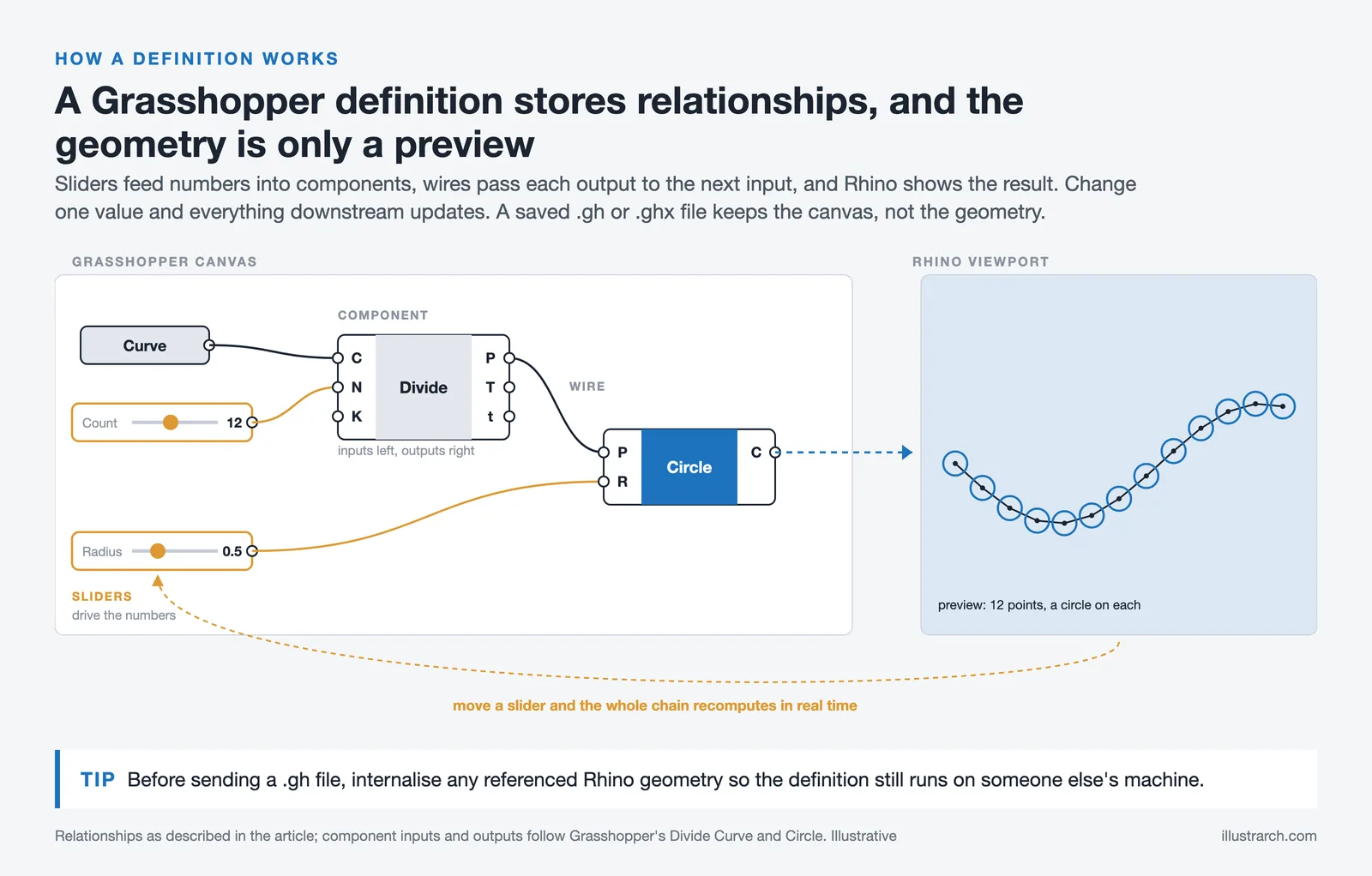
Grasshopper is a visual programming editor that runs within Rhinoceros, commonly known as Rhino. Unlike traditional coding environments, Grasshopper uses a node-based interface where users connect components on a canvas to define relationships between parameters. This intuitive approach makes algorithmic design accessible to designers who may not have programming backgrounds while offering deep customization for those who do.
The software operates by allowing users to drag and drop components that perform specific functions, from basic mathematical operations to complex surface manipulation. Each component has inputs and outputs that connect via wires, creating a visual representation of the design logic. When parameters change, the entire model updates in real-time, enabling rapid iteration and exploration of design alternatives.
Understanding what Grasshopper software does begins with recognizing its core strength: defining relationships rather than fixed geometry. Instead of manually modeling every element, designers establish rules that generate forms automatically. This parametric approach proves invaluable for projects requiring repetitive elements with variations, complex organic shapes, or designs that must adapt to changing constraints. The integration with architectural design software workflows makes it particularly powerful for professional applications.
Is Grasshopper Software Free? Pricing and Download Options
One of the most common questions architects ask is whether Grasshopper software is free. The answer has evolved significantly over the years. Since Rhino 6, Grasshopper comes bundled with every Rhinoceros license at no additional cost. This integration means that purchasing Rhino automatically includes full access to Grasshopper 3D, eliminating the need for separate purchases or subscriptions.
For students and educators, educational licenses offer substantial discounts on Rhinoceros, making the Grasshopper 3D download accessible to those learning computational design. The latest version, Rhinoceros 8, includes significant improvements to Grasshopper’s interface, performance, and component library. Users can download Rhinoceros directly from the official website, where trial versions allow testing before committing to a purchase.
The Grasshopper3D.com community remains an invaluable resource even though the plugin now ships with Rhino. This platform hosts forums, tutorials, and discussions where users share definitions, troubleshoot problems, and exchange ideas. Additionally, Food4Rhino provides thousands of free plugins that extend Grasshopper’s capabilities, covering everything from structural analysis to environmental simulation. These extensions transform Grasshopper from a modeling tool into a comprehensive design platform that integrates with the broader ecosystem of BIM software and analysis tools.
Grasshopper 3D Tutorials: Learning Parametric Design
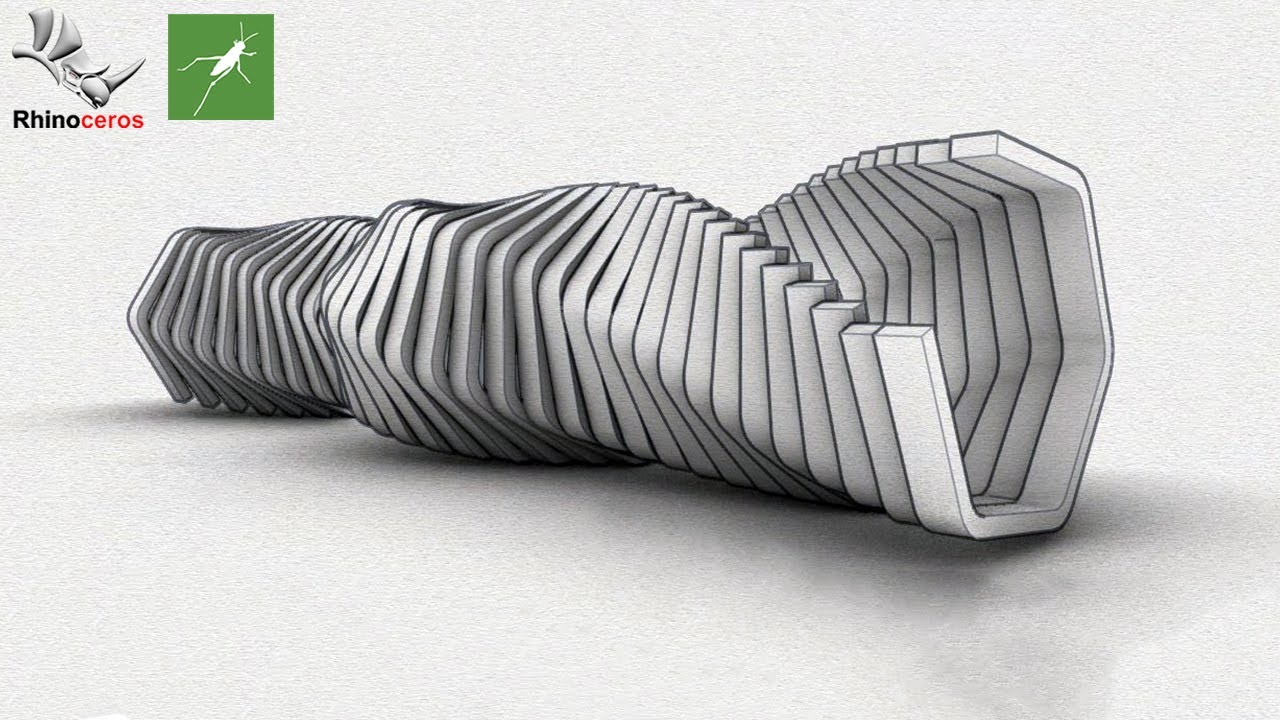
Beginning your journey with Grasshopper tutorials requires understanding the fundamental concepts that underpin parametric design. Start by familiarizing yourself with the interface, learning how to place components, connect wires, and preview geometry in the Rhino viewport. The relationship between Grasshopper’s canvas and Rhino’s modeling environment forms the foundation for all subsequent learning.
Essential beginner tutorials cover data management, mathematical operations, and basic geometry creation. Understanding how Grasshopper handles lists of data proves crucial since parametric designs often involve manipulating multiple elements simultaneously. Concepts like grafting, flattening, and data trees may seem abstract initially but become second nature with practice. These skills directly apply to designing parametric architecture and creating complex forms.
Intermediate learners should explore surface manipulation, mesh operations, and attractor-based designs. These techniques enable creating organic forms, tessellated patterns, and responsive geometries that adapt to input parameters. YouTube channels dedicated to Rhino and Grasshopper offer excellent visual demonstrations of these concepts, allowing learners to follow along at their own pace.
Advanced Grasshopper tutorials delve into custom scripting using Python or C#, optimization algorithms, and integration with external applications. At this level, designers can create custom components, automate complex workflows, and connect Grasshopper to analysis software for performance-driven design. The American Institute of Architects and academic institutions increasingly recognize computational design skills as essential competencies for modern practice.
How to View Grasshopper Files in Rhino Software
Opening and viewing Grasshopper files within Rhino follows a straightforward process, though newcomers sometimes encounter confusion. Grasshopper definitions save as .gh or .ghx files, which store the visual programming canvas but not the generated geometry. To view these files, users must have both Rhino and Grasshopper installed, then open the definition within the Grasshopper editor.
To access Grasshopper in Rhino, type “Grasshopper” in the command line or navigate through the menus. Once the Grasshopper window opens, use File > Open to load existing definitions. The geometry will appear in the Rhino viewport provided all required inputs are satisfied. Some definitions require referenced geometry, data files, or specific plugins to function correctly.
When sharing Grasshopper files, consider internalizing geometry to make definitions self-contained. This practice embeds referenced objects directly in the .gh file, eliminating dependencies on external Rhino files. For collaborative projects, documenting which plugins a definition requires helps recipients avoid missing component errors. The Grasshopper community maintains conventions for organizing and annotating complex definitions that improve readability and collaboration.
Rhinoceros Rendering: Visualizing Parametric Designs

While Grasshopper excels at generating geometry, visualizing these designs requires rendering capabilities. Rhino includes a built-in render engine suitable for quick visualizations, but most professionals employ dedicated render plugins for photorealistic results. Understanding rendering in Rhino transforms parametric models into compelling presentations that communicate design intent effectively.
Popular Rhino render plugins include V-Ray, Enscape, and Lumion, each offering different strengths. V-Ray provides production-quality photorealism with extensive material and lighting controls. Enscape enables real-time visualization ideal for design development and client presentations. These tools integrate seamlessly with Grasshopper workflows, allowing parametric models to be rendered directly. The best Rhinoceros extensions significantly enhance both modeling and visualization capabilities.
Rendering programs for Rhino often connect to Grasshopper through dedicated components. This integration enables parametric control over materials, lighting, and camera positions, extending the algorithmic approach to visualization itself. Designers can create animations that show design variations or environmental changes, leveraging Grasshopper’s parametric nature for dynamic presentations. For detailed guidance on making 3D rendering for architectural design, understanding these workflows proves essential.
Grasshopper for Architecture: Practical Applications
Grasshopper software architecture applications span conceptual design through construction documentation. During early design phases, architects use Grasshopper to explore massing options, analyze solar exposure, and generate facade patterns. The ability to test multiple scenarios rapidly accelerates decision-making while maintaining design flexibility.
Facade design represents one of Grasshopper’s most visible applications in architecture. Complex paneling systems, parametric shading devices, and adaptive building skins become manageable through algorithmic approaches. Projects like the Al Bahr Towers in Abu Dhabi demonstrate how Grasshopper design software enables responsive facades that adjust to environmental conditions. This capability aligns with why parametric design is the future of architecture.
Structural optimization through Grasshopper connects with analysis tools like Karamba3D, enabling form-finding processes that minimize material while maximizing performance. This approach has produced innovative structures including gridshells, tensile canopies, and organic forms that traditional design methods would struggle to realize. The integration of parametric modeling with parametric architecture design processes continues to transform professional practice.
Rhino Technical Drawing and Documentation
Beyond parametric modeling, Rhinoceros supports comprehensive technical documentation through its drawing tools. Rhino technical capabilities include creating plans, sections, and elevations directly from 3D models. The Make2D command generates 2D linework from 3D geometry, which can then be annotated and dimensioned for construction documents.
Grasshopper enhances documentation workflows by automating repetitive tasks and maintaining parametric relationships between models and drawings. When designs change, documentation updates automatically, reducing errors and saving time. This integration proves particularly valuable for complex projects where traditional manual documentation would be prohibitively time-consuming.
For architectural presentations, rhinoceros drawing tools combine with rendering capabilities to produce compelling visuals. Rhino art drawing techniques blend technical precision with aesthetic expression, enabling designers to communicate both functional and experiential qualities of their projects. The software’s flexibility supports everything from precise technical drawings to expressive sketches. These capabilities complement the architectural rendering software ecosystem that professionals rely upon.
Free Rhino Models and Resources
The Rhino and Grasshopper community generously shares resources including free Rhino models, definitions, and tutorials. Websites like GrabCAD, Turbosquid, and dedicated Rhino model repositories offer downloadable content ranging from furniture to complex architectural components. These free Rhino 3DM models accelerate project development by providing starting points for further customization.
Rhinoceros files (.3dm format) preserve native geometry with full editing capabilities, unlike exported formats that may lose information. When downloading free Rhino models, verify compatibility with your Rhino version since newer files may not open in older software versions. Converting Rhino STL files enables 3D printing from Rhino, expanding fabrication possibilities for both prototyping and final production.
Grasshopper definition sharing platforms like the Grasshopper forum and various GitHub repositories provide algorithmic resources. Studying others’ definitions offers insights into problem-solving approaches and introduces new techniques. This collaborative spirit accelerates learning and advances the entire field of computational design. For finding quality free CAD models, several specialized websites serve the architecture community.
Learning Rhinoceros: Tutorials for Beginners
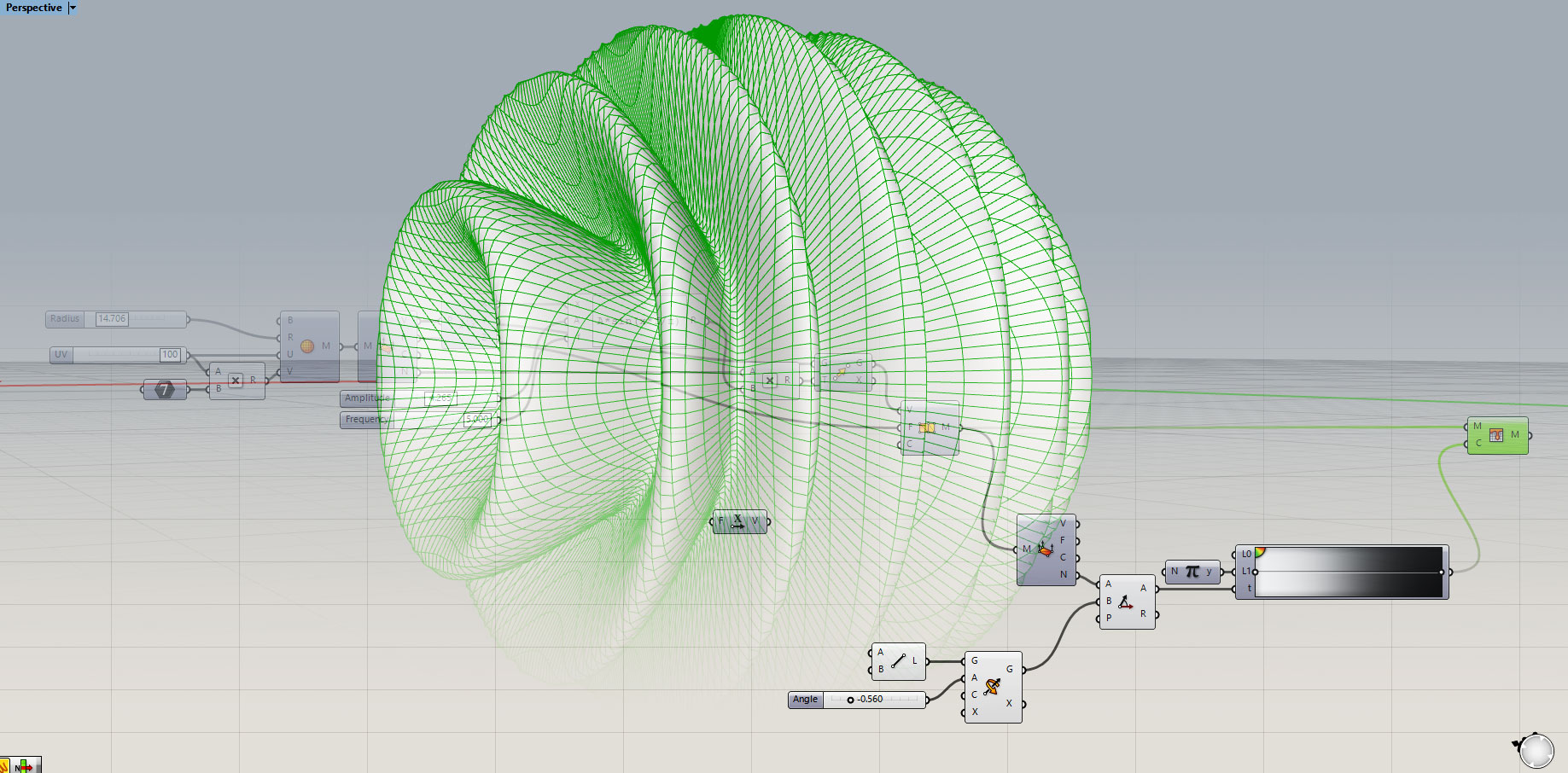
Rhinoceros tutorials for beginners should establish fundamental modeling skills before introducing Grasshopper. Understanding Rhino’s interface, navigation, and basic commands creates the foundation for parametric work. Learning how to use Rhinoceros effectively involves mastering NURBS curves and surfaces, the geometric building blocks that Grasshopper manipulates.
Beginner Rhino tutorials typically progress from 2D drawing to 3D modeling, covering commands for creating, editing, and transforming geometry. Essential skills include working with control points, understanding surface continuity, and using Boolean operations. These foundational capabilities translate directly to understanding Grasshopper outputs and troubleshooting parametric models.
Many architects begin learning Rhino through architectural modeling projects like building massing, furniture design, or product development. These approachable exercises build confidence while introducing real-world applications. As skills develop, learners can tackle increasingly complex projects that leverage Rhino’s full capabilities. The path from creating realistic 3D architectural renderings to mastering parametric design requires systematic skill building.
3D Printing from Rhino: Digital Fabrication
Rhino’s precise geometry capabilities make it ideal for 3D printing preparation. The software handles STL export, mesh repair, and scaling required for successful prints. Rhinoceros STL workflows ensure that parametric designs translate accurately to physical objects, bridging digital design with fabrication.
Grasshopper extends 3D printing from Rhino through specialized components that generate support structures, slice geometry, and create toolpaths directly. This parametric control over fabrication processes enables innovative approaches like multi-material printing, varying infill patterns, and optimized structural layouts. The rise of parametric architecture has been accelerated significantly by advances in digital fabrication technologies.
For large-scale architectural applications, Grasshopper connects to robotic fabrication systems that move beyond traditional 3D printing. These workflows enable creating formwork, assembling components, and fabricating building elements at architectural scales. The integration of computational design with digital fabrication represents a fundamental shift in how buildings are conceived and constructed.
Grasshopper CAD Software Integration
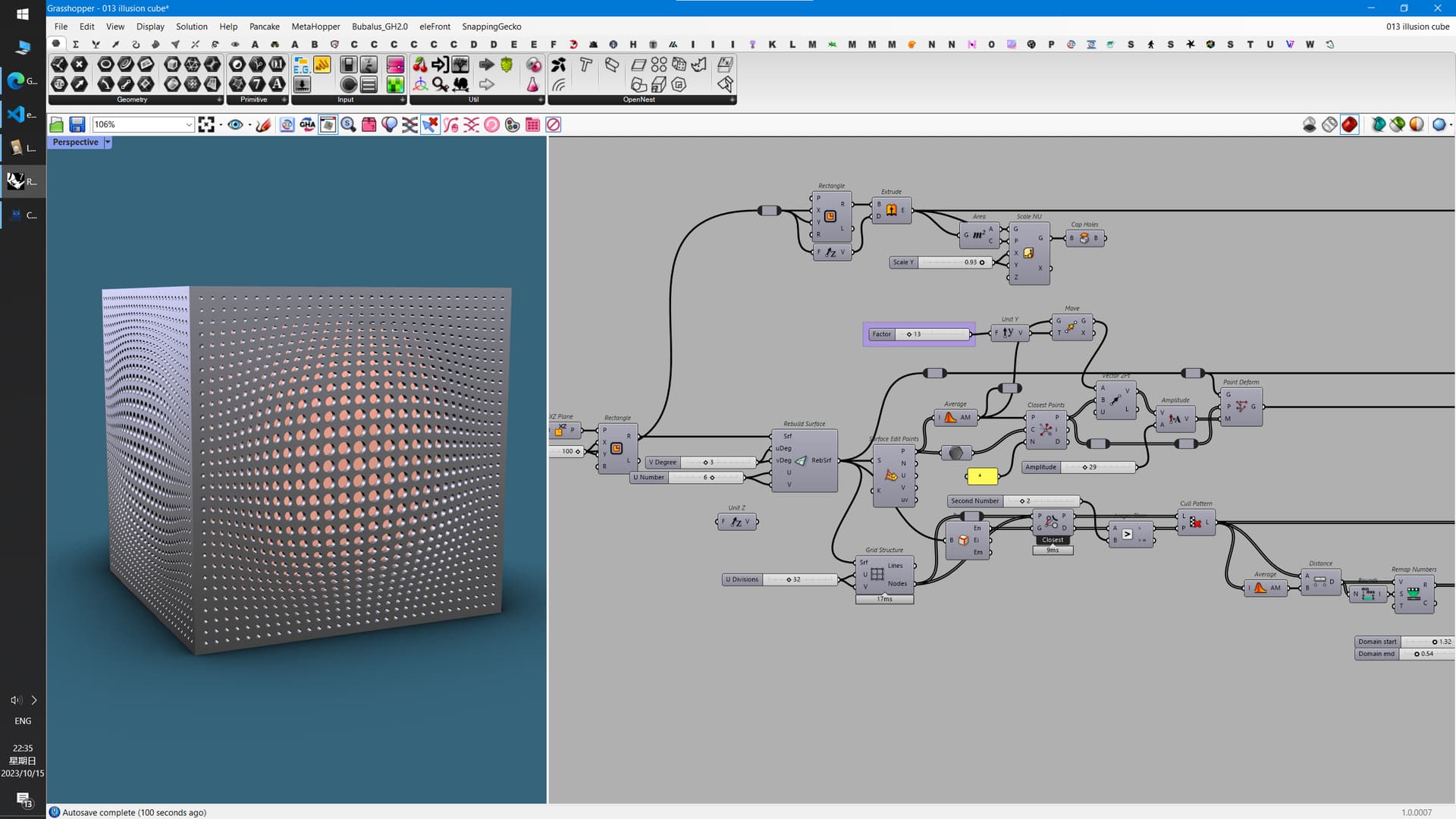
Grasshopper CAD software integration extends beyond Rhino to include major platforms like Revit, ArchiCAD, and AutoCAD. These connections enable parametric designs to flow into documentation and coordination workflows. Plugins like Rhino.Inside bring Grasshopper directly into other applications, maintaining parametric relationships across software boundaries.
The relationship between Grasshopper and BIM platforms continues to strengthen as the industry embraces computational approaches. Grasshopper Rhino software combinations can generate Revit families, update ArchiCAD elements, and export geometry to various formats. This interoperability positions Grasshopper as a design development tool that feeds into production workflows rather than existing in isolation. Understanding how the future of design with Grasshopper evolves helps professionals stay ahead of industry trends.
For firms adopting computational design, establishing workflows that connect Grasshopper to existing software investments maximizes return while minimizing disruption. The grasshopper modeling software serves as a design engine that enhances rather than replaces traditional tools, making adoption gradual and manageable for practices of all sizes.
Advanced Grasshopper Plugins and Extensions
The Grasshopper ecosystem includes hundreds of plugins that extend core capabilities. Environmental analysis tools like Ladybug and Honeybee enable climate-responsive design through solar analysis, daylight simulation, and energy modeling. Structural plugins like Karamba3D perform real-time finite element analysis, enabling form-finding and optimization based on structural performance.
Fabrication-focused plugins handle everything from paneling rationalization to robotic toolpath generation. Lunchbox provides patterns and geometries common in architectural applications. Kangaroo enables physics simulation for form-finding tensile structures and other physically-driven designs. These tools transform Grasshopper into a comprehensive platform for parametric interior spaces and architectural applications.
Emerging plugins connect Grasshopper to artificial intelligence and machine learning frameworks. These integrations enable generative design approaches where algorithms propose and evaluate design options based on defined criteria. As computational resources grow and algorithms improve, these capabilities will become increasingly central to design practice. The evolution of architecture tools continues to integrate AI capabilities with parametric design.
Grasshopper Component Categories: Quick Reference
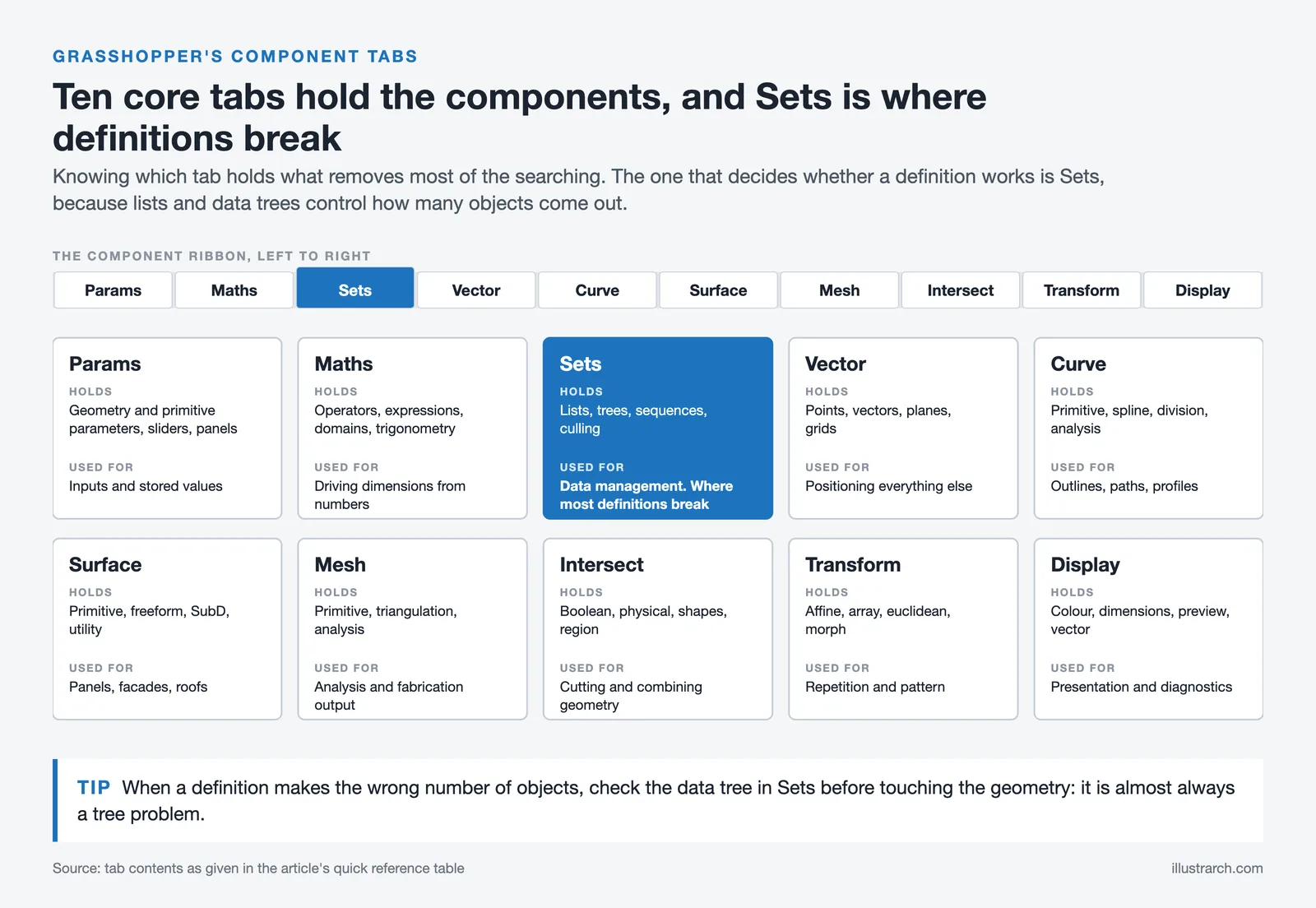
Grasshopper ships with several hundred components grouped into tabs. Knowing which tab holds what removes most of the searching, and these are the ones that carry ordinary architectural work.
| Tab | What it holds | Used for |
|---|---|---|
| Params | Geometry and primitive parameters, sliders, panels | Inputs and stored values |
| Maths | Operators, expressions, domains, trigonometry | Driving dimensions from numbers |
| Sets | Lists, trees, sequences, culling | Data management. Where most definitions break. |
| Vector | Points, vectors, planes, grids | Positioning everything else |
| Curve | Primitive, spline, division, analysis | Outlines, paths, profiles |
| Surface | Primitive, freeform, SubD, utility | Panels, facades, roofs |
| Mesh | Primitive, triangulation, analysis | Analysis and fabrication output |
| Intersect | Boolean, physical, shapes, region | Cutting and combining geometry |
| Transform | Affine, array, euclidean, morph | Repetition and pattern |
| Display | Colour, dimensions, preview, vector | Presentation and diagnostics |
The tab that decides whether a definition works is Sets. Data trees are the part of Grasshopper people struggle with, and almost every definition that produces the wrong number of objects is a tree problem rather than a geometry problem.
Grasshopper Alternatives
| Tool | Runs inside | Best for | Trade-off |
|---|---|---|---|
| Dynamo | Revit | Parametric work tied to BIM data | Weaker at freeform geometry. |
| Blender Geometry Nodes | Blender | Free node-based modelling | No architectural or BIM context. |
| Hypar | Browser | Rule-based building systems | Less open-ended than Grasshopper. |
| Marionette | Vectorworks | Parametric inside a BIM tool | Smaller component library and community. |
The practical distinction: Grasshopper is the strongest for geometry, Dynamo for data. Practices doing both usually run Grasshopper for form and Dynamo for the model.
Frequently Asked Questions About Grasshopper 3D

What is Grasshopper software used for in architecture?
Grasshopper software is used for creating parametric designs, generating complex geometries, optimizing building performance, and automating repetitive modeling tasks. Architects employ it for facade design, structural form-finding, environmental analysis, and producing documentation from parametric models. The visual programming approach makes algorithmic design accessible without traditional coding knowledge.
Is Grasshopper software free to download and use?
Grasshopper is included free with every Rhinoceros license starting from version 6. You do not need to purchase it separately. Educational licenses offer discounted Rhino pricing for students and educators. Trial versions allow testing before purchasing, and the extensive plugin ecosystem on Food4Rhino provides many free extensions.
How do I view a Grasshopper file in Rhino?
To view a Grasshopper file in Rhino, first launch Grasshopper by typing “Grasshopper” in the Rhino command line. Then open your .gh or .ghx file through File > Open in the Grasshopper window. The generated geometry will appear in the Rhino viewport. Ensure any required plugins are installed and referenced geometry is available.
What is the difference between Rhino and Grasshopper?
Rhino is a 3D modeling software based on NURBS geometry that allows direct creation and manipulation of curves, surfaces, and solids. Grasshopper is a visual programming environment that runs within Rhino, enabling parametric and algorithmic design through node-based programming. Together they form a powerful combination where Grasshopper generates geometry that displays in Rhino.
Can I use Grasshopper for 3D printing?
Yes, Grasshopper works excellently for 3D printing preparation. You can create parametric models, export STL files, generate support structures, and even create custom slicing patterns. Specialized plugins extend these capabilities for advanced fabrication workflows including robotic printing and multi-axis manufacturing.
- grasshopper cad software
- grasshopper design software
- grasshopper modeling software
- grasshopper rendering software
- grasshopper rhino software
- grasshopper software architecture
- how to view grasshopper result file in rhino software
- is grasshopper software free
- what does grasshopper software do
- what is grasshopper software used for






Notion Alternatives for Architects: 7 Tools That Fit Studio Work
Notion works until a studio needs fee tracking, phase budgets and timesheets....
 Furkan Sen7 Mins read

Why Every Practice Ends Up With Five Versions of the Same Revit Family
Let’s learn why Revit family libraries accumulate duplicates, break schedules and slow...
 illustrarch Editoral Team5 Mins read

Visualizing Renovation Projects From Photographs: A Workflow for Existing-Building Work
Photo-based visualization turns a photograph of a building that already exists into...
illustrarch Editoral Team7 Mins read

Best Free CAD Blocks and Resources for Architects
A working guide to free CAD blocks for architects, covering ARCAT, CAD-Blocks.net,...
Furkan Sen7 Mins read


Leave a comment