

ChatGPT Alternatives for Architects: 8 Best AI Tools in 2026
Not every AI assistant fits an architecture workflow the same way. This breakdown compares 8 strong ChatGPT alternatives for architects, covering text-based AI platforms like Claude and Gemini alongside architecture-specific tools. Each option is evaluated by pricing, strengths, limitations, and the type of design task it handles best.
 Furkan Sen3 June 202612 Mins read169

Table of Contents Show
ChatGPT alternatives for architects include general-purpose AI assistants like Claude, Gemini, and Perplexity, as well as architecture-specific platforms such as Snaptrude, Autodesk Forma, and Archfine AI. The right choice depends on whether you need help with writing, research, concept generation, or design optimization.
ChatGPT changed how architects handle everything from proposal writing to early-stage concept brainstorming. But it is not the only option, and in many cases, it is not the best one either. According to the AIA’s 2025 report on AI adoption, 78% of architectural professionals want to learn more about AI’s potential, yet only 8% of firm leaders have fully integrated it into their practice. That gap suggests many architects are still searching for the right tool rather than settling on one.
The reason is straightforward. ChatGPT handles text well, but architecture demands more than text. You need spatial reasoning, code compliance checks, rendering support, and data-driven site analysis. A single chatbot rarely covers all of those. This guide breaks down eight strong alternatives to ChatGPT for architects, split between general-purpose AI platforms and tools built specifically for design and construction workflows.
Why Architects Look for Alternatives to ChatGPT
ChatGPT is a capable writing and brainstorming assistant. It drafts client emails quickly, generates initial concept descriptions, and can even help structure an RFP response. But architects run into specific friction points that push them toward other tools.
First, context length and memory matter for long projects. When you feed ChatGPT a 40-page building program or a detailed specification, the model can lose track of earlier details as the conversation grows. Alternatives like Claude handle significantly longer context windows, which means fewer repeated inputs when working through complex briefs.
Second, ChatGPT’s image generation (through DALL-E) produces visually appealing results but often lacks structural logic. Stairs float, proportions drift, and facade details can be physically impossible. Architecture-specific rendering tools trained on building data produce more reliable outputs for client presentations.
Third, ChatGPT does not connect directly to BIM software, site analysis databases, or building code repositories. Several newer tools do, which removes the copy-paste friction between your AI assistant and your actual design environment.
⚠️ Common Mistake to Avoid
Many architects assume that switching from ChatGPT means abandoning it entirely. In practice, the strongest workflows use multiple AI tools together. You might use Perplexity for code research, Claude for writing specifications, and an architecture-specific platform for rendering. Treating AI as a single-tool decision limits what you can accomplish.
Best General-Purpose ChatGPT Alternatives for Architects
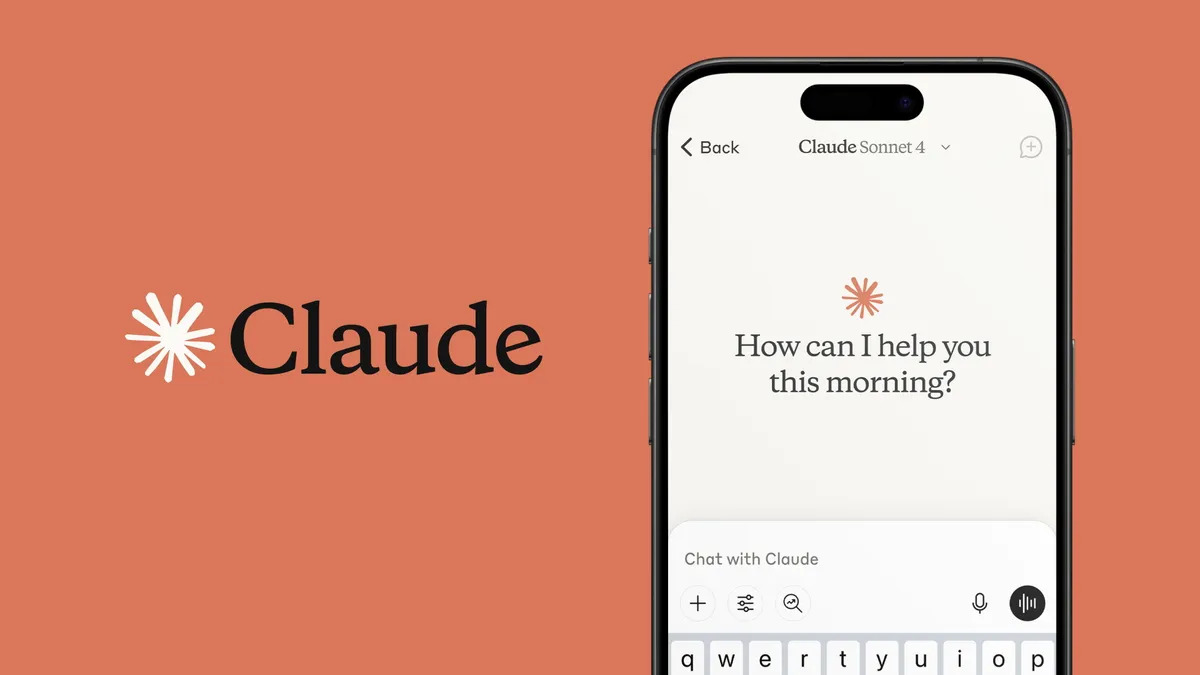
General-purpose AI assistants handle the text-heavy side of architecture: proposals, research, client communication, specification writing, and concept descriptions. These are the strongest alternatives to ChatGPT in that category.
Claude by Anthropic
Claude is frequently rated as the strongest alternative to ChatGPT for reasoning, long-form writing, and instruction-following. Its 200K-token context window on Sonnet 4.6 is genuinely usable at near capacity, which gives it a real advantage over ChatGPT when processing lengthy building programs, zoning documents, or multi-page specifications.
For architects, Claude excels at drafting design rationales, reviewing contract language, and summarizing meeting notes with a level of precision that reduces editing time. Its Projects feature allows persistent memory across sessions, so you can maintain context on a specific project without re-uploading documents every time you start a new conversation.
Claude also tends to be more transparent about uncertainty. Rather than confidently generating incorrect building code references (a known ChatGPT issue), Claude more often flags when it is unsure, which matters in a profession where inaccurate regulatory information can be costly.
Pricing: Free tier with daily limits. Claude Pro at $20/month. Claude Max at $200/month for heavier usage.
Best for: Specification writing, contract review, long document analysis, detailed project briefs.
💡 Pro Tip
When using Claude for architecture projects, upload your firm’s design standards or specification templates at the start of a Project session. Claude will reference those documents throughout subsequent conversations, which keeps outputs aligned with your firm’s formatting and terminology without repeated prompting.
Google Gemini
Gemini is Google’s AI platform, and its strongest advantage for architects is deep integration with the Google Workspace ecosystem. If your firm runs on Google Drive, Gmail, and Google Calendar, Gemini can pull context from those tools directly. Ask it to summarize yesterday’s project meeting notes from your inbox, or have it draft a follow-up email based on a shared Drive document.
Gemini 2.5 Pro offers a context window exceeding 1 million tokens on certain variants, which is the largest among consumer AI tools. For architects dealing with massive feasibility studies or multi-volume building codes, this capacity is a genuine differentiator. The model also handles multimodal inputs well: you can upload a site photo and ask Gemini to describe environmental conditions, identify neighboring building typologies, or estimate rough massing constraints.
Pricing: Free tier available. Google One AI Premium at $19.99/month includes Gemini Advanced.
Best for: Firms using Google Workspace, multimodal analysis, processing very long documents.
Perplexity AI

Perplexity occupies a different niche than ChatGPT or Claude. It is built as an AI-powered research engine, meaning every response comes with inline citations linked to source material. For architects, this is particularly valuable during the research-heavy phases of a project: investigating local building codes, reviewing material specifications, studying precedent projects, or checking zoning regulations.
Instead of getting an AI-generated answer that might be fabricated, Perplexity returns information grounded in real, verifiable web sources. Its Pro Search feature digs deeper into queries, running multiple searches and synthesizing results from academic papers, government databases, manufacturer specifications, and industry publications.
Pricing: Free tier with limited Pro Searches. Perplexity Pro at $20/month.
Best for: Building code research, material sourcing, precedent studies, regulatory compliance checks.
Microsoft Copilot
Copilot is Microsoft’s AI assistant embedded across the Office 365 suite. For architecture firms that run on Microsoft Teams, Outlook, Word, Excel, and PowerPoint, Copilot offers the most friction-free integration of any ChatGPT alternative. It drafts emails in Outlook, generates presentation slides in PowerPoint from project data, and can summarize Teams meetings automatically.
Its connection to Excel is especially useful for cost estimation workflows. Feed it a material schedule, and Copilot can generate formatted tables, apply formulas, and produce summary reports without leaving the spreadsheet. For firms that prepare deliverables primarily in Microsoft formats, this saves considerable formatting and export time.
Pricing: Free tier with Copilot. Microsoft 365 Copilot at $30/user/month for business features.
Best for: Firms on Microsoft 365, document-heavy workflows, presentation generation, email management.
🎓 Expert Insight
“AI will not replace architects. It will replace architects who don’t use AI.” (a widely repeated industry saying)
This saying reflects a growing consensus across the profession. The firms gaining a competitive edge in 2026 are not necessarily the ones using the most expensive AI, but the ones that have identified which specific tools solve their specific bottlenecks.
Architecture-Specific AI Alternatives to ChatGPT
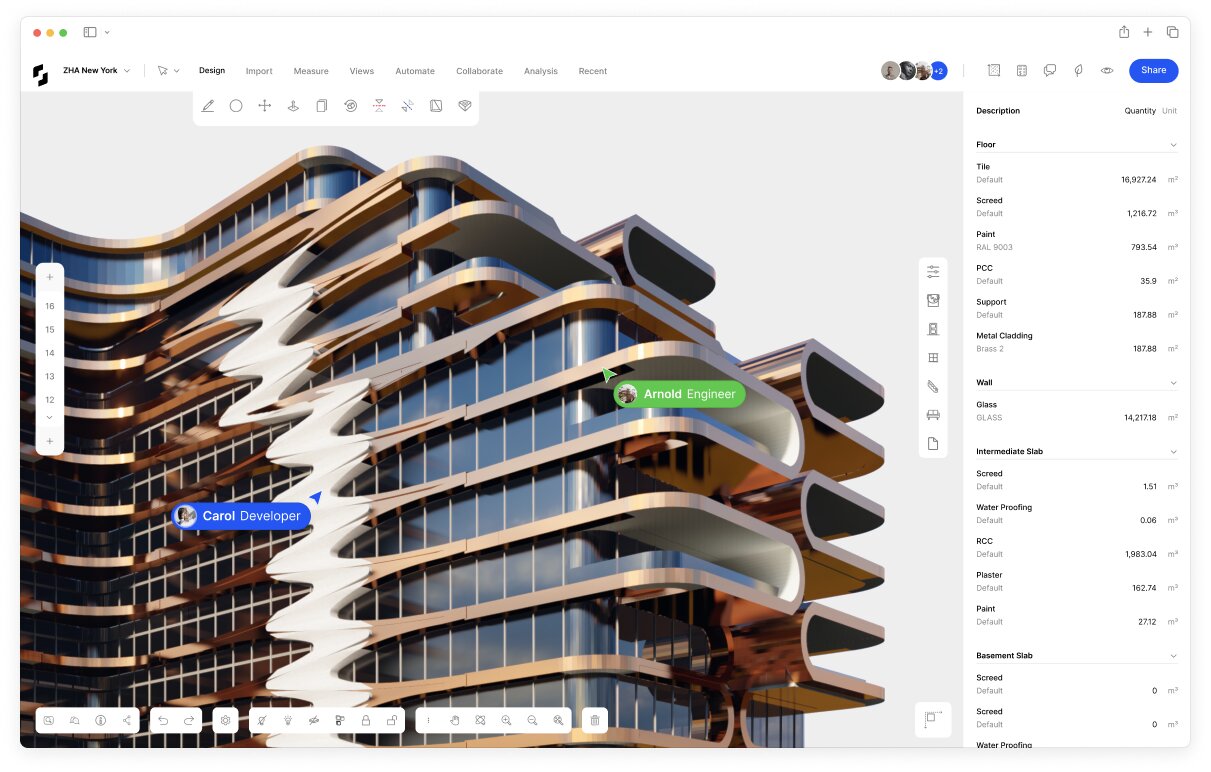
While general-purpose chatbots handle text and research, these platforms are built for architecture workflows. They connect to design software, understand spatial relationships, and produce outputs that fit directly into the design process.
Snaptrude
Snaptrude covers the full early-stage design pipeline from a single platform. You start with a text prompt or upload an RFP, and its AI agents analyze site constraints (zoning, setbacks, height limits, climate data), generate a structured architectural program, assign dimensions based on building codes like IBC, ADA, and Neufert standards, and stack spaces across stories. The output is a presentation-ready design, not just a text description.
For architects who spend days producing initial feasibility studies manually, Snaptrude compresses that timeline from weeks to hours. It is particularly strong for multi-family residential, mixed-use, and commercial feasibility work where rapid iteration across multiple massing options directly impacts project viability.
Best for: Early-stage feasibility, site planning, massing studies, program-to-design automation.
Autodesk Forma (formerly Spacemaker)
Autodesk Forma is a cloud-based platform for early-stage massing and site analysis. It analyzes sun path, wind patterns, noise exposure, and density constraints to generate and evaluate building layouts. The platform outputs diagrams and data overlays alongside massing geometry, giving architects quantitative backing for design decisions that are traditionally based on intuition.
Forma’s real strength is its ability to rank multiple design options by performance criteria. Instead of manually testing five massing alternatives against solar access requirements, the tool evaluates dozens of options and presents the top performers. For urban planning projects and large residential developments, this data-driven approach saves significant time and produces defensible design rationale for planning submissions.
Best for: Urban planning, site analysis, environmental performance evaluation, massing optimization.
Veras by EvolveLAB
Veras connects directly to Revit, SketchUp, Rhino, and ArchiCAD, using existing 3D geometry as a base for AI-generated renders. Unlike standalone image generators like Midjourney or DALL-E that start from text prompts alone, Veras uses your actual model geometry as the foundation. This means the proportions, massing, and spatial relationships in the output match your design, not an AI interpretation of your description.
The workflow is straightforward: export a viewport from your CAD software, select a style, and receive a rendered concept image. No V-Ray license, no lighting setup, no GPU farm. For firms producing multiple concept options for client presentations, this cuts rendering time from hours to minutes per image. Veras also has a web-based version where you can upload sketches and images for concept refinement without installing software.
Best for: Concept renders from existing 3D models, style exploration, rapid client presentations.
Archfine AI
Archfine AI is an architecture-focused rendering platform trained specifically on architectural datasets. A simple sketch, rough Rhino massing, or a low-resolution site photo can be turned into a photorealistic rendering within seconds. The platform maintains proportion, depth, spatial logic, and material consistency more reliably than general-purpose image generators because its training data is architectural rather than generic.
With style presets, camera intelligence, and automated iteration suggestions, Archfine ensures design teams deliver consistent, client-ready visuals at any project stage. It eliminates the need for expensive rendering hardware and specialized rendering labor, making rapid visualization accessible to studios of all sizes.
Best for: Fast concept visualization, sketch-to-render workflows, client presentations without dedicated rendering software.
📌 Did You Know?
According to the 2025 Deltek Clarity A&E Industry Study, 53% of architecture and engineering firms now use AI tools in their practice, up from 38% the previous year. The RIBA AI Report 2025 found a similar trend in the UK, with 59% of surveyed architects reporting AI usage, up from 41% in 2024.
How Do These ChatGPT Alternatives Compare for Architects?
Each tool fills a different gap in the architecture workflow. The table below puts the key differences side by side so you can match the right alternative to your specific needs.
| Tool | Type | Best Use Case | Free Tier | Paid Starting Price |
|---|---|---|---|---|
| Claude | General AI | Long documents, specs, contracts | Yes | $20/month |
| Gemini | General AI | Google Workspace integration, long context | Yes | $19.99/month |
| Perplexity | Research AI | Code research, cited references | Yes | $20/month |
| Microsoft Copilot | General AI | Office 365 workflows, presentations | Yes | $30/user/month |
| Snaptrude | Architecture AI | Feasibility, massing, site planning | Limited | Contact for pricing |
| Autodesk Forma | Architecture AI | Site analysis, environmental data | Trial | Subscription-based |
| Veras | Rendering AI | Concept renders from 3D models | Trial | Subscription-based |
| Archfine AI | Rendering AI | Sketch-to-render, fast visualization | Free credits | $5.84/month (approx.) |
How to Choose the Right ChatGPT Alternative for Your Workflow

The best alternative to ChatGPT depends on where you spend the most time and where you experience the most friction. A solo practitioner handling everything from proposals to renders has different needs than a project architect at a 50-person firm who mainly needs help with documentation.
Start by identifying your biggest time sink. If you spend hours drafting proposals, specifications, or client reports, a text-focused alternative like Claude or Copilot will deliver the fastest return. If your bottleneck is research (digging through building codes, material data sheets, or precedent studies), Perplexity is purpose-built for that task. If concept visualization is slowing you down, Veras or Archfine AI will compress your rendering timeline from hours to minutes.
Firm size also matters. The AIA 2024 Firm Survey found that 61% of large firms (50+ employees) already use AI in daily work, compared to just 27% of small firms. Smaller studios benefit most from tools with low setup costs and broad functionality. Larger firms can justify specialized tools because they spread the cost across more users and projects.
💡 Pro Tip
Before committing to a paid subscription, test any ChatGPT alternative on a project you already completed. Use it to draft a proposal you have already written, generate a concept you have already designed, or research a code you have already verified. Comparing its output against your known-good result is the fastest way to evaluate whether the tool actually fits your workflow.
Consider building a multi-tool stack rather than searching for a single replacement. Many architects in 2026 use two or three AI tools in parallel: one for writing and analysis (Claude or Gemini), one for research (Perplexity), and one for visualization (Veras, Archfine, or Midjourney). This approach plays to each tool’s strengths instead of forcing one platform to do everything.
For a broader look at how AI tools fit into the design process, the guide to AI tools that save time in architecture covers specific workflows where these platforms deliver the biggest efficiency gains. If you are building your first AI toolkit from scratch, the best AI tools for architects overview provides a wider lens across concept generation, rendering, BIM, and documentation categories.
ChatGPT vs Claude vs Gemini vs Perplexity for Architecture Tasks
Since the four general-purpose platforms are the most directly comparable, it helps to see how they perform against common architecture tasks side by side.
| Task | ChatGPT | Claude | Gemini | Perplexity |
|---|---|---|---|---|
| Proposal writing | Strong | Strongest | Good | Adequate |
| Building code research | Adequate (risk of hallucination) | Good (flags uncertainty) | Good (web-grounded) | Strongest (cited sources) |
| Long document analysis | Good (128K tokens) | Strongest (200K tokens) | Strong (1M+ tokens) | Limited |
| Image generation | Built-in (DALL-E) | Not available | Built-in (Imagen) | Not available |
| Meeting note summaries | Good | Good | Strongest (Gmail/Calendar integration) | Limited |
| Specification drafting | Good | Strongest | Good | Adequate |
The comparison highlights an important point: no single platform dominates across all tasks. ChatGPT remains strong for image generation thanks to DALL-E integration. Claude leads in writing quality and long-context processing. Gemini wins on ecosystem integration for Google users. Perplexity is unmatched for cited, verifiable research. Architects who previously relied on ChatGPT for everything often find better results by splitting tasks across two or three platforms.
For a deeper look at how ChatGPT specifically fits into architecture workflows, including prompt templates and use-case breakdowns, the guide on whether architects should use ChatGPT covers that ground in detail. Students exploring AI for design projects can also check the guide on how architecture students should use ChatGPT.
🔢 Quick Numbers
- 53% of A&E firms now use AI tools, up from 38% in 2024 (Deltek Clarity A&E Industry Study, 2025)
- 61% of large architecture firms (50+ employees) use AI daily, vs 27% of small firms (AIA Firm Survey, 2024)
- 59% of UK architects report using AI, up from 41% in 2024 (RIBA AI Report, 2025)
Free ChatGPT Alternatives Worth Trying

Budget is a real constraint, especially for small firms and solo practitioners. Several strong chatgpt alternative free options exist that cover core architecture tasks without a subscription.
Claude’s free tier provides access to the Sonnet model with daily message limits. For occasional use (drafting a client email, reviewing a short specification, brainstorming design concepts), the free tier is sufficient. You lose access to Projects and the highest-capacity models, but the core writing and reasoning quality remains strong.
Gemini’s free tier includes web search integration and multimodal capabilities. You can upload site photos for analysis, ask questions grounded in current web data, and produce content across text and image modalities. For Google Workspace users, the free integration adds real value even before upgrading.
Perplexity’s free tier offers a limited number of Pro Searches per day. For quick code lookups or material specification checks, this is often enough. The standard search mode (unlimited) still provides cited results, though it runs fewer search iterations than the Pro tier.
Microsoft Copilot’s free version, accessible through Bing, offers GPT-5-powered responses with web search. It handles quick queries well but lacks the deeper Office 365 integration that makes the paid version valuable for document-heavy workflows.
For architects exploring the role of AI in architecture for the first time, starting with free tiers across two or three platforms is the most practical way to identify which tool fits your daily work before investing in a subscription.
What Architects Should Consider Before Switching from ChatGPT
Switching AI tools is not the same as switching design software. The learning curve is minimal because all these platforms use natural language input. But there are practical factors worth evaluating before you commit.
Data privacy matters if you handle sensitive client information. Review each platform’s data handling policy before uploading proprietary project files. Some tools train on user inputs by default unless you opt out. For early-stage designs on confidential projects, this is a legitimate concern.
Workflow integration is another factor. A tool that connects to your existing software stack (Revit, SketchUp, Google Drive, Outlook) reduces the friction of switching between applications. The best ChatGPT alternative for your firm might not be the most powerful model, but the one that fits most naturally into how you already work.
Finally, consider the type of output you need most often. If your primary use case is text (emails, proposals, specifications, reports), a general-purpose chatbot covers it well. If you need visual outputs (renders, diagrams, massing studies), an architecture-specific tool will deliver significantly better results than any text-focused chatbot. The AI landscape for architects in 2026 is broad enough that you do not need to compromise. There is likely a tool that does exactly what you need.
For more on how AI is changing the way architecture firms operate, including how small studios use affordable SaaS tools to compete with larger practices, see the breakdown of AI for architects and SaaS tools. The 12 AI tools architects are using for concept design article also covers platforms that go beyond chatbot capabilities into visual and analytical territory.
✅ Key Takeaways
- ChatGPT is a strong text-based AI assistant, but architects benefit from alternatives that handle spatial data, building codes, and visualization tasks.
- Claude excels at long-form writing and document analysis. Gemini integrates deeply with Google Workspace. Perplexity delivers cited, verifiable research.
- Architecture-specific tools like Snaptrude, Autodesk Forma, Veras, and Archfine AI handle tasks that no general-purpose chatbot can match, including feasibility studies, site analysis, and sketch-to-render workflows.
- A multi-tool approach (one for writing, one for research, one for visualization) outperforms relying on a single platform for all tasks.
- Free tiers across Claude, Gemini, and Perplexity are capable enough for occasional use, making it easy to test before committing to a paid plan.
AI tools and pricing change rapidly. Features, model versions, and subscription costs mentioned reflect information available as of mid-2026. Check each platform’s official site for current details before making purchasing decisions.







Seedance 3.0 for Home and Garden Concepts: Making a Renovation Story Easier to Discuss
Seedance 3.0 can turn a renovation idea into a short concept video....
 illustrarch Editoral Team5 Mins read

From SketchUp View to Client-Ready Render: A Hands-On Look at Vizbase
Vizbase co-founder Mikus Zarāns shows how the browser-based AI renderer turns SketchUp...
illustrarch Editoral Team4 Mins read

Best AI Interview Assistant for Architects: 9 Tools Compared
We compare nine AI interview assistants for architects on speed, drawing awareness,...
illustrarch Editoral Team12 Mins read

OpenAI’s Astra Model Aims to Turn AI Into an Architecture Workflow Operator
OpenAI's Astra model, launched Sept. 3, 2026, runs multi-step tasks across software,...
illustrarch Editoral Team3 Mins read


Leave a comment