

The Best Standing Desks for Architects: Stable, Large Picks for CAD and Drawing Work
Choosing a standing desk as an architect means more than picking any adjustable model. Surface depth, frame stability, weight capacity, and height range shape how well it handles monitors, drawings, and long studio hours. Here are seven options for 2026.
 Elif Ayse Sen24 June 20269 Mins read153

Table of Contents Show
The best standing desk for architects balances a large, stable work surface with a wide height range and enough weight capacity for multiple monitors and drawing tools. Strong picks for 2026 include the FlexiSpot E7 Pro, the Uplift V2, and the Herman Miller Fully Jarvis, each suited to a different studio need and budget.
Architects and designers put unusual demands on a desk. You need room for a large monitor or two, space to sketch by hand, and a surface that stays steady while you draw or model. A good sit-stand desk also has to carry the weight of a full workstation without wobbling at standing height. Below are seven standing desks that hold up to studio work, what separates a good one from a generic model, and how to set yours up so it supports your back instead of straining it.
What Makes a Standing Desk Right for Architects?

A standing desk works for architects when it offers a large, deep work surface, a stable frame at full height, enough weight capacity for a real workstation, and a height range that fits your body. Looks and cable management matter too, since many designers keep their desk in a visible studio or home office rather than tucked in a corner.
Surface size comes first. Hand sketching, scale drawings, and dual monitors all compete for space, so a width of 55 to 72 inches and a depth of at least 30 inches gives you room to work without crowding your screens. Frame stability is the quality most people underestimate. A desk that shakes at standing height makes precise mouse work in CAD frustrating and can blur fine linework, so look at how the legs and crossbars are built rather than just the motor.
Then there is weight capacity. A workstation with a desktop machine, two monitors, and accessories adds up quickly, and a frame rated for light loads will sag or strain over time. A height range that reaches your standing elbow height is the last must-check item, especially if you are taller than average or plan to share the desk. For a wider look at arranging the rest of your workspace, see our guide to architect desk setup ideas, and for how studios are rethinking the modern office, our piece on architecture work space design.
💡 Pro Tip
Architects need depth as much as width. A 30 inch deep top lets you push a large monitor back to a healthy viewing distance and still keep room in front for a sketchpad or your keyboard and mouse. If you run dual monitors on arms, measure the clamp depth those arms need before you commit to a desktop size.
Best Standing Desks for Architects and Designers in 2026
The seven desks below cover different priorities, from value and large surfaces to premium build and designer aesthetics. None of them are perfect for everyone, so the right pick depends on your space, your equipment, and how much surface you actually need.
⚠️ Common Mistake to Avoid
The most common mistake is buying a desk that is too small or too weak for a real workstation. A compact 40 inch top feels fine until you add a second monitor, a tablet, and a stack of drawings. Check the weight capacity too, since a loaded setup with monitors and a desktop machine can approach or pass 100 pounds, and a frame rated for light loads will wobble or strain at standing height.
FlexiSpot E7 Pro: Best Overall Value
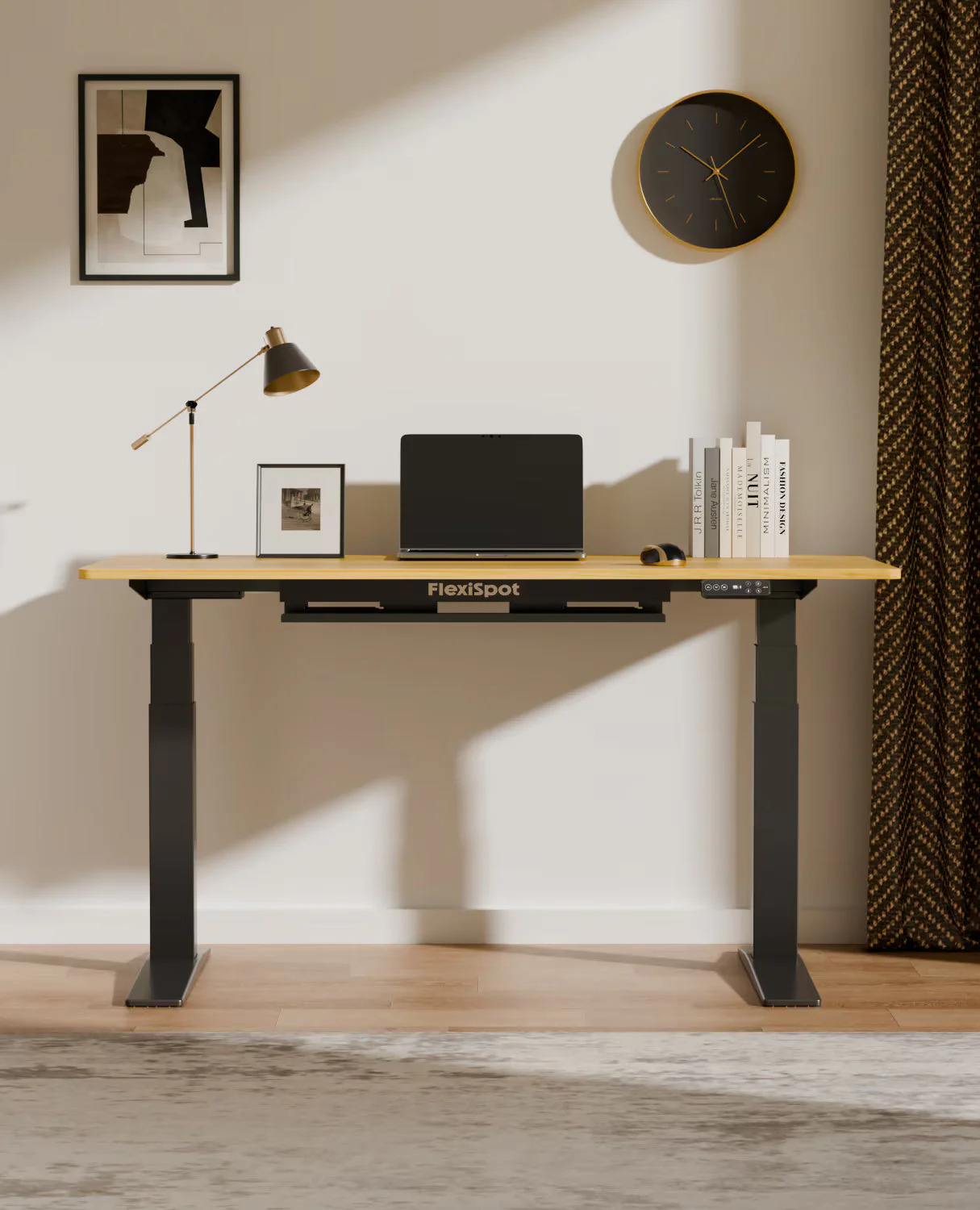
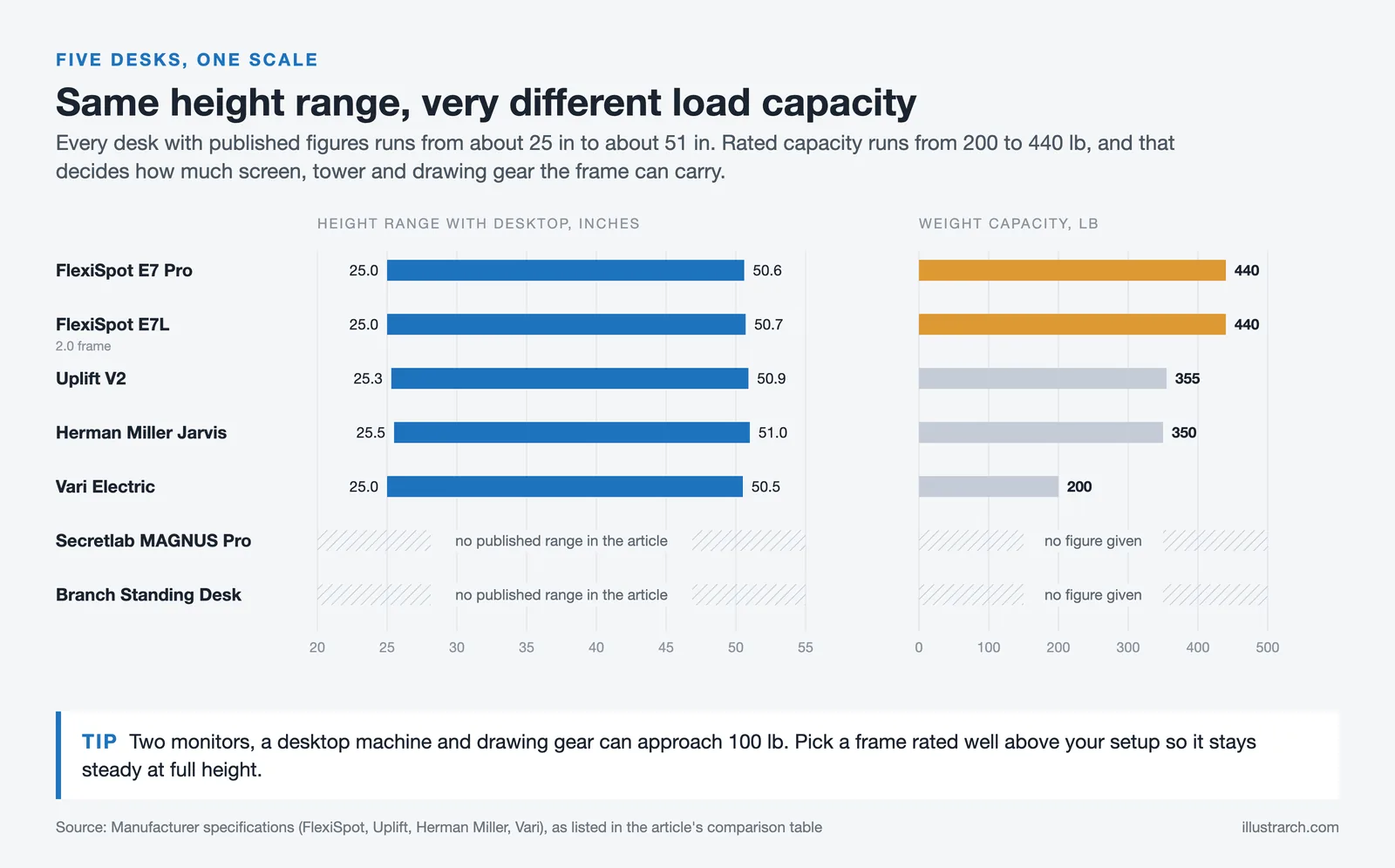
The FlexiSpot E7 Pro is the desk most architects should look at first. It carries up to 440 pounds, well above the 355 pound rating common in this class, and its semi C shaped legs add stability while leaving more legroom and storage space underneath. The dual motor frame moves quietly across a 25 to 50.6 inch range, and the desk ships with a cable tray, an advanced keypad with memory presets, and USB charging. Larger desktop sizes give you the room a drawing and dual monitor setup needs, and the price usually lands in friendly territory for the build quality. You can compare the current sizes and finishes on the official FlexiSpot E7 Pro page.
Uplift V2: Best for Large Surfaces and Customization

If you want the biggest possible drawing surface, the Uplift V2 is hard to beat. Desktops run from 42 inches up to a generous 80 inches wide, with more than 20 material options including bamboo, walnut, and reclaimed wood, plus an L shaped version for corner studios. The frame supports 355 pounds, includes an anti collision sensor, and comes with a long 15 year warranty. An advanced keypad with presets is worth adding, since the basic one lacks memory settings. The newer V3 builds on the same idea, but the V2 remains the widely reviewed workhorse for people who want to configure every detail.
Herman Miller Fully Jarvis: Best Premium Build

The Fully Jarvis, now sold under Herman Miller, is the pick for designers who care about finish and longevity. Reviewers consistently rate its build quality and bamboo tops among the best in the category, and it offers wide desktop sizes suited to studio work. You pay more than for a FlexiSpot or an entry Uplift, but the refinement and warranty support are part of the appeal for a desk you expect to keep for many years.
Secretlab MAGNUS Pro: Best Statement Desk for Designers

For a desk that looks as considered as the work on it, the Secretlab MAGNUS Pro stands out. Its all metal body and magnetic cable management system keep a clean, deliberate surface with almost no visible wires, which suits designers who treat the workspace as part of their brand. The trade off is a single, fixed surface size rather than the wide range Uplift offers, so confirm the dimensions fit your monitors and drawing habits before buying.
Vari Electric Standing Desk: Easiest to Assemble
If the thought of bolting together a frame puts you off, the Vari Electric Standing Desk is the friendliest option here. The support beams arrive already attached to the top, so setup is far quicker than rivals that make you build the whole frame. It looks clean and modern and performs smoothly, though its weight capacity sits lower than the FlexiSpot and Uplift, so it suits a lighter monitor and laptop setup more than a heavy multi screen workstation.
Branch Standing Desk: Best Minimal Office Look
The Branch Standing Desk leans into a calm, office friendly aesthetic. Its main 48 by 30 inch top is deeper than many competitors, giving you space for two monitors, a laptop, and a notebook, and the rounded front edge is comfortable to lean against during long review sessions. Size and color choices are limited and built in cable storage is minimal, but for a tidy home studio it is a clean, well made choice.
FlexiSpot E7L: Best L-Shaped Desk for Studio Corners

Architects who work across drawings, a model, and a screen at the same time often run out of room on a straight desk. The FlexiSpot E7L solves that with an L shaped top, a 440 pound capacity, and three legs driven by a triple motor system for steadier movement than a two leg corner desk. Reversible panels let you set the long side on the left or right, so it adapts to your layout and your handedness. For help pairing the right accessories, from monitor arms to cable trays, see our breakdown of architect desk setup tools.
How Do the Top Standing Desks Compare?
The table below summarizes the main specifications side by side. Figures are approximate and depend on the size and configuration you choose.
| Desk | Surface options | Height range | Weight capacity | Best for |
|---|---|---|---|---|
| FlexiSpot E7 Pro | Up to 63 x 31 in | 25 to 50.6 in | 440 lb | Overall value and stability |
| Uplift V2 | 42 to 80 in wide | 25.3 to 50.9 in | 355 lb | Large surfaces, customization |
| Herman Miller Fully Jarvis | Up to 78 in wide | Approx 25.5 to 51 in | Approx 350 lb | Premium build quality |
| Secretlab MAGNUS Pro | Single fixed size | Sit to stand range | Metal frame | Designer aesthetic, cable management |
| Vari Electric | 48 to 72 in wide | Approx 25 to 50.5 in | Approx 200 lb | Fast, tool light assembly |
| Branch Standing Desk | 48 x 30 in | Sit to stand range | Office grade | Clean office aesthetic |
| FlexiSpot E7L | L shaped | 25.0 to 50.7 in | 440 lb | Corner studio setups |
How to Set Up a Standing Desk for Ergonomic Work
Buying the right desk is only half the job. Correct positioning is what actually protects your neck, back, and wrists, and a good setup on an average desk beats a careless setup on an expensive one.
💡 Pro Tip
Do not switch to standing all day at once. Start with 20 to 30 minute standing intervals a few times a day and build up over a couple of weeks. An anti fatigue mat makes a real difference on hard studio floors, and supportive shoes help more than most people expect during long modeling sessions.
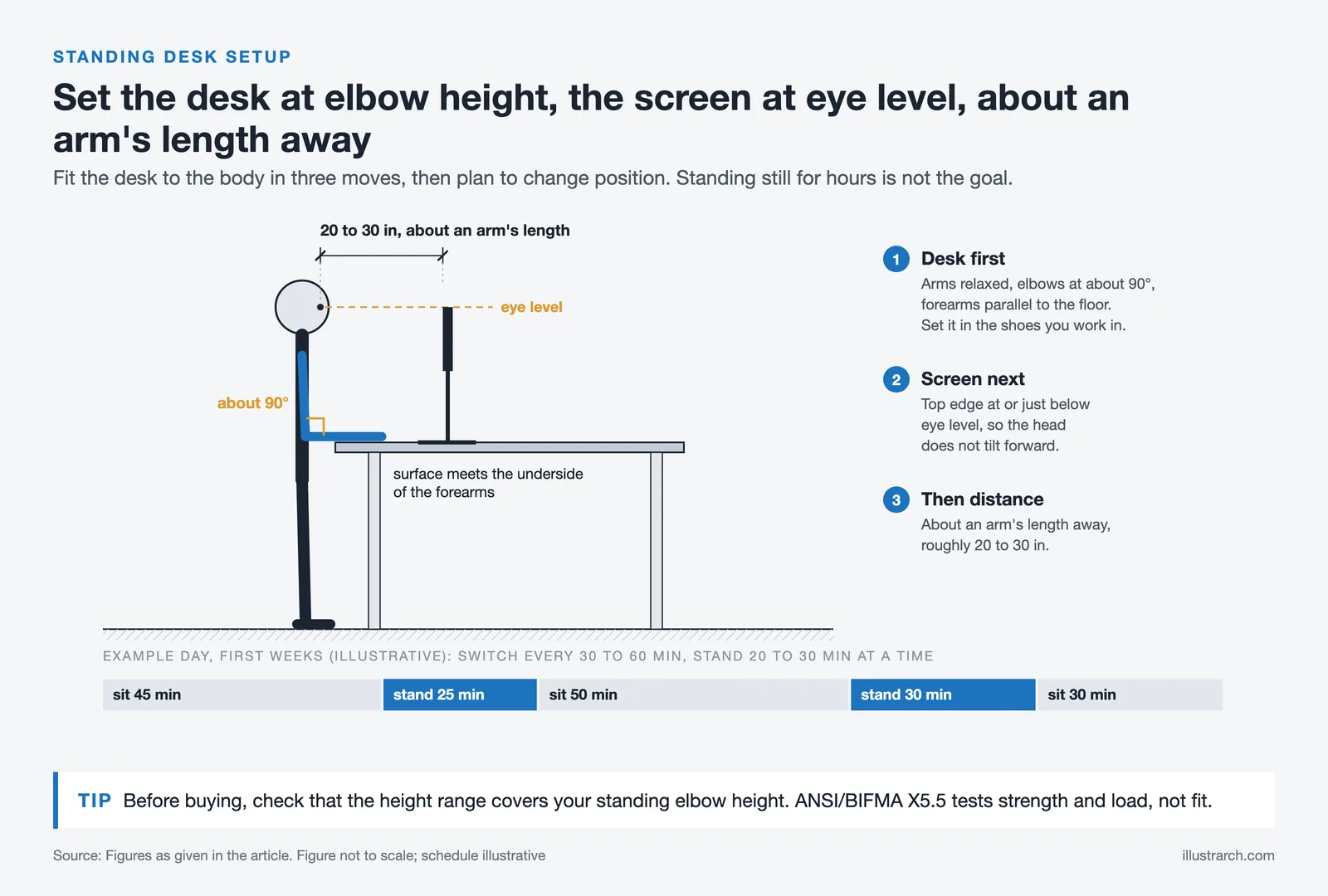
Set the desk height first. Stand with your arms relaxed, bend your elbows to about 90 degrees with your forearms parallel to the floor, and raise the surface until it just meets the underside of your forearms. Your shoulders should feel relaxed, not lifted. Do this while wearing the shoes you actually work in, since that changes the height by a noticeable amount.
Next, fix your monitor. The top edge of the screen should sit at or just below eye level, about an arm’s length away, which is roughly 20 to 30 inches. Too low and your head tilts forward, which is the main cause of neck strain for screen heavy work. A monitor arm makes this easy to dial in, and it frees up surface space, which matters when you also draw by hand. For the full kit that supports precise studio work, see our list of must have architect tools.
Finally, plan to move. Alternating between sitting and standing every 30 to 60 minutes is the goal, not standing rigidly for hours. Keep an ergonomic chair for your sitting periods so both positions stay comfortable.
📐 Technical Note
The ANSI/BIFMA G1-2013 ergonomics guideline is built around fitting users from the 5th percentile female to the 95th percentile male, so check that a desk’s height range covers your standing elbow height before buying. A separate standard, ANSI/BIFMA X5.5, addresses desk strength and load rather than fit, which is why a desk can pass a durability test and still be the wrong height for you.
Are Standing Desks Worth It for Architects and Designers?
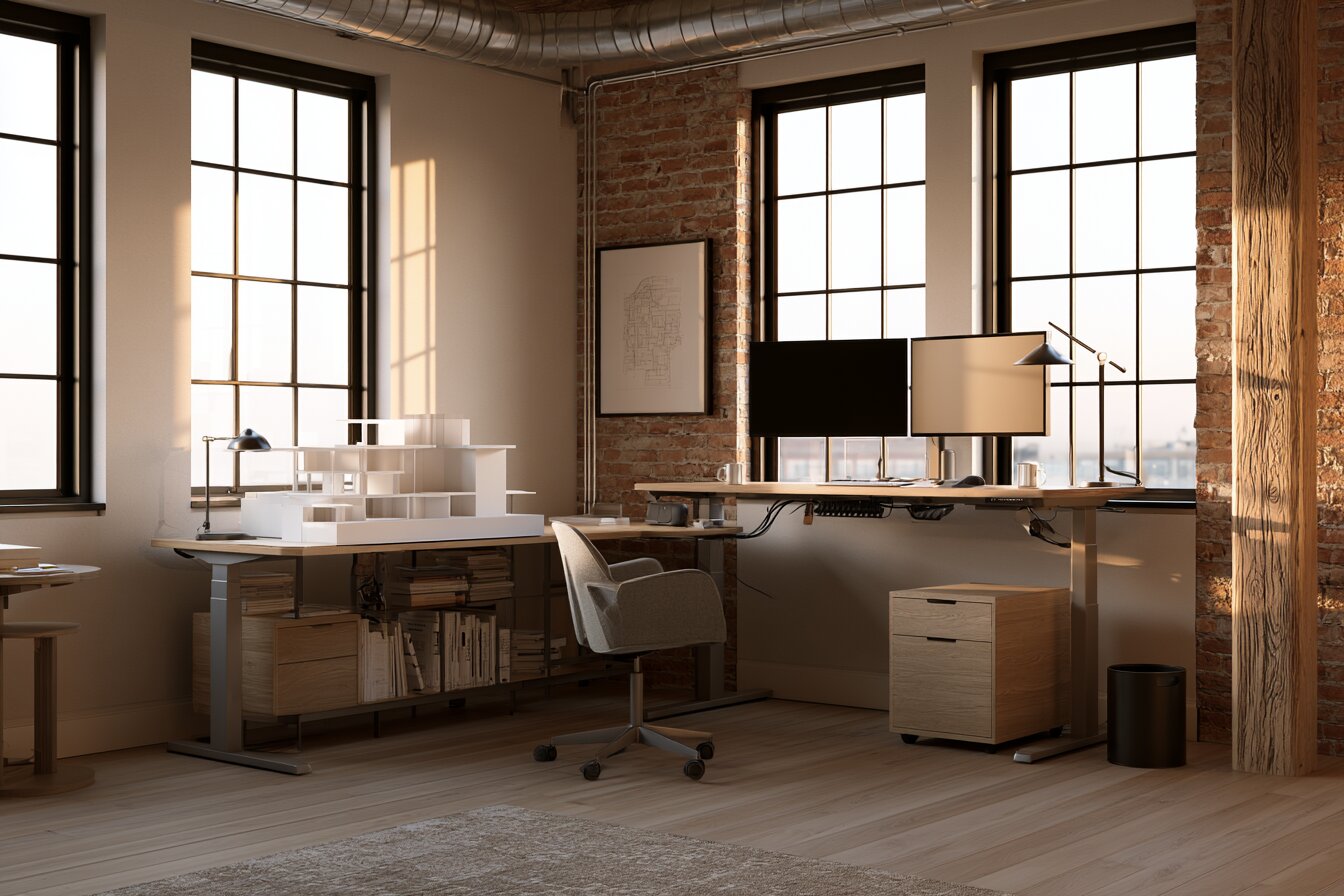
Yes, when you use one correctly. The value is not in standing itself but in breaking up the long, static sitting that fills most studio days. The research that supports sit-stand desks is consistent on this point.
🔢 Quick Numbers
- Workers using sit-stand desks reported a 54% reduction in upper back and neck pain (CDC Take-a-Stand Project, 2012)
- The same project cut workplace sitting time by 66 minutes per day on average (CDC Take-a-Stand Project, 2012)
- Call center employees with standing desks were 46% more productive than seated colleagues over six months (Texas A&M University, 2016)
Those figures come from controlled work studies, including the CDC Take-a-Stand Project and research from Texas A&M University. One caveat is worth repeating: standing all day brings its own problems, including leg and lower back fatigue, so the benefit depends on alternating positions rather than trading one fixed posture for another. A calmer, less cluttered setup supports focus as well, a point we cover in our look at minimalist office design.
How Much Do Standing Desks for Architects Cost?

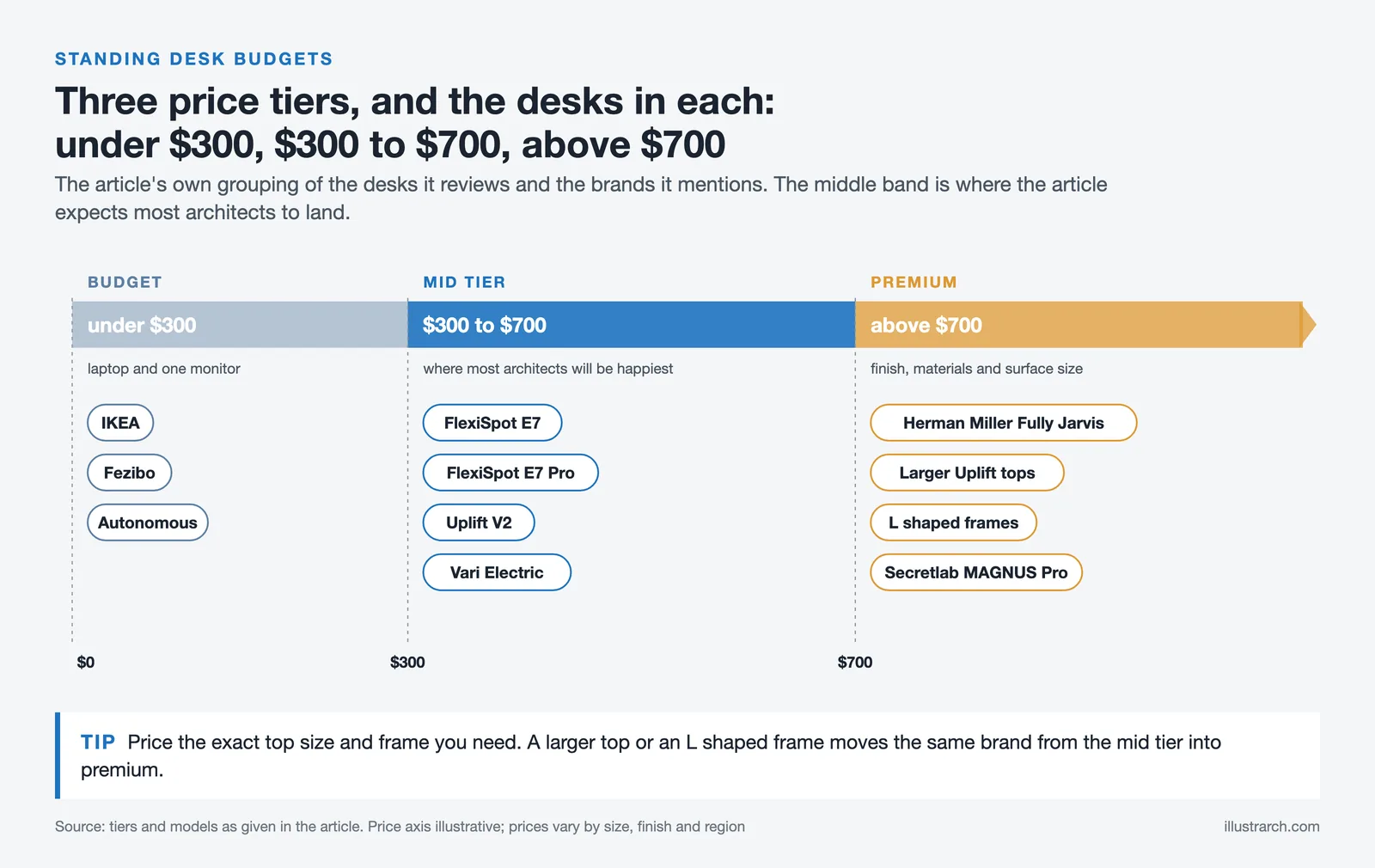
Standing desks for architects fall into three rough tiers. Budget models from brands like IKEA, Fezibo, and Autonomous usually sit under 300 dollars and work for a basic laptop and single monitor setup. The mid tier, where most architects will be happiest, runs roughly 300 to 700 dollars and covers the FlexiSpot E7 and E7 Pro, the Uplift V2, and the Vari. Premium territory above 700 dollars includes the Herman Miller Fully Jarvis, the larger Uplift and L shaped configurations, and the Secretlab MAGNUS Pro, where you pay for finish, materials, and surface size.
The extra spend is easier to justify for a desk you use eight or more hours a day for years, but a well chosen mid tier desk handles serious studio work without strain.
Prices and availability change often and vary by region, retailer, and the desktop size or finish you choose. Check the manufacturer for current figures and warranty terms before buying.
Final Thoughts
The best standing desk for architects is the one that gives you room to draw and model, stays steady under a full workstation, and fits your body at standing height. For most people that points to the FlexiSpot E7 Pro on value, the Uplift V2 for the largest and most customizable surface, and an L shaped option for a busy studio corner. Get the setup right, ease into standing, and the desk earns its place over a long career at the screen and the drawing board.
✅ Key Takeaways
- Prioritize surface depth, frame stability, and weight capacity over extra features, since these affect daily drawing and modeling the most.
- The FlexiSpot E7 Pro offers the best balance of stability, capacity, and price for most architects, while the Uplift V2 wins on large surfaces and customization.
- Designers who want a statement piece can look at the Secretlab MAGNUS Pro, and corner studios are well served by an L shaped desk like the FlexiSpot E7L.
- Correct setup matters as much as the desk itself: elbows at about 90 degrees, monitor at eye level, and a gradual move into standing.
- Studies link sit-stand desks to less back and neck pain and higher productivity, but the benefits depend on alternating positions rather than standing all day.








Futuro House Production Revived in Finland After Decades-Long Hiatus
A Facebook listing for abandoned moulds led to the first new Futuro...
 illustrarch Editoral Team3 Mins read

Building Your Dream Home in NSW: What You Should Know About Montgomery Homes
Montgomery Homes has been building across Sydney, Newcastle, the Hunter, Wollongong and...
illustrarch Editoral Team4 Mins read

Designing a Home Theater: Where Drapery Fits Into the Plan
In a media room the curtains are a performance layer, not decoration....
illustrarch Editoral Team3 Mins read

Oscar Niemeyer’s Cathedral of Brasília: The Hyperboloid Concrete Hymn
The Cathedral of Brasília reads as a single gesture, yet it stood...
 Furkan Sen7 Mins read


Leave a comment