

Concepts App Review: The Infinite Canvas Architects Actually Use
A practical Concepts App review for architects, looking at the infinite canvas, editable vector sketching, scale and measure tools, DXF and PDF export, subscription pricing, and how it stacks up against Procreate and Morpholio Trace.
 Sinan Ozen11 July 20268 Mins read271
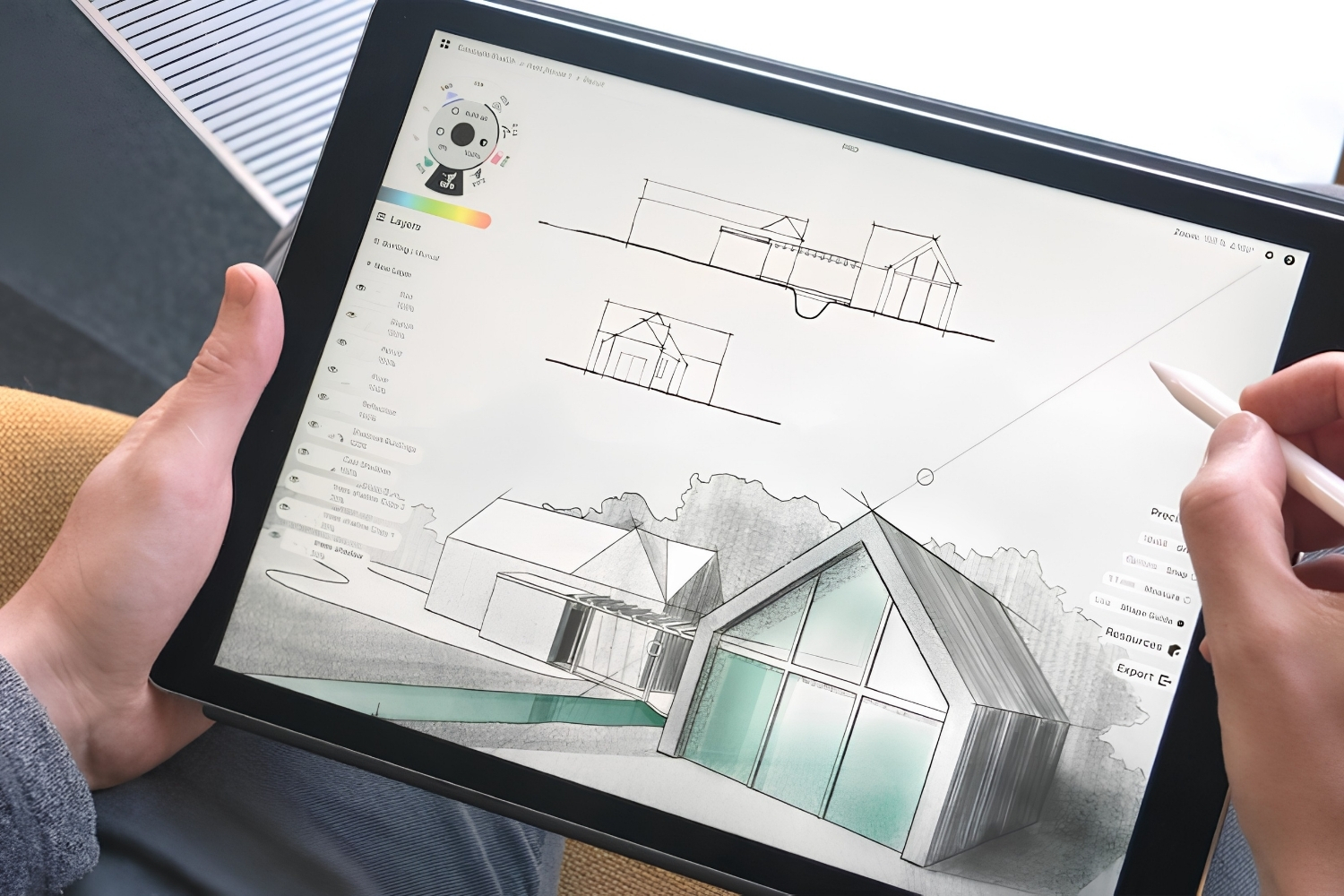
Table of Contents Show
The Concepts App is an infinite canvas sketching tool built around editable vector strokes, precision guides, and CAD friendly exports. Architects use it for everything from napkin concept sketches to scaled schematic drawings on iPad, Windows, and Android, sitting between freehand drawing and full drafting software.
Plenty of drawing apps promise to replace the sketchbook. Few hold up once you put a real project schedule behind them. After using Concepts on live design work, this review looks at where it earns its place in an architect’s toolkit, where it falls short, and whether the subscription is worth paying.

What Is the Concepts App?
Concepts is a sketching and design app made by TopHatch, Inc., available on iPad, iPhone, Windows, and Android. At its core sits an endless drawing surface paired with a vector engine, so a line you draw stays sharp at any zoom level and stays editable long after you put it down.
That combination is what separates the concepts drawing app from a paint program. In Procreate or most note taking tools, a stroke becomes fixed pixels the moment you lift the pencil. Here, every line keeps its properties. You can grab a wall sketched twenty minutes ago, change its weight, recolor it, or drag its endpoint, with no erasing and no redrawing. That single behavior reshapes how you work, because nothing you draw is ever locked in.
The app weighs in at around 247 MB and supports Apple Pencil, Surface Pen, and most active styluses depending on platform. Files sync across devices, so a sketch started on an iPhone during a site visit opens on a Windows machine back at the studio. For architects who move between hardware through the day, that continuity removes the usual export-and-email shuffle.
The app started as an iPad favorite and grew into something architects now treat as a daily concepts ipad app for early design thinking. It also doubles as a flexible concepts note taking app, since the same canvas handles meeting notes, redline markups, and quick diagrams without switching tools.
📌 Did You Know?
Concepts holds a 4.7 star rating across more than 26,000 ratings on the Apple App Store (as of June 2026). That score is unusually high for a professional design tool that keeps its full feature set behind a paid plan, which says something about how its users feel once they commit.
Why Architects Choose the Concepts App for Sketching
The pull is not the brush feel alone, though the pencils and pens are good. It is the way the Concepts App handles iteration. Design at the concept stage means drawing the same idea ten times. An infinite canvas plus editable vectors turns that repetition into adjustment instead of restarting.
The infinite canvas in practice
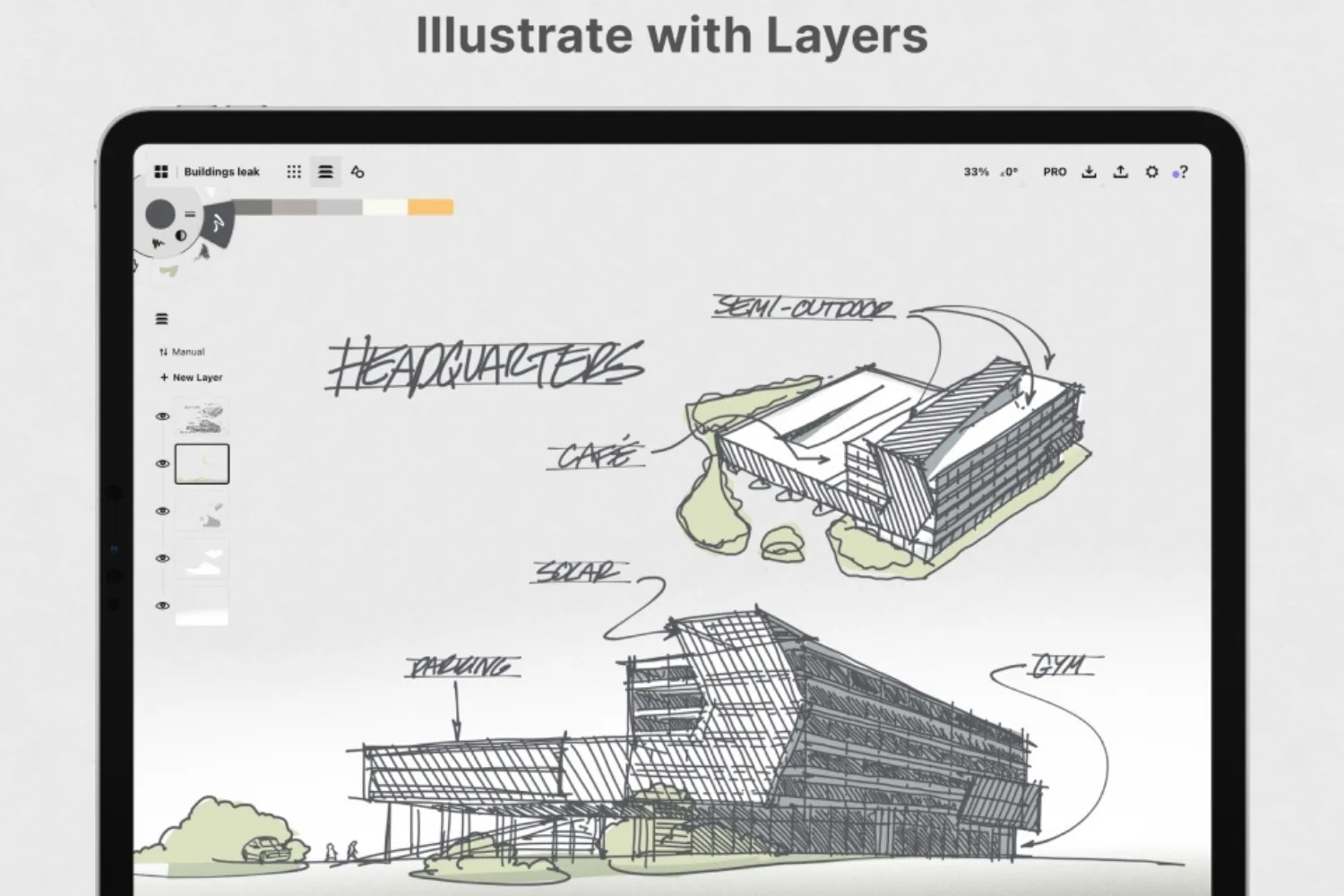
There is no page boundary. You can sketch a site plan, then scroll left and rough out three building sections beside it, all on one surface. For studying a campus or a row of unit options, this beats juggling separate artboards. The canvas keeps related thinking in one visual field, which matters when you present alternatives side by side.
Infinite layers back this up. You can stack site, massing, circulation, and annotation on separate layers, then dim or hide whole sets while talking a client through options. If you have weighed up other tablet drawing tools, our look at the best architecture apps for iPad puts this layer flexibility in context against the wider field.
💡 Pro Tip
Assign each design phase to its own layer group: site, massing, then annotation. Because strokes stay as adjustable vectors, you can hide an entire phase when presenting a single option, then bring it back without losing a stroke. This keeps option studies clean during client reviews.

Vector strokes you can actually edit
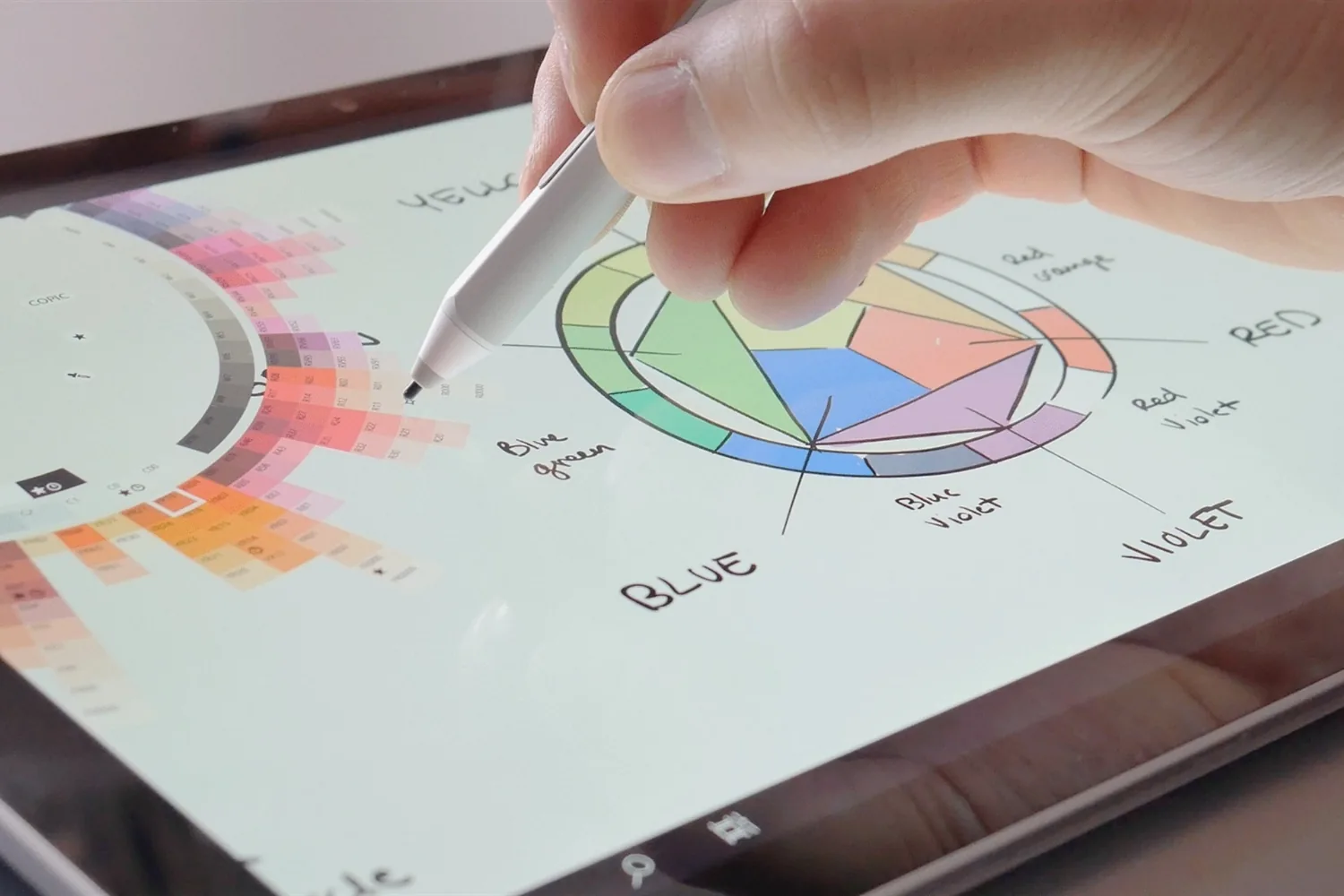
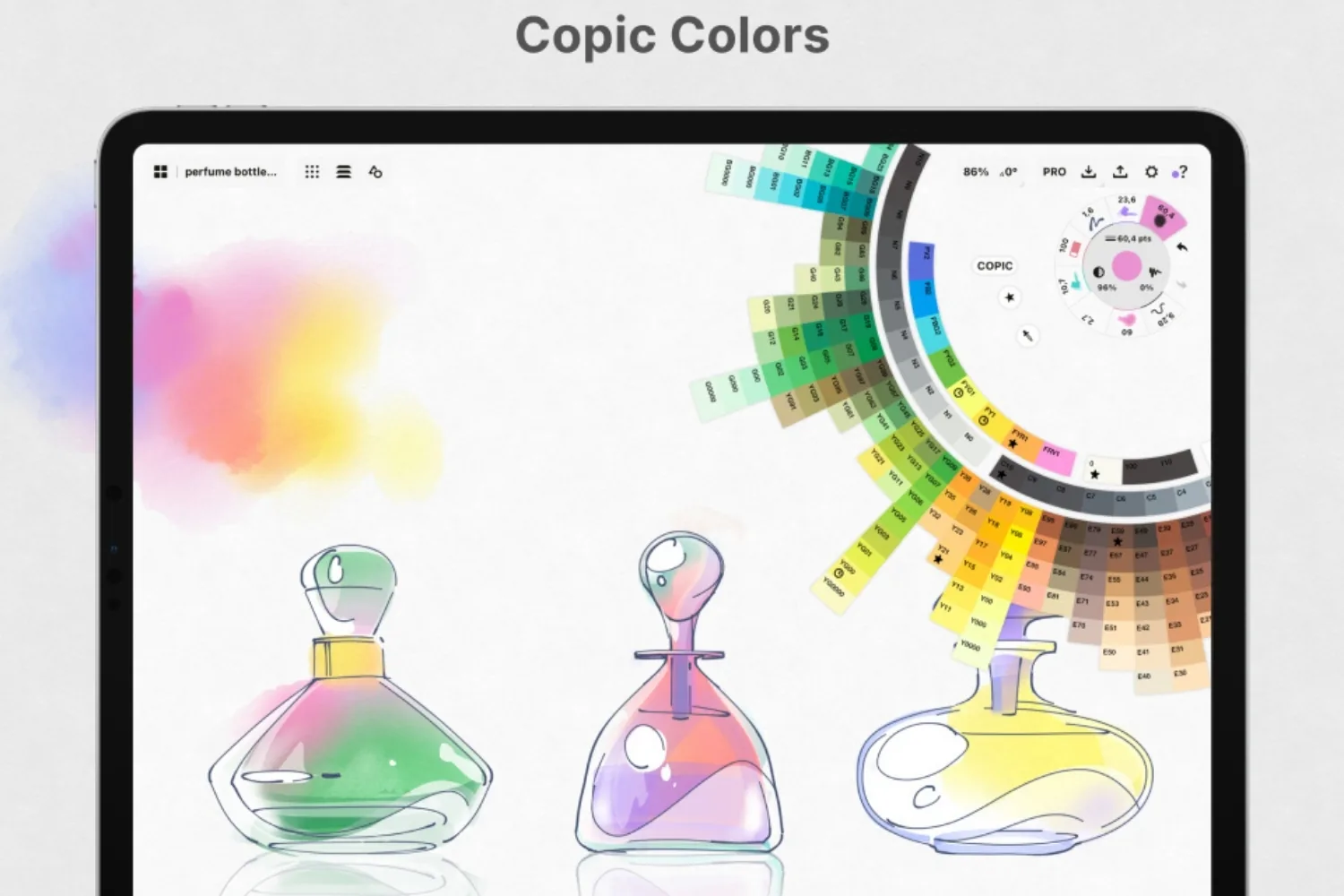
The vector-raster hybrid is the feature architects mention most. Selection tools let you reshape, rescale, copy, and recolor existing geometry. Sketch a window once, duplicate it across a facade, then resize the whole run when the floor-to-floor height changes. The designer COPIC color set is built in, so your linework reads in recognizable presentation tones rather than flat defaults.
This editability is also why Concepts works for refinement, not just first ideas. A loose study can tighten into a scaled diagram inside the same file. For a wider view of how digital tools compare for this kind of work, our roundup of the best tools for digital architectural sketching covers the alternatives worth testing.
Does it work as a note taking app?
Yes, and a fair number of architects use it that way. The same surface that holds a floor plan handles meeting notes, redline markups on a printed PDF, and quick diagrams during a call. Because the canvas never runs out, you are not boxed into a page, so a single project file can grow from rough notes into developed drawings. As a concepts note taking app it is heavier than a plain text tool, but for visual thinkers who mix words with sketches, that weight is the point. The brush library covers pencils, pens, wire, and custom brushes, so notes and drawings share one consistent feel.

Precision Tools That Bridge Sketch and CAD
A sketch app that ignores measurement is useless for architecture. This is where Concepts pulls ahead of pure illustration tools, and where the gap with raster apps becomes obvious.
Snap, Measure, and Scale
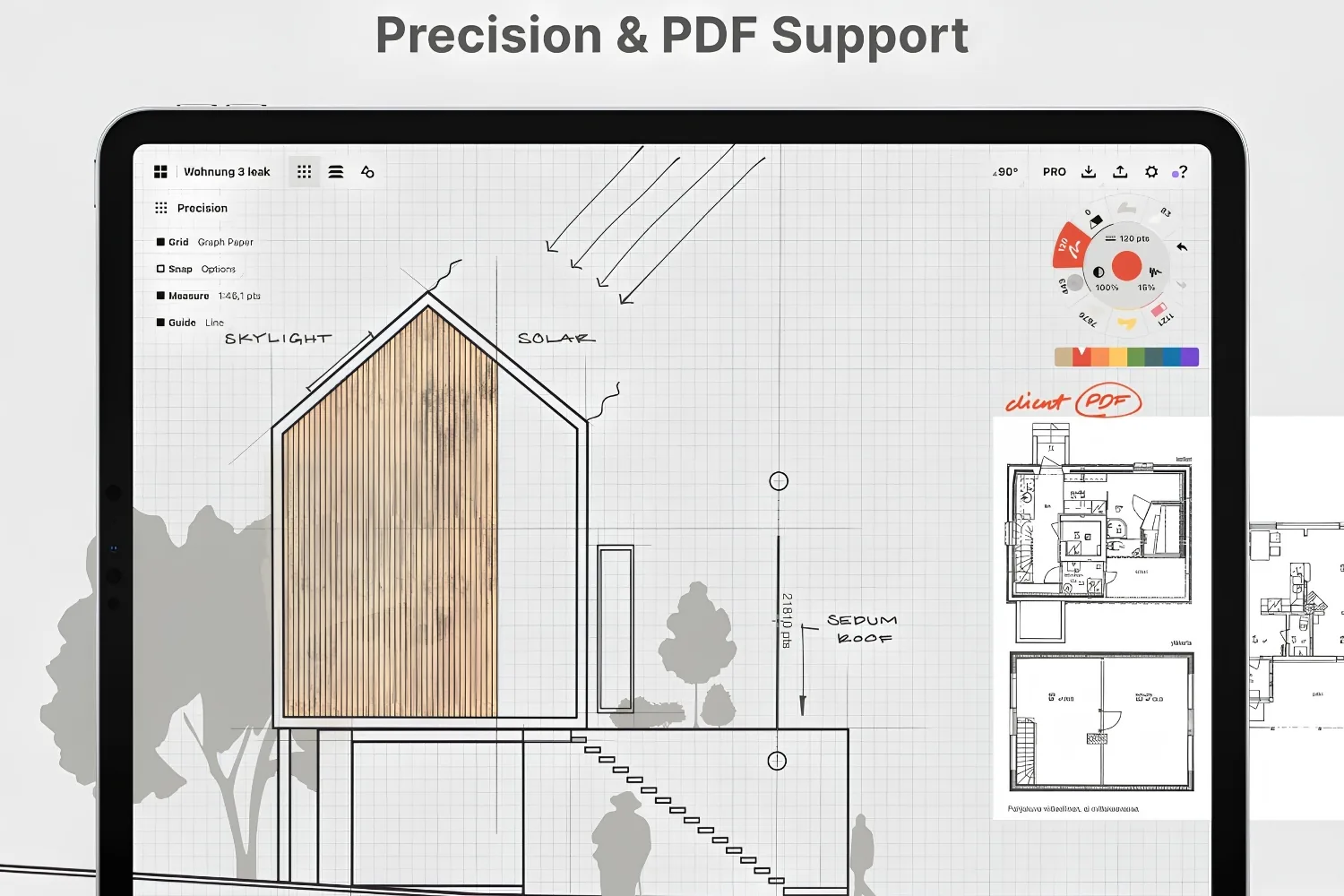
Concepts includes Snap, Measure, Scale, and Shape Guides, plus isometric and perspective grids you can edit. You set a real-world scale and draw to it, with snapping that keeps lines aligned and a measure readout that confirms dimensions as you go. Shape Guides straighten freehand strokes into clean lines, arcs, and ellipses when you need them, while still letting you sketch loosely when you do not.
⚠️ Common Mistake to Avoid
Treating Concepts as a final documentation tool. It exports clean files, but it is not a BIM or construction-drawing platform. Architects who push it toward full production sets hit walls quickly. Use it for concept, schematic, and markup stages, then hand the geometry off to Revit, ArchiCAD, or AutoCAD for documentation.
Export options for CAD and BIM handoff
You can import, mark up, and export PDF plans, and export drawings to PDF, SVG, PNG, and DXF. The DXF export is the one that earns the app a real workflow slot, since your sketched geometry lands back in CAD as editable lines rather than a flat image. Presentation Mode adds live sketching with a team or over a video call, useful for remote design reviews.
💡 Pro Tip
When you import a PDF site plan, set your scale with the Measure tool before drawing a single line. Sketching to scale from the start means your DXF export opens in CAD at the right dimensions, which saves a tedious rescaling pass on the desktop later.
Concepts App Pricing and Plans
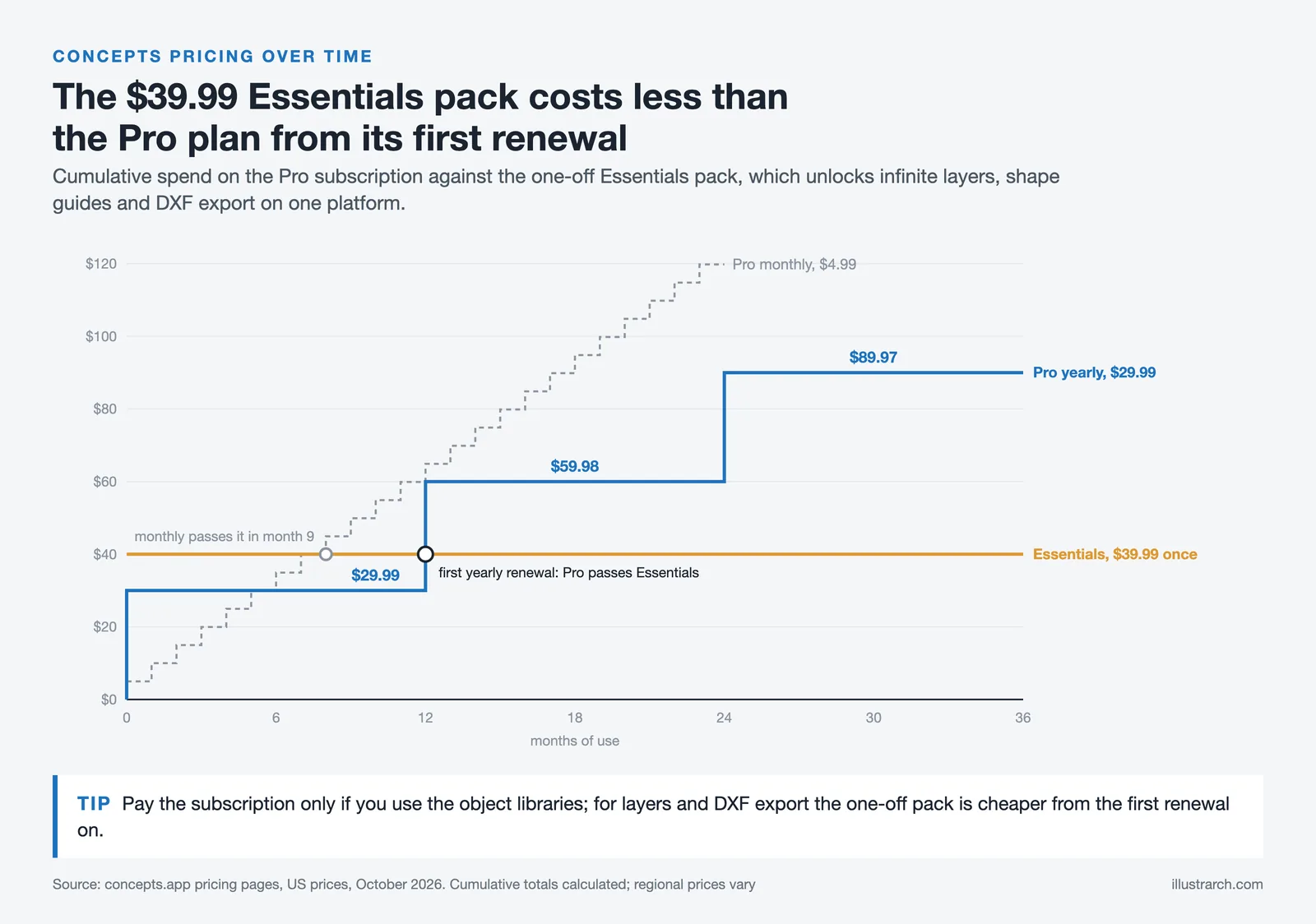
Concepts is unusual in offering both a subscription and permanent one-off unlocks, which matters if you dislike renting software. Figures from Concepts’ own site at the time of writing; app store regional pricing varies.
| Tier | Price | What it covers |
|---|---|---|
| Basic | Free | A set of vector-hybrid brushes and tools, five layers, basic JPG export |
| Pro subscription | $4.99/month or $29.99/year | Over 200 libraries, services and features. 7-day free trial |
| Pro one-off unlocks | $1.99-$39.99 per item | Infinite layers, shape guides, PNG/PSD/SVG/DXF export. Platform-specific |
| Teams | $10/month or $100/year per licence | Self-service business licensing. Enterprise and education options separately |
The one-off route is the one worth knowing about. If all you need is infinite layers and DXF export, buying those unlocks outright costs less than two years of the subscription and does not expire. The subscription makes sense if you use the object libraries, which are the part that keeps growing.
It runs on iOS, Android, Windows, ChromeOS and Samsung Galaxy Store, which makes it one of the few serious drawing apps that is not iPad-only.
If a flat fee matters more to you, our Procreate for architects review covers a strong one-time-payment alternative, and the best free architecture apps for iPad guide lists options that cost nothing to start.
Concepts App Review: Pros and Cons
After real project use, the trade-offs are clear. The table below sums up where the app delivers and where it frustrates.
| Pros | Cons |
|---|---|
| Infinite canvas keeps related studies in one visual field | Full toolset sits behind a subscription or paid plan |
| Editable vector strokes mean iteration without redrawing | Free tier caps you at five layers, too few for projects |
| Precision tools (Snap, Measure, Scale) support true scale drawing | Not a documentation or BIM platform for final sets |
| DXF, PDF, SVG, and PNG export for clean CAD handoff | Deep tool palette has a learning curve for new users |
| Runs on iPad, iPhone, Windows, and Android | Brush realism trails dedicated painting apps like Procreate |
| Built-in COPIC colors and Presentation Mode for client reviews | No native 3D modeling, so it pairs rather than replaces CAD |
How Concepts Compares to Procreate and Morpholio Trace
Most architects do not pick one app. They run two or three. Concepts, Procreate, and Morpholio Trace cover overlapping but distinct jobs, and knowing the split saves money.

Procreate is a raster painting app. It wins on brush feel and presentation renders, paint-overs, atmospheric perspectives, and texture. It cannot draw to scale or export DXF, and it stays iPad only. Concepts trades some brush warmth for editable vectors and measurable geometry, which is the better fit for design development rather than final illustration.
Morpholio Trace leans into overlay and trace workflows, marking up imported plans and photos with CAD-like rulers, and it can export scaled DXF files too. Concepts and Trace genuinely compete for the schematic sketching slot, while Procreate sits apart as the rendering tool. If you want to see how the whole group lines up, our breakdown of mobile drawing apps for digital drawing and sketching maps the strengths of each.
One practical difference settles many buying decisions: platform reach. Procreate is iPad only and Trace runs on iPad and iPhone, while Concepts runs on Windows and Android too. If your studio mixes Surface tablets with iPads, that breadth keeps everyone on one file format. The flip side is that the deep tool set takes longer to learn than Trace’s tighter feature list, so a first session can feel busy. Most architects settle in after a week of real project use, once the gestures and selection tools become muscle memory rather than menu hunting.
Who Should Use Concepts (and Who Should Not)
Concepts fits architects who think on the canvas and want that thinking to carry forward. If you sketch options early, iterate constantly, and need geometry that exports back into CAD, the subscription pays for itself in saved redraw time. The cross-platform reach also helps studios where not everyone is on an iPad.
It is the wrong pick if you mainly produce painterly presentation images, in which case a raster app serves you better, or if you need full construction documentation, which belongs in dedicated CAD or BIM software. The honest read from this concepts review is that the app is a strong front-end for design, not a one-stop replacement for your whole drawing stack. It suits architects who sketch over plans and photographs and anyone who wants an infinite canvas rather than a fixed page, but keep in mind that its vector output is a sketch rather than a dimensioned drawing.
Concepts Alternatives
| App | Price | Best for | Trade-off |
|---|---|---|---|
| Procreate | One-off purchase | Raster illustration and rendering over drawings | Raster only. No vector, no DXF. |
| Morpholio Trace | Subscription | Sketching over plans, architect-specific tools | Narrower toolset, iPad and iPhone only. |
| uMake | Free tier, from $9.99/month | Moving from sketch into 3D on the same device | A modeller rather than a drawing app. |
| Shapr3D | Free tier, paid | Precise 3D from the iPad | Not a sketching tool at all. |
| Nomad Sculpt | One-off purchase | Organic form finding | Sculpting, unrelated to 2D drawing. |
Within drawing apps the real choice is Concepts against Morpholio Trace: Concepts is broader and cross-platform, Trace is narrower and built specifically around architectural overlay work.
Final Thoughts
Bottom Line: The Concepts App earns its reputation among architects because it closes the gap between a loose first sketch and a scaled drawing CAD can read. The subscription is the real friction point, and the free tier is too thin for serious use, but for design-stage thinking the editable vector workflow is hard to match. Treat it as the sketch-to-schematic layer of your toolkit, pair it with a renderer and a CAD package, and it holds its spot.
For broader context on building out an iPad based design setup, the official Concepts for architects page details the current feature set, the Concepts App Store listing shows live ratings and pricing, and ArchDaily’s roundup of the top apps for architects places it among the wider field of professional tools.




Notion Alternatives for Architects: 7 Tools That Fit Studio Work
Notion works until a studio needs fee tracking, phase budgets and timesheets....
 Furkan Sen7 Mins read

Why Every Practice Ends Up With Five Versions of the Same Revit Family
Let’s learn why Revit family libraries accumulate duplicates, break schedules and slow...
 illustrarch Editoral Team5 Mins read

Visualizing Renovation Projects From Photographs: A Workflow for Existing-Building Work
Photo-based visualization turns a photograph of a building that already exists into...
illustrarch Editoral Team7 Mins read

Best Free CAD Blocks and Resources for Architects
A working guide to free CAD blocks for architects, covering ARCAT, CAD-Blocks.net,...
Furkan Sen7 Mins read


Leave a comment