

Picsart for Architects: A Quick Image Editing Review
A hands-on Picsart review for architects covering background removal, AI generation, fonts, and pricing. See where the mobile editor saves time on quick jobs and where dedicated desktop software still wins for final work.
 Furkan Sen10 July 20265 Mins read119
Table of Contents Show
Picsart for architects is a mobile photo editor that handles quick image edits, background removal, and AI touch-ups straight from a phone or tablet. It fits fast render cleanups, social posts, and on-site visual notes well, though it stays a step behind desktop tools when a project needs detailed presentation graphics.
Most architects already run several desktop programs for rendering and post-production. The appeal of Picsart for architects is different. It puts a fast editor in your pocket for the small jobs that never justify opening Photoshop. This review looks at where the app earns its place, where it frustrates, and whether it belongs in a working architect’s toolkit. If you want the full desktop picture instead, our roundup of Photoshop alternatives for architects covers the heavier options.
What Is Picsart and Why Architects Are Trying It

Picsart is a mobile and browser-based editing app aimed at social creators, with more than 150 million users according to its App Store listing. The core picsart photo editor covers layers, filters, masking, and text, while a growing set of AI tools handles the slower manual tasks. It was never built for construction documents, yet the same speed that suits a marketing post also suits an architect who needs a clean image in two minutes, not two hours.
The reason it keeps appearing on architects’ phones comes down to friction. Mobile work has moved from a novelty to a real part of practice, a shift we tracked in our look at the best mobile apps for architects. When a render needs a quick fix before a client email, reaching for a desktop machine is the slow path. The picsart app runs on the same phone you already carry to site visits, so the tool is there at the moment you need it rather than back at the studio.
That convenience comes with a clear boundary. This is a consumer app tuned for social content, so it favors speed and presets over the precise, repeatable control a technical workflow demands. Knowing that boundary upfront keeps expectations honest and stops you from forcing the app into work it was never meant to carry.
🔢 Quick Numbers
- Over 1 billion downloads on Android, per the Picsart listing on Google Play (2026)
- 4.0 average rating from 12.2 million reviews, per Google Play (2026)
- More than 150 million creators, per the Picsart App Store listing (2026)
Picsart Features That Matter for Architectural Work
Not every tool in the app is relevant to design practice. A handful are genuinely useful, and a few save real time on the kind of small edits that pile up during a project.
Quick Render Touch-Ups and Background Removal
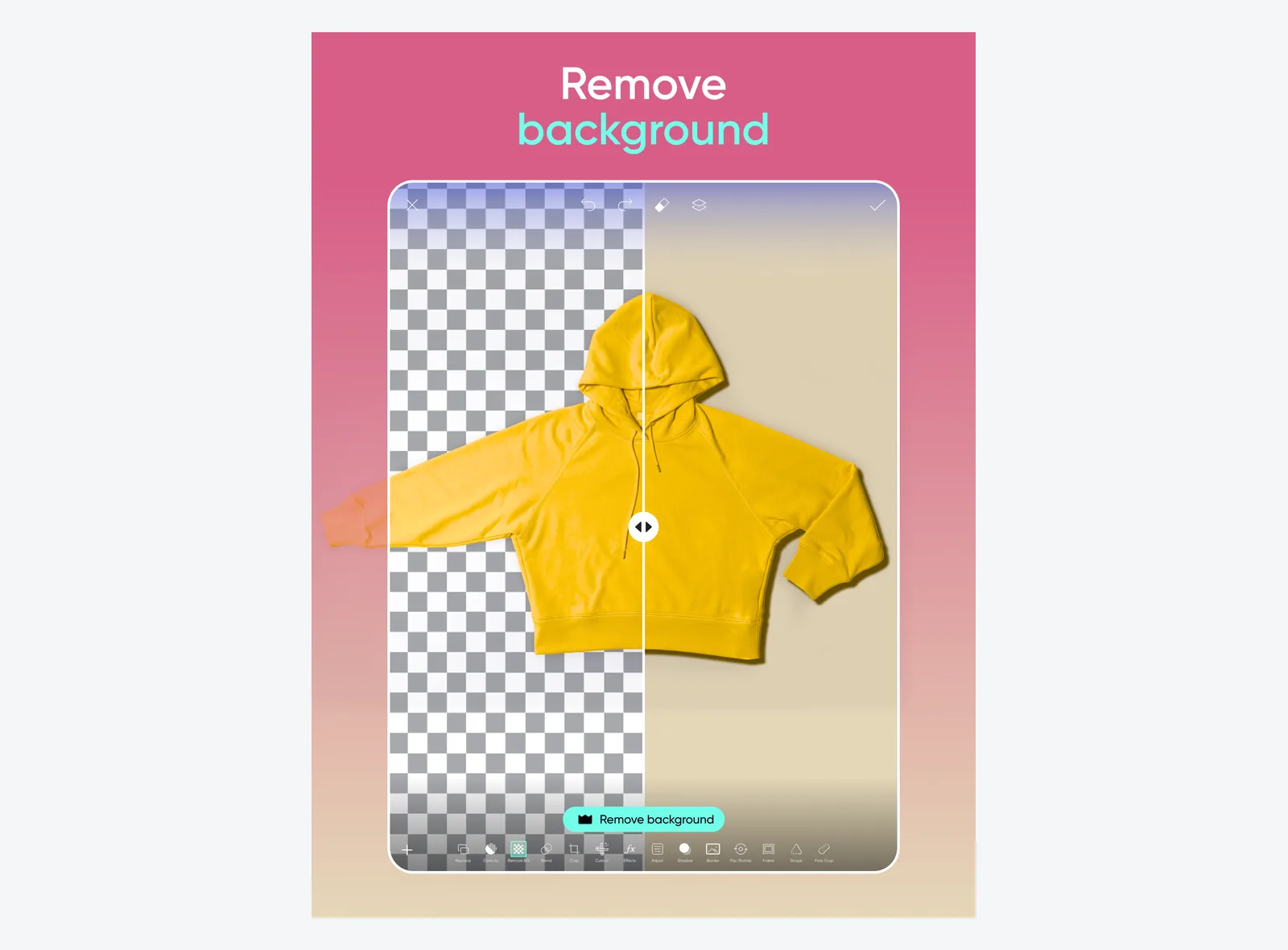
The standout feature for architects is background removal. The one-tap cutout reads edges well enough to drop a building photo onto a clean backdrop or strip a busy sky from an exterior shot. Object removal clears stray cars, signage, or scaffolding from a site photo without a manual clone-stamp pass. For presentation cleanup on the go, this is where the app pays for itself, and it pairs naturally with the principles in our guide to effective architectural presentations.
💡 Pro Tip
Shoot site photos against the simplest background you can manage, then run the cutout. The automatic mask handles clean silhouettes far better than fences, trees, or overlapping structures, which still need manual touch-ups. Five minutes of framing on site saves twenty minutes of edge correction later.
AI Tools: Picsart AI Image Generator and Picsart AI
The picsart ai photo editor side has grown fast. The picsart ai image generator can sketch a quick mood image for an early concept board, and AI background replacement swaps a flat sky for something with depth. Treat these as concept and communication aids, not as final visuals. The output reads as stylized rather than measured, which is fine for a pitch deck but wrong for anything a contractor will build from. For a sense of where mobile AI editing sits against desktop power, our Procreate vs Photoshop comparison draws the same line between speed and control.
There is a real time saving in the retouch and enhance tools. Auto-correcting exposure on a dim interior shot, warming a cold render, or sharpening a phone photo before it goes into a report takes seconds. None of this matches the control of a desktop editor, but for a quick pass on an image that nobody will print at A1, the trade is worth it. The app handles object removal on simple backgrounds with the same one-tap logic, which keeps a site photo readable without a full editing session.
On-Site Markups and Concept Sketching
The drawing layer turns the app into a fast markup tool. You can open a site photo, circle a problem area, add an arrow and a note, then send it to a colleague before you leave the building. It overlaps with what a dedicated sketching app does, and if quick concept drawing is your main need, our review of Procreate for architects covers a stronger option for that specific job. Picsart wins when the same image also needs a cutout, a caption, and an export in one sitting.
Text and Picsart Fonts for Presentation Graphics
Diagram labels, title blocks, and social captions all need clean type. The picsart fonts library and the built-in picsart font generator give enough range for quick annotation work, and the layout tools let you stack text over an image without exporting to another app. It will not replace a proper vector workflow for a printed board, but for a story post or a quick markup it does the job in one place.
Picsart Review for Architects: Pros and Cons

A balanced read matters here, because the app is strong in a narrow lane and weak outside it. The table below sums up where the picsart app helps an architect and where it gets in the way.
Picsart Strengths and Limitations at a Glance
| Aspect | Pros | Cons |
|---|---|---|
| Speed and mobility | Edits and exports in minutes from a phone or iPad | Small screen limits precision on detailed work |
| Background and object removal | Fast, accurate cutouts for clean silhouettes | Struggles with trees, fences, and reflective glass |
| AI generation | Useful for early concept boards and mood images | Output is stylized, not geometrically reliable |
| Precision and output control | Layer support beyond most mobile editors | No fine perspective correction or print-ready CMYK |
| Pricing and ads | Capable free tier covers basic edits | Best AI tools sit behind a Picsart Gold subscription |
The pricing line deserves a note. The free tier handles cropping, filters, basic cutouts, and text, but the heavier AI features and the full asset library require a Picsart Gold subscription. Current rates and the exact split between free and paid sit on the official Picsart website, which is the only source worth trusting since the tiers change often.
Is Picsart for Architects Worth the Switch?
Picsart for architects is not a replacement for a desktop suite, and it does not try to be. It works best as a second tool that handles the quick, low-stakes edits between the serious work. If your day includes site photos that need cleanup, social content for the studio account, or a fast concept image for a client text, the app earns its keep. For final renders, printed boards, or precise post-production, you still belong on a desktop, a point reinforced by the deeper editing tutorials on ArchDaily.
One practical caution shapes the verdict. Architects who treat the AI output as accurate risk sending a client a building that cannot be drawn the way the image suggests. Use the generator to communicate an idea, then resolve the real geometry in your modeling software. The app is fast, available on both the App Store and Google Play, and good at exactly one thing: removing friction from small jobs.
Wrapping Up
Bottom Line: Picsart is a sharp mobile companion for quick edits, background cleanups, and concept visuals, but it sits beside your desktop tools rather than replacing them. Keep it for the two-minute fixes, and keep the heavy presentation work where the precision lives.





Notion Alternatives for Architects: 7 Tools That Fit Studio Work
Notion works until a studio needs fee tracking, phase budgets and timesheets....
Furkan Sen7 Mins read

Why Every Practice Ends Up With Five Versions of the Same Revit Family
Let’s learn why Revit family libraries accumulate duplicates, break schedules and slow...
 illustrarch Editoral Team5 Mins read

Visualizing Renovation Projects From Photographs: A Workflow for Existing-Building Work
Photo-based visualization turns a photograph of a building that already exists into...
illustrarch Editoral Team7 Mins read

Best Free CAD Blocks and Resources for Architects
A working guide to free CAD blocks for architects, covering ARCAT, CAD-Blocks.net,...
Furkan Sen7 Mins read


Leave a comment