

Top 15 List of 3D Modeling Websites for Free and Premium Models
Discover the 10 best 3D modeling websites for free and premium 3D models. From Thingiverse and Cults 3D to TurboSquid and CGTrader, compare features, pricing, and file formats to find the right platform for your next project.
 Bahattin Duran5 August 202414 Mins read1.7k

Table of Contents Show
Finding the right 3D modeling websites can save you hours of work, whether you need a 3D model house for a school project, professional assets for architectural visualization, or printable files for a weekend hobby. With so many 3D model websites available today, knowing where to look and what each platform offers is essential for making the right choice.
We have explored and tested various websites with 3D models, from completely free platforms to premium marketplaces offering production-ready assets. Some focus on 3D printing, others serve game developers and architects, and a few do it all. Below, you will find our curated list of the best websites for 3D models, along with a comparison table to help you pick the right one for your next project.
Quick Comparison of the Best 3D Model Websites
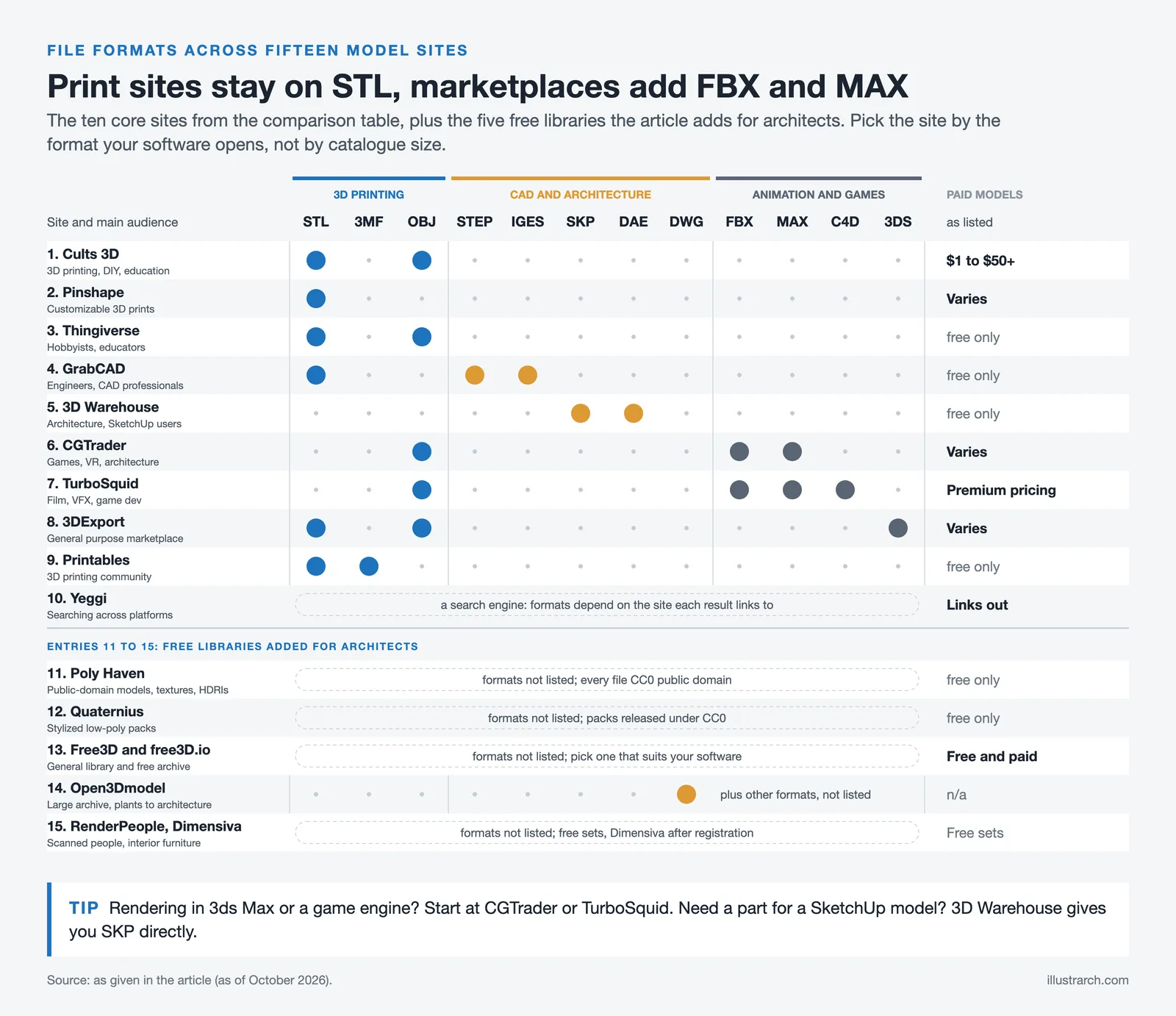
Before diving into each platform, here is a side-by-side look at what these top 3D modeling websites offer. This table covers pricing, model counts, and primary use cases so you can quickly identify which site fits your needs.
| Platform | Free Models | Paid Models | Best For | Key Formats |
|---|---|---|---|---|
| Cults 3D | Yes (large selection) | $1 to $50+ | 3D printing, DIY, education | STL, OBJ |
| Pinshape | Yes | Varies | Customizable 3D prints | STL |
| Thingiverse | Yes (millions) | No | Hobbyists, educators | STL, OBJ |
| GrabCAD | Yes (6.8M+ files) | No | Engineers, CAD professionals | STEP, IGES, STL |
| 3D Warehouse | Yes | No | Architecture, SketchUp users | SKP, DAE |
| CGTrader | Yes (260K+) | Varies | Games, VR, architecture | FBX, OBJ, MAX |
| TurboSquid | Yes | Premium pricing | Film, VFX, game dev | MAX, FBX, OBJ, C4D |
| 3DExport | Yes | Varies | General purpose, marketplace | OBJ, STL, 3DS |
| Printables | Yes (all free) | No | 3D printing community | STL, 3MF |
| Yeggi | Yes (search engine) | Links to paid sources | Searching across platforms | Various |
The table covers the ten core platforms. Entries 11 to 15 further down add free libraries that architects lean on for public-domain assets, low-poly packs, DWG-ready objects, scanned people, and interior furniture.
1. Cults 3D
Cults 3D stands out as a leading platform for 3D model enthusiasts seeking a diverse range of high-quality, user-generated content. With its extensive library of downloadable 3D models, Cults 3D caters to hobbyists and professionals across various domains, including art, jewelry, fashion, and engineering. If you are looking for a free 3D model site with strong community curation, Cults 3D is a solid starting point.
Features
- Cults 3D offers over 100,000 models in categories such as tools, toys, home decor, and fashion accessories.
- Each model undergoes a thorough review ensuring compatibility with 3D printers.
- Users can rate and review models, providing valuable feedback to designers.
Categories and Use Cases
Several categories make Cults 3D a versatile resource:
- Art and Sculpture: Ideal for artists, this category includes intricate designs perfect for galleries and personal collections.
- DIY Projects: Tinkerers find customizable parts and tools, enhancing their DIY endeavors.
- Education: Teachers and students can access educational models for science, technology, engineering, and mathematics (STEM) learning. Students searching for a 3D model house for a school project will find several free options in this category.
Pricing
Cults 3D offers a mix of free and premium models:
- Many designs are available at no cost, making it accessible for beginners.
- Premium models range from $1 to over $50, offering unique and complex designs.
Accessibility
The platform’s website is user-friendly, with intuitive navigation and powerful search filters. It supports multiple languages, widening accessibility for global users.
Community and Support
Cults 3D nurtures an active community:
- Designers have profiles showcasing their portfolios and earning them followers.
- Forums provide troubleshooting help and best practices for 3D printing.
- Newcomers and experienced users benefit from detailed tutorials and guides.
Cults 3D remains a top choice for exploring, downloading, and sharing high-quality 3D models, supporting a thriving community of creators and users.
2. Pinshape
Pinshape stands out as a popular platform for both downloading and sharing 3D models. The website allows users to access a variety of models, ensuring options for different preferences and project requirements. Users can also contribute their own designs, fostering a collaborative community spirit.
Range of Customization
Pinshape provides numerous customization options. These allow users to tweak models to precisely suit their needs. Whether adjusting dimensions, modifying details, or altering aesthetics, the platform supports various customization requirements. This flexibility makes Pinshape especially useful for modeling project websites where users need adaptable designs.
Usage Instructions
To download a model from Pinshape, follow these steps:
- Create an account on the website.
- Search for the desired model using keywords or categories.
- Click the download button to start the process.
Once downloaded, further adjustments can be made using the provided customization tools. This makes it easy for users to adapt and utilize models in their projects.
This versatility and user-centric approach highlight Pinshape as a valuable resource within the 3D modeling community.
3. Thingiverse
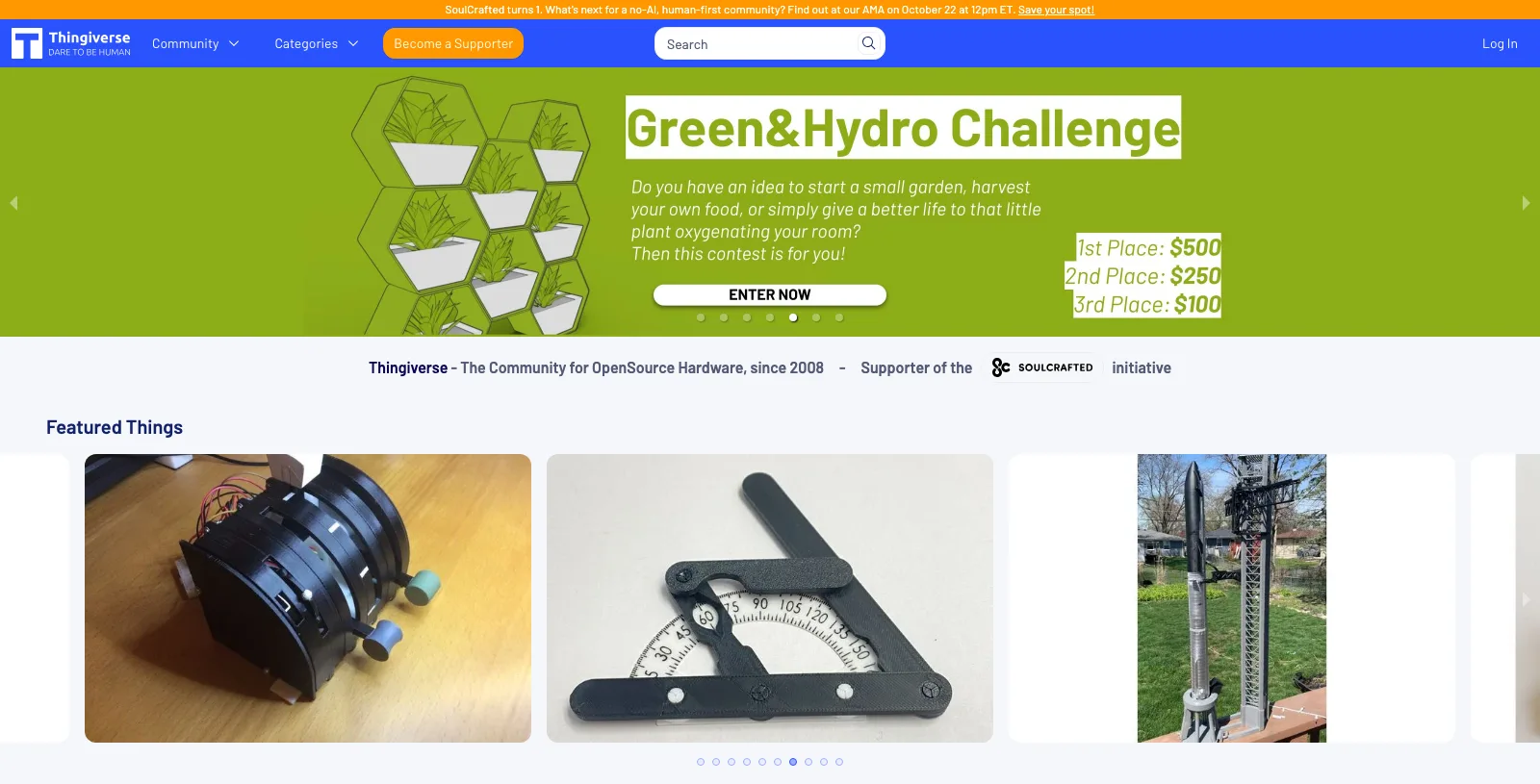
Thingiverse is a thriving design community focused on discovering, making, and sharing 3D printable things. It hosts a vast library of models, catering to both hobbyists and professionals. Most files offer a Creative Commons license, enabling usage for personal and commercial purposes. However, verify each model’s licensing before downloading.
Key Features
- Thingiverse fosters a collaborative environment where users can share their designs and receive feedback.
- The platform includes models ranging from toys to tools to art pieces.
- It provides an intuitive interface, making it easy to browse, download, and upload designs.
- Most designs come with clear usage rights under Creative Commons licenses.
Typical Usage
Designers and hobbyists use Thingiverse to find and share models for 3D printing projects. For example, educators download educational tools, while hobbyists find printable items for personal use. The platform also supports modification and customization of designs, encouraging creative experimentation. Students looking for a 3D model house for a school project can find several free, ready-to-print building models here.
By using the robust features and active community, Thingiverse offers valuable resources for anyone interested in 3D printing. This commitment to accessibility and collaboration helps solidify its position within the 3D modeling ecosystem. To learn more about how 3D modeling influences architectural practice, see our article on how 3D modeling is changing the design process.
4. GrabCAD
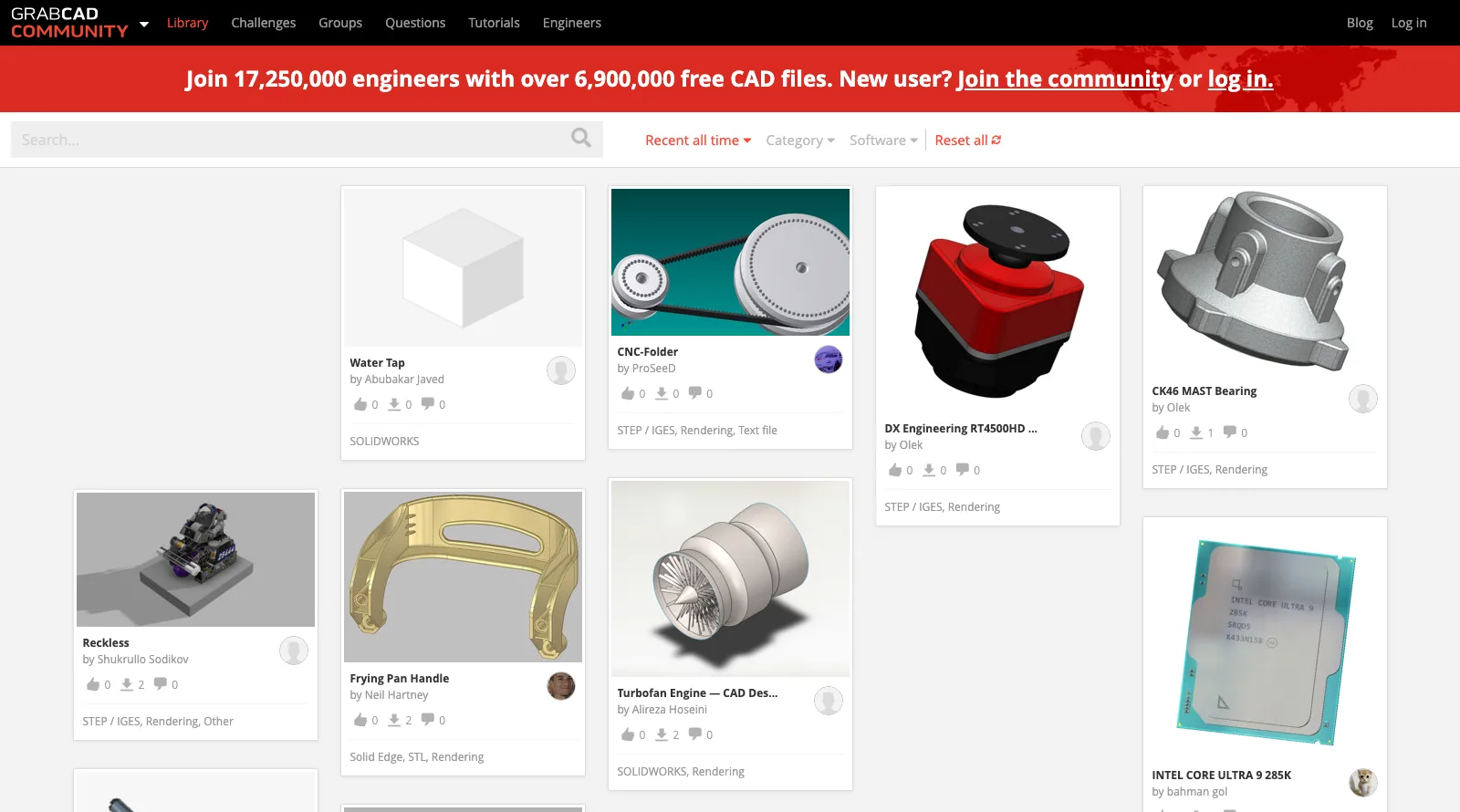
GrabCAD stands as Stratasys‘ leading open software platform for additive manufacturers, engineers, and designers. It significantly enhances additive manufacturing capabilities. The GrabCAD Community Library is home to more than 6.8 million free CAD files and models (as of October 2026) contributed by users worldwide. This collection includes CADs and other valuable assets.
Extensive Collection
The GrabCAD Community counts more than 17 million members (as of October 2026), making it a rich resource for 3D modeling enthusiasts. Users find models ranging from mechanical components to human figurines. Whether you are designing furniture or intricate machinery, someone on GrabCAD has likely already shared a model you can use or adapt.
Collaboration and Showcase
GrabCAD enables users to showcase their creations and collaborate with like-minded individuals. Engineers, designers, and students can upload their work, gaining visibility and feedback. The platform encourages community engagement, fostering a collaborative environment.
Usage Instructions
Before downloading files, always double-check the license and usage rights on each download page. Usage rights may vary for different models, so make sure you adhere to the correct permissions.
Summary
With its diverse and extensive collection, GrabCAD serves as a vital tool for anyone involved in 3D modeling and additive manufacturing. From showcasing your designs to using community-shared models, GrabCAD offers indispensable resources for professionals and hobbyists alike.
5. 3D Warehouse
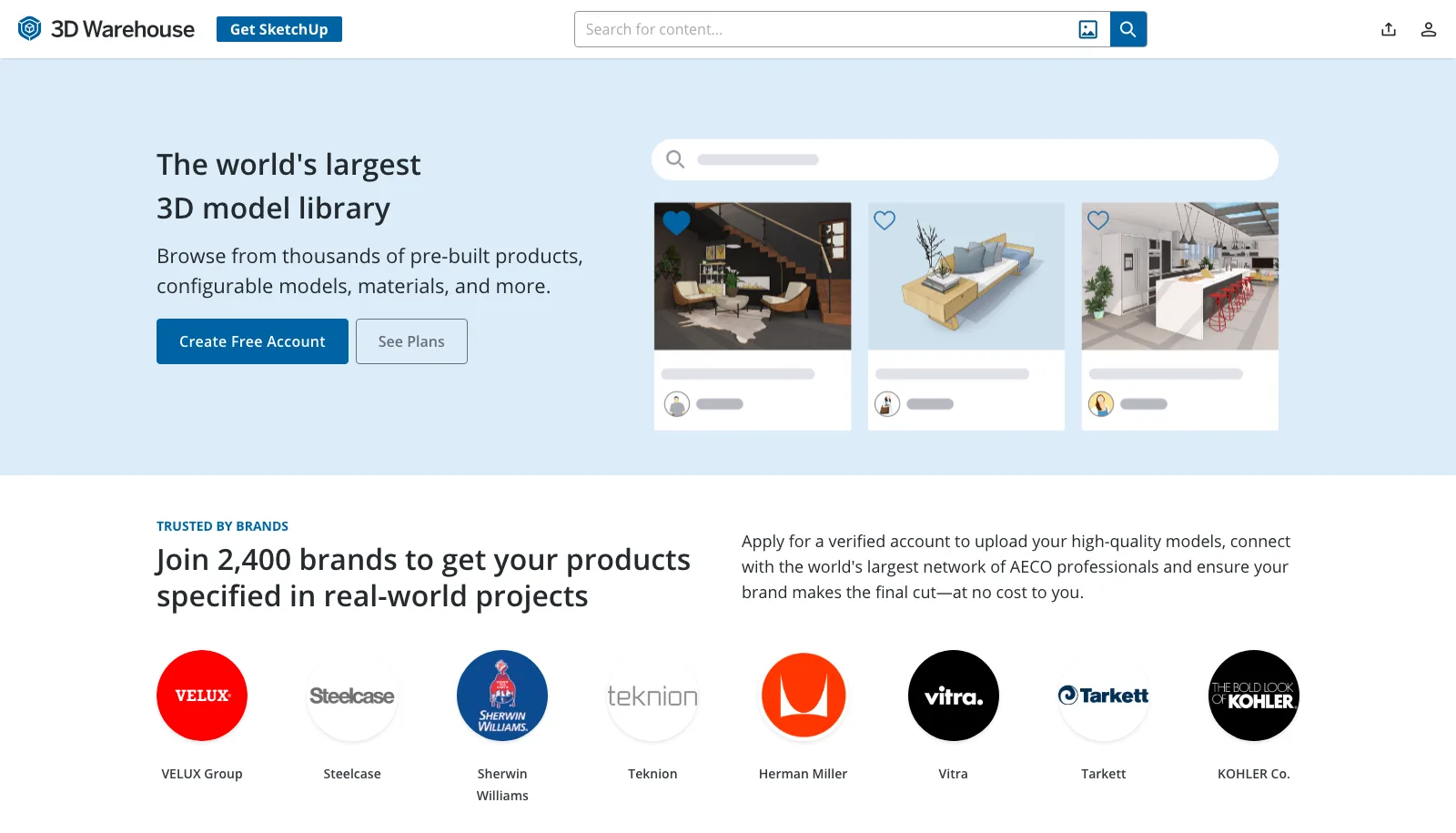
3D Warehouse caters to professionals seeking 3D models for architectural, construction, and design applications. This platform offers a vast library of user-generated content, and it integrates directly with SketchUp, one of the most widely used architectural modeling tools. Architects, designers, and builders rely on 3D Warehouse for detailed, high-quality models to enhance project efficiency and accuracy.
Key Features
- 3D Warehouse hosts models suitable for architecture, construction, and interior design. Examples include furniture layouts, building components, and landscape elements.
- The platform offers intuitive navigation, ensuring quick and easy access to desired models. Users can filter searches by relevance, popularity, or upload date.
- Models are compatible with popular software like SketchUp, enhancing workflow integration. Users can directly import models into their projects without format issues.
- 3D Warehouse focuses on high-detail models, providing precise dimensions and realistic textures. This makes the platform ideal for professional use where accuracy is essential.
Use Cases for Architects and Designers
- Professionals use the extensive model library to visualize building layouts and interior spaces. For example, architects use furniture models to create realistic space plans.
- Builders use detailed component models to visualize structures before construction begins. This reduces the margin of error and enhances project outcomes.
- Interior designers select from various furnishing and decor models to plan aesthetically pleasing spaces.
3D Warehouse streamlines architectural and construction workflows by providing detailed, accurate models. The platform’s vast and diverse content, combined with user-friendly features, makes it a valuable resource for professionals seeking quality 3D models for their projects. For more on architectural modeling tools, check out our guide to useful SketchUp extensions.
6. CGTrader
Expansive 3D Model Marketplace
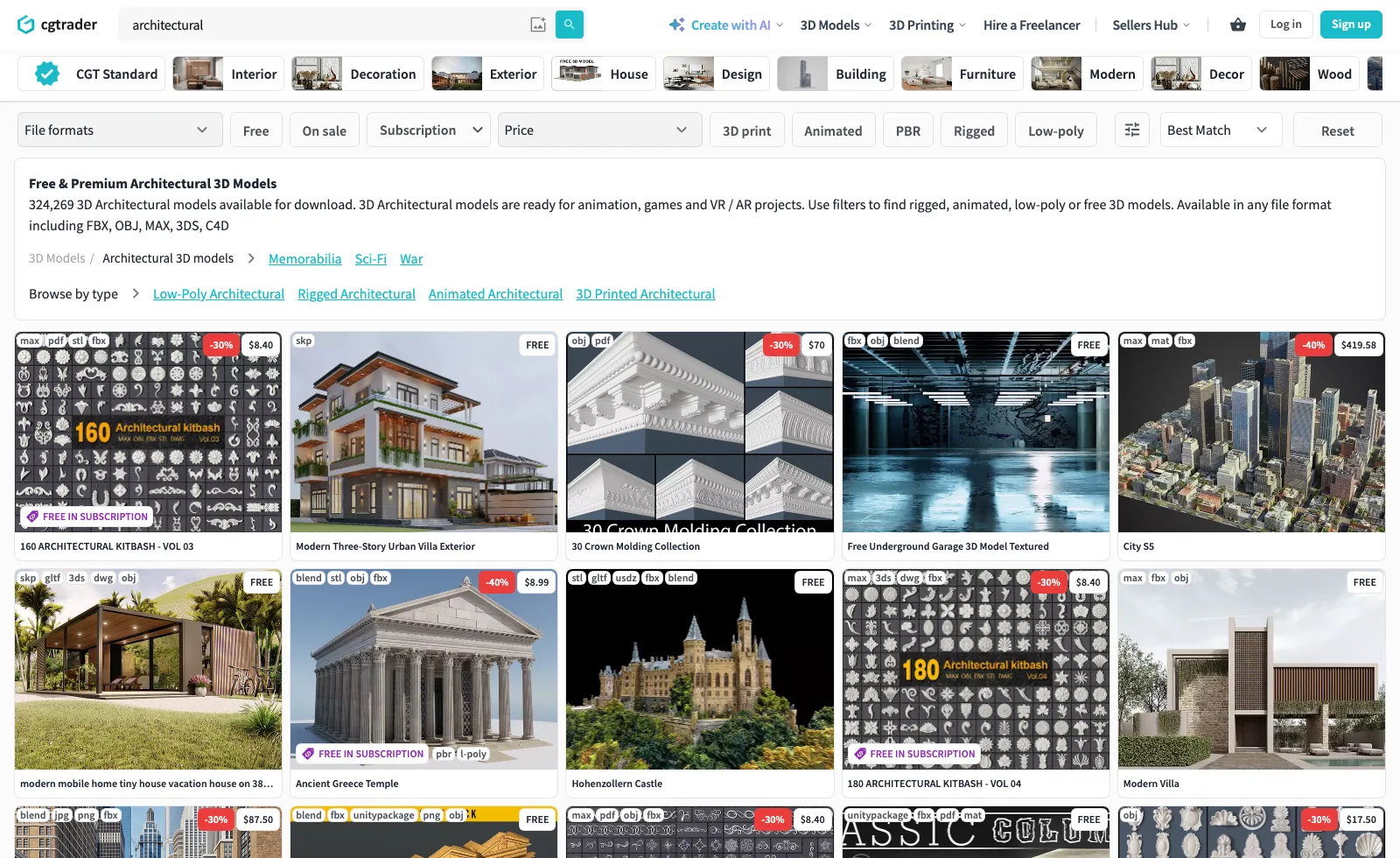
CGTrader houses a vast collection of over 1.25 million 3D models. Users can find models in various categories, including architecture, games, and virtual reality. The platform allows easy transactions, making it ideal for professionals seeking high-quality models.
Seamless Collaboration and Job Market
CGTrader is not just a marketplace; it also facilitates seamless collaboration between users and skilled designers. Through its job market, you can connect with designers for custom projects. Designers can showcase their work, find job opportunities, and gain exposure within the community.
Free and Paid Models
With over 260,000 free 3D models available for download, CGTrader offers extensive options for users with different budget constraints. The platform balances free content with premium models, ensuring quality options for all users. If you are building a portfolio or working on a modeling project website, CGTrader’s free library is an excellent starting resource.
Integrations and Compatibility
CGTrader integrates smoothly with popular 3D modeling software, ensuring seamless compatibility. Users can easily download and import models into software such as Blender, 3ds Max, and Maya. This integration optimizes workflow and enhances project efficiency.
7. TurboSquid
TurboSquid stands out as a premier marketplace for high-quality 3D models utilized across various industries. Game developers, news agencies, architects, visual effects studios, advertisers, and creative professionals worldwide rely on TurboSquid models to bring their projects to life. The platform offers free 3D models in major formats: .max, .fbx, .obj, .c4d, and .maya.
TurboSquid’s rigorous CheckMate quality control system ensures that buyers get the best value. This system evaluates models based on scale, clean UVs, and specified texture resolution. Buyers can expect meticulously vetted models that meet high standards.
One appealing feature of TurboSquid is its collection of free high-quality files. Users can find valuable 3D assets without cost, enhancing their projects and workflows. Examples include models for animation, visualization, VR, 3D printing, and engineering projects.
We find TurboSquid’s diverse library beneficial for both beginners and professionals. Game developers might use character models, while architects could incorporate detailed building components into their designs. For tips on achieving photorealistic results with downloaded models, read our article on creating photorealistic 3D architectural renderings. The platform’s flexibility and quality standards make it a reliable resource in the 3D modeling community.
For those seeking top-tier 3D models, TurboSquid remains an indispensable destination. The site’s commitment to excellence ensures every model delivers exceptional quality and value.
8. 3DExport
3DExport serves as a marketplace for 3D models, enabling designers and artists to buy and sell designs. Established in 2004, it has grown to host over 300,000 models covering diverse categories like architecture, characters, and vehicles. Users find both free and paid models that cater to various needs and budgets, and the rotating set of free 3D models is useful for interior props, decor, and small architectural elements when a larger library does not have the specific object you need.
3DExport offers multiple file formats to ensure compatibility with different software tools. Formats include OBJ, STL, and 3DS. This diversity allows seamless integration into existing workflows.
Security and quality are priorities at 3DExport. They provide a secure payment system and thorough quality checks for models offered on the platform. This ensures users get reliable and high-quality models for their projects.
For sellers, 3DExport offers competitive commission rates, encouraging the creation of high-quality content. Top-rated models receive better visibility, boosting sales potential for skilled designers.
In addition to the marketplace, 3DExport features a community forum. This space allows users to share experiences, seek advice, and collaborate on projects. The forum fosters a supportive and engaging environment for 3D enthusiasts.
By using 3DExport, architects, game developers, and hobbyists can enhance their projects with a variety of robust, high-quality 3D models.
9. Printables
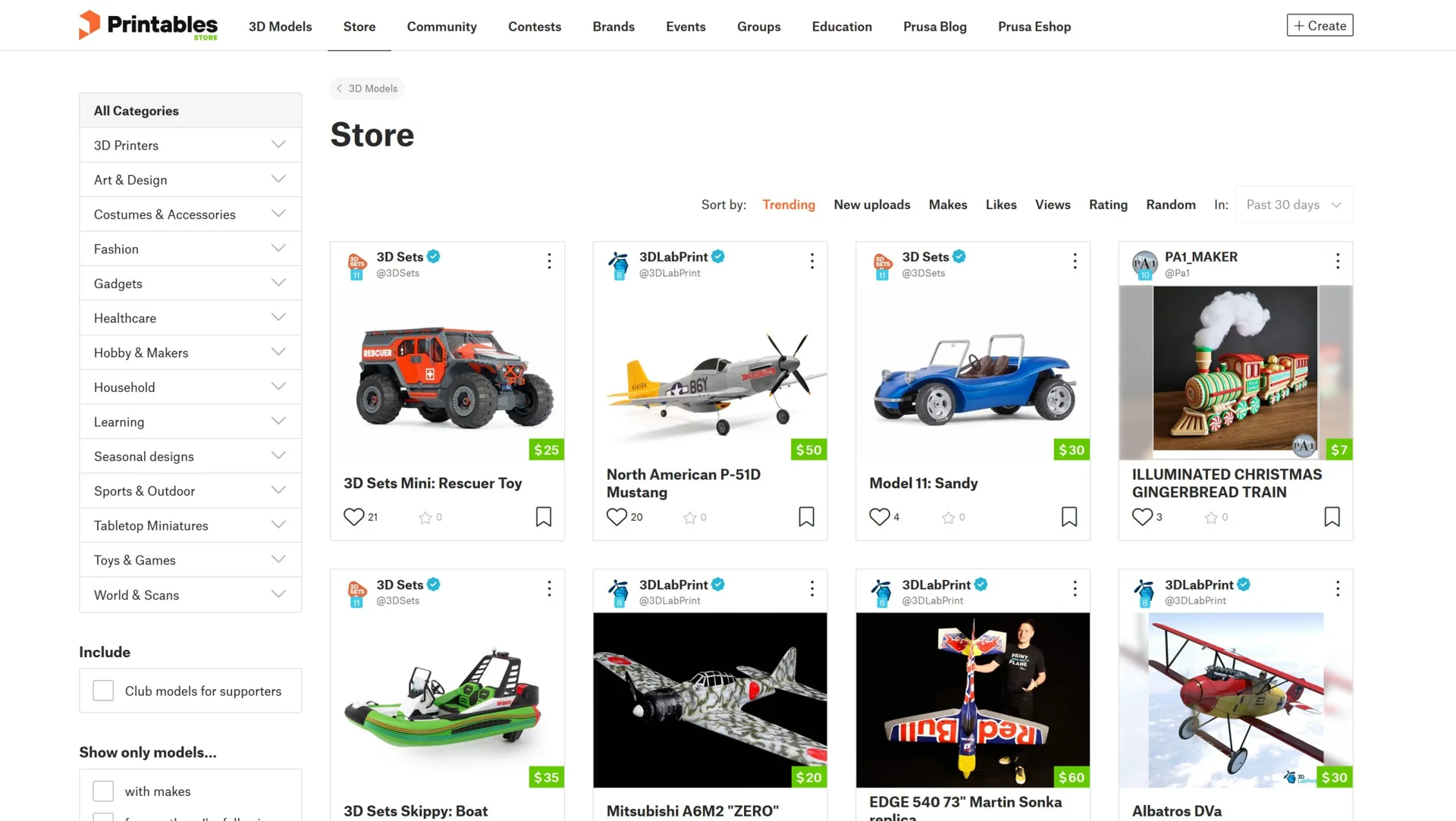
Printables, developed by Prusa Research, stands out as a community-driven platform for 3D printer users. It offers thousands of free printable 3D models that cater to various interests and needs. Users can browse through a wide selection of category options, including functional, stylish, and fun models. This variety makes Printables an excellent choice for hobbyists and designers looking for ready-to-print solutions.
One of Printables’ strengths lies in its excellent filtering system, which allows users to find exactly what they aim to print. Whether someone is searching for intricate designs or simple functional items, the filters facilitate easy navigation and selection. This user-friendly feature sets Printables apart from other platforms.
The site focuses exclusively on 3D printing, ensuring that all models are optimized for this purpose. This focus guarantees that users can trust the usability and quality of the models they download. All models on Printables are available for free, making high-quality 3D printable designs accessible to everyone.
However, usage rights may vary depending on the model and designer. Double-check the license and usage rights on each product page before proceeding to download files. This step helps avoid any legal issues and ensures that users respect the creator’s intended usage guidelines.
10. Yeggi
Yeggi is an excellent resource for anyone looking for 3D models across multiple platforms. Rather than hosting models directly, Yeggi works as a search engine that indexes models from dozens of other 3D model websites. The site’s collection constantly grows, with new models added daily.
Usage Instructions
To download a model, search for the desired model on the website and click the download button. Yeggi provides links to the original website where the model is hosted, ensuring you always know the source. This approach makes it one of the most efficient ways to search for free 3D model sites all at once.
Available Categories
Yeggi offers models across various categories, making it easy to find specific items. Some popular categories include:
- Architecture (e.g., buildings, bridges)
- Vehicles (e.g., cars, planes)
- Characters (e.g., figures, animals)
Model Information
Each model comes with a preview image and detailed information such as file format, size, and number of polygons. This information helps users choose the right model for their needs. For example, knowing the file format ensures compatibility with your 3D software, and polygon count informs you about the model’s complexity.
11. Poly Haven
Poly Haven is a community-funded library where every model, texture, and HDRI is released under the CC0 public-domain license, so you can use the files in commercial work, modify them, and even redistribute them with no attribution required. For architects, the value is in the clean asset library and the matched textures and lighting you can drop straight into a scene. The model catalog is smaller than the big marketplaces, but the public-domain license makes it a safe default for client work where attribution tracking is a headache. It pairs well with Blender, 3ds Max, and any renderer that reads standard formats.
12. Quaternius
Quaternius is a one-artist library of stylized, low-poly model packs released under CC0. The packs cover nature, buildings, characters, and props, all designed to work together visually. For quick massing studies, diagrams, or game prototypes where you want a consistent low-poly look, it is hard to beat the price and the no-attribution license.
13. Free3D and free3D.io
Free3D is a long-running general library with a mix of free and paid downloads across most categories, from the smallest objects to famous buildings. Use the “free” option to narrow the catalog, then pick a format that suits the software you use. Free models there usually carry a standard royalty-free license that allows commercial use but blocks resale, so read the terms on each download page.
As its name suggests, free3D.io works as an archive of free 3D models and objects. Its categories run from landscape to interior design, and you can also download models for structural elements and facade design.
14. Open3Dmodel
It is easy to download 3D objects across many areas with Open3dmodel. The archive is very large, running from plants to architectural elements, and models come in various formats including DWG, so you can adapt them to the software you prefer.
15. RenderPeople and Dimensiva
Two specialist libraries fill common gaps in architectural renders. RenderPeople offers a set of free scanned 3D people, which helps populated scenes read as more believable. Dimensiva focuses on high-quality furniture and lighting models aimed squarely at interior visualization, with free downloads available after registration.
How to Choose the Right 3D Model Website for Your Project
With so many options available, selecting the best 3D model website depends on what you need. Here are a few practical guidelines based on common use cases:
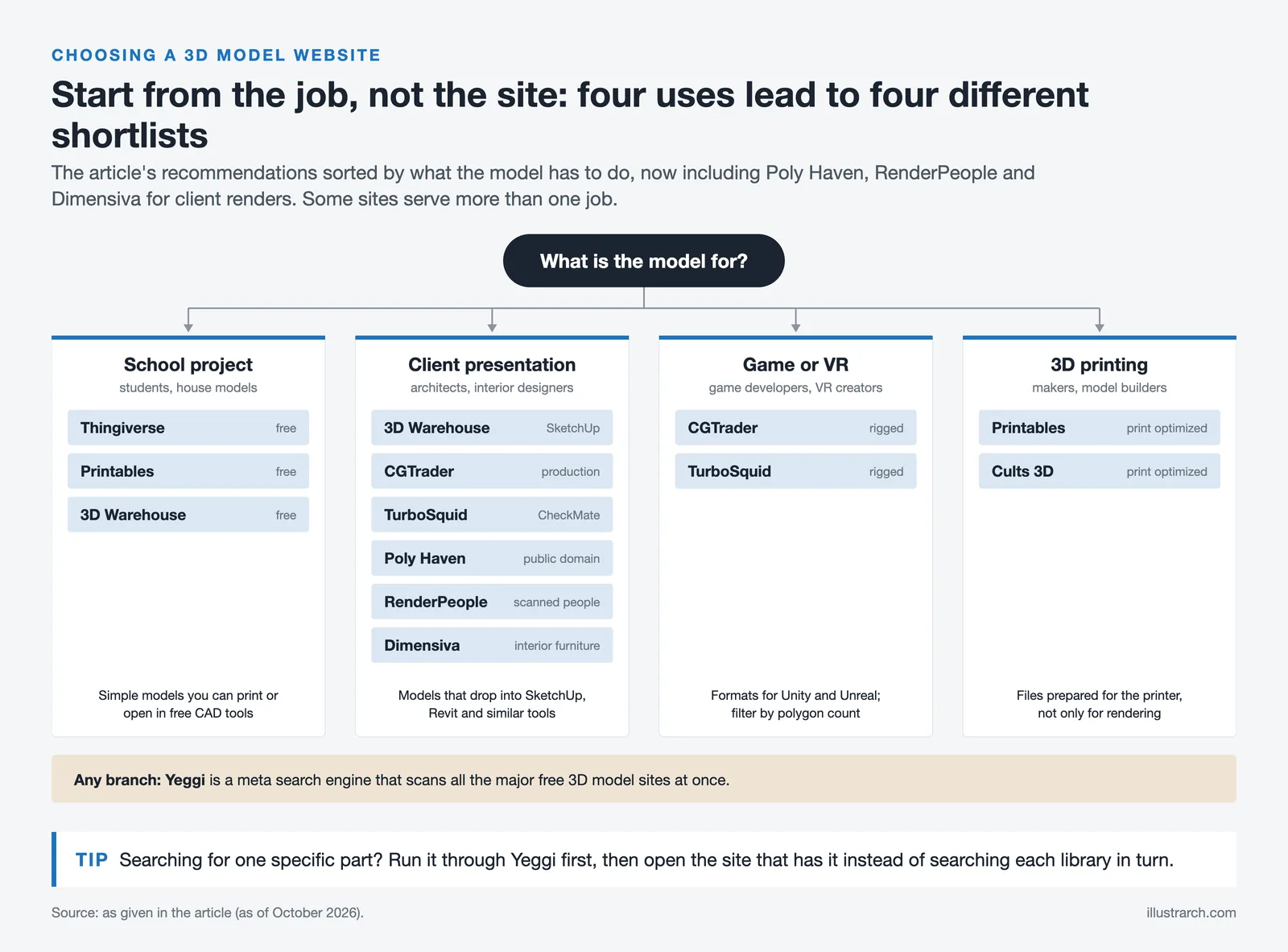
If you are a student building a 3D model house for a school project, start with free platforms like Thingiverse, Printables, or 3D Warehouse. These sites offer simple, downloadable models that you can print or import into free CAD tools without any cost.
For architects and interior designers working on client presentations, 3D Warehouse and CGTrader provide production-quality models that integrate directly into SketchUp, Revit, and similar architectural design software. TurboSquid is the go-to option when you need CheckMate-certified models with guaranteed quality. For public-domain textures and props, Poly Haven is a safe default, while RenderPeople and Dimensiva supply scanned people and interior furniture.
Game developers and VR creators should focus on CGTrader and TurboSquid, which offer rigged, textured models in formats compatible with Unity and Unreal Engine. Both platforms have robust search filters to narrow down by polygon count, format, and animation readiness.
If you are working with 3D printing, Printables and Cults 3D provide models specifically optimized for print. Yeggi is useful as a meta-search engine that scans all major free 3D model sites at once, saving you time when you need a very specific part or design.
Tips for Using Free 3D Models Effectively
Downloading a 3D model is just the first step. To get the most out of these resources, keep these practical tips in mind:
Always check the license before using a model in a commercial or published project. Royalty-free licenses usually allow personal and commercial use but block resale or redistribution of the raw file. Creative Commons licenses range from CC BY, which only asks for credit, to CC0, which places the asset in the public domain, and a handful of marketplaces also offer editorial-only models that cannot appear in products you sell. When a free model goes into a paid client render, screenshot the license terms and save them in the project folder, since marketplaces update their terms over time.
Verify file compatibility with your software before downloading large files. Most 3D model websites list supported formats (OBJ, FBX, STL, SKP, and others), and importing the wrong format can result in lost textures or broken geometry.
Pay attention to polygon count. High-poly models look great in renders but can slow down real-time applications. If you are building a virtual reality walkthrough or game environment, look for optimized, low-poly versions.
Consider modifying downloaded models to fit your exact requirements. Most 3D modeling software (Blender, SketchUp, 3ds Max) lets you scale, retexture, and edit imported files. This way, a generic model becomes a custom asset tailored to your project.
Mix free and paid assets. Free models are excellent for filling background space, blocking out a scene, or testing a composition, while paid models tend to offer cleaner topology, accurate scale, properly named layers, and ready-to-use materials. Spend your budget on the hero objects the viewer will study closely in the foreground of your rendering, and rely on free assets for furniture, vegetation, and props further back in the frame.
Clean up every import. Downloaded models rarely arrive ready: watch for wrong scale, flipped normals, missing texture links, and unnecessarily dense geometry. Check real-world dimensions against a reference, reassign broken material paths, and place each imported model on its own named layer so large scenes stay manageable.
Build your own reusable library. Save cleaned, correctly scaled versions of the furniture, plants, and fixtures you reach for most, grouped by category and format, so you stop downloading the same items again and again. A curated local library keeps a consistent visual style across projects and reduces dependence on any single website staying online, and you can seed it with a ready-made set such as our 2D/3D rendering package.
Bonus: 3D Websites Beyond Model Downloads
The world of 3D on the web extends beyond downloadable assets. Several platforms let you create, view, and interact with 3D content directly in your browser. Sketchfab allows you to preview models in 3D before downloading, which is helpful for judging quality. Its free 3D models collection, released under Creative Commons licenses, can be filtered by downloadable, PBR, and license type. Tinkercad by Autodesk is a free, browser-based 3D modeling tool perfect for beginners and students who want to create their own models from scratch.
Threedio by Icons8 lets you customize and export 3D illustrations for websites, apps, and presentations, a fast option when you need clean, editable 3D elements for diagrams or slides rather than render-ready geometry. ShareCG is an older community hub where artists shared free models, textures, and tutorials. For a wider view of where these resources sit in a 3D workflow, our roundup of the top 3D design websites is a useful companion read.
For architecture students exploring study tools and resources, combining these 3D websites with proper modeling software skills creates a powerful workflow. You can download a base model, modify it in software like Rhino or Grasshopper, and produce original designs that stand out in presentations. If you model on the go, see how the latest mobile tools compare in our look at SketchUp for iPad, then bring the results into a renderer using one of the best rendering tools for architects.
Whether you are a hobbyist printing your first figure, a student assembling a school project, or a professional architect sourcing assets for a client pitch, these 3D modeling websites offer the resources you need. Bookmark the ones that match your workflow, and revisit this list whenever you start a new project.


1 Comment



Interior Design for Commercial Spaces: Enhancing Functionality and Brand Identity
Commercial interior design has to serve brand, function and regulation at once....
 Begum Gumusel4 Mins read

Futuro House Production Revived in Finland After Decades-Long Hiatus
A Facebook listing for abandoned moulds led to the first new Futuro...
 illustrarch Editoral Team3 Mins read

Building Your Dream Home in NSW: What You Should Know About Montgomery Homes
Montgomery Homes has been building across Sydney, Newcastle, the Hunter, Wollongong and...
illustrarch Editoral Team4 Mins read
Designing a Home Theater: Where Drapery Fits Into the Plan
In a media room the curtains are a performance layer, not decoration....
illustrarch Editoral Team3 Mins read


Wow, a whole article on 3D modeling resources. Because, you know, we definitely need another list of websites to get lost in. Cults 3D sounds fancy with its ‘over 100,000 models,’ but how many of those are actually useful? I mean, who doesn’t want to sift through endless toy designs and home decor? And what’s with the ‘quality control’? Are they really checking every model, or just hoping for the best? Seems like a gamble to me.