

Enscape Alternative: 6 Best Rendering Tools for Architects in 2026
A practical comparison of six enscape alternatives for architects in 2026, covering real-time and offline rendering tools. Each option is broken down by pricing, platform support, rendering quality, and ideal use case so you can match the right tool to your specific project workflow.
 Furkan Sen16 June 20267 Mins read288
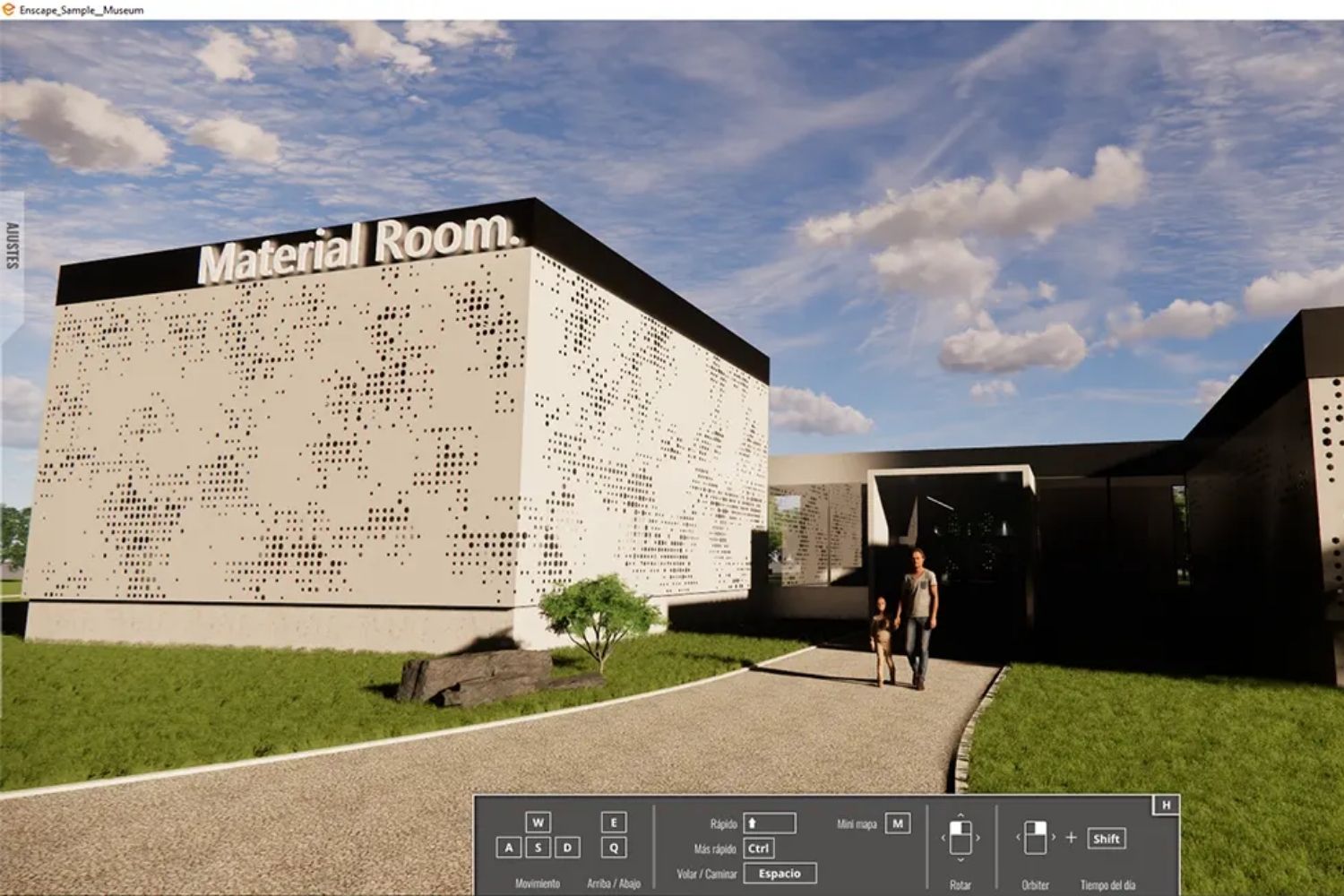
Table of Contents Show
An enscape alternative is any rendering software that replaces Enscape’s real-time visualization workflow for architectural projects. The strongest options in 2026 include Lumion, Twinmotion, D5 Render, V-Ray, Blender, and Unreal Engine, each suited to different budgets, platforms, and output needs.
Enscape has earned its place as one of the most widely adopted rendering plugins in architecture. Used by 85 of the top 100 architecture firms, it delivers fast, in-model visualization through direct integration with Revit, SketchUp, Rhino, ArchiCAD, and Vectorworks. But after Chaos restructured its pricing in mid-2025 and dropped perpetual licenses entirely, many architects started looking for an enscape alternative that better fits their budget or workflow. Others need features Enscape simply does not offer: Mac-only support, photorealistic offline rendering, or a free tier for students and small studios. This guide compares six proven options across price, platform, rendering quality, and workflow fit so you can pick the right tool for your practice.
Why Architects Look for an Enscape Alternative
The most common reason is cost. Enscape Solo now runs $574.80 per year, or $87.30 per month with no perpetual option. For solo practitioners or firms with multiple seats, that adds up quickly. Architects on Mac face a different problem: while Enscape supports macOS for SketchUp, Rhino, ArchiCAD, and Vectorworks, the Revit plugin remains Windows-only. If your studio runs entirely on Apple hardware with Revit through Parallels, you will hit friction. For a broader look at how Enscape stacks up against its two closest competitors, the Lumion vs Enscape vs Twinmotion comparison covers pricing, BIM integration, and render quality in detail.
Then there is the question of output ceiling. Enscape produces clean, fast images that work well for design reviews and client walkthroughs. But for hero shots headed to a competition entry or a glossy publication, many studios still hand scenes off to an offline renderer like V-Ray for that final 10% of photorealism. If you already need two tools in your pipeline, it makes sense to evaluate whether a different primary renderer could simplify the workflow.
🔢 Quick Numbers
For the full picture, see our complete guide to the best AI architectural rendering tools.
- Enscape Solo costs $574.80/year; Twinmotion is free for firms under $1M revenue (Chaos and Epic Games pricing pages, 2026)
- D5 Render Pro starts at approximately $360/year, roughly 37% less than Enscape Solo (D5 Render pricing page, March 2026)
- Blender is completely free and open-source, with its Cycles engine producing path-traced output that rivals paid tools (Blender Foundation)
Top Enscape Alternatives for Architecture
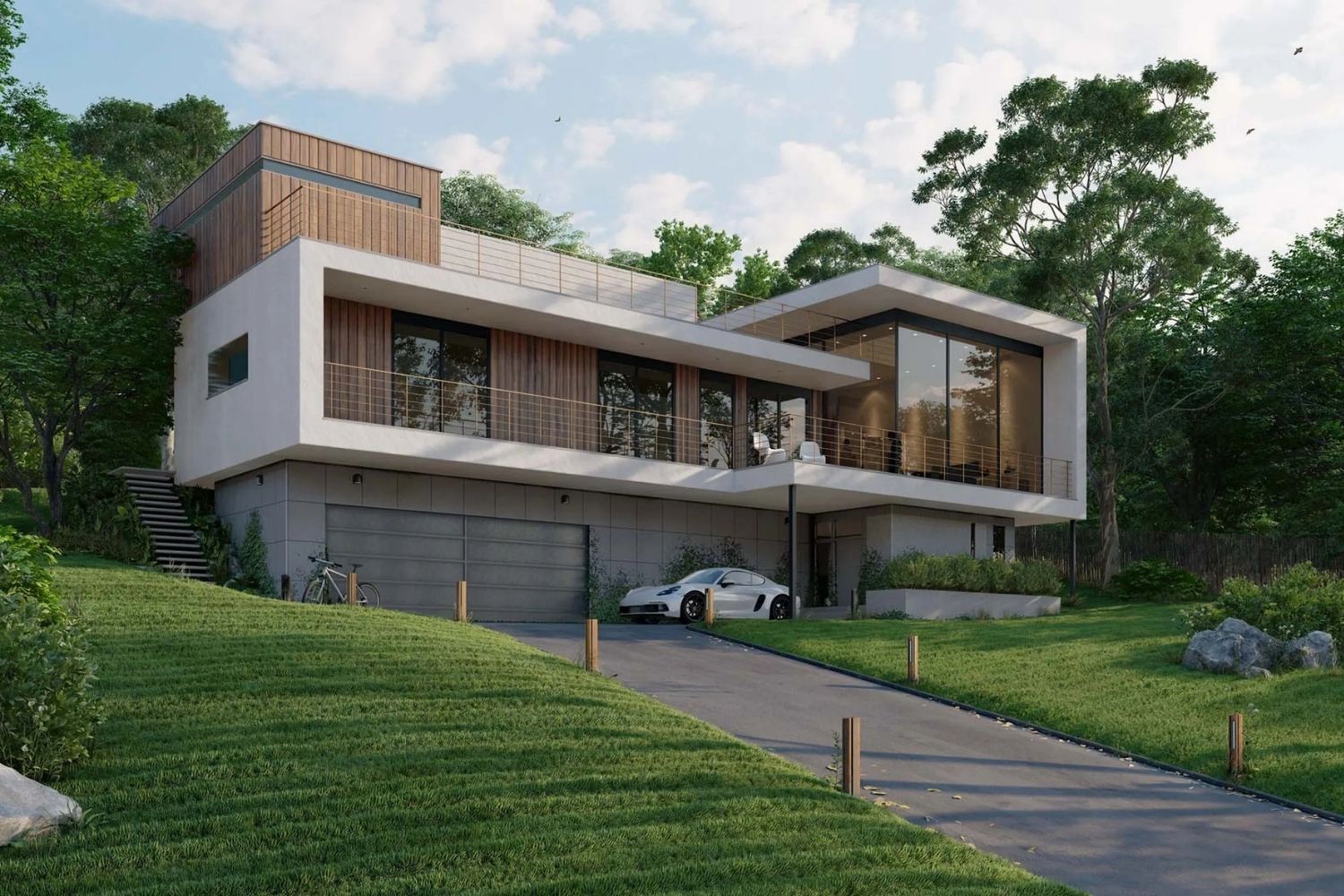
The table below puts the six strongest enscape alternatives side by side. Each tool fills a slightly different role, from fast real-time previews to offline photorealism, so the best fit depends on what stage of the project you are rendering for and what hardware you are running.
Comparison of Enscape Alternatives at a Glance
Pricing and platform details reflect publicly available information as of mid-2026. Always confirm current rates on each vendor’s website before purchasing.
| Software | Type | Starting Price | Platform | Best For |
|---|---|---|---|---|
| Lumion | Standalone real-time | $1,149/year (Pro) | Windows | Polished exteriors, landscape scenes |
| Twinmotion | Standalone real-time | Free (under $1M revenue) | Windows, Mac | Small firms, VR walkthroughs |
| D5 Render | Standalone real-time | Free / ~$360/year Pro | Windows | Budget-friendly quality renders |
| V-Ray | Offline/hybrid renderer | ~$779/year | Windows, Mac, Linux | Photorealistic hero shots |
| Blender (Cycles) | Full 3D suite + renderer | Free | Windows, Mac, Linux | Freelancers, students, full pipeline |
| Unreal Engine | Game engine / real-time | Free (under $1M revenue) | Windows, Mac | Cinematic animations, interactive |
Lumion
Lumion is the standalone renderer most closely associated with polished final presentations in architecture. It runs as a separate application: you export your model from Revit, SketchUp, Rhino, or ArchiCAD, then build your scene inside Lumion’s environment using its library of over 13,000 assets. The 2025/2026 releases added ray-traced reflections, an AI-powered 8K upscaler, and improved vegetation tools that make landscape-heavy projects faster to populate. Lumion excels at exterior scenes where atmospheric effects, weather, and large-scale context matter. The trade-off is price. Lumion Pro costs $1,149 per year for a named user and $1,499 per year for a floating license, as of October 2026. Lumion also requires a dedicated GPU with at least 6 GB VRAM and runs only on Windows.
Twinmotion
Developed by Epic Games and built on Unreal Engine, Twinmotion is the most accessible enscape alternative for architects on a tight budget. Firms earning under $1 million USD in annual revenue can use the full version for free, including path tracing, VR output, and the complete Quixel Megascans library. Above that threshold, a commercial license costs $445 per year per seat. Twinmotion supports both Windows and Mac, which makes it a genuine enscape mac alternative for studios that rely on Apple hardware. Its path tracer produces strong interior renders with accurate indirect lighting, and the seasonal controls (switching vegetation from summer to winter in one click) are useful for client presentations. For a deeper look at Twinmotion’s material library and asset workflow, see the Twinmotion render guide on illustrarch.
D5 Render
D5 Render has grown rapidly since its launch and now holds a 4.8-star rating on G2 from over 1,000 reviewers (G2, 2026). It uses a hybrid rendering pipeline that combines ray tracing and rasterization, producing images that rival Lumion’s quality at a lower price point. D5 Pro costs approximately $360 per year, and the Community edition is free with some limitations (it is licensed only for learning, personal projects and evaluation, not commercial work). LiveSync plugins connect D5 to SketchUp, Revit, Rhino, ArchiCAD, and 3ds Max, allowing real-time model updates similar to Enscape’s live connection. Recent versions added AI-powered features including atmosphere matching, material prediction, and an image enhancer. The main limitation is platform support: D5 Render runs only on Windows and requires a DirectX 12 capable GPU with dedicated VRAM.
📌 Did You Know?
D5 Render’s Community edition gives access to the core rendering engine at no cost, with no time limit. Unlike trial versions from Lumion or Enscape (both limited to 14 days), D5’s free tier is a permanent option for architects who can work within its non commercial license terms.

V-Ray
V-Ray is the offline rendering standard for architectural visualization studios that need maximum photorealism. Developed by Chaos (the same company that now owns Enscape), V-Ray integrates with SketchUp, Rhino, Revit, 3ds Max, and Cinema 4D. Unlike real-time tools, V-Ray calculates lighting through physically accurate global illumination, which produces images that hold up under close inspection for print, competitions, and publications. Render times are significantly longer (minutes to hours per image rather than seconds), and the learning curve is steeper. Pricing starts at $778.80 per year for a Solo license billed annually, as of October 2026. For studios already using Enscape, the Enscape review on illustrarch explains how the Chaos bridge lets you hand off scenes from Enscape to V-Ray without rebuilding materials.
Blender (Cycles)
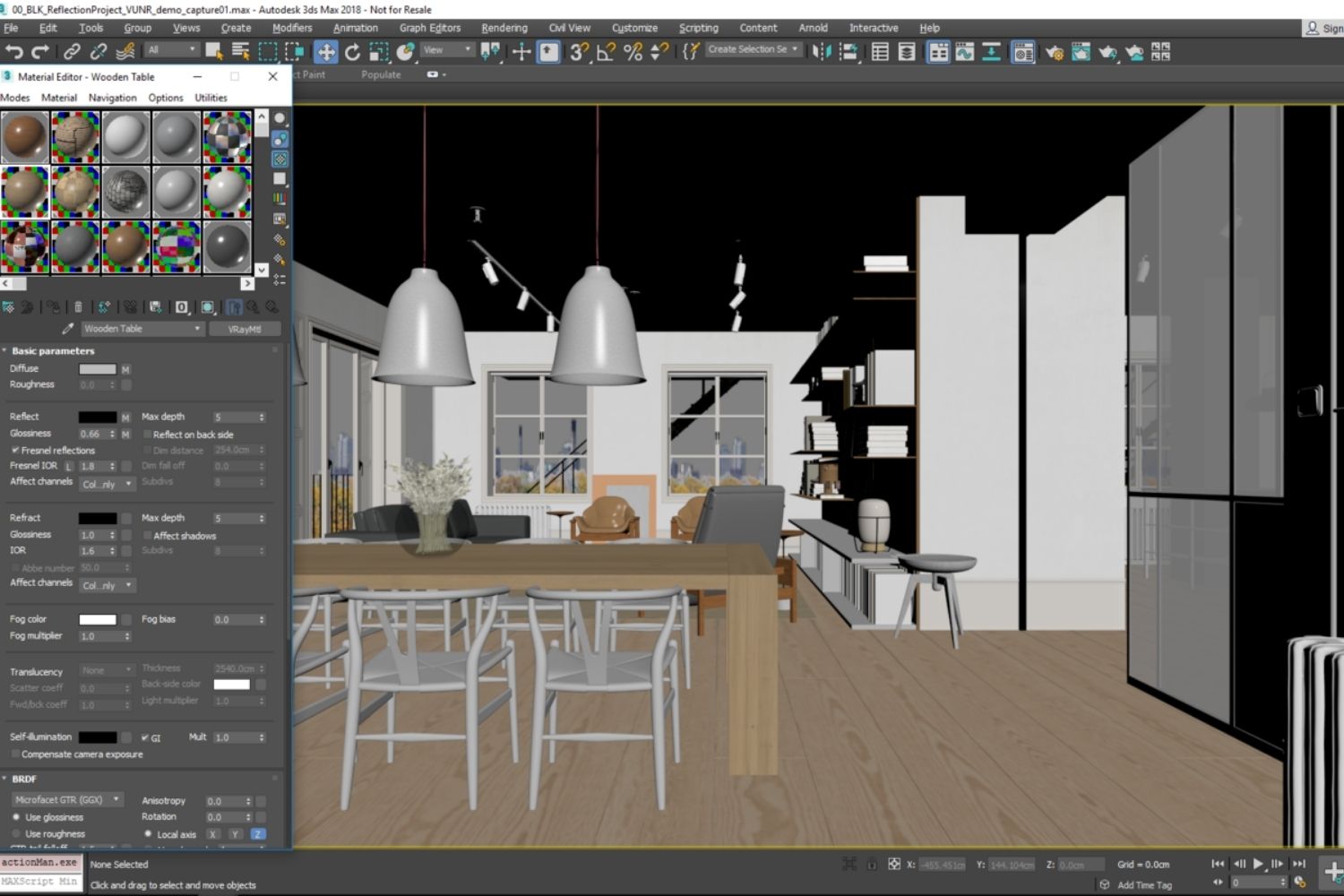
Blender is the strongest enscape free alternative available. Its built-in Cycles engine is a production-grade path tracer that produces photorealistic output comparable to V-Ray and Corona. Blender runs on Windows, Mac, and Linux, costs nothing, and has no license restrictions. The challenge is the learning curve. Blender is a full 3D application, not a plugin, so architects coming from Enscape will need to learn a separate modeling and scene-building environment. Direct import from Revit or ArchiCAD requires third-party converters (IFC or FBX export). For studios willing to invest the time, Blender offers complete control over every step of the visualization pipeline. The Blender alternatives guide on illustrarch covers how Blender compares to other tools across different workflow stages.
Unreal Engine
Unreal Engine sits at the high end of real-time rendering. Its Lumen global illumination and Nanite virtualized geometry systems produce cinematic-quality visuals that exceed what any plugin-based renderer can achieve. The engine is free for firms with under $1 million in annual revenue; above that, architecture and other non-game users pay $1,850 per seat per year, as of October 2026, while the 5% royalty applies only to games and apps licensed to end users. The trade-off is setup complexity. Building an architectural scene in Unreal requires working with a game engine interface, managing levels, lightmaps, and post-process volumes. Most architecture firms that adopt Unreal do so for specific deliverables: animated walkthroughs, interactive client experiences, or VR presentations where Twinmotion’s simpler interface does not provide enough control.
How to Choose the Right Enscape Render Alternative
Start with the question your rendering needs to answer. If you are producing images during a design review to communicate spatial ideas quickly, a real-time tool that stays connected to your modeling software (Twinmotion or D5 Render) will serve you best. If you are producing final presentation boards for a competition, V-Ray or Blender’s Cycles engine will give you the output quality that real-time tools cannot match. For a full breakdown of rendering tools across both categories, the 3D rendering software for architects guide covers each option in detail.
Budget is the second filter. Twinmotion and Blender both offer genuinely usable free tiers, and D5 Render’s Pro plan undercuts Enscape by roughly $200 per year. Lumion and V-Ray sit at a higher price point but deliver features that justify the cost for firms billing rendering time to clients. If you run a small architecture firm, the difference between a $0 and $1,500 annual rendering license directly affects your overhead.
💡 Pro Tip
Before committing to a new renderer, test it on a project you have already completed in Enscape. Export one of your existing models, build the same scene in the alternative tool, and compare both output quality and the time it took. This gives you a realistic benchmark rather than relying on demo scenes that are optimized for each tool’s strengths.
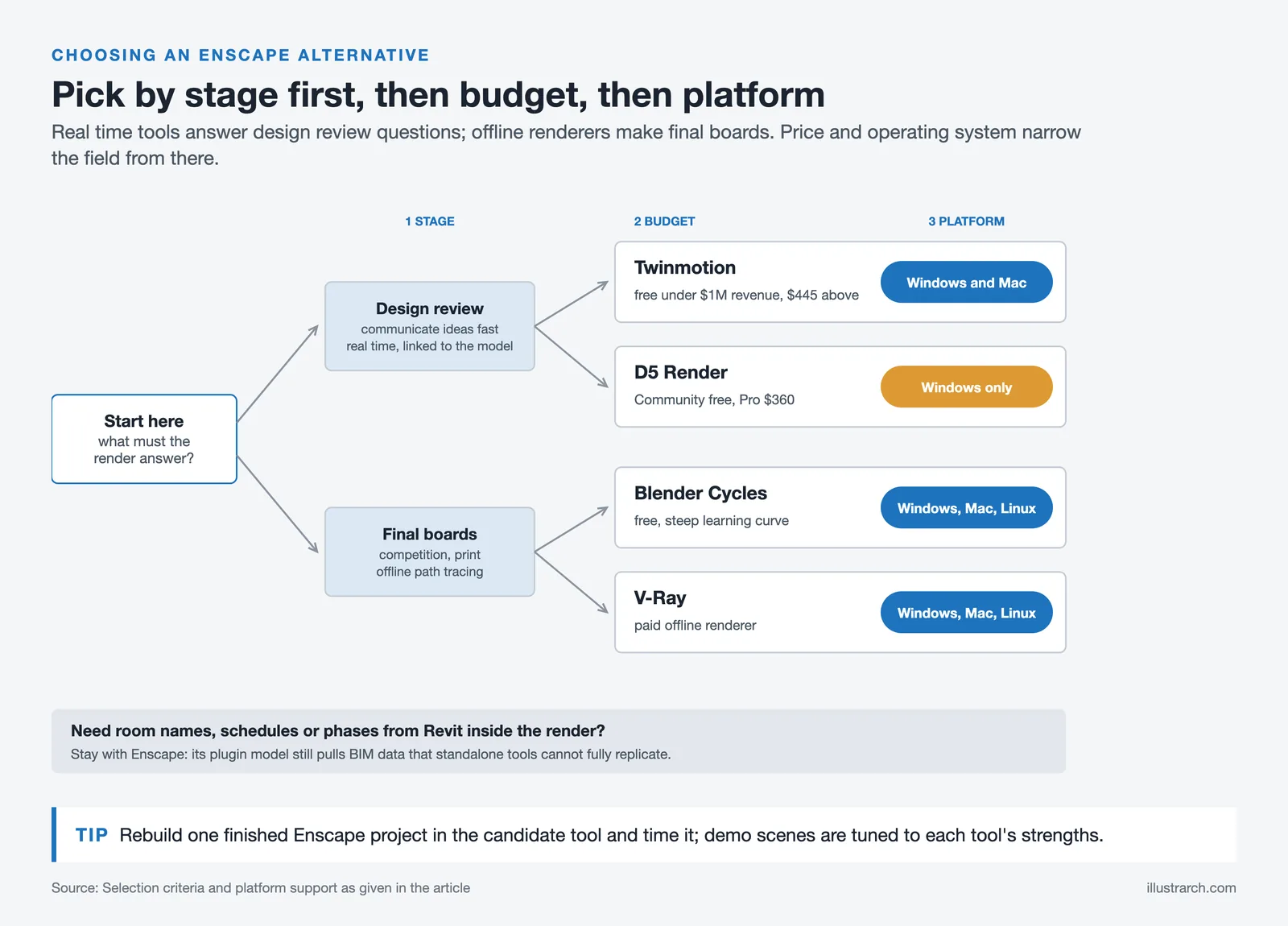
Platform compatibility is the third consideration. If your team works on macOS, your realistic options narrow to Twinmotion, Blender, V-Ray, and Unreal Engine. D5 Render and Lumion are Windows-only. And if you need tight BIM integration where rendered views pull schedule data, room names, or phase information from Revit, Enscape’s plugin model still has an edge that standalone tools cannot fully replicate.
What About Enscape Free Alternatives?
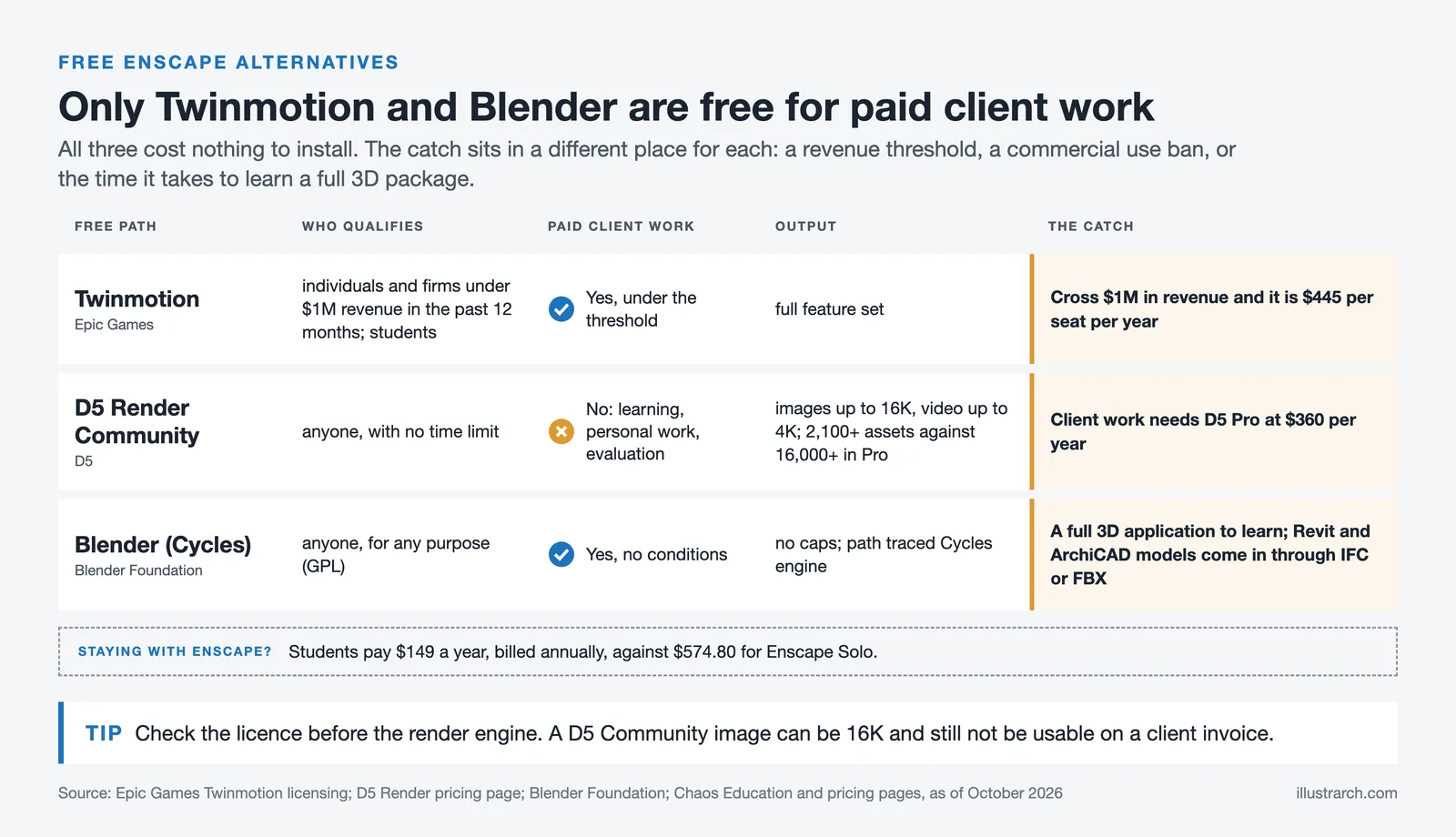
Three tools on this list offer a genuinely free path. Twinmotion is free for studios under $1M in annual revenue and provides full access to all features. D5 Render’s Community edition is permanently free for learning, personal projects and evaluation, but not for commercial work. Blender is entirely free with no revenue thresholds or feature restrictions. Each option involves a trade-off: Twinmotion requires qualifying under the revenue limit, D5’s free tier rules out commercial use, and Blender demands a steeper learning investment. For students and recent graduates, all three are strong starting points. The Enscape overview on illustrarch includes details on Enscape’s own $149/year student pricing if you prefer to stay within the Chaos ecosystem.
Where to Go From Here
Your Next Step: Download the free version of Twinmotion or D5 Render, import a current project file, and spend one hour testing the rendering workflow. That single session will tell you more about workflow fit than any feature comparison table.
Pricing figures referenced in this article are approximate and reflect publicly listed rates as of mid-2026. Subscription costs vary by region and billing cycle. Always confirm current pricing on each vendor’s official website before making a purchase decision.







Notion Alternatives for Architects: 7 Tools That Fit Studio Work
Notion works until a studio needs fee tracking, phase budgets and timesheets....
Furkan Sen7 Mins read

Why Every Practice Ends Up With Five Versions of the Same Revit Family
Let’s learn why Revit family libraries accumulate duplicates, break schedules and slow...
 illustrarch Editoral Team5 Mins read

Visualizing Renovation Projects From Photographs: A Workflow for Existing-Building Work
Photo-based visualization turns a photograph of a building that already exists into...
illustrarch Editoral Team7 Mins read

Best Free CAD Blocks and Resources for Architects
A working guide to free CAD blocks for architects, covering ARCAT, CAD-Blocks.net,...
Furkan Sen7 Mins read


Leave a comment