

Best Presentation Tools for Architecture Portfolios: A Practical Guide
A breakdown of the top presentation tools used by architects and architecture students to build standout portfolios. Covers layout software, online publishing platforms, rendering tools, and free alternatives with practical advice on choosing the right tool for your career stage.
 Sinan Ozen25 May 20268 Mins read271

Table of Contents Show
Architecture portfolios rely on the right presentation tools to communicate design thinking, technical skill, and visual storytelling. The best tools for building an architectural portfolio range from professional layout software like Adobe InDesign to online publishing platforms such as Issuu and Behance, each serving a different stage of the portfolio creation process.
Your portfolio is often the first thing a hiring manager, admissions committee, or client sees. The tool you use to assemble it directly affects how your work is perceived. A strong student architecture portfolio or a professional architectural design portfolio depends not just on the projects inside, but on how those projects are arranged, formatted, and delivered. Choosing the right presentation tools for architecture can save hours of work while producing a polished, consistent result.
This guide breaks down seven proven tools for creating architecture portfolios, with specific recommendations based on your experience level, budget, and output format.
Why Presentation Tools Matter for Your Architecture Portfolio
An architectural portfolio is more than a collection of renders and floor plans. It tells a story about your design process, your attention to detail, and your ability to communicate ideas visually. According to the American Institute of Architects (AIA), a well-structured portfolio remains one of the most critical tools for career advancement in the field. The presentation for architecture portfolio work needs to match the quality of the designs themselves.
Hiring managers at architecture firms typically spend less than two minutes reviewing each portfolio. That means your layout, typography, and visual hierarchy need to do the heavy lifting immediately. The wrong tool can lead to inconsistent spacing, poor image quality, or formatting issues that distract from your actual design work. The right tool gives you precise control over every element on the page.
💡 Pro Tip
Before choosing any software, decide on your output format first. If you need a printed portfolio, InDesign gives you print-ready PDF control. If you only need a digital portfolio, browser-based tools like Figma or Canva can be faster. Trying to retrofit a design from one format to another wastes significant time and often compromises layout quality.
Adobe InDesign: The Industry Standard for Portfolio Layout
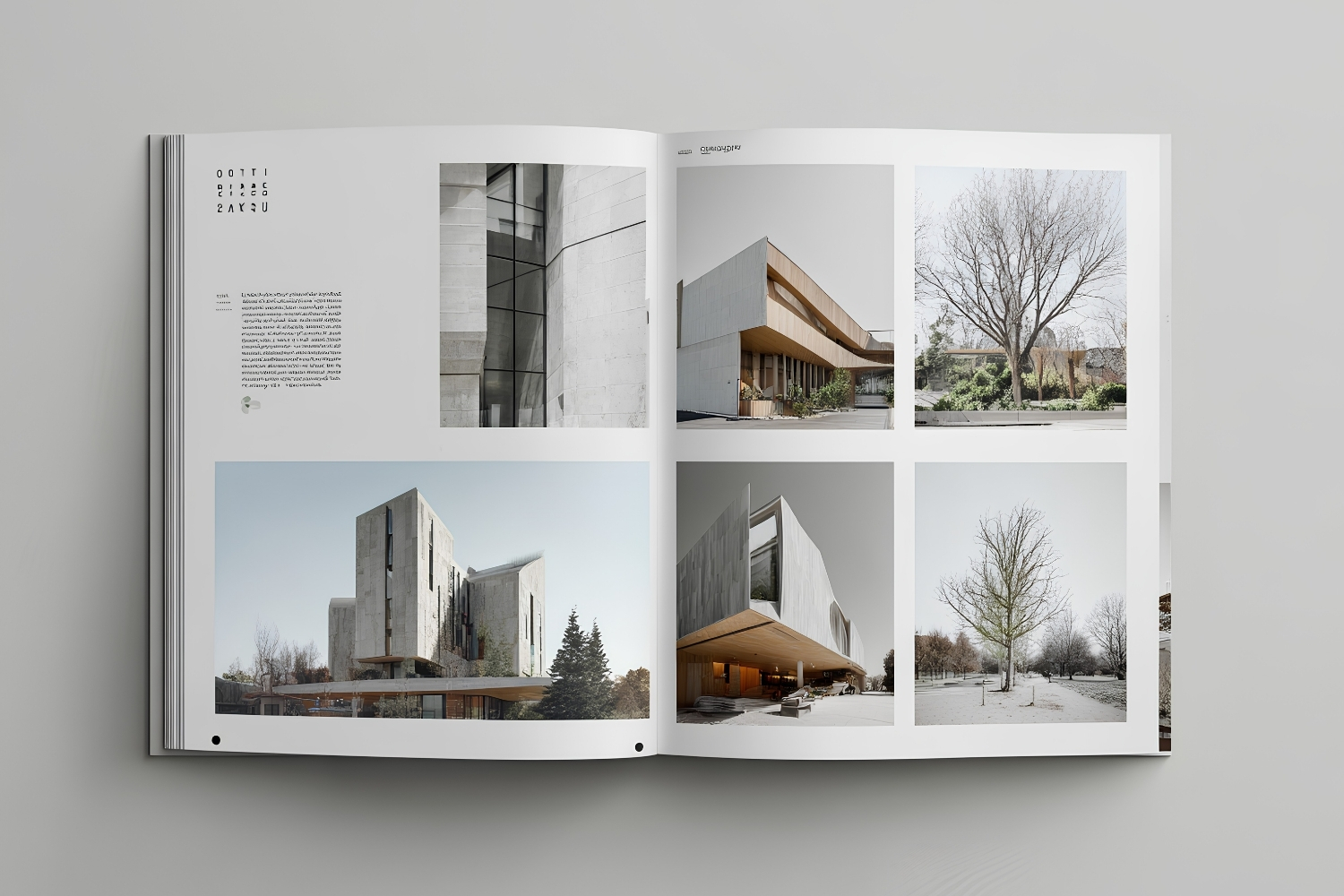
Adobe InDesign is the most widely used layout software for architecture portfolios, and for good reason. It offers precise control over typography, grid systems, image placement, and multi-page document management. Most architecture schools teach InDesign as part of their curriculum, and firms expect portfolio submissions that reflect professional-level layout skills.
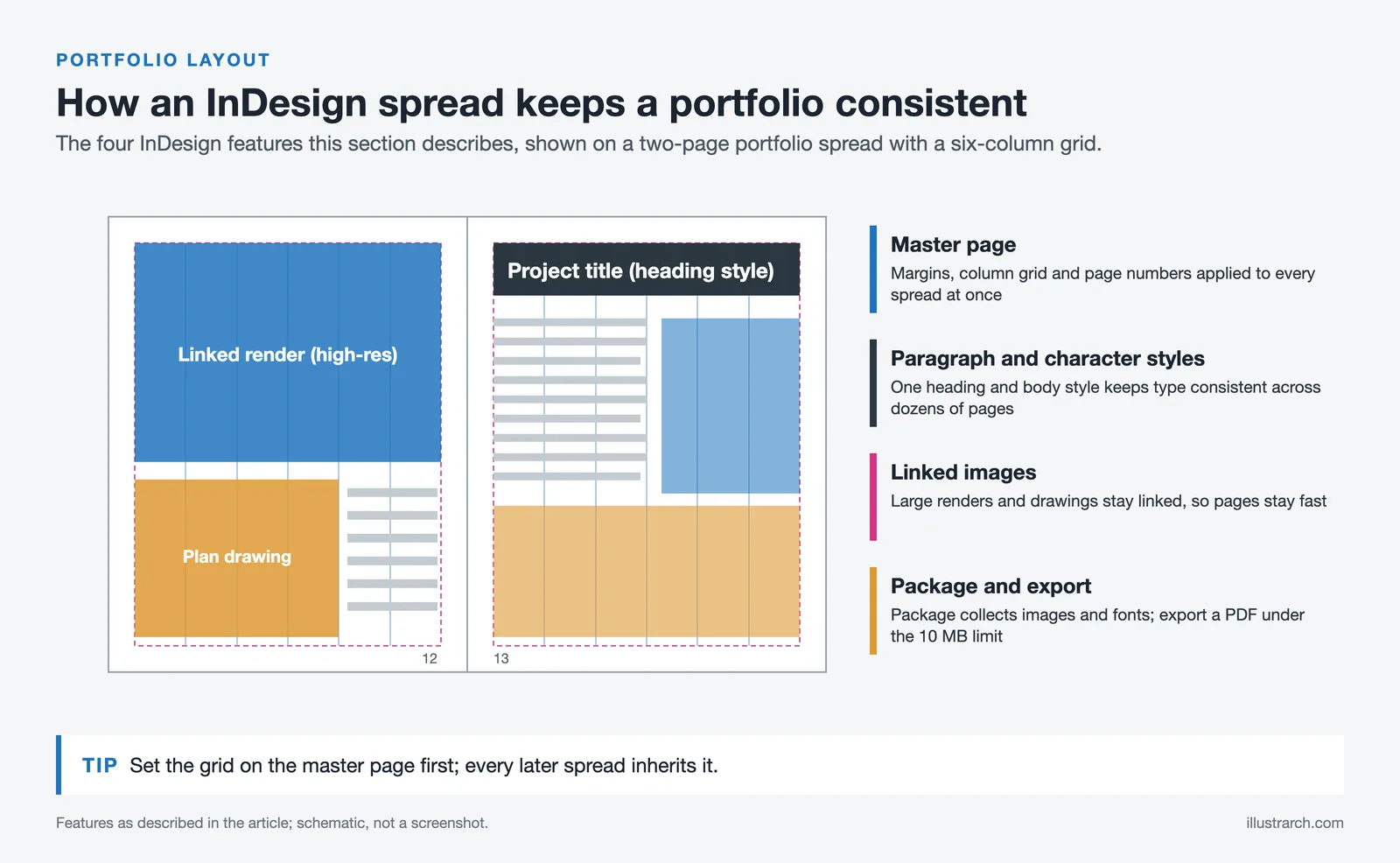
InDesign excels at handling large documents with consistent formatting. You can set up master pages with predefined grids, margins, and styles, then apply them across your entire portfolio in seconds. This consistency is what separates a polished architectural portfolio from one that looks disjointed. The software also handles high-resolution images without slowing down, which matters when your portfolio contains large renders and detailed drawings.
For students learning how to create an architecture portfolio, InDesign’s paragraph and character styles help maintain typographic consistency across dozens of pages. You can also export PDFs at specific DPI settings, keeping file sizes under the 10 MB limit that most firms and universities require for email submissions. For a deeper look at choosing the right software, check out our guide on top software for creating an architecture portfolio.
What Makes InDesign Stand Out for Architects
The grid system in InDesign mirrors how architects already think about space and proportion. You can create multi-column layouts, set baseline grids for text alignment, and use precise measurements in millimeters or inches. The “Package” feature bundles all linked images and fonts into a single folder, making it easy to hand off files to printers or collaborators. The software also supports interactive PDF features like embedded videos and clickable links for digital portfolio submissions.
The main drawback is cost. InDesign requires an Adobe Creative Cloud subscription, which runs about $22.99 per month for the single-app plan or $59.99 for the full Creative Cloud suite. Students can access the full suite at a discounted rate of around $19.99 per month. If budget is a concern, the investment still pays for itself if you plan to apply to multiple firms or programs.
Figma: Collaborative Design for Digital Architecture Portfolios
Figma has gained traction among architecture students and young professionals who prioritize digital-first portfolios. Unlike InDesign, Figma runs entirely in the browser, requires no installation, and offers real-time collaboration. Multiple team members can work on the same file simultaneously, which is useful for group projects or getting feedback from mentors.
Figma’s free tier is generous enough for most portfolio needs. You get unlimited files in the free plan, making it accessible for students who cannot afford Adobe subscriptions. The interface is intuitive for anyone familiar with design software, and the auto-layout feature helps maintain consistent spacing as you add or remove content.
However, Figma has limitations for print portfolios. It lacks the typographic precision and print-production features that InDesign offers. If your primary output is a printed portfolio booklet, InDesign remains the better choice. But for online portfolio presentations, interactive prototypes, or PDF exports meant for screen viewing, Figma is a strong contender. Learn more about different portfolio formats in our article on architecture portfolio size and format.
🎓 Expert Insight
“Your portfolio should be designed with the same care and intentionality you bring to your architectural projects.”
Oliver Thomas, Show It Better (Architecture Portfolio Education Platform)
This perspective highlights why architecture portfolio tools matter so much. The layout decisions you make in your portfolio software are design decisions, and reviewers evaluate them as such.
How to Choose Between Canva and PowerPoint for Quick Portfolios
Canva and Microsoft PowerPoint serve a different purpose than InDesign or Figma. They are best suited for quick portfolio drafts, presentation-style portfolios for client meetings, or situations where you need a finished product fast. Neither tool offers the precision of dedicated layout software, but both have architecture portfolio templates that provide a usable starting point.
Canva’s drag-and-drop interface makes it the fastest option for assembling a basic portfolio. The free plan includes thousands of templates, and the Pro plan ($12.99 per month) adds access to premium stock photos, brand kits, and advanced export options. For a student architecture portfolio that needs to be ready in a weekend, Canva can produce decent results. The trade-off is limited control over typography, spacing, and image cropping compared to InDesign.
PowerPoint and Keynote are better for slide-based portfolio presentations at interviews or reviews. They let you control the pacing and narrative flow of your presentation, adding transitions between project sections. For comprehensive guidance on presentation techniques, see our guide on creating effective architectural presentations.

Comparison of Architecture Portfolio Presentation Tools
The following table compares the key features of the most popular architecture portfolio tools:
| Tool | Best For | Price | Print Support | Learning Curve |
|---|---|---|---|---|
| Adobe InDesign | Print and PDF portfolios | $22.99/mo | Excellent | Moderate to steep |
| Figma | Digital portfolios, collaboration | Free / $15/mo Pro | Limited | Low to moderate |
| Canva | Quick drafts, students on budget | Free / $12.99/mo Pro | Basic | Very low |
| PowerPoint / Keynote | Interview presentations | Included with Office/Mac | Basic | Very low |
| Issuu | Online publishing, sharing | Free / $19/mo Starter | N/A (digital only) | Very low |
| Behance | Portfolio visibility, networking | Free | N/A (digital only) | Very low |
| Adobe Illustrator | Diagrams, single-page layouts | $22.99/mo | Good | Moderate |
Online Publishing Platforms: Issuu and Behance
Once your portfolio is assembled, you need a way to share it. Issuu and Behance are the two most popular platforms for publishing architecture portfolios online. They serve different purposes and work best when used together.
Issuu converts your PDF portfolio into a flipbook-style viewer that mimics the experience of browsing a physical document. Reviewers can flip through pages, zoom into details, and share the portfolio via a single link. Many architecture firms specifically ask for Issuu links in their job applications. The free plan lets you upload up to 50 pages per document, which is enough for most portfolios.
Behance functions more like a social portfolio platform. You upload individual projects rather than a single document, and each project page can include images, embedded videos, and text descriptions. Behance is owned by Adobe and integrates with Creative Cloud, so you can publish directly from InDesign. The platform also exposes your work to a community of designers and recruiters who actively browse for talent. For inspiration, explore our collection of best architecture portfolio examples by students and young architects.
⚠️ Common Mistake to Avoid
Many students upload their portfolio only to one platform and assume they are done. Behance and Issuu serve different audiences. Behance is a discovery platform where recruiters browse projects. Issuu is a sharing tool you link to in applications. Use both: Issuu for direct submissions, Behance for passive visibility.
Rendering and Visualization Tools That Strengthen Portfolio Presentations
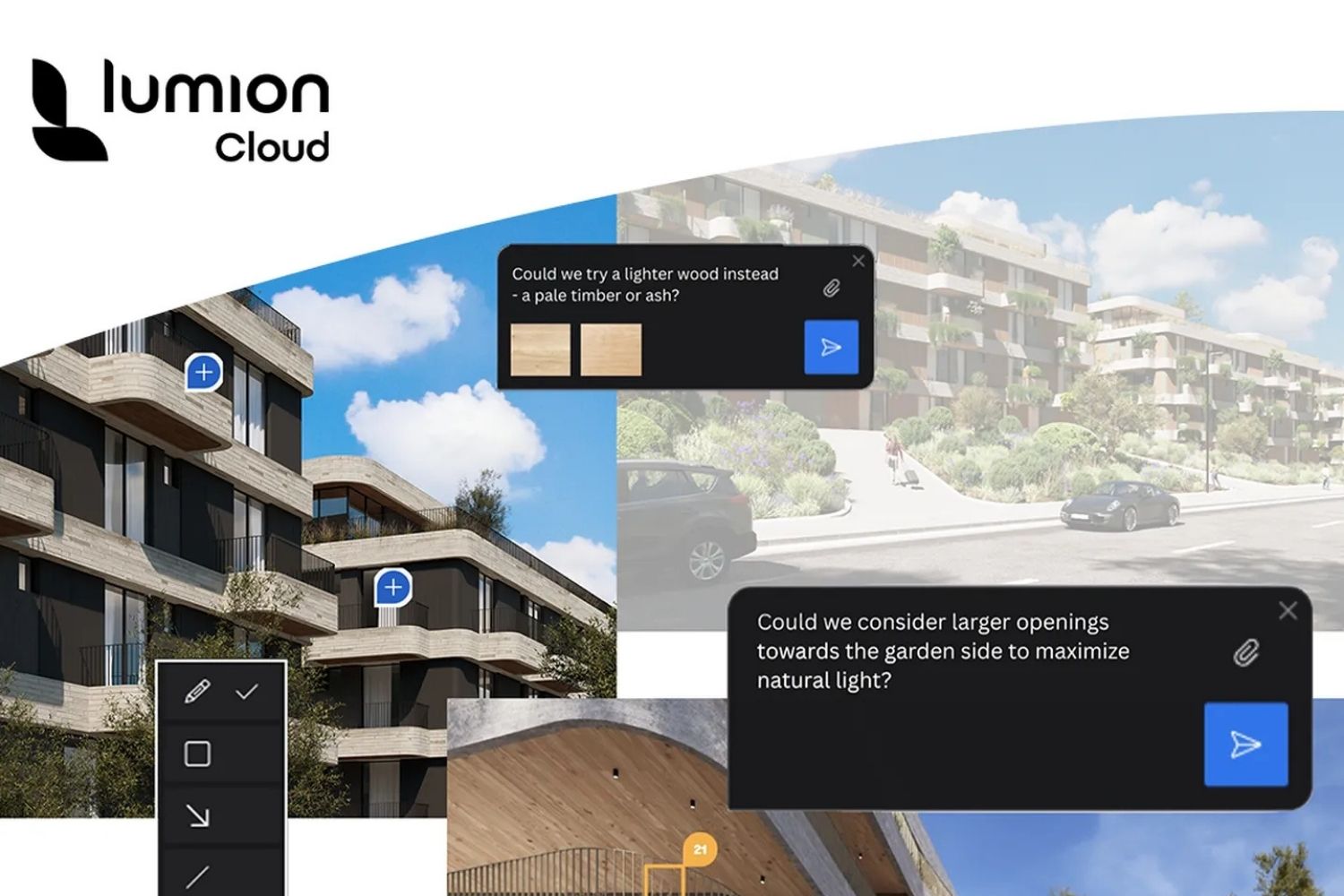
Presentation tools for architecture go beyond layout software. The images inside your portfolio matter just as much as the layout. Rendering tools like Lumion, V-Ray, Enscape, and Twinmotion produce photorealistic visuals that can transform a portfolio page from ordinary to impressive.
Lumion is particularly popular among architecture students because of its speed. You can produce a high-quality exterior render in minutes rather than hours. V-Ray, on the other hand, offers more control over lighting and materials for those who need maximum realism. Enscape and Twinmotion integrate directly with Revit and SketchUp, letting you create real-time walkthroughs that can be exported as images or videos for your portfolio.
The key is to match your rendering style to your portfolio’s visual language. If your layout uses clean, minimal typography and neutral colors, your renders should follow a similar aesthetic. Mixing hyper-realistic renders with hand-drawn sketches can work, but only if the transitions feel intentional. For more on visualization software for architectural work, see our article on top software tools for architectural presentations.
💡 Pro Tip
Export renders at 150 DPI for screen-only portfolios and 300 DPI for print. Using 300 DPI everywhere inflates your PDF file size beyond email attachment limits. Run your final PDF through Adobe Acrobat’s “Optimize PDF” feature to compress images without visible quality loss.
Building a Student Architecture Portfolio: Which Tools to Start With
If you are assembling your first student architecture portfolio, the number of tools available can feel overwhelming. Start simple: pick one layout tool, one rendering tool, and one publishing platform. For most students, that combination looks like InDesign (or Canva if budget is tight), Lumion or Enscape for renders, and Issuu for online sharing.
Your portfolio does not need to use every tool on this list. What matters is that every page looks intentional, that your typography stays consistent, and that your projects are presented with enough context to tell a story. A five-project portfolio with clean layouts and strong renders will outperform a twenty-project portfolio with inconsistent formatting and poor image quality every time. For detailed advice on building your first portfolio, read our step-by-step guide on creating a successful architectural portfolio.
Focus on learning one tool well rather than spreading your time across many. InDesign skills transfer to any architecture firm you join. Figma skills transfer to UX and digital design roles. Both are valuable, but pick the one that aligns with your career goals and master it.
Video: Reviewing the Best Architecture Portfolios
This video from Show It Better reviews five architecture portfolios and breaks down what makes each one effective, covering layout decisions, project selection, and visual consistency.
Final Thoughts
The right presentation tool does not replace good design work, but it removes friction between your ideas and how they are received. Whether you choose InDesign for its precision, Figma for its accessibility, or Canva for speed, the goal stays the same: present your architectural design portfolio in a way that lets your projects speak clearly. For more portfolio tips and expert strategies, visit our architecture portfolio tips article.
✅ Key Takeaways
- Adobe InDesign remains the industry standard for architecture portfolio layout, offering the best control over grids, typography, and print export.
- Figma is the strongest free alternative for digital-first portfolios, with real-time collaboration features that InDesign lacks.
- Issuu and Behance serve different purposes: use Issuu for sharing portfolio links in applications, and Behance for passive discovery by recruiters.
- Rendering tools like Lumion, V-Ray, and Enscape produce the images that fill your portfolio, so choose one that matches your software workflow.
- Start with one layout tool, one rendering tool, and one publishing platform. Mastering fewer tools produces better results than spreading yourself thin.









Concept Diagram Architecture: Hand-Rendered vs Digital Diagrams in a Portfolio
Hand-rendered and digital diagrams send different signals to portfolio reviewers. This piece...
 Furkan Sen5 Mins read
Hand-Rendered vs Digital Diagrams: What Works Better in a Portfolio?
A practical breakdown of hand-rendered and digital diagrams in architecture portfolios, covering...
Sinan Ozen6 Mins read
Architecture Portfolio Layout: Designing Pages with Grid and Typography
A focused look at architecture portfolio layout, from setting up a column...
 Elif Ayse Sen8 Mins read

How to Present Your Work in an Architecture Portfolio Interview
Reaching the interview means your work earned a closer look, but presenting...
Furkan Sen7 Mins read


Leave a comment