

Digital Sketching for Architects: A Practical Guide
A practical look at digital sketching for architects, covering tablets and styluses, the best sketching apps, layer habits, and how hand-drawn digital sketches strengthen concept work and client presentations.
 Elif Ayse Sen3 April 20226 Mins read637
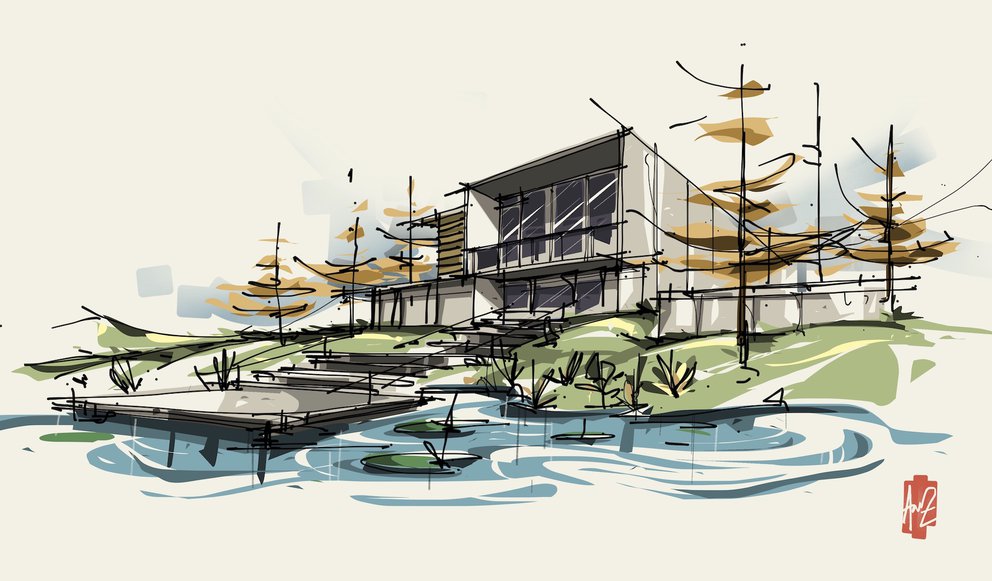
Table of Contents Show
Digital sketching lets architects draw ideas directly on a tablet with a stylus, combining the speed of freehand drawing with layers, undo, and instant sharing. For architects, it bridges early concept work and polished presentation, turning quick studies into images that carry mood, scale, and atmosphere without a full render.
Digital sketching has grown popular in recent years for both architects and other design disciplines. Architects use drawing pads to capture sketches and ideas alongside their digital drawings. Post-production, illustration, and other visualization techniques that support architectural presentations can all be done on a digital tablet. A tablet is worth getting if you want to personalize your presentations and make them feel more original.
Sketching is the technique most of us reach for first, and doing it on a digital tablet is genuinely practical. If you are new to digital sketching, the sections below walk through the hardware, the apps, and the habits that make the switch worthwhile.
Start by deciding what you are sketching for. The sketchbook is often called the architect’s third hand, so ask whether you are drawing to express and test ideas or to produce a finished image. If you are developing project concepts and searching for form, you mainly need a responsive tablet and a good pen, then an app such as Autodesk Sketchbook to draw freely.

Photo Source: Creating an Urban Sketch Journal, Concepts App
If you want to improve your architectural presentations and prepare stronger images, import the base or outline of a drawing into an app such as Adobe Photoshop Sketch or Procreate. From there, the pen types and brushes you choose bring the drawing to a more refined version.
💡 Pro Tip
When you set up a new sketching app, spend five minutes tuning the pressure curve and turning on palm rejection before your first real drawing. A softer curve gives you finer control over light line work, and reliable palm rejection stops stray marks that otherwise pull you out of the flow of thinking on the page.

Photo Source: Morpholio Launches Smart Fill Area Calculator for Trace App, Architect Magazine
A useful habit for anyone new to digital sketching is to try all the brushes and pencil types and settle on a color palette that suits you before you start a drawing. Mastering the brushes and pens in your chosen app is what separates a flat sketch from a convincing one, and working on the palette is what gives the final image its aesthetic weight.

Photo Source: What Is Sketching in the Digital Age?, ArchDaily
Thinking while sketching becomes easy on a responsive drawing tablet such as the iPad Pro. If you build architectural presentations from your own digital sketches instead of the renders and flat drawings we are used to, the result reads as original and personal. Digital sketching is especially strong for three-dimensional studies, where it conveys the atmosphere and feeling of a space in an efficient, artistic way.
Digital Sketching Tools and Techniques at a Glance
The table below maps the core tools and techniques of digital sketching to the benefit each one offers and a practical tip for getting more out of it.
| Tool / Technique | Benefit | Tip |
|---|---|---|
| Tablet and screen size | Room for gestural drawing versus portability on site | Pick screen size around where you draw most, studio or field |
| Stylus pressure and tilt | Line weight and shading respond to your hand | Tilt the pen like a pencil to block in tone quickly |
| Sketching apps | Brushes and canvases tuned to different drawing stages | Learn one app well before adding a second |
| Layers | Line work, shading, and notes stay independent | Name layers early so you can adjust them later |
| Perspective guides | Keeps freehand spatial studies believable | Set vanishing points, then draw loosely over the guide |
Choosing the Right Hardware for Digital Sketching
The tablet and pen you choose shape how natural digital sketching feels. Look for a device with low latency, so lines appear under the stylus without a noticeable delay, and pressure sensitivity, which lets you vary line weight by pressing harder or softer. A pen with tilt support helps with shading, much like turning a pencil on its side. Screen size is a tradeoff, since larger displays give more room for gestural drawing while smaller ones are easier to carry on site. Many architects start with an iPad Pro and Apple Pencil, but graphics tablets from brands like Wacom serve those who prefer to draw on a desktop screen.
📐 Technical Note
If a sketch may end up printed in a presentation or portfolio, set the canvas to at least 300 pixels per inch at final print size before you begin. Enlarging a low-resolution sketch afterward softens the linework, while starting at print resolution keeps edges crisp and lets you export a clean PNG or PDF for layout.
Which Digital Sketching Apps Are Worth Exploring?
Different applications suit different stages of work. Concepts and Autodesk Sketchbook are well suited to free, exploratory drawing and idea generation thanks to their open canvases and natural brushes. Procreate is popular for richer illustration and post-production thanks to its deep brush library. Morpholio Trace is built specifically for architects, letting you overlay tracing paper on imported plans and measure as you draw. Adobe tools fold sketches into a broader presentation workflow. Trying a few and learning one well usually beats spreading your effort thin across many.
⚠️ Common Mistake to Avoid
A frequent error is flattening all layers as soon as a sketch looks finished. Once merged, you cannot recolor the sky, soften a shadow, or move a figure without repainting the whole scene. Keep a layered master file and export flattened copies for sharing, so the editable original always survives.
Digital Versus Traditional Sketching
Digital sketching offers clear advantages: unlimited undo, layers that separate base drawings from overlays, easy color experimentation, and instant sharing. It also keeps all your sketchbooks on one device. Traditional sketching, by contrast, builds a direct hand-to-paper connection that many designers find frees their thinking, and it never needs charging. Rather than treating one as a replacement for the other, most architects benefit from moving fluidly between them, sketching by hand to think and switching to digital tools to refine and present.
📌 Did You Know?
The pull between screen and paper is an old debate. Architect Michael Graves argued that drawing by hand keeps a direct link between eye, mind, and page that software cannot fully replace, a view he set out in his 2012 New York Times essay “Architecture and the Lost Art of Drawing.”
Building Strong Digital Sketching Habits
Skill with a stylus grows the same way it does with a pencil, through regular practice. Set aside short, frequent sessions to draw everyday scenes, study perspective, and test how each brush behaves. Organize your work with layers from the start, keeping line work, shading, and notes separate so you can adjust them independently. Save a personal set of favorite brushes and a reusable color palette so you spend more time drawing and less time hunting through menus. Over time these habits make digital sketching feel as instinctive as reaching for a notebook.
Using Sketches in Presentations
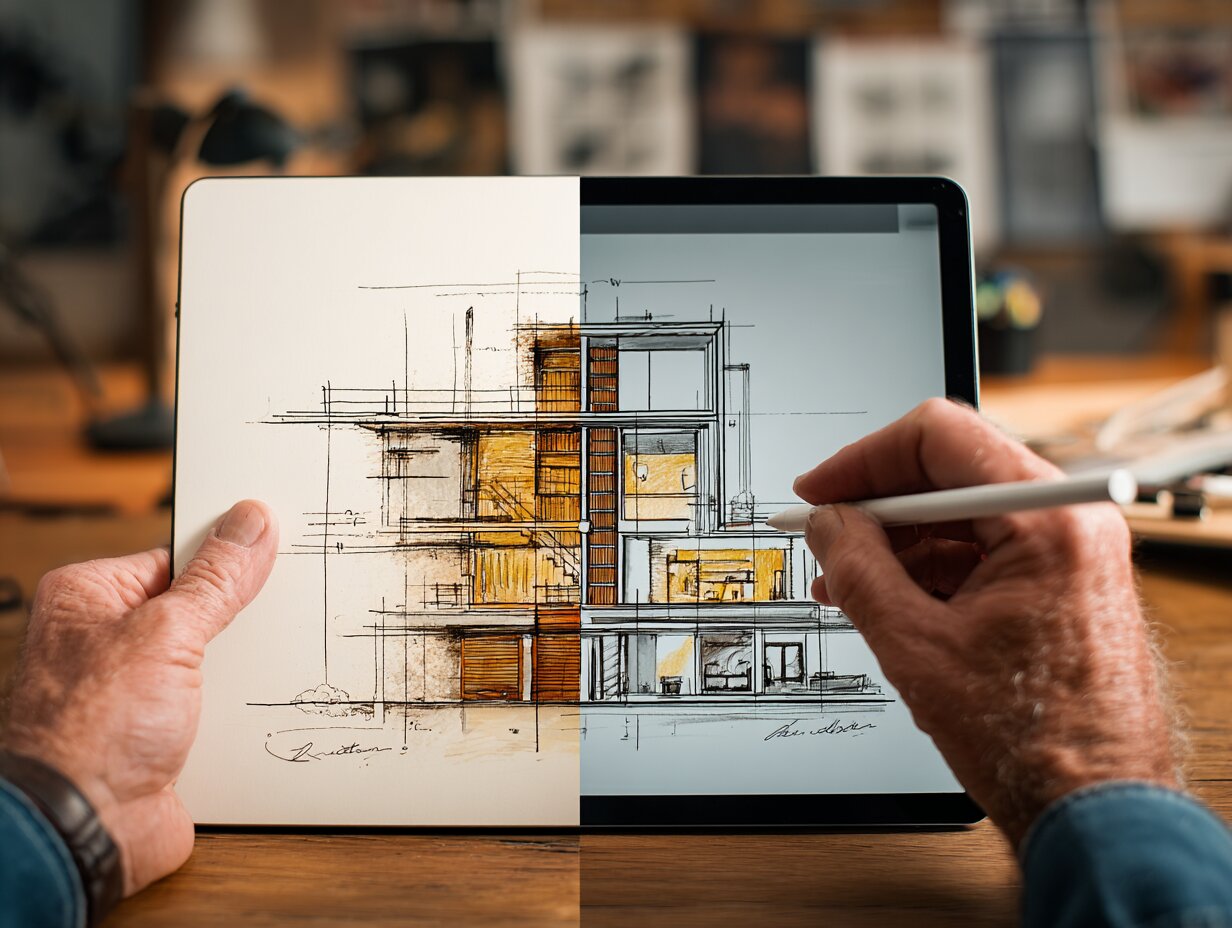
Hand-drawn digital sketches can give a presentation character that polished renders sometimes lack. They communicate atmosphere, mood, and the feeling of a space quickly, and they signal that ideas are still open to discussion, which can be valuable in early client meetings. Combining loose sketches with selected technical drawings often tells a clearer story than either alone. For three-dimensional studies in particular, a confident sketch conveys light, scale, and experience in a way that feels personal and memorable to the viewer. For more ways to strengthen this stage of a project, see our ideas for architects.
Frequently Asked Questions
Is digital sketching good for architects?
Yes. Digital sketching for architects speeds up idea generation, keeps every study in one searchable device, and makes it simple to test color, revise, and share work with clients or collaborators. It supports the same quick, thinking-on-paper process as a notebook while adding layers, undo, and reuse.
What is the best tablet for digital sketching?
There is no single best tablet, but the iPad Pro with Apple Pencil is a common starting point thanks to its low latency and pressure sensitivity. Architects who draw mainly at a desk often prefer a Wacom pen display connected to a computer. Match the screen size to where you sketch most.
Can digital sketching replace hand drawing?
It does not have to. Many architects sketch by hand to think and switch to digital tools to refine and present. The two approaches complement each other, so the more useful goal is fluency in both rather than choosing one over the other.
Where to Go From Here
Your Next Step: Pick one app from the list above, load a plan or a photo of your current project, and spend a single short session redrawing it on separate layers for line work, shadow, and color. That first layered study is usually enough to show where digital sketching fits into your own way of working.



Best Stylus and Pen for Architectural Sketching: Top Picks for 2026
A tested breakdown of the top stylus pens and traditional pens for...
Elif Ayse Sen11 Mins read

Passive House vs LEED Certification: Which Green Standard Should You Pursue?
Passive House focuses on strict energy performance and airtightness, while LEED scores...
 Sinan Ozen8 Mins read

9 Best Timber Frame Home Builders In PA For Sustainable Building And Design
Table of Contents Show Why timber frame construction makes sense in PennsylvaniaBudgeting...
 Bahattin Duran9 Mins read

How Upcycling Materials Is Redefining the Future of Architectural Construction
Upcycling materials is reshaping how architecture understands value, time, and responsibility. Rather...
Sinan Ozen4 Mins read


Leave a comment