

Architecture Portfolio Guide: Tips, Examples & Templates
A comprehensive guide to building a strong architecture portfolio. Covers essential tips on project selection, portfolio format, cover page design, templates, and examples for architecture students and professionals seeking to make a lasting impression.
 Elif Ayse Sen8 February 202629 Mins read1k

Table of Contents Show
An architecture portfolio is a curated collection of an architect’s or architecture student’s work, typically presented in a digital or physical format. The purpose of an architectural portfolio is to showcase an architect’s skills, design abilities, and professional experience to potential clients, employers, collaborators, and academic institutions. Whether you are preparing an architecture student portfolio for graduate school admissions or a professional book for job interviews, understanding how to make an architecture portfolio that stands out is essential in today’s competitive design landscape.
The architectural portfolio typically includes a range of materials, such as design drawings, sketches, diagrams, photographs, 3D models, and written descriptions. It may showcase completed projects, as well as design proposals and academic work. You can use portfolio architecture design for your needs and application type. There are a few portfolio types such as long portfolio, short portfolio, business portfolio and academic portfolio. Understanding the right architecture portfolio format and architecture portfolio dimensions for each type is crucial to making the right impression.

An architectural portfolio is an important tool for architects and architecture students to promote their work, demonstrate their design skills and process, and highlight their achievements. A well-designed and professional architecture design portfolio can help an architect or student to stand out in a competitive job market, attract new clients or collaborators, and secure academic or professional opportunities.
The 7 Essential Elements of an Architecture Portfolio
Before looking at each stage in detail, the table below summarizes the seven elements every strong portfolio contains, why each one matters, and a quick action you can apply today.
| Element | Why It Matters | Quick Tip |
|---|---|---|
| Project selection | Sets the quality bar for everything else | Show 4 to 6 strong projects, not 15 average ones |
| Design process | Proves how you think, not just what you produce | Pair concept sketches with the final render |
| Visual consistency | Signals discipline and attention to detail | Lock one grid, one or two fonts, and a single accent color |
| Personal statement | Gives reviewers a reason to remember you | Name a real project that shaped your approach |
| Project descriptions | Clarifies your exact contribution | State your role, the brief, and the outcome |
| Format and delivery | Decides how easily your work is viewed | Keep a 2 to 5 page sample plus a full version |
| Contact and next step | Turns interest into a conversation | Put email and links on the first and last page |
How to Make an Architecture Portfolio: Essential Tips
Creating a strong architectural portfolio requires careful planning and attention to detail. Whether you are compiling architectural portfolio examples for inspiration or starting from scratch, the following architecture portfolio tips will help you build a portfolio that showcases your skills and expertise.
Choose Your Best Work
Be selective in the work that you include in your portfolio. Choose projects that showcase your best skills and abilities, and that demonstrate your unique style. Quality always trumps quantity, three to five outstanding projects will make a stronger impression than ten mediocre ones. Review successful architectural portfolio samples from young architects to calibrate your own selection. Look at portfolio examples architecture professionals admire to understand what level of curation is expected.
Organize Your Portfolio
Organize your portfolio in a logical way that makes it easy for the viewer to navigate. Consider grouping projects by type (e.g. residential, commercial, public spaces) or by skill set (e.g. design, drafting, 3D modeling). A clear architecture portfolio format helps reviewers focus on your work rather than struggling with the layout. The layout portfolio architecture you choose should guide the viewer’s eye naturally from one project to the next. For a comprehensive checklist, see our portfolio checklist for architects.

Highlight Your Process
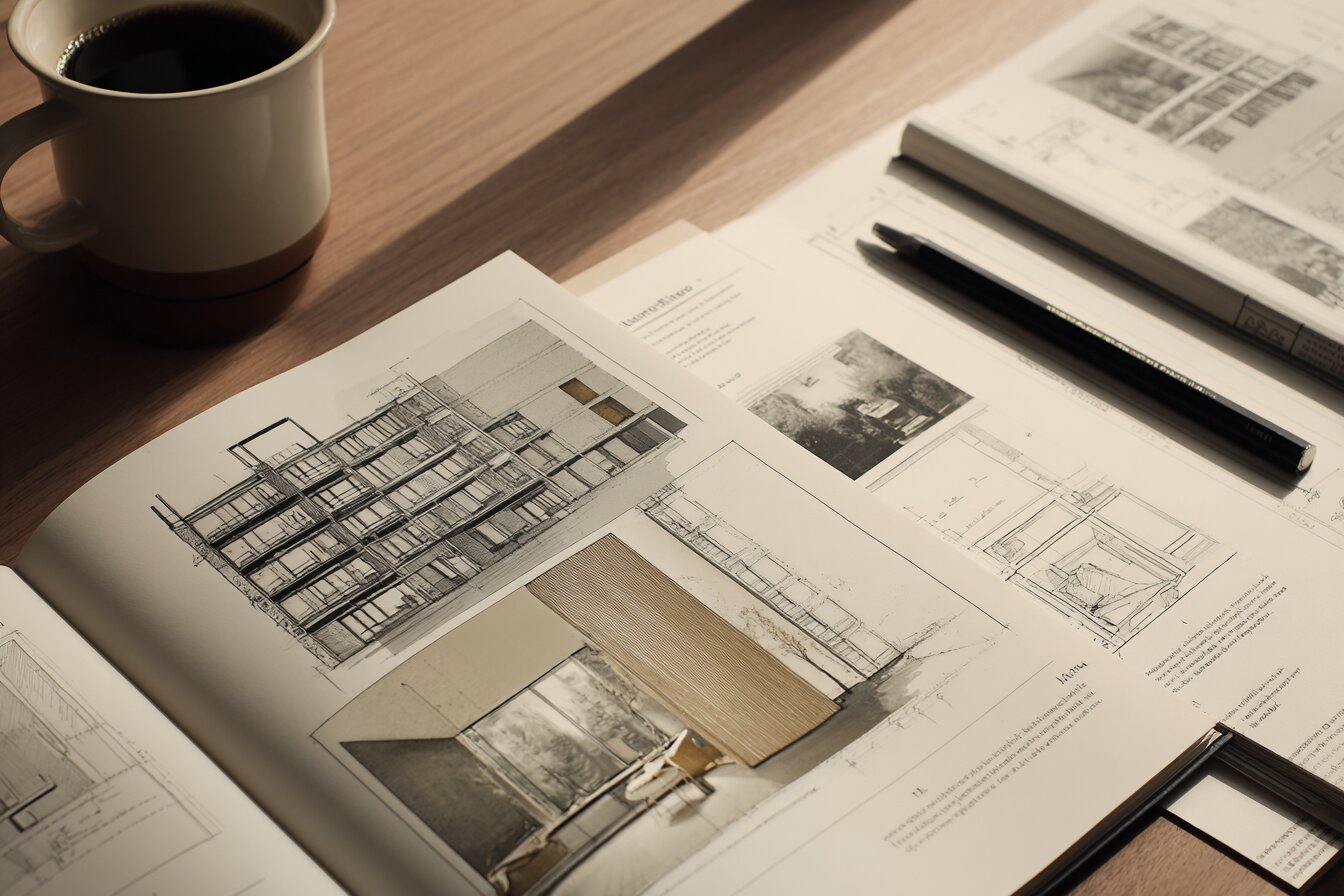
In addition to showcasing finished projects, include sketches, drawings, and other materials that demonstrate your design process. This can give potential clients or employers insight into your creative process and problem-solving abilities. Firms and admissions committees value seeing how you think, not just the polished final result. A good architecture portfolio always tells the story behind each design decision.
Show Your Range
Include a variety of projects that showcase your range of skills and abilities. This can demonstrate your versatility and adaptability as an architect. If you work across disciplines, consider including landscape architecture portfolio pieces or interior design projects alongside your core architectural work to display breadth. Showing diversity in your architecture design portfolio signals that you can handle different project scales and typologies.
Use High-Quality Images
Use high-quality images and photographs to showcase your work. Make sure that the images are clear, well-lit, and highlight the most important features of each project. For print portfolios, aim for 300 DPI resolution; for digital or architecture portfolio website versions, 150-200 DPI is typically sufficient. Investing in professional-grade visuals is one of the most impactful architecture portfolio tips you can follow.
Include Descriptions
Include descriptions of each project that provide context and explain your design choices. This can help the viewer better understand your thought process and design approach. Keep project narratives to one or two concise sentences, if your concept requires a full paragraph to explain, it may need further refinement.
Keep It Concise
While it’s important to provide enough detail to showcase your work, be mindful of keeping your portfolio concise and focused. Consider using bullet points or short descriptions to highlight the most important details. Hiring managers often scan architectural portfolios quickly, so every page should earn its place.
Update Regularly
Finally, be sure to update your portfolio regularly as you complete new projects or gain new skills and experiences. This can demonstrate your ongoing growth and development as an architect. Set a quarterly review schedule to swap out older work and add your latest achievements.

10 Steps to Create a Successful Architecture Portfolio
The tips above cover the fundamentals. The ten steps below turn them into a working method you can follow from a blank page to a finished book, whether you are an architecture student preparing for applications or a professional architect seeking new opportunities.
1. Find Your Audience Before You Start

Architecture is a multidisciplinary and creative field. If you are a team or firm seeking a client, showcase your interests through your portfolio. If you are a student or fresh graduate, do not try to mimic the firm you apply to. Instead, work on your genuine interests and apply to firms that align with your design philosophy. Understanding your audience shapes everything from project selection to layout choices. A professional architecture portfolio aimed at a landscape architecture firm, for instance, should emphasize different projects than one targeting a commercial design practice.
2. Design a Striking Architecture Portfolio Cover Page

The first impression you leave with your audience is the key to the success of your overall portfolio. You may spend much time compiling your best works and composing them in a visually appealing manner, but do you spend enough time designing your cover page? For a successful portfolio, the architecture portfolio cover page is as important as the content inside. In the case of a digital format, this is your landing page. It is the first impression you create on the client or reviewer. Give your best graphics and illustrate your design ideology on the cover, so that it creates genuine interest. Include your name, a clean title, and optionally a featured image from one of your strongest projects.
3. Present Quality Over Quantity

Creating a portfolio of 40 to 50 pages with all your works does not make a successful portfolio. Presenting every single project from the first year of architecture school to the present makes it long and boring. Such a portfolio would show a lack of self-evaluation. Always choose three to five projects of the best quality and present them with strong visual skills. Hiring managers at architecture firms typically spend only a few minutes reviewing each portfolio, so every page should earn its place.
4. Show the Design Process

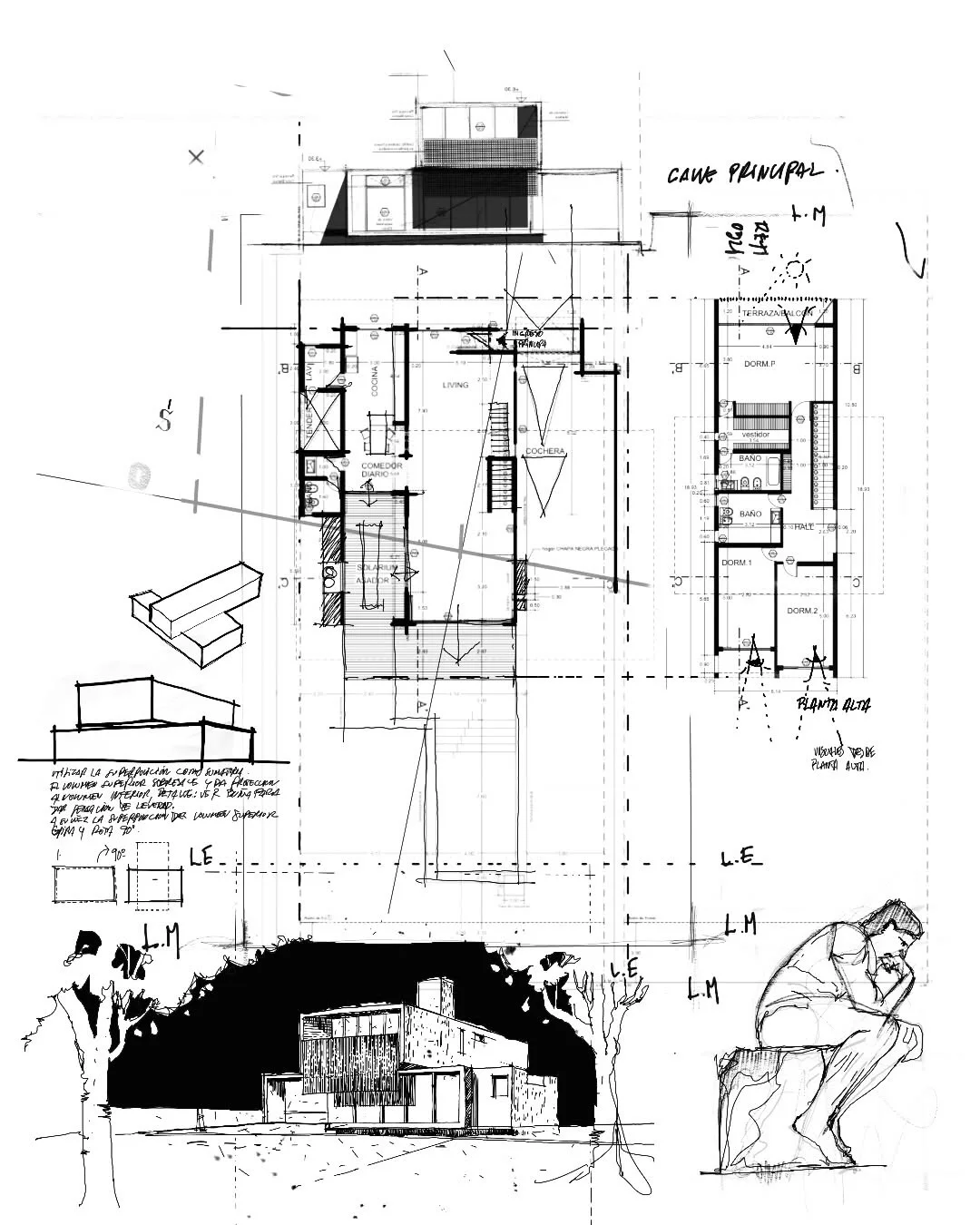
An architecture portfolio is not only about showing your skills through eye-catching renders and CAD drawings. It is also about expressing your approach and ideology. The process behind the projects always defines your approach to design. Show the process with neat and clear diagrams for every project in your portfolio. Include concept sketches, site analysis diagrams, iterative models, and development stages. Reviewers at firms and universities want to see how you think, not just the polished final result. According to the American Institute of Architects (AIA), demonstrating a clear design methodology is one of the key qualities employers seek in candidates.
5. Specialize in Your Field of Interest
Architecture is a diverse field that includes various domains of interest. You may be drawn to sustainable building design, landscape architecture, interior architecture, or parametric design. Your portfolio should visibly convey your area of focus. Choose the projects that best reflect your specialization and present them with your most proficient skills. A focused portfolio tells reviewers that you have depth, not just breadth. If landscape architecture is your passion, for example, highlight site planning, planting strategies, and environmental analysis.
6. Include Group Projects Along with Personal Work
Though a portfolio is a compilation of one’s personal work, it should include group projects to show that you also work well in teams. Architecture is a field that demands teamwork as an invaluable soft skill. Highlight your specific part of the work in a group project and give credits to other team members. This transparency builds trust with reviewers and shows your ability to collaborate, which firms value highly.
7. Keep Your Hand Sketches

Understanding technology and software is an essential part of architectural design today. Including impressive visualizations with tools like Photoshop is absolutely essential. However, sketching remains a valuable part of the design process. Showing that you can communicate ideas with quick hand sketches is vital, as this skill is becoming harder to find in modern architecture portfolios. Freehand drawings also reveal your spatial thinking and design intuition in ways that digital tools cannot replicate.
8. Put Your Graphic Design Skills to Good Use
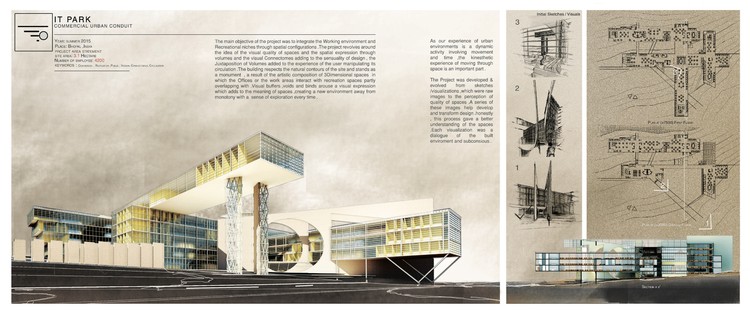
Graphic design is an integral part of architecture and interior design alike. Software tools like Adobe Photoshop, Adobe Illustrator, and Adobe InDesign help add special effects, polished layouts, and renderings that impress potential clients. Illustrating your mastery over graphic design adds to your appeal as an architect and designer. For students learning which software to use when creating an architectural portfolio, InDesign is particularly popular for portfolio layout, while Photoshop excels at post-production enhancements. You can also explore platforms like Behance and Issuu for publishing your finished architecture portfolio online.
9. Write a Strong CV or Resume

Once you finish the visual portfolio, design your CV to highlight your skills, accomplishments, awards, education, and relevant experience. Select an appropriate typography and font style that matches your overall portfolio branding. Highlight the skills most relevant to the position you are targeting. A well-structured CV page is often the first thing firms scan, so clarity and professionalism matter. To learn more, read 5 things to consider before designing your portfolio.
10. Review and Update Your Portfolio Regularly
You choose your best works, compile them, and compose them in the best way to present to your audience. But that is not enough. Whether you maintain a professional or a student portfolio, it is important to keep it alive. Review and adapt your portfolio regularly to showcase your most recent and strongest work. Remove older projects that no longer represent your current skill level and add new ones that demonstrate growth. Set a quarterly review schedule so your architecture portfolio always reflects who you are today as a designer.
How to Create an Architecture Portfolio from Scratch: Step by Step
If you are starting from zero, knowing how to create an architecture portfolio step by step can simplify the process considerably. The seven stages below take you from defining a purpose through to a proofread, export-ready document.
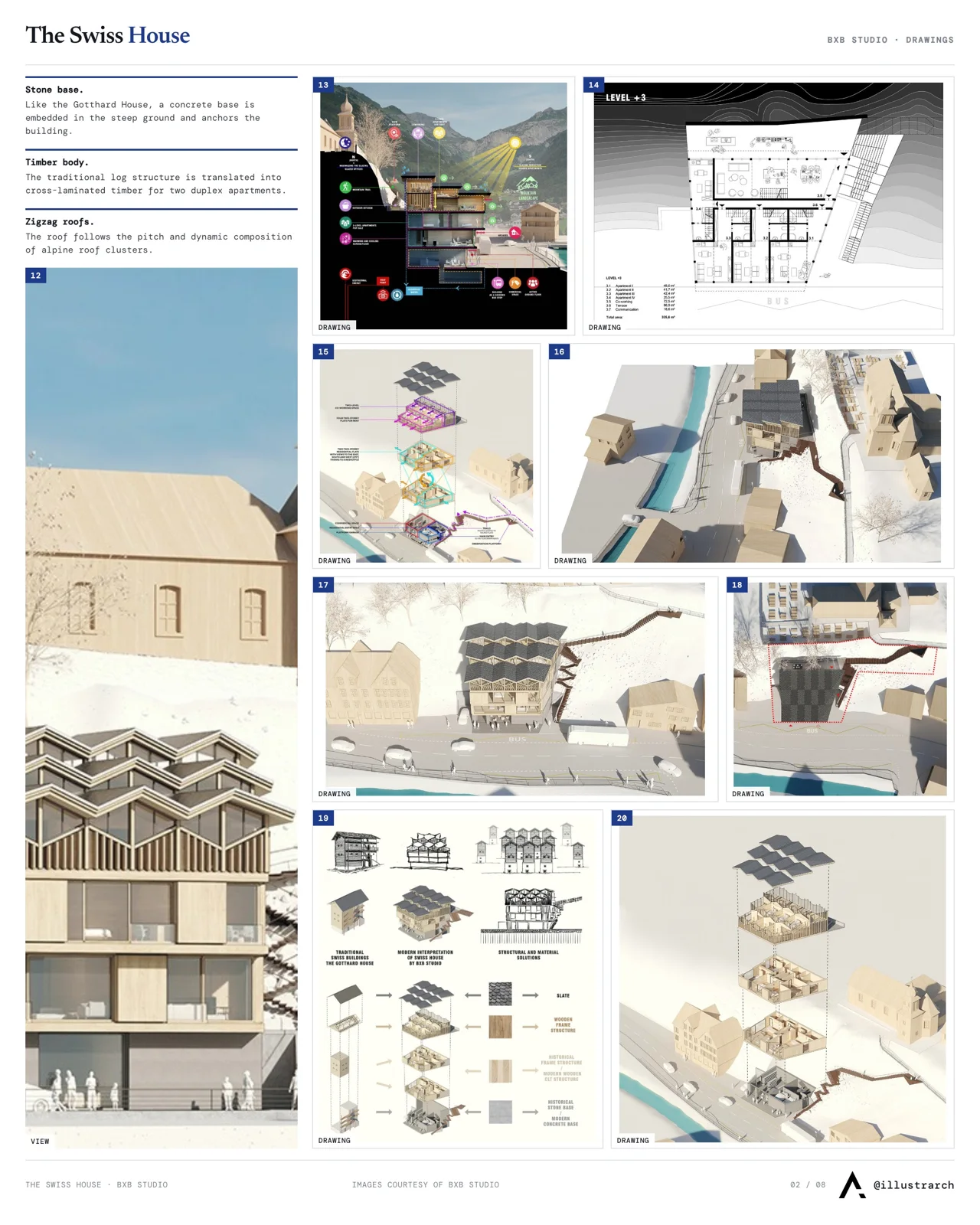
Step 1: Identify Your Why

Why do you need a portfolio? It may seem to be a simple question, but the reason you need to create one is the first and most important thing to settle. The purpose may be applying to a job, changing jobs, or supporting your professional profile online. Not defining the purpose makes a portfolio disjointed and clumsy, because every later decision, project selection, page size, tone, depends on it.
Step 2: Research Examples

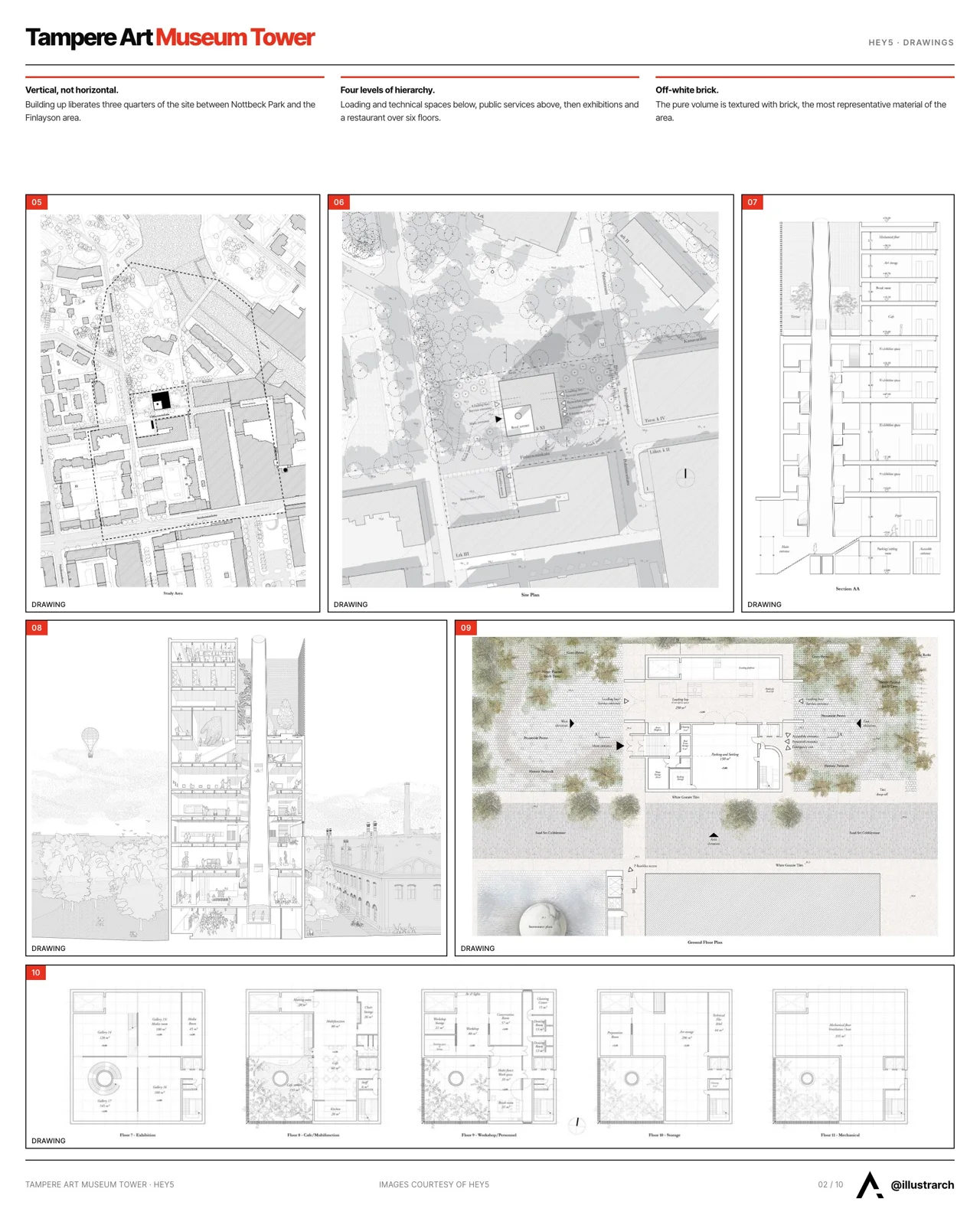
Once you are clear on your purpose, search for examples that suit your intent. Issuu is an online publication platform with a large database of portfolios and magazines; searching for “architecture portfolio” surfaces books that match your intent. You can also study examples on Behance, professional networks, and printed monographs. Read more on why your architecture portfolio matters before you begin collecting references.
Step 3: Choose Your Projects
After skimming through the examples, gather all your projects and choose which ones to present. Ideally you present the projects that best represent your intentions: your strongest work, the pieces that demonstrate your skill set and design ideology, and the ones that show your identity and interests. Your portfolio should represent who you are, not simply everything you have produced.
Step 4: Decide the Theme of the Portfolio

Choose the tone and theme that suits your selected projects. Determine the page size according to the content. Rectangular portfolios are often preferred because they accommodate both vertical and horizontal orientations. Take advantage of the portfolio shape to emphasize the proportion of the work, and decide the color scheme and composition early so it is carried consistently throughout.
Step 5: Create a Narrative

You have to narrate a story about yourself through your portfolio. However many projects you have, one will stand out above the rest, that should open your narrative. Always start with your star project. Then present the remaining projects and conclude with work that represents your wider interests, such as architectural photography or written work.
Step 6: Understand the Importance of Composition

Creating the narrative does not end at deciding the order of projects. It includes sketching the overall idea and articulating the composition of the portfolio. Sitting down to design without any intent wastes time, so storyboard the composition and overall look before you start. Some quick composition rules:
- Follow the most familiar rule of composition, the rule of thirds.
- Font choice matters. Use legible typefaces with appropriate spacing.
- Embrace negative space; white space makes your content clear and legible.
- Keep it minimal. More space with less content beats filling every square inch of the page.
Step 7: Consider Your Grammar

The final and most overlooked step is the grammar of the portfolio. Prospective clients and employers pick up mistakes in a second, and they do nothing to build your credibility. Spelling and grammar errors read as unprofessional, and a reviewer may put your portfolio aside rather than finish it. Proofread every caption, description, and title before export.
Architecture Portfolio Dimensions and Size Guide
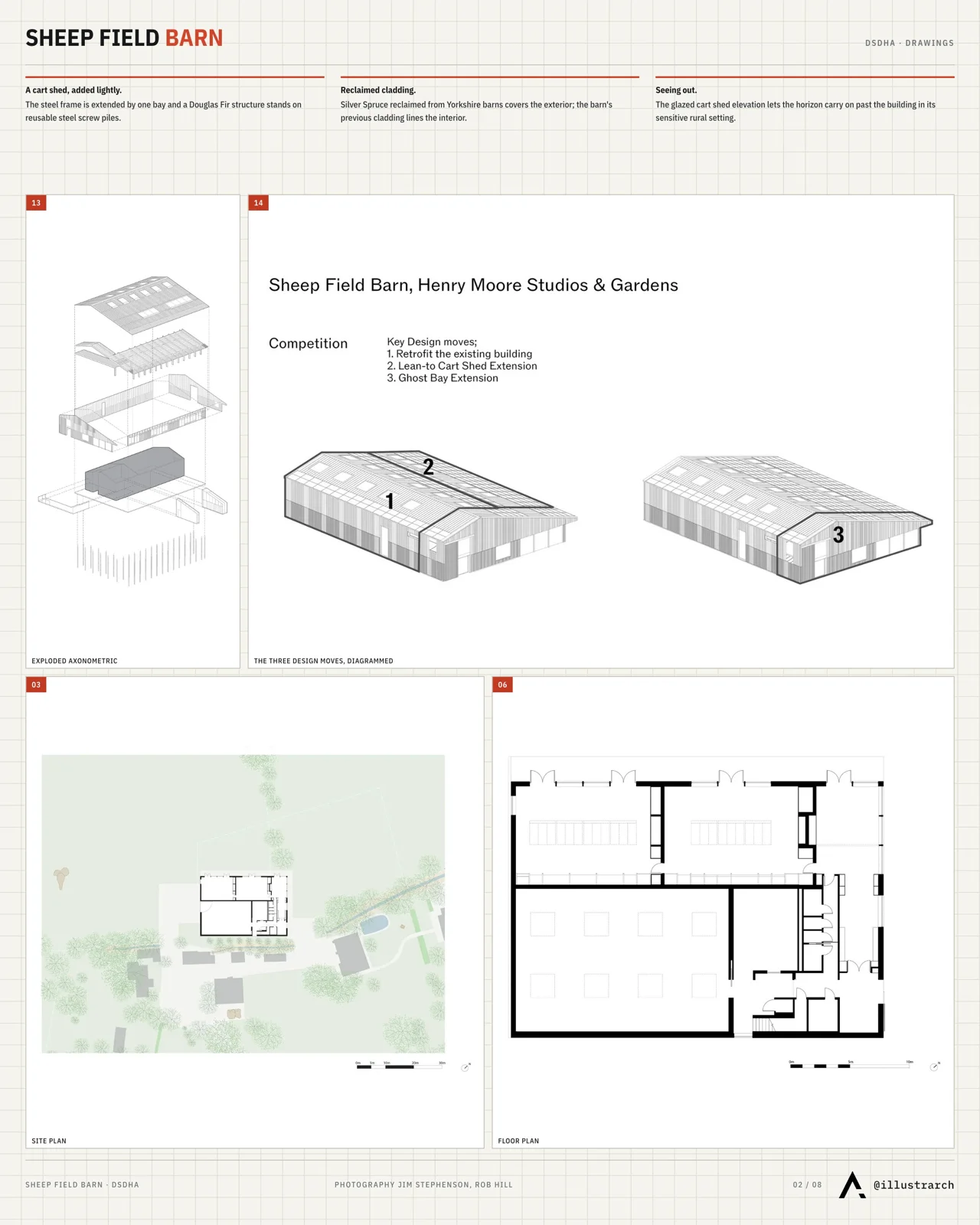
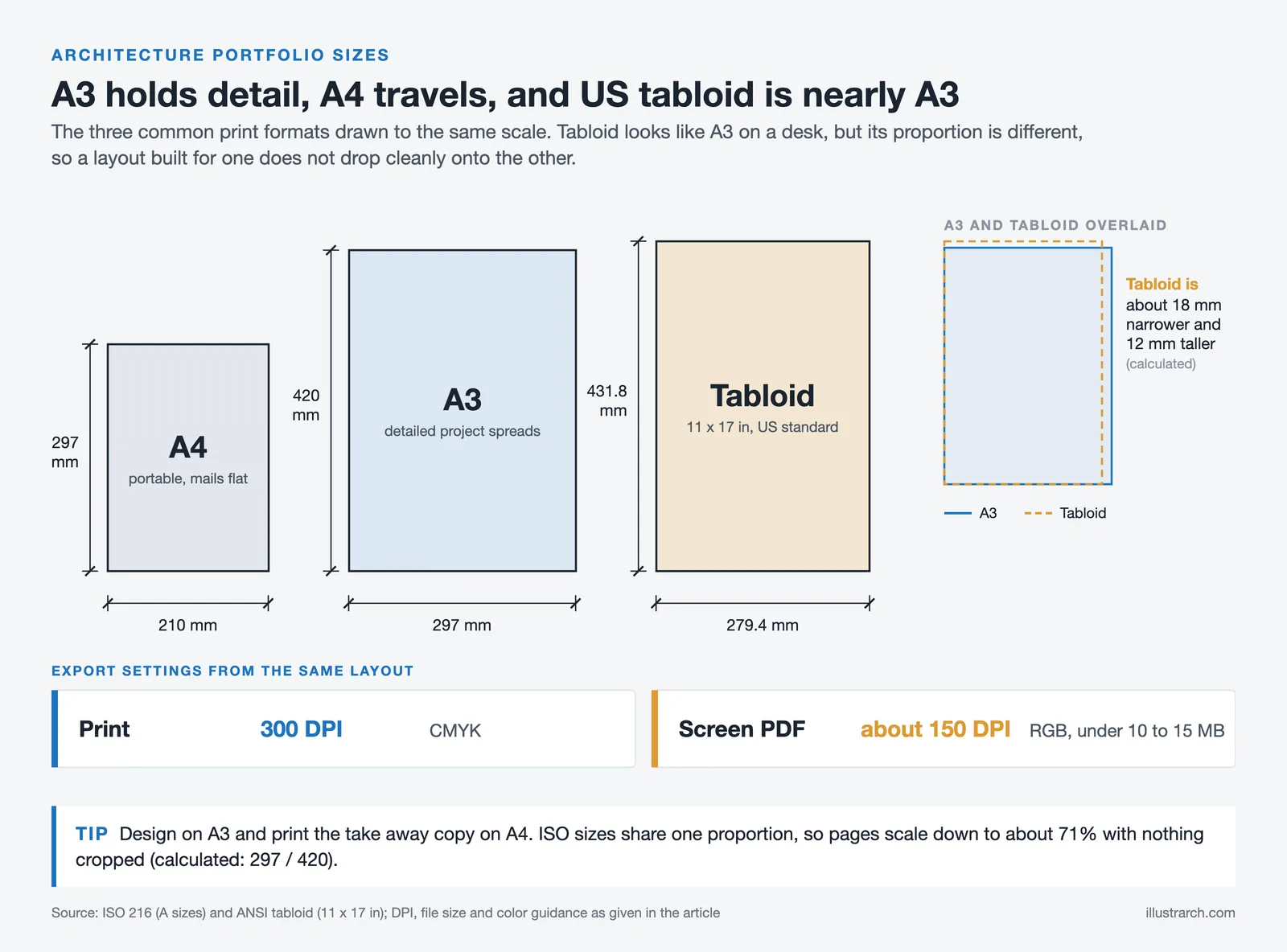
Choosing the right architecture portfolio size and architecture portfolio dimensions is often overlooked, yet it directly affects how your work is perceived. For printed portfolios, the most common sizes are A3 (297 × 420 mm) for detailed project spreads and A4 (210 × 297 mm) for a more portable format. In the United States, 11 × 17 inches (tabloid) is a popular choice that balances detail with convenience. Digital PDF portfolios typically follow A3 or letter-size dimensions for screen readability. According to the Royal Institute of British Architects (RIBA), aligning your portfolio architecture dimensions with industry standards ensures your work displays correctly both on screen and in print. If you plan to upload your work to platforms like Issuu, landscape orientation often performs better for horizontal scrolling interfaces. For a full breakdown of page counts and formats, see our guide to the ideal architecture portfolio size and format.
📐 Technical Note
Export images at 300 DPI for print and around 150 DPI for screen viewing, and keep a digital PDF under roughly 10 to 15 MB so it sends by email without compression issues. Use RGB color for screen versions and CMYK for anything you intend to print.
Architecture Portfolio Cover Page and First Impressions
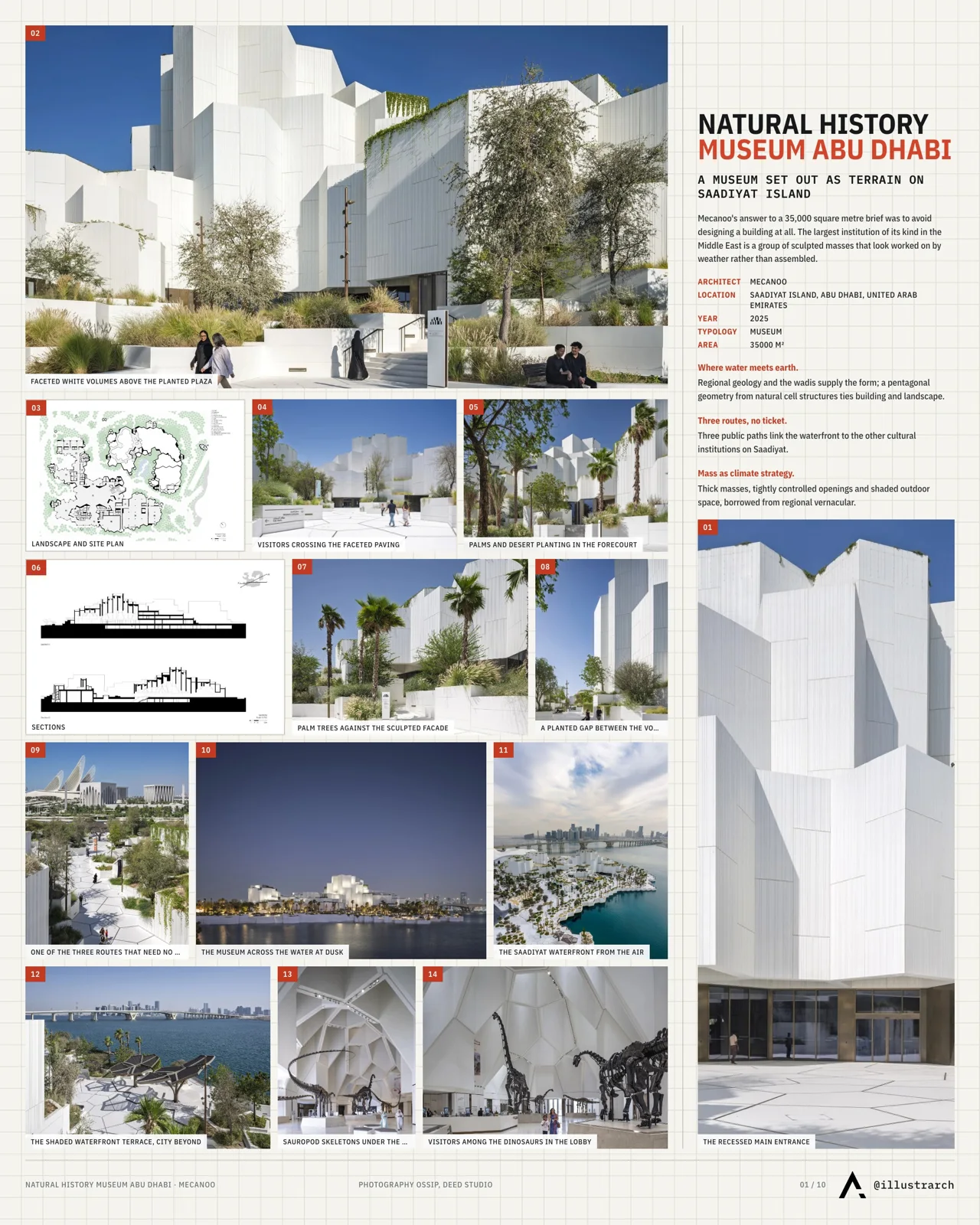
Your architecture portfolio cover is the very first thing a reviewer sees, and it sets the tone for everything inside. A strong architecture portfolio cover page should be clean, professional, and reflective of your personal design identity. Include your name, the date range of the work presented, and optionally a subtle logo or graphic element that represents your style. Avoid cluttered covers, simplicity signals confidence. Good cover images for architectural portfolio undergrad applications often feature a single striking render or a minimalist graphic composition that hints at the projects within.
Architecture Portfolio Design: Layout and Visual Identity
Strong architecture portfolio design goes beyond arranging images on a page, it reflects your sensibility as a designer. Consistent typography, a defined color palette, and intentional use of white space create a cohesive visual identity across your entire portfolio. When planning your layout portfolio architecture, consider establishing a grid system that provides structure while allowing flexibility for different project types. Leading architecture firms like those featured on ArchDaily often highlight portfolios that demonstrate clear visual hierarchies and restrained graphic design. Your layout choices communicate as much about your design thinking as the projects themselves, so treat every spread as a design exercise.
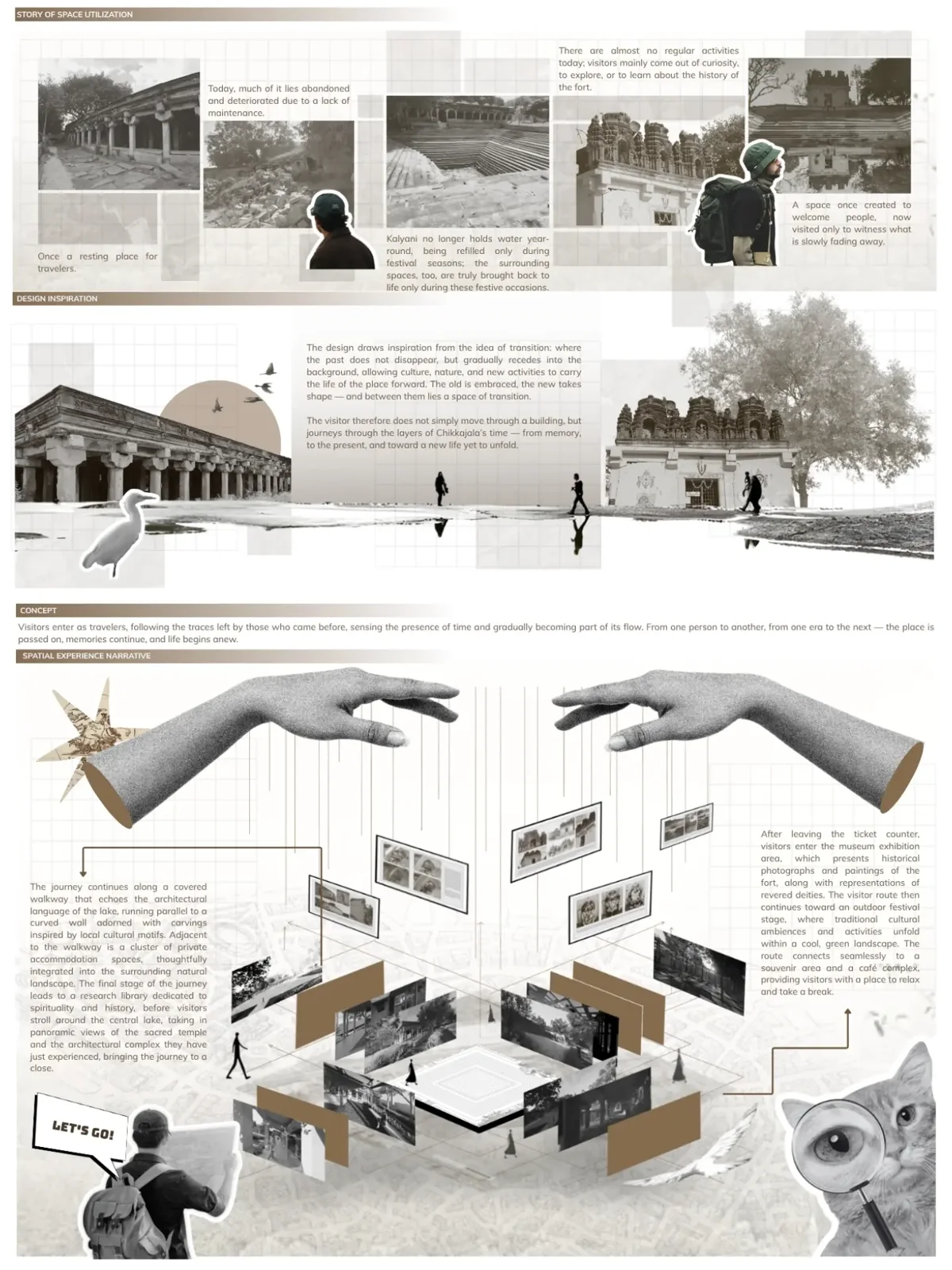
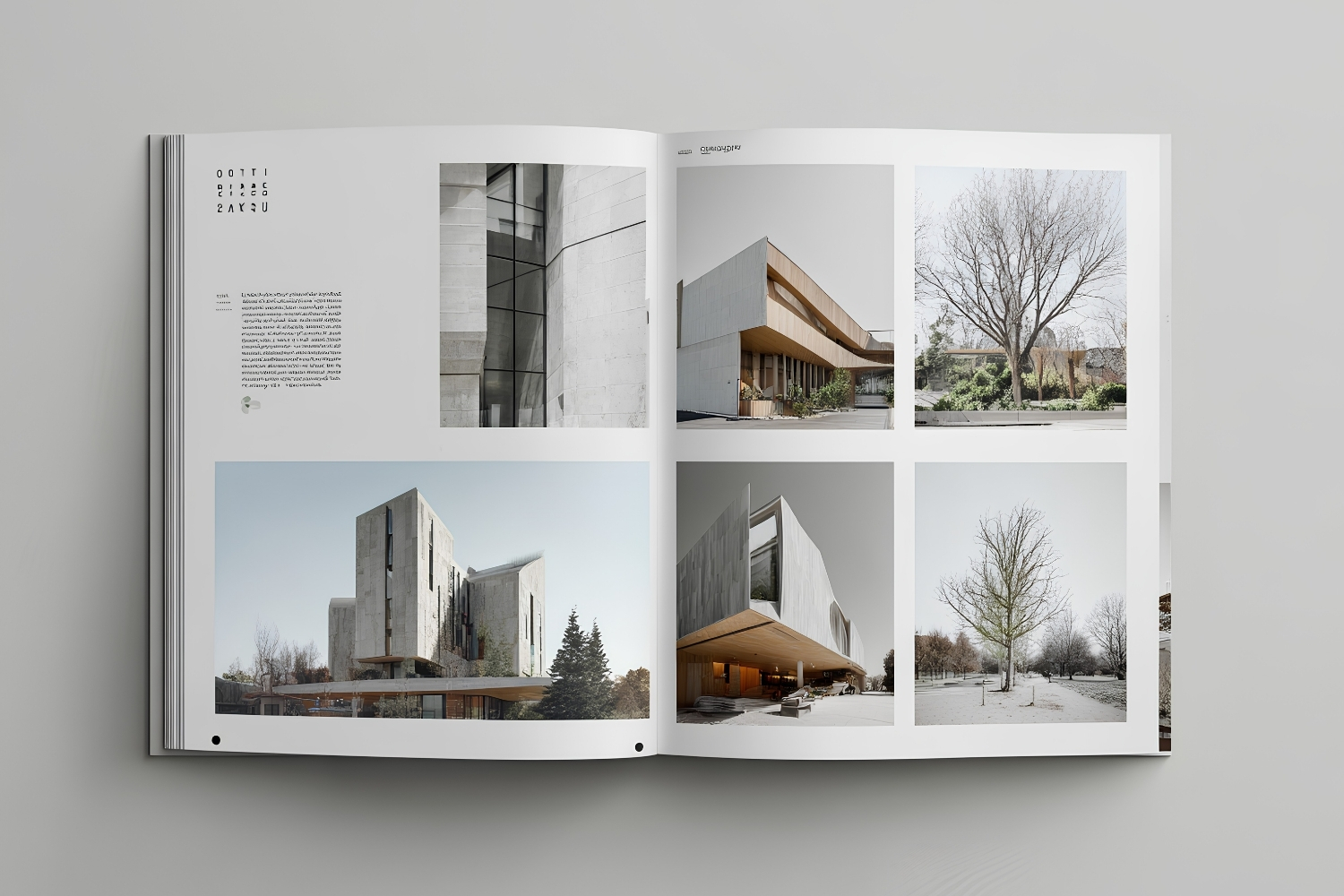
A well-planned layout can elevate even modest projects. Use a consistent grid system across all pages to maintain visual harmony. Choose one or two fonts and stick with them throughout the entire document. Keep color palettes neutral so that your project images remain the visual focus. White space is your ally: allow each project to breathe on the page rather than cramming multiple images into a single spread. For architecture student portfolio layouts, aim for a clean hierarchy with clear headings, brief captions, and large visuals.
Portfolio Section Planner
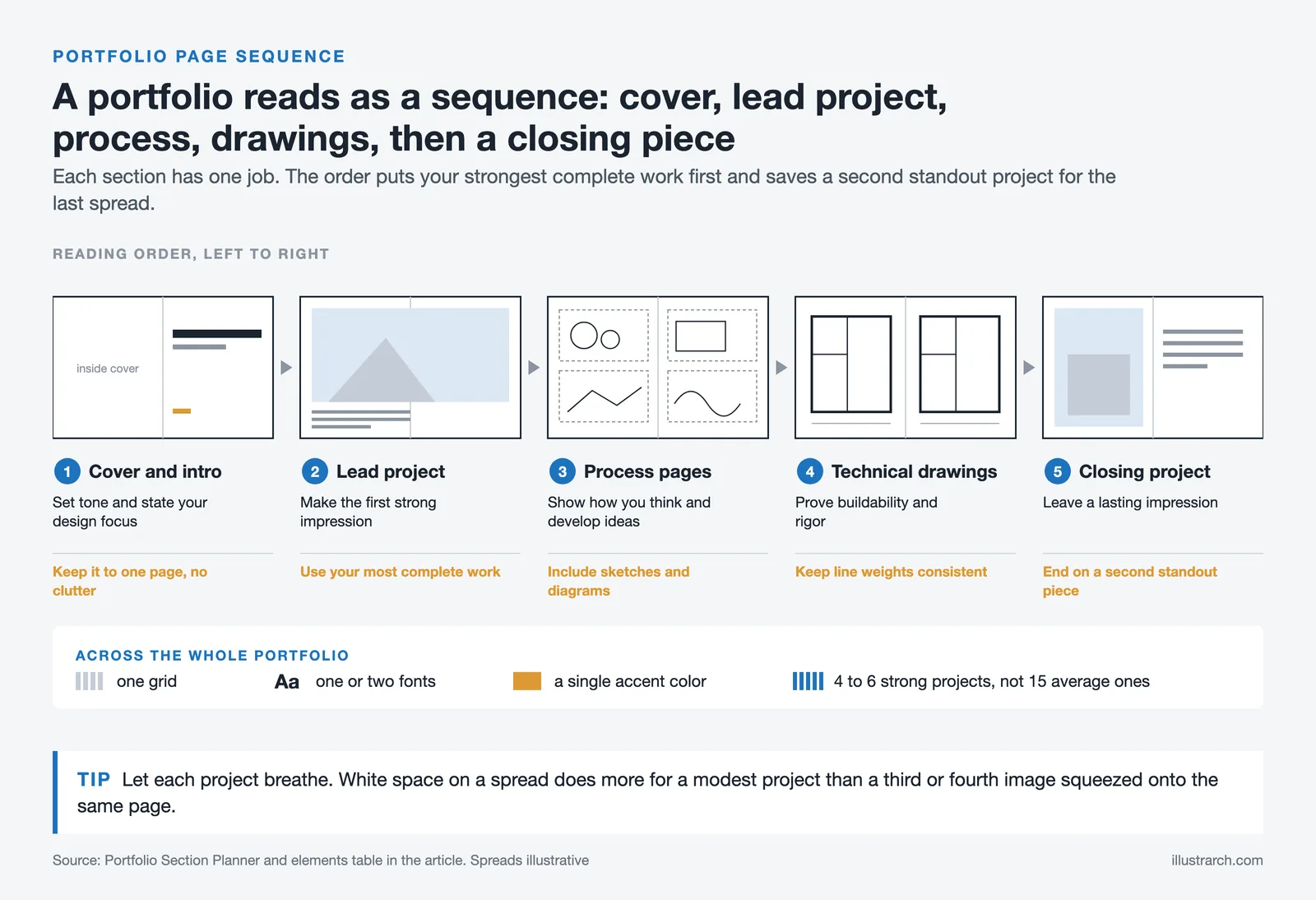
The table below maps the core sections of a portfolio to their purpose and a quick tip for each.
| Section | Purpose | Tip |
|---|---|---|
| Cover and intro | Set tone and state your design focus | Keep it to one page, no clutter |
| Lead project | Make the first strong impression | Use your most complete work |
| Process pages | Show how you think and develop ideas | Include sketches and diagrams |
| Technical drawings | Prove buildability and rigor | Keep line weights consistent |
| Closing project | Leave a lasting impression | End on a second standout piece |
Architecture Portfolio Format: Digital vs. Physical
Choosing the right architecture portfolio format depends on your audience and purpose. Digital portfolios, whether PDF-based or hosted on an architecture portfolio website, offer easy sharing and broad reach. Physical portfolios provide a tactile experience that can make a lasting impression in face-to-face interviews. Many professionals maintain both formats, using a concise two-to-five page PDF for initial applications and a more comprehensive printed book for in-person meetings. To understand the pros and cons of each approach, read our detailed comparison of digital vs. physical architectural portfolios.
| Feature | Digital Portfolio | Print Portfolio |
|---|---|---|
| Accessibility | Shareable via email, website, Issuu | Physical copy for interviews |
| Updates | Easy to edit and republish | Requires reprinting |
| Interactivity | Supports videos, links, animations | Static pages only |
| Cost | Low (PDF or free web platforms) | Higher (printing and binding) |
| Impression | Convenient and modern | Tactile and memorable |
| Best For | Online applications, email submissions | In-person interviews, portfolio days |

Digital portfolios offer accessibility, ease, and versatility. With an online portfolio you are only a click away from showing your work to clients or employers anywhere in the world, and digital platforms allow multimedia such as video walkthroughs, slideshows, and interactive models. The trade-off is competition: your portfolio has to stand out among thousands of others, and keeping a personal touch in a digital format takes deliberate effort.
Print portfolios offer tangibility and personalised engagement, which often leaves a lasting impression. The tactile experience of turning high-quality prints intensifies the connection with your work, and there is an authenticity in handing over a physical book that a screen rarely matches. On the downside, print lacks reach, costs more to produce, is heavy to carry, and cannot be updated without reprinting. Most architects resolve this by maintaining both.
Architecture Portfolio Website: Platforms, Domain and Visibility
Beyond PDF submissions, many architects maintain a dedicated architecture portfolio website. A site works as a permanent address for your work that reviewers can reach at any time, complements your PDF, and extends your reach to international firms and clients.
Choose a platform based on how much you want to design the site yourself versus how quickly you want it live. Drag-and-drop builders like Squarespace and Wix get a clean portfolio site online in a weekend with no code. Image-first tools like Format and Cargo are built for visual work. A self-hosted WordPress install gives the most control but asks the most of you.
Portfolio Website Platforms Compared
| Platform | Best for | Note |
|---|---|---|
| Squarespace | Polished templates, fast launch | Strong image galleries, limited deep customization |
| Wix | Total drag-and-drop freedom | Easy to over-design; keep layouts restrained |
| Format | Image-heavy visual portfolios | Built for creatives, fewer business pages |
| Cargo | Editorial, design-led layouts | Favored by studios wanting a distinct look |
| WordPress (self-hosted) | Full control and a blog | Steeper setup; you handle hosting and updates |
💡 Pro Tip
Build the site on whichever platform you can update yourself in ten minutes. A portfolio you can refresh the night before an interview beats a beautiful one you are afraid to touch. If editing a page feels like a chore during setup, it will go stale within a year.
Registering a Domain and Hosting the Site
Your domain is the address people remember. A custom domain such as yourname.com reads as professional and stays with you even if you switch platforms later. Free subdomains like yoursite.squarespace.com work for a first draft, but they tie your brand to the builder and look provisional to clients.
Keep the name short and tied to you or your studio. Most architects use their own name, since work changes but a personal brand carries across jobs. Builders like Squarespace and Wix sell domains and hosting in one bundle, which keeps billing simple. With self-hosted WordPress you buy a domain and a hosting plan separately, then point one at the other. Either way, set the site to load over HTTPS so browsers mark it as secure.
Structuring the Pages of Your Portfolio Website
A clear structure helps a visitor find your best work in seconds. Most effective architecture portfolio websites run on a handful of pages rather than a sprawling menu. Aim for these:
- Home: one or two standout images and a single line on who you are and what you do.
- Projects: a grid of selected work, each opening into its own detailed page.
- About: a short biography, your training, and a portrait photo.
- Contact: an email address, a simple form, and links to professional profiles.
Give every project its own page rather than crowding them into one scroll. Lead each with a strong image, then explain the brief, your role, the constraints, and the outcome in a few short paragraphs. Sort projects so the strongest sits first, since many visitors never reach the bottom of a grid. If you are targeting a placement, the steps in this guide to an architecture portfolio for an internship map cleanly onto a website layout.

Getting Your Portfolio Website Found
A site nobody finds does little for your career. Two paths bring visitors: search and direct sharing. For search, give each page a clear title, write a short description for each project instead of leaving image-only pages, and add descriptive alt text to every image so search engines understand what they show. Pages that load in under two seconds also rank and read better, which is why compressed images matter.
For sharing, link the site from the places architects already gather. A presence on Behance can feed traffic back to your domain, and being published or referenced on platforms like ArchDaily lends credibility that a standalone site cannot generate on its own. Add your portfolio link to your professional profiles, your email signature, and any directory you belong to. A short notes section, updated occasionally with project reflections, gives search engines fresh pages and gives clients a sense of how you think.
📌 Did You Know?
Google has used mobile-first indexing for all sites since 2023, meaning it evaluates the mobile version of your portfolio to decide how it ranks. A design that looks sharp on a desktop but breaks on a phone can quietly cost you search visibility, even if every desktop visitor sees it perfectly.
Keeping the Site Current
A portfolio website earns its keep only if it stays current. Set a recurring reminder, quarterly works for most people, to add finished projects and retire weaker ones. Replace outdated images, update your biography when your role changes, and check that contact links still work. If you use a builder, apply platform updates when prompted; on self-hosted WordPress, keep the core software, theme, and plugins patched so the site stays secure. Watch a few basic numbers through your platform’s analytics: which projects get the most views, how long visitors stay, and where they leave all tell you what to feature and what to cut.
Architecture Portfolio Template: Using Templates Effectively
An architecture portfolio template can save significant time and ensure a polished, consistent layout. Templates built in Adobe InDesign, Illustrator, or online platforms like Canva provide pre-designed grids, typography pairings, and color schemes that you can customize. However, avoid relying on templates so heavily that your portfolio loses its personal character. The best architectural design portfolio examples balance template structure with individual flair, your layout choices should feel intentional, not generic. Platforms like Behance and Issuu are excellent places to browse real-world architecture portfolio examples and identify the templates or styles that resonate with your work. When learning how to make architectural portfolio layouts from templates, focus on adapting the grid to your specific project imagery rather than forcing your content into a rigid framework. If you want a head start, our 250+ ready-to-edit architectural portfolio templates provide structures you can customize.
Best Software and Tools for Creating Your Architecture Portfolio
Choosing the right software can dramatically improve your portfolio’s quality. Adobe InDesign remains the industry standard for portfolio layout, offering precise control over typography, grids, and image placement. Photoshop and Illustrator handle image editing and vector graphics respectively. For those exploring free alternatives, Canva and Figma provide user-friendly design capabilities. Discover the full breakdown in our article on which software to use when creating an architectural portfolio.
For rendering and 3D visualization, tools like Lumion, V-Ray, and Enscape help create photorealistic images that elevate your project presentations. Whichever tools you choose, keep a single master file so you can export tailored versions for each application rather than rebuilding the document each time.
Architecture Portfolio Tips by Career Stage
One of the most important considerations when creating an architectural portfolio is tailoring it to your current career stage. A portfolio that works for a first-year architecture student will look very different from one designed for a senior professional.
Architecture Student Portfolio Tips
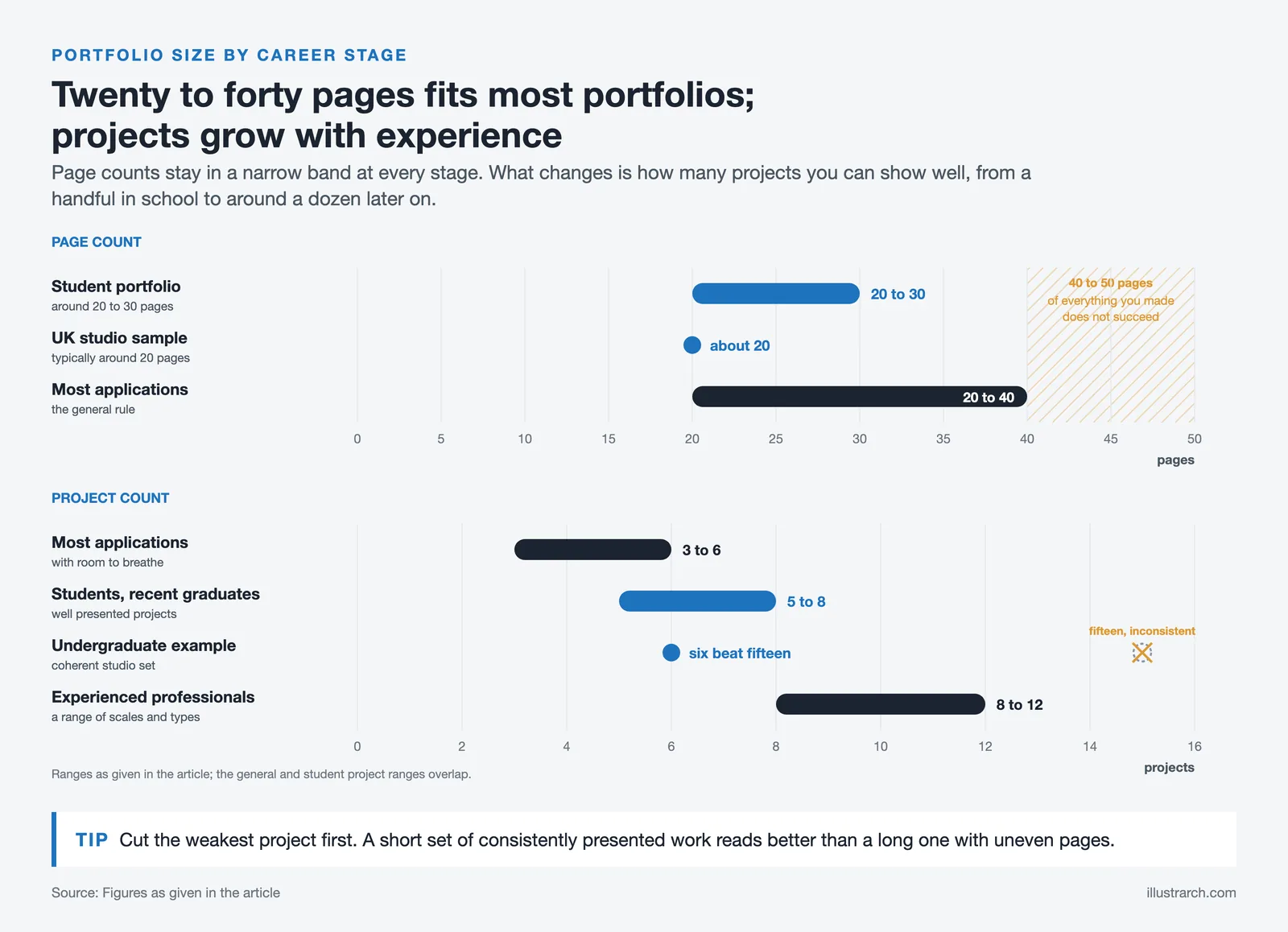
For an architecture student portfolio, the emphasis shifts toward demonstrating design thinking, growth, and potential rather than a long list of built projects. Focus on academic projects, conceptual work, and design competitions, and show your ability to develop ideas from concept to completion. Include hand sketches, physical models, and digital renderings to demonstrate versatility. Keep it concise, around 20 to 30 pages, and lead with your strongest project. Including personal artistic work such as photography, painting, or sculpture can add dimension to your application.
Undergraduate Architecture Portfolio Tips
An undergraduate portfolio is usually the first one you will ever assemble, and reviewers know that. They are looking for evidence of creative potential and a developing eye rather than professional polish. Select studio projects that show a clear progression across your years of study, and be honest about the stage each one reached. Consistency matters more than volume here: a coherent set of six well-presented studio projects reads far better than fifteen inconsistently documented ones. Pay close attention to storytelling, and make sure every drawing you include is legible at the size you print it.
Architecture Grad School Portfolio Tips
When applying to graduate programs, your portfolio must demonstrate both design maturity and intellectual depth. Admissions committees at institutions like the Architectural Association or MIT look for evidence of critical thinking, research ability, and a developed personal design language. Include a mix of academic and, if available, professional projects, and ensure your personal statement clearly articulates why you want to pursue further study. Tailor the emphasis to the programme: a research-led school may favour conceptual depth, while a technically focused one may prioritise proficiency in software such as Revit, AutoCAD, or SketchUp. Resources from institutions like the Architectural Review can also offer insight into what leading programs expect from applicants.
Architecture Interview Portfolio Tips
For job interviews, customize your portfolio to align with the firm’s specialization. Research the firm’s project types and design philosophy, then front-load projects that resonate with their work. Hiring managers consistently emphasize the importance of showing your specific role in collaborative projects and demonstrating technical proficiency alongside design skills. Our article on the role of a portfolio in the architecture job search offers deeper insights on this topic.
Landscape Architecture Portfolio Tips
Landscape architecture portfolios require a slightly different approach compared to traditional architecture portfolios. The emphasis should be on site analysis, planting plans, environmental context, and how your designs interact with the natural environment. Include before-and-after site photographs, hand-drawn landscape sections, and detailed planting schedules. Use large-format images that convey the scale and atmosphere of outdoor spaces, and be sure to demonstrate your understanding of ecology, sustainability, and public space design.
Portfolio Design Tips for UK Architecture Studios
If you are targeting UK-based architecture practices, be aware that portfolio expectations can differ from other markets. UK firms such as those registered with RIBA (Royal Institute of British Architects) often value a clear demonstration of technical competence alongside design flair. Keep your portfolio concise, typically around 20 pages for a sample portfolio, and emphasize your understanding of UK building regulations, planning processes, and sustainability standards like BREEAM. Tailor your project selection to match the firm’s sector specializations: whether residential, commercial, healthcare, or education.
Common Mistakes to Avoid in Your Architecture Portfolio
Even talented designers can undermine their work with preventable portfolio errors. Avoid these pitfalls to keep your presentation sharp:
- Overloading your portfolio with too many projects. Stick to your best three to five works and present them thoroughly. A reviewer judges you by your weakest included project, not your average.
- Neglecting the architecture portfolio title page. A generic or sloppy cover creates a poor first impression.
- Using low-resolution images. Blurry renders or poorly lit photographs suggest carelessness.
- Crowding pages with too many images at once, leaving no white space for the work to breathe.
- Omitting project context. Every project needs a brief, your role, and the outcome stated plainly.
- Ignoring grammar and spelling. Proofread every caption and project description carefully.
- Failing to tailor your portfolio to the specific firm or school. Research each opportunity and customize your project selection accordingly.
- Forgetting your contact details. Put an email address on the first and last page.
Always have a peer or mentor review your portfolio before you submit it. A second reader catches inconsistencies you have stopped seeing.
Do You Need a Portfolio to Apply for Architecture?
Yes, almost every architecture program and firm requires a portfolio as part of the application process. Whether you are applying to an undergraduate architecture program, a graduate school, or a professional position, your portfolio is typically the most important component of your application. Some high school students wonder if they need a portfolio for architecture school admissions. While requirements vary by institution, having even a basic collection of creative work (drawings, paintings, photographs, or design projects) gives you a significant advantage. The Royal Institute of British Architects (RIBA) and the AIA both emphasize the portfolio as a core requirement for professional development and career advancement in architecture.
Video: Architecture Portfolio Review and Tips
In this video, architects from Show It Better and Upstairs review real architecture portfolios and share practical feedback on layout, project selection, and visual presentation that you can apply to your own work.
What Makes an Architecture Portfolio Truly Stand Out
By following these tips, you can improve your architectural portfolio and make a strong impression on potential clients or juries. Make sure your portfolio is easy to navigate and understand. Group your projects in a logical order, use clear headings and titles, and provide a simple and intuitive layout.
The most important part of an architectural portfolio is the work itself. The portfolio should showcase a strong selection of your best work that demonstrates your skills, creativity, and professional experience as an architect. The work should be well-presented and clearly communicate your design process, conceptual ideas, and technical abilities.
While other aspects of the portfolio, such as the organization and layout, are important, they serve to support and enhance the work being presented. It is the quality of the work itself that will ultimately determine the success of the portfolio in impressing potential clients, employers, or collaborators.
That being said, a good architecture portfolio should also be well-organized, easy to navigate, and visually appealing. Providing clear and concise descriptions of each project helps to contextualize the work and provide insight into your design process. For additional guidance on what reviewers look for, read our article on what is expected in an architecture portfolio, and browse portfolio examples by young architects for benchmarks.
Frequently Asked Questions About Architecture Portfolios
What should be included in an architecture portfolio?
An architecture portfolio should include a brief design statement, three to six strong projects, and supporting process work. For each project, add final images, plans or sections, a few sketches, and two or three sentences explaining the brief, your role, and the outcome. Include a personal statement, contact information, and a well-designed cover page. The American Institute of Architects (AIA) recommends tailoring portfolio content to your specific audience, whether employers, clients, or academic institutions.
How many projects should an architecture portfolio have?
The ideal number depends on your career stage. For students and recent graduates, five to eight well-presented projects is typically sufficient; for experienced professionals, eight to twelve projects covering a range of scales and types works well. The key principle is quality over quantity, every project should demonstrate something meaningful about your abilities. Learn more about determining the right number in our guide to ideal portfolio size for architects.
How many pages should an architecture portfolio be?
For most applications, 20 to 40 pages works well, with three to six projects given room to breathe. Quality matters more than length. A shorter portfolio of excellent work beats a long one padded with average projects.
What are the standard architecture portfolio dimensions?
The most common architecture portfolio dimensions are A3 (297 × 420 mm) for print and A4 (210 × 297 mm) for portable formats. In the US, 11 × 17 inches is widely used. For digital portfolios, landscape A3 or letter-size formats are standard. Choose your architecture portfolio size based on how and where you plan to present your work.
What is the best format for an architecture portfolio?
A hybrid approach is the most common recommendation. Maintain a digital portfolio (PDF or website) as your primary version for easy sharing, and prepare a curated print version for in-person interviews. PDF portfolios should be optimized for both screen viewing and printing, typically in A4 or Letter size. Online platforms such as Behance and Issuu allow multimedia integration and broader reach.
How do I make my architecture portfolio stand out?
Focus on storytelling, each project should have a clear narrative from concept to completion. Use a consistent visual identity across all pages, demonstrate your design process with sketches and iterations, and invest in high-resolution visuals. A distinctive cover page and a personal design statement help differentiate you from other candidates.
What makes a junior architect portfolio stand out?
Clear process work, honest descriptions of your contribution, and a tight edit. Reviewers value sketches, diagrams, and technical drawings that show how you think, since junior applicants may have fewer built projects than experienced candidates.
Can I use a template for my architecture portfolio?
Yes, using an architecture portfolio template is a practical starting point, especially if you are short on time. Templates from platforms like InDesign or Canva offer professional layouts. However, customize the template extensively to reflect your personal style, a portfolio that looks identical to dozens of others will not leave a lasting impression.
Do you need a portfolio to apply for architecture school?
Most architecture programs require or strongly recommend a portfolio as part of the admissions process. For undergraduate applications, this can include creative work like drawings, paintings, photography, or small design projects. For graduate programs, a more focused collection of architectural work is expected. Check the specific requirements of each school, as they can vary significantly.
How often should I update my architecture portfolio?
Aim to review and update your portfolio every six months, or whenever you complete a significant new project. Remove older work that no longer represents your best abilities, and add new projects that showcase your growth. Before any job application or interview, always perform a targeted review to customize your portfolio for the specific opportunity.
Should I include non-architecture work in my portfolio?
Selectively including related creative work, such as photography, sculpture, graphic design, or furniture design, can enhance your portfolio by showing breadth of creative thinking. These supplementary pieces should complement your architecture projects, not dominate them. Place them toward the end or in a dedicated section, and ensure they add to the overall narrative of who you are as a designer.
How much does an architecture portfolio website cost?
A builder like Squarespace or Wix runs roughly 12 to 25 US dollars a month on an annual plan, with a domain often included for the first year. A self-hosted WordPress site can cost less in hosting, around 5 to 15 dollars a month, but asks for more of your time to set up and maintain. Costs vary by region and plan.
Is a website portfolio better than a PDF?
They serve different moments. A website is easy to share with a single link, works on any device, and stays current, which suits early outreach and being found through search. A PDF is still useful for formal applications that ask for one file. Many architects keep both and link the PDF from the site.
- architectural portfolio examples
- architecture portfolio application
- architecture portfolio cover
- Architecture Portfolio Design
- architecture portfolio examples
- architecture portfolio format
- architecture portfolio size
- architecture portfolio template
- Architecture Student Portfolio
- how to create an architecture portfolio


3 Comments






Concept Diagram Architecture: Hand-Rendered vs Digital Diagrams in a Portfolio
Hand-rendered and digital diagrams send different signals to portfolio reviewers. This piece...
 Furkan Sen5 Mins read
Hand-Rendered vs Digital Diagrams: What Works Better in a Portfolio?
A practical breakdown of hand-rendered and digital diagrams in architecture portfolios, covering...
 Sinan Ozen6 Mins read
Architecture Portfolio Layout: Designing Pages with Grid and Typography
A focused look at architecture portfolio layout, from setting up a column...
Elif Ayse Sen8 Mins read

How to Present Your Work in an Architecture Portfolio Interview
Reaching the interview means your work earned a closer look, but presenting...
Furkan Sen7 Mins read


The article talks about how to make a good architectural portfolio. It has some useful tips.
I found the information about organizing projects in a portfolio interesting. Seems like it could help.
I really appreciate the tip about choosing only a few of your best projects! It makes so much sense that quality is more important than quantity. I’m going to start reviewing my work and see which pieces truly represent my style and skills. Also, the idea of including sketches to show the design process is fantastic! It really adds depth to the portfolio.