

Photoshop Alternatives for Architects: 8 Best Tools in 2026
A practical guide to the best Photoshop alternatives for architects in 2026. Covers free and paid options including Affinity (now free via Canva), GIMP 3.0, Photopea, Krita, and Pixlr, with feature breakdowns, workflow comparisons, and architecture-specific use cases for post-production, diagrams, and presentation graphics.
 Furkan Sen6 June 202613 Mins read194
Table of Contents Show
Photoshop alternatives give architects access to professional-grade image editing, render compositing, and presentation graphics without the recurring cost of an Adobe Creative Cloud subscription. The strongest free option in 2026 is Affinity (now owned by Canva), which matches most of Photoshop’s layer-based editing features at zero cost. Other viable alternatives include GIMP, Photopea, Krita, and Pixlr, each suited to different parts of the architectural workflow.
Adobe Photoshop has been the default post-production tool in architecture for over two decades. Render compositing, color grading, site plan overlays, diagram creation, and presentation board layout all run through Photoshop in most firms. But at roughly $23 per month for the Photoshop plan (or about $70 for the full Creative Cloud Pro suite, as of October 2026), the subscription cost adds up quickly for solo practitioners, small studios, and architecture students working with tight budgets.
The good news is that the gap between Photoshop and its competitors has narrowed significantly. Several photoshop alternatives now offer layer management, masking, RAW processing, and non-destructive editing that were exclusive to Adobe just a few years ago. Some are entirely free. Others cost a fraction of the annual Adobe subscription. And a few run directly in your browser with no installation at all.
This guide covers the eight most practical alternatives for architects, with a focus on the features that actually matter for architectural post-production, diagramming, and visual communication. Each tool is evaluated for its strengths, limitations, and fit within a typical architecture workflow.
Why Architects Are Looking for a Photoshop Alternative
The shift away from Photoshop in architecture is not about the software being bad. It is about cost, workflow changes, and the arrival of capable free competitors. Adobe’s subscription model means the Photoshop plan runs about $275 per year. For a five-person studio, that is nearly $1,400 annually just for image editing. Multiply that across the full Creative Cloud suite and the figure climbs past $4,000.
At the same time, architectural workflows are changing. AI rendering tools now generate concept-stage visuals that previously required hours of Photoshop compositing. Real-time renderers like Enscape, Lumion, and D5 Render produce presentation-ready images directly from the 3D model. The portion of work that genuinely requires Photoshop-level pixel control has shrunk for many practices.
For architecture students, the equation is even simpler. Student licenses expire after graduation, and the jump to a full-price subscription hits right when finances are tightest. A free photoshop alternative that handles render post-production and portfolio layout removes a real financial barrier at a critical career stage.
💡 Pro Tip
Before switching away from Photoshop entirely, audit which tasks you actually use it for. Many architects find that 80% of their Photoshop time goes to three or four operations: render compositing, sky replacement, color grading, and adding entourage. If a free tool covers those four tasks well, you can drop the subscription without losing productivity.
Best Photoshop Alternatives for Architects
The tools below are ranked by their overall fit for architectural workflows, from the most capable all-around replacement to more specialized options. Each section covers what the tool does well, where it falls short, and which architecture tasks it handles best.
1. Affinity (by Canva)
Affinity is the strongest alternative to photoshop available in 2026, and it is now completely free. Canva acquired Serif (the company behind Affinity) in 2024 and made the entire suite free for all users in late 2025. What was previously Affinity Photo 2, Affinity Designer 2, and Affinity Publisher 2 is now a single unified application that combines pixel editing, vector design, and page layout.
For architects, the pixel editing workspace is the direct Photoshop competitor. It supports full layer management with blend modes, masks, and groups. Non-destructive adjustment layers, RAW development, HDR merge, focus stacking, batch processing, and 32-bit editing are all included. PSD file import works with high compatibility, preserving most layers and effects. The interface will feel immediately familiar to anyone who has used Photoshop.
The vector workspace (formerly Affinity Designer) handles architectural diagram creation, site plan graphics, and presentation boards with the kind of precision that Illustrator provides. Having both pixel and vector tools in the same application means you can composite a render and build a presentation layout without switching software.
The only paid element is Canva AI Studio, which adds generative fill, AI-powered background removal, and portrait enhancement. These features require a Canva Pro subscription at around $15 per month. But the core editing tools that architects need for post-production are all free with no limitations.
⚠️ Common Mistake to Avoid
Many architects assume Affinity’s free pricing means it is a stripped-down tool. It is not. The free version includes the exact same professional features that were previously sold for $70 per application. The only gated features are AI-powered tools added by Canva after the acquisition. Do not skip Affinity because it is free; test it against your actual Photoshop workflow before deciding.
2. GIMP 3.0
GIMP (GNU Image Manipulation Program) is the longest-running open-source photoshop alternative free option available. Version 3.0, released in early 2025, brought a significant interface overhaul and improved performance on modern hardware. It runs on Windows, macOS, and Linux.
GIMP supports layers, masks, blend modes, color curves, levels, and a wide range of selection tools. Its plugin ecosystem is large, with community-developed extensions covering everything from batch processing to specialized filters. For architectural post-production tasks like render compositing, sky replacement, and color correction, GIMP handles the fundamentals competently.
The main drawback for architects is the interface. Even after the version 3.0 redesign, GIMP’s workflow feels different from Photoshop. Actions that take two clicks in Photoshop might require three or four in GIMP. Non-destructive editing is more limited than both Photoshop and Affinity. If you are switching from Photoshop, expect a learning curve of two to three weeks before you reach the same working speed.
GIMP is the right choice for architects who want a fully free, open-source tool with no account requirements and no cloud dependencies. It works well for studios that run Linux workstations or want software they can customize through scripting.
3. Photopea
Photopea is a browser-based image editor that runs entirely in your web browser with no installation required. It opens PSD, XCF, Sketch, and XD files natively, which makes it uniquely useful for architects who receive files from collaborators using different software.
The feature set mirrors Photoshop closely: layers, masks, adjustment layers, blend modes, smart objects, pen tool, and text tools are all present. The interface layout matches Photoshop’s panel arrangement, so the learning curve is minimal for anyone familiar with Adobe’s tools. For quick edits to render images, adding text to presentation boards, or adjusting colors before a client meeting, Photopea handles these tasks without requiring a local software installation.
Performance depends on your internet connection and browser. Complex files with many layers can slow down on lower-spec machines. There is no offline mode, and file processing happens in the browser rather than on your GPU. For heavy compositing work with large architectural renders (4K resolution and above), a desktop application will perform better.
Photopea is free with ads, or $5 per month for an ad-free version. For architects who need occasional image editing on a Chromebook, a shared office computer, or a device where they cannot install software, it is the best free alternative to photoshop that requires zero setup.
4. Krita
Krita is a free, open-source painting and illustration application that suits architects who focus on hand-drawn visualization, concept sketches, and illustrative rendering styles. It is not a direct Photoshop replacement for photo editing, but for architectural illustration specifically, it outperforms Photoshop in several areas.
The brush engine is where Krita stands apart. It ships with hundreds of customizable brushes optimized for digital painting, including pencil, ink, watercolor, and marker simulations. For architects who produce hand-drawn presentation graphics, collage-style visualizations, or illustrative site analyses, Krita provides a more natural drawing experience than Photoshop. Tablet pressure sensitivity, brush stabilization, and wrap-around mode (useful for creating seamless textures and patterns) work well out of the box.
Krita supports layers, masks, blend modes, and vector tools. It reads and writes PSD files. But it lacks features that photo-focused editors provide, such as advanced RAW processing, lens correction, and automated batch editing. Use Krita for illustration and concept visualization; use a different tool for render compositing and photo editing.
5. Pixlr
Pixlr runs in the browser and focuses on fast, straightforward image editing. For architects who need to resize images, adjust brightness and contrast, crop renders for social media, or apply quick color corrections before uploading to a project website, Pixlr handles these tasks without friction.
The interface is simpler than Photoshop, GIMP, or Affinity. Layer support is present but more basic. Selection tools, healing brush, and clone stamp cover common retouching needs. The AI-powered background removal tool works reasonably well for isolating building images from their surroundings.
Pixlr is best suited for lightweight editing tasks rather than serious post-production work. It is free with ads, with a premium tier at $7.99 per month that removes ads and adds additional templates and assets.
6. Canva
Canva is not a Photoshop replacement for pixel-level editing, but it fills a specific gap in architectural workflows: fast, template-driven graphic design. Presentation boards, social media graphics for firm marketing, project announcement cards, and simple portfolio layouts can be produced quickly in Canva without touching Photoshop.
The drag-and-drop interface requires no learning curve. Thousands of templates, stock photos, and design elements are included. For architects who need marketing materials but do not have graphic design training, Canva produces professional-looking results faster than any pixel editor.
The free tier covers basic design needs. Canva Pro ($15/month or $120/year) adds brand kits, background removal, resizing tools, and access to a larger asset library. Keep in mind that Canva now owns Affinity, but the two products remain separate: Canva for template-based design, Affinity for professional image editing.
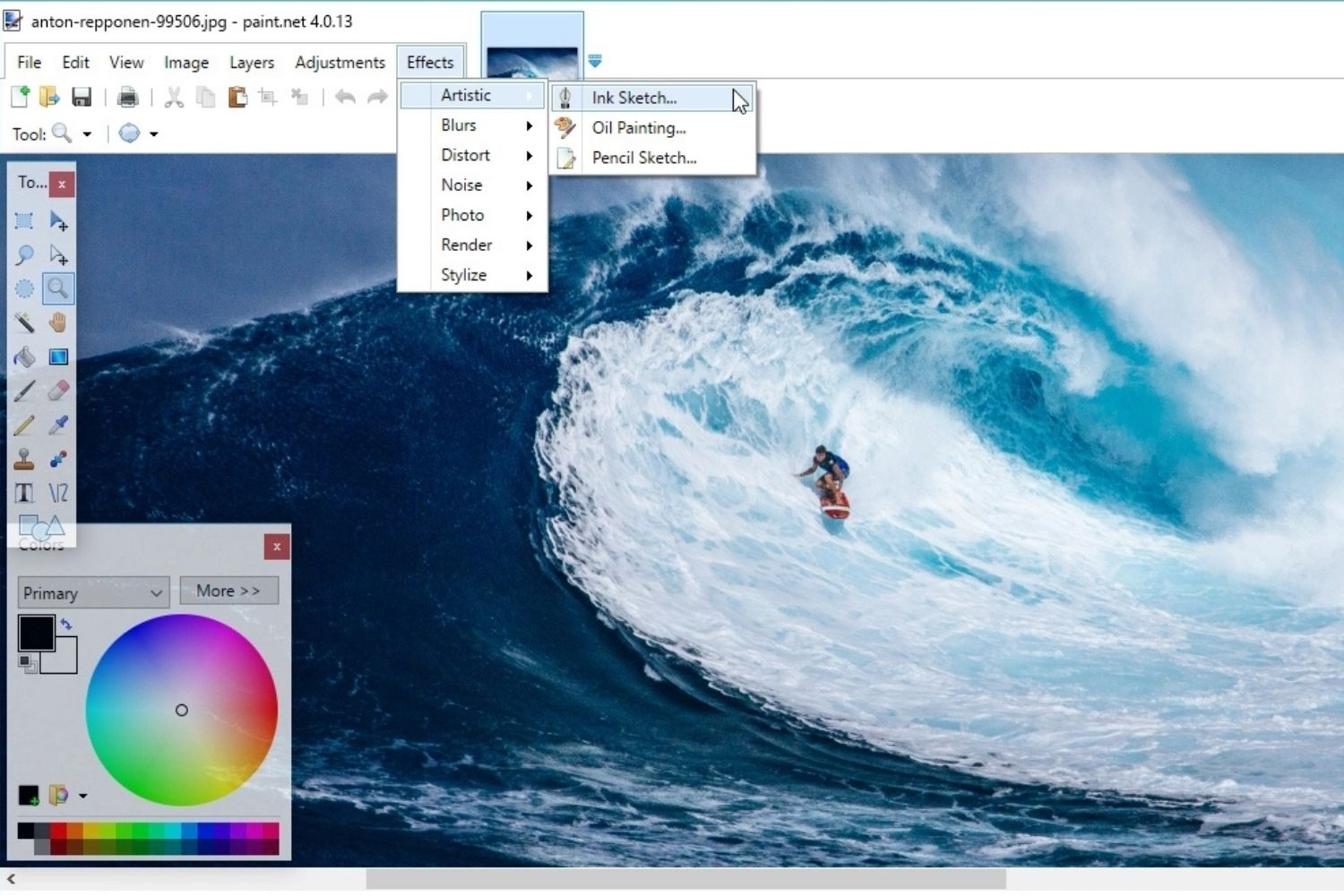
7. Paint.NET
Paint.NET is a free image editor for Windows that sits between the simplicity of Microsoft Paint and the complexity of GIMP. It supports layers, unlimited undo, a selection of effects and adjustments, and a plugin system that extends its capabilities. The interface is clean and loads quickly.
For architects on Windows who need a lightweight tool for basic image adjustments, cropping, resizing, and simple compositing, Paint.NET works without the overhead of larger applications. It is not suited for professional-grade post-production, but it covers routine image tasks efficiently.
8. Darktable
Darktable is a free, open-source RAW photo editor and workflow manager. It competes more directly with Lightroom than Photoshop, but architects who photograph their own built projects or site conditions will find it valuable. Non-destructive editing, lens correction, color profiling, and batch export are all included.
Pair Darktable with Affinity or GIMP for a complete free workflow: Darktable handles RAW processing and photo management, while the pixel editor manages compositing and detailed retouching.
How Do These Photoshop Alternatives Compare?
Feature Comparison of the Best Photoshop Alternatives
The table below compares the key features architects need across the top alternatives:
| Software | Price | Platform | PSD Support | Best For |
|---|---|---|---|---|
| Affinity | Free | Windows, macOS, iPad | Yes (high compatibility) | Full Photoshop replacement |
| GIMP 3.0 | Free | Windows, macOS, Linux | Yes (partial) | Open-source, Linux users |
| Photopea | Free (ads) / $5/mo | Browser (any OS) | Yes (good) | Quick edits, no install needed |
| Krita | Free | Windows, macOS, Linux | Yes (basic) | Illustration, concept art |
| Pixlr | Free (ads) / $7.99/mo | Browser | Limited | Quick edits, social media |
| Canva | Free / $15/mo Pro | Browser, apps | No | Templates, marketing graphics |
| Paint.NET | Free | Windows only | Via plugin | Lightweight Windows editing |
| Darktable | Free | Windows, macOS, Linux | No | RAW photo processing |
Which Photoshop Alternative Works Best for Architecture Tasks?
Different architectural tasks call for different tools. The right alternative software to photoshop depends on what you spend most of your editing time doing. Here is how the options map to common architecture workflows:
Render post-production (compositing render passes, adding skies, entourage, and color grading): Affinity is the strongest choice here. Its layer management, adjustment layers, and blend modes match Photoshop’s workflow closely. GIMP handles these tasks as well but with a steeper learning curve. For a deeper look at how post-production fits into architectural visualization, see our guide to creating the best architectural rendering.
Architectural diagrams and collages: Affinity’s combined pixel and vector editing is ideal for this. Krita works well if you prefer a hand-drawn illustrative approach. The architectural diagram workflow, which combines 3D model exports with graphic overlays, benefits from tools that handle both raster and vector content in a single file. Our article on Photoshop vs AI rendering covers where these tools fit alongside AI-generated concept imagery.
Portfolio and presentation boards: Affinity’s layout workspace (formerly Publisher) handles multi-page portfolio documents with master pages, linked text frames, and print-ready export. Canva works for simpler, template-driven layouts. For students building their first portfolio, a tool that combines image editing and layout reduces the number of applications to learn.
Quick edits and web graphics: Photopea and Pixlr cover fast cropping, resizing, and color adjustments without installing software. Both are adequate for preparing images for websites, Instagram posts, and email presentations.
Site photography processing: Darktable paired with Affinity or GIMP provides a complete free alternative to the Lightroom + Photoshop combination. RAW development, lens correction, and batch export in Darktable, then detailed retouching in a pixel editor.
💡 Pro Tip
If you are transitioning from Photoshop, export your most-used Photoshop Actions as reference notes before canceling your subscription. Affinity supports Macros (its equivalent of Actions), and recreating your automated workflows early will prevent productivity drops during the transition period.
How AI Rendering Tools Affect the Photoshop Alternatives Debate
AI rendering tools have changed the conversation around photoshop alternatives for architects. Tools like Midjourney, Veras, and architecture-specific platforms like ArchFine generate concept-stage visuals directly from text prompts, sketches, or rough 3D models. Tasks that once required hours of Photoshop compositing, such as sky replacement, vegetation placement, and atmospheric effects, now happen inside the AI tool itself.
This does not eliminate the need for a pixel editor. AI-generated images still need post-production refinement: correcting geometry errors, adjusting color consistency across a set of views, preparing print-resolution outputs, and compositing AI renders with technical drawings. But it does reduce the volume of Photoshop-level work in a typical project cycle.
The practical effect is that many architects no longer need Photoshop’s full feature set. A lighter photoshop alternative free tool that handles basic compositing and color adjustment is sufficient when AI handles the heavy visual generation. Our detailed comparison of AI render tools vs traditional rendering covers how these workflows combine in current practice.
🎓 Expert Insight
A widely repeated industry saying: “AI will not replace architects, but architects who use AI will replace those who don’t.”
The same logic applies to image editing: architects who combine AI-generated concept images with skilled post-production in tools like Affinity or GIMP produce better results faster than those relying on a single tool for everything.
What About Photoshop’s AI Features?
Adobe has integrated AI capabilities into Photoshop through Firefly, including generative fill, generative expand, and AI-powered selection tools. These features are powerful and, for architects who already subscribe to Creative Cloud, add genuine value to the existing workflow.
The question is whether those AI features justify the subscription cost when free alternatives exist for the core editing tasks. Affinity now offers basic AI tools through Canva Pro ($15/month compared to Adobe’s $23+/month Photoshop plan). GIMP’s community is developing open-source AI plugins. And standalone AI tools like Midjourney or ArchFine handle concept generation independently of the image editor.
If your firm relies on Photoshop’s Firefly integration for client presentations and production renders, the subscription still makes sense. But if you primarily use Photoshop for manual compositing and color grading, then switching to a free alternative and using a separate AI rendering platform will likely cost less and produce comparable results. For a full breakdown of Photoshop’s current role in architecture, see our article on 20 Photoshop tips for architects.
Video: Can Affinity Replace Photoshop for Architectural Post-Production?
This video from Learn Upstairs walks through a direct comparison of Affinity and Photoshop for architectural post-production tasks, testing key workflows like render compositing and sky replacement side by side.
How to Transition from Photoshop to a Free Alternative
Switching image editors mid-workflow is disruptive, but the transition can be managed with a structured approach. Here are the steps that minimize downtime:
Start with a parallel period. Run both Photoshop and your chosen alternative for two to four weeks. Do your production work in Photoshop as usual, then replicate the same tasks in the new tool afterward. This builds muscle memory without risking deadlines.
Migrate your asset library. Custom brushes, layer styles, and actions are the hardest elements to transfer. Affinity imports most Photoshop brushes (.abr files) directly. For GIMP, you may need to convert or recreate custom brushes. Start with the assets you use most frequently and add others as needed.
Test PSD compatibility early. Open your five most complex recent PSD files in the new editor and check for layer issues, missing fonts, and broken blend modes. Affinity handles PSD files well but is not perfect. GIMP and Photopea have varying levels of PSD compatibility depending on which Photoshop features were used.
Update your templates. If your office uses standard Photoshop templates for presentation boards, marketing materials, or project sheets, rebuild them in the new tool before making the switch official. This prevents last-minute scrambles during project deadlines.
For students starting fresh, our Photoshop learning guide for architecture students covers foundational techniques that transfer directly to Affinity and GIMP, so the skills you build remain valuable regardless of which software you choose.
📌 Did You Know?
Affinity Photo was previously sold for a one-time price of $70. When Canva acquired Serif in 2024, many users expected price increases. Instead, Canva made the entire suite free in late 2025, giving every user access to what was already considered the closest competitor to Photoshop. The core professional tools have no usage limits, no watermarks, and no trial period.
Choosing the Right Photoshop Alternative for Your Practice
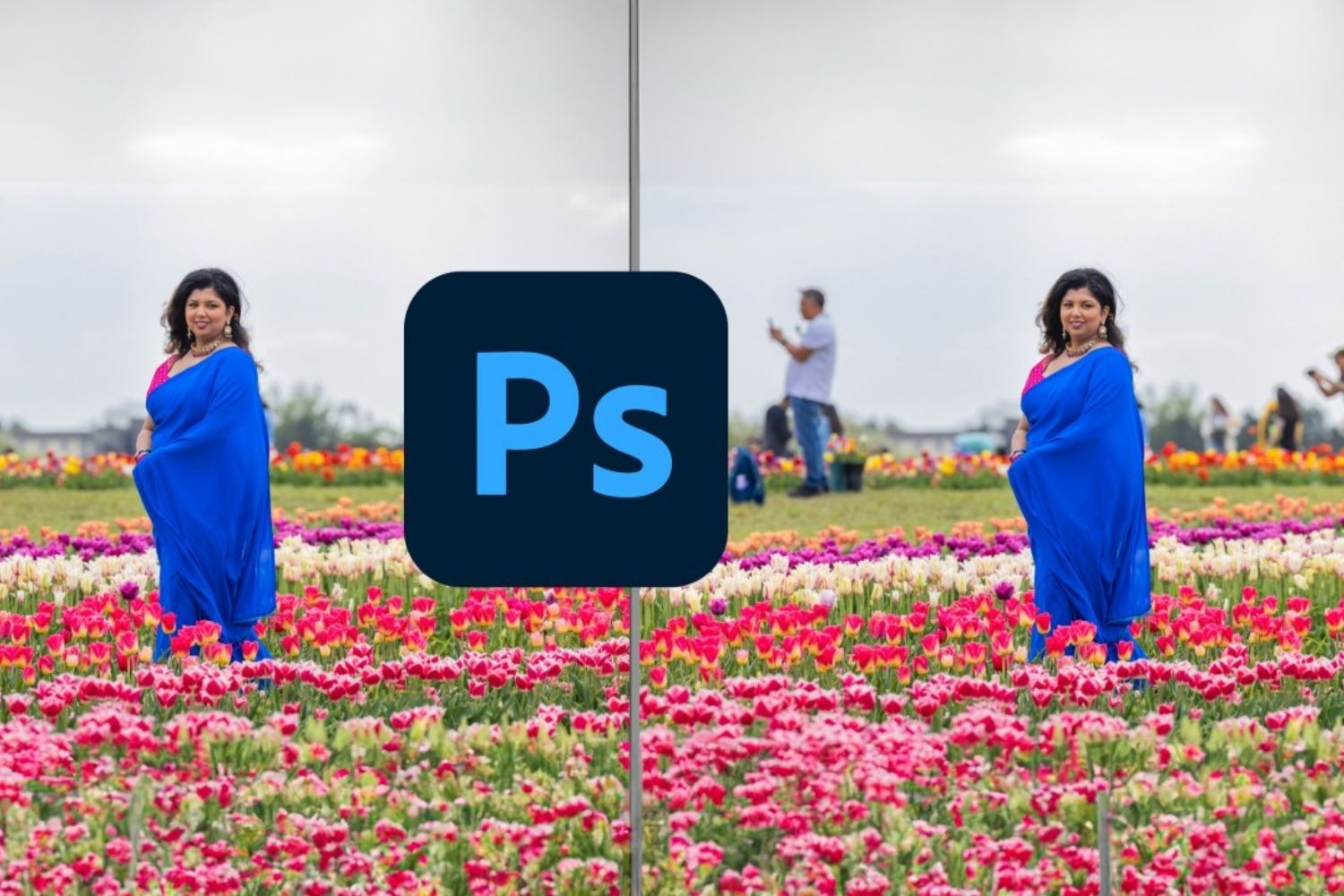
The best photoshop alternative for your situation depends on three factors: budget, primary use case, and team size.
For solo practitioners and small studios on a tight budget, Affinity is the clear starting point. It covers the widest range of architectural tasks at zero cost and has the most Photoshop-like workflow. Pair it with Darktable for photo management if you also shoot site photography.
For studios that already use Linux workstations, GIMP is the natural fit. Its open-source license means no vendor lock-in, and the plugin ecosystem allows deep customization for specialized workflows.
For architects who primarily need quick, occasional edits without managing another software installation, Photopea runs in any browser and handles PSD files better than most desktop alternatives.
For students building visualization skills, Krita is worth learning alongside a general-purpose editor like Affinity. The illustration and digital painting capabilities in Krita complement the technical editing focus of other tools. Our guide to best architectural software for students covers additional tools that pair well with these image editors.
For firms running a full visualization pipeline, the combination of an AI rendering tool for concept imagery, a free editor like Affinity for post-production, and a real-time renderer for client presentations replaces both Photoshop and much of the traditional visualization workflow. Our article on the 25 best AI architectural rendering tools covers the concept generation side of this pipeline, while our free tools for architectural design guide maps the broader software landscape.
✅ Key Takeaways
- Affinity (by Canva) is now completely free and offers the closest feature match to Photoshop, making it the strongest alternative for most architects.
- GIMP 3.0 provides a fully open-source option with strong plugin support, best suited for Linux users and studios wanting zero vendor dependency.
- Browser-based tools like Photopea eliminate installation requirements and handle PSD files well for quick editing tasks.
- AI rendering tools have reduced the volume of Photoshop-level post-production work needed in typical architectural projects, making lighter alternatives more viable.
- The best approach is to match the tool to the task: Affinity for serious compositing, Krita for illustration, Photopea for quick edits, and Canva for template-based marketing graphics.
Final Thoughts
The photoshop alternatives available to architects in 2026 are stronger than at any point in the past. Affinity’s move to free pricing changed the landscape significantly, giving every architect and architecture student access to professional-grade pixel editing, vector design, and page layout in a single application. Combined with capable free options like GIMP, Photopea, and Krita, the financial argument for maintaining an Adobe subscription has weakened considerably for practices that primarily use Photoshop for standard post-production tasks.
That said, Photoshop remains the professional standard for a reason. Its integration with the broader Adobe ecosystem, Firefly AI features, and deep plugin compatibility still matter for large firms with established workflows. The decision to switch should be based on a realistic assessment of which features you actually use, not assumptions about what you might need.
Start by testing Affinity or Photopea on a few real projects. If the output quality and speed meet your standards, the cost savings will speak for themselves. For more on how these tools fit within a full architectural software stack, see our overview of architectural design software and features and our 3D rendering software guide.
Software pricing and features referenced in this article are based on publicly available information as of early 2026. Prices may vary by region and are subject to change. Always verify current pricing on the official product websites before making purchasing decisions.




Notion Alternatives for Architects: 7 Tools That Fit Studio Work
Notion works until a studio needs fee tracking, phase budgets and timesheets....
Furkan Sen7 Mins read

Why Every Practice Ends Up With Five Versions of the Same Revit Family
Let’s learn why Revit family libraries accumulate duplicates, break schedules and slow...
 illustrarch Editoral Team5 Mins read

Visualizing Renovation Projects From Photographs: A Workflow for Existing-Building Work
Photo-based visualization turns a photograph of a building that already exists into...
illustrarch Editoral Team7 Mins read

Best Free CAD Blocks and Resources for Architects
A working guide to free CAD blocks for architects, covering ARCAT, CAD-Blocks.net,...
Furkan Sen7 Mins read


Leave a comment