

Understanding Architectural Structural Diagrams: Evolution and Impact
A structural diagram in architecture maps out every load path, connection, and material choice that keeps a building standing. This guide covers the key components of architectural structural diagrams, from load-bearing elements and material specifications to connection details and standardized symbols, plus different diagram types, creation best practices, and the evolution from hand drafting to BIM and AI-powered workflows.
 Muhammad Abdullatef - Tifa Studio7 December 202513 Mins read1.1k

Table of Contents Show
Quick answer: A structural diagram in architecture is a simplified drawing that shows how a building carries loads. It maps the columns, beams, walls, and bracing that form the load path, letting architects and engineers communicate the structural concept clearly before detailed calculations begin.
A structural diagram in architecture is a visual representation that maps every load path, connection, and material choice keeping a building standing. These architectural diagrams guide engineers and architects through the physics and aesthetics that bring buildings to life, from city-defining skyscrapers to family homes. Every architecture structure diagram begins with this foundational plan, translating invisible forces into a readable graphic language that the entire project team can act on.
For the full picture, see our complete guide to architectural diagrams and their types.
Understanding an architectural structural diagram is essential for anyone involved in the building process. These diagrams detail the skeleton of a structure, showing how elements like beams, columns, and walls interact to support the building. They account for the forces a building must withstand, from the weight of its own materials to wind and seismic activity. It’s an intersection of art and science where every line on the page translates to physical components that ensure durability and safety. Whether you are an architecture student preparing a jury presentation or a seasoned professional coordinating with a structural engineer, learning to identify the structures on the diagram is a core skill in structural architecture.
This article breaks down everything you need to know about architectural structural diagrams: what they are, how to read them, what types exist, and how digital tools like BIM and AI are redefining how they are produced. It’s a look at the meticulous planning that underpins our built environment, standing on the shoulders of historical marvels like the Eiffel Tower and the Brooklyn Bridge.

What Is a Structural Diagram in Architecture?
The Basic Concept and Purpose
A structural diagram in architecture is a visual tool that displays the interaction and alignment of structural elements, beams, columns, walls, and foundations, to show how a building stands and transfers loads. Its primary purpose is to confirm that every part of the building can withstand environmental pressures while maintaining structural integrity and safety. According to the American Institute of Architects (AIA), clear structural documentation is one of the pillars of professional architectural practice.
An architectural diagram focused on structure serves several key functions. First, it provides a clear overview of the building’s framework, allowing engineers and architects to analyze and adjust the design. By documenting spatial relationships between components, these diagrams support decisions on materials, dimensions, and construction techniques. Modern BIM technology has significantly enhanced the accuracy and collaborative potential of these diagrams, embedding live data within each structural element.
These structure diagrams also act as a communication bridge among all stakeholders, including designers, engineers, contractors, and clients. They set clear expectations and enable a unified understanding of the project’s structural requirements, which streamlines construction, reduces errors, and upholds quality standards.
Beyond practical applications, structural diagrams preserve the artistic vision of a building. They balance aesthetic appeal with technical precision, ensuring the final structure is safe, functional, and visually compelling. This intersection of art and engineering gives iconic structures like the Eiffel Tower and the Brooklyn Bridge their lasting presence.
💡 Pro Tip
When starting a new structural diagram, always draw the load path first, trace how gravity moves from the roof through each floor to the foundation before adding any other element. Architects who skip this step often discover column placement conflicts late in design development, which are far more costly to resolve in a BIM model than on a quick sketch.
Key Components: How to Identify the Structures on the Diagram
Understanding the key components of structural diagrams is essential for both students and professionals in architecture and engineering. When you learn to identify the structures on the diagram, you unlock the ability to read the visual language communicating how a building stands, resists loads, and maintains its form. Let’s examine the crucial aspects that make up structural diagrams used by architects.

Load-Bearing Elements and Form
A foundational aspect of structure diagram architecture, load-bearing elements include beams, columns, walls, and footings. These components support and distribute gravity, wind, seismic, and live loads to keep the building stable. The form or shape of these elements directly influences structural efficiency and the overall aesthetic. The innovative forms of historical structures like the Eiffel Tower and the Brooklyn Bridge provide structural support while simultaneously defining their iconic status. Effective structural diagrams show the arrangement and relative scale of these elements so anyone reading the drawing can immediately understand which parts carry loads and which do not.
Material Specifications
Selecting appropriate materials for structural elements is critical for durability, safety, and cost. Material specifications detail the type, quality, and strength of materials used, from concrete grades and steel reinforcement types to surface finishes. These specifications are integral to meeting design requirements and conforming to International Building Code (IBC) standards. The choice of steel for the Brooklyn Bridge’s cables was pivotal in achieving the necessary tensile strength while maintaining a slim visual profile. In every project, thoroughly specified materials ensure structures meet both strength and aesthetic benchmarks.
Connection Details
Connection details describe how structural components are joined, welding, bolting, and the use of connectors to attach beams to columns, walls to foundations, and so on. Accurate connection details are vital for the structure to function as a coherent system capable of withstanding loads without failure. The precise connection methods used in the Eiffel Tower were essential for distributing the tower’s weight and providing stability. In current practice, clearly detailing connection specifications in structural diagrams guarantees both safety and longevity.
Symbols and Notations in Structural Diagrams
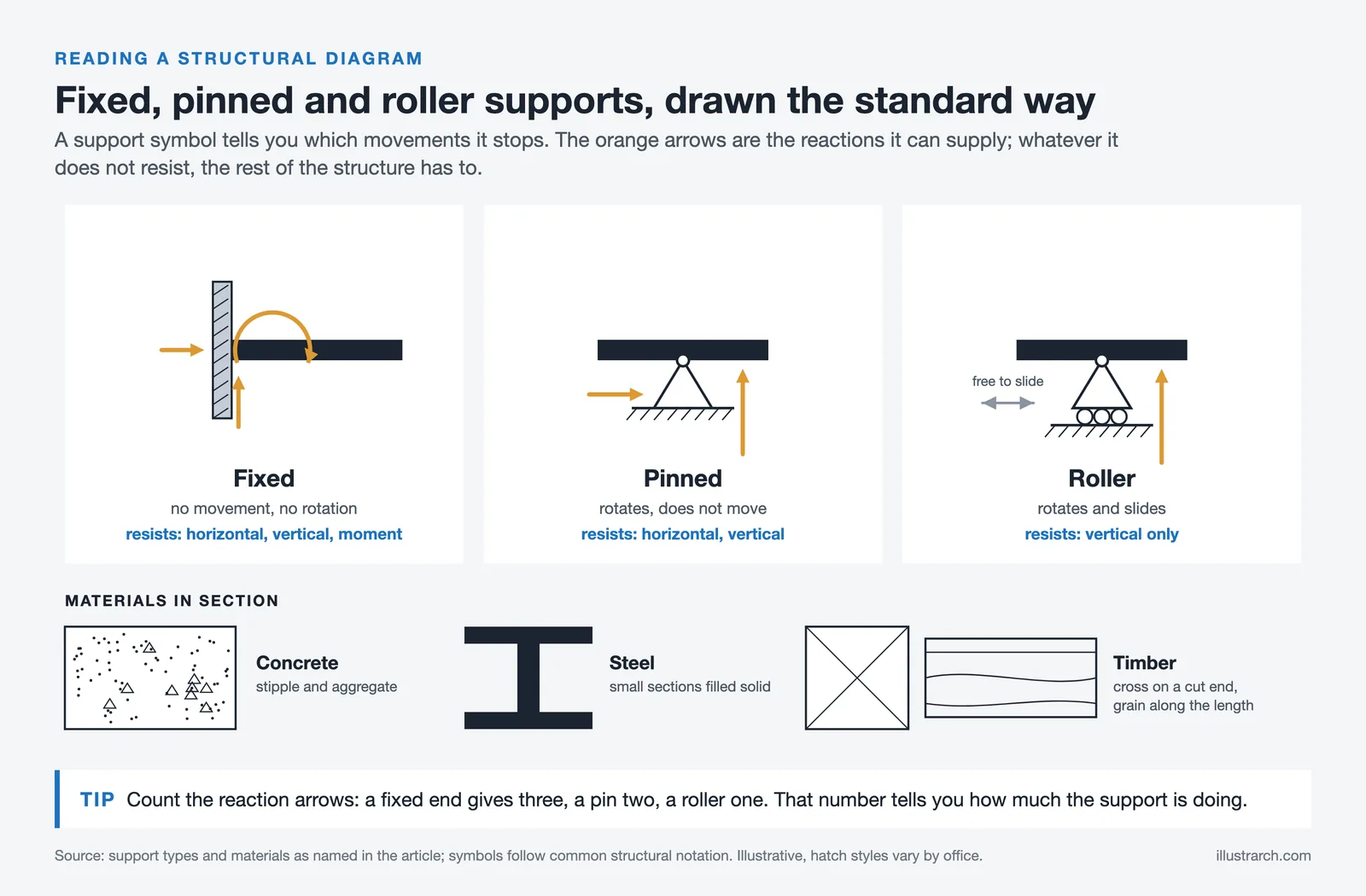
Every architectural diagram relies on a standardized set of symbols and notations to convey technical information efficiently. Structural engineers and architects use specific line types, hatching patterns, and graphic symbols to represent materials (concrete, steel, timber), support conditions (fixed, pinned, roller), and force directions. Understanding these symbols is the first step toward accurately identifying every element in a diagram. The International Organization for Standardization (ISO) and national bodies publish guidelines ensuring diagrams are readable across different countries and practices.
⚠️ Common Mistake to Avoid
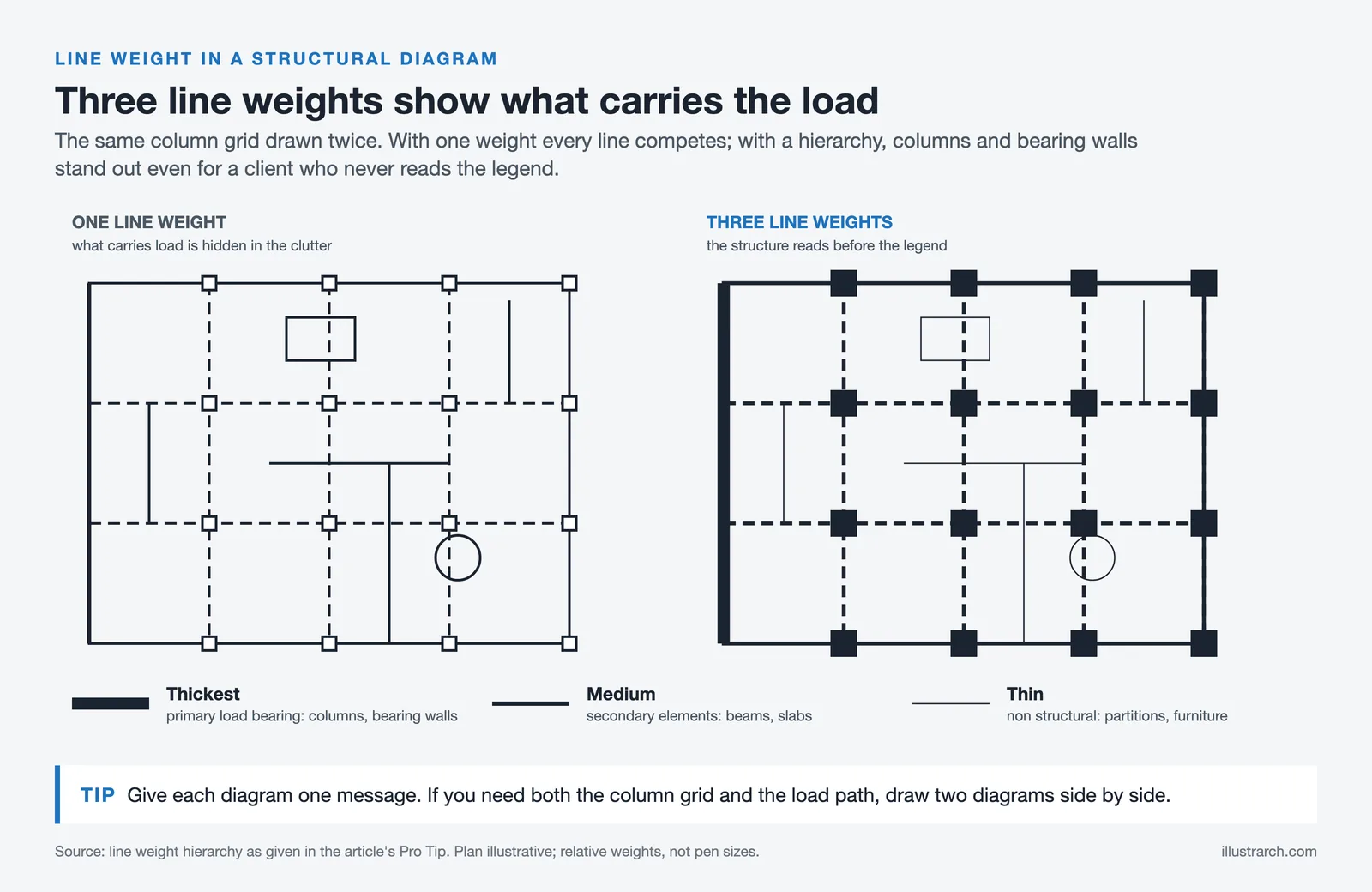
A common error among architecture students is using a single diagram to show structure, circulation, and program at the same time. The result is visual noise that communicates nothing clearly. Each structural diagram should carry one message. If you need to show both the column grid and the load path, produce two separate diagrams and present them side by side rather than layering everything into one drawing.
Why Are Structural Diagrams Important in Architecture?
From Concept to Construction
Structural diagrams guide the evolution of architectural design from first concept to final construction. By providing a detailed representation of load paths, connections, and materials, they allow architects and engineers to assess feasibility and confirm the building can withstand various stresses. Contractors and construction teams rely on these diagrams to understand project specifications, ensuring the building is built accurately and to the right safety standards. They also help identify potential issues before construction begins, saving time and resources.

Structural diagrams are an important tool that helps architects, engineers, and contractors align on a clear visual plan. This coordination is especially important for complex load distributions or unique design features. Advanced graphing calculation tools have made these diagrams more accurate and easier to use. With these tools, professionals can map stress points, simulate load behavior, and optimize materials to reduce waste. For a deeper look at how architectural and structural coordination is managed digitally, explore how BIM software integrates structural data into a unified 3D model.

Communication Among Professionals
One of the most important aspects of any architectural project is clear communication among architects, engineers, contractors, and clients. Structural diagrams serve as a common language, conveying design intent and structural details in a format everyone can read and respond to.
These diagrams simplify complex architectural and structural concepts, making them accessible to non-specialists and enhancing the decision-making process. All team members work from a unified understanding of the project, which maintains the integrity of the original design from drawing to built reality. For more about how diagrams facilitate the architectural diagram design process, see our dedicated guide.
📌 Did You Know?
The structural drawings for the Eiffel Tower (1889) included over 5,300 individual shop drawings detailing every rivet connection, a level of documentation that was unprecedented for its era and is considered one of the earliest examples of comprehensive structural diagram practice. According to the Eiffel Tower’s official records, the structure uses 18,038 individual iron pieces held together by 2.5 million rivets.
How to Create an Architectural Structural Diagram
Creating an architectural structural diagram is a critical part of the design process, enabling you to visualize and communicate the structural elements of a project. These diagrams function as blueprints that detail the engineering behind a building’s design, covering everything from the foundation to the roof.
Identifying Structural Requirements
The first step is identifying the structural requirements of the building. This means understanding the load-bearing capacities needed for the structure to remain safe and stable under various conditions. You examine elements like columns, beams, walls, and foundations to determine the types and quantities of materials required. Analyzing environmental factors, wind, seismic activity, soil conditions, is equally important, as these significantly impact structural design. Getting these requirements right at the start means the structure will withstand both time and nature.
Considerations for Clarity and Precision
Once structural requirements are defined, focus on making diagrams clear and precise. Clarity ensures every stakeholder, from architects to builders, can understand the project’s technical necessities. Standardized symbols and notations communicate specific information without ambiguity. Precision matters just as much: even minor inaccuracies can lead to significant construction issues. Measurements, material strengths, and connection points must all be detailed so the structure can be built exactly as designed.
💡 Pro Tip
When specifying line weights in a structural diagram, use a consistent hierarchy: the thickest lines for primary load-bearing elements (columns, bearing walls), medium lines for secondary elements (beams, slabs), and thin lines for non-structural components. This simple convention makes it immediately obvious what carries loads even before anyone reads the legend: which is especially valuable when presenting to clients with no structural background.
Best Software Tools for Creating Structural Diagrams
In practice, structural diagram production relies on a combination of traditional and digital approaches. Hand-drawn sketches often serve as the starting point, allowing rapid visualization of structural concepts before committing to software. Digital tools like AutoCAD and Revit are now central to professional workflows. These programs support detailed, accurate diagrams that can be shared and edited collaboratively. Revit in particular keeps dimensions coordinated across views and can pass its analytical model to structural analysis software, reducing the risk of manual errors. For a broader look at the software landscape, our guide to diagram tools for architects in 2026 covers the most current options including AI-powered platforms. The integration of AI and BIM with advanced simulation tools continues to push the boundaries of what is possible in structural architecture.
Structure Diagrams vs. Other Architectural Diagrams
It is worth understanding where the structural diagram sits within the broader family of architectural diagram types. Concept diagrams capture the organizing idea behind a design; programme diagrams map spatial relationships and functional zones; sectional diagrams cut through the build-up, and circulation diagrams trace movement through a building; and structural diagrams focus exclusively on load-bearing logic. These categories are not interchangeable, and a strong presentation typically uses at least two or three distinct diagram types to tell a complete story about a building.
| Diagram Type | Primary Focus | When to Use |
|---|---|---|
| Structural Diagram | Load paths, columns, beams, foundations | Design development, engineering coordination, juries |
| Concept Diagram | Core design idea and spatial intent | Early-phase presentations, competition boards |
| Circulation Diagram | Movement flows, access routes | Public buildings, mixed-use projects |
| Programme Diagram | Spatial relationships, functional zones | Pre-design, brief development |
| Section Diagram | Vertical relationships, interior logic | Multi-level buildings, sloped sites |
The Evolution of Structural Diagrams: From Hand Drafting to Digital Modeling
The evolution of structural diagrams marks a significant advancement in how engineers and architects design buildings, influencing both the functionality and aesthetics of our built environment.
Traditional Drawing vs. Digital Modeling
Historically, structural diagrams were hand-drafted, a time-consuming process requiring precision and skill. Architects and engineers used pencils, rulers, and compasses to translate structural concepts onto paper. This method built strong foundational skills but was limited in its ability to share, modify, and replicate designs efficiently.
Digital modeling changed the process entirely. AutoCAD and Revit now allow professionals to create detailed, three-dimensional architecture structure diagrams far more efficiently than hand drawing ever permitted. Digital models allow immediate adjustments, enhanced stakeholder collaboration, and seamless integration of new data as projects evolve. This shift has improved accuracy, accelerated the design phase, and reduced the risk of coordination errors. For a look at the essential architecture tools in 2026, our overview covers the full landscape.
The Role of BIM and AI in Modern Structural Diagrams
Building Information Modeling (BIM) has taken the structural diagram architecture workflow to a new level. Unlike traditional 2D or 3D CAD drawings, BIM creates an intelligent, data-rich model where every structural element carries information about its material properties, load capacity, cost, and maintenance schedule. An architectural diagram produced through BIM is not just a visual representation, it is a living database that can be queried, simulated, and updated throughout the building’s lifecycle.
Artificial intelligence is further advancing the process. AI-driven tools can now analyze structural data to optimize material usage, predict potential failure points, and suggest design improvements automatically. When combined with BIM’s collaborative environment, AI enables architects and structural engineers to iterate on designs faster and with greater confidence. For more on how AI is changing diagram production specifically, see our article on AI-generated diagrams in architectural design.
Five Common Types of Architectural Structural Diagrams
Not every structural diagram looks or works the same way. The type you choose depends on the project’s complexity, audience, and design phase. Below are five types that cover most situations in practice and academia.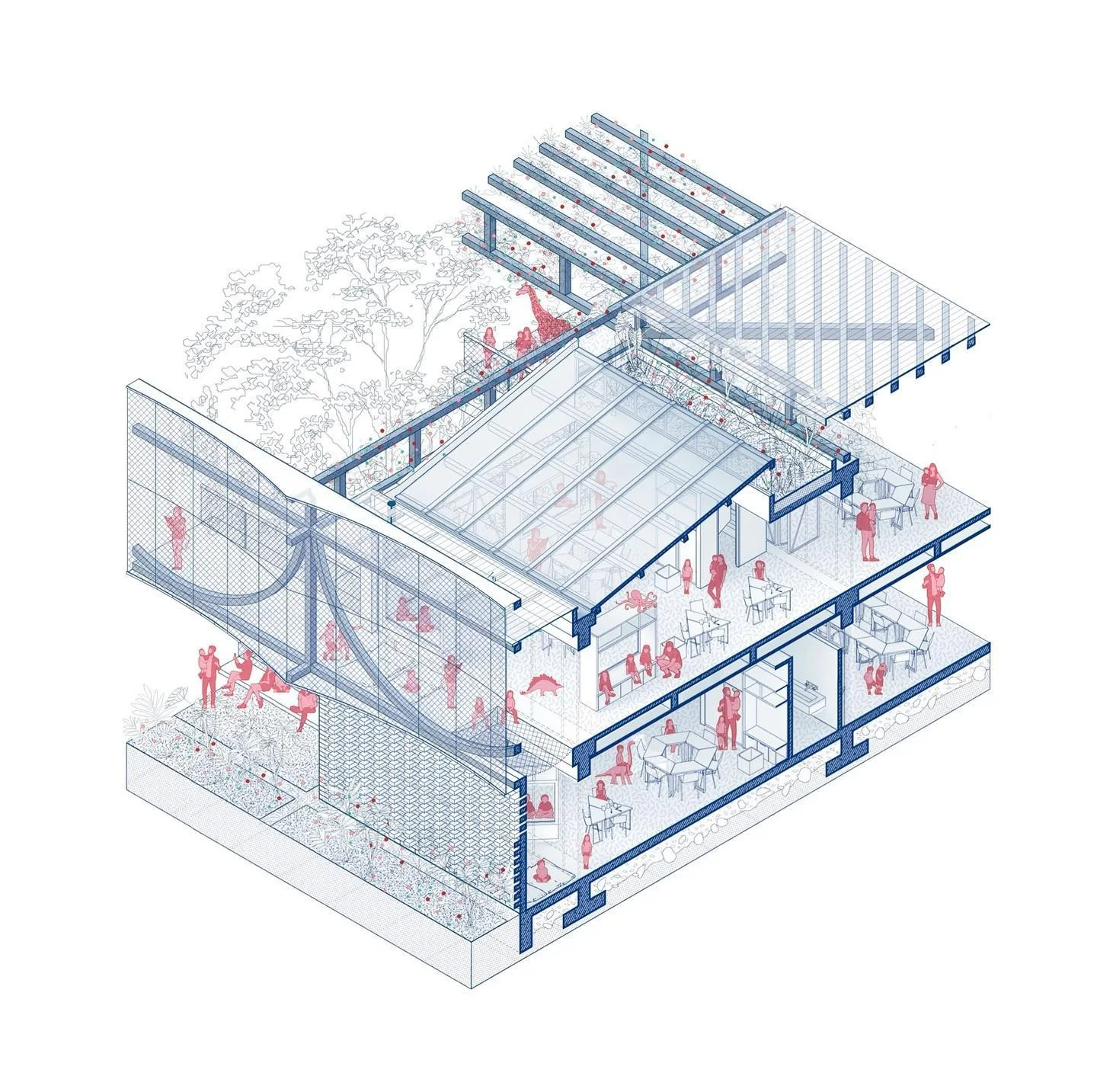


Plan-Based Structural Diagrams
These diagrams overlay the column grid, shear walls, and bearing walls onto a simplified floor plan. Columns are usually represented as filled circles, walls as solid lines, and openings as gaps. Plan-based diagrams are the most common starting point because they connect structural logic directly to the spatial layout everyone already knows.Sectional Structural Diagrams
A section cut through the building reveals vertical load paths that plan views cannot show. You can trace how a roof truss passes its load to a wall plate, down through a column, and into a footing. Sectional diagrams are especially useful for sloped sites or multi-level buildings where floor-to-floor relationships are complex. The ArchDaily project pages frequently feature sectional diagrams that illustrate these vertical connections.Exploded Axonometric Structural Diagrams
Exploded views separate each layer of the building, foundation, columns, floor slabs, beams, roof, into individual elements stacked along a vertical axis. This type of architectural diagram sample is powerful for showing how parts fit together like a three-dimensional puzzle. It is a favorite for competition boards and portfolio pages because it is both informative and visually striking. You can find more inspiration in this collection of successful architectural diagrams.Load Path Diagrams
Load path diagrams use arrows and color coding to show the direction and magnitude of forces. Gravity loads flow downward, lateral loads (wind, seismic) flow horizontally into bracing elements, and the diagram traces each force until it reaches the foundation. These diagrams are more analytical than graphic, and they are often produced in collaboration with structural engineers. The Wikipedia entry on structural analysis offers a solid primer on the force concepts behind these diagrams.
AI-Generated and Parametric Structural Diagrams
Recent tools have introduced the ai architecture diagram workflow, where generative algorithms propose structural layouts based on program inputs, span requirements, and material constraints. Software like Grasshopper for Rhino or emerging AI platforms can produce dozens of options in minutes. While outputs still require professional judgment, they accelerate early design and help architects explore structural possibilities that manual sketching might miss. For a broader look at AI and architectural diagramming, check resources at Dezeen.Comparison of Structural Diagram Types
The following table summarizes when and why you might choose each diagram type:| Diagram Type | Best Used For | Typical Audience | Complexity Level |
|---|---|---|---|
| Plan-Based | Showing column grids and wall positions on floor plans | Clients, design teams | Low |
| Sectional | Vertical load paths and multi-level connections | Engineers, juries | Medium |
| Exploded Axonometric | Layer-by-layer breakdown of building components | Competitions, portfolios | Medium-High |
| Load Path | Force flow analysis with arrows and color coding | Structural engineers | High |
| AI / Parametric | Rapid generation of multiple structural options | Design teams, researchers | Variable |
From Diagram to Built Form: Closing the Loop
A structural diagram is not a final product. It is a thinking tool, a communication device, and a checkpoint. The best diagrams evolve alongside the design: refined as engineering input arrives, updated when materials change, and simplified for non-technical audiences. What makes structural diagrams valuable is their ability to compress a building’s most critical information into a single, readable image. Load paths, material logic, and formal ambitions converge on one page. When you learn to read and produce these diagrams fluently, you gain a skill that sits at the intersection of engineering and design. For further reading, the RIBA knowledge base and resources at Learn Architecture are worth exploring.Structural Diagram Architecture: Best Practices for Professionals
For architects and engineers seeking to produce the most effective architectural structural diagrams, a set of best practices separates a diagram that merely documents from one that truly communicates.
Always begin with a clear hierarchy: distinguish primary load-bearing elements from secondary and non-structural components using consistent line weights and shading conventions. Annotate thoroughly but concisely, every dimension, material specification, and connection type should be labeled without cluttering the drawing. Coordinate your structural diagrams with other disciplines early. Clash detection between structural, mechanical, and electrical systems prevents costly rework on site.
Use layered digital files so different team members see only the information relevant to their scope while maintaining a single source of truth. Always validate diagrams against current local and international codes and have them peer-reviewed before submission. These practices ensure your architecture structure diagram is technically sound and a reliable communication tool across the entire project team. For further inspiration on visual communication, browse our collection of conceptual diagrams and bubble diagrams.
✅ Key Takeaways
- A structural diagram in architecture maps load paths, connections, and material choices to confirm a building can safely stand.
- Key components include load-bearing elements, material specifications, connection details, and standardized symbols.
- Main types include plan-based diagrams, sectional diagrams, load path diagrams, AI and parametric diagrams, and exploded axonometric views, each suited to different presentation and coordination needs.
- BIM and AI tools have transformed structural diagram production, embedding live data, automating clash detection, and accelerating iteration.
- Best practice: one diagram, one message. Keep visual language consistent, coordinate the diagram with the general arrangement drawings it will sit beside, and always validate against current building codes before submission.



1 Comment





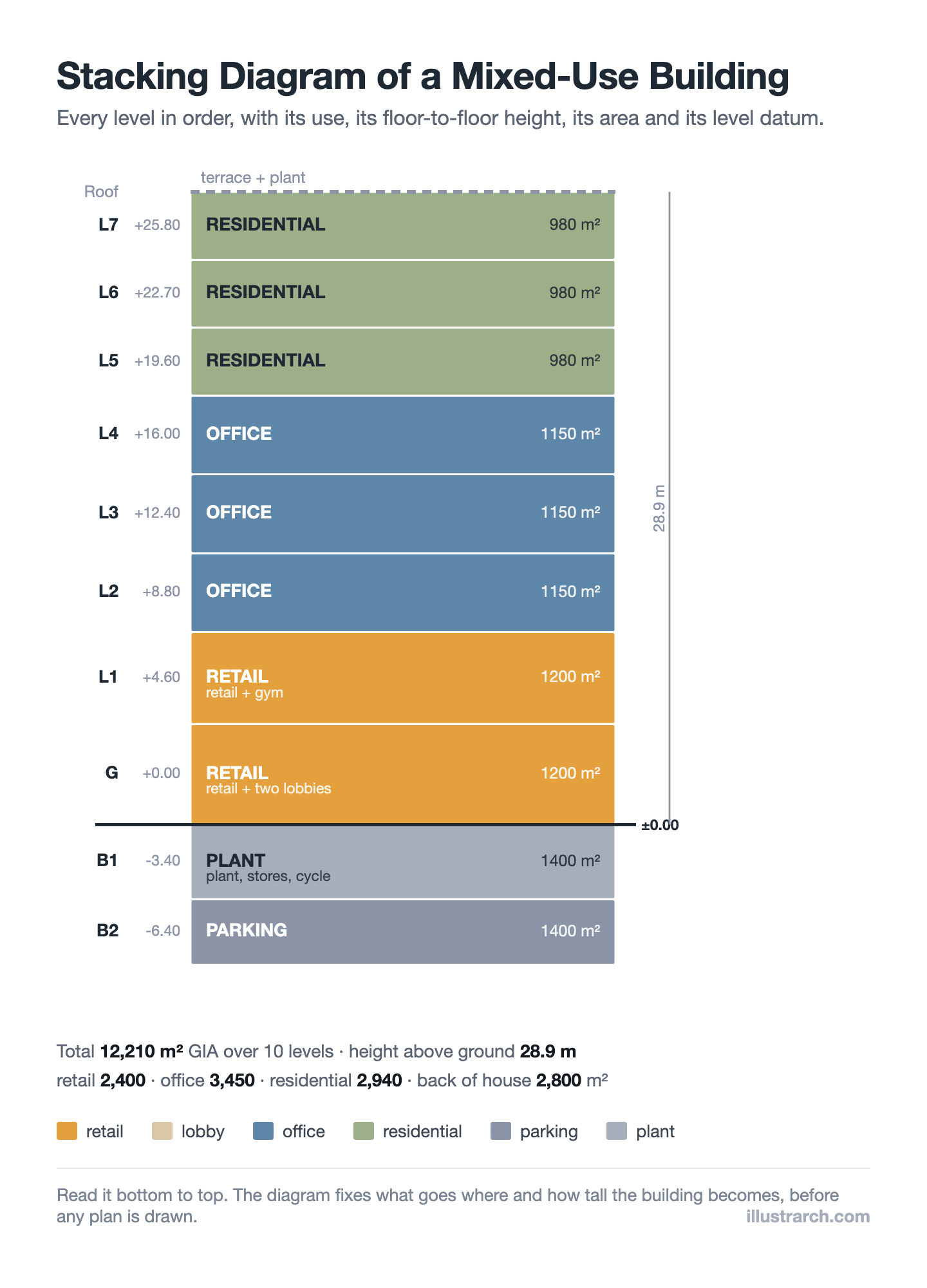
Stacking Diagram: How to Allocate Uses Floor by Floor
A stacking diagram assigns each use in a brief to a level,...
 Sinan Ozen7 Mins read
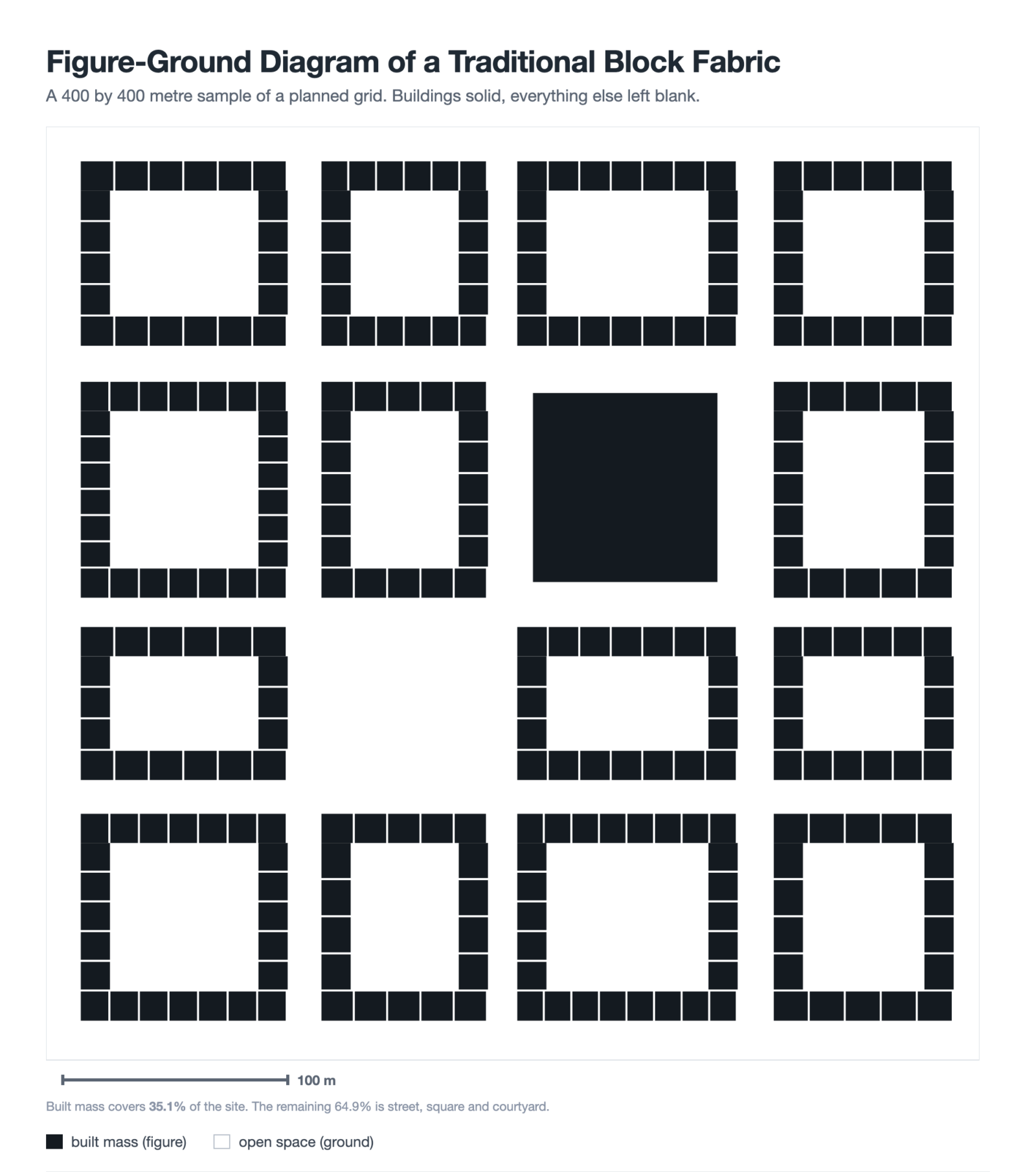
Figure-Ground Diagram: How to Draw and Read Urban Fabric
A figure-ground diagram reduces a city to built mass against open space....
Sinan Ozen7 Mins read
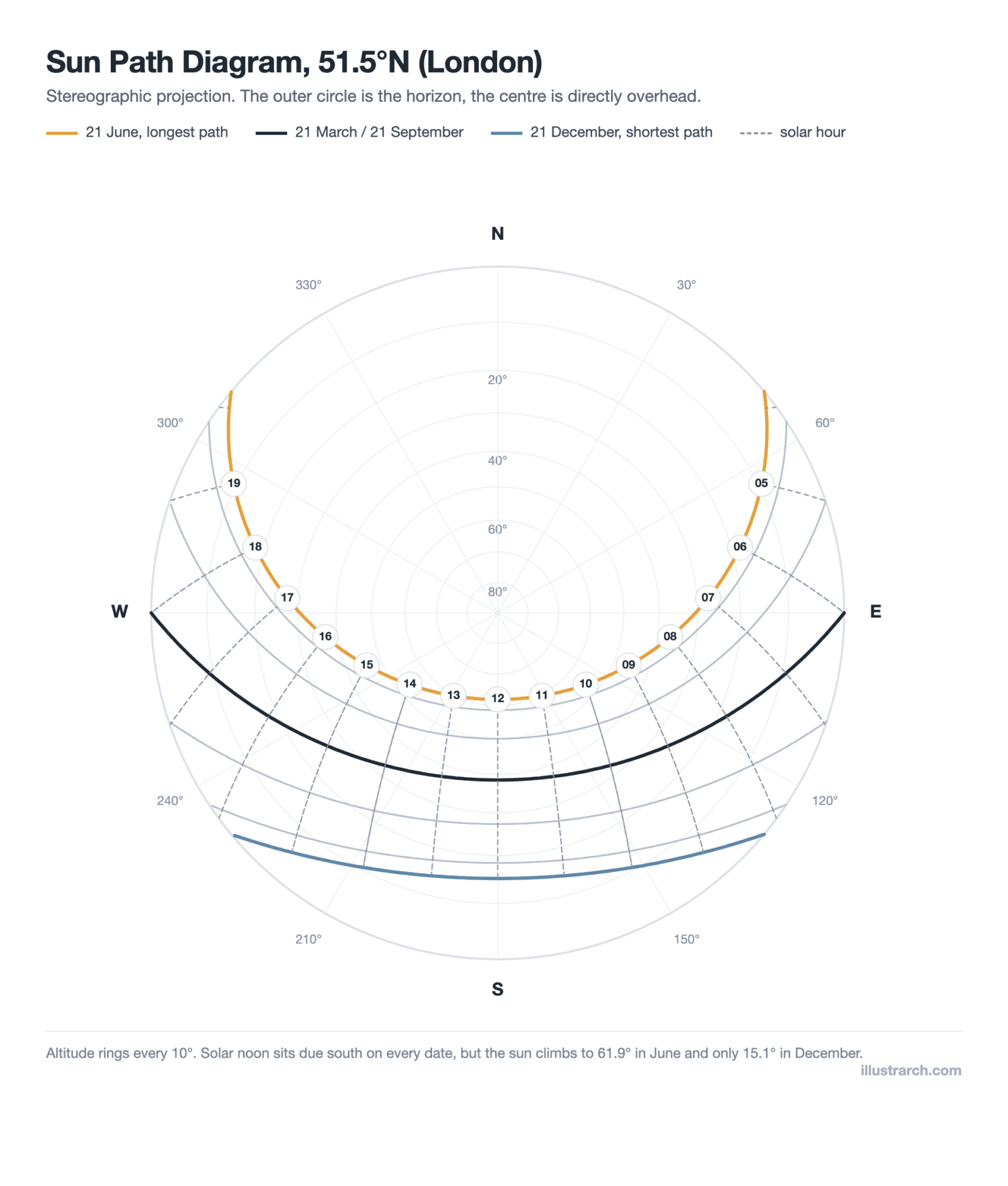
Sun Path Diagram: How to Read One and Use It in Design
A sun path diagram shows where the sun sits all year for...
Sinan Ozen8 Mins read

Matrix Diagram in Architecture: How to Map Space Adjacencies
A matrix diagram, or adjacency matrix, maps how every space in a...
Sinan Ozen8 Mins read


This article explains structural diagrams well. I learned a bit about how they help in construction. It seems important for buildings.