
Architecture Quiz
Quiz hub
Architecture Quiz
Test what you know about buildings, architects, structures and design. 450 questions in 15 topics, with an explanation after every answer.
Choose a topic
This free architecture quiz has 450 multiple-choice questions on buildings, architects, structures and design, sorted into 15 topics. You pick a topic, a round of 5, 10 or 20 questions and a difficulty, and every answer comes with a short explanation. It runs in the browser, with no sign-up and nothing to install.
The questions cover the whole span of the subject: the Greek orders and Gothic cathedrals, the Modern Movement and contemporary practice, world landmarks and the people who designed them, structures, materials, sustainable design, cities, interiors and architectural drawing. Use it to revise for an exam, to warm up before a history lecture or simply to find out how much you know about the buildings around you.
How the Architecture Quiz Works
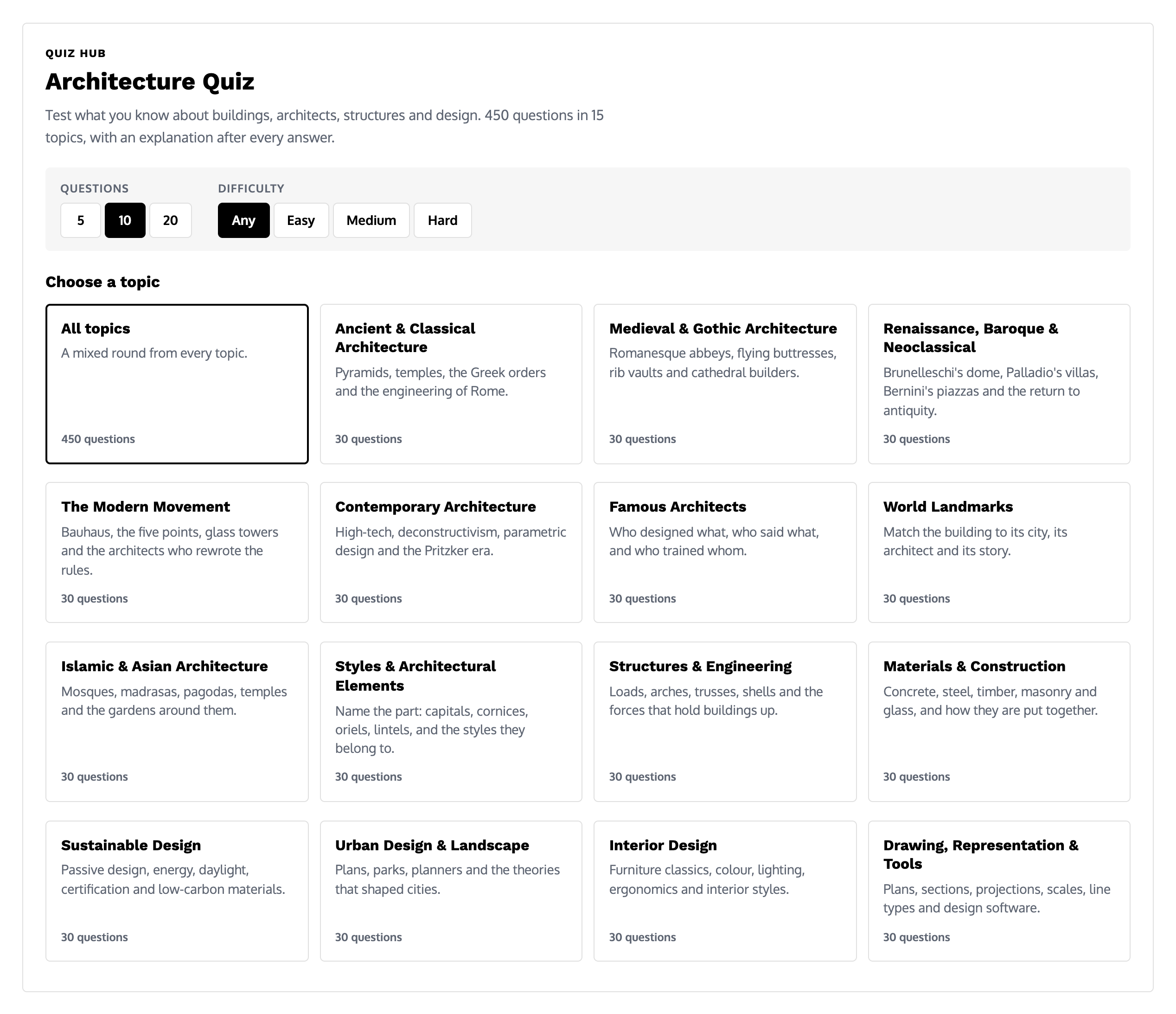
Every round starts on the quiz hub. Three choices set it up, and all three stay on the same screen, so a new round takes a couple of clicks.
Choose the Number of Questions
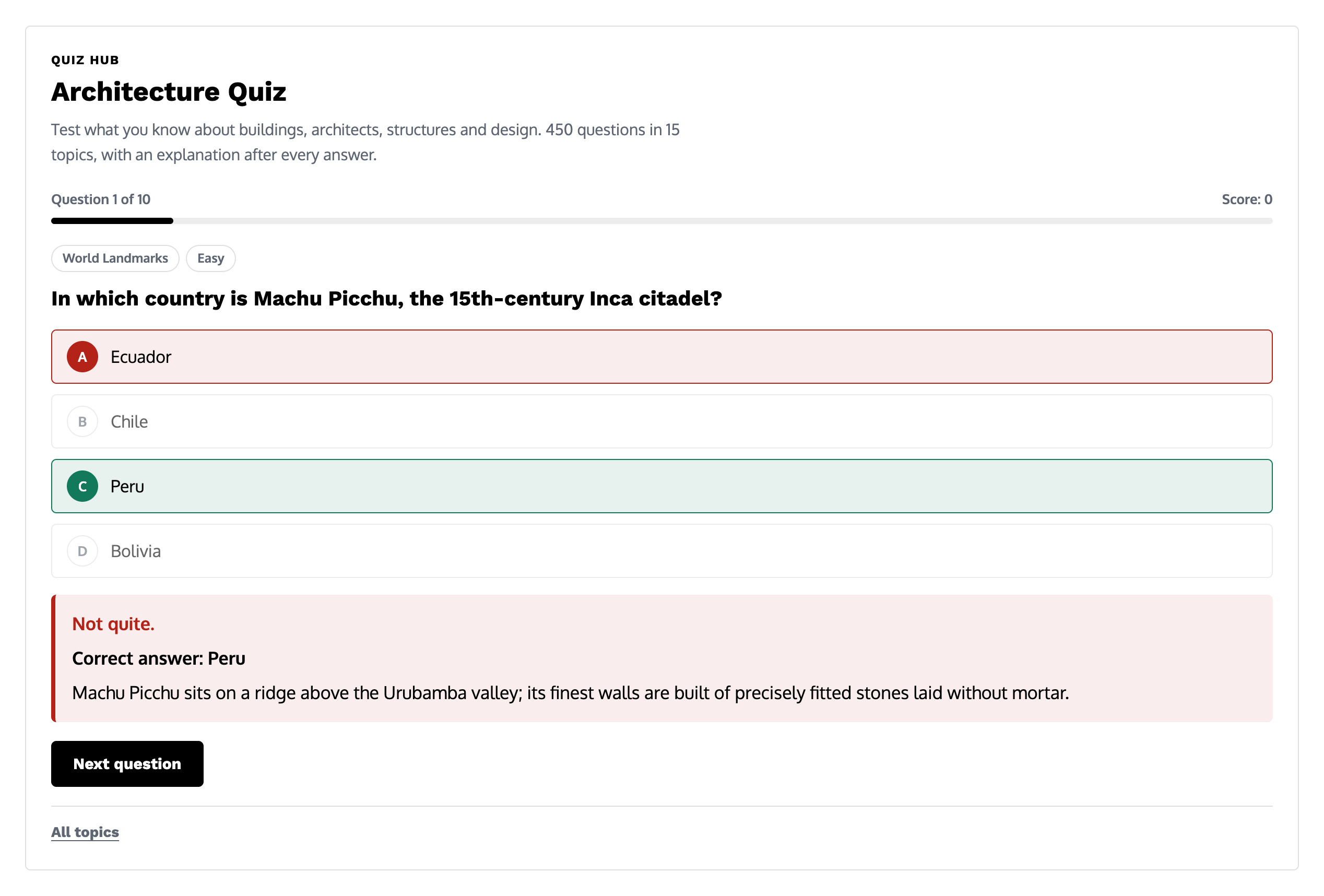
A round can be 5, 10 or 20 questions long. Five is a quick check, 10 is the default and 20 gives a fuller picture of how well you know a topic. A progress bar and a running score sit above every question, so you always know where you are in the round.
Choose a Difficulty
Each question is graded Easy, Medium or Hard. Pick one level to stay on it, or leave the setting on Any for a mixed round. Rounds are ordered from easier to harder, so a mixed round opens gently and ends with the tougher questions.
Choose a Topic or Play All Topics
Click one of the 15 topic cards to start a round on that subject, or choose All topics for a mixed round drawn from the whole bank of 450 questions. A mixed round takes questions from different topics in turn, so you will not get a long run from one subject. After you have played a topic, its card shows your best score for it.
What Happens After Each Answer
Every question has four options, labelled A to D, and the order of the options is shuffled each time a question appears. A tag above the question shows its topic and difficulty.
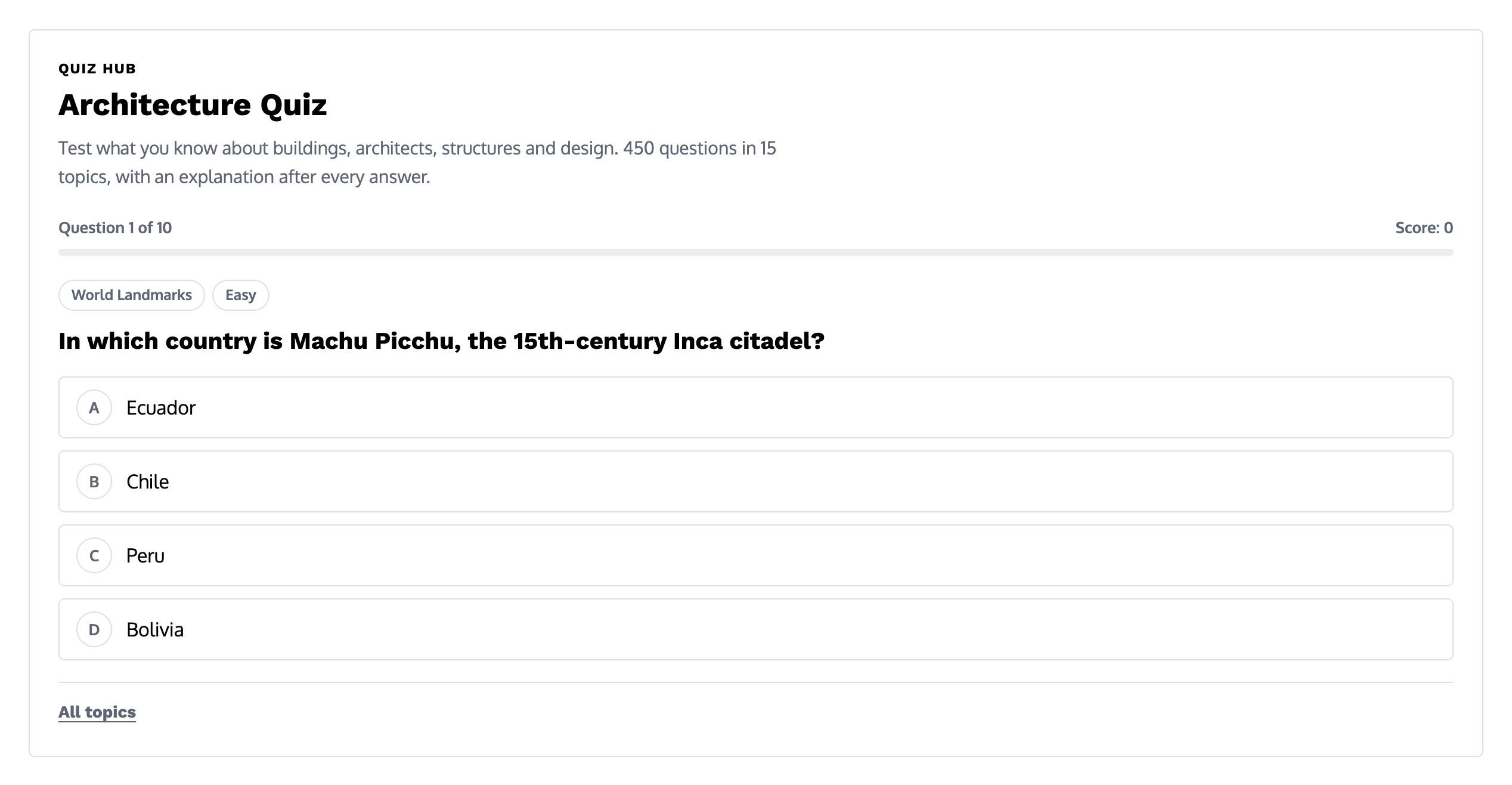
As soon as you answer, the quiz marks your choice. A correct answer turns green. A wrong answer turns red, the right option is highlighted in green and the correct answer is spelled out. Under it, a short explanation adds the fact that makes the answer stick: who built it, when, how or why. This is the part that turns the quiz into a study tool, because you learn something from the questions you miss as well as from the ones you get right.
The quiz also works from the keyboard. Press 1 to 4 to choose an answer and Enter to go on to the next question, which makes a 20-question round quick to get through.
Your Result, Review and Best Score
At the end of a round you see your score as a number and a percentage, with a short verdict for your result:
- 100%: Perfect score. Every single one!
- 80% and above: Excellent. You know your architecture.
- 60% and above: Good work. A solid foundation.
- 40% and above: Not bad. The explanations below will help.
- Below 40%: A tough round. Read the explanations and try again.
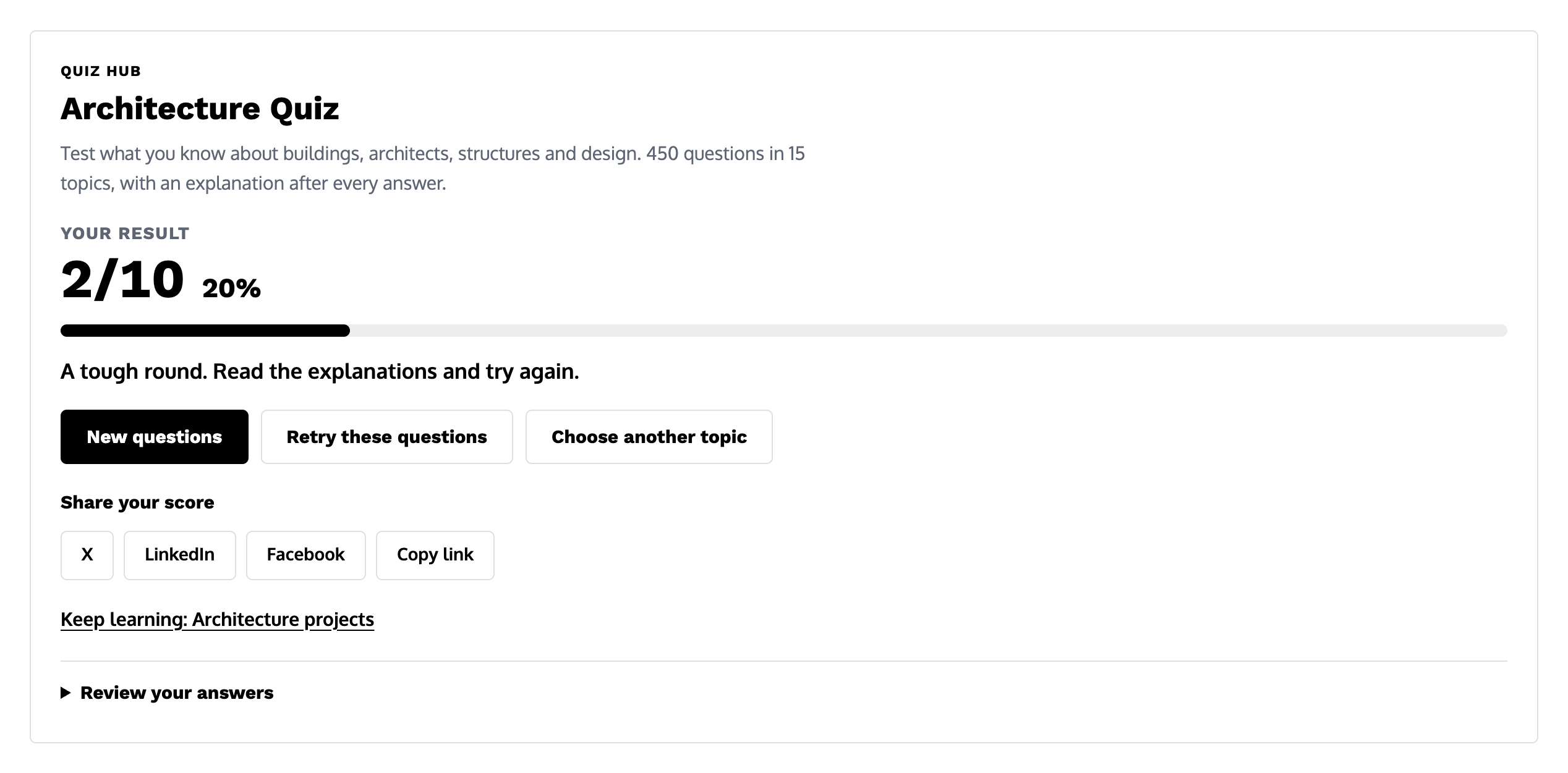
Three buttons decide what comes next. New questions starts a fresh round with the same settings. Retry these questions replays exactly the same questions, which is the best way to check that the explanations have sunk in. Choose another topic takes you back to the hub. You can also share your score on X, LinkedIn or Facebook, or copy a link to the quiz, and a “Keep learning” link points to the illustrarch guide that matches the topic you played.
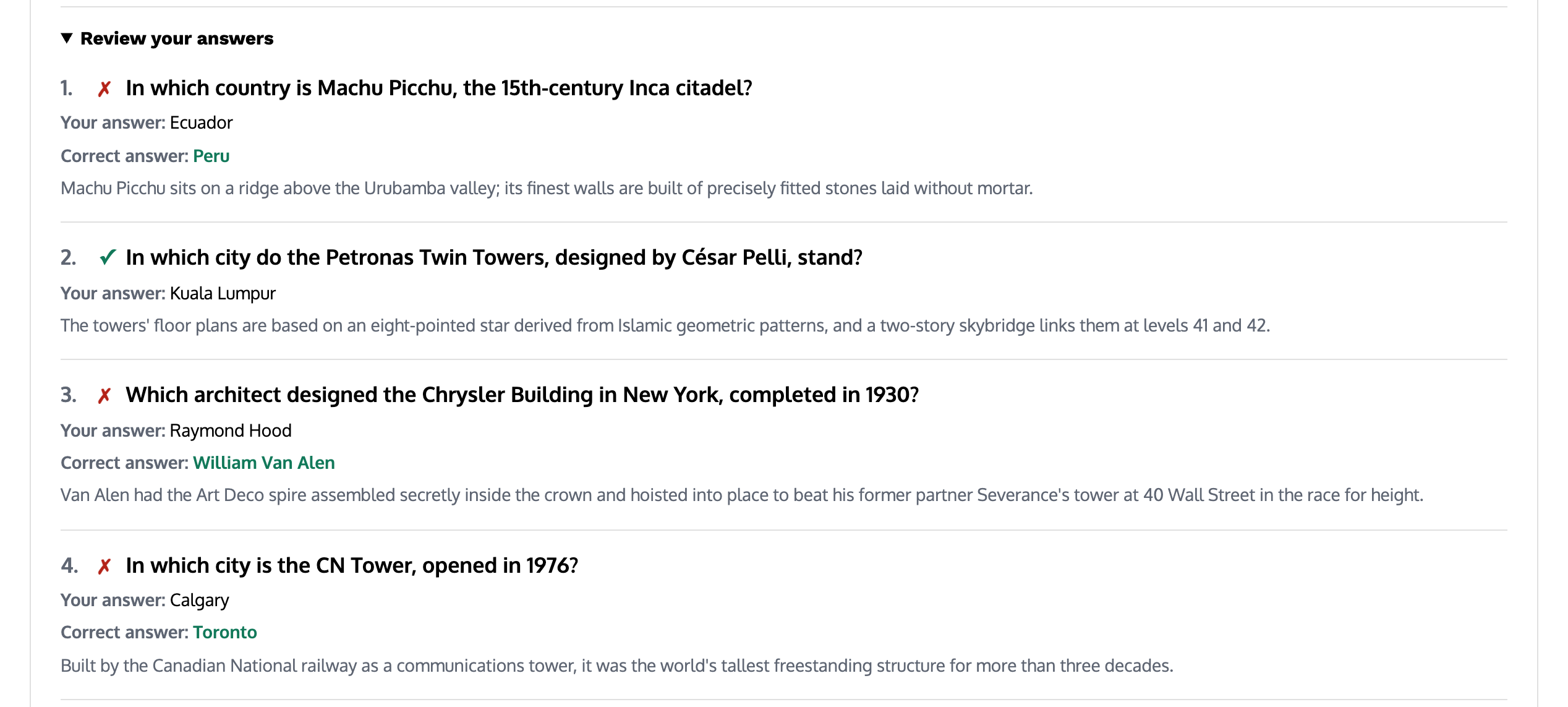
Open Review your answers to go through the whole round again. Each question is listed with your answer, the correct answer when you missed it and the explanation, so you can revise from the review list without replaying the round.
The quiz remembers two things in your browser: your best score for each quiz, with a note when you set a new personal best, and the questions you have already seen. It keeps track of up to 400 seen questions and serves the ones you have not met yet first, so a new round brings new questions for as long as there are unseen ones left. Nothing is sent to an account, and clearing your browser data resets both.
The 15 Quiz Topics
Each topic has 30 questions. The links below open the quiz straight on that topic, and the guides next to them are the illustrarch pages to read afterwards.
Architectural History and Styles
- Ancient & Classical Architecture: pyramids, temples, the Greek orders and the engineering of Rome. Start this quiz.
- Medieval & Gothic Architecture: Romanesque abbeys, flying buttresses, rib vaults and cathedral builders. Start this quiz.
- Renaissance, Baroque & Neoclassical: Brunelleschi’s dome, Palladio’s villas, Bernini’s piazzas and the return to antiquity. Start this quiz.
- The Modern Movement: the Bauhaus, the five points, glass towers and the architects who rewrote the rules. Start this quiz.
- Contemporary Architecture: high-tech, deconstructivism, parametric design and the Pritzker Prize era. Start this quiz.
- Islamic & Asian Architecture: mosques, madrasas, pagodas, temples and the gardens around them. Start this quiz.
- Styles & Architectural Elements: name the part, from capitals, cornices, oriels and lintels to the styles they belong to. Start this quiz.
For the background behind these rounds, read our hub on architectural styles and history and the essays collected under architectural theory.
Architects and Landmarks
- Famous Architects: who designed what, who said what, and who trained whom. Start this quiz.
- World Landmarks: match the building to its city, its architect and its story. Start this quiz.
The architects directory and our architecture projects are the natural next stop after these two rounds.
Structures, Materials and Sustainability
- Structures & Engineering: loads, arches, trusses, shells and the forces that hold buildings up. Start this quiz.
- Materials & Construction: concrete, steel, timber, masonry and glass, and how they are put together. Start this quiz.
- Sustainable Design: passive design, energy, daylight, certification and low-carbon materials. Start this quiz.
Go further with our guides to building and construction and sustainable architecture.
Cities, Interiors and Drawing
- Urban Design & Landscape: plans, parks, planners and the theories that shaped cities. Start this quiz.
- Interior Design: furniture classics, colour, lighting, ergonomics and interior styles. Start this quiz.
- Drawing, Representation & Tools: plans, sections, projections, scales, line types and design software. Start this quiz.
Related reading: landscape and urban design, the interior design hub and our guide to architectural presentation. To play every topic at once, open the mixed All topics round.
Easy, Medium and Hard: How the Questions Are Graded
Every topic has the same mix: 12 Easy, 12 Medium and 6 Hard questions. Across the whole bank that makes 180 Easy, 180 Medium and 90 Hard questions.
- Easy questions ask about the famous names, buildings and terms that anyone interested in architecture will have met.
- Medium questions expect some study: dates, the architect behind a less famous building, or the right term for a structural or stylistic detail.
- Hard questions go into the detail that architecture students and enthusiasts pick up over years of reading.
Because each topic has only 6 Hard questions, a Hard round on a single topic is at most 6 questions long, even if you asked for 10 or 20. For a long Hard round, combine Hard with All topics, which draws on all 90 Hard questions.
Using the Quiz to Study Architecture
The quiz works best as part of a study routine rather than a one-off test. A few ways to use it:
- Before an exam: play a topic on Any, read every explanation, then use Retry these questions until you reach 100%. After that, switch to New questions to test yourself on material you have not seen yet.
- Alongside a history course: match the topics to your syllabus, from Ancient & Classical through Renaissance and the Modern Movement to Contemporary Architecture, and play each one after the matching lecture.
- In a studio or classroom: put the quiz on a screen and answer as a group. The explanation after each question is a natural starting point for a short discussion.
- For general knowledge: World Landmarks and Famous Architects are a good start if you are curious about architecture but have not studied it.
If you are studying architecture, our student hub collects study guides and student projects in one place.
Tips for a Higher Score
- Read the whole question. Many questions give a clue in the wording, such as a date, a city or a material, that rules out two of the options straight away.
- Work backwards from the explanations. The explanations often contain the answer to another question in the same topic, so a wrong answer now can be a right answer in the next round.
- Start on Easy, then raise the level. Build up the basics of a topic before moving on to Medium and Hard.
- Use the review list. Going through Review your answers after each round takes a minute and fixes the facts you missed.
- Play little and often. Short 5-question rounds spread across a week stick better than one long session.
More Free Tools for Architects
The quiz sits alongside the other free illustrarch tools, all of which run in the browser with no sign-up. Convert drawing sizes with the architectural scale converter, work out proportions with the golden ratio calculator, plan room relationships with the bubble diagram maker or build a board palette with the color palette creator. The full list is on our free tools for architects page.
Frequently Asked Questions About the Architecture Quiz
Is the architecture quiz free?
Yes. The quiz is free to play as often as you like, with no account, no sign-up and nothing to install. It runs in any modern browser on a computer, tablet or phone.
How many questions does the quiz have?
There are 450 questions in 15 topics, with 30 questions in each topic. Each topic has 12 Easy, 12 Medium and 6 Hard questions.
Will I get the same questions every time?
Not until you have worked through the bank. The quiz remembers up to 400 questions you have already seen in your browser and gives you unseen questions first. If you want the same set again, use Retry these questions at the end of a round.
Can I play a single topic?
Yes. Click any topic card on the hub, or use the topic links on this page, which open the quiz straight on that topic. All topics plays a mixed round from the whole bank.
Why did my Hard round have fewer questions than I chose?
Each topic has 6 Hard questions, so a Hard round on one topic stops at 6. Choose All topics with Hard for a round of 10 or 20 Hard questions.
Is my score saved?
Your best score for each quiz is saved in your browser and shown on the topic card. It is not linked to an account, so it stays on the device and browser you played on, and clearing your browser data removes it.
Can I use the quiz in class?
Yes. The quiz works well on a shared screen for group play, and the topic links on this page let you send students straight to the round that matches a lesson.
Rate this tool
Was Architecture Quiz useful? One tap, no sign-up.