

PlanGrid Review: What Happened to It and Whether to Still Use It
Once a go-to mobile app for jobsite drawings, PlanGrid now runs in maintenance mode under Autodesk. This review breaks down its current features, 2026 pricing through Autodesk Build, the real pros and cons, and the alternatives worth weighing.
 Sinan Ozen6 August 20268 Mins read319
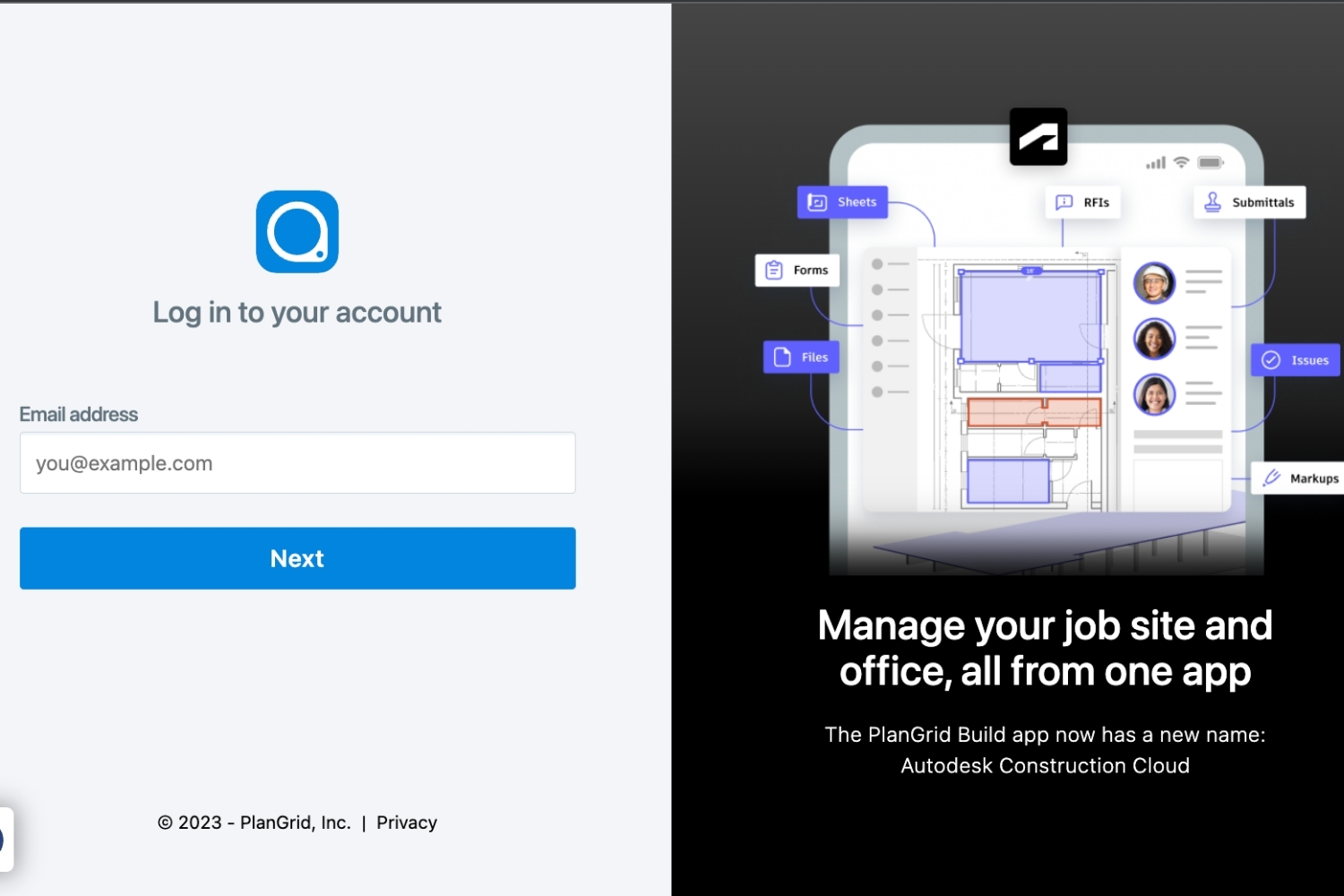
Table of Contents Show
PlanGrid is a mobile-first construction field app for viewing plans, marking up sheets, tracking issues, and managing RFIs on site. This PlanGrid review covers its 2026 reality: the platform is now in maintenance mode, closed to new customers, and superseded by Forma Build, though existing teams can still use the PlanGrid Build app.
If you are researching PlanGrid today, you are probably in one of two spots. Either your firm already runs on it and you want to know whether to stay, or you are shopping for a field app and keep seeing it recommended in older articles. This PlanGrid review focuses on the gap between that old reputation and the current reality, because the product you read about five years ago is not the product Autodesk sells now.

What Is PlanGrid, and Who Is It For?
PlanGrid started in 2011 as a way to get current drawings onto phones and tablets so field crews stopped working from outdated paper sets. Its promise stayed simple: put the right sheet, markup, photo, and issue in front of whoever is standing on the jobsite. By the time Autodesk acquired it, PlanGrid ran on more than a million construction projects in 90 countries.
The primary users are general contractors, subcontractors, and owners who need plans and field data in one place. Architects use it too, mainly during construction administration, when they are visiting site, answering RFIs, and tracking punch list items rather than modeling. For the design and documentation side of that work, most architecture teams live in BIM tools instead, and our overview of the best BIM software for architects covers where those platforms fit.
PlanGrid in 2026: Maintenance Mode and the Forma Build Shift
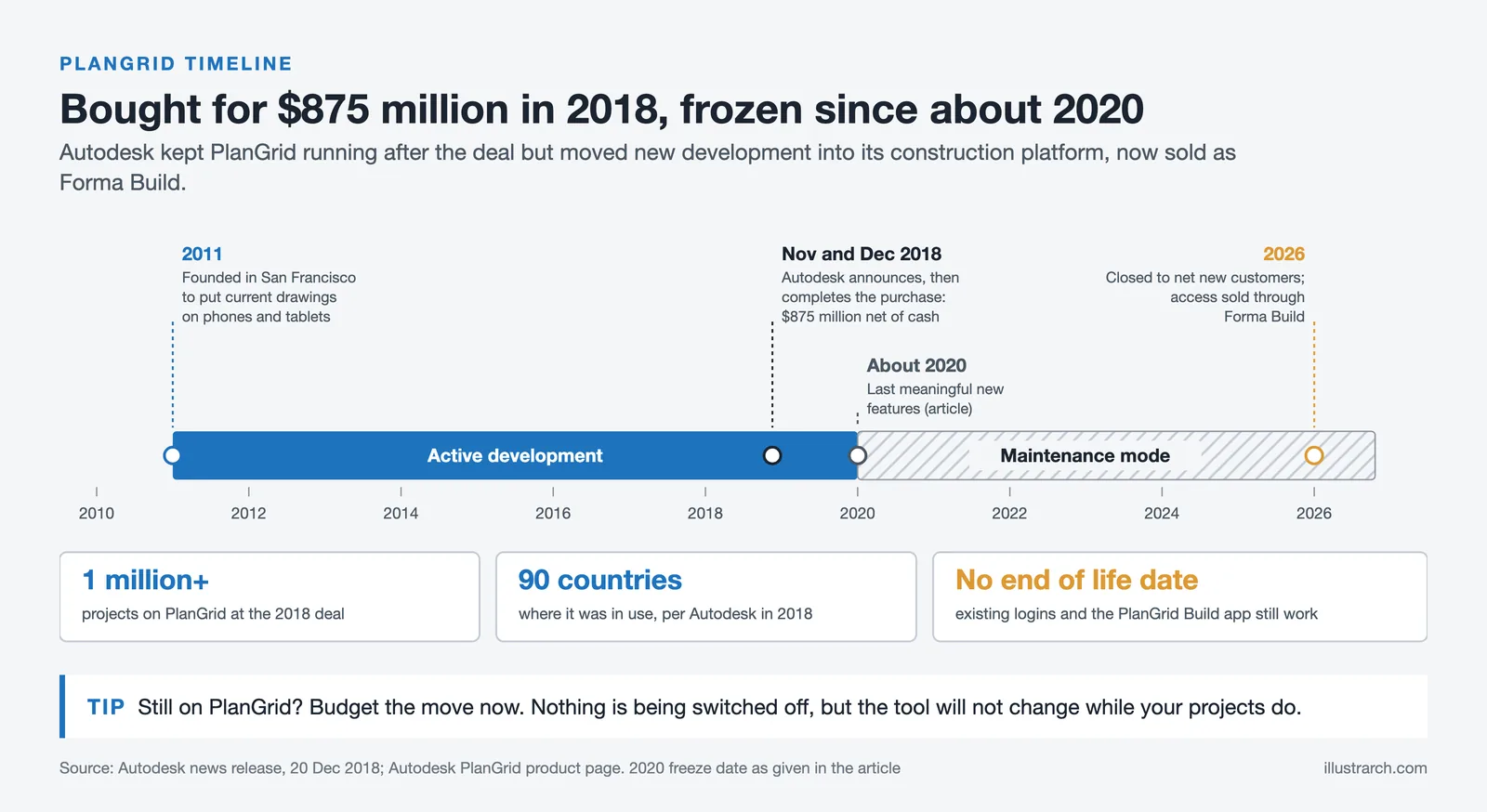
Here is the part older reviews miss. Autodesk bought PlanGrid in December 2018 and, within a couple of years, stopped active development. The app still runs, existing customers can still log in on web and through the PlanGrid Build mobile app, but it has not received meaningful new features since around 2020. This is maintenance mode: functional, but frozen. Autodesk now points new buyers to Forma Build, part of Autodesk Construction Cloud (branded Forma Build in some regions), which folds PlanGrid’s sheet and field tools into a larger project management platform. You can confirm the current status on the Autodesk PlanGrid page and on Autodesk’s list of retired and discontinued products.
🔢 Quick Numbers
- Autodesk acquired PlanGrid for $875 million in December 2018 (Autodesk, 2018)
- PlanGrid ran on more than 1 million construction projects in 90 countries before the transition (Autodesk)
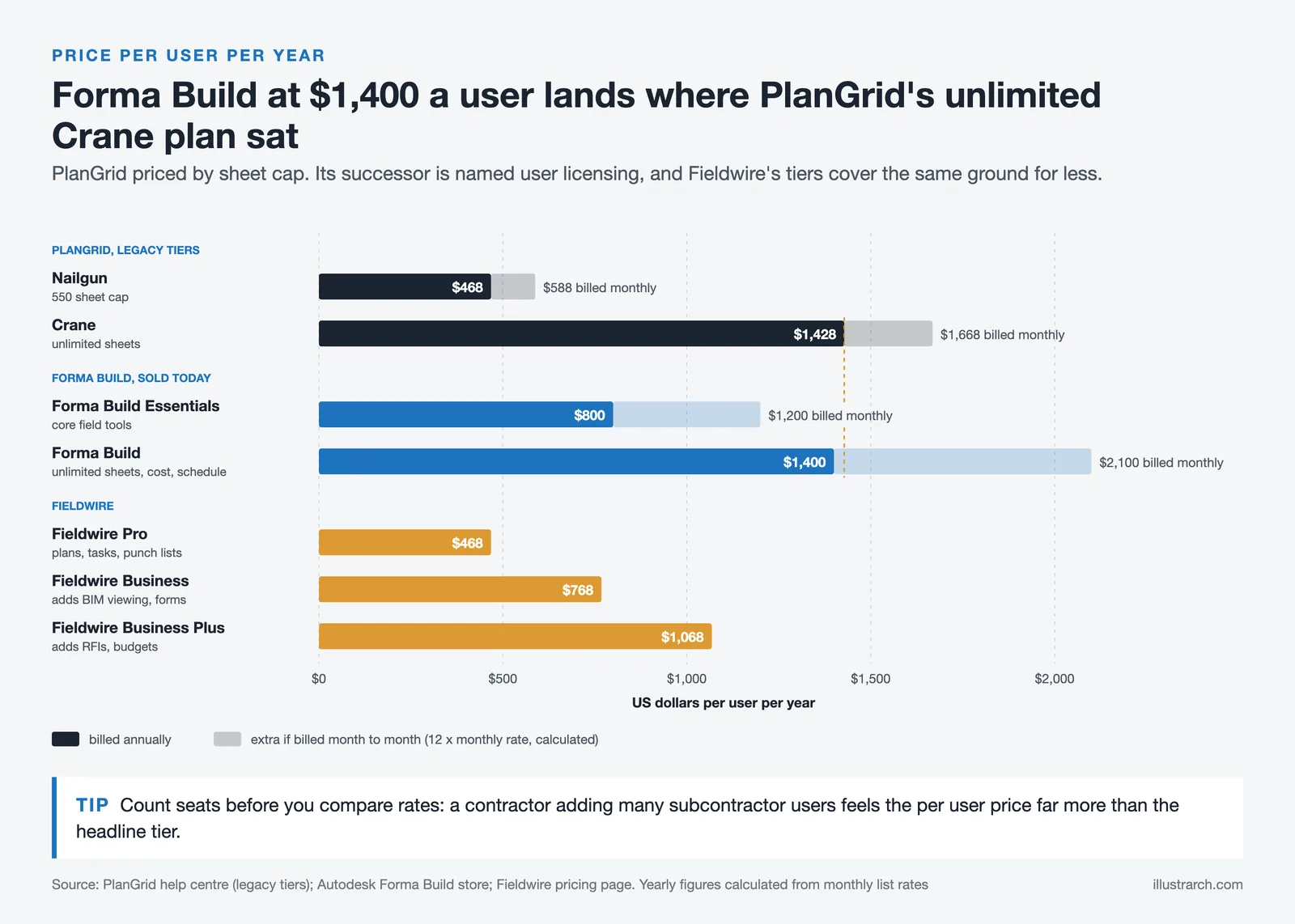
- Forma Build costs $1,400 per user per year, or $800 for Forma Build Essentials (Autodesk store, as of October 2026)
This matters for anyone standardizing a team on new software. PlanGrid is a stable, frozen product, not one that will keep pace with newer field apps. It is a situation Autodesk has repeated with other tools, including its conceptual design app, and the same pattern of a product entering maintenance mode and merging into Forma shows up in our FormIt alternatives guide.
PlanGrid Features That Still Hold Up
Frozen does not mean useless. The features that made PlanGrid popular still work well for straightforward field document management.
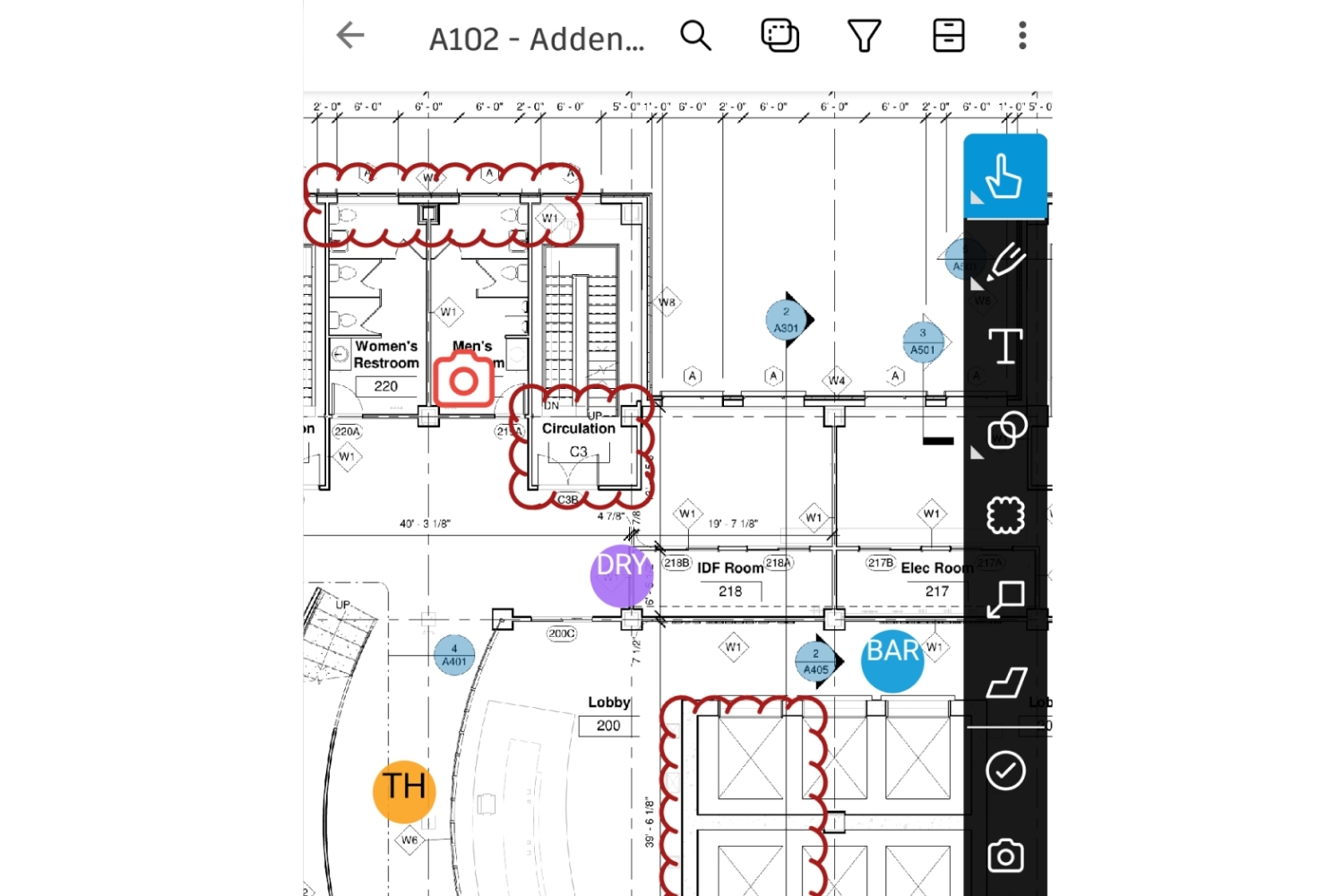
Sheet management is the core. You upload a drawing set, PlanGrid versions it automatically, and field crews always open the latest revision. Sheet Compare lets you overlay two versions to spot exactly what changed between issues. Markups, photos, and field reports attach directly to the relevant sheet, so a note about a wall detail lives on the wall detail, not buried in an email. Issue and punch list tracking assigns items to specific people with due dates, and RFIs move through a basic review flow. Offline access is a real strength, since jobsite connectivity is unreliable and the app keeps working without signal, then syncs when it reconnects. The drawings PlanGrid distributes are produced upstream in BIM authoring tools, and how those compare is a separate question we cover in our Revit vs Archicad breakdown.
💡 Pro Tip
Match your sheet numbering to the title block exactly before you publish a set. Teams that let the app pull sheet names from inconsistent title blocks end up with duplicate or out-of-order sheets, and field crews then open the wrong revision. Ten minutes of cleanup during upload saves hours of confusion on site.
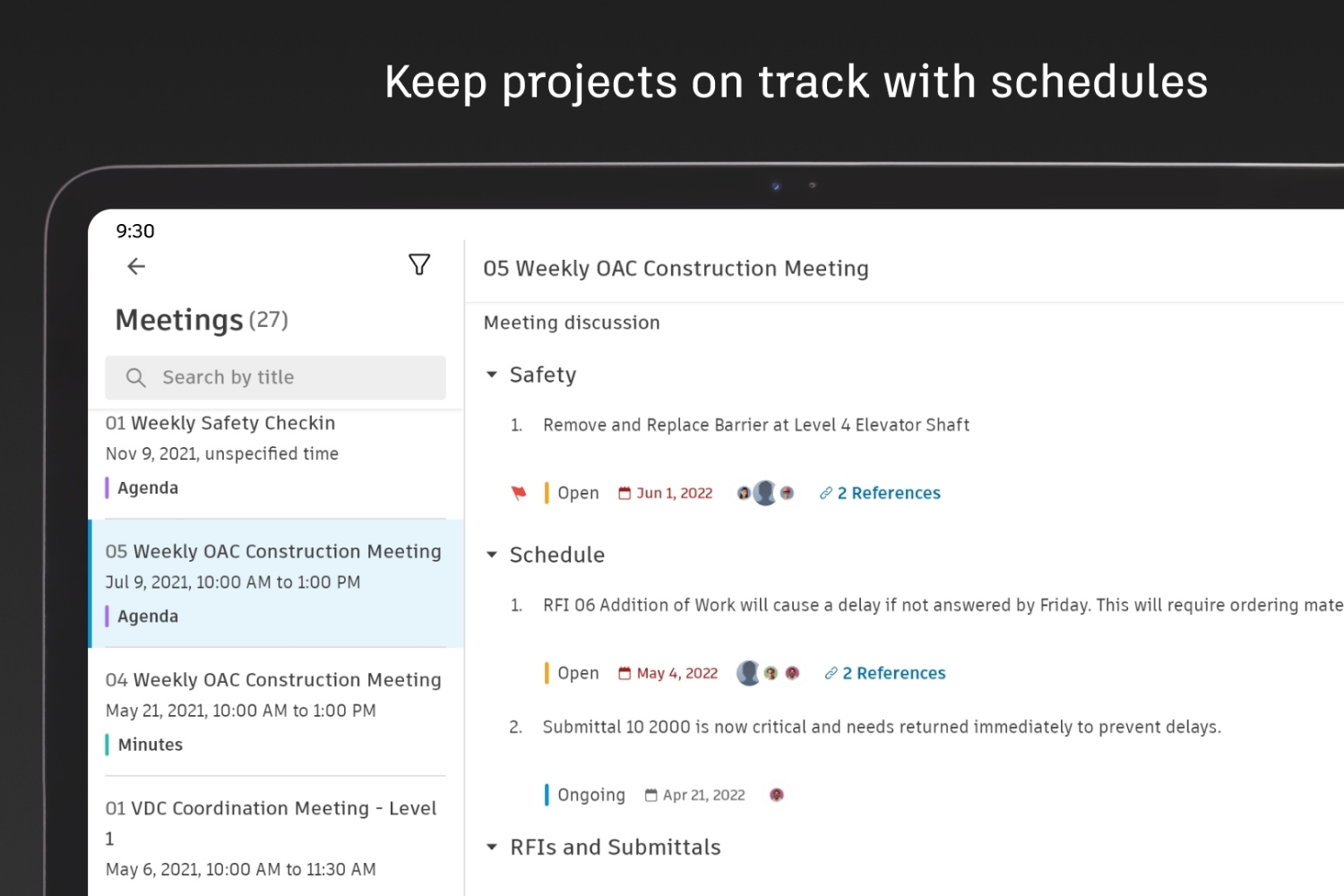
Where it shows its age is scope. Permission controls are thin, there is no built-in scheduling or cost tracking, and the RFI and submittal workflows are simpler than what a full platform offers. For pure field access to drawings, that narrowness is fine. For running a whole project, teams end up adding other tools.
PlanGrid Pricing: What It Costs in 2026
PlanGrid’s old standalone pricing was tiered by how many sheets you needed. The entry Nailgun plan ran about $39 per user per month billed annually, or $49 monthly, with a 550-sheet cap, and the top Crane plan reached roughly $119 to $139 per user per month for unlimited sheets (ITQlick, 2026). Those per-user, sheet-limited plans were a common complaint, since costs climbed fast for general contractors adding many subcontractors.
Because PlanGrid is closed to new customers, new buyers now purchase through Forma Build instead. Forma Build costs $1,400 per user per year ($175 billed monthly), and Forma Build Essentials $800 per year, as of October 2026, with enterprise and bundle quotes handled directly by Autodesk. That is a different pricing world from the old sheet-based tiers, and it reflects Build’s wider feature set rather than PlanGrid alone.
⚠️ Common Mistake to Avoid
Do not standardize a new team on PlanGrid in 2026 expecting it to keep improving. It will not, and new sign-ups route through Forma Build anyway. If your firm already runs on PlanGrid, plan and budget for an eventual move to Build or a competitor rather than waiting until support windows tighten.
Pricing figures are approximate and vary by region, plan, sheet limits, and Autodesk’s current packaging. Confirm current costs on Autodesk’s construction pages before budgeting.
PlanGrid to Forma Build: What Transfers and What Changes
Autodesk positions this as a product evolution rather than a shutdown, and on its own website the successor is named Forma Build, described as a combination of PlanGrid and BIM 360. Older coverage still calls it Autodesk Build, which was the earlier name for the same product.
| PlanGrid capability | In Forma Build | What actually changes |
|---|---|---|
| Sheet viewing and version control | Included in Forma Build | Core PlanGrid capability, carried over. Sheet compare and version history remain. |
| Markups and annotations | Included | Markup tools transferred with the product merge. |
| Punch lists and issues | Included, expanded | Issue management is broader in Forma Build than PlanGrid’s punch list was. |
| RFIs and submittals | Included | Was a paid tier feature in PlanGrid; standard in Forma Build. |
| Field reports and photos | Included | Daily logs and photo management carried over. |
| Offline mobile access | Included | The PlanGrid Build mobile app remains the field client. |
| Scheduling | New | Not in PlanGrid. Added through the BIM 360 side of the merge. |
| Budget and cost management | New | Not in PlanGrid at any tier. |
| Meetings and risk analysis | New | Autodesk lists both as reasons to move. |
| Sheet-count pricing tiers | Gone | PlanGrid priced by sheet cap. Forma Build is named-user licensing with no sheet limit. |
If You Already Run PlanGrid, What Should You Do?
This is the question most people arrive with, and the honest answer has three parts.
Nothing is being switched off tomorrow. Autodesk states that PlanGrid is no longer available to net-new customers, and it does not publish an end-of-life date for existing accounts. Logins through the web app and the PlanGrid Build mobile app continue to work.
The product is frozen, and that is the real cost. No new features, no new integrations, and no roadmap. A team that stays is choosing a tool that will not change while the projects around it do.
The decision is not automatically Forma Build. Autodesk offers a 30-day trial and the migration path is the smoothest, but moving off a frozen product is also the natural moment to reconsider the ecosystem entirely. A firm that chose PlanGrid because it was light and cheap may find Forma Build heavier and more expensive than it needs, in which case the alternatives below matter more than the official upgrade.
Budget before you plan the move. PlanGrid was sheet-capped per user; Forma Build is named-user licensing. For a general contractor adding many subcontractor seats, that change alters the total more than the headline rate suggests.
PlanGrid Pros and Cons
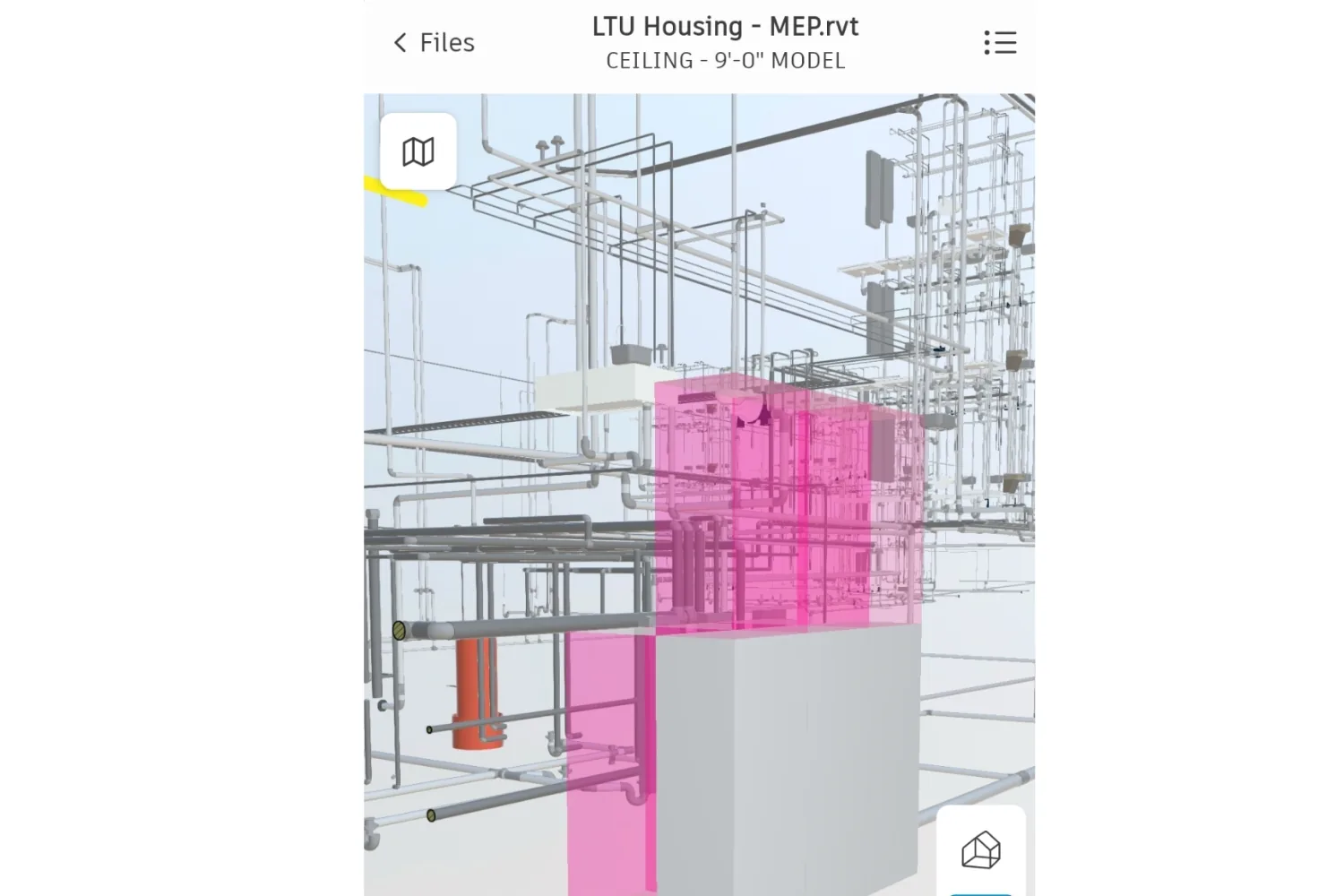
Years of user feedback point in a consistent direction. On the positive side, teams repeatedly call PlanGrid easy to adopt, with field crews picking it up quickly and often preferring it to heavier platforms. Cutting printing and reprographics down to almost nothing is a frequently cited win, and the mobile-first interface plus reliable offline mode earns steady praise on review sites like Capterra.
The recurring criticisms are just as clear: per-user, sheet-based pricing that gets expensive at scale, thin support for the office side of a project such as budgets, cost control, and scheduling, and simpler RFI and submittal handling than full project management suites. Add the maintenance-mode status, and the cons now carry more weight than they did a few years ago.
Best PlanGrid Alternatives to Consider
Whether you are replacing PlanGrid or deciding where to go from it, these are the options most teams weigh. The table below sums up who each one suits.
PlanGrid Alternatives Compared
| Tool | Best For | Starting Price | Notes |
|---|---|---|---|
| Forma Build | Existing Autodesk teams wanting the official successor | $800 to $1,400/user/year | Direct PlanGrid path, adds cost, scheduling, and submittals |
| Fieldwire | Small to mid field teams on a budget | Free plan, paid Pro tier | Task and plan focused, quick to roll out |
| Procore | Large general contractors running full projects | Custom quote | Full office and field suite, steeper setup |
| Bluebeam | Markup-heavy PDF and drawing review | Per-user subscription | Strong takeoff and markup, not a full field platform |
Forma Build is the natural landing spot if you are already in the Autodesk ecosystem and want PlanGrid’s sheet tools plus real project management. Fieldwire is the closest spiritual match to old PlanGrid, field-first and quick to adopt, with a free tier for small teams. Procore is the heavyweight for large contractors who want everything in one system and can absorb the cost and onboarding. Bluebeam is less a full replacement and more a specialist for drawing markup and takeoff. If your real gap is design-side software rather than field management, our Revit alternatives guide is a better starting point.
If You Are Leaving the Autodesk Ecosystem Entirely
Forma Build is the official path. These are the products teams compare against it when the answer is not “stay with Autodesk”.
| Tool | Entry price | Strongest at | Worth knowing |
|---|---|---|---|
| Fieldwire | Free tier, then $39/user/month billed annually | Plan viewing, tasks and punch lists on site | The closest to PlanGrid in feel and price. Free Basic tier covers plan viewing. |
| Procore | Quote only, priced on construction volume | Full project management across finance and field | Much larger scope than PlanGrid. Overkill if you only need sheets and markups. |
| Bluebeam | Per-seat subscription | Takeoff, markup and PDF-based workflows | Strongest markup tools of the group, not a full field platform. |
| Dalux | Free viewer, paid field modules | BIM on site, model-based field work | Better model handling than PlanGrid had. Strong in Europe. |
Fieldwire’s tiers run to $64 and $89 per user per month for its Business plans, which add BIM viewing, custom forms and then RFIs and budget management. Prices here are the published list rates at the time of writing and change regularly; check the vendor page before budgeting.
Wrapping Up
Bottom Line: PlanGrid is still a capable field app for viewing plans, marking up sheets, and tracking issues on site, and existing teams can keep using it comfortably. But it is a frozen product in 2026, closed to new customers and superseded by Forma Build, so anyone choosing field software now should look at Build, Fieldwire, or Procore first and treat PlanGrid as a known quantity to migrate away from rather than adopt fresh.
Architecture Students Hub
This guide is part of Software, Rendering and Gear, stage 4 of our student roadmap from the first diagram to the first internship. Next stage: Portfolio, CV and Internships, or browse every free tool and guide in the Architecture Students Hub.







Notion Alternatives for Architects: 7 Tools That Fit Studio Work
Notion works until a studio needs fee tracking, phase budgets and timesheets....
 Furkan Sen7 Mins read

Why Every Practice Ends Up With Five Versions of the Same Revit Family
Let’s learn why Revit family libraries accumulate duplicates, break schedules and slow...
 illustrarch Editoral Team5 Mins read

Visualizing Renovation Projects From Photographs: A Workflow for Existing-Building Work
Photo-based visualization turns a photograph of a building that already exists into...
illustrarch Editoral Team7 Mins read

Best Free CAD Blocks and Resources for Architects
A working guide to free CAD blocks for architects, covering ARCAT, CAD-Blocks.net,...
Furkan Sen7 Mins read


Leave a comment