






🎒 Architecture Student Survival Mega Guide | 3 Volumes, 345 Pages, Student OS Planner, 10 Shortcut Posters, 1,110 Term Glossary
Original price was: $24.00.$12.00Current price is: $12.00.
Three illustrated guide volumes (345 pages), a Student OS workbook and planner, shortcut posters for 10 programs and a 1,110 term illustrated glossary.
- Three survival guide volumes
- Student OS
- Software shortcuts for 10 programs
- Illustrated Architecture Glossary
Instant download link (Google Drive) after checkout.
Table of Contents Show
Architecture school asks you to design, model, draw, research, write, present and still look after yourself, usually all in the same week. The Architecture Student Survival Mega Guide puts the whole degree in one pack: three illustrated guide volumes on studio, thesis and career, a Student OS workbook and digital planner to run your semester, shortcut posters for the ten programs you will use most, and an illustrated glossary of the words you hear in briefs and crits.
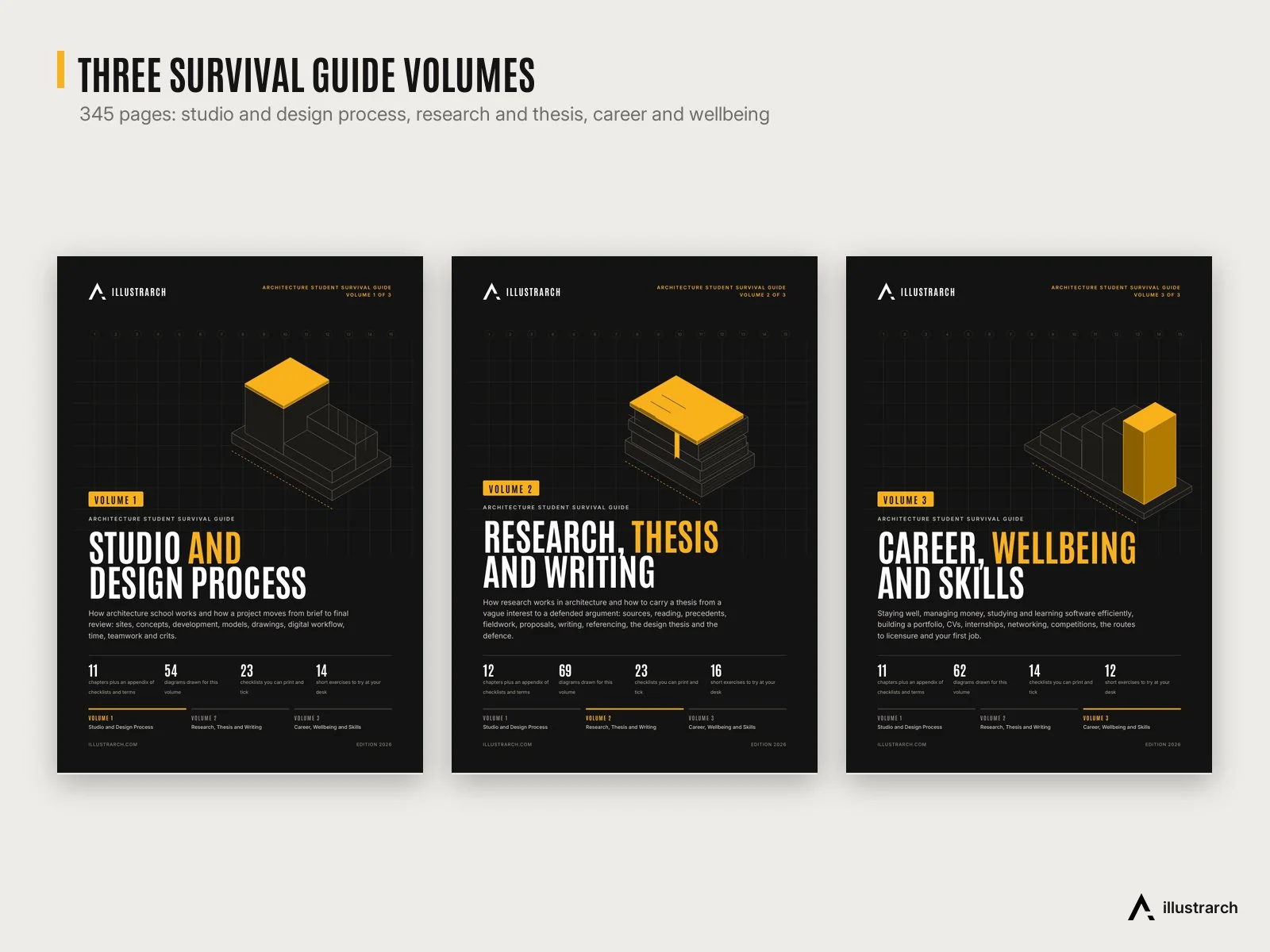
The volumes are practical: 34 chapters, 185 diagrams, 60 printable checklists and 42 short exercises, written in plain English for first year students and thesis students alike. The Start Here guide tells you which volume to read in which year and gives a master index of all three, so you can jump straight to models, referencing, the jury or your first internship when you need it.

📦 What’s inside
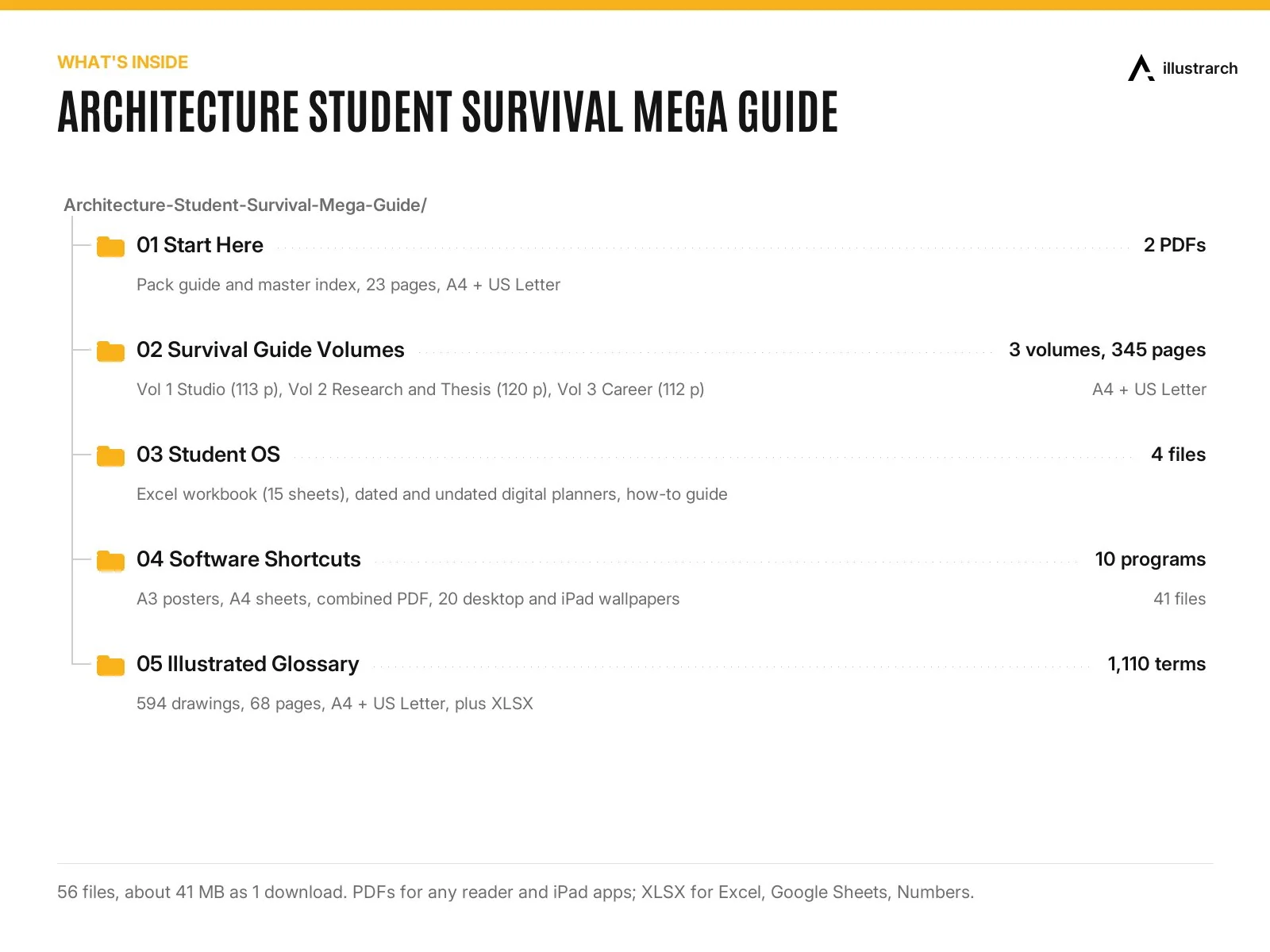
Three survival guide volumes (345 pages in total, A4 and US Letter PDFs):
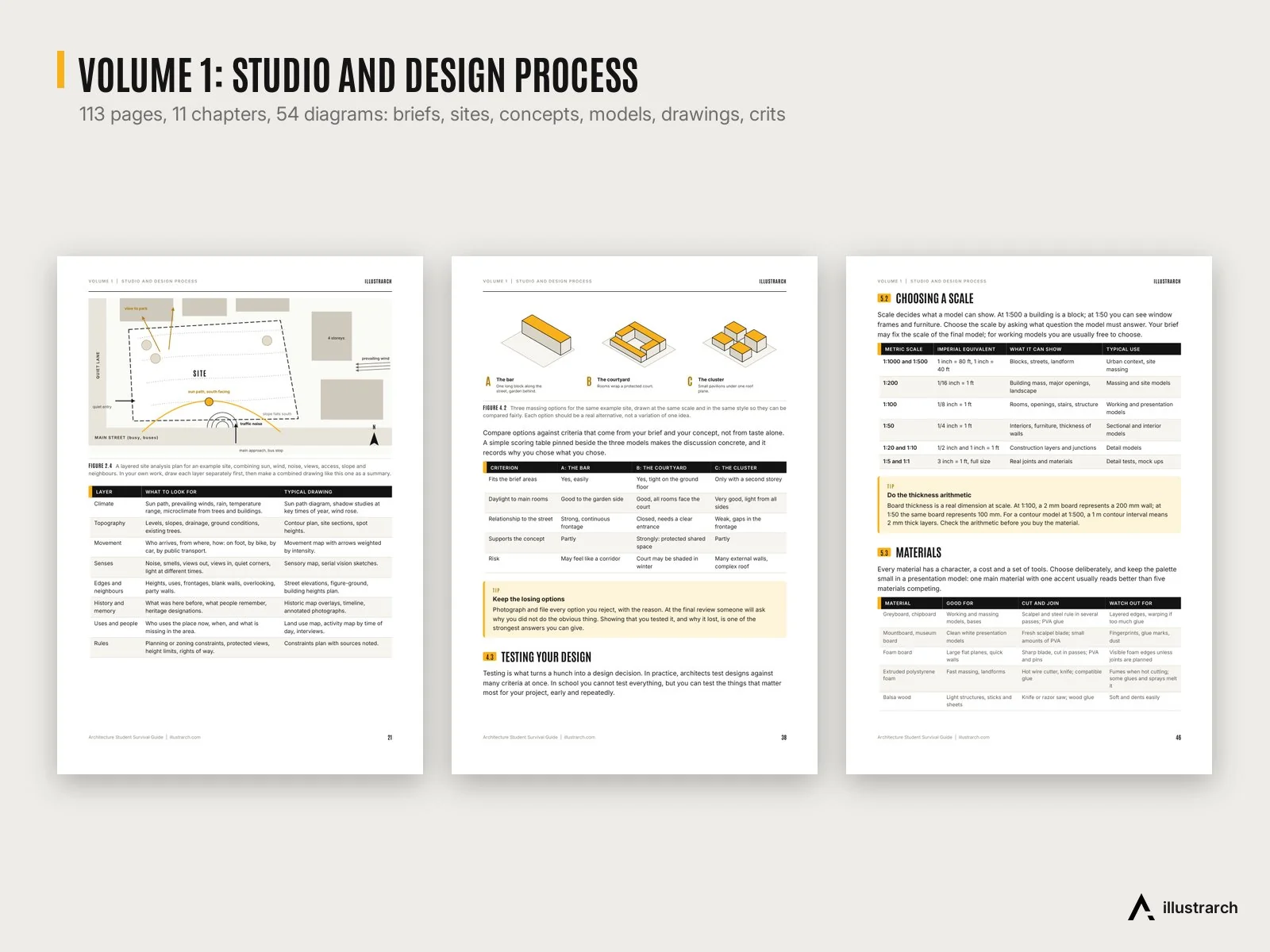
- Vol 1 Studio and Design Process (113 pages, 11 chapters, 54 diagrams): how architecture school works, reading a brief and a site, from research to concept, design development, models, drawing sets, digital workflow, time management, group projects and crits.
- Vol 2 Research, Thesis and Writing (120 pages, 12 chapters, 69 diagrams): sources, reading and notes, precedent study method, fieldwork, choosing a thesis question, proposals, academic writing, referencing (Harvard, APA, Chicago) and image credits, the design thesis and the defence.
- Vol 3 Career, Wellbeing and Skills (112 pages, 11 chapters, 62 diagrams): wellbeing, money for materials, printing and software, study skills, learning software, building a portfolio through the years, CV and cover letter, internships, networking, competitions, routes to licensure and your first job.

Student OS:
- Architecture Student OS workbook (Excel, 15 sheets): dashboard, semester planner, projects and deadlines with red, amber and green countdowns, jury countdown with a backward plan, weekly timetable, time log, model materials calculator, print budget, student budget, reading list, grade tracker, portfolio tracker and software licence reminders. It comes with fictional example rows so you can see the formulas working, and a 5 page how-to guide.
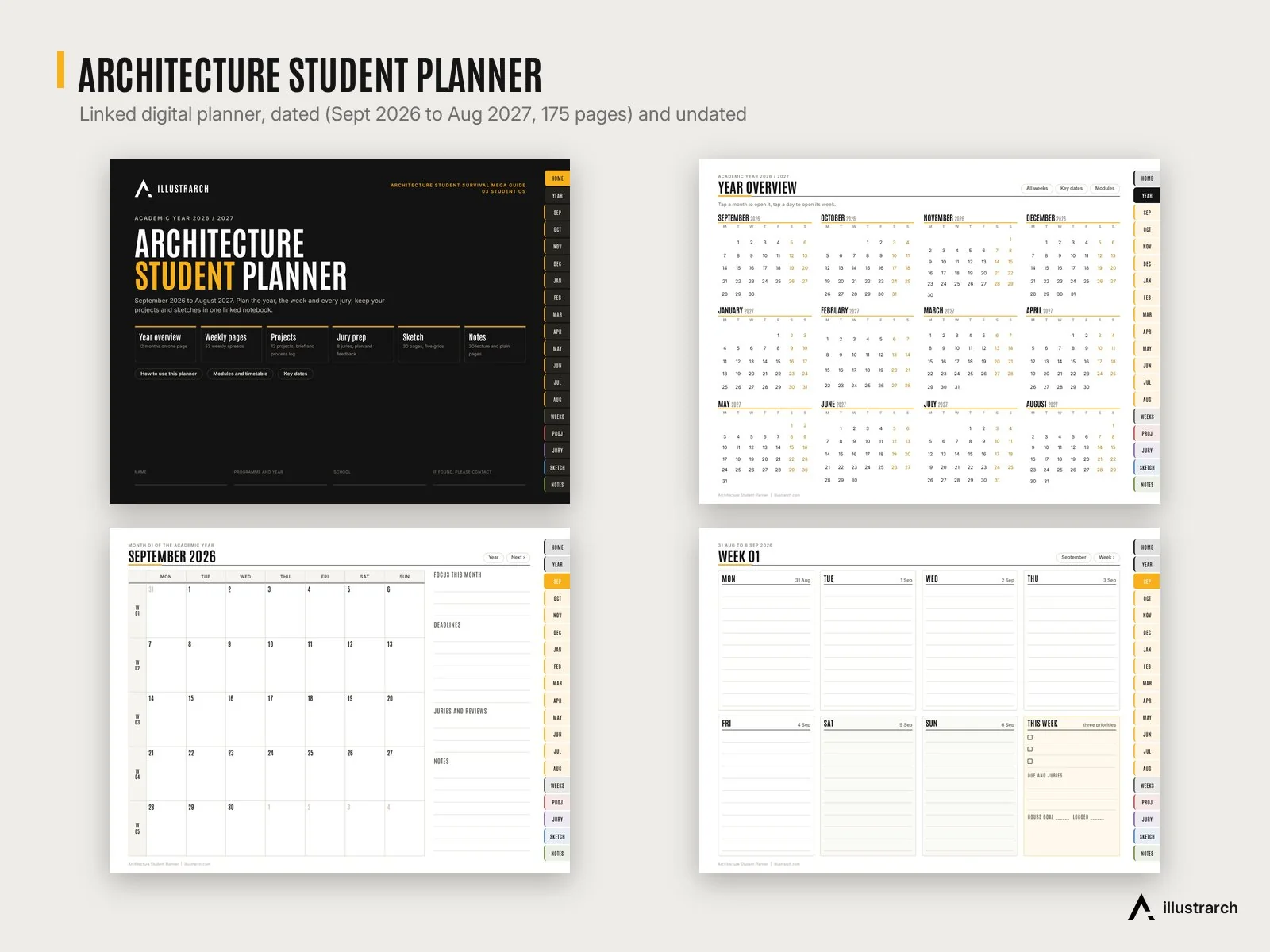
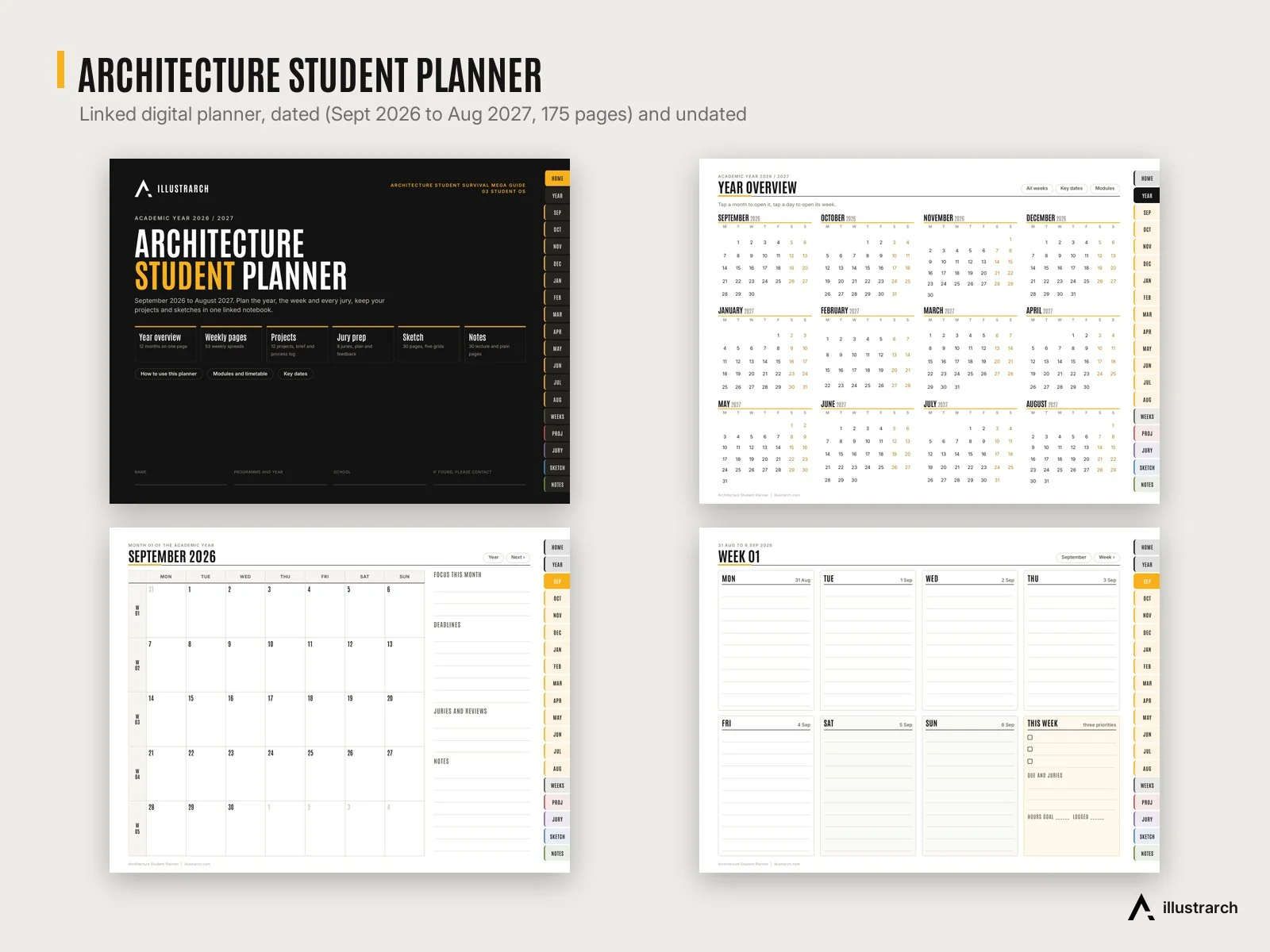
- Architecture Student Planner: a hyperlinked PDF planner for GoodNotes, Notability and other PDF annotation apps, dated for September 2026 to August 2027 (175 pages) and undated to start any month (174 pages), with year and month views, weekly spreads, 12 project logs, 8 jury plans, sketch pages and notes.
Software shortcuts for 10 programs: AutoCAD, Revit, Rhino 8, SketchUp, Blender, D5 Render, Lumion, Photoshop, Illustrator and InDesign. 767 default shortcuts in total, sourced from each program’s official documentation, with Windows and macOS keys where they differ. Each program comes as an A3 poster, a 2 page A4 sheet, a 4K desktop wallpaper and an iPad wallpaper, plus one combined PDF of all ten.

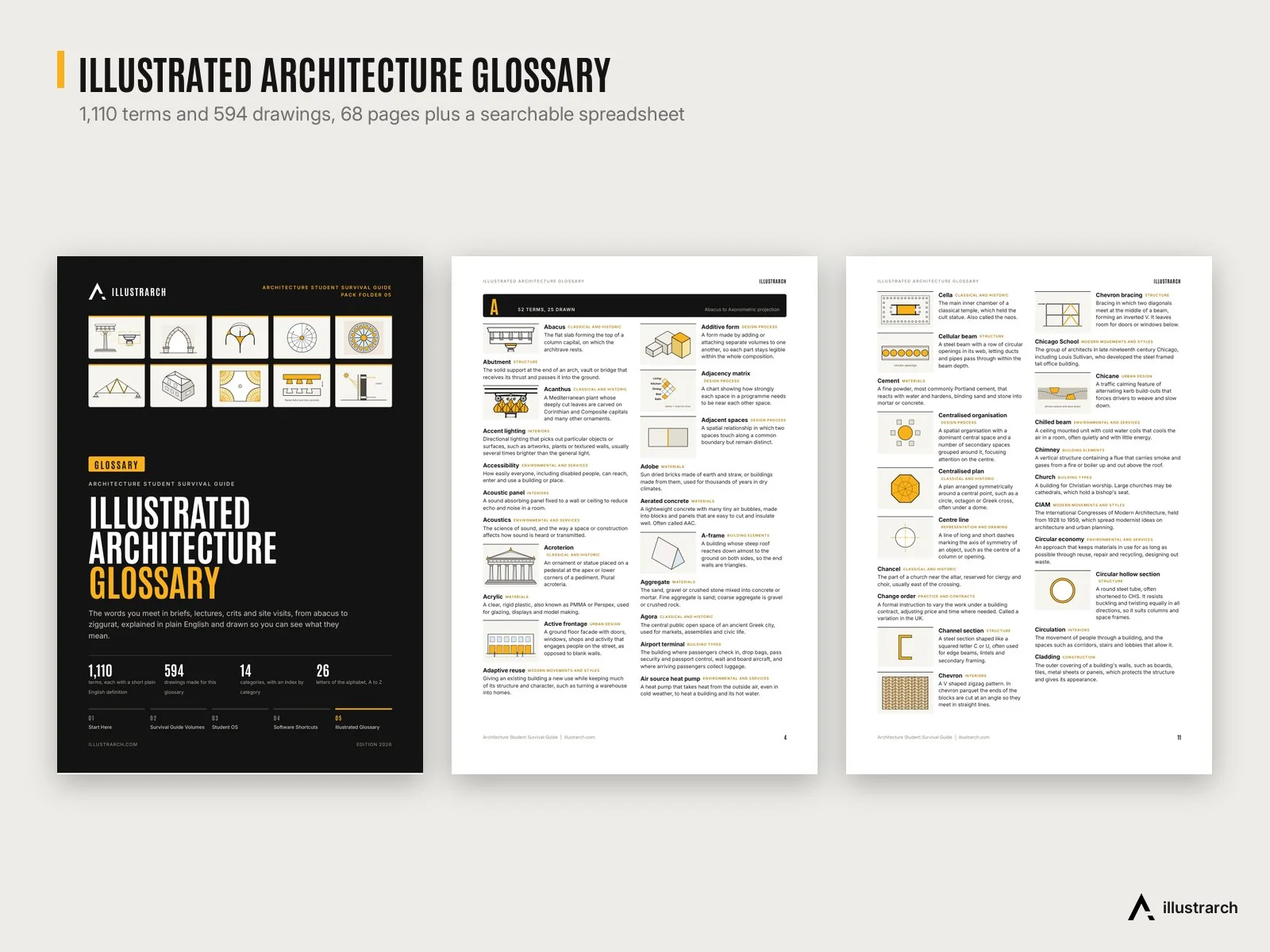
Illustrated Architecture Glossary (68 pages, A4 and US Letter): 1,110 terms from abacus to ziggurat in 14 categories, each with a short plain English definition, and 594 drawings made for the glossary. Also as an Excel file you can search and filter.
🧩 Formats and compatibility
- PDF guides, planner, posters and glossary: any PDF reader; the planner is made for PDF annotation apps such as GoodNotes and Notability on iPad.
- XLSX Student OS and glossary: Microsoft Excel, Google Sheets and Apple Numbers. The workbook uses standard functions only, no macros or add-ins; charts may look slightly different in each app.
- PNG wallpapers: 3840 x 2160 desktop and 2732 x 2048 iPad.
- Fonts: the PDFs have their fonts embedded. The Excel workbooks use Arial.
🎯 Who it is for
Architecture and interior design students from the first year to the thesis year, students starting an internship or a first job, and anyone who wants their semester, deadlines and juries planned in one place.
💡 Good to know
- Shortcuts are the default ones for the program versions named on each poster. Your version, keyboard layout or custom settings may differ.
- Licensure routes are described in general terms; check the current rules of your own country and professional body.
- Delivered as a download link (Google Drive), 1 file, about 41 MB. 56 files in total.
- Also part of the Ultimate Bundle: all 10 illustrarch mega packs in one purchase for $69.
Related products
🏛️ Precedent Analysis Sheets | 20 Landmark Buildings, 120 Diagrams, A3, Plus a Blank Template, Free
Original price was: $9.99.$0.00Current price is: $0.00.
📚 Mastering Midjourney Architecture | The Ultimate AI Prompt Handbook
Original price was: $9.99.$0.00Current price is: $0.00.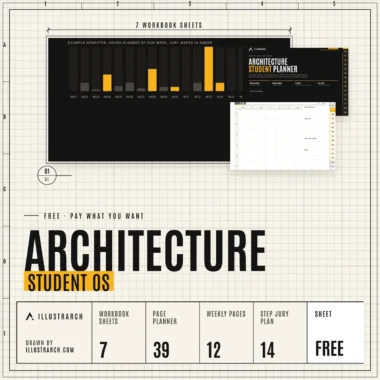
🗓️ Architecture Student OS | Semester Workbook and 39 Page Digital Planner, Free
Original price was: $9.99.$0.00Current price is: $0.00.


Reviews
There are no reviews yet.