

RoomScan Pro Review: How Accurate Is iPhone-Based Floor Plan Generation?
iPhone LiDAR can draw a scaled floor plan in under a minute, but how close are the numbers? This review measures RoomScan Pro's accuracy in real rooms, walks through its scan modes and export options, and compares it with Magicplan and Polycam.
 Sinan Ozen21 August 20265 Mins read261
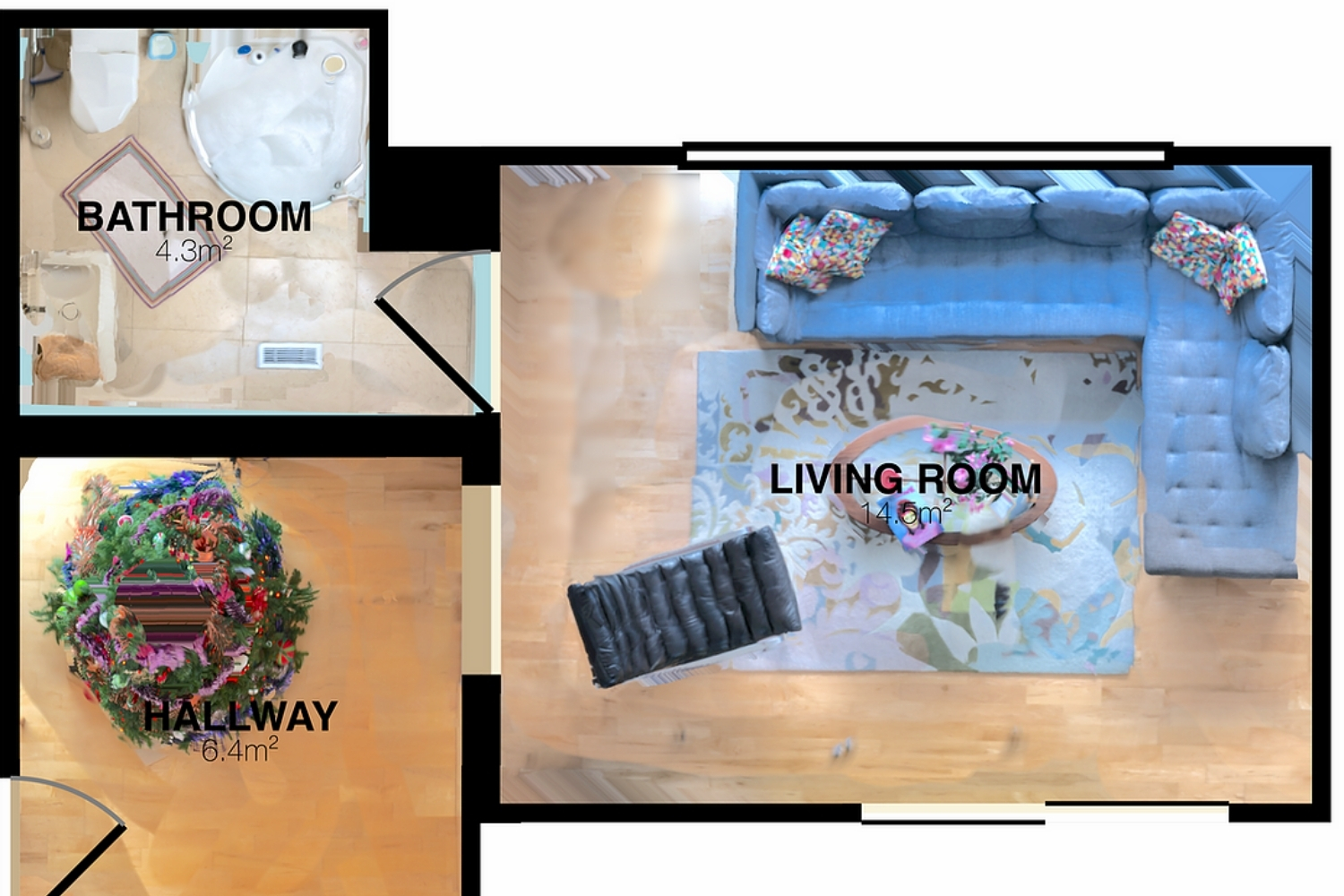
Table of Contents Show
This RoomScan Pro review finds that iPhone-based floor plan generation is accurate to roughly one to three centimeters, about an inch, in normal interior spaces. That level suits site surveys, remodel scopes, and client sketches, but not permit-grade drawings. Accuracy depends on scan mode, lighting, and how cluttered the room is.
Phone-based measurement has come a long way since apps first tried to map rooms with a camera alone. RoomScan Pro, built by Locometric, now leans on the LiDAR scanner in recent iPhones to turn a walk around a room into a scaled plan in under a minute. The question this review answers is simple: can you trust the numbers it produces?
What Is RoomScan Pro and How Does It Work?
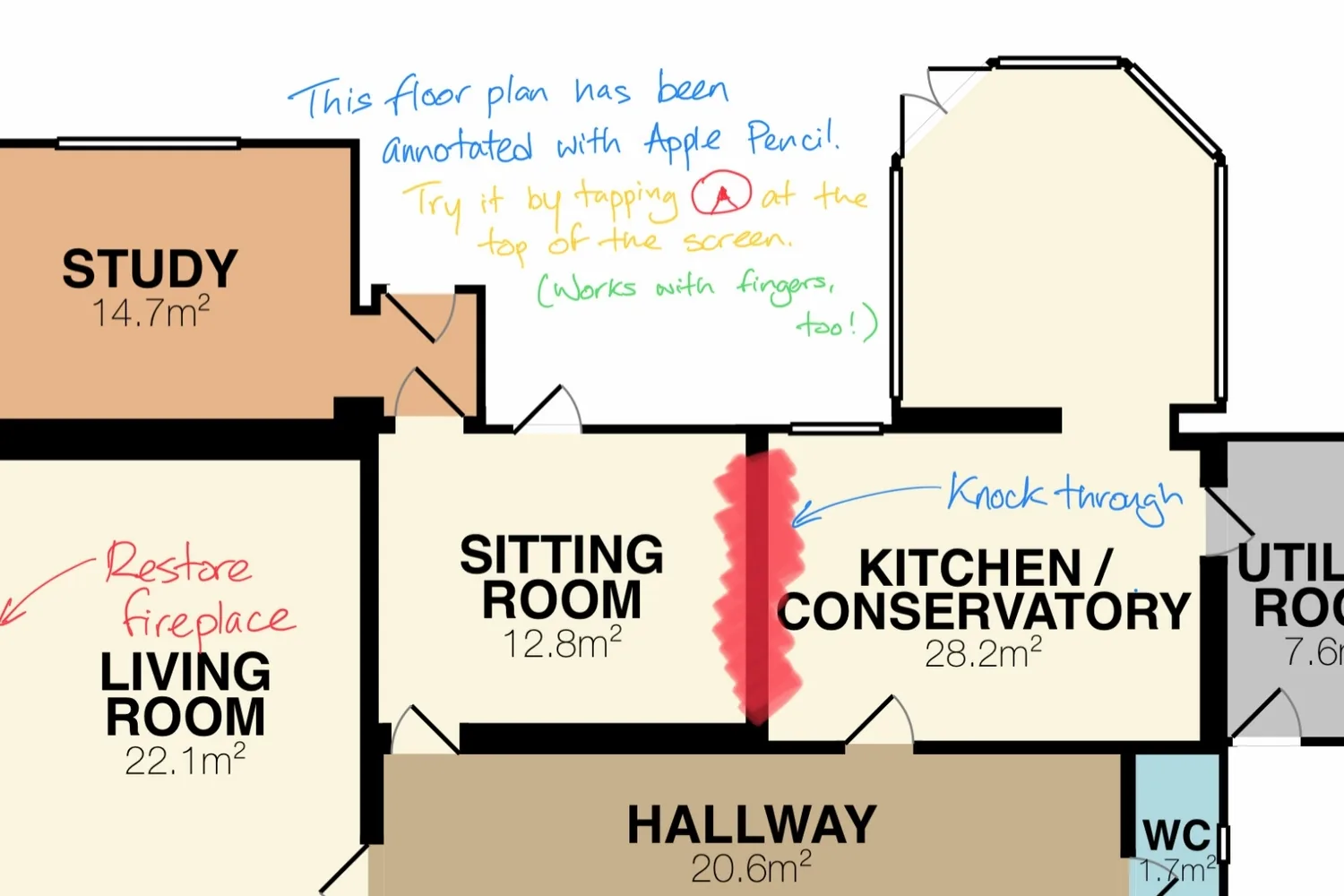
RoomScan Pro is a floor plan scanner app for iPhone and iPad that measures a space and draws a scaled 2D plan and a 3D model from it. It gives you three ways to capture a room. RoomScan Brick Mode uses the LiDAR scanner and is the fastest, most accurate option on Pro devices. Apple RoomPlan, built into the app, walks you through a room and labels walls, doors, windows and furniture automatically. Touch Mode, the original method carried over from the older RoomScan, works on any device and even in the dark by tapping the phone against each wall.
Locometric has been building floor plan tools since 2012, and more than two million people have made a plan with RoomScan since then. The app also connects to Bosch and Leica Bluetooth laser measures when you want to pin down a tricky dimension by hand. For a wider look at what runs well on Apple hardware, see our roundup of the best free architecture apps for iPad.
💡 Pro Tip
When scanning with Brick Mode, keep the phone one to two meters from each wall and move slowly so the LiDAR locks the full wall-to-floor line. Standing too close or rushing is the usual cause of a skewed wall, and a quick second pass over the section the app misread almost always fixes it.
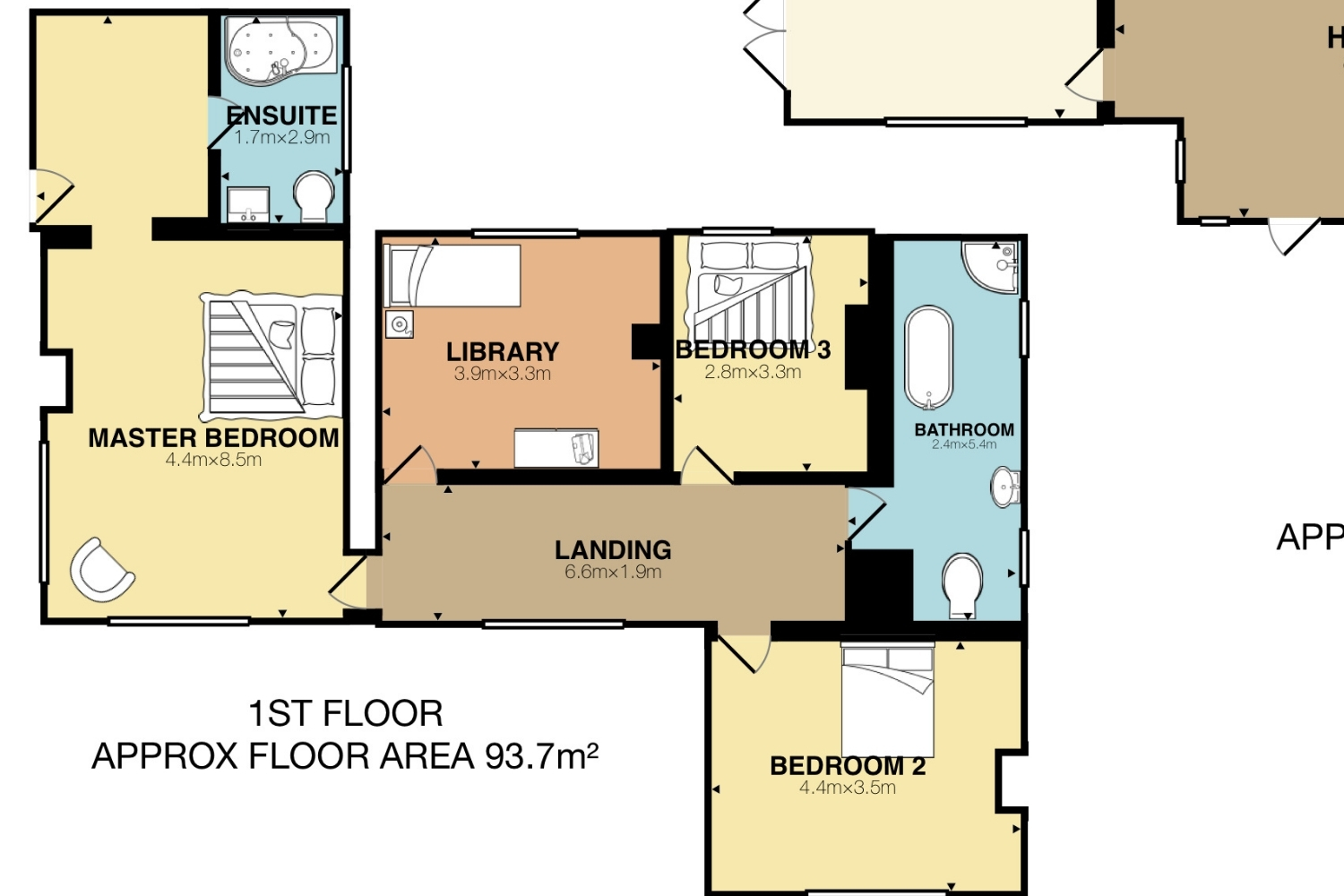
How Accurate Is RoomScan Pro?
In normal rooms, RoomScan Pro is accurate to within about an inch, roughly one to three centimeters, which is the practical ceiling for any iPhone-class LiDAR scan. That is close enough for material takeoffs, remodel scoping, and as-built sketches, and it holds up well when you need floor area or wall lengths quickly.
The accuracy comes from Apple’s LiDAR scanner combined with the RoomPlan framework, which uses machine learning to classify what it sees. Apple’s own research reports that RoomPlan detects walls, openings and furniture with around 91 percent precision and 90 percent recall across sixteen object categories, with beds, sinks and bathtubs recognized more reliably than chairs, which get confused in crowded layouts.
Two things push the numbers off. Glossy surfaces, mirrors and floor-to-ceiling glass scatter the laser, and anything past roughly five meters starts to drift. Heavily furnished rooms are the other weak spot, though this is where RoomScan has an edge over camera-only apps, since Brick Mode maps the wall face itself rather than needing a clean floor-to-wall line. If you are weighing automated tools more broadly, our look at AI floor plan generators covers where software drafts plans from scratch rather than scanning them.
📐 Technical Note
iPhone LiDAR floor plans are sketch-grade. Apple’s LiDAR scanner works in a 0.5 to 5 meter range, and the RoomPlan framework outputs parametric walls and openings within a few centimeters. That is documentation and scoping accuracy, not the sub-centimeter dimensional control a permit set or fabrication drawing requires.
Export Formats and Workflow Fit
A scan is only useful if it lands in the tools you already use. RoomScan Pro exports to PDF and PNG for quick sharing, DXF for CAD, and IFC for BIM work in Autodesk and SketchUp. For insurance and restoration teams, it writes Xactimate ESX and Symbility files, and it can push a unified point cloud in PLY, OBJ or XYZ for 3D work. It also measures ceiling height, wall areas and basic heat-loss figures, which contractors use for rough energy math.
That range is what separates a floor plan scanner app you can build a workflow on from a novelty. You can capture a house on site, then open clean linework in Revit or ArchiCAD without redrawing it by hand. Our guide to the best apps for architectural plan drawing puts that hand-off in the context of a full drafting workflow.
🔢 Quick Numbers
- Over two million floor plans created with RoomScan since it launched in 2012 (Locometric)
- About 91 percent precision and 90 percent recall detecting walls, openings and furniture across sixteen categories (Apple Machine Learning Research)
- iPhone LiDAR is typically accurate to within about an inch on standard interior surfaces at 0.5 to 5 meters (Manifold, 2026)
- Typical capture times of 30 to 60 seconds per room with an iPhone LiDAR app, far quicker than measuring by tape and notepad (Manifold, 2026)
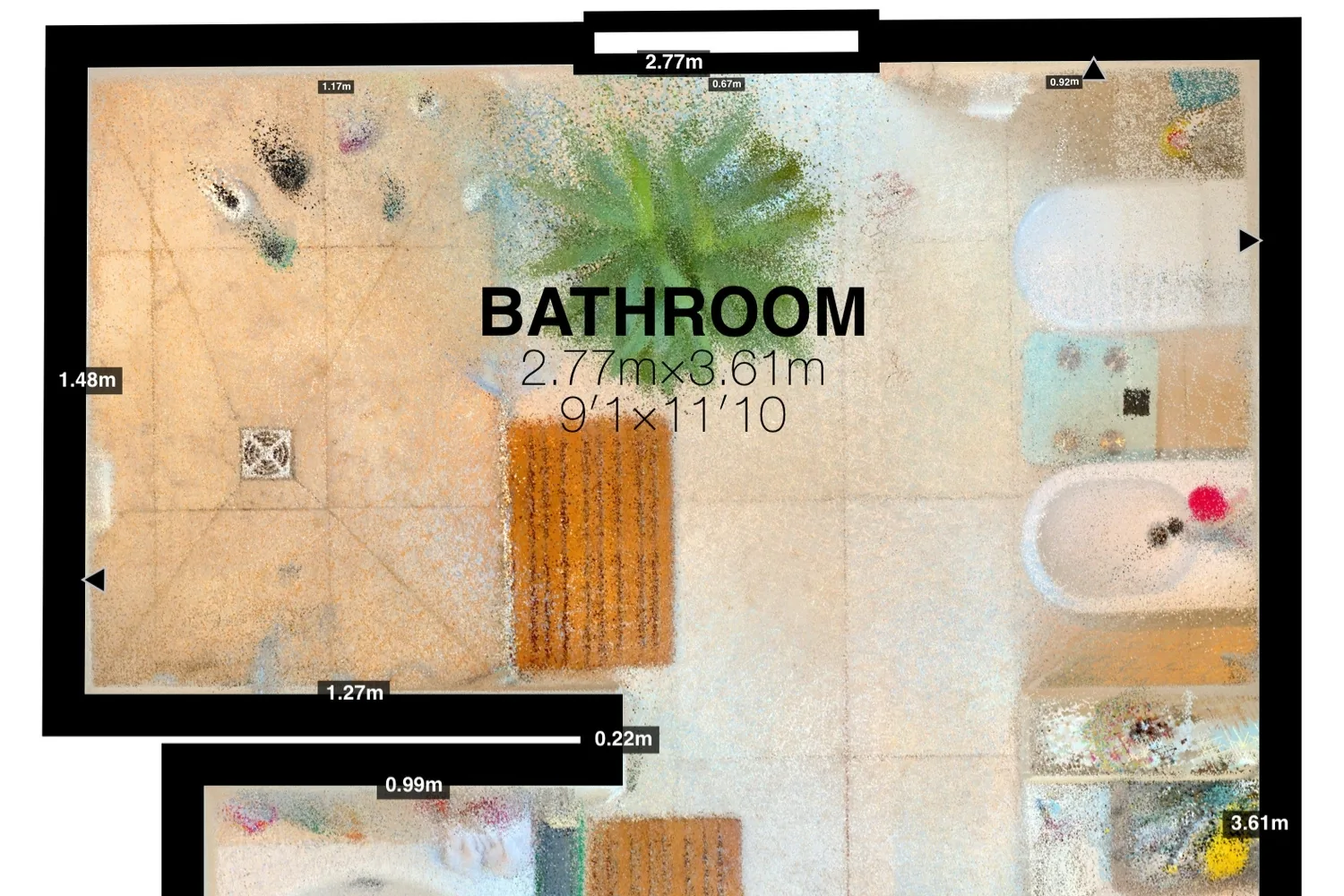
RoomScan Pro vs Other Floor Plan Apps for iPhone
No single floor plan app for iPhone wins every job, so it helps to see where RoomScan Pro sits next to the two apps people compare it with most: Magicplan and Polycam.
Comparison of RoomScan Pro vs Magicplan vs Polycam
The table below summarizes how the three stack up across the factors that matter on site:
| Feature | RoomScan Pro | Magicplan | Polycam |
|---|---|---|---|
| Scan method | LiDAR, RoomPlan, touch, or manual | AR camera plus LiDAR (iOS) | LiDAR plus photogrammetry |
| Cluttered rooms | Strong, maps the wall face | Weaker, needs the floor line | Moderate |
| Built-in estimating | No | Yes | No |
| CAD and BIM export | DXF, IFC, and more | DXF | OBJ, DXF, and more |
| Best for | Surveyors, real estate, field measures | Contractors, adjusters, restoration | 3D capture, renovation surveys |
| Pricing model | Subscription with free trial | Per project | Freemium plus subscription |
RoomScan Pro’s advantage is speed on messy sites and a wide export list. Magicplan pulls ahead if you need cost estimates and Xactimate baked in, and Polycam is the better pick when you want a detailed 3D mesh rather than a clean 2D plan. For a closer read on the first alternative, our full Magicplan review breaks down its AR accuracy and pricing, and you can see how these fit alongside sketching and modeling tools in our list of the best mobile apps for architects.
On cost, the app unlocks through an auto-renewable subscription. Roomio’s 2026 floor plan app pricing guide puts RoomScan Pro’s LiDAR plan at about 9.99 dollars a month, with a free trial, though the subscription has to stay active to keep exporting PDF, DXF and IFC files. As of mid-2026 it holds a rating near 4.3 out of 5 on the App Store, where fast, accurate scans draw praise and occasional crashes and the paywall draw the loudest complaints.
⚠️ Common Mistake to Avoid
Treating the raw scan as a finished drawing. RoomScan captures fast, but an exported plan should be checked against one known dimension, a door width or a tape-measured wall, before it reaches a client or goes into CAD. Skipping that single verification is where most dimension errors slip through unnoticed.
What This Means for Your Next Project
If you scan rooms regularly and your work stops at sketch-grade accuracy, RoomScan Pro earns its place on the home screen. It is quick, it handles cluttered sites better than most, and it exports into the formats architects and contractors actually use. If you need permit-ready dimensions, treat its output as a fast first pass and verify the measurements that carry real cost by hand. Designers who like to sketch over a scan on site may also want to see how LiDAR capture pairs with drawing tools in our Morpholio Trace review. Across this RoomScan Pro review, the pattern is consistent: it is built for speed and coverage, not for the last millimeter.
Pricing figures are approximate and vary by region and subscription term. Scan accuracy depends on device, lighting, and room conditions, so verify critical dimensions before construction or permitting.
Bottom Line: RoomScan Pro is one of the fastest ways to turn a real room into a scaled plan on an iPhone, and for surveys, remodels and as-builts it is accurate enough to trust. Just confirm the measurements that carry real cost before they leave your hands.





Notion Alternatives for Architects: 7 Tools That Fit Studio Work
Notion works until a studio needs fee tracking, phase budgets and timesheets....
 Furkan Sen7 Mins read

Why Every Practice Ends Up With Five Versions of the Same Revit Family
Let’s learn why Revit family libraries accumulate duplicates, break schedules and slow...
 illustrarch Editoral Team5 Mins read

Visualizing Renovation Projects From Photographs: A Workflow for Existing-Building Work
Photo-based visualization turns a photograph of a building that already exists into...
illustrarch Editoral Team7 Mins read

Best Free CAD Blocks and Resources for Architects
A working guide to free CAD blocks for architects, covering ARCAT, CAD-Blocks.net,...
Furkan Sen7 Mins read


Leave a comment