

Morpholio Trace Review: Is It the Best Sketching App for Architects?
Morpholio Trace is an iPad app built by architects that merges hand sketching with CAD precision. This review covers its core tools, the free, Plus, and Pro pricing tiers, the best iPad to run it, and how it compares to Procreate and Concepts.
 Sinan Ozen5 July 20266 Mins read196
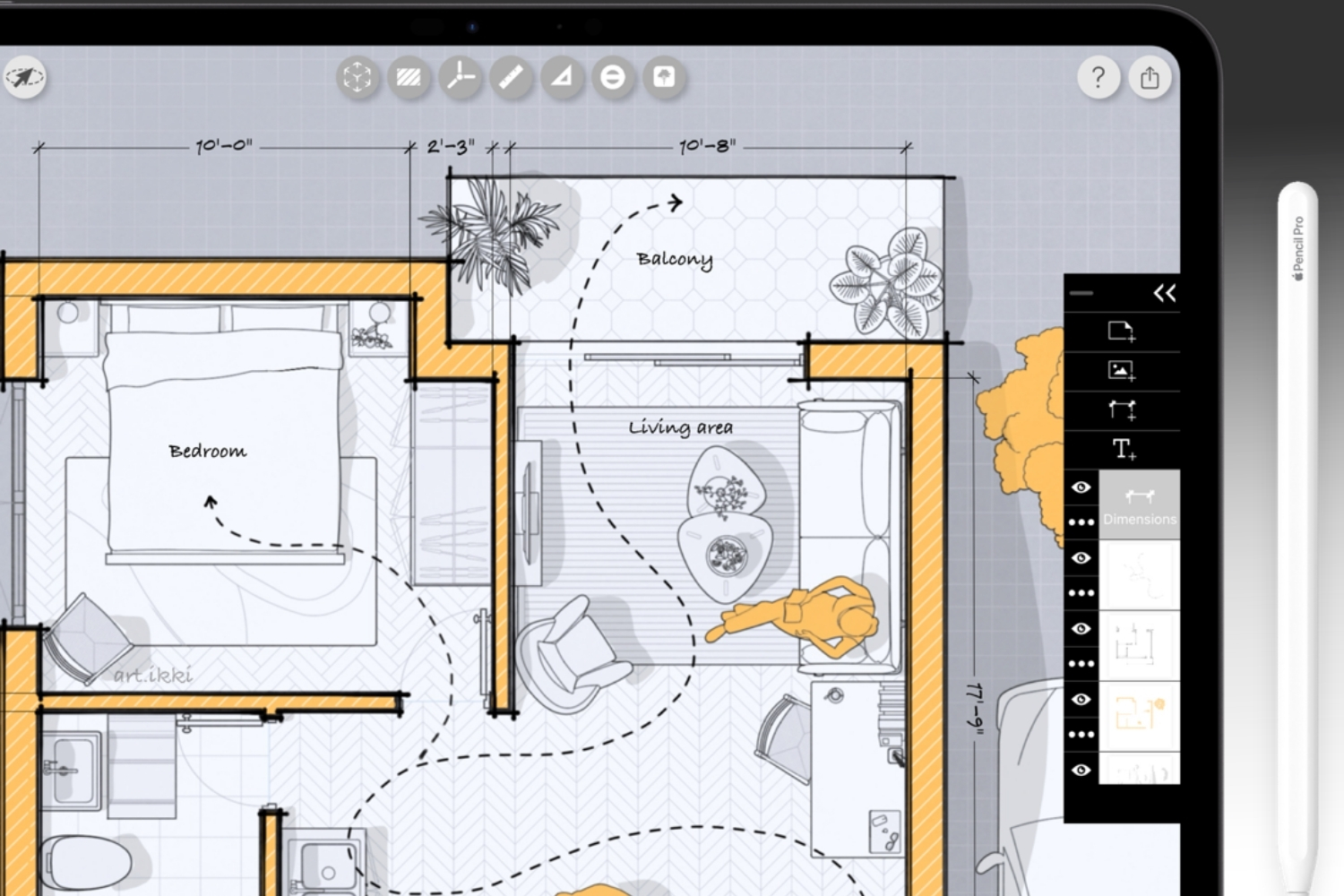
Table of Contents Show
Morpholio Trace is an iPad and iPhone app that works like digital tracing paper, letting architects sketch over photos, scans, and 3D models in layers. It pairs the speed of hand drawing with scaled plans, PDF markups, and CAD export, which makes it one of the strongest sketching apps built specifically for design work.
Architects have sketched ideas on tracing paper for generations. Morpholio Trace brings that habit onto the iPad, then adds tools that paper never had: instant scale, area calculations, LiDAR room scans, and one-tap export to AutoCAD or Revit. The question this review answers is simple. Does it deserve a place in your daily workflow, or is it just another drawing app with a design label?
What Is Morpholio Trace?
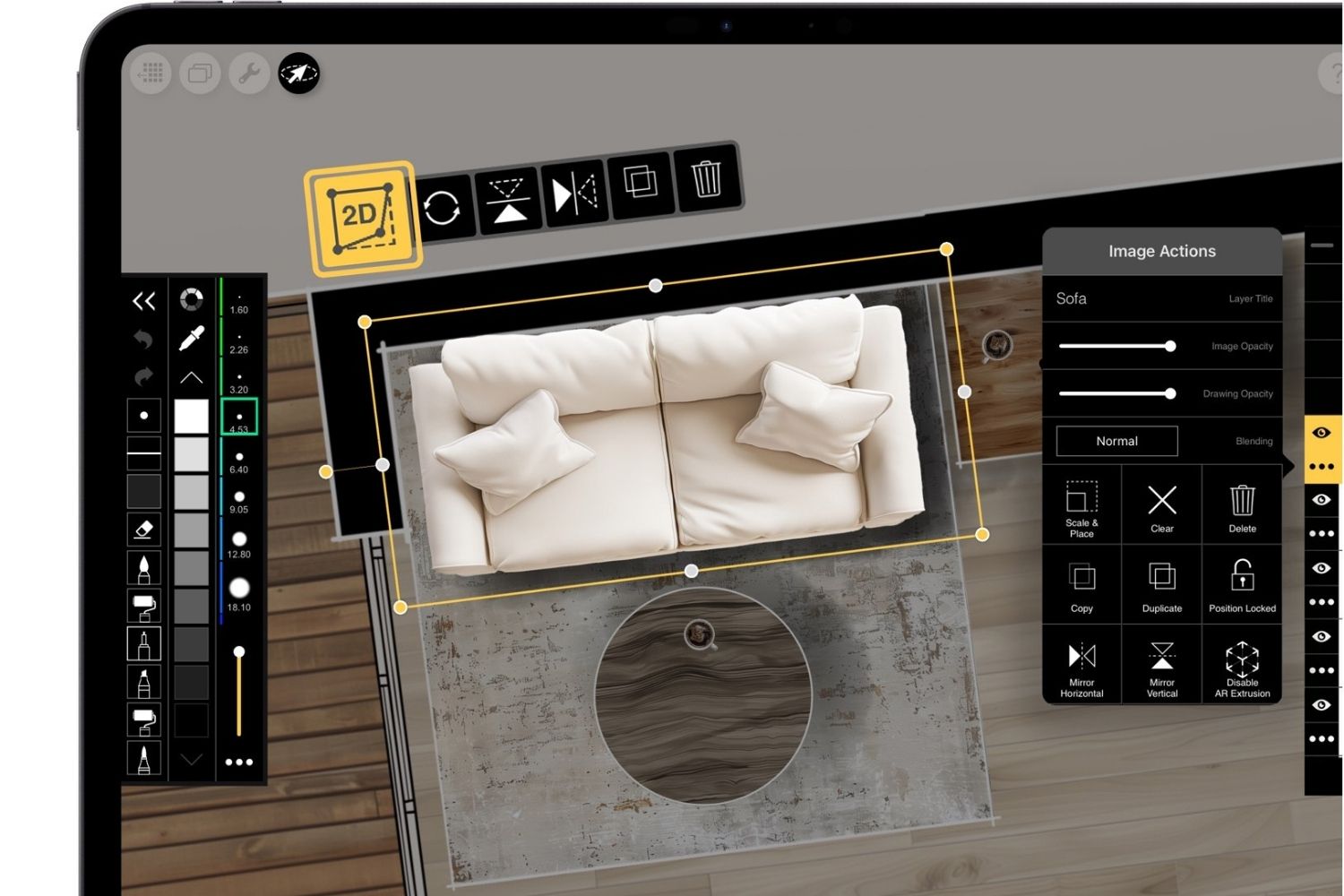
Morpholio Trace is a sketching and drafting app for iPad and iPhone, made by the New York studio Morpholio. It first launched in 2012 and was built by architects for design work rather than general illustration. The core idea is digital tracing paper: you import a photo, a CAD plan, or a 3D view, then draw on top of it in layers.
What separates it from a generic art app is intent. Every tool, from scaled rulers to perspective guides, is aimed at architects, landscape designers, and interior designers. Practices such as Zaha Hadid Architects, SO-IL, and Rogers Stirk Harbour + Partners have shared how drawing fits their process through Morpholio’s own feature series. For a wider view of where it sits among other tools, see our roundup of the best architecture apps for iPad. The official Morpholio Trace site and the ArchDaily app guide both cover its origins in more detail.
Key Features That Set Morpholio Trace Apart
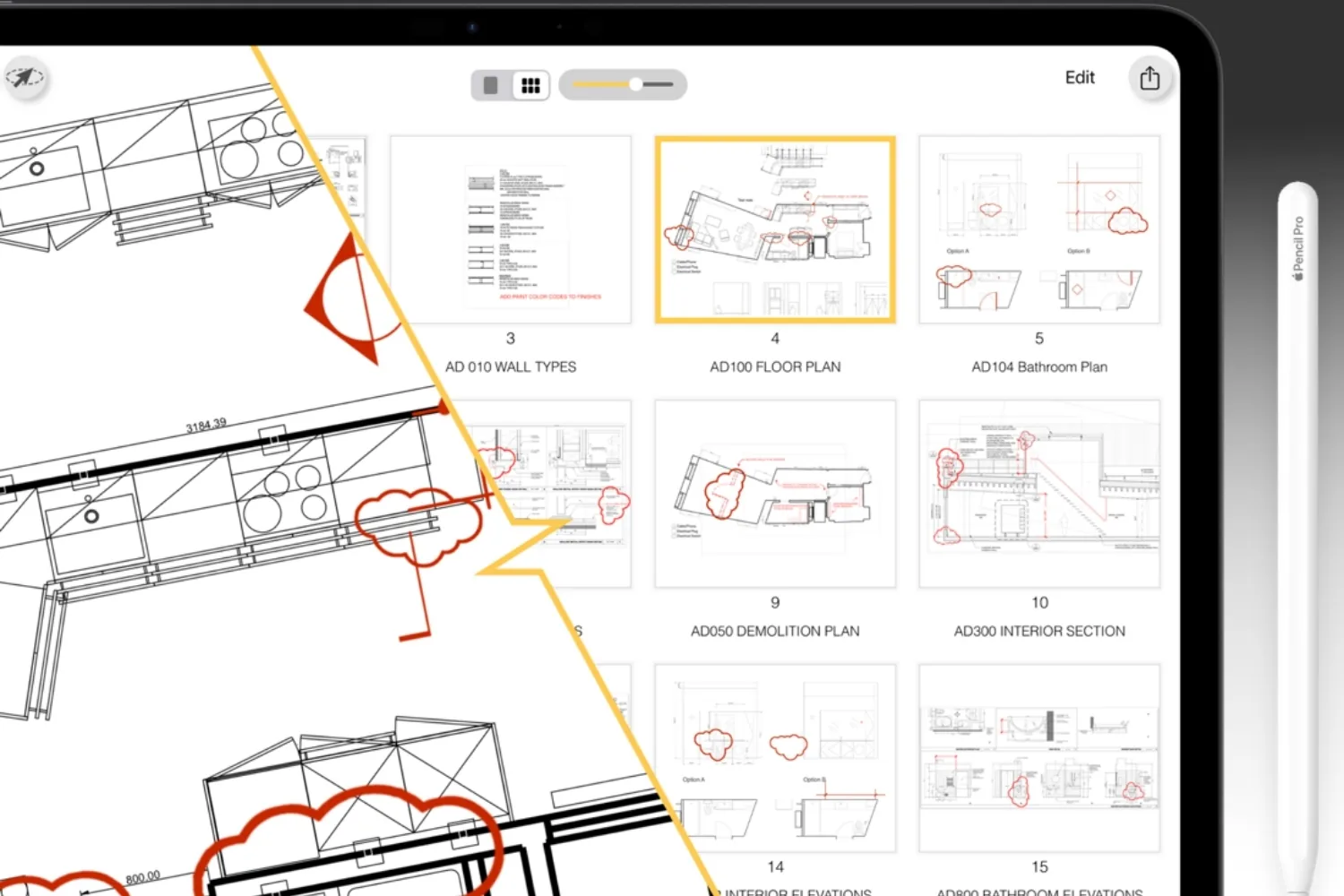
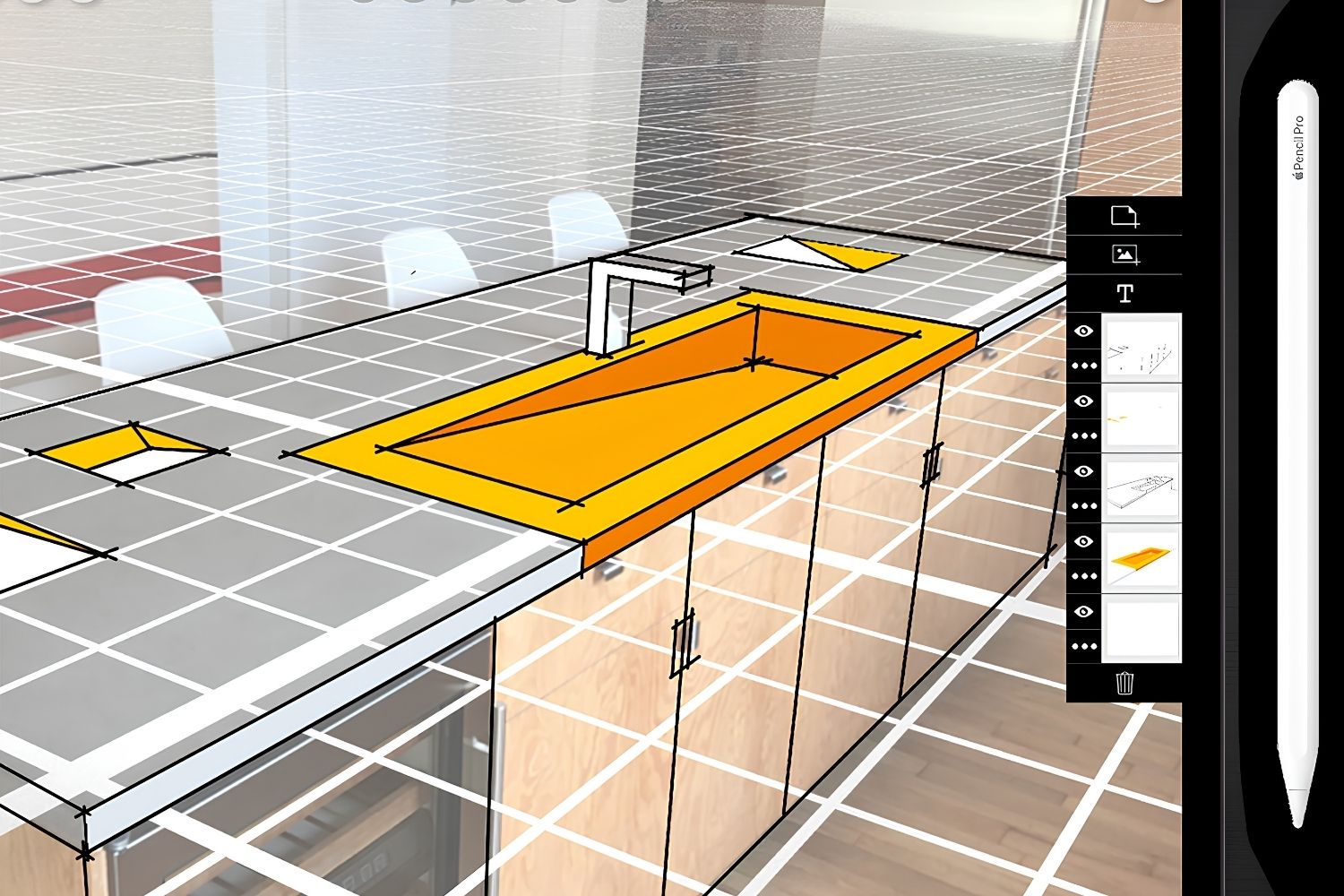
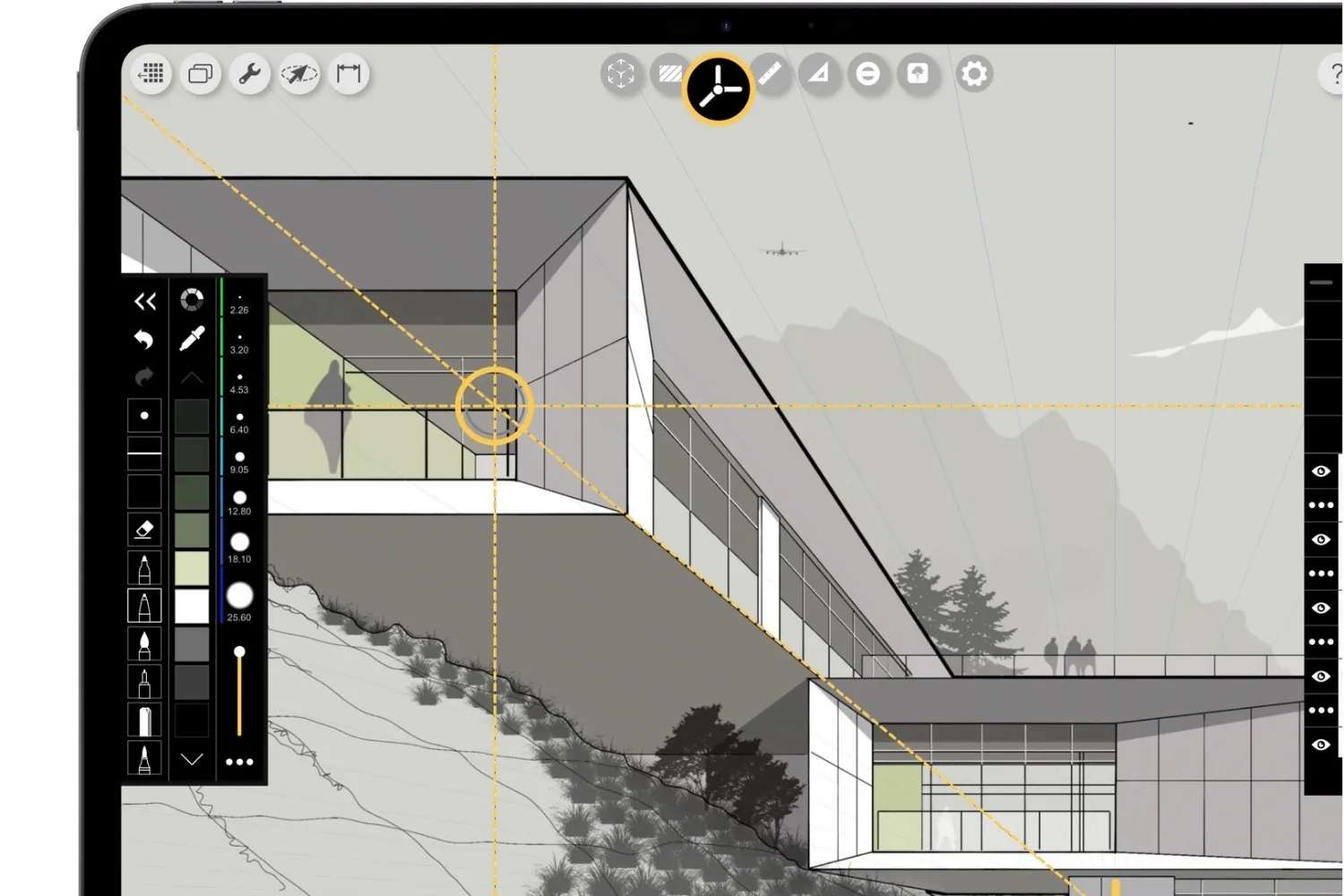
The feature set is what justifies the subscription, and a handful of tools stand out for professional work. The Scale tool sets a real-world dimension so your sketch stays measurable. Stencils drop in figures, furniture, and landscape elements at any scale. Smart Hatch and Smart Fill calculate areas as you draw, which helps with quick floor area ratio checks and material takeoffs.
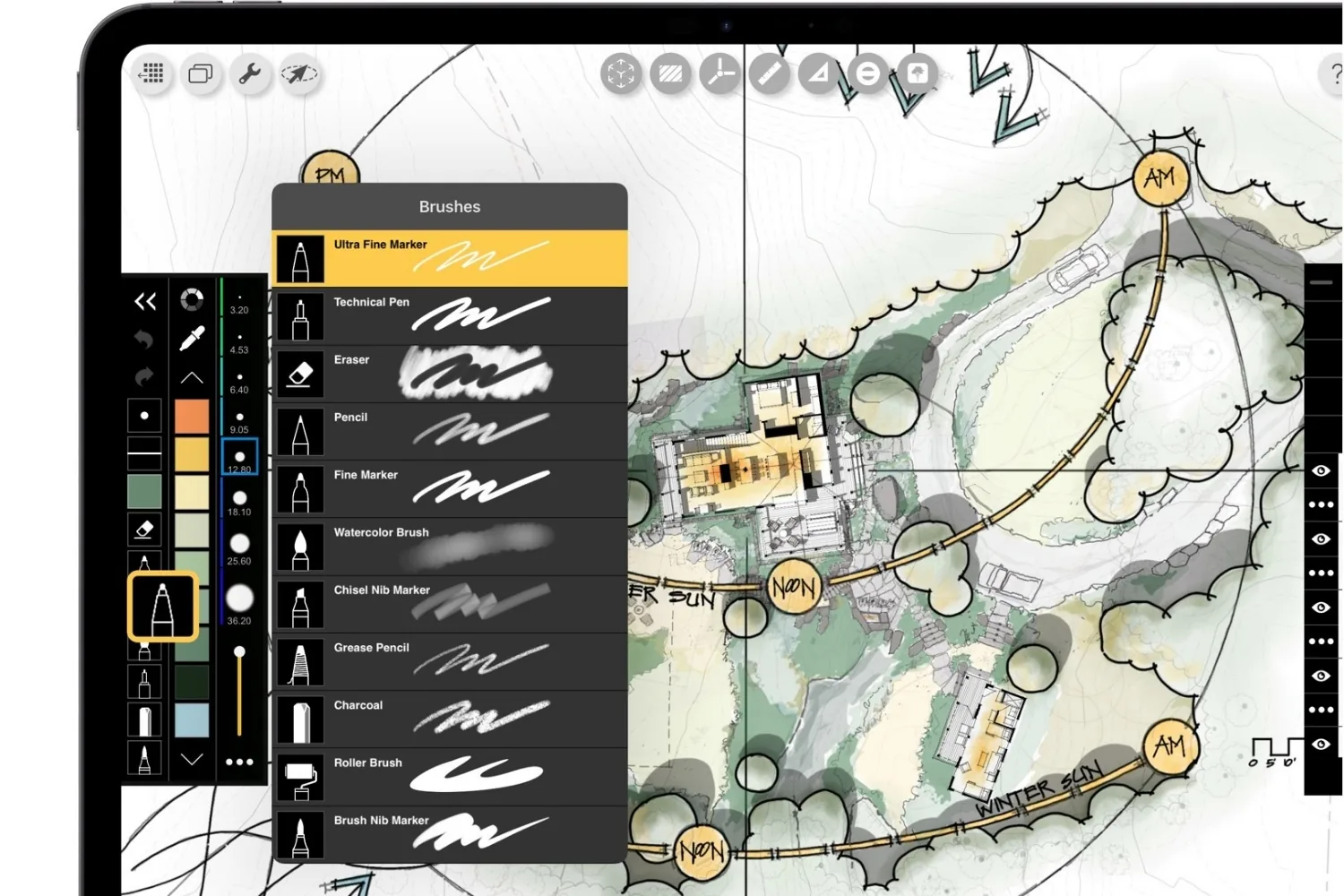
The RoomPlan feature uses the iPad or iPhone LiDAR scanner to capture a space and turn it into a scaled 3D model you can sketch over on site. ShadowMaker sets accurate sun positions, so you can study daylight and shadows for a specific location and date. When a drawing is finished, you can export it as a DXF file straight into AutoCAD, Revit, Rhino, SketchUp, or Archicad, or send it out as a PDF, JPG, or PSD. The whole experience is tuned for the Apple Pencil and Apple Pencil Pro, with pressure, tilt, and the newer squeeze and barrel-roll gestures all supported.
💡 Pro Tip
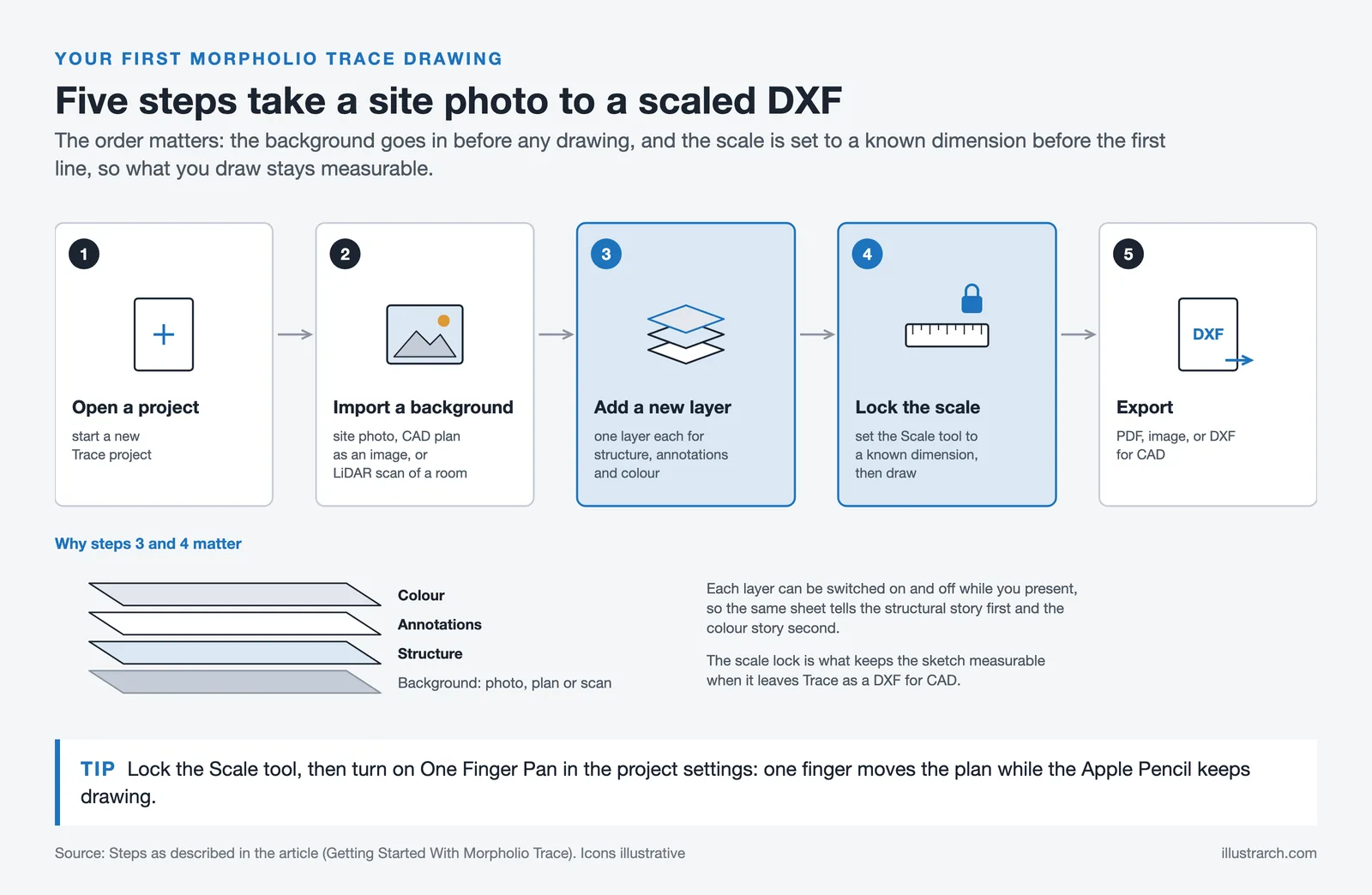
Before starting a scaled drawing, set your Scale tool and lock it, then turn on One Finger Pan in the project settings. This lets you move around a large plan with one finger while the Apple Pencil keeps drawing, which avoids the constant zoom-and-reset that slows most people down on detailed markups.
Morpholio Trace vs Procreate and Concepts
The most common question from designers is whether Trace beats the apps they already own. Procreate and Concepts are the usual comparisons, and each one is built for a different job.
How the Three Apps Compare
The table below lines them up on the points that matter for architectural work.
| Feature | Morpholio Trace | Procreate | Concepts |
|---|---|---|---|
| Built for | Architects and designers | Digital painting and illustration | Sketching and diagramming |
| Platform | iPad and iPhone only | iPad only | iPad, iPhone, Android, Windows |
| Price model | Free tier plus subscription | One-time purchase | Free tier plus subscription |
| Scale and CAD export | Yes, scaled drawing and DXF export | No | Yes, world scale measurement plus DXF, SVG and PDF export |
| Best for | Measured plans, markups, site scans | Rendered visuals and artwork | Fast concept sketches and diagrams |
Procreate wins on price and painting tools, but it has no concept of scale or CAD export. Concepts offers an infinite vector canvas and runs almost everywhere, which makes it strong for quick diagrams. Concepts also offers world scale and DXF export, but Trace is the one built specifically around measured architectural drawing, which is the main reason it costs more. For a broader view of how these apps fit a full toolkit, our guide to the best architecture tools of 2026 covers desktop and mobile options together.
How Much Does Morpholio Trace Cost?
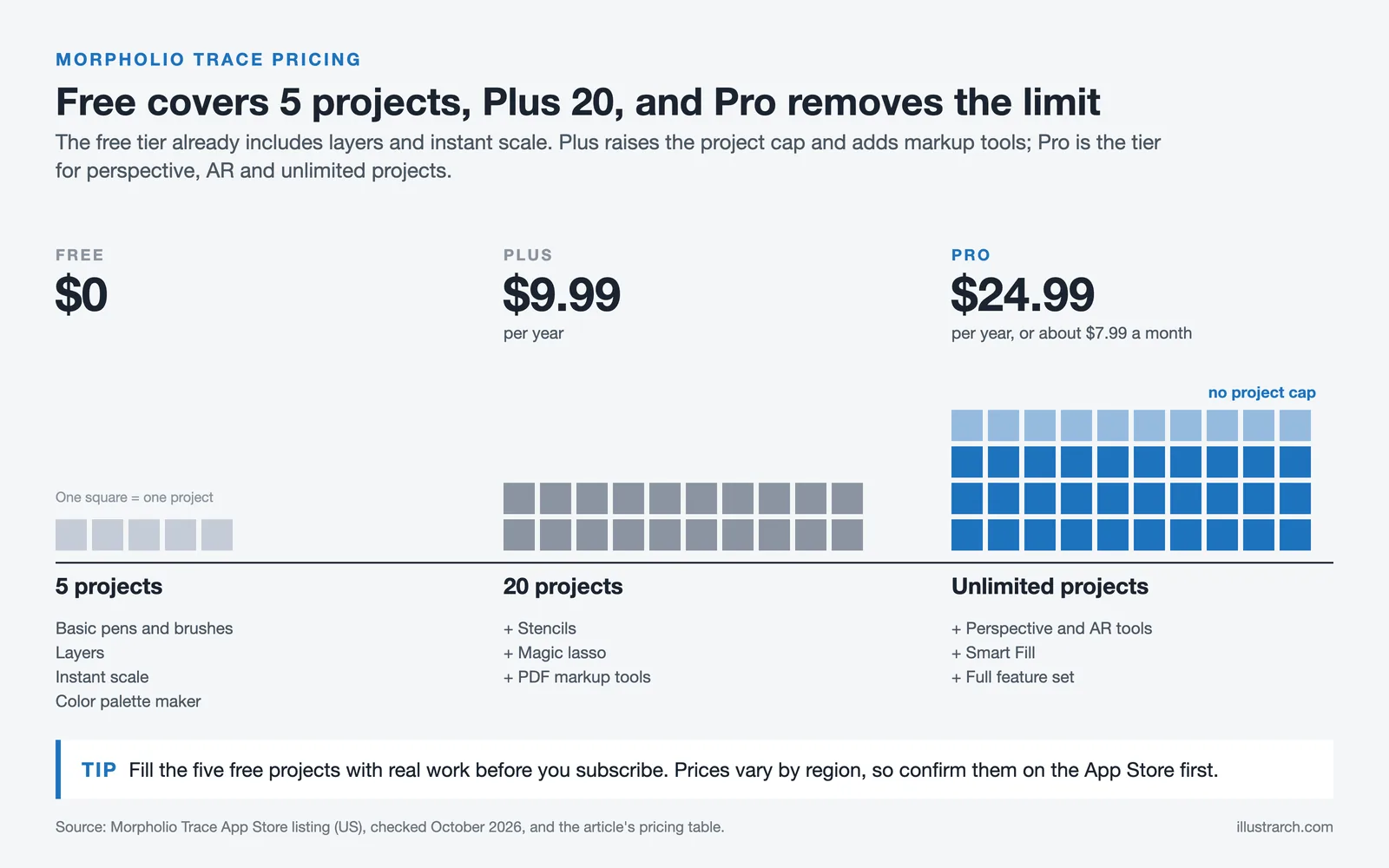
Morpholio Trace is free to download, and the free tier already covers a lot: up to five projects, basic pens and brushes, layers, instant scale, and a color palette maker. The paid tiers add the rest. As of October 2026, the Plus subscription runs about $9.99 per year and the Pro tier about $24.99 per year, with a monthly Pro option around $7.99. Students and faculty can also apply for a discounted Trace Edu subscription with a valid .edu email.
Morpholio Trace Pricing Tiers
| Tier | Approx. Price | What You Get |
|---|---|---|
| Free | $0 | Up to 5 projects, basic pens, layers, instant scale, color palette |
| Plus | $9.99 / year | 20 projects, stencils, magic lasso, PDF markup tools |
| Pro | $24.99 / year (or ~$7.99 / month) | Unlimited projects, perspective and AR tools, Smart Fill, full feature set |
The free tier is unusually generous for a professional app, which makes it easy to test the workflow before paying. Most architects who use Trace daily end up on the Pro plan for unlimited projects and the perspective and scanning tools.
🏗️ Real-World Example
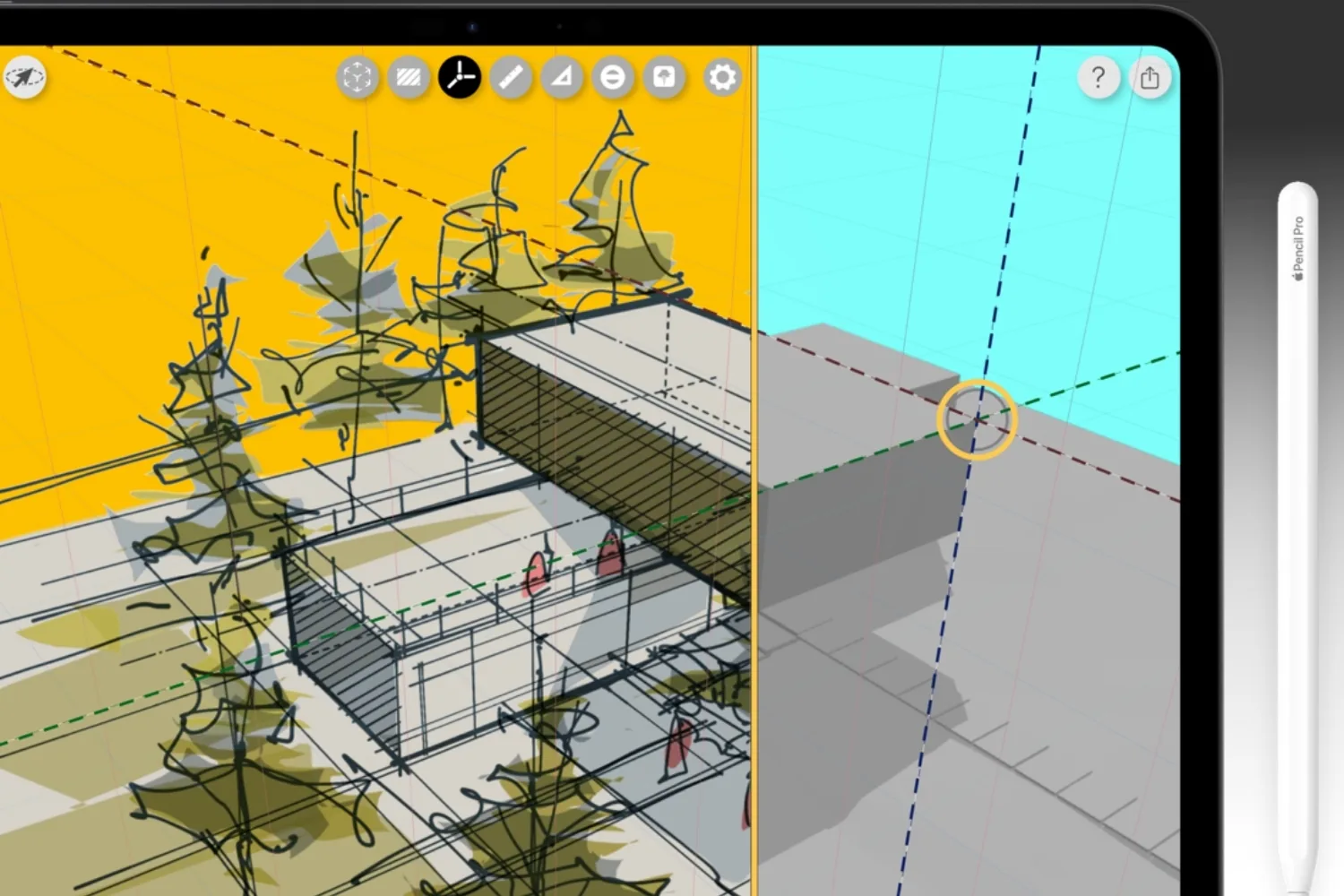
Apple iPad Pro Launch Film (2024): Apple hand-picked a project by architect Amin Zakaria to demonstrate Trace’s sketch-on-3D-model tool in its official iPad Pro reveal, showing how designers can draw directly across a rotating model to study a building in seconds.
Pricing is approximate and can vary by region and change over time. Confirm the current rates on the App Store before subscribing.
Morpholio Trace on Android: What to Know
There is no Android version of Morpholio Trace. The app is built only for iPadOS and iOS because it relies on Apple Pencil behavior and Apple’s LiDAR and RoomPlan technology, which have no direct Android equivalent. Some software directories list it as Android-compatible, but that information is wrong. Android users who want a similar process can look at Concepts, which runs on Android, or a browser-based sketching option. Our guide to free tools for architectural design covers several cross-platform alternatives.
What Is the Best iPad for Morpholio Trace?
The best iPad for Morpholio Trace is an iPad Pro with an M-series chip, paired with the Apple Pencil Pro. The Pro model gives you the Liquid Retina XDR display, the LiDAR scanner needed for RoomPlan, and full support for the latest Pencil gestures.
Between sizes, the 13-inch model suits long drawing and tracing sessions, while the 11-inch is easier to carry on site and to client meetings. If your budget is tighter, an iPad Air still runs Trace smoothly for sketching, markups, and scaled drawing. You only lose the LiDAR room scan and a few Pro-only display features. For storage, 128GB is a sensible floor once you start saving projects and reference images. The Apple Pencil version you buy should match your specific iPad model, so check compatibility before you order.
Getting Started With Morpholio Trace
Getting started in Morpholio Trace takes a few minutes. Open a new project, then import a background: a site photo, a CAD plan exported as an image, or a LiDAR scan of a real room. Add a new layer on top, set your Scale tool to a known dimension, and start drawing with the Apple Pencil. Keep separate layers for structure, annotations, and color so you can toggle each one as you present. When the drawing is ready, open the export menu and send it out as a PDF, image, or DXF for CAD.
The learning curve is real but short. Most of it comes from getting comfortable with the scale and layer system, which is also the part that makes Trace more useful than a plain drawing app. For the wider set of tools that pair well with it on and off site, see our overview of essential architecture tools in 2026.
⚖️ Pros & Cons at a Glance
✔️ Pros: Built specifically for architects, true scaled drawing, LiDAR room scanning, direct CAD and PDF export
✖️ Cons: iPad and iPhone only, subscription needed for advanced tools, a learning curve for the scale and layer system
Final Thoughts
Bottom Line: For architects who already work on an iPad, Morpholio Trace is the closest thing to a purpose-built drawing tool, and the free tier is generous enough to test before you commit. It is not the right app for everyone, since digital painters will prefer Procreate and Android users are left out entirely. But for measured architectural sketching, markups, and on-site scanning, nothing else on the App Store matches it as cleanly.






Notion Alternatives for Architects: 7 Tools That Fit Studio Work
Notion works until a studio needs fee tracking, phase budgets and timesheets....
 Furkan Sen7 Mins read

Why Every Practice Ends Up With Five Versions of the Same Revit Family
Let’s learn why Revit family libraries accumulate duplicates, break schedules and slow...
 illustrarch Editoral Team5 Mins read

Visualizing Renovation Projects From Photographs: A Workflow for Existing-Building Work
Photo-based visualization turns a photograph of a building that already exists into...
illustrarch Editoral Team7 Mins read

Best Free CAD Blocks and Resources for Architects
A working guide to free CAD blocks for architects, covering ARCAT, CAD-Blocks.net,...
Furkan Sen7 Mins read


Leave a comment