

Best Free HDRI Websites Every Architect Needs for Realistic Renders
Discover seven reliable HDRI websites offering free, high-resolution environment maps for photorealistic rendering in architectural visualization. Each site is reviewed for resolution, licensing, library size, and compatibility with popular rendering engines like V-Ray, Corona, Blender Cycles, and Lumion.
 Sinan Ozen23 May 20269 Mins read343
Table of Contents Show
Photorealistic rendering depends heavily on accurate environment lighting, and HDRI (High Dynamic Range Imaging) maps are the fastest way to achieve it. The following seven free HDRI websites provide high-quality 360-degree environment maps suitable for architectural visualization, product rendering, and interior design scenes.
If you are working on realistic architectural rendering, the right HDRI can replace hours of manual light placement with a single image-based lighting setup. Below, you will find the best free HDRI websites ranked by library quality, resolution options, and licensing clarity.
What Is an HDRI and Why Does It Matter for Rendering?
An HDRI is a 360-degree panoramic image that stores a much wider range of brightness data than a standard photograph. In 3D rendering software, this image wraps around your scene as an environment map, providing natural lighting, accurate reflections, and realistic shadows from a single file. Unlike point lights or directional lights that require manual positioning, an HDRI reproduces the full complexity of real-world illumination, including color temperature shifts, soft gradients in cloud cover, and bounce light from surrounding surfaces.
For architectural visualization, HDRIs are especially useful in exterior scenes where sky lighting defines the mood of the render. Loading a sunset HDRI into V-Ray or Blender Cycles instantly establishes warm directional light, long shadows, and orange-tinted reflections on glass surfaces. The same scene with a midday HDRI produces entirely different results: harsh overhead shadows, bright white reflections, and even ambient light distribution.
💡 Pro Tip
Always check whether an HDRI is “unclipped” before downloading. Clipped HDRIs lose brightness data in the sun disk area, which means your shadows will be soft and diffused rather than sharp and directional. Unclipped maps preserve the full dynamic range and produce much more realistic sunlight behavior in your renders.
7 Best Free HDRI Websites for Architects and 3D Artists
1. Poly Haven
Poly Haven (formerly HDRI Haven) is the most widely used free HDRI website in the 3D community. Every map on the site is released under CC0 (public domain), meaning you can use them in commercial projects without attribution. The library includes hundreds of HDRIs at resolutions up to 16K, all unclipped and ready for one-click download. Categories cover outdoor skies, indoor environments, studio setups, urban scenes, and nature settings.
The site requires no account creation. You simply browse the library, select the resolution you need, and download the .hdr or .exr file. Poly Haven also offers PBR textures and 3D models under the same license, making it a one-stop resource for architectural visualization workflows.
2. AmbientCG
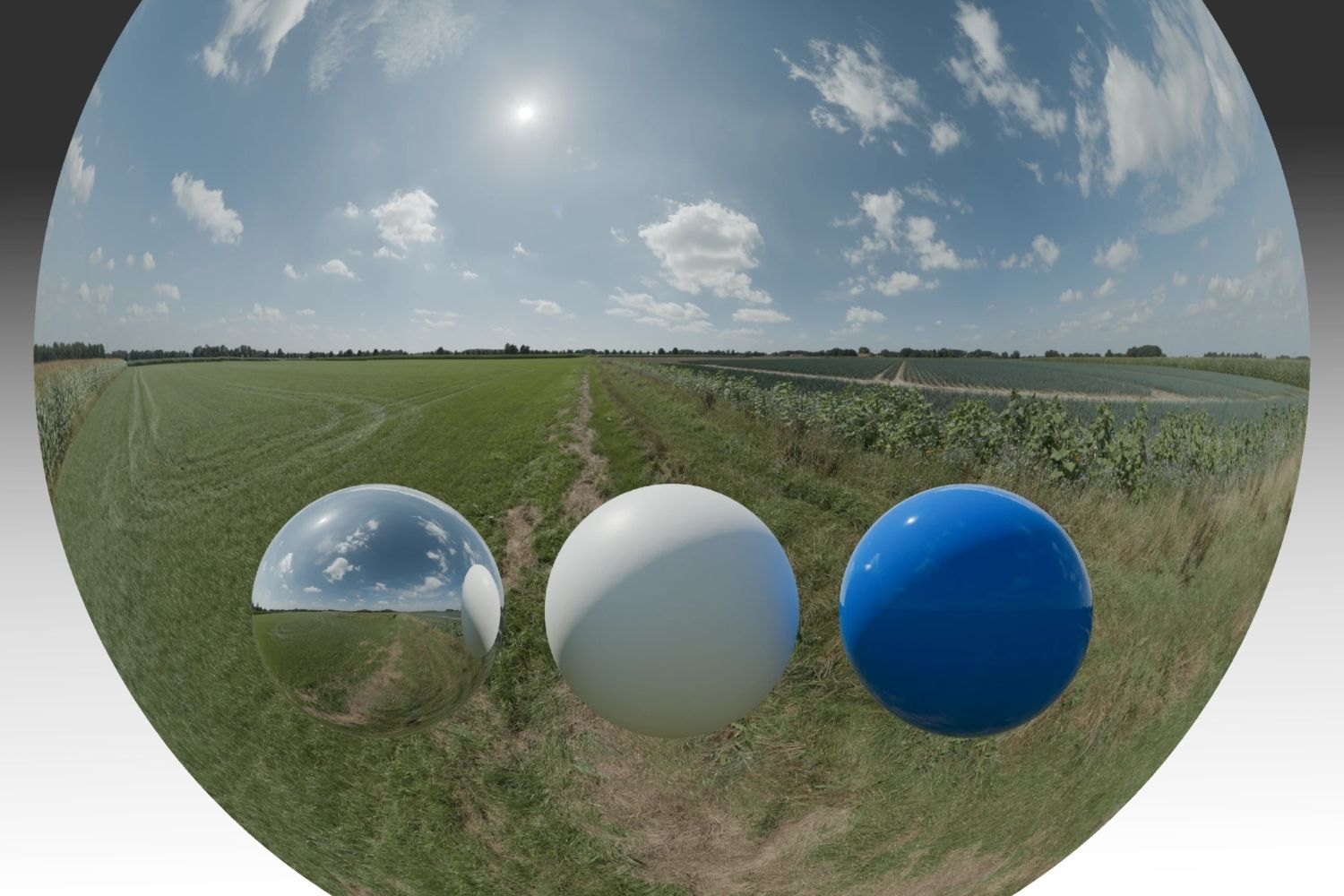
AmbientCG offers a growing library of free HDRIs alongside its larger collection of PBR materials. All assets are CC0 licensed and available in resolutions from 1K to 16K. The HDRI collection focuses on categories that work well for photorealistic architectural rendering: day skies, night skies with visible stars, indoor environments, and neutral studio lighting setups. Each download page shows a preview sphere so you can evaluate how the map will affect material reflections before committing.
AmbientCG is particularly useful if you also need textures and materials for the same project, since everything lives under one roof with consistent quality standards.
3. HDRI Skies
HDRI Skies specializes in sky-focused HDRIs for CGI, VR, AR, and virtual production work. The free tier offers 360-degree sky maps at 2K resolution, with higher resolutions (up to 20K) available through paid plans. What sets this site apart is the consistency of its sky collection: clear skies, scattered clouds, overcast conditions, dramatic sunsets, and dusk lighting are all represented with professional-grade capture quality.
For architects producing exterior renders where the sky is a dominant visual element, HDRI Skies is a strong choice. The free 2K maps are good enough for draft renders and composition tests, while the paid full-resolution versions handle final production output.
🎓 Expert Insight
In his article What Makes a Good HDRI, Greg Zaal, founder of Poly Haven (formerly HDRI Haven), explains that many HDRIs do not capture the full brightness of the sun and warns: “Sadly, this is true for most HDRIs out there, even the ones you have to pay for.”
This advice is critical when selecting HDRIs for photorealistic rendering. An unclipped HDRI preserves the actual brightness values of the sun and bright light sources, which directly affects shadow sharpness and specular highlight accuracy in your scene.
4. HDRMAPS
HDRMAPS is a UK-based company that offers a selection of free HDRIs and 3D assets alongside its paid catalog. The free section includes full spherical HDRI maps and backplate images suitable for architectural and product visualization. Blender users benefit from the HMTools add-on, which allows direct downloading from within the software.
The library leans toward natural outdoor environments and sky domes. While the free selection is smaller than Poly Haven’s, the capture quality is consistently high, and the maps integrate well into professional rendering pipelines using V-Ray, Corona, or Cycles.
5. HDRI-Hub (Free Samples)
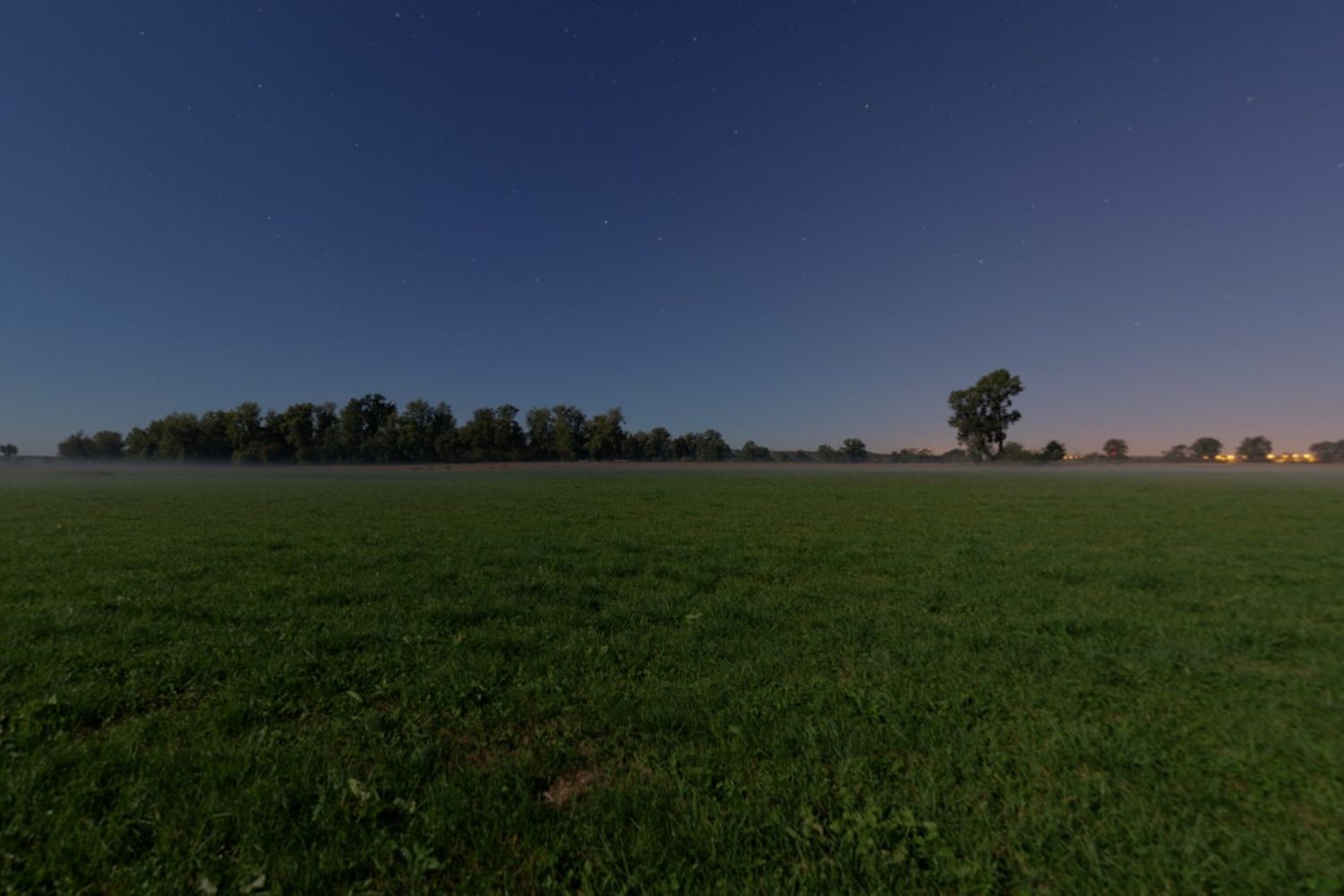
HDRI-Hub is a commercial supplier of HDRI maps and architectural textures for CGI production, and it keeps a small set of free samples on its site. As of October 2026 the free page lists 11 HDRIs at up to 10240 x 5120 pixels in 32-bit HDR and EXR formats, available without signing up and covered by a free commercial license for client work, renders, and animations.
The free selection is small, but it covers scenes that sky-only libraries rarely include: city roads, tunnels, harbors, parking lots, and night settings. For architects placing a building in an urban or industrial context, HDRI-Hub’s samples are worth testing alongside the larger CC0 libraries.
6. Textures.com (HDR Section)
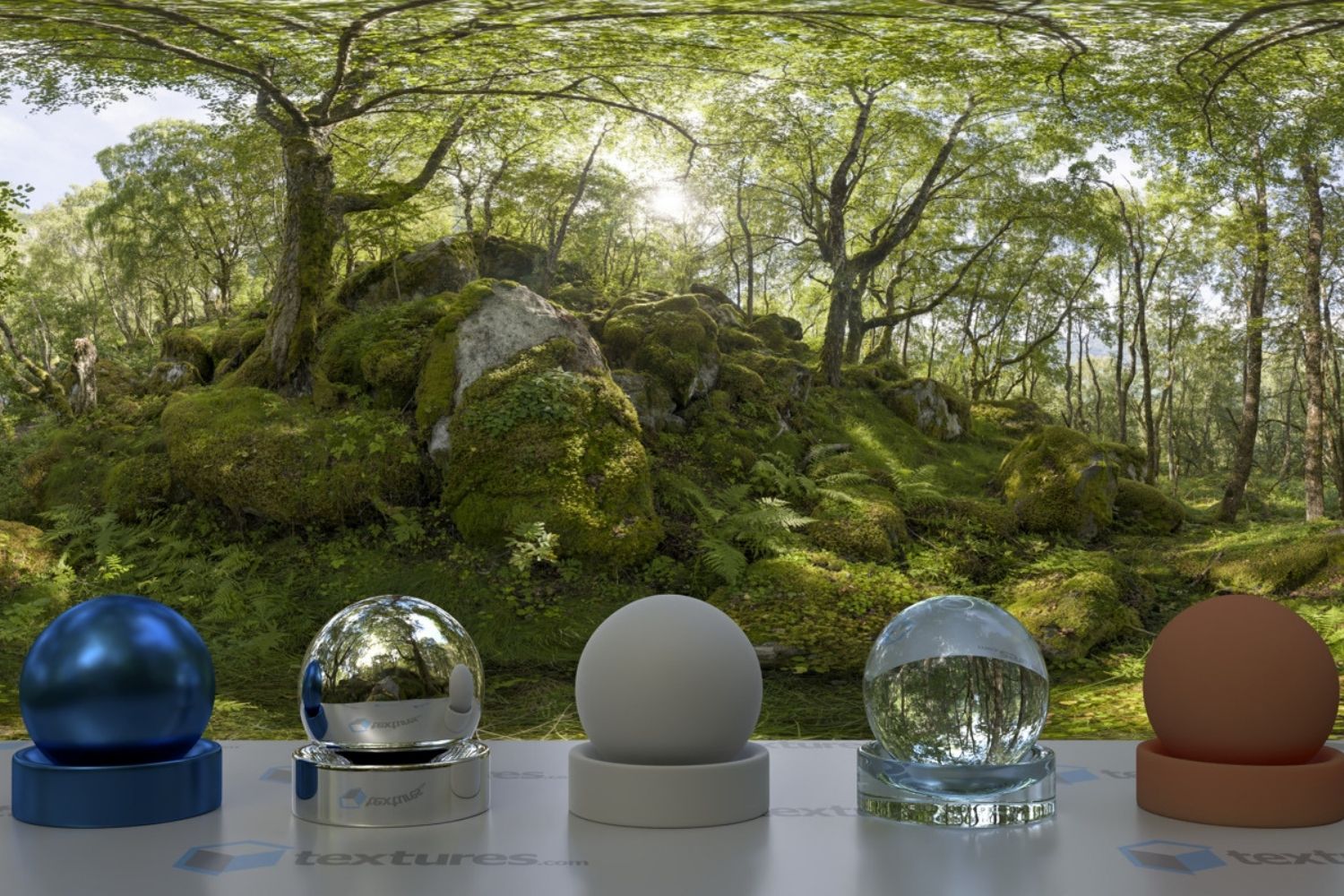
Textures.com is a long-running texture library established in 2005, with over 120,000 images. Its HDRI section includes HDR Skies and HDR Spheres. The site operates on a credit-based system, offering 15 free downloads per day. For occasional HDRI needs, this daily allowance is usually enough.
The advantage of Textures.com is the breadth of its asset library. Beyond HDRIs, you can find PBR materials, displacement maps, and reference photographs for 3D rendering projects. The quality is consistent, though the free tier limits file resolution compared to dedicated HDRI sites.
7. Poliigon (Free HDRI Collection)
Poliigon offers a curated selection of free HDRIs designed specifically for archviz, VFX, animation, and product rendering. The platform integrates with a wide range of software through dedicated plugins for Blender, Rhino, Revit, AutoCAD, Lumion, KeyShot, Enscape, Unity, Unreal Engine, and Twinmotion.
The free collection is limited in size but high in quality. Poliigon’s strength lies in its plugin ecosystem: once installed, you can browse and import HDRIs directly from within your 3D software without switching to a browser. For studios using multiple rendering tools, this cross-platform compatibility saves time.
⚠️ Common Mistake to Avoid
Many beginners download the highest resolution HDRI available (16K or 20K) for every project. This is unnecessary for most architectural renders and can significantly slow down your rendering engine. For interior scenes where the HDRI only appears in reflections and window views, a 4K map is typically sufficient. Reserve 8K or higher for exterior renders where the sky fills a large portion of the frame.
How to Choose the Right HDRI for Your Project
Selecting an HDRI is not just about finding a pretty sky. The environment map you choose directly affects three elements of your render: the direction and color of your primary light source, the quality of reflections on glossy materials, and the overall ambient mood of the scene. A mismatched HDRI can make an otherwise well-modeled scene feel unconvincing.
For exterior architectural renders, match the HDRI’s sun position to your intended shadow direction. If your building’s main facade faces south, an HDRI with the sun at a low angle from the south will produce the most flattering results. For interior renders, overcast HDRIs often work best because they provide soft, even illumination through windows without harsh hotspots on floors and walls.
Pay attention to the color temperature of the HDRI as well. A warm sunset HDRI paired with cool-toned interior materials can create an appealing contrast, but a cold, blue overcast sky combined with grey concrete walls will produce a flat, lifeless render. Consider your material palette before selecting the environment map.
Comparison of Free HDRI Websites
The following table summarizes the key differences between the seven free HDRI websites covered above:
| Website | Max Free Resolution | License | Best For |
|---|---|---|---|
| Poly Haven | 16K | CC0 | All-purpose rendering |
| AmbientCG | 16K | CC0 | Combined texture + HDRI needs |
| HDRI Skies | 2K (free tier) | Free for commercial use | Sky-focused exterior renders |
| HDRMAPS | Varies | Free for commercial use | Natural outdoor environments |
| HDRI-Hub | 10K (10240 x 5120) | Free commercial license | Urban and industrial scenes |
| Textures.com | Limited (15/day free) | Credit-based | Mixed asset projects |
| Poliigon | Varies | Free selection available | Plugin-integrated workflows |
📐 Technical Note
HDRI files come in two main formats: .hdr (Radiance) and .exr (OpenEXR). The .exr format supports higher bit depth (32-bit float per channel vs 32-bit RGBE), layer storage, and better compression. Most modern rendering engines like V-Ray 6, Corona 12, and Blender Cycles accept both formats, but .exr is preferred for production work because it preserves more data in extreme brightness ranges.
How to Use Free HDRIs in Your Rendering Workflow
The process of applying an HDRI varies slightly between rendering engines, but the core concept stays the same. You load the .hdr or .exr file as an environment texture, and the renderer uses it as the primary light source for your scene. In most rendering software, this takes three steps: open the environment or lighting settings panel, load the HDRI file, and adjust the rotation and intensity to match your desired sun position and brightness level.
In Blender, you add the HDRI through the World Properties panel by selecting “Environment Texture” as the surface shader. V-Ray users load the file through the V-Ray Dome Light or Environment Override settings. D5 Render and Lumion allow HDRI import through their environment panels, with real-time preview as you rotate and adjust the map.
One practical technique is to combine an HDRI with a physical sun light for more control. Use the HDRI for ambient fill lighting and reflections, but place a separate directional light to handle the primary sun. This gives you independent control over shadow angle and intensity while keeping the natural sky appearance from the HDRI.
💡 Pro Tip
If your HDRI produces visible seams or banding artifacts in reflections on large glass facades, try rotating the environment map by 5 to 10 degrees. This shifts the seam line away from reflective surfaces and is often enough to eliminate the issue entirely.
Using HDRI Environments for Realistic Architectural Renders: Advanced Techniques
Loading an HDRI gets you natural light in seconds, but a few extra steps separate an obviously “HDRI-lit” image from a render that reads like a photograph. These techniques work in Blender, V-Ray, Corona, and most other physically based engines.
Pick the right file format and resolution. HDRIs usually come as .hdr (Radiance RGBE) or .exr (OpenEXR) files. Both store brightness far beyond what a normal image can hold, but EXR offers more precision and better compression options, so choose it when a site offers both. Resolution needs depend on the job. For lighting and soft reflections, a 2K to 4K map is usually enough and keeps memory use low. If the HDRI will be seen directly in the background or mirrored in a large glass facade, use the highest resolution available, often 16K or more, or replace the visible background with a separate photo.
Separate lighting from background. The sky that lights your building rarely looks right behind it at full strength. Most engines let you use one image for lighting and another for what the camera sees. In Blender, a Light Path node with the “Is Camera Ray” output mixes a lighting HDRI with a separate background image; V-Ray and Corona offer environment overrides for the camera, reflections, and refractions. This lets you light with a clear midday sky while showing a softer backplate, or blur and darken the visible HDRI so attention stays on the architecture.
Calibrate exposure instead of guessing. Set up the camera with real values first, such as an f-stop, shutter speed, and ISO that match the time of day, then adjust the HDRI intensity until a white material reads as white without clipping. Keeping the HDRI near its native intensity and controlling brightness with camera exposure gives more believable contrast than turning the environment up or down at random.
Ground the building. A common giveaway in exterior renders is a building that floats because the HDRI horizon and the model’s ground do not agree. Align the HDRI horizon with your camera’s eye level, rotate it until the sun direction matches the shadows on your site plan, and add a shadow catcher plane where the model meets the ground so contact shadows blend into the photographed terrain. Some engines also offer a ground projection mode for the dome light, which flattens the lower half of the HDRI into a floor you can stand on.
A quick checklist before final renders:
- Check reflections on glass and water: they reveal mismatches between HDRI and backplate fastest.
- Match the HDRI’s weather to the scene: wet ground under a clear sky never looks right.
- Save a test scene with gray, white, and chrome spheres to preview any new HDRI before using it on a project.
Final Thoughts
Good lighting is half the battle in photorealistic rendering, and free HDRI maps remove one of the biggest barriers to getting it right. Poly Haven and AmbientCG cover most needs with their CC0 libraries and high resolutions. HDRI Skies fills the gap for specialized sky conditions, and HDRI-Hub adds free urban and industrial scenes. HDRMAPS, Textures.com, and Poliigon offer additional options with different strengths in integration, variety, and asset bundling. Bookmark the ones that match your workflow, test a few maps on a sample scene before committing, and keep your HDRI library organized by sky condition and time of day for quick access on future projects.
For more on improving your rendering results, see our guides on how to improve rendering quality and the best AI architectural rendering tools in 2026.


Interior Design for Commercial Spaces: Enhancing Functionality and Brand Identity
Commercial interior design has to serve brand, function and regulation at once....
 Begum Gumusel4 Mins read

From SketchUp View to Client-Ready Render: A Hands-On Look at Vizbase
Vizbase co-founder Mikus Zarāns shows how the browser-based AI renderer turns SketchUp...
 illustrarch Editoral Team4 Mins read
Futuro House Production Revived in Finland After Decades-Long Hiatus
A Facebook listing for abandoned moulds led to the first new Futuro...
illustrarch Editoral Team3 Mins read
Building Your Dream Home in NSW: What You Should Know About Montgomery Homes
Montgomery Homes has been building across Sydney, Newcastle, the Hunter, Wollongong and...
illustrarch Editoral Team4 Mins read


Leave a comment