

Best Architecture Apps for iPad: Top 10 Apps for Architects
Looking for the best architecture apps for iPad? This updated guide covers the top 10 iPad apps for architects and architecture students, including AutoCAD, Morpholio Trace, Procreate, Shapr3D, and more. Learn how to choose the right iPad for architectural work and integrate tablet-based tools into your professional design workflow.
 Elif Ayse Sen18 October 202513 Mins read1.3k

Table of Contents Show
The best architecture apps for iPad turn Apple’s tablet into a portable design studio for sketching, CAD drafting, 3D modeling, and on-site documentation. Top picks include AutoCAD, SketchUp Viewer, Morpholio Trace, Procreate, Concepts, Shapr3D, ArchiSnapper, Sun Seeker, Polycam, and Bluebeam Revu, which together cover every stage of the architectural workflow in 2026.
The iPad has become one of the best tools for architects and architecture students, thanks to its portability, powerful hardware, and a growing ecosystem of professional-grade applications. Whether you are looking for the best architecture apps for iPad to streamline your design workflow or searching for the right iPad app design app to bring your concepts to life, this guide covers everything you need to know. With the right apps and accessories, an iPad can serve as a digital sketchbook, a CAD drawing platform, a presentation device, and even a portable 3D modeling station.
There are many apps available on the App Store that are specifically designed for architecture and design, such as AutoCAD, SketchUp, Morpholio Trace, and Concepts. These apps offer features like sketching and drawing tools, 3D modeling capabilities, and the ability to import and export files in various formats. For architecture students exploring great iPad apps for students and professionals evaluating apps for architects, the iPad Pro in particular stands out due to its M-series chip performance, Tandem OLED Ultra Retina XDR display, and Apple Pencil Pro support.
💡 Pro Tip
When buying an iPad for architecture work, prioritize at least 256 GB of storage and an M-series chip over a larger screen. CAD and 3D modeling files grow fast, and the older A-series chips throttle quickly under sustained loads like Shapr3D rendering or large DWG imports.
Moreover, the iPad’s touch screen and Apple Pencil support allow architects and students to draw and annotate on digital plans, elevations, and sections, making it easier to collaborate and share their work with others. The iPad Pro architecture workflow has evolved significantly, with many firms now using tablets as primary site visit tools. However, it’s worth noting that while the iPad can be a great tool for sketching and design work, it may not be suitable for more complex tasks that require more processing power or specialized software. Therefore, it’s important to consider your specific needs and use cases before deciding if an iPad is the right device for you.
Overall, an iPad can be a valuable tool for architects and architecture students, but it’s essential to evaluate its suitability for your specific use case and determine if it can provide the necessary functionality and productivity for your work. For a deeper comparison of hardware options, see our guide on the best tablets for architects and students.
Best Architecture Apps for iPad: Top Picks for Architects and Students
There are many iPad architecture apps available for architects and architecture students, each with its own set of features and capabilities. Below is a curated list of the best apps for architects across categories including CAD, sketching, 3D modeling, and site analysis. Whether you need the best ipad cad drawing app or a versatile sketch app for architecture, these selections cover every stage of the design process.
1. AutoCAD – Best iPad CAD Drawing App
AutoCAD is a popular CAD (computer-aided design) software that lets you create precise 2D and 3D drawings, designs, and models on your iPad. As the industry-standard cad drawing program for iPad, it supports DWG files natively and offers a familiar interface for professionals transitioning from desktop to tablet. AutoCAD on iPad allows you to draft, annotate, and review drawings on-site, making it an essential architecture drawing app for any practicing architect.
2. SketchUp Viewer – 3D Model Navigation on iPad
SketchUp Viewer is an app that allows you to view and navigate 3D models created in SketchUp on your iPad. You can also collaborate with others in real-time using the app. For architects who use SketchUp as their primary modeling tool, this companion app transforms the iPad into a portable presentation and review platform. Learn more about SketchUp and other essential tools in our article on the best architecture tools of 2026.
3. Morpholio Trace – Top Sketch App for Architecture
Morpholio Trace is a sketching app that lets you draw over photos and images, as well as create 2D and 3D drawings and models. The app also has various tools for markups, annotations, and presentations. Created by architects for architects, Trace combines the beauty of hand sketching with the precision of CAD, making it one of the best architecture drawing applications available. Its RoomPlan integration with Apple’s LiDAR scanner allows you to scan rooms and sketch over scaled 3D models instantly.
4. Procreate – Best iPad Pro Drawing App for Architects
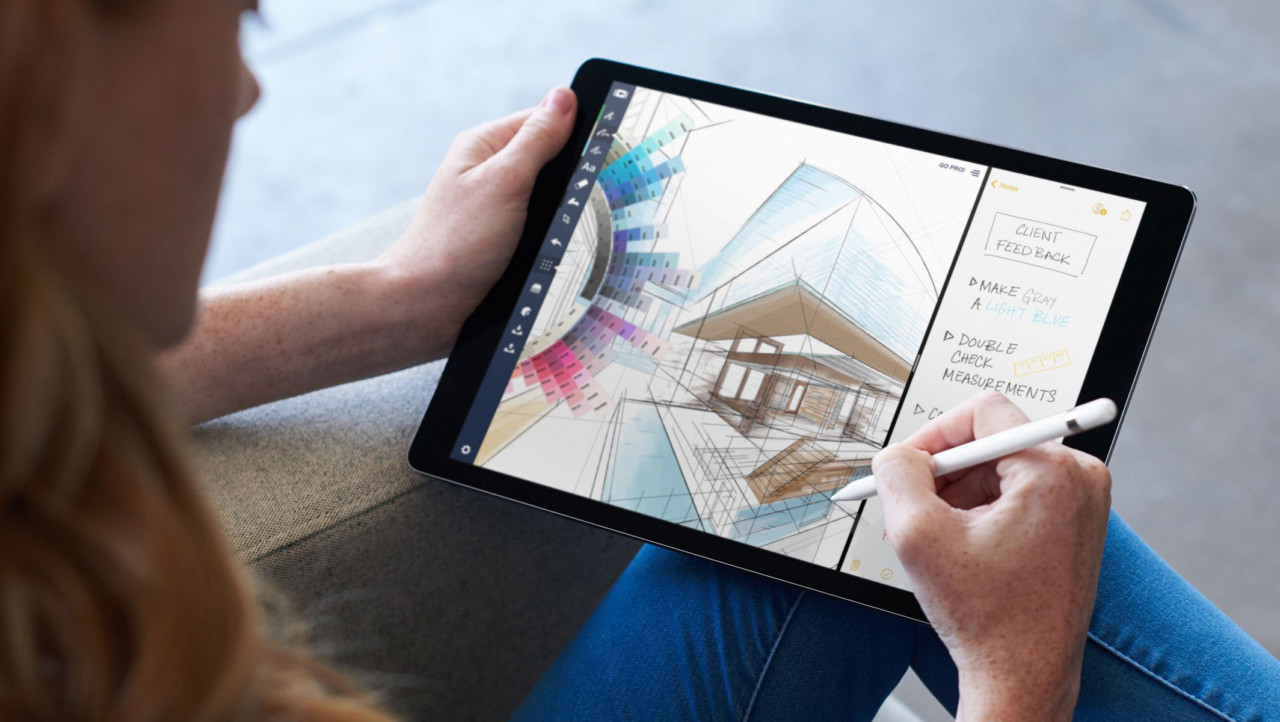
Procreate is a powerful digital art app that can be used for sketching, drawing, and painting. It also supports the use of Apple Pencil for precision and control. Procreate offers a variety of drawing tools and brushes that allow architects to sketch and ideate their designs in a digital format. This can be especially useful for quickly exploring different design options and iterating on ideas. Procreate can be used to create high-quality renderings of architectural designs, with features like layering, blending, and shading. This can help architects to better visualize and communicate their designs to clients and stakeholders. The latest updates introduce real-time perspective guides and improved export options, making it a top choice among iPad Pro drawing apps best suited for architectural illustration. If you want to master this tool, check out our best courses for learning Procreate on iPad.
5. Concepts – Vector-Based Architecture Drawing App
Concepts is a sketching and design app that offers infinite canvas and vector-based drawings. It has a variety of tools and features for drawing and annotating, as well as exporting files in different formats including PDF, SVG, PNG, and DXF. As one of the most versatile apps for drawing iPad Pro, Concepts supports scale grids, multiple layers, and precise selection tools. Its vector-based approach means that your architectural drafting work remains crisp at any zoom level, and files export cleanly into CAD software for further development.
📌 Did You Know?
The iPad Pro 13-inch (M4) is one of the thinnest devices Apple has ever produced at just 5.1 mm thick, yet it carries a Tandem OLED display capable of 1,000 nits sustained brightness and 1,600 nits peak HDR. For architects reviewing renderings outdoors or in bright site offices, that brightness range is a real advantage over older LCD-based tablets.
6. Shapr3D – Professional CAD Modeling on iPad
Shapr3D turns the iPad into a fully functional CAD workspace, making it one of the best apps for architects who need 3D modeling capabilities on the go. With Apple Pencil integration, you can sculpt and refine three-dimensional forms directly on screen. Shapr3D supports DWG, STL, and STEP file exports, making it compatible with professional workflows. The free tier offers up to two active projects with full access to core design tools, perfect for architecture students on a budget. Read more about free options in our guide to free architecture apps for iPad.
7. ArchiSnapper – Site Inspection and Report Writing
ArchiSnapper is an app that simplifies site inspections and report writing. It allows you to create checklists, take photos, and make notes on your iPad, which can be turned into professional reports. This is especially useful for architects managing construction administration, as it streamlines the documentation process directly from the job site. Reports can be branded, exported to PDF, and shared with contractors or clients within minutes of finishing a walkthrough.
8. Sun Seeker – Solar Analysis for Architectural Design
Sun Seeker is an app that helps architects and designers understand the movement of the sun throughout the day and throughout the year. It can be used to determine the optimal orientation of a building, as well as the position of windows and shading devices. Understanding solar paths is a fundamental part of sustainable architectural design, and Sun Seeker provides augmented reality overlays that visualize sun trajectories on-site. For architects working toward certifications like LEED, this kind of solar analysis is a useful early-stage check during massing studies.
9. Polycam – LiDAR 3D Scanning for Architects
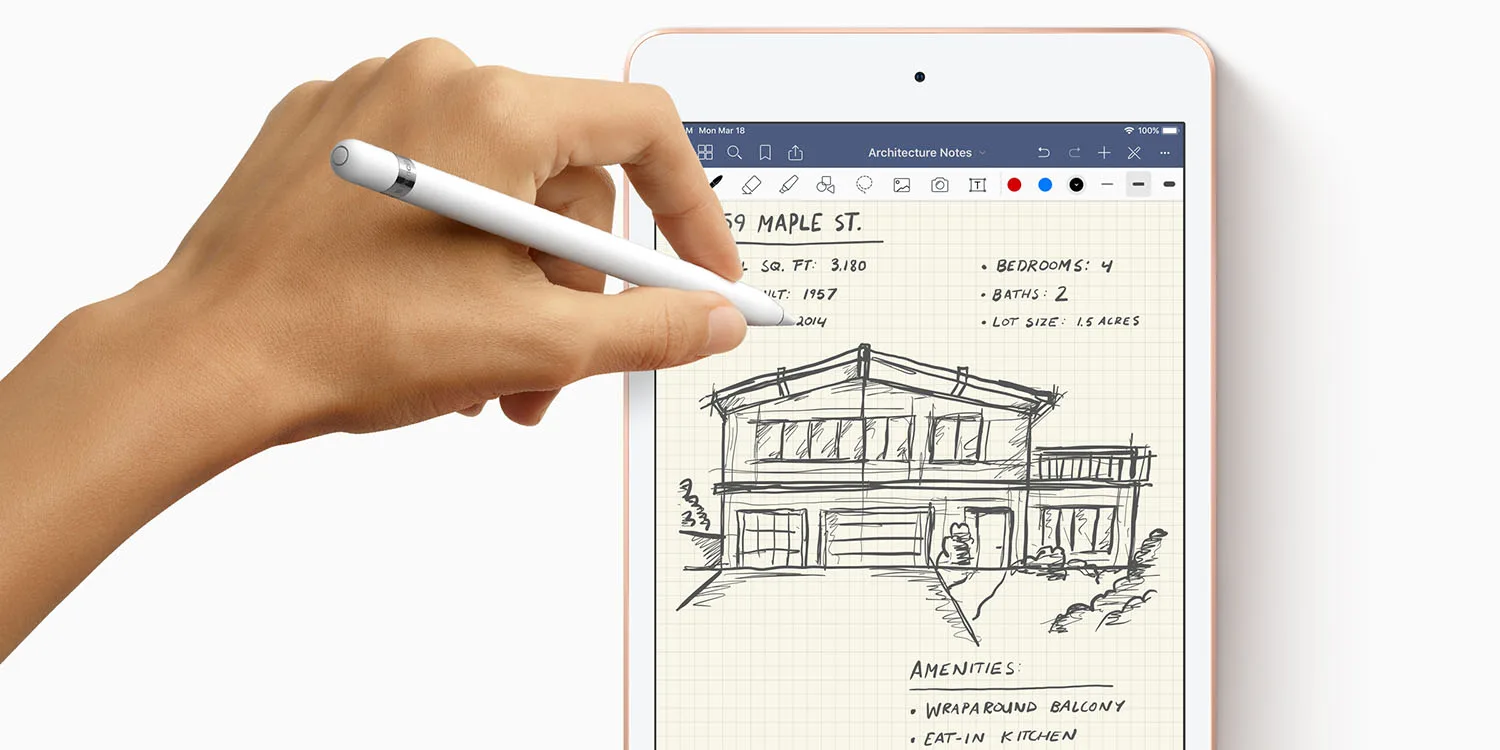
Polycam leverages the iPad Pro’s LiDAR sensor to create detailed 3D scans of rooms, buildings, and sites. For architects working on renovation projects or site documentation, Polycam converts physical spaces into digital models that can be exported to CAD software. This makes it an invaluable tool for early-stage project documentation and spatial analysis. Exported formats include OBJ, GLTF, USDZ, and DAE, so the scans drop directly into Rhino, SketchUp, or Revit without messy conversions.
10. Bluebeam Revu – PDF Markup and Collaboration
Bluebeam Revu provides precision tools for drawing, measuring, and annotating PDFs directly on the iPad. Its cloud-based collaboration platform enables real-time markup sharing, making it essential for architects who review construction documents during site visits. Many professionals consider Bluebeam their go-to tool for construction administration on iPad.
How to Choose the Best iPad for Architects
Selecting the best iPad for architects depends on your primary workflow. The iPad Pro offers the most processing power for demanding apps for drawing on iPad Pro and CAD workflows, along with the best display and LiDAR scanner. The iPad Air provides a strong balance of performance and price for students and early-career professionals. For a comprehensive comparison, visit our best tablets for architects in 2026 guide.
Key factors to consider when choosing an iPad for architecture include display size (13-inch models offer more screen real estate for detailed drawings), Apple Pencil compatibility (Apple Pencil Pro provides haptic feedback and barrel roll), storage capacity (256 GB minimum recommended for large CAD files), and whether LiDAR scanning is required for your workflow.
| iPad Model | Chip | Display | LiDAR | Pencil Support | Best For |
|---|---|---|---|---|---|
| iPad Pro 13-inch | M-series | Tandem OLED, 13″ | Yes | Apple Pencil Pro | Professional architects, heavy CAD/3D work |
| iPad Pro 11-inch | M-series | Tandem OLED, 11″ | Yes | Apple Pencil Pro | Site visits, mobile design reviews |
| iPad Air 13-inch | M-series | Liquid Retina, 13″ | No | Apple Pencil Pro | Students, mid-range pro use |
| iPad Air 11-inch | M-series | Liquid Retina, 11″ | No | Apple Pencil Pro | Sketching, note-taking, light CAD |
| iPad (entry) | A-series | Liquid Retina, 11″ | No | Apple Pencil (USB-C) | Budget students, study notes |
What is the Best iPad App for Architecture Students?
Architecture students have unique needs when it comes to apps for studying iPad workflows. Beyond the professional tools listed above, students can benefit from note-taking apps like Notability and GoodNotes for annotating lectures and sketching quick ideas. Combined with design apps like Procreate and Concepts, the iPad becomes a complete house plan app for iPad and study companion. For tips on succeeding in architecture school, see our article on how to be a successful architecture student.
Students working on architectural drafting apps projects can also explore apps like MagicPlan for quick floor plan generation and Planner 5D for interior layout visualization. These great iPad apps for students offer free tiers that are ideal for coursework and portfolio development without the expense of professional subscriptions. For studio courses that emphasize hand drawing, pairing Procreate or Concepts with the Apple Pencil produces results that satisfy most professors looking for evidence of design thinking, as covered in our architectural sketching guide for beginners.
⚠️ Common Mistake to Avoid
Buying an iPad with the intention of running full Revit or ArchiCAD on it. The iPad version of AutoCAD is capable, but Revit and ArchiCAD do not have full mobile equivalents that match desktop functionality. If your studio or coursework depends on BIM, treat the iPad as a sketching, viewing, and markup companion, not a Revit replacement. A Surface Pro or laptop is still required for serious BIM documentation.
How Do Architects Use iPad Apps in Their Workflow?
The apps can help architects and students to work more efficiently by providing tools for sketching, drafting, modeling, and collaboration in a digital environment. The iPad is portable, which means that architects and students can work on their designs and projects anywhere and anytime, without the need for a desktop computer or a heavy sketchbook. These architecture apps for iPad can provide architects and students with better visualization tools, allowing them to create 2D and 3D drawings and models, as well as to view their designs from different angles and perspectives. They can facilitate collaboration and sharing among architects and students, enabling them to work together on projects, share feedback and ideas, and present their work to clients or professors. Some iPad apps can provide similar functionalities as expensive software, but at a lower cost, which can be beneficial for students or small firms with limited budgets. Also, by using digital tools and reducing paper use, architects and students can contribute to sustainability efforts and reduce their environmental footprint.
The iPad pro architecture ecosystem continues to expand, with more developers building professional-grade tools that rival desktop software. Cloud-based workflows mean that files created on iPad sync seamlessly with desktop CAD programs, allowing architects to start a sketch on the tablet and refine it on a workstation. For more on how technology is reshaping the profession, explore our article on trends and innovations in modern architecture.
🎓 Expert Insight
“Architects should sketch. You may not think you are very good at sketching but if it helps you work through your thoughts, I would argue that you are in fact, very good at sketching.” — Bob Borson, AIA, Life of an Architect
This applies directly to iPad use: apps like Morpholio Trace and Procreate exist to support thinking, not just to produce polished output. The Apple Pencil’s pressure sensitivity makes the iPad a natural place to develop ideas before committing them to BIM.

Integrating iPad into Your Architecture Workflow
To get the most out of designing iPad apps integration, architects should think of the iPad as a complement to their existing workflow rather than a full replacement for desktop tools. The ideal setup uses the iPad for initial concept sketching with Morpholio Trace or Procreate, transitions to Shapr3D for quick massing studies, and then exports to desktop programs like Revit or ArchiCAD for detailed documentation. Site visits become more productive when apps like ArchiSnapper, Polycam, and Bluebeam are part of the toolkit.
For a broader perspective on essential digital resources for architecture students, also check out our guides on top 10 essential websites for architecture students and helpful websites for architects and architecture students.
🏗️ Real-World Example
Foster + Partners (London, ongoing use): The firm has publicly discussed using iPads with Morpholio Trace and SketchUp Viewer during early concept reviews and on-site presentations, allowing partners to mark up proposals in real time alongside the design team. The setup replaces printed drawings during many client walkthroughs and speeds up revision cycles.
Frequently Asked Questions
What is the best architecture app for iPad in 2026?
For most architects, Morpholio Trace is the strongest all-rounder because it combines hand-drawn sketching with CAD-style precision, scaled drawings, PDF markup, and LiDAR-based room scanning. AutoCAD on iPad is the better pick if your work is primarily DWG-based drafting, and Shapr3D is the best choice for fast 3D massing. Most professionals end up using two or three apps together rather than a single tool.
Can you do CAD work on an iPad?
Yes. AutoCAD, Shapr3D, and Concepts all run native CAD-class workflows on iPad, with full DWG, DXF, and STEP support. The limitation is at the BIM level: full Revit and ArchiCAD documentation still requires a desktop or laptop. For drafting, sketching, and 3D massing, an iPad Pro with Apple Pencil Pro handles the work fluidly.
Is the iPad Pro worth it for architecture students?
For students who plan to sketch heavily, mark up PDFs, and run apps like Procreate, Morpholio Trace, and Shapr3D, the iPad Pro is worth the price because of its M-series chip, ProMotion display, and LiDAR scanner. Students on tighter budgets get most of the same software experience on the iPad Air, minus LiDAR. The entry-level iPad is fine for note-taking and light sketching but limits more demanding 3D apps.
How much storage do I need on an iPad for architecture work?
A 256 GB minimum is sensible. CAD files, BIM exports, photo documentation from site visits, and 3D scans from Polycam fill space quickly. Architects working on long-running projects or carrying multiple full-scale models often choose 512 GB or 1 TB to avoid constant cloud-offloading.
Which Apple Pencil is best for architecture?
The Apple Pencil Pro is the best option for architectural sketching and drafting on current iPad Pro and iPad Air models. It adds barrel roll, squeeze gestures, and haptic feedback on top of pressure and tilt sensitivity, all of which translate well to brush-based apps like Procreate and pen-based apps like Morpholio Trace.
✅ Key Takeaways
- The strongest iPad architecture toolkit in 2026 combines a sketch app (Morpholio Trace or Procreate), a CAD or 3D app (AutoCAD or Shapr3D), a markup tool (Bluebeam Revu), and a scanning app (Polycam).
- Choose the iPad Pro if you need LiDAR, Tandem OLED display, and headroom for heavy 3D work; choose the iPad Air for a lighter budget without sacrificing M-series performance.
- Treat the iPad as a complement to desktop BIM software, not a full replacement, since Revit and ArchiCAD still require a workstation for production documents.
- Apple Pencil Pro is the best stylus pairing for architectural workflows because of its barrel roll, squeeze, and haptic feedback support.
- Budget at least 256 GB of storage and an M-series chip to keep CAD, 3D, and scan files manageable over the life of the device.
App pricing, free tiers, and feature availability change frequently. Confirm current details on each developer’s website or the App Store before subscribing or purchasing.


1 Comment





Sydney’s Buildings Are Ageing Faster Than Most Owners Realise
There is a wave of building deterioration moving through Sydney's property stock...
 illustrarch Editoral Team10 Mins read

Famous Buildings in Asia: 6 Imperial Palaces That Shaped a Continent
A focused look at six iconic buildings in Asia, each an imperial...
 Furkan Sen6 Mins read

10 Signs It’s Time to Upgrade Your Property Fence
Table of Contents Show Repairs Keep Piling UpPosts Are LeaningBoards Are Cracked...
illustrarch Editoral Team3 Mins read

Walt Disney Concert Hall: Frank Gehry’s Stainless Steel Symphony in Los Angeles
Frank Gehry's Walt Disney Concert Hall took 16 years from initial design...
Furkan Sen6 Mins read


So, the iPad is basically a magic wand for architects now? Who knew all it took was a touch screen and some apps to become a design wizard. Forget years of education and experience; just download AutoCAD and boom, you’re an architect. And let’s not even talk about how it simplifies collaboration—because nothing says teamwork like arguing over who has the better sketching app. I mean, really, who needs complex software when you can just sketch on your iPad while lounging on the couch? Sounds like the future of architecture is just slapping some apps on a tablet and calling… Read more »