

Snaptrude Software: The AI-Powered Concept Design Platform Revolutionizing Architecture
Snaptrude is a cloud-based platform that integrates 3D modeling and BIM features to streamline the early design phase of architecture projects through real-time collaboration.
 Bahattin Duran24 April 202610 Mins read230
Table of Contents Show
The early design phase of architecture projects has long been plagued by inefficiency. Architects typically bounce between SketchUp for 3D modeling, Revit for BIM capabilities, Excel for programming, and various other tools for presentations. This fragmented workflow consumes 60-80% of billable time before a client even sees the final proposal. Snaptrude software emerged as a solution to this challenge, and with the release of Snaptrude 3.0, the platform has evolved into a comprehensive ecosystem that unifies the entire early-stage design process.
Founded in 2017, Snaptrude began as a browser-based sketching prototype. Over seven years of patient development, it has grown into a full-stack platform used on projects across the globe. The platform combines the intuitive sketching capabilities of traditional 3D modeling tools with powerful BIM software features, all accessible through any web browser without installation requirements.
What Is Snaptrude and How Does It Work?
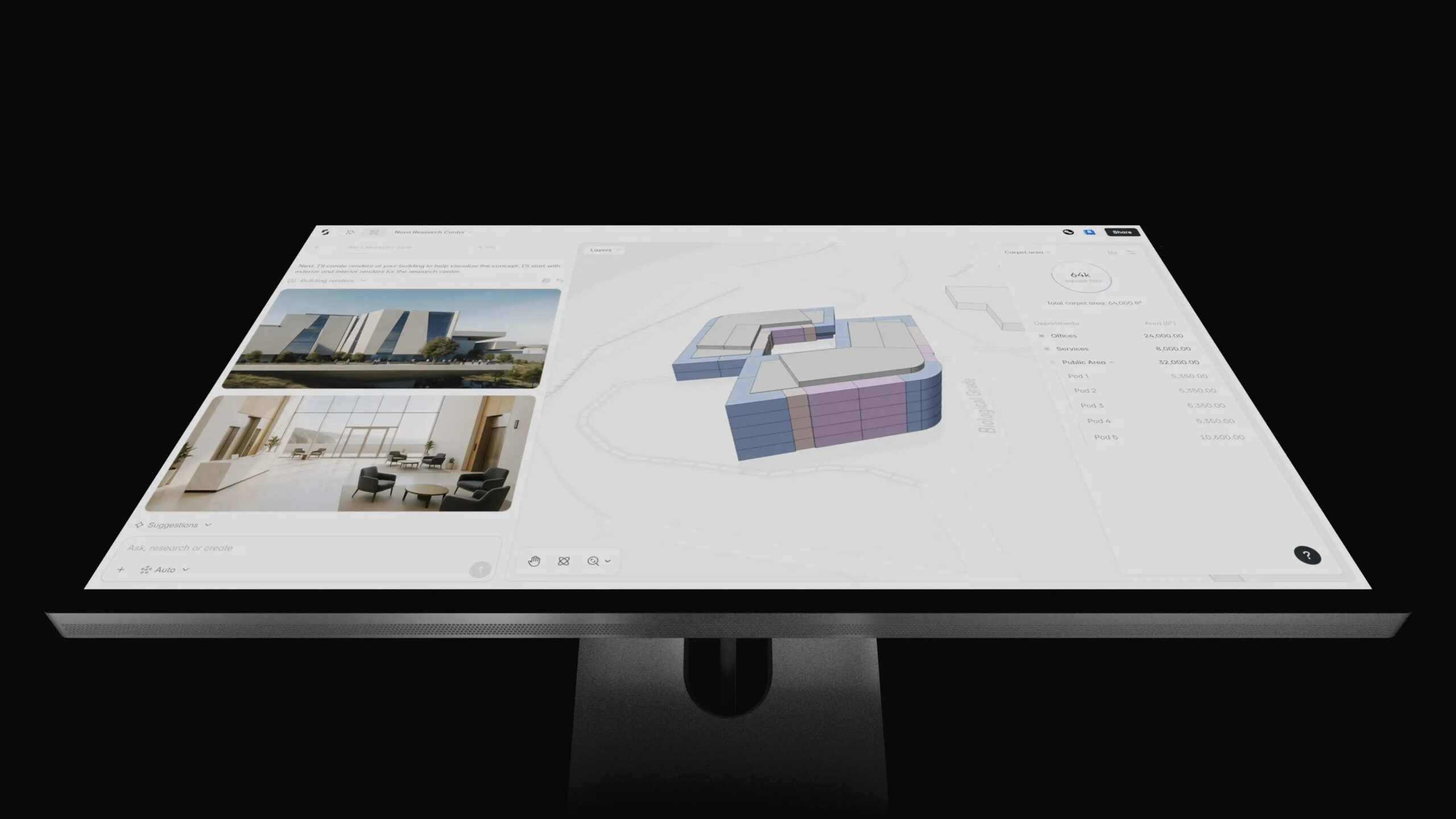
Snaptrude is a cloud-based Building Information Modeling platform specifically designed for architects and interior designers working in the early stages of design. Unlike traditional desktop applications, the Snaptrude app runs entirely in your browser, eliminating the need for expensive hardware or complex installations. This browser-based approach enables real-time collaboration, allowing team members to work simultaneously on the same project from anywhere in the world.
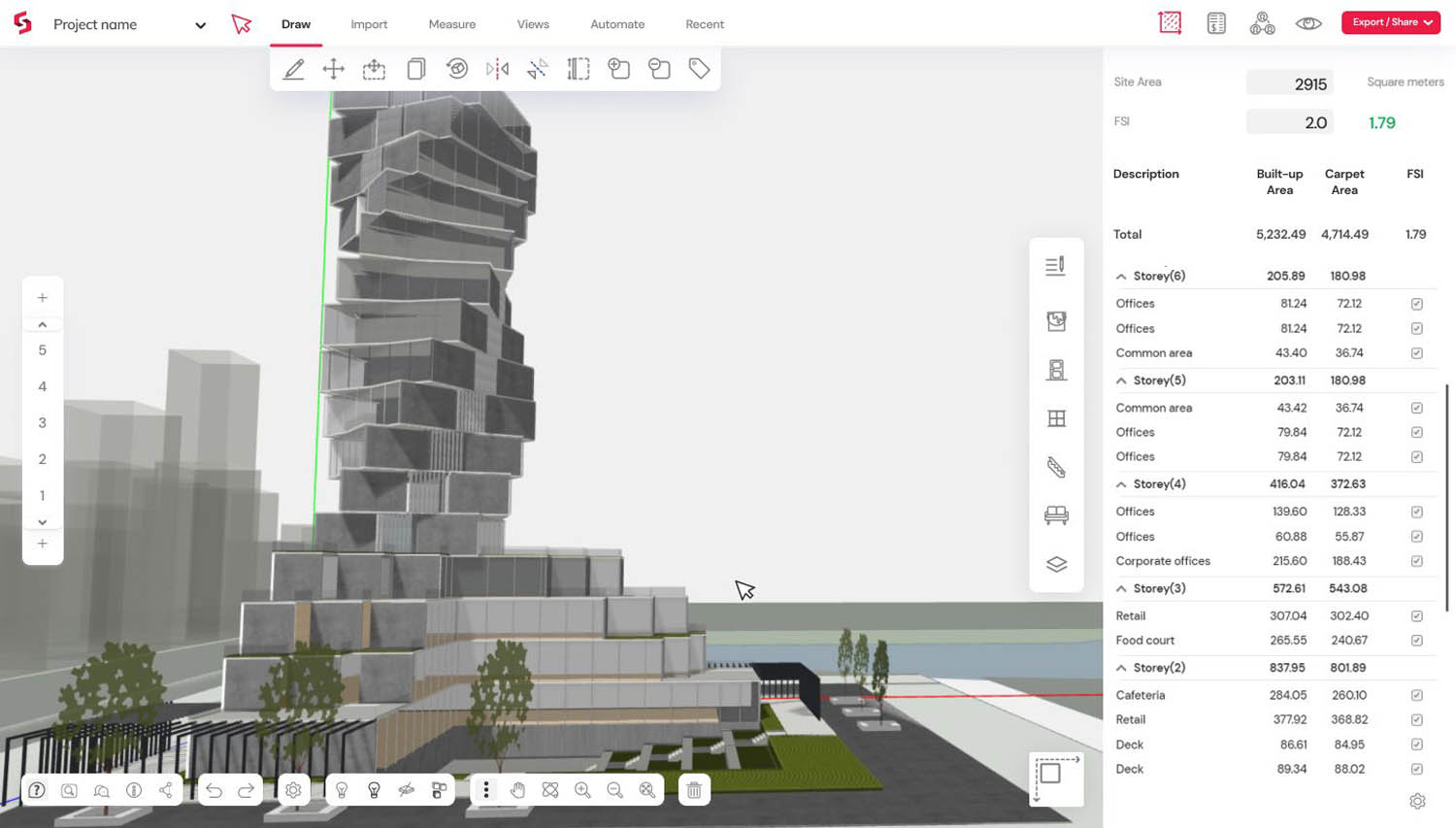
The platform automatically assigns BIM properties and dimensions as you design with spaces, fundamentally different from drawing disconnected objects in traditional software. Every change you make in the 3D model is instantly reflected in your program data, floor plans, and documentation. This live-linking approach ensures consistency across all project deliverables while dramatically reducing the time spent on manual updates.
What sets Snaptrude apart from other architectural design software is its focus on maintaining the creative flow of early-stage design while providing the data-rich outputs typically associated with detailed BIM workflows. Architects can push, pull, twist, and rotate designs with the ease of sketching, yet every action produces construction-ready information.
Snaptrude 3.0: Four Integrated Modes for Complete Design Workflows
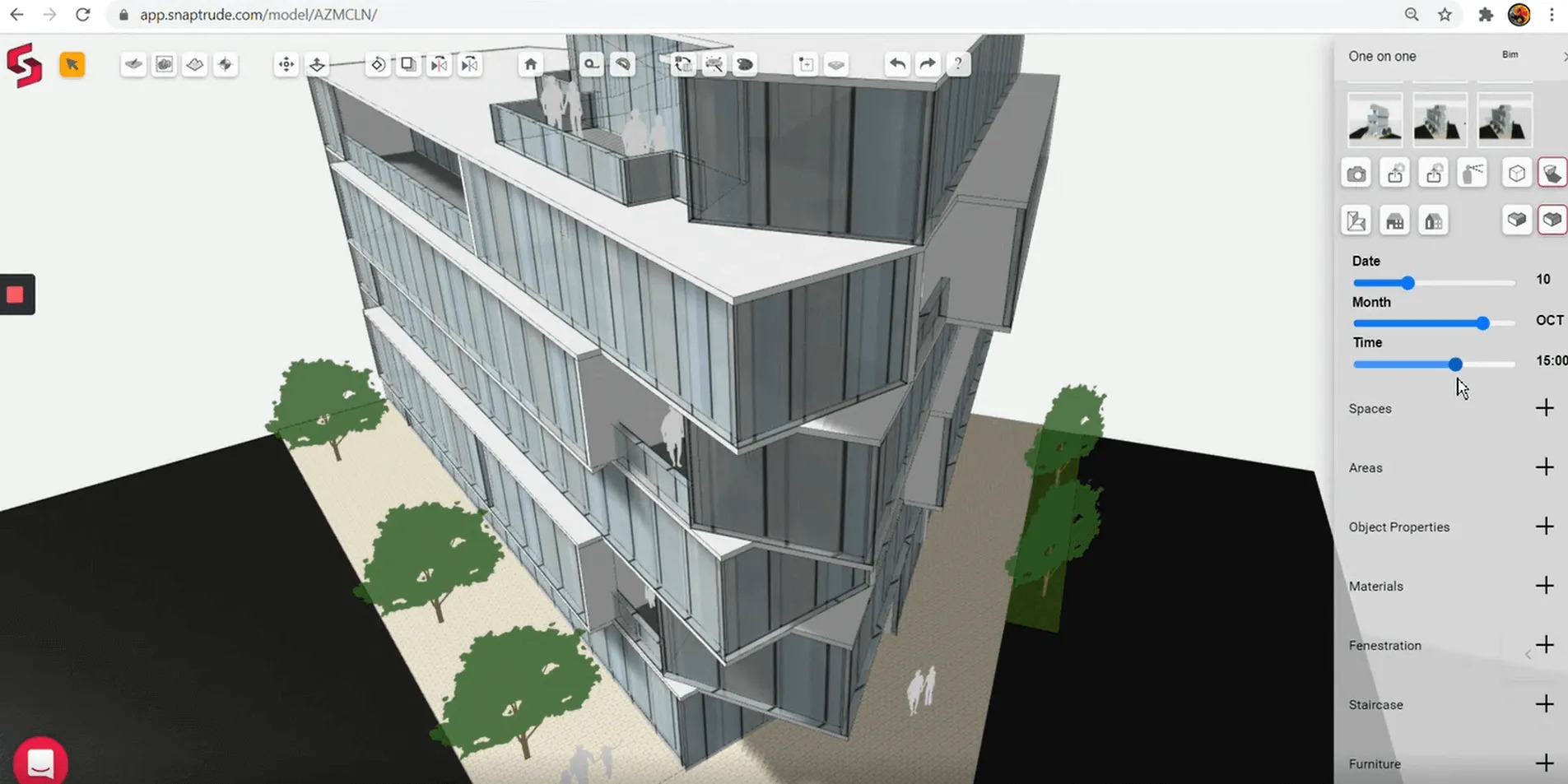
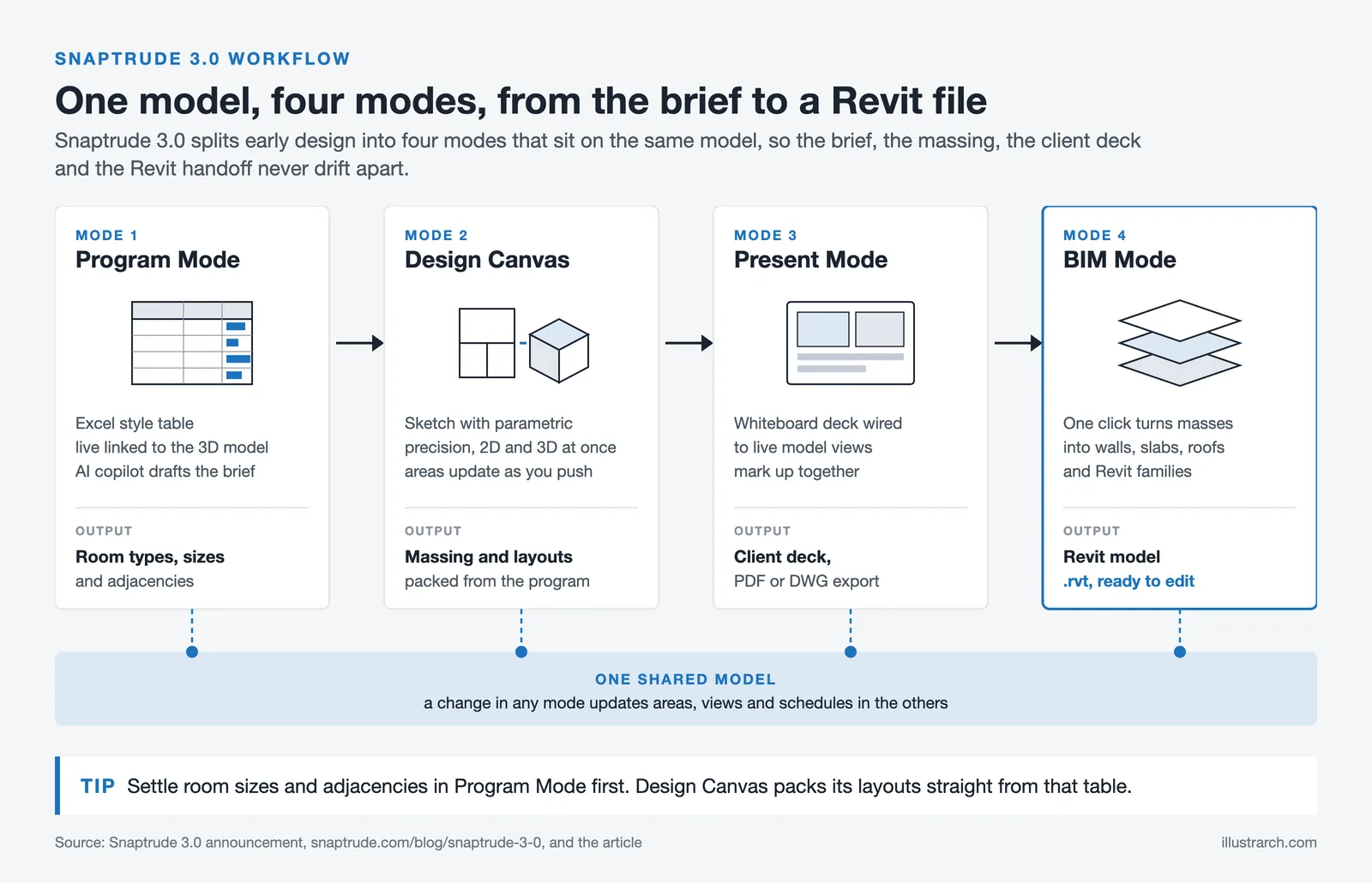
The latest release, Snaptrude 3.0, represents a significant evolution in how architects approach early-stage design. The platform now organizes its capabilities into four distinct yet interconnected modes, each addressing a specific phase of the design process while maintaining seamless data flow between them.
Program Mode: From Spreadsheets to Live-Linked Tables
Program Mode transforms the traditional requirements spreadsheet into a dynamic, Excel-like table that maintains a live connection to your 3D model. The Snaptrude AI copilot can draft, interpret, and refine project briefs in seconds based on simple prompts. For example, entering “mid-rise office building in downtown Chicago” generates a complete program with room types, sizes, and support items ready for design development.
This AI-powered approach to programming represents a fundamental shift from manual data entry to intelligent assistance. The system can research building regulations, zoning codes, and site constraints, providing architects with actionable information directly within the design environment. As explored in our article on creating architecture plans with AI, these capabilities are transforming how architects approach the earliest stages of project development.
Design Canvas: Where Sketching Meets Parametric Precision
The Design Canvas mode blends freehand sketching with parametric precision on Snaptrude’s proprietary geometry kernel. Pushing a face feels like drawing a line, yet the software instantly calculates structural implications, updates area calculations, and maintains BIM data integrity. This combination of intuitive interaction and technical rigor is what architects have long sought in their design tools.
Users can work in both 2D and 3D simultaneously, with changes in one view automatically reflected in the other. The platform includes built-in libraries of materials, fenestration elements, parametric staircases, and furniture, all of which can be customized and saved for use across projects. This approach to design mirrors the workflow benefits discussed in our guide to unlocking the benefits of architectural design software.
Present Mode: Collaborative Whiteboard for Client-Ready Decks
Present Mode provides a collaborative whiteboard environment where architects can assemble client-ready presentations directly from their design work. Drop in views of plans, 3D perspectives, renderings, and analysis diagrams with one click, then export to PDF or DWG without leaving the browser. This integration eliminates the tedious process of exporting images and manually assembling presentations in separate software.
The AI Render feature, one of Snaptrude’s most anticipated additions, generates photorealistic or artistic renders in approximately 20 seconds. Users can choose from presets or use custom prompts to tailor their visualizations. For architects seeking to enhance their architectural presentations, this capability provides a significant time advantage over traditional rendering workflows.
BIM Mode: From Concept to Construction Documentation
BIM Mode converts early-stage massing into full BIM models with walls, floors, roofs, and more in a single click. The platform supports export to .rvt files with no lost materials or broken parameters, producing clean, ready-to-edit Revit models. This interoperability ensures that the conceptual work done in Snaptrude flows seamlessly into the detailed design and documentation phases.
Teams can upload firm-standard Revit objects for use throughout Snaptrude’s BIM mode, maintaining consistency with established workflows. The bidirectional link with Revit means files can be exported without losing crucial data, a significant advantage for firms that rely on Revit or ArchiCAD for their detailed design work.
Snaptrude AI: Intelligent Design Assistance
The Snaptrude AI capabilities extend throughout the platform, offering architects intelligent assistance at every stage of the design process. The AI-powered adjacency generation feature automatically creates spatial relationships the moment you generate a program, with Arrange and Pack workflows transforming those relationships into usable layouts in seconds.
This approach to AI in architectural design focuses on augmenting human creativity rather than replacing it. The AI suggests options and optimizations while leaving final decisions to the architect. Strong adjacency relationships indicate spaces that must be placed directly beside each other, while restricted separations keep incompatible functions apart. These intelligent constraints help architects explore design possibilities more efficiently while respecting programmatic requirements.
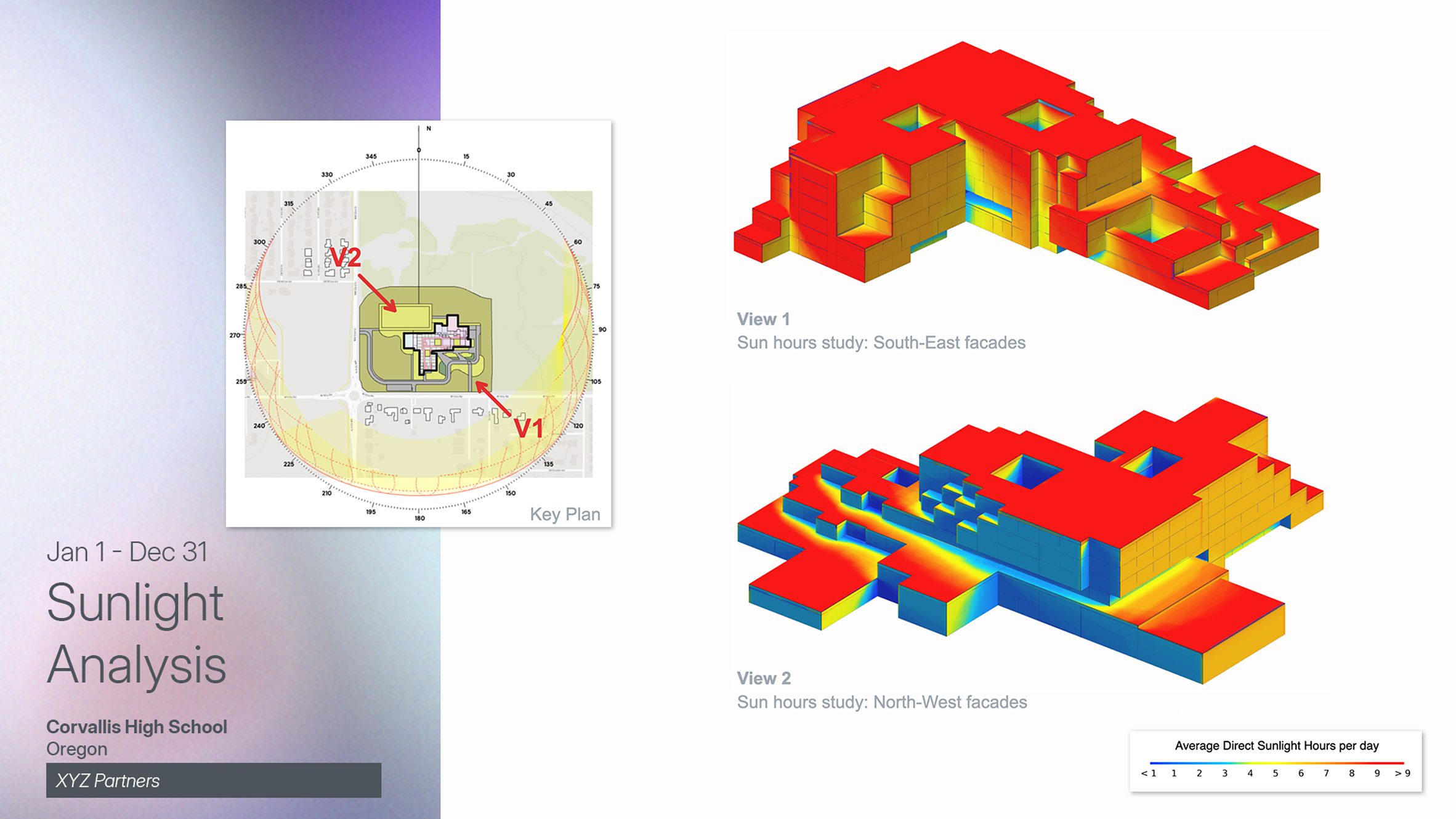
Environmental analysis tools are also integrated into the platform. Users can analyze illuminance and sun hours during blocking and stacking phases, receiving immediate feedback on environmental performance without requiring complex plugins or separate analysis software. This integration supports the growing emphasis on sustainable design through AI-assisted tools.
Snaptrude vs SketchUp: Which Is Right for Your Practice?
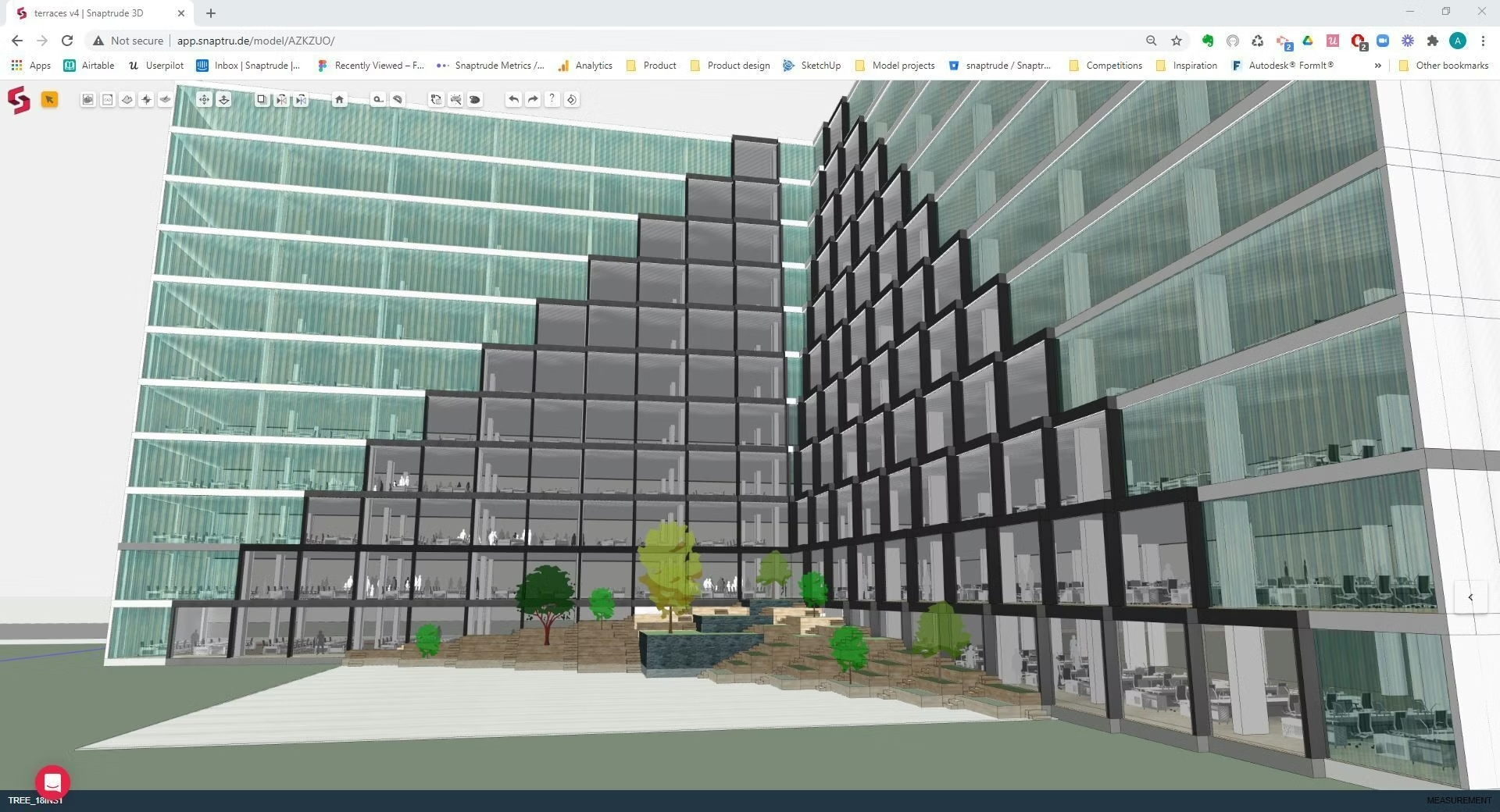
The comparison between Snaptrude vs SketchUp reveals two fundamentally different approaches to architectural modeling. SketchUp has long been the industry standard for quick conceptual modeling, beloved for its intuitive push-pull interface and extensive 3D Warehouse. However, it lacks native BIM capabilities and requires additional plugins and software for rendering, analysis, and documentation.
Snaptrude was built to address these limitations while maintaining the ease of use that made SketchUp popular. According to case studies, architects report completing projects 50% faster with Snaptrude compared to SketchUp workflows, primarily because drawing a plan creates a 3D model simultaneously, with changes reflected across all views instantly.
Key differences in the Snaptrude vs SketchUp comparison include real-time collaboration capabilities with Snaptrude’s cloud platform, built-in BIM data generation versus SketchUp’s mesh-based approach, integrated rendering versus plugin dependency, automated Bill of Quantities generation, and native Revit export without data loss. For practices evaluating their architectural software options, these differences can significantly impact productivity and workflow efficiency.
That said, SketchUp maintains advantages in certain areas. Its plugin ecosystem offers specialized tools for various applications, the 3D Warehouse provides an unmatched library of pre-made components, and many architects have years of muscle memory with its interface. The choice between SketchUp and alternatives like Snaptrude ultimately depends on your specific workflow needs and the importance of BIM integration in your practice.
Is Snaptrude Free? Understanding Pricing Options
One of the most common questions from architects evaluating the platform is “is Snaptrude free?” The answer involves understanding the tiered pricing structure that Snaptrude offers to accommodate different practice sizes and needs.
Snaptrude does offer a free plan that allows architects to explore the platform’s capabilities with a limited number of projects. After the project limit, accounts transition to view-only mode, but this free tier provides genuine value for those wanting to evaluate the software before committing to a paid subscription.
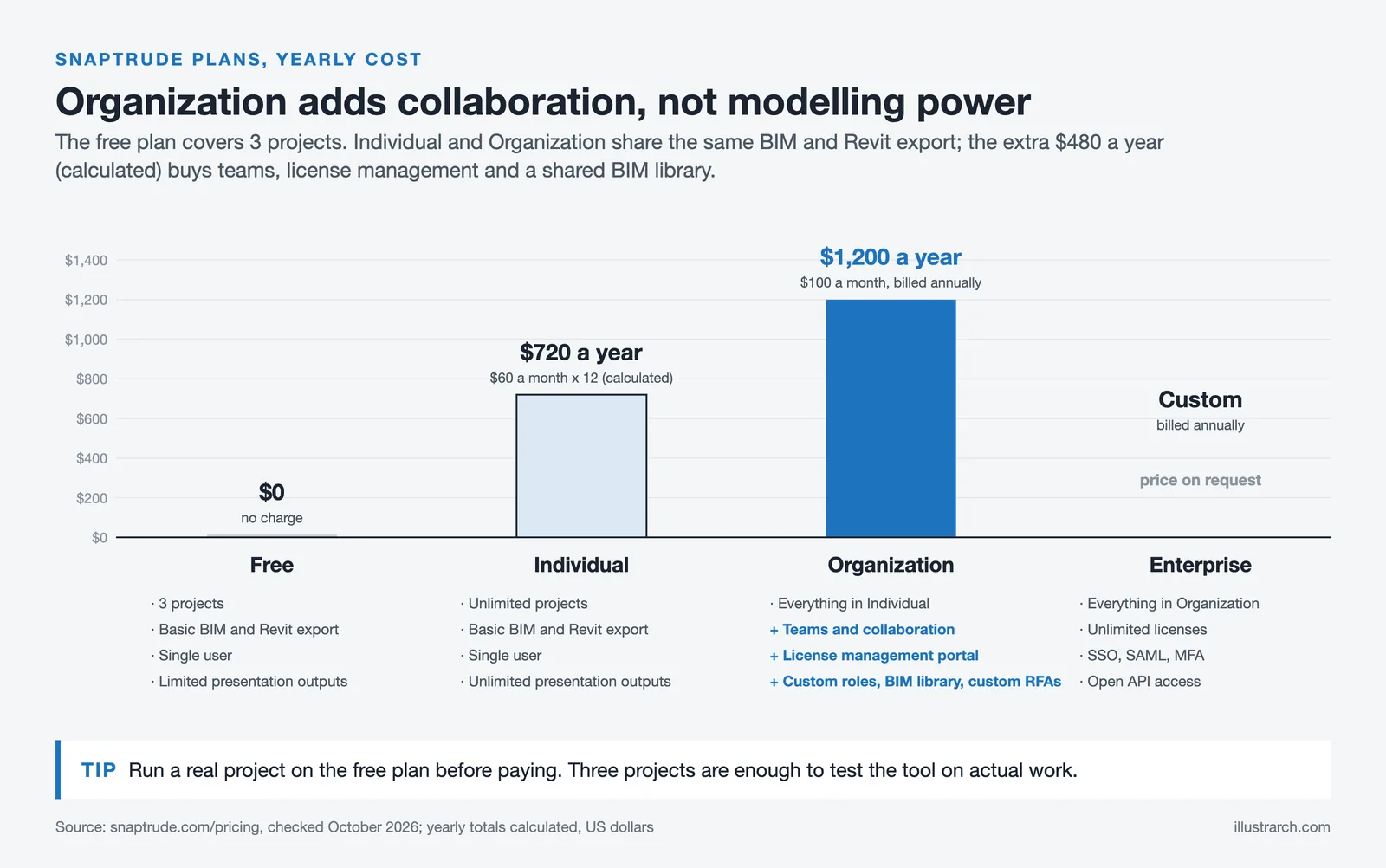
For professional use, the Individual plan costs $60 per month (as of October 2026), providing unlimited projects and extended AI generation capabilities. The Organization plan at $100 per month, billed annually, adds team collaboration features and administrative controls suitable for firms with multiple users. Enterprise pricing is available for larger organizations requiring custom solutions and dedicated support.
A particularly notable offering is the free student plan launched in late 2025, which gives architecture students worldwide full access to Snaptrude’s professional platform and AI workflows. This includes the complete, uncompromised professional version with access to every feature, unlimited projects, cloud storage, real-time collaboration, and 120 free annual AI credits. Students can verify their status with a school-issued email address and maintain free access throughout their education.
Snaptrude Architecture Workflow: From Brief to BIM
Understanding how Snaptrude architecture workflows function in practice helps illustrate the platform’s value proposition. A typical project might begin with the AI copilot generating an initial program based on a brief description of the project type and location. The architect then refines this program in the spreadsheet interface, adjusting room types, sizes, and relationships.
Moving to Design Canvas, the program data drives initial spatial arrangements through AI-powered adjacency packing. The architect manipulates these layouts, pushing and pulling spaces while the system maintains data integrity and provides real-time feedback on area compliance and environmental performance. This approach aligns with the evolving role of AI in modern architectural design.
As the design develops, the architect can toggle between 2D and 3D views, add fenestration from the built-in library, and apply materials that automatically update the Bill of Quantities. Sun hours analysis and illumination studies inform design decisions about orientation and façade treatment. Throughout this process, the project remains a single source of truth, with changes propagating automatically across all views and documentation.
When ready for client review, Present Mode allows quick assembly of presentation decks with live views from the model. AI Render generates compelling visualizations that help clients understand the proposal. Once approved, BIM Mode converts the massing into detailed building elements for export to Revit, where the design team continues into the detailed design and construction documentation phases.
Integration and Interoperability
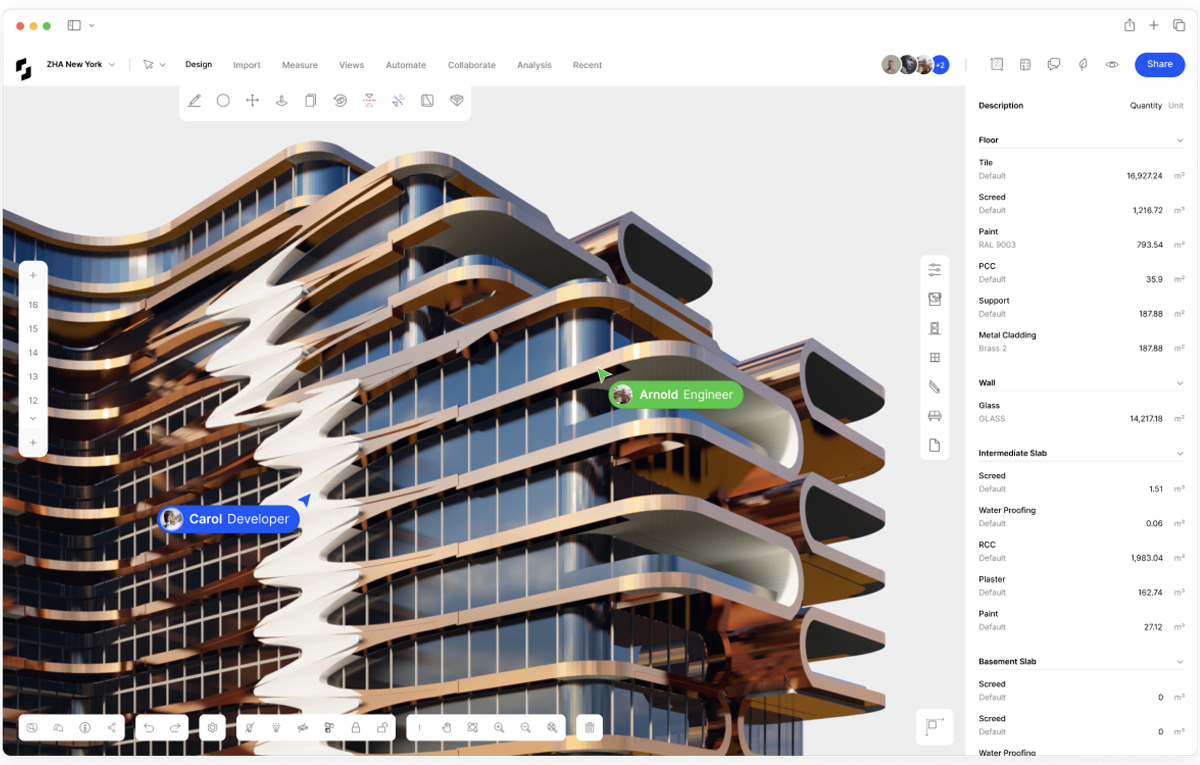
Snaptrude’s value in professional practice depends partly on its ability to integrate with existing tools and workflows. The platform supports import from AutoCAD, SketchUp, Rhino, and Revit, allowing architects to leverage existing drawings and models as starting points. A dedicated Rhino plugin enables import of complex design elements like facades, roofs, staircases, and topography directly into Snaptrude.
Export capabilities are equally comprehensive. The Revit Manager plugin facilitates direct export maintaining complete parametric family information without data loss. This bidirectional workflow means architects can use Snaptrude for its early-stage strengths while maintaining compatibility with industry-standard documentation tools. For practices using CAD models from various sources, this flexibility is essential.
The platform also exports to common formats including DWG, PDF, and IFC for coordination with other BIM platforms. Space planning diagrams can be exported as polished PDFs for stakeholder presentations. This comprehensive interoperability ensures that Snaptrude can fit into existing firm workflows without requiring wholesale changes to established processes.
Security and Enterprise Considerations
For firms evaluating Snaptrude for larger implementations, security and scalability are important considerations. Every model in Snaptrude is versioned, providing a complete history of changes and the ability to revert to previous states. All data is encrypted in transit and at rest, with AI queries ring-fenced from private intellectual property.
The platform scales on the same secure cloud infrastructure trusted by banking and biotech industries. Whether you are a small studio or a multi-office firm, Snaptrude 3.0 maintains consistent security and performance. This enterprise-grade approach addresses the concerns that often prevent firms from adopting cloud-based design tools.
Getting Started with Snaptrude
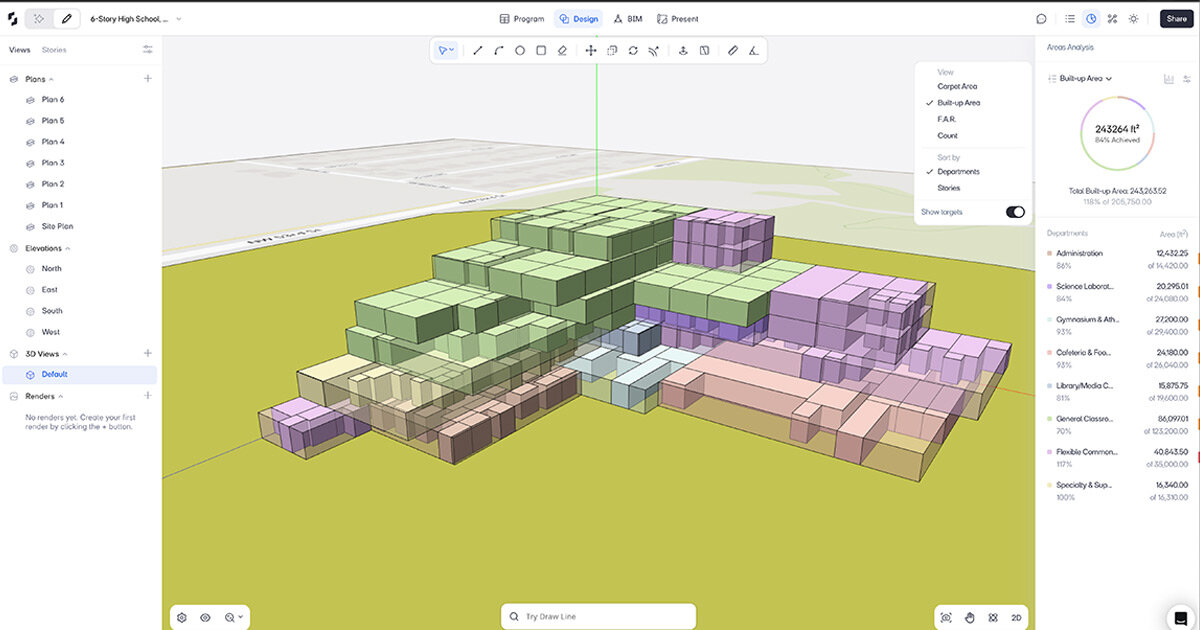
For architects interested in exploring Snaptrude software, the path to getting started is straightforward. Visit the Snaptrude website and create a free account to begin exploring the platform’s capabilities. The free tier provides sufficient access to evaluate whether the platform fits your workflow needs before committing to a paid subscription.
New users typically find the platform intuitive, with most becoming comfortable within a day and proficient within a week. Snaptrude provides comprehensive support materials and a team of architects available to help map existing workflows to the platform. For those transitioning from SketchUp, many interface conventions will feel familiar, while the added BIM capabilities provide immediate value.
Architecture students should explore the student plan for free professional access. The Campus Leader Program offers additional opportunities for student leaders to earn compensation while building communities around modern design technology.
The Future of Early-Stage Design
Snaptrude 3.0 represents a significant step toward the unified design ecosystem that architects have long desired. By bringing together programming, design, presentation, and BIM workflows in a single browser-based platform, it addresses the fragmentation that has historically plagued early-stage design. The integration of AI capabilities throughout the platform points toward a future where intelligent assistance amplifies human creativity rather than constraining it.
As the landscape of AI tools for architects continues to evolve, Snaptrude’s approach, which combines practical BIM functionality with emerging AI capabilities, positions it as a platform worth watching. Whether you are a sole practitioner seeking to streamline your workflow or a large firm looking to improve collaboration across offices, Snaptrude offers capabilities that merit serious evaluation.
The runway from program to proposal no longer requires multiple software switches, manual data transfer, and fragmented workflows. With Snaptrude 3.0, architects can focus on what matters most: designing buildings that improve people’s lives. The software has finally stepped aside to let imagination travel further than ever before.
Snaptrude Pricing: Plans and What They Include
Snaptrude has a genuinely usable free tier, which is unusual in this category. Figures below are from https://www.snaptrude.com/pricing at the time of writing.
| Plan | Price | What it covers |
|---|---|---|
| Free | $0 | 3 projects, basic BIM and Revit export, single user, limited presentation outputs |
| Individual | $60/month | Unlimited projects, basic BIM and Revit export, single user, unlimited presentation outputs |
| Organization | $100/month, billed annually | Everything in Individual plus teams and collaboration, licence management, custom roles, BIM library and custom RFAs |
| Enterprise | Custom, billed annually | Everything in Organization plus unlimited licences, SSO, SAML, MFA, open API, directory sync |
The three-project free tier is enough to evaluate the tool properly on real work, which is the right way to judge it. The jump worth understanding is Individual to Organization: it is collaboration and licence management rather than modelling capability.
Snaptrude Alternatives
| Tool | Entry price | Best for | Trade-off |
|---|---|---|---|
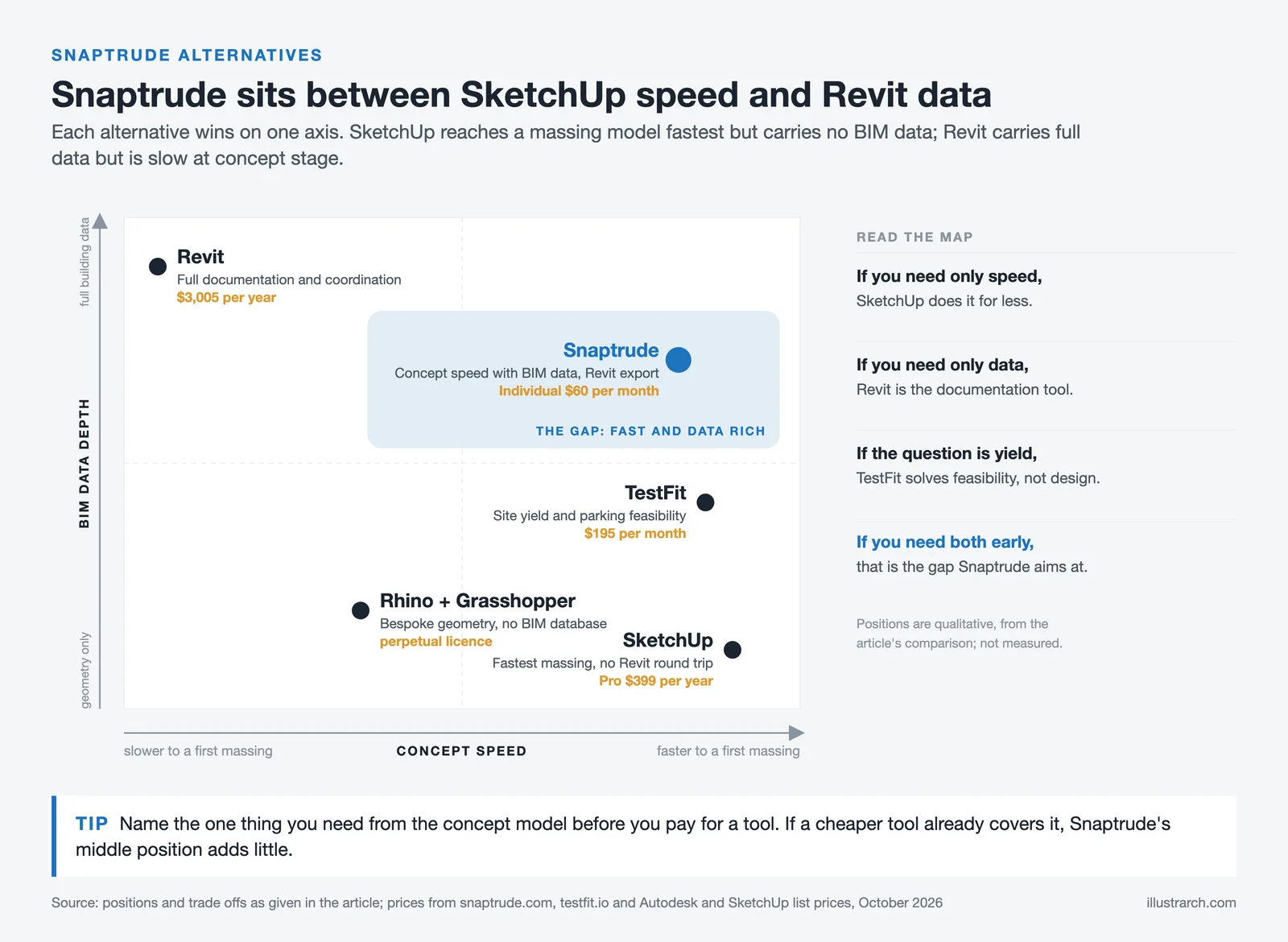
| TestFit | $195/month | Site yield and parking feasibility | Solves feasibility, not design. |
| Revit | Subscription only | Full documentation and coordination | Slow at concept stage by design. |
| Rhino + Grasshopper | Perpetual licence | Bespoke geometry, computational design | No BIM database behind the geometry. |
| SketchUp | Subscription | Fastest massing model | No BIM data, no Revit round-trip. |
Snaptrude’s position is the gap between SketchUp’s speed and Revit’s data. If you only need one of the two, a cheaper tool does it better.







Notion Alternatives for Architects: 7 Tools That Fit Studio Work
Notion works until a studio needs fee tracking, phase budgets and timesheets....
 Furkan Sen7 Mins read

Why Every Practice Ends Up With Five Versions of the Same Revit Family
Let’s learn why Revit family libraries accumulate duplicates, break schedules and slow...
 illustrarch Editoral Team5 Mins read

Visualizing Renovation Projects From Photographs: A Workflow for Existing-Building Work
Photo-based visualization turns a photograph of a building that already exists into...
illustrarch Editoral Team7 Mins read

Best Free CAD Blocks and Resources for Architects
A working guide to free CAD blocks for architects, covering ARCAT, CAD-Blocks.net,...
Furkan Sen7 Mins read


Leave a comment